battery KIA VENGA 2016 User Guide
[x] Cancel search | Manufacturer: KIA, Model Year: 2016, Model line: VENGA, Model: KIA VENGA 2016Pages: 404, PDF Size: 21.96 MB
Page 118 of 404
Features of your vehicle
44
4
Tripmeter/Trip computer (if equipped)
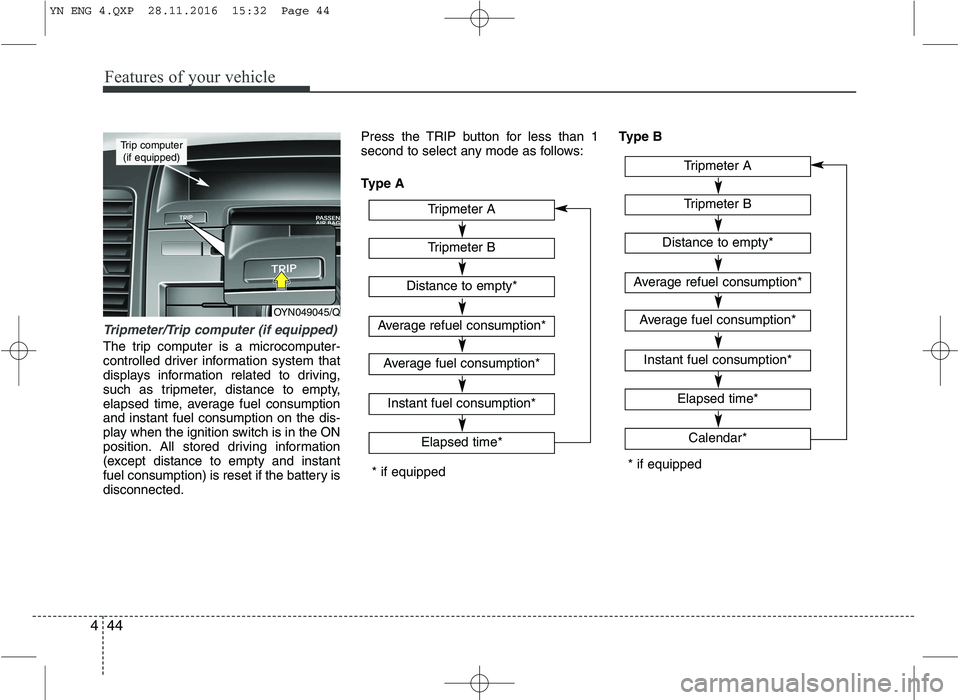
The trip computer is a microcomputer-
controlled driver information system that
displays information related to driving,
such as tripmeter, distance to empty,
elapsed time, average fuel consumptionand instant fuel consumption on the dis-
play when the ignition switch is in the ON
position. All stored driving information
(except distance to empty and instant
fuel consumption) is reset if the battery isdisconnected. Press the TRIP button for less than 1
second to select any mode as follows:
Type A
Type B
Tripmeter B
Elapsed time*
Tripmeter A
Distance to empty*
Average refuel consumption*
Average fuel consumption*
Instant fuel consumption*
* if equipped
OYN049045/Q
Trip computer
(if equipped)
Tripmeter B
Elapsed time*
Tripmeter A
Calendar*
Distance to empty*
Average refuel consumption*
Average fuel consumption*
Instant fuel consumption*
* if equipped
YN ENG 4.QXP 28.11.2016 15:32 Page 44
Page 120 of 404
Features of your vehicle
46
4
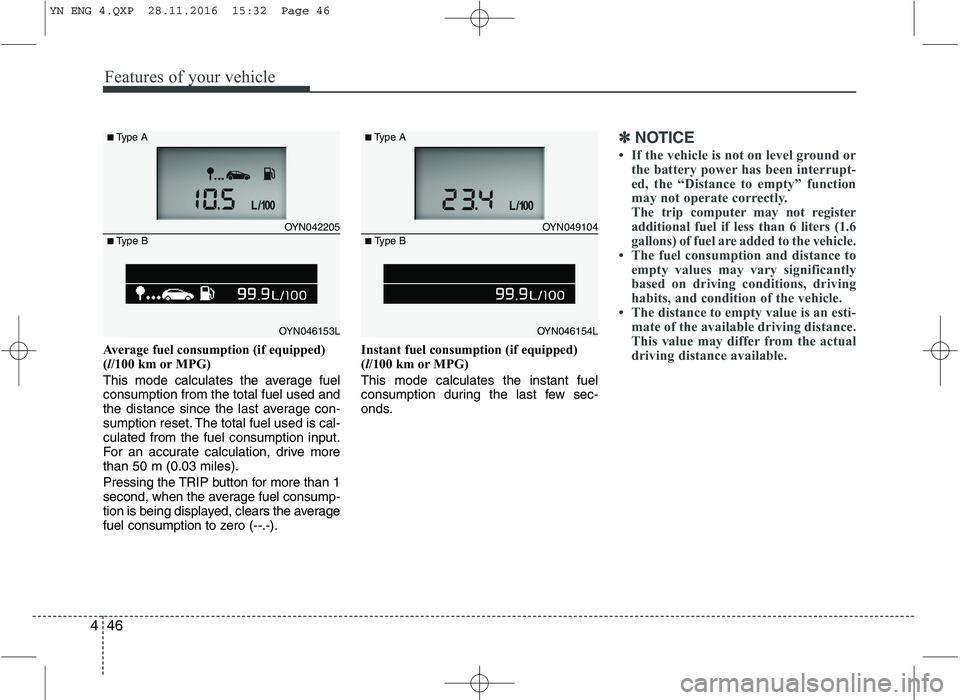
Average fuel consumption (if equipped) ( l/100 km or MPG)
This mode calculates the average fuelconsumption from the total fuel used and
the distance since the last average con-
sumption reset. The total fuel used is cal-culated from the fuel consumption input.
For an accurate calculation, drive morethan 50 m (0.03 miles).
Pressing the TRIP button for more than 1
second, when the average fuel consump-
tion is being displayed, clears the average
fuel consumption to zero (--.-). Instant fuel consumption (if equipped)(
l/100 km or MPG)
This mode calculates the instant fuel
consumption during the last few sec-
onds.
✽✽ NOTICE
If the vehicle is not on level ground or the battery power has been interrupt-
ed, the “Distance to empty” function
may not operate correctly.
The trip computer may not register
additional fuel if less than 6 liters (1.6
gallons) of fuel are added to the vehicle.
The fuel consumption and distance to
empty values may vary significantly
based on driving conditions, driving
habits, and condition of the vehicle.
The distance to empty value is an esti-
mate of the available driving distance.
This value may differ from the actual
driving distance available.
OYN042205
OYN046153L
■Type A
■ Type BOYN049104
OYN046154L
■Type A
■ Type B
YN ENG 4.QXP 28.11.2016 15:32 Page 46
Page 128 of 404
Features of your vehicle
54
4
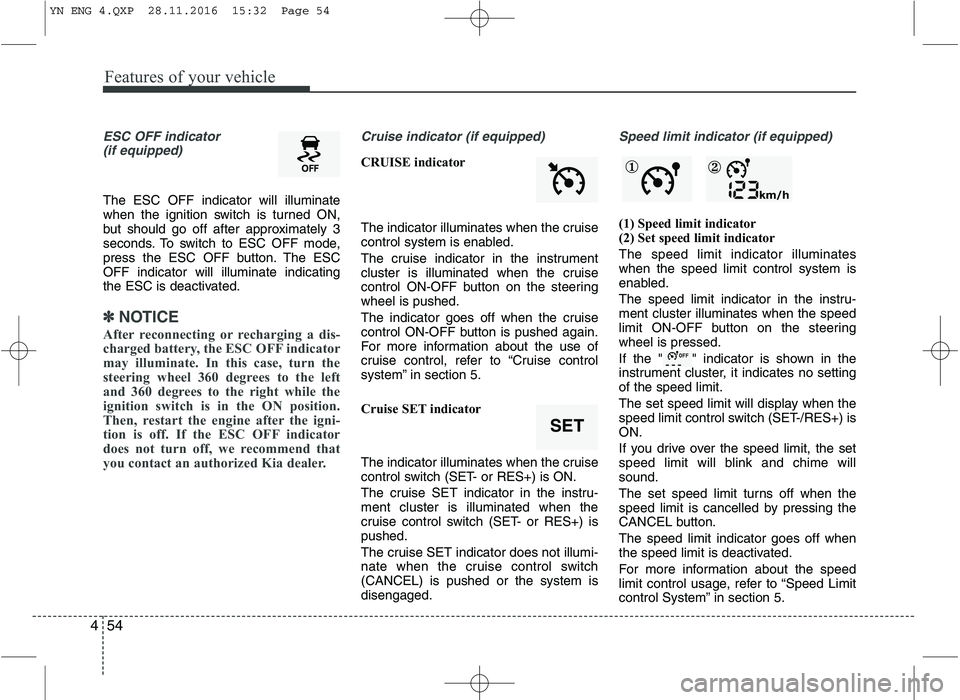
ESC OFF indicator
(if equipped)
The ESC OFF indicator will illuminate
when the ignition switch is turned ON,
but should go off after approximately 3
seconds. To switch to ESC OFF mode,
press the ESC OFF button. The ESCOFF indicator will illuminate indicating
the ESC is deactivated.
✽✽ NOTICE
After reconnecting or recharging a dis-
charged battery, the ESC OFF indicator
may illuminate. In this case, turn the
steering wheel 360 degrees to the left
and 360 degrees to the right while the
ignition switch is in the ON position.
Then, restart the engine after the igni-
tion is off. If the ESC OFF indicator
does not turn off, we recommend that
you contact an authorized Kia dealer.
Cruise indicator (if equipped)
CRUISE indicator
The indicator illuminates when the cruise
control system is enabled.
The cruise indicator in the instrument
cluster is illuminated when the cruise
control ON-OFF button on the steeringwheel is pushed.
The indicator goes off when the cruise
control ON-OFF button is pushed again.
For more information about the use of
cruise control, refer to “Cruise control
system” in section 5.
Cruise SET indicator
The indicator illuminates when the cruise
control switch (SET- or RES+) is ON.
The cruise SET indicator in the instru- ment cluster is illuminated when the
cruise control switch (SET- or RES+) ispushed.
The cruise SET indicator does not illumi-
nate when the cruise control switch(CANCEL) is pushed or the system isdisengaged.
Speed limit indicator (if equipped)
(1) Speed limit indicator
(2) Set speed limit indicator The speed limit indicator illuminates when the speed limit control system is
enabled.
The speed limit indicator in the instru- ment cluster illuminates when the speed
limit ON-OFF button on the steeringwheel is pressed.
If the " " indicator is shown in the
instrument cluster, it indicates no settingof the speed limit.
The set speed limit will display when the
speed limit control switch (SET-/RES+) isON.
If you drive over the speed limit, the set
speed limit will blink and chime willsound.
The set speed limit turns off when the
speed limit is cancelled by pressing the
CANCEL button. The speed limit indicator goes off when
the speed limit is deactivated.
For more information about the speed
limit control usage, refer to “Speed Limit
control System” in section 5.
SET
① ②
YN ENG 4.QXP 28.11.2016 15:32 Page 54
Page 129 of 404
455
Features of your vehicle
TPMS (Tire Pressure MonitoringSystem) indicator (if equipped)
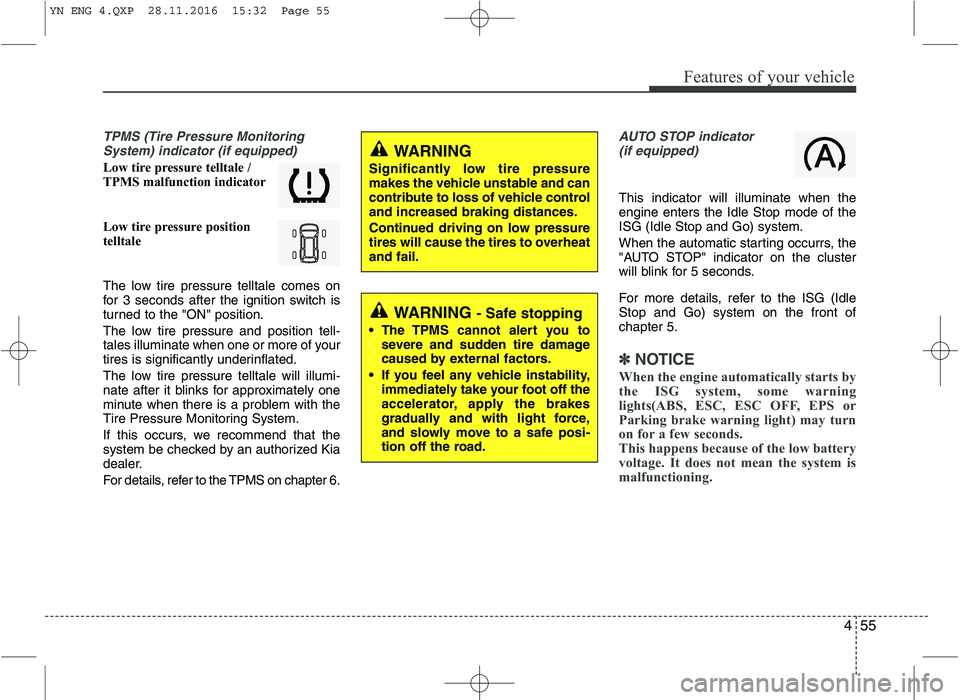
Low tire pressure telltale /
TPMS malfunction indicator
Low tire pressure position
telltale
The low tire pressure telltale comes on
for 3 seconds after the ignition switch is
turned to the "ON" position.
The low tire pressure and position tell-
tales illuminate when one or more of your
tires is significantly underinflated.
The low tire pressure telltale will illumi-
nate after it blinks for approximately one
minute when there is a problem with the
Tire Pressure Monitoring System.
If this occurs, we recommend that the
system be checked by an authorized Kia
dealer.
For details, refer to the TPMS on chapter 6.
AUTO STOP indicator(if equipped)
This indicator will illuminate when the engine enters the Idle Stop mode of theISG (Idle Stop and Go) system.
When the automatic starting occurrs, the
"AUTO STOP" indicator on the cluster
will blink for 5 seconds.
For more details, refer to the ISG (Idle Stop and Go) system on the front ofchapter 5.
✽✽ NOTICE
When the engine automatically starts by
the ISG system, some warning
lights(ABS, ESC, ESC OFF, EPS or
Parking brake warning light) may turn
on for a few seconds.
This happens because of the low battery
voltage. It does not mean the system is
malfunctioning.
WARNING
Significantly low tire pressure
makes the vehicle unstable and can
contribute to loss of vehicle controland increased braking distances.
Continued driving on low pressure
tires will cause the tires to overheatand fail.
WARNING - Safe stopping
The TPMS cannot alert you to severe and sudden tire damage
caused by external factors.
If you feel any vehicle instability, immediately take your foot off the
accelerator, apply the brakes
gradually and with light force,
and slowly move to a safe posi-
tion off the road.
YN ENG 4.QXP 28.11.2016 15:32 Page 55
Page 130 of 404
Features of your vehicle
56
4
KEY OUT indicator
(if equipped)
When the ENGINE START/STOP button
is in the ACC or ON position, if any door
is open, the system checks for the smart
key. If the smart key is not in the vehicle,
the indicator will blink, and if all doors areclosed, the chime (if equipped) will also
sound for about 5 seconds. The indicator
will go off while the vehicle is moving.
Keep the smart key in the vehicle or
insert it in the smart key holder.
Key reminder warning chime (if equipped)
If the driver’s door is opened while the
ignition key is left in the ignition switch
(ACC or LOCK position), the key
reminder warning chime will sound. This
is to prevent you from locking your keys
in the vehicle. The chime sounds until the
key is removed from the ignition switch or
the driver’s door is closed.
Glow indicator (Diesel engine)
The indicator illuminates when the igni-
tion switch is in the ON position. The
engine can be started after the preheat
indicator light goes off. The illuminating
time varies with the water temperature,
air temperature and battery condition.
✽✽ NOTICE
If the engine does not start within 10
seconds after the preheating is complet-
ed, turn the ignition key once more to
the LOCK position for 10 seconds, and
then to the ON position, in order to pre-
heat again.
Fuel filter warning light (Diesel engine)
This warning light illuminates for 3 sec-
onds after the ignition switch is set to the
ON position and then it will go off. If it
lights up while the engine is running, it
indicates that water has accumulated
inside the fuel filter. If this happens,
remove the water from the fuel filter. For
more information, refer to “Fuel filter” insection 7.
CAUTION
When the fuel filter warning light is
illuminated, engine power (vehicle speed & idle speed) may decrease.If you keep driving with the warning light on, you can damage your vehi-
cle's engine parts and injection sys- tem of the Common Rail.
If this occurs, we recommend thatthe system be checked by an author- ized Kia dealer.
CAUTION
If the preheat indicator continues toilluminate or blink on and off after
the engine has warmed up or while driving, we recommend that thesystem be checked by an author-ized Kia dealer.
KEY
OUT
YN ENG 4.QXP 28.11.2016 15:32 Page 56
Page 135 of 404
461
Features of your vehicle
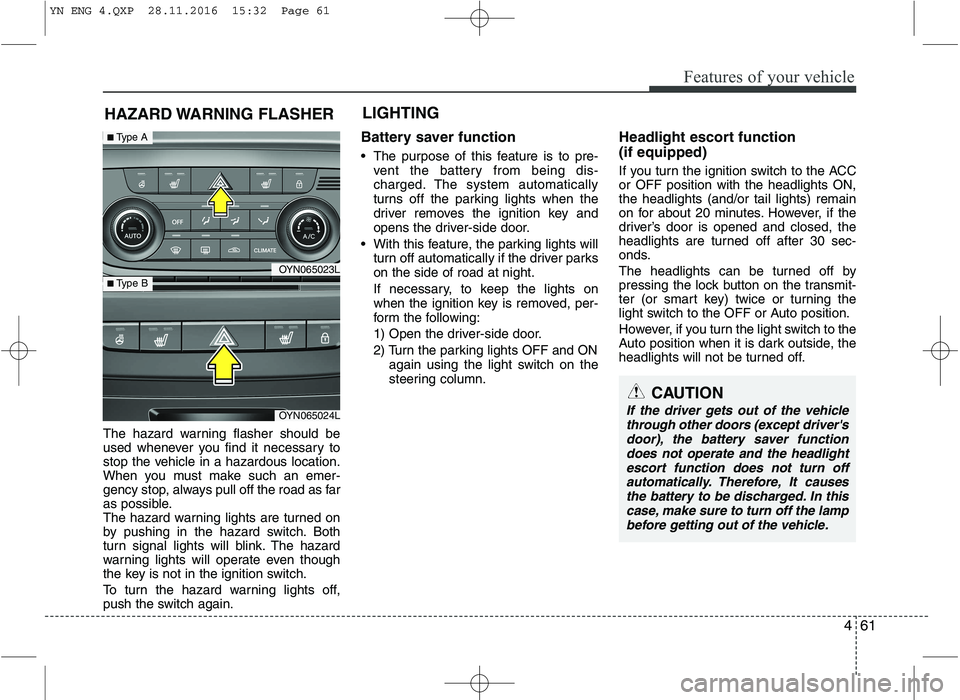
The hazard warning flasher should be
used whenever you find it necessary to
stop the vehicle in a hazardous location.
When you must make such an emer-
gency stop, always pull off the road as far
as possible.
The hazard warning lights are turned on
by pushing in the hazard switch. Both
turn signal lights will blink. The hazard
warning lights will operate even though
the key is not in the ignition switch.
To turn the hazard warning lights off,
push the switch again.Battery saver function
The purpose of this feature is to pre-
vent the battery from being dis-
charged. The system automatically
turns off the parking lights when the
driver removes the ignition key and
opens the driver-side door.
With this feature, the parking lights will turn off automatically if the driver parkson the side of road at night.
If necessary, to keep the lights on
when the ignition key is removed, per-
form the following:
1) Open the driver-side door.
2) Turn the parking lights OFF and ON again using the light switch on the
steering column. Headlight escort function (if equipped)
If you turn the ignition switch to the ACC or OFF position with the headlights ON,the headlights (and/or tail lights) remain
on for about 20 minutes. However, if the
driver’s door is opened and closed, the
headlights are turned off after 30 sec-
onds.
The headlights can be turned off by
pressing the lock button on the transmit-
ter (or smart key) twice or turning the
light switch to the OFF or Auto position.
However, if you turn the light switch to the
Auto position when it is dark outside, the
headlights will not be turned off.
HAZARD WARNING FLASHER
CAUTION
If the driver gets out of the vehicle
through other doors (except driver'sdoor), the battery saver function
does not operate and the headlightescort function does not turn off automatically. Therefore, It causesthe battery to be discharged. In this case, make sure to turn off the lamp
before getting out of the vehicle.
LIGHTING
OYN065023L
OYN065024L
■ Type A
■ Type B
YN ENG 4.QXP 28.11.2016 15:32 Page 61
Page 138 of 404
Features of your vehicle
64
4
High beam operation
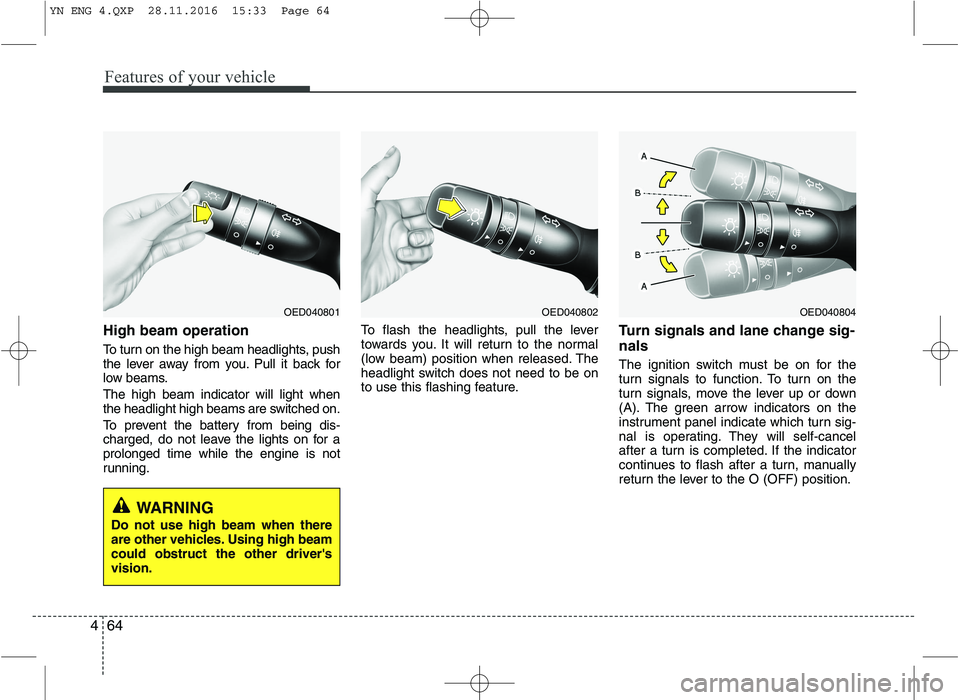
To turn on the high beam headlights, push
the lever away from you. Pull it back for
low beams. The high beam indicator will light when
the headlight high beams are switched on.
To prevent the battery from being dis-
charged, do not leave the lights on for aprolonged time while the engine is not
running. To flash the headlights, pull the lever
towards you. It will return to the normal
(low beam) position when released. The
headlight switch does not need to be on
to use this flashing feature.
Turn signals and lane change sig- nals
The ignition switch must be on for the
turn signals to function. To turn on the
turn signals, move the lever up or down
(A). The green arrow indicators on the
instrument panel indicate which turn sig-
nal is operating. They will self-cancel
after a turn is completed. If the indicator
continues to flash after a turn, manually
return the lever to the O (OFF) position.
OED040804OED040802OED040801
WARNING
Do not use high beam when there
are other vehicles. Using high beamcould obstruct the other driver'svision.
YN ENG 4.QXP 28.11.2016 15:33 Page 64
Page 145 of 404
471
Features of your vehicle
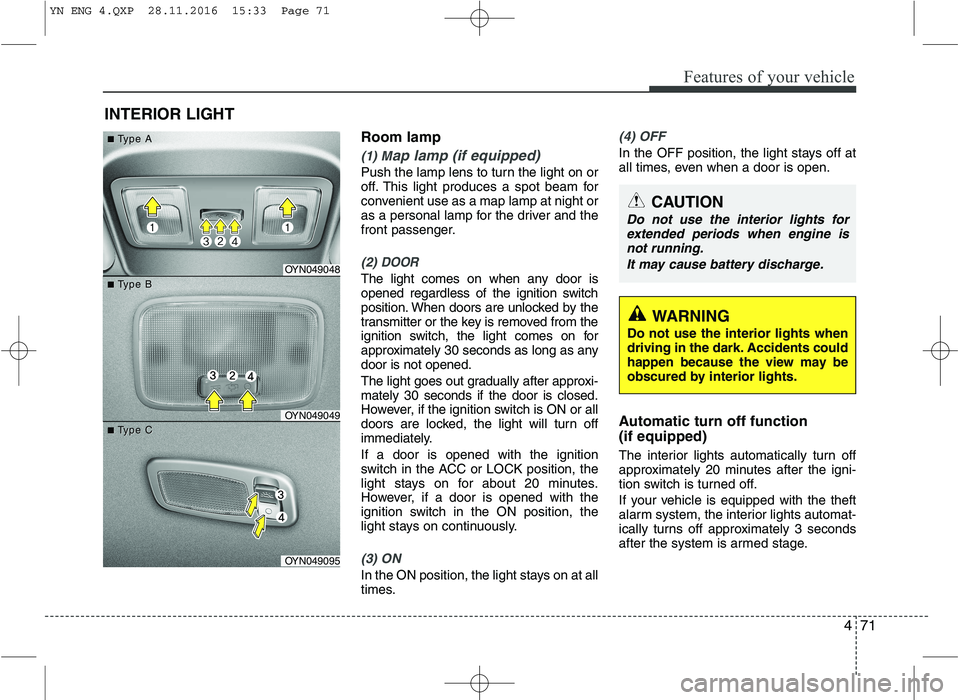
Room lamp
(1) Map lamp (if equipped)
Push the lamp lens to turn the light on or
off. This light produces a spot beam for
convenient use as a map lamp at night or
as a personal lamp for the driver and the
front passenger.
(2) DOOR
The light comes on when any door is
opened regardless of the ignition switch
position. When doors are unlocked by the
transmitter or the key is removed from the
ignition switch, the light comes on for
approximately 30 seconds as long as anydoor is not opened.
The light goes out gradually after approxi- mately 30 seconds if the door is closed.
However, if the ignition switch is ON or all
doors are locked, the light will turn off
immediately. If a door is opened with the ignition
switch in the ACC or LOCK position, the
light stays on for about 20 minutes.
However, if a door is opened with the
ignition switch in the ON position, the
light stays on continuously.
(3) ON
In the ON position, the light stays on at all
times.
(4) OFF
In the OFF position, the light stays off at
all times, even when a door is open.
Automatic turn off function (if equipped)
The interior lights automatically turn off
approximately 20 minutes after the igni-
tion switch is turned off.
If your vehicle is equipped with the theft
alarm system, the interior lights automat-
ically turns off approximately 3 seconds
after the system is armed stage.
INTERIOR LIGHT
CAUTION
Do not use the interior lights for
extended periods when engine is
not running.
It may cause battery discharge.
OYN049048
OYN049049
OYN049095
■■TType Aype A
■■TType Bype B
■■TType Cype C
WARNING
Do not use the interior lights when
driving in the dark. Accidents could
happen because the view may be
obscured by interior lights.
YN ENG 4.QXP 28.11.2016 15:33 Page 71
Page 147 of 404
473
Features of your vehicle
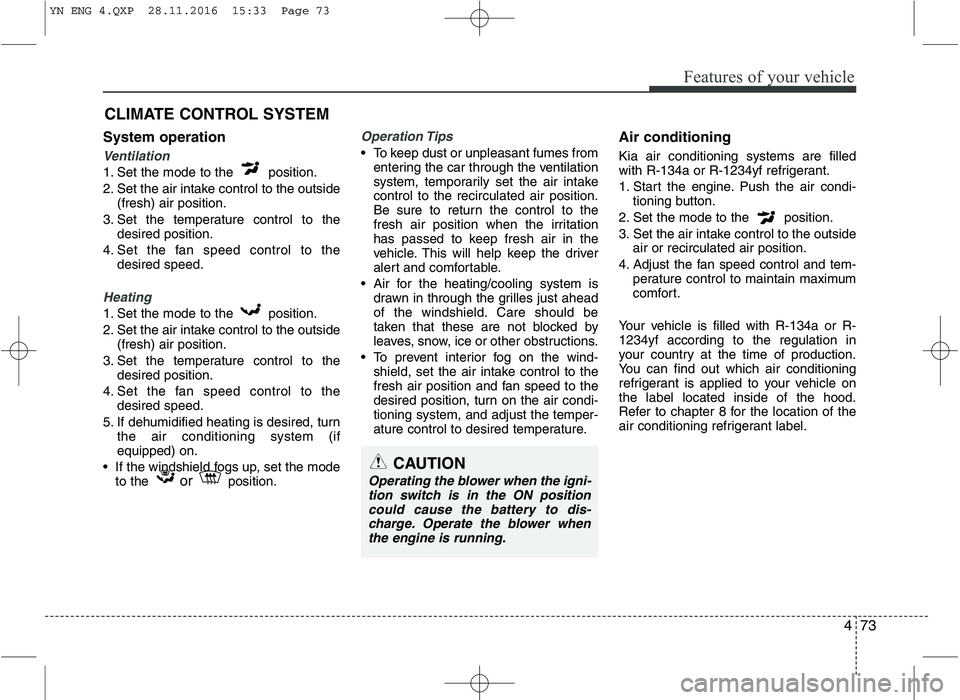
System operation
Ventilation
1. Set the mode to the position.
2. Set the air intake control to the outside(fresh) air position.
3. Set the temperature control to the desired position.
4. Set the fan speed control to the desired speed.
Heating
1. Set the mode to the position.
2. Set the air intake control to the outside
(fresh) air position.
3. Set the temperature control to the desired position.
4. Set the fan speed control to the desired speed.
5. If dehumidified heating is desired, turn the air conditioning system (if equipped) on.
If the windshield fogs up, set the mode to the or
position.
Operation Tips
To keep dust or unpleasant fumes from
entering the car through the ventilation
system, temporarily set the air intakecontrol to the recirculated air position.
Be sure to return the control to the
fresh air position when the irritation
has passed to keep fresh air in the
vehicle. This will help keep the driver
alert and comfortable.
Air for the heating/cooling system is drawn in through the grilles just ahead
of the windshield. Care should be
taken that these are not blocked by
leaves, snow, ice or other obstructions.
To prevent interior fog on the wind- shield, set the air intake control to the
fresh air position and fan speed to the
desired position, turn on the air condi-tioning system, and adjust the temper-
ature control to desired temperature. Air conditioning Kia air conditioning systems are filled
with R-134a or R-1234yf refrigerant.
1. Start the engine. Push the air condi-
tioning button.
2. Set the mode to the position.
3. Set the air intake control to the outside air or recirculated air position.
4. Adjust the fan speed control and tem- perature control to maintain maximum
comfort.
Your vehicle is filled with R-134a or R-1234yf according to the regulation in
your country at the time of production.
You can find out which air conditioning
refrigerant is applied to your vehicle onthe label located inside of the hood.
Refer to chapter 8 for the location of the
air conditioning refrigerant label.
CLIMATE CONTROL SYSTEM
CAUTION
Operating the blower when the igni- tion switch is in the ON positioncould cause the battery to dis-
charge. Operate the blower whenthe engine is running.
YN ENG 4.QXP 28.11.2016 15:33 Page 73
Page 162 of 404
Features of your vehicle
88
4
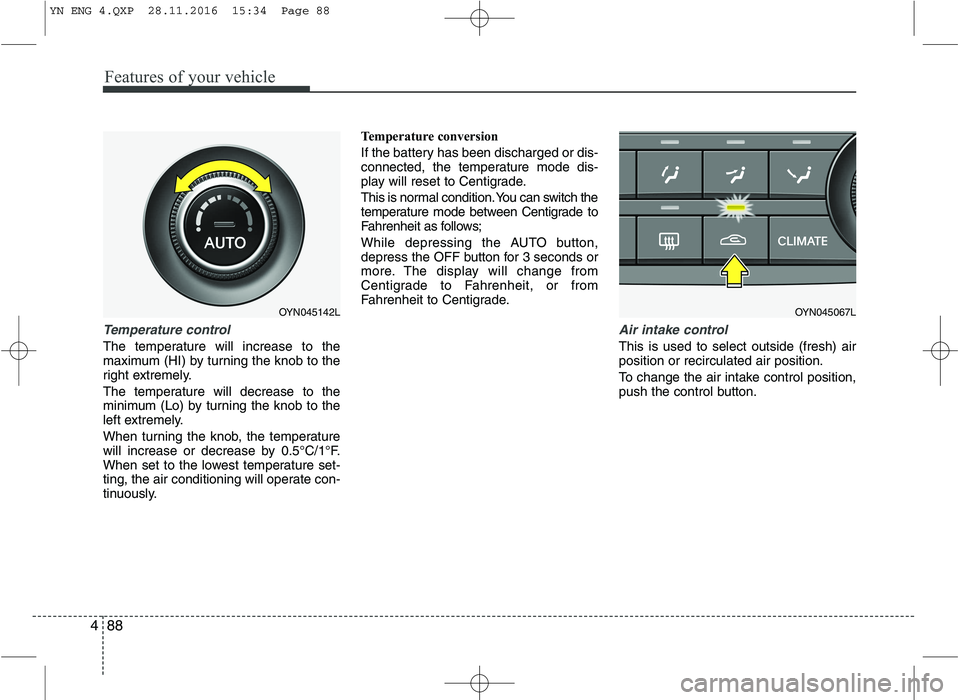
Temperature control
The temperature will increase to the
maximum (HI) by turning the knob to the
right extremely.
The temperature will decrease to the
minimum (Lo) by turning the knob to the
left extremely.
When turning the knob, the temperature
will increase or decrease by 0.5°C/1°F.
When set to the lowest temperature set-
ting, the air conditioning will operate con-
tinuously. Temperature conversion
If the battery has been discharged or dis-
connected, the temperature mode dis-
play will reset to Centigrade.
This is normal condition. You can switch the
temperature mode between Centigrade to
Fahrenheit as follows;
While depressing the AUTO button,
depress the OFF button for 3 seconds or
more. The display will change from
Centigrade to Fahrenheit, or from
Fahrenheit to Centigrade.
Air intake control
This is used to select outside (fresh) air position or recirculated air position.
To change the air intake control position,
push the control button.
OYN045067LOYN045142L
YN ENG 4.QXP 28.11.2016 15:34 Page 88