start KIA VENGA 2016 Owner's Manual
[x] Cancel search | Manufacturer: KIA, Model Year: 2016, Model line: VENGA, Model: KIA VENGA 2016Pages: 404, PDF Size: 21.96 MB
Page 129 of 404
455
Features of your vehicle
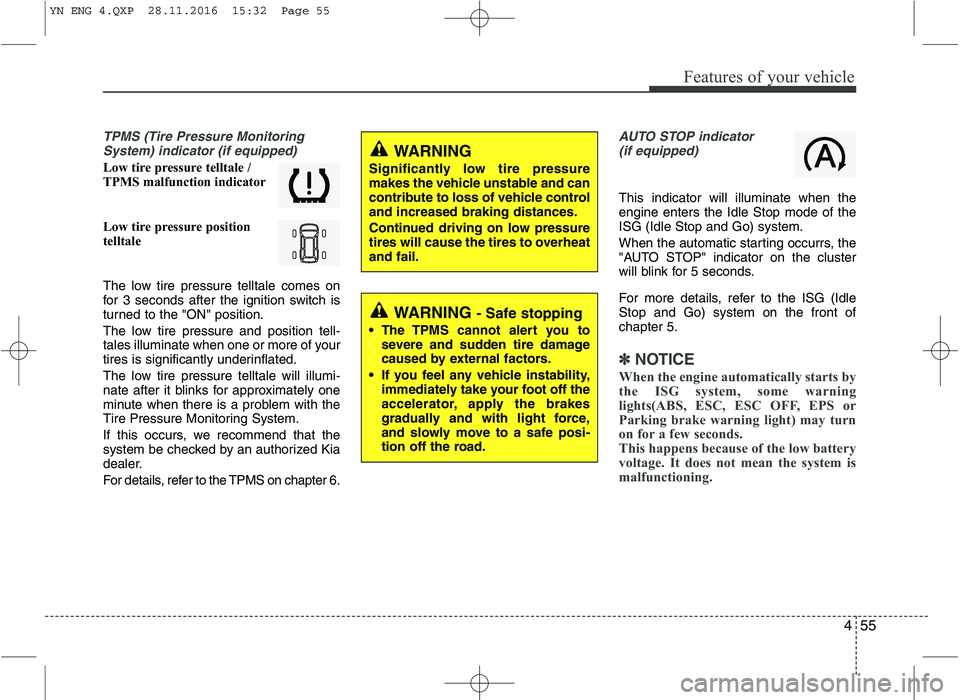
TPMS (Tire Pressure MonitoringSystem) indicator (if equipped)
Low tire pressure telltale /
TPMS malfunction indicator
Low tire pressure position
telltale
The low tire pressure telltale comes on
for 3 seconds after the ignition switch is
turned to the "ON" position.
The low tire pressure and position tell-
tales illuminate when one or more of your
tires is significantly underinflated.
The low tire pressure telltale will illumi-
nate after it blinks for approximately one
minute when there is a problem with the
Tire Pressure Monitoring System.
If this occurs, we recommend that the
system be checked by an authorized Kia
dealer.
For details, refer to the TPMS on chapter 6.
AUTO STOP indicator(if equipped)
This indicator will illuminate when the engine enters the Idle Stop mode of theISG (Idle Stop and Go) system.
When the automatic starting occurrs, the
"AUTO STOP" indicator on the cluster
will blink for 5 seconds.
For more details, refer to the ISG (Idle Stop and Go) system on the front ofchapter 5.
✽✽ NOTICE
When the engine automatically starts by
the ISG system, some warning
lights(ABS, ESC, ESC OFF, EPS or
Parking brake warning light) may turn
on for a few seconds.
This happens because of the low battery
voltage. It does not mean the system is
malfunctioning.
WARNING
Significantly low tire pressure
makes the vehicle unstable and can
contribute to loss of vehicle controland increased braking distances.
Continued driving on low pressure
tires will cause the tires to overheatand fail.
WARNING - Safe stopping
The TPMS cannot alert you to severe and sudden tire damage
caused by external factors.
If you feel any vehicle instability, immediately take your foot off the
accelerator, apply the brakes
gradually and with light force,
and slowly move to a safe posi-
tion off the road.
YN ENG 4.QXP 28.11.2016 15:32 Page 55
Page 130 of 404
Features of your vehicle
56
4
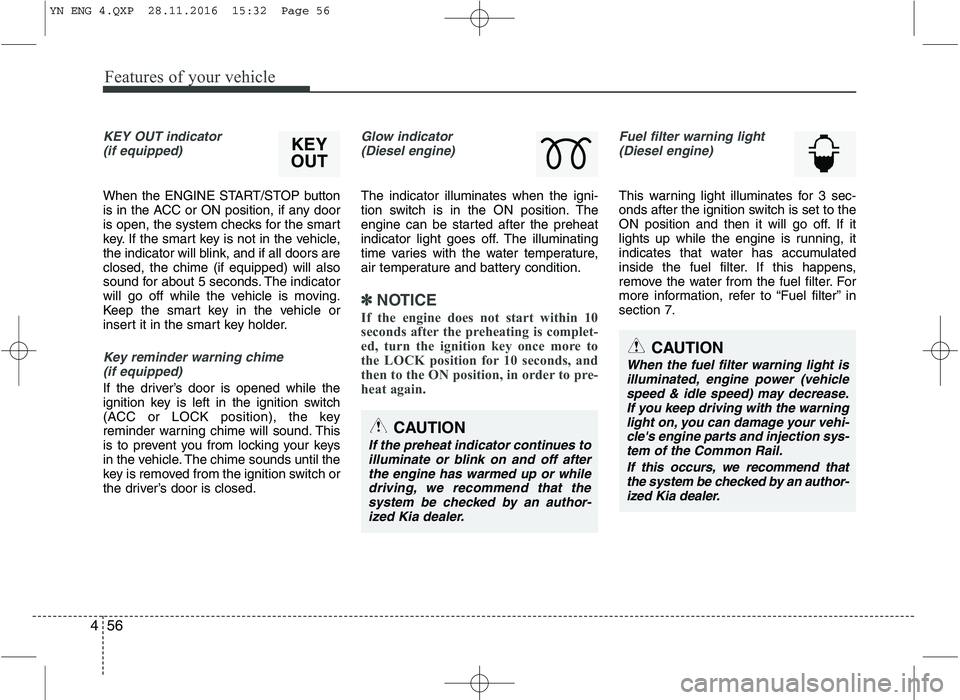
KEY OUT indicator
(if equipped)
When the ENGINE START/STOP button
is in the ACC or ON position, if any door
is open, the system checks for the smart
key. If the smart key is not in the vehicle,
the indicator will blink, and if all doors areclosed, the chime (if equipped) will also
sound for about 5 seconds. The indicator
will go off while the vehicle is moving.
Keep the smart key in the vehicle or
insert it in the smart key holder.
Key reminder warning chime (if equipped)
If the driver’s door is opened while the
ignition key is left in the ignition switch
(ACC or LOCK position), the key
reminder warning chime will sound. This
is to prevent you from locking your keys
in the vehicle. The chime sounds until the
key is removed from the ignition switch or
the driver’s door is closed.
Glow indicator (Diesel engine)
The indicator illuminates when the igni-
tion switch is in the ON position. The
engine can be started after the preheat
indicator light goes off. The illuminating
time varies with the water temperature,
air temperature and battery condition.
✽✽ NOTICE
If the engine does not start within 10
seconds after the preheating is complet-
ed, turn the ignition key once more to
the LOCK position for 10 seconds, and
then to the ON position, in order to pre-
heat again.
Fuel filter warning light (Diesel engine)
This warning light illuminates for 3 sec-
onds after the ignition switch is set to the
ON position and then it will go off. If it
lights up while the engine is running, it
indicates that water has accumulated
inside the fuel filter. If this happens,
remove the water from the fuel filter. For
more information, refer to “Fuel filter” insection 7.
CAUTION
When the fuel filter warning light is
illuminated, engine power (vehicle speed & idle speed) may decrease.If you keep driving with the warning light on, you can damage your vehi-
cle's engine parts and injection sys- tem of the Common Rail.
If this occurs, we recommend thatthe system be checked by an author- ized Kia dealer.
CAUTION
If the preheat indicator continues toilluminate or blink on and off after
the engine has warmed up or while driving, we recommend that thesystem be checked by an author-ized Kia dealer.
KEY
OUT
YN ENG 4.QXP 28.11.2016 15:32 Page 56
Page 147 of 404
473
Features of your vehicle
System operation
Ventilation
1. Set the mode to the position.
2. Set the air intake control to the outside(fresh) air position.
3. Set the temperature control to the desired position.
4. Set the fan speed control to the desired speed.
Heating
1. Set the mode to the position.
2. Set the air intake control to the outside
(fresh) air position.
3. Set the temperature control to the desired position.
4. Set the fan speed control to the desired speed.
5. If dehumidified heating is desired, turn the air conditioning system (if equipped) on.
If the windshield fogs up, set the mode to the or
position.
Operation Tips
To keep dust or unpleasant fumes from
entering the car through the ventilation
system, temporarily set the air intakecontrol to the recirculated air position.
Be sure to return the control to the
fresh air position when the irritation
has passed to keep fresh air in the
vehicle. This will help keep the driver
alert and comfortable.
Air for the heating/cooling system is drawn in through the grilles just ahead
of the windshield. Care should be
taken that these are not blocked by
leaves, snow, ice or other obstructions.
To prevent interior fog on the wind- shield, set the air intake control to the
fresh air position and fan speed to the
desired position, turn on the air condi-tioning system, and adjust the temper-
ature control to desired temperature. Air conditioning Kia air conditioning systems are filled
with R-134a or R-1234yf refrigerant.
1. Start the engine. Push the air condi-
tioning button.
2. Set the mode to the position.
3. Set the air intake control to the outside air or recirculated air position.
4. Adjust the fan speed control and tem- perature control to maintain maximum
comfort.
Your vehicle is filled with R-134a or R-1234yf according to the regulation in
your country at the time of production.
You can find out which air conditioning
refrigerant is applied to your vehicle onthe label located inside of the hood.
Refer to chapter 8 for the location of the
air conditioning refrigerant label.
CLIMATE CONTROL SYSTEM
CAUTION
Operating the blower when the igni- tion switch is in the ON positioncould cause the battery to dis-
charge. Operate the blower whenthe engine is running.
YN ENG 4.QXP 28.11.2016 15:33 Page 73
Page 153 of 404
479
Features of your vehicle
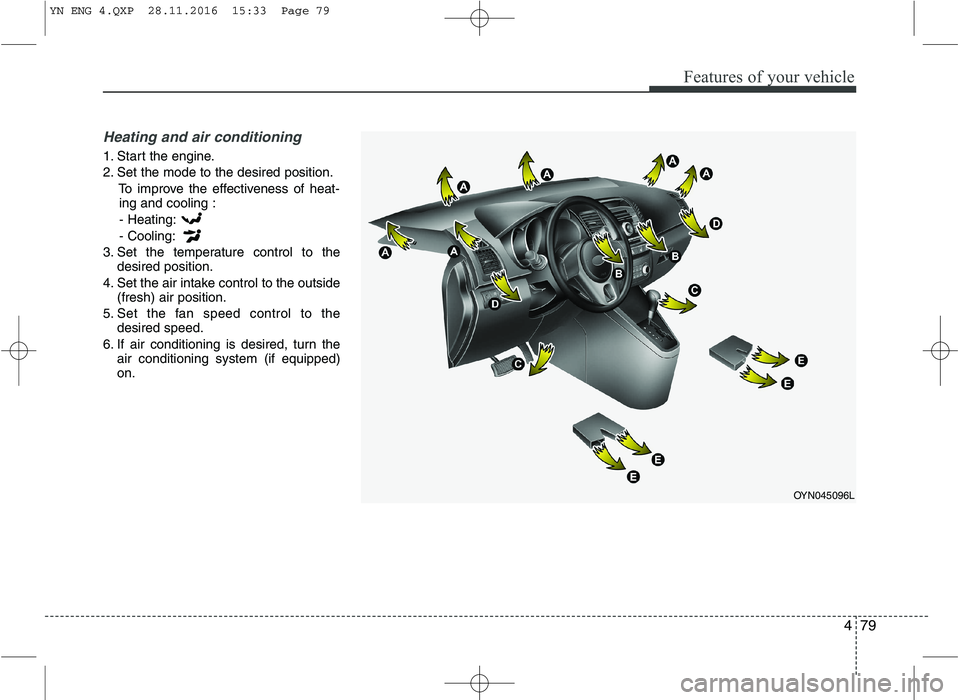
Heating and air conditioning
1. Start the engine.
2. Set the mode to the desired position.To improve the effectiveness of heat-ing and cooling :
- Heating:- Cooling:
3. Set the temperature control to the desired position.
4. Set the air intake control to the outside (fresh) air position.
5. Set the fan speed control to the desired speed.
6. If air conditioning is desired, turn the air conditioning system (if equipped) on.
OYN045096L
YN ENG 4.QXP 28.11.2016 15:33 Page 79
Page 160 of 404
Features of your vehicle
86
4
✽✽
NOTICE
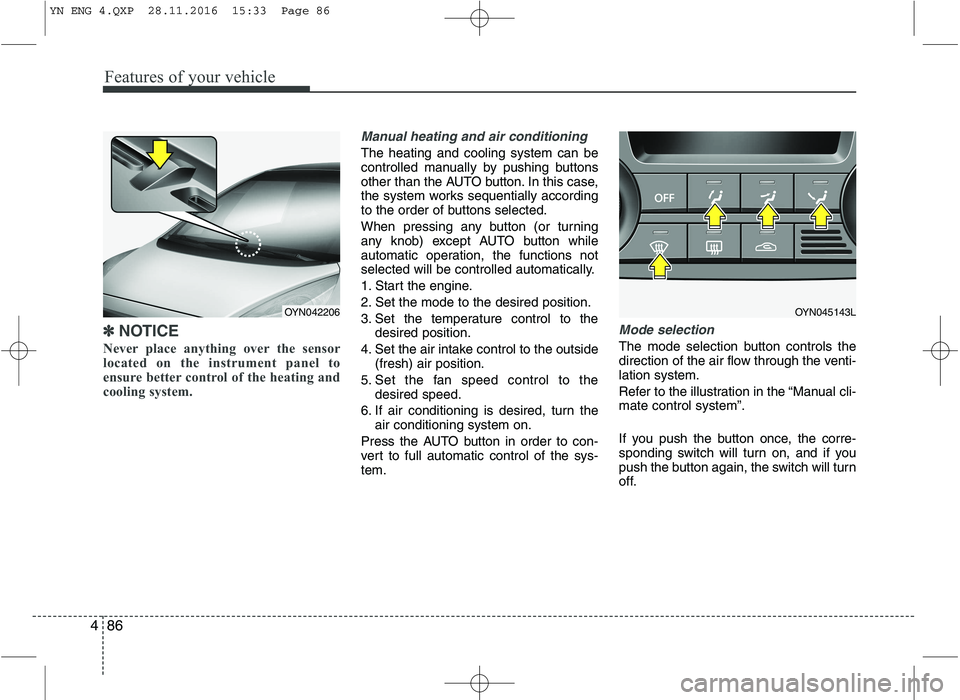
Never place anything over the sensor
located on the instrument panel to
ensure better control of the heating and
cooling system.
Manual heating and air conditioning
The heating and cooling system can be
controlled manually by pushing buttons
other than the AUTO button. In this case,
the system works sequentially according
to the order of buttons selected.
When pressing any button (or turning
any knob) except AUTO button while
automatic operation, the functions not
selected will be controlled automatically.
1. Start the engine.
2. Set the mode to the desired position.
3. Set the temperature control to the desired position.
4. Set the air intake control to the outside (fresh) air position.
5. Set the fan speed control to the desired speed.
6. If air conditioning is desired, turn the air conditioning system on.
Press the AUTO button in order to con-
vert to full automatic control of the sys-tem.
Mode selection
The mode selection button controls the
direction of the air flow through the venti-lation system.
Refer to the illustration in the “Manual cli- mate control system”.
If you push the button once, the corre-
sponding switch will turn on, and if you
push the button again, the switch will turn
off.
OYN045143LOYN042206
YN ENG 4.QXP 28.11.2016 15:33 Page 86
Page 187 of 404
4113
Features of your vehicle
Inserting and removing CDs
Inserting a CD
Insert the CD into the drive (printed side up).
✎ Insert only one disk
✎ For audio/MP3 CDs, playback starts
automatically.
Removing a CD
Press the button and carefully
remove the CD.
Switching on/off
Press the button to switch the unit
on or off.
Switching on and off with the ignition key
If the unit is switched on, it can be
switched off and on automatically by
removing or inserting and turning the
ignition key. Automatic switch off
If the unit was turned on using the
button with the ignition off, it automatical-
ly switches itself off after 60 minutes.
Volume
Turn the knob to set the vol-
ume.
Menu operation
The central elements for operating the
menus are the , , , or OK
buttons.
WARNING
When setting the volume, please make sure that traffic noises
(horns, sirens, emergency vehicles,
etc.) are still audible.
YN ENG 4(104~AUDIO).QXP 9/5/2016 4:29 PM Page 113
Page 189 of 404
4115
Features of your vehicle
Listening to the Tuner
Selecting FM or AM
The tuner offers you two different wave
bands.
Either press the FMor the AMbutton.
✎ The unit switches to band selected.
Selecting a FM band
The tuner offers you to select three FM
bands.
Short press the FMbutton till the
required FM band is selected.
FM 1
FM 2
FMA (AST):
In the FM 1 and FM 2 band you can
manually store up to 6 FM stationseach.
In the FMA band up to 6 FM stationswill be automatically stored. Selecting an AM band
The tuner offers you to select the one AM
waveband, the AM. You can select from
two AM bands.
Short press the AMbutton till the
required AM band is selected.
AM
AMA (AST):
In AM you can manually store up to 6
AM stations.
In the AMA band up to 6 AM stationswill be automatically stored.
Autostore This function automatically stores
received stations fulfilling the presetreception quality into the FMA or AMAband.
Short press the AST button to store
strongest stations in the AST memory.
The maximum number of stations
stored in each AST-band is 6.
✎ Execute “Autostore” to update the list
of the stations (e.g. when leaving anarea). Automatic search
With this function you can search for the
next or previous station that fulfils the
preset reception quality.
Press the or button to search
for the previous/next station in the
currently selected waveband.
Search will always start for the stationwith the strongest signal at LOCAL
search level. If no station is found at
LOCAL level, search will be continued
at the DISTANCE level.
To exit, press or button respec-
tively.
Manual tune
With this function you can increase or
decrease the radio frequency manually.
Press the (Tune Down) or
(Tune up) button to decrease or
increase the frequency.
Fast tune
With this function you can continuously
increase or decrease the radio frequen-
cy.
Either press and hold the or or
the or button to increase or
decrease the frequency.
The operation shall continue as long
as the button is pressed.
YN ENG 4(104~AUDIO).QXP 9/5/2016 4:29 PM Page 115
Page 192 of 404
Features of your vehicle
118
4
Listening to CD
Notes on CD
This CD player is suitable for 12 cm discs and 8 cm discs with an adaptoronly and can read both audio and
MP3 format CD.
Please do not use irregular shaped
CDs.
CD-R’s or CD-RW’s can generally be
played. Due to varying quality of sur-
face conditions of CDs, as well as the
performance and condition of the CD
writer, certain CD-R/CD-RW CD may
not operate normally on this unit.
Notes on WMA
WMA files up to WMA Version 9.0 are
supported. CD playback
Starting/Stopping a CDIf no CD is located in the unit:
Insert a CD.
The CD will be played from the first
title.
If a CD is located in the unit:
Press CD button to start playback.
✎ If no CD is loaded into the unit “NO
DISC” will appear the display.
Playback will stop when anothersource is selected.
Ejecting a CD
Press the button.
Remove the disc from the CD slot.
The previous used source will be selected.
If the CD is not removed from the slot,
it will be re-tracked into the unit with-
out being played.
Previous/Next Track
Press the or button to select the
previous or next title OR Fast Forward/Reverse
Press and hold the or button to
for fast forward and reverse.
✎ During fast forward and fast reverse
audio is audible at reduced volume
Random Track
Press the RDMbutton to activate/
deactivate “Random Track” feature.
Repeat Track
Press the RPTbutton to activate/
deactivate the “Repeat Track” feature.
Scan Track
Press SCAN button to activate/deac-
tivate the track (title) scan feature.
The first 10 seconds of each track/title
will be played.
YN ENG 4(104~AUDIO).QXP 9/5/2016 4:29 PM Page 118
Page 194 of 404
Features of your vehicle
120
4
Playing MP3/WMA files
Starting/Stopping playback
Press CD button to start playback.
Playback will stop when another source is selected.
Previous/Next Track
Press the or buttons to select
previous or next track.
Previous/Next Folder
Press the or button to select
the previous or next folder.
Fast Forward/Reverse
Press and hold the or button to
for fast reverse and fast forward.
✎ During fast forward and fast reverse
audio is audible at reduced volume.
Random
Short press the RDM button to select
the Random Folder option.
✎ All files in the Random Folder will be
played randomly.
Long press the RDM button to selectthe Random All option.
✎ All files on the CD will be played ran-
domly. Repeat
Short press the RPT button to select the Repeat file option.
✎ The current file will be repeated.
Long press the RPT button to select
the Repeat Folder option.
✎ All files in the current folder will berepeated.
Scan
Short press the SCAN button to select the Scan All option.
✎ All files in the CD will be scanned.
Long press the SCAN button to select
the Scan Folder option.
✎ The first file in each folder will bescanned.
CD plays the first 10 seconds of thesong.
When a folder ends: scanning contin-
ues with the first file of the next folder.
When a CD ends: scanning continues
with the first file of the first folder. Viewing Information of Compressed
Audio Files
Short press the INFObutton.
File name, Song title*, Album name,
Artist name, Directory name and Total
track can be displayed.
✎ If no ID3 Tag is available “NO INFO”
will be displayed, otherwise the corre-
sponding information will be displayed
for 5 seconds.
To abort this mode: press one of the
following buttons: or , Fast
or , RPT, RDM, INFO, SOUND,
SETUP and LIST.
List Function Compressed Audio Files ✎ With this mode you can browse fold-
ers and files located on the CD.
The main menu of the LIST functionconsists of:
Short press LIST to enter track brows-ing.
Short press or button to
browse through the list of the selected
category.
Short press OK to playback of the
selected track.
To abort this mode: press one of the
following buttons: or , Fast
or , RPT, RDM, INFO, SOUND,
SETUP and LIST.
YN ENG 4(104~AUDIO).QXP 9/5/2016 4:29 PM Page 120
Page 197 of 404
4123
Features of your vehicle
Notes on USB Sticks (Thumb drives)
Only use USB sticks (thumb drives) of
wellknown manufacturers. The use of
other drives may result in malfunction ofthe set.
Do not connect other USB devices such as hard discs or other digital equipment
to the USB hub. Connecting other
devices can cause malfunction or even
destroy the audio equipment.Inserting and removing an USB stick
(thumb drive)
Insert the USB stick into the USB hub The USB hub is located in the con-
sole (also see Car Manual).
✎ Please keep lid closed when not in
use.
Playback of files ✎ Playback starts automatically, in case
there are MP3 or WMA files on the
USB stick,
OR
When the device is inserted but a dif-
ferent source was selected before,press the AUXbutton to start play-
back.
Previous/Next Folder
Press the or buttons to select
previous or next folder.
Previous/Next File
Press the or buttons to select
previous or next song file✽✽
NOTICE
In rare cases it is possible that an USB stick (thumb drive) is not recognized
by the unit or may cause a malfunc-
tion.
This is not a system fault. Some USB sticks do not comply with the USB
thumb drive specifications.
CAUTION
The USB hub is designed for a
charge and supply current of upto 500 mA.
When using external equipment with a current consumption
exceeding the specified 500 mA,the unit switches off the USB hub and gives a warning.
CAUTION
We strongly recommend only
using USB sticks (thumb drives)of well-known manufacturers.
On no account must other USB devices such as hard discs orother digital equipment be con-
nected to the USB hub.
Connecting other devices can cause malfunction or evendestroy the audio equipment.
YN ENG 4(104~AUDIO).QXP 9/5/2016 4:29 PM Page 123