lock KIA VENGA 2016 Workshop Manual
[x] Cancel search | Manufacturer: KIA, Model Year: 2016, Model line: VENGA, Model: KIA VENGA 2016Pages: 404, PDF Size: 21.96 MB
Page 145 of 404
471
Features of your vehicle
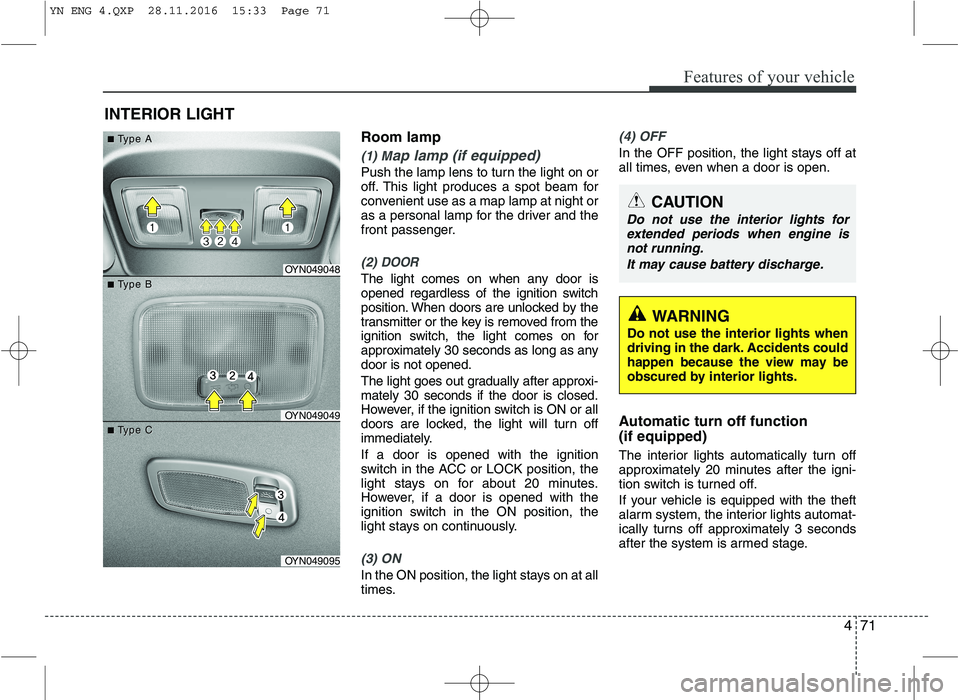
Room lamp
(1) Map lamp (if equipped)
Push the lamp lens to turn the light on or
off. This light produces a spot beam for
convenient use as a map lamp at night or
as a personal lamp for the driver and the
front passenger.
(2) DOOR
The light comes on when any door is
opened regardless of the ignition switch
position. When doors are unlocked by the
transmitter or the key is removed from the
ignition switch, the light comes on for
approximately 30 seconds as long as anydoor is not opened.
The light goes out gradually after approxi- mately 30 seconds if the door is closed.
However, if the ignition switch is ON or all
doors are locked, the light will turn off
immediately. If a door is opened with the ignition
switch in the ACC or LOCK position, the
light stays on for about 20 minutes.
However, if a door is opened with the
ignition switch in the ON position, the
light stays on continuously.
(3) ON
In the ON position, the light stays on at all
times.
(4) OFF
In the OFF position, the light stays off at
all times, even when a door is open.
Automatic turn off function (if equipped)
The interior lights automatically turn off
approximately 20 minutes after the igni-
tion switch is turned off.
If your vehicle is equipped with the theft
alarm system, the interior lights automat-
ically turns off approximately 3 seconds
after the system is armed stage.
INTERIOR LIGHT
CAUTION
Do not use the interior lights for
extended periods when engine is
not running.
It may cause battery discharge.
OYN049048
OYN049049
OYN049095
■■TType Aype A
■■TType Bype B
■■TType Cype C
WARNING
Do not use the interior lights when
driving in the dark. Accidents could
happen because the view may be
obscured by interior lights.
YN ENG 4.QXP 28.11.2016 15:33 Page 71
Page 147 of 404
473
Features of your vehicle
System operation
Ventilation
1. Set the mode to the position.
2. Set the air intake control to the outside(fresh) air position.
3. Set the temperature control to the desired position.
4. Set the fan speed control to the desired speed.
Heating
1. Set the mode to the position.
2. Set the air intake control to the outside
(fresh) air position.
3. Set the temperature control to the desired position.
4. Set the fan speed control to the desired speed.
5. If dehumidified heating is desired, turn the air conditioning system (if equipped) on.
If the windshield fogs up, set the mode to the or
position.
Operation Tips
To keep dust or unpleasant fumes from
entering the car through the ventilation
system, temporarily set the air intakecontrol to the recirculated air position.
Be sure to return the control to the
fresh air position when the irritation
has passed to keep fresh air in the
vehicle. This will help keep the driver
alert and comfortable.
Air for the heating/cooling system is drawn in through the grilles just ahead
of the windshield. Care should be
taken that these are not blocked by
leaves, snow, ice or other obstructions.
To prevent interior fog on the wind- shield, set the air intake control to the
fresh air position and fan speed to the
desired position, turn on the air condi-tioning system, and adjust the temper-
ature control to desired temperature. Air conditioning Kia air conditioning systems are filled
with R-134a or R-1234yf refrigerant.
1. Start the engine. Push the air condi-
tioning button.
2. Set the mode to the position.
3. Set the air intake control to the outside air or recirculated air position.
4. Adjust the fan speed control and tem- perature control to maintain maximum
comfort.
Your vehicle is filled with R-134a or R-1234yf according to the regulation in
your country at the time of production.
You can find out which air conditioning
refrigerant is applied to your vehicle onthe label located inside of the hood.
Refer to chapter 8 for the location of the
air conditioning refrigerant label.
CLIMATE CONTROL SYSTEM
CAUTION
Operating the blower when the igni- tion switch is in the ON positioncould cause the battery to dis-
charge. Operate the blower whenthe engine is running.
YN ENG 4.QXP 28.11.2016 15:33 Page 73
Page 169 of 404
495
Features of your vehicle
INTERIOR FEATURES
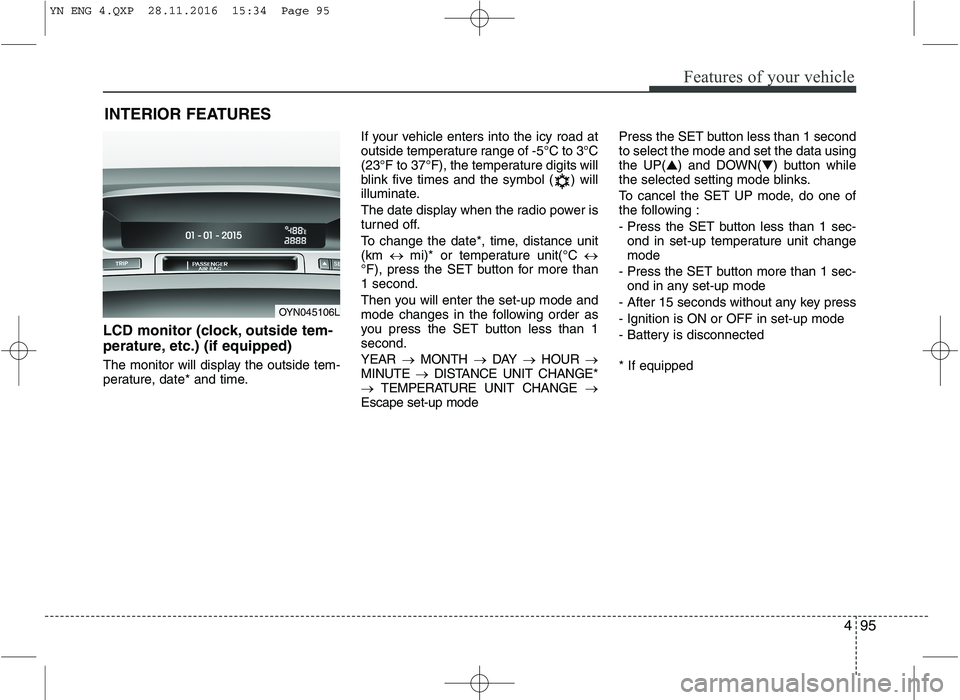
LCD monitor (clock, outside tem-
perature, etc.) (if equipped)
The monitor will display the outside tem-
perature, date* and time. If your vehicle enters into the icy road at
outside temperature range of -5°C to 3°C
(23°F to 37°F), the temperature digits will
blink five times and the symbol ( ) will
illuminate.
The date display when the radio power is
turned off.
To change the date*, time, distance unit (km
mi)* or temperature unit(°C
°F), press the SET button for more than1 second.
Then you will enter the set-up mode and
mode changes in the following order as
you press the SET button less than 1second. YEAR MONTH DAY HOUR
MINUTE DISTANCE UNIT CHANGE*
TEMPERATURE UNIT CHANGE
Escape set-up mode Press the SET button less than 1 second to select the mode and set the data usingthe UP(
▲) and DOWN( ▼) button while
the selected setting mode blinks.
To cancel the SET UP mode, do one of
the following :
- Press the SET button less than 1 sec-
ond in set-up temperature unit change mode
- Press the SET button more than 1 sec- ond in any set-up mode
- After 15 seconds without any key press
- Ignition is ON or OFF in set-up mode
- Battery is disconnected * If equipped
OYN045106L
YN ENG 4.QXP 28.11.2016 15:34 Page 95
Page 178 of 404
Features of your vehicle
104
4
✽✽
NOTICE
If you install an after market HID head
lamp, your vehicle’s audio and electron-
ic device may malfunction.
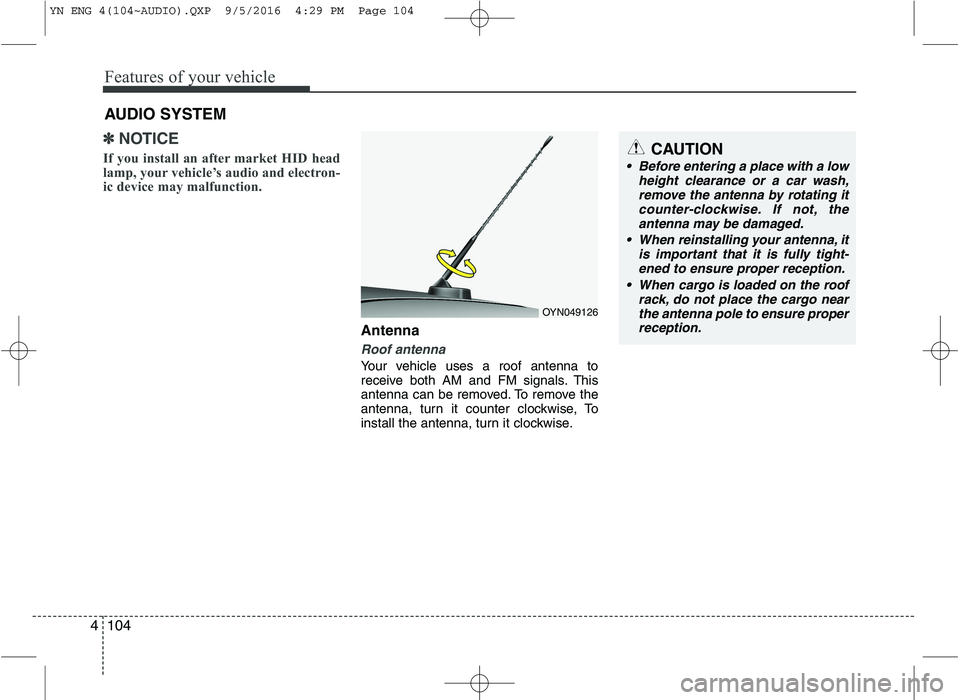
Antenna
Roof antenna
Your vehicle uses a roof antenna to
receive both AM and FM signals. This
antenna can be removed. To remove the
antenna, turn it counter clockwise, To
install the antenna, turn it clockwise.
AUDIO SYSTEM
OYN049126
CAUTION
• Before entering a place with a low
height clearance or a car wash,remove the antenna by rotating itcounter-clockwise. If not, the
antenna may be damaged.
When reinstalling your antenna, it is important that it is fully tight-ened to ensure proper reception.
When cargo is loaded on the roof rack, do not place the cargo near
the antenna pole to ensure proper reception.
YN ENG 4(104~AUDIO).QXP 9/5/2016 4:29 PM Page 104
Page 180 of 404
Features of your vehicle
106
4
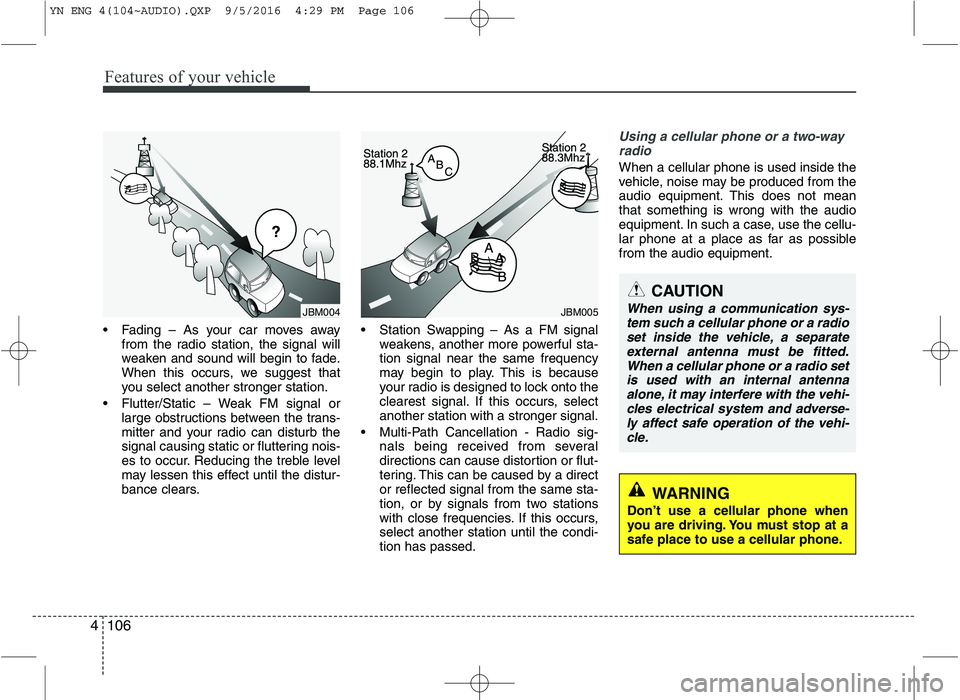
Fading – As your car moves away
from the radio station, the signal will
weaken and sound will begin to fade.
When this occurs, we suggest that
you select another stronger station.
Flutter/Static – Weak FM signal or large obstructions between the trans-
mitter and your radio can disturb the
signal causing static or fluttering nois-
es to occur. Reducing the treble level
may lessen this effect until the distur-
bance clears. Station Swapping – As a FM signal
weakens, another more powerful sta-tion signal near the same frequency
may begin to play. This is because
your radio is designed to lock onto the
clearest signal. If this occurs, selectanother station with a stronger signal.
Multi-Path Cancellation - Radio sig- nals being received from several
directions can cause distortion or flut-
tering. This can be caused by a director reflected signal from the same sta-
tion, or by signals from two stations
with close frequencies. If this occurs,select another station until the condi-tion has passed.
Using a cellular phone or a two-way
radio
When a cellular phone is used inside the
vehicle, noise may be produced from the
audio equipment. This does not meanthat something is wrong with the audio
equipment. In such a case, use the cellu-
lar phone at a place as far as possiblefrom the audio equipment.
JBM005
CAUTION
When using a communication sys- tem such a cellular phone or a radioset inside the vehicle, a separate
external antenna must be fitted.When a cellular phone or a radio setis used with an internal antenna alone, it may interfere with the vehi-cles electrical system and adverse-
ly affect safe operation of the vehi- cle.
WARNING
Don’t use a cellular phone when
you are driving. You must stop at a
safe place to use a cellular phone.
JBM004
YN ENG 4(104~AUDIO).QXP 9/5/2016 4:29 PM Page 106
Page 183 of 404
4109
Features of your vehicle
The Head Unit supports the Hands
free Profile (HFP), the Advanced
Audio Distribution Profile (A2DP) and
the Audio Video Remote Control
Profile (AVRCP).
The Head Unit has been verified and
certified by the
Bluetooth®Wireless
Technology Qualification Program
(BQP) for compliance to the
Bluetooth®
Wireless Technology standards. For
more information, please check the
Bluetooth®Wireless Technology web site
(http://www.bluetooth.com/Bluetooth/
Connect/Products/) for the BQP productlisting.
* Only if this option is available on your Head Unit.
Notes on iPod®
Care of disc (if equipped)
If the temperature inside the car is too
high, open the car window for ventila-
tion before using your car audio.
It is illegal to copy and use MP3/WMA
files without permission. Use CDs that
are created only by lawful means.
Do not apply volatile agents such as
benzene and thinner, normal cleaners
and magnetic sprays made for ana-
logue disc onto CDs.
To prevent the disc surface from get-
ting damaged. Hold and carry CDs bythe edges or the edges of the center
hole only.
Clean the disc surface with a piece of
clean soft cloth before playback (wipeit from the center to the outside edge).
Do not damage the disc surface or
attach pieces of sticky tape or paperon it.
Make sure on undesirable matter
other than CDs are inserted into the
CD player.
Do not insert more than one CD at a
time. It is likely to block CD operation.
Keep CDs in their cases after use to
protect them from scratches or dirt.
Depending on the type of CD-R/CD-
RW CDs, certain CDs may not oper-
ate normally according to manufactur-ing companies or making and record-
ing methods. In such circumstances,
if you still continue to use those CDs,
they may cause the malfunction of
your car audio system.
Playing an incompatible Copy
Protected Audio CD
Some copy protected CDs which do not
comply with the international audio CD
standards (Red Book), may not play on
your car audio. Please note that if you try
to play copy protected CDs and the CD
player does not perform correctly the
CDs may be defective, not the CD player.
WARNING
The newly introduced iPod ®
with
new firmware may not be 100%
compatible and may not be sup-
ported by the system.
YN ENG 4(104~AUDIO).QXP 9/5/2016 4:29 PM Page 109
Page 188 of 404
Features of your vehicle
114
4
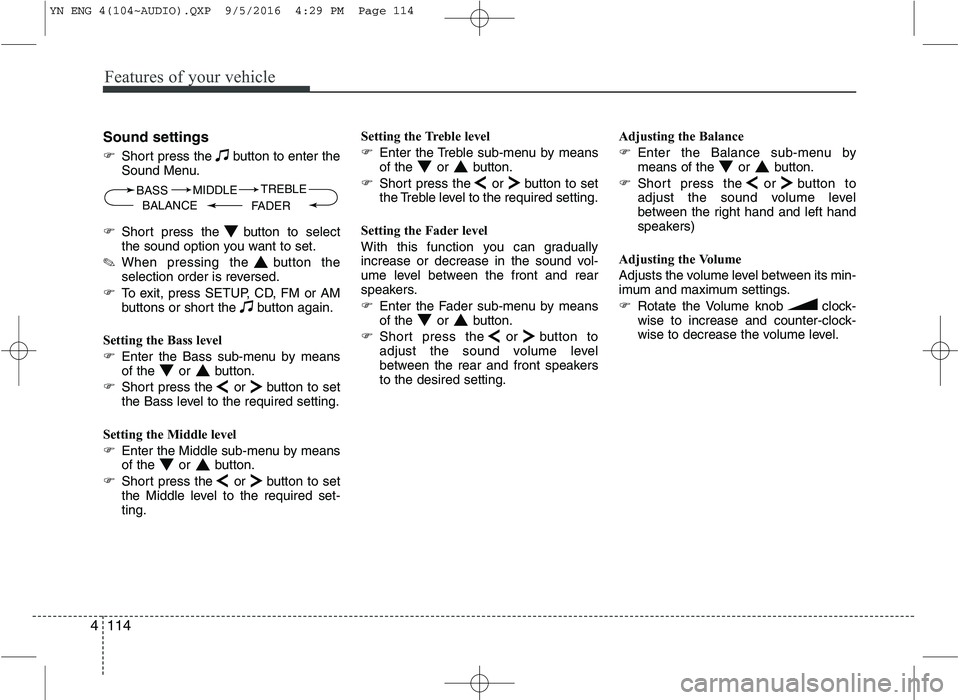
Sound settings
Short press the button to enter the
Sound Menu.
Short press the button to select
the sound option you want to set.
✎ When pressing the button the
selection order is reversed.
To exit, press SETUP, CD, FM or AM
buttons or short the button again.
Setting the Bass level
Enter the Bass sub-menu by means
of the or button.
Short press the or button to set
the Bass level to the required setting.
Setting the Middle level
Enter the Middle sub-menu by means
of the or button.
Short press the or button to set
the Middle level to the required set-ting. Setting the Treble level
Enter the Treble sub-menu by means
of the or button.
Short press the or button to set
the Treble level to the required setting.
Setting the Fader level
With this function you can gradually
increase or decrease in the sound vol-
ume level between the front and rear
speakers.
Enter the Fader sub-menu by means
of the or button.
Short press the or button to
adjust the sound volume level
between the rear and front speakersto the desired setting. Adjusting the Balance
Enter the Balance sub-menu by
means of the or button.
Short press the or button to
adjust the sound volume level
between the right hand and left hand
speakers)
Adjusting the Volume
Adjusts the volume level between its min-
imum and maximum settings.
Rotate the Volume knob clock-
wise to increase and counter-clock-
wise to decrease the volume level.
BASS
FADERTREBLE
BALANCE MIDDLE
YN ENG 4(104~AUDIO).QXP 9/5/2016 4:29 PM Page 114
Page 207 of 404
4133
Features of your vehicle
Security Code
The unit is equipped with a security code
option. This code can be used to protect
the Head Unit against theft. In case theHead Unit is being disconnected from the
car’s power supply and the security code
option being active you will be prompted
to enter the four digit security code.
Any code except 0000 enables the
security code feature.
Code 0000 disables the security code
feature.
Behavior of security code function
Security Code will be prompted if
security code function is enabled and
battery is disconnected.
radio functions are deactivated dur-
ing the Security Code Prompt
User is given 2 attempts to enter the
correct security code.
Upon correct entry of the security
code, all the radio functions will be
activated.
Upon 2 attempts of incorrect entry of
the security code, radio will enter the
LOCKED state.
Once in LOCKED state, radio will only
prompt for security code after 1 hour. Enabling the Security Code option
Short press the SETUPbutton to
enter the SETUP menu.
Short press the or button to
access the Security Code mode.
✎ Now you have to enter the current
security code.
1.Short press the or button to
set the value for each digit of the cur-
rent security code.
2.Short press the or button to
select a specific digit.
3.Short press the OKbutton to con-
firm the security code.
Upon correct entry of the security
code, you will be asked to enter the
new security code that will replace the
previous code memorized in the HeadUnit.
Repeat the steps 1., 2. and 3.to enter
the new code.
To abort the Security Code Menu in
Setup mode, press either one of the
following buttons: , , FM, AM,
CD, AUX, MUTE, TA, 1 through 6,
AST, SCAN, INFO, SETUP, SOUND
or .
WARNING
If security code function is activat-
ed and battery was disconnected,
audio set will ask for the Security
code. Be careful and remember the
password that you have changed.
YN ENG 4(104~AUDIO).QXP 9/5/2016 4:29 PM Page 133
Page 209 of 404
4135
Features of your vehicle
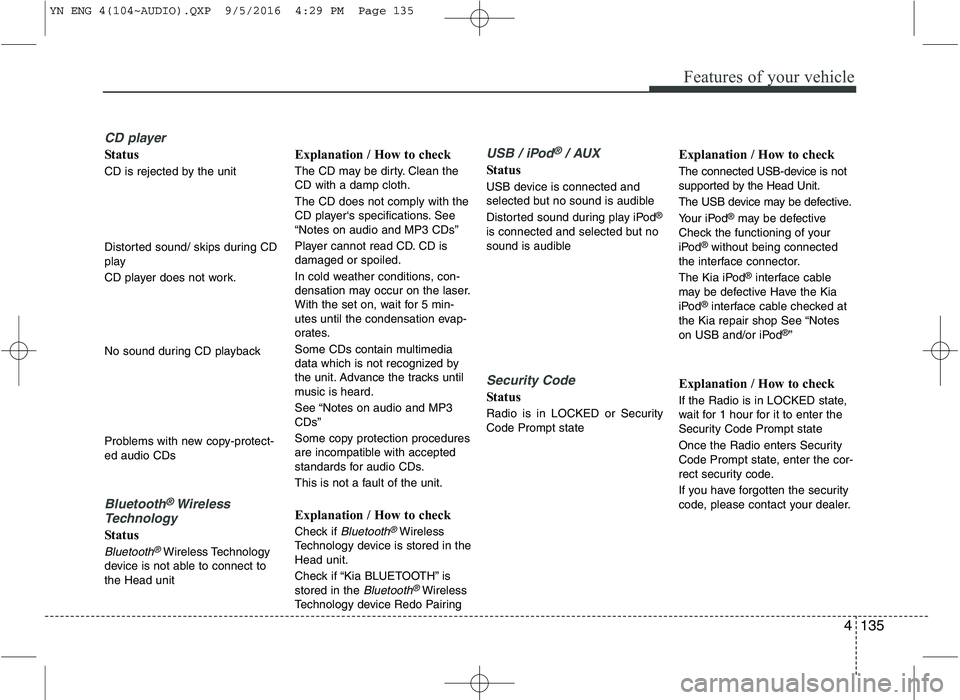
CD player
Status
CD is rejected by the unit
Distorted sound/ skips during CD
play
CD player does not work.
No sound during CD playback
Problems with new copy-protect- ed audio CDs
Bluetooth®Wireless
Technology
Status
Bluetooth®Wireless Technology
device is not able to connect to the Head unit Explanation / How to check
The CD may be dirty. Clean the CD with a damp cloth. The CD does not comply with the
CD player‘s specifications. See“Notes on audio and MP3 CDs”
Player cannot read CD. CD is damaged or spoiled.
In cold weather conditions, con-
densation may occur on the laser.
With the set on, wait for 5 min-
utes until the condensation evap-
orates.
Some CDs contain multimedia
data which is not recognized by
the unit. Advance the tracks until
music is heard.
See “Notes on audio and MP3 CDs”
Some copy protection procedures
are incompatible with accepted
standards for audio CDs.
This is not a fault of the unit.
Explanation / How to check
Check if
Bluetooth®Wireless
Technology device is stored in the Head unit.
Check if “Kia BLUETOOTH” is stored in the
Bluetooth®Wireless
Technology device Redo Pairing
USB / iPod®/ AUX
Status
USB device is connected and
selected but no sound is audible
Distorted sound during play iPod ®
is connected and selected but no
sound is audible
Security Code
Status
Radio is in LOCKED or Security Code Prompt state Explanation / How to check
The connected USB-device is not
supported by the Head Unit.
The USB device may be defective.
Your iPod
®
may be defective
Check the functioning of your
iPod ®
without being connected
the interface connector.
The Kia iPod ®
interface cable
may be defective Have the Kia
iPod ®
interface cable checked at
the Kia repair shop See “Notes
on USB and/or iPod ®
”
Explanation / How to check
If the Radio is in LOCKED state,
wait for 1 hour for it to enter the
Security Code Prompt state
Once the Radio enters Security
Code Prompt state, enter the cor-
rect security code.
If you have forgotten the security
code, please contact your dealer.
YN ENG 4(104~AUDIO).QXP 9/5/2016 4:29 PM Page 135
Page 213 of 404
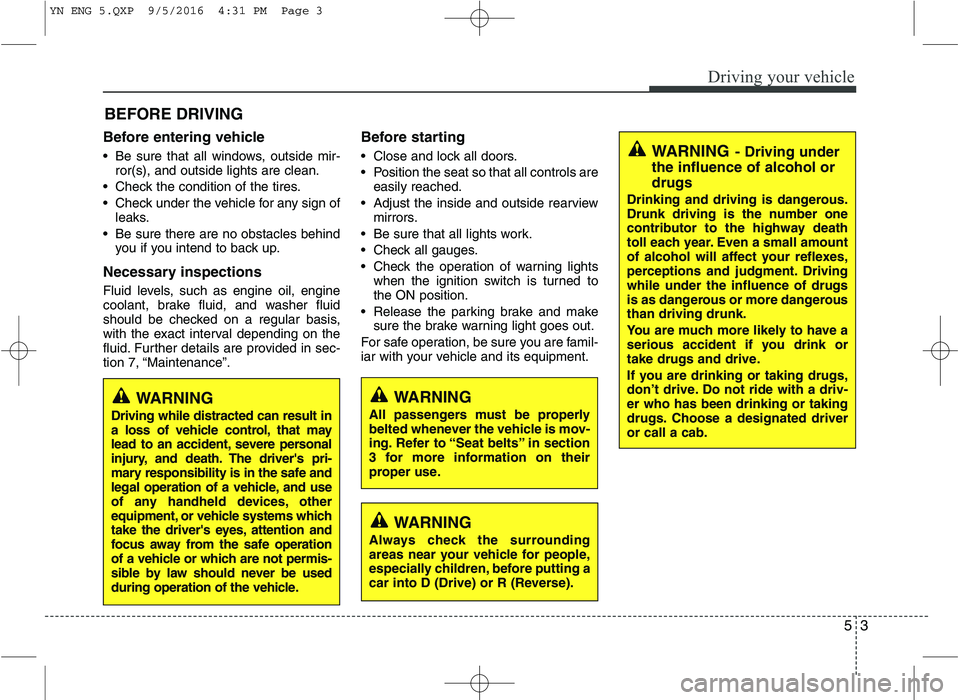
Before entering vehicle
• Be sure that all windows, outside mir-ror(s), and outside lights are clean.
Check the condition of the tires.
Check under the vehicle for any sign of leaks.
Be sure there are no obstacles behind you if you intend to back up.
Necessary inspections
Fluid levels, such as engine oil, engine
coolant, brake fluid, and washer fluid
should be checked on a regular basis,
with the exact interval depending on the
fluid. Further details are provided in sec-
tion 7, “Maintenance”. Before starting
Close and lock all doors.
Position the seat so that all controls are
easily reached.
Adjust the inside and outside rearview mirrors.
Be sure that all lights work.
Check all gauges.
Check the operation of warning lights when the ignition switch is turned to the ON position.
Release the parking brake and make sure the brake warning light goes out.
For safe operation, be sure you are famil-
iar with your vehicle and its equipment.
53
Driving your vehicle
BEFORE DRIVING
WARNING
All passengers must be properly
belted whenever the vehicle is mov-
ing. Refer to “Seat belts” in section
3 for more information on their
proper use.WARNING
Driving while distracted can result in
a loss of vehicle control, that may
lead to an accident, severe personal
injury, and death. The driver's pri-
mary responsibility is in the safe and
legal operation of a vehicle, and use
of any handheld devices, other
equipment, or vehicle systems which
take the driver's eyes, attention and
focus away from the safe operation
of a vehicle or which are not permis-
sible by law should never be used
during operation of the vehicle.
WARNING
Always check the surrounding
areas near your vehicle for people,
especially children, before putting a
car into D (Drive) or R (Reverse).
WARNING - Driving under
the influence of alcohol or drugs
Drinking and driving is dangerous.
Drunk driving is the number one
contributor to the highway death
toll each year. Even a small amount
of alcohol will affect your reflexes,
perceptions and judgment. Drivingwhile under the influence of drugs
is as dangerous or more dangerousthan driving drunk.
You are much more likely to have a
serious accident if you drink or
take drugs and drive.
If you are drinking or taking drugs,
don’t drive. Do not ride with a driv-er who has been drinking or taking
drugs. Choose a designated driveror call a cab.
YN ENG 5.QXP 9/5/2016 4:31 PM Page 3