automatic transmission Lancia Voyager 2014 Owner handbook (in English)
[x] Cancel search | Manufacturer: LANCIA, Model Year: 2014, Model line: Voyager, Model: Lancia Voyager 2014Pages: 364, PDF Size: 3.49 MB
Page 180 of 364
that illuminates a low tire pressure
telltale when one or more of your tires
is significantly under-inflated. Ac-
cordingly, when the low tire pressure
telltale illuminates, you should stop
and check your tires as soon as pos-
sible, and inflate them to the proper
pressure. Driving on a significantly
under-inflated tire causes the tire to
overheat and can lead to tire failure.
Under-inflation also reduces fuel effi-
ciency and tire tread life, and may
affect the vehicle’s handling and stop-
ping ability.
Please note that the TPMS is not a
substitute for proper tire mainte-
nance, and it is the driver’s responsi-
bility to maintain correct tire pres-
sure, even if under-inflation has not
reached the level to trigger illumina-
tion of the TPMS low tire pressure
telltale.
Your vehicle has also been equipped
with a TPMS malfunction indicator to
indicate when the system is not oper-
ating properly. The TPMS malfunc-
tion indicator is combined with the
low tire pressure telltale. When thesystem detects a malfunction, the tell-
tale will flash for approximately one
minute and then remain continuously
illuminated. This sequence will con-
tinue upon subsequent vehicle start-
ups as long as the malfunction exists.
When the malfunction indicator is il-
luminated, the system may not be
able to detect or signal low tire pres-
sure as intended. TPMS malfunctions
may occur for a variety of reasons,
including the installation of replace-
ment or alternate tires or wheels on
the vehicle that prevent the TPMS
from functioning properly. Always
check the TPMS malfunction telltale
after replacing one or more tires or
wheels on your vehicle, to ensure that
the replacement or alternate tires and
wheels allow the TPMS to continue to
function properly.CAUTION!
The TPMS has been optimized for
the original equipment tires and
wheels. TPMS pressures and warn-
ing have been established for the
tire size equipped on your vehicle.
Undesirable system operation or
sensor damage may result when us-
ing replacement equipment that is
not of the same size, type, and/or
style. Aftermarket wheels can cause
sensor damage. Do not use tire seal-
ant from a can or balance beads if
your vehicle is equipped with a
TPMS, as damage to the sensors
may result.
9. Malfunction Indicator Light
(MIL) The Malfunction Indicator
Light (MIL) is part of an on-
board diagnostic system,
called OBD, that monitors engine and
automatic transmission control sys-
tems. The light will illuminate when
the key is in the ON/RUN position,
before engine start. If the bulb does
174
Page 182 of 364
11. Electronic Stability Control
(ESC) OFF Indicator Light (for
versions/markets, where provided)This light indicates the
Electronic Stability Control
(ESC) is off.
12. Speedometer
Indicates vehicle speed.
13. Fuel Door Reminder The arrow in this symbol is
a reminder that the Fuel
Filler Door is located on the
left side of the vehicle.
14. Fuel Gauge
The pointer shows the level of fuel in
the fuel tank when the ignition switch
is in the ON/RUN position.
15. Air Bag Warning Light
This light will turn on for
four to eight seconds as a
bulb check when the igni-
tion switch is first turned to
ON/RUN. If the light is either not on
during starting, stays on, or turns on while driving, have the system in-
spected at an authorized dealer as
soon as possible. Refer to “Occupant
Restraints” in “Things To Know Be-
fore Starting Your Vehicle” for further
information.
16. Shift Lever Indicator
The Shift Lever Indicator is self-
contained within the instrument clus-
ter. It displays the gear position of the
automatic transmission.
NOTE:
You must apply the brakes be-
fore shifting from PARK.
The highest available transmis- sion gear is displayed in the
lower right corner of the Elec-
tronic Vehicle Information Cen-
ter (EVIC) whenever the Elec-
tronic Range Select (ERS)
feature is active. Use the +/- se-
lector on the shift lever to acti-
vate ERS (for versions/markets,
where provided). Refer to “Auto-
matic Transmission” in “Start-
ing And Operating” for further
information. 17. Vehicle Security Light (for
versions/markets, where provided)
This light will flash at a fast
rate for approximately 15
seconds, when the vehicle
security alarm is arming,
and then will flash slowly until the
vehicle is disarmed.
18. Brake Warning Light
This light monitors various
brake functions, including
brake fluid level and parking brake
application. If the brake light turns on
it may indicate that the parking brake
is applied, that the brake fluid level is
low, or that there is a problem with the
anti-lock brake system reservoir.
If the light remains on when the park-
ing brake has been disengaged, and
the fluid level is at the full mark on the
master cylinder reservoir, it indicates
a possible brake hydraulic system
malfunction or that a problem with
the Brake Booster has been detected
by the Anti-Lock Brake System (ABS)
/ Electronic Stability Control (ESC)
system. In this case, the light will re-
main on until the condition has been
176
Page 205 of 364
2. Insert the DVD with the label fac-
ing up. The radio automatically se-
lects the appropriate mode after the
disc is recognized and displays the
menu screen or starts playing the first
track.
3. To watch a DVD on Screen 1 for
second row passengers, ensure the Re-
mote Control and Headphone switch
is on Channel 1.
4. To watch a DVD on Screen 2 for
third row passengers, ensure the Re-
mote Control and Headphone switch
is on Channel 2.
Using The Remote Control
1. Press the SOURCE button on the
Remote Control.
2. While looking at Screen 1 or 2,
highlight DISC by either pressing Up/
Down/Left/Right buttons or by re-
peatedly pressing the SOURCE but-
ton, then press ENTER/OK.NOTE:
Channel/Screen 1 select mode
information is shown on the left
side of the screen.
Channel/Screen 2 select mode information is shown on the
right side of the screen.
The VES™ will retain the last setting when turned off.
Using The Touch-Screen Radio
Controls
1. Press the MENU hard-key on the
radio faceplate.
2. Touch the Rear VES soft-key to
display the Rear VES Controls. If a
channel list is displayed, press the
HIDE LIST soft-key to display the
Rear VES Controls screen.
3. Touch the 1 or 2 soft-key and then
the DISC soft-key in the MEDIA col-
umn. To exit touch the back arrow at
the top left of the screen. NOTE:
To view a DVD on the radio
press the RADIO/MEDIA hard-
key, on the radio faceplate, then
touch the DISC tab soft-key and
then the VIEW VIDEO soft-key.
Viewing a DVD on the Touch- Screen radio screen is not avail-
able in all states/provinces. If
available, the vehicle must be
stopped and the shift lever must
be in the PARK position for ve-
hicles with an automatic trans-
mission. In vehicles with a
manual transmission the park-
ing brake must be engaged.
Touching the screen on a Touch- Screen radio while a DVD is
playing brings up basic remote
control functions for DVD play
such as scene selection, Play,
Pause, FF, RW, and Stop. Press-
ing the X in the upper corner
will turn off the remote control
screen functions.
199
Page 206 of 364
PLAY A DVD USING THE
VES™ PLAYER (for
versions/markets, where
provided)
1. Insert the DVD with the label fac-
ing up. The VES™ player automati-
cally selects the appropriate mode af-
ter the disc is recognized and starts
playing the DVD.
NOTE: The VES™ player has ba-
sic DVD control function such as
Menu, Play, Pause, FF, RW and
Stop.
2. To watch a DVD on Screen 1 for
second row passengers, ensure the Re-
mote Control and Headphone switch
is on Channel 1.
3. To watch a DVD on Screen 2 for
third row passengers, ensure the Re-
mote Control and Headphone switch
is on Channel 2.
Using The Remote Control
1. Press the SOURCE button on the
Remote Control.2. While looking at Screen 1 or 2,
highlight VES DISC by either press-
ing Up/Down/Left/Right buttons or
by repeatedly pressing the SOURCE
button, then press ENTER/OK on the
Remote Control.
NOTE:
Channel/Screen 1 select mode
information is shown on the left
side of the screen.
Channel/Screen 2 select mode information is shown on the
right side of the screen.
The VES™ will retain the last setting when turned off.
Using The Touch-Screen Radio
Controls
1. Press the MENU hard-key on the
radio faceplate.
2. Touch the Rear VES soft-key to
display the Rear VES Controls. If a
channel list is displayed, touch the
HIDE LIST soft-key to display the
Rear VES Controls screen. 3. Touch the 1 or 2 soft-key and then
the DISC soft-key in the VES column.
To exit touch the back arrow soft-key
at the top left of the screen.
NOTE:
To view a DVD on the radio
press the RADIO/MEDIA hard-
key, on the radio faceplate, then
touch the DISC tab soft-key and
then the VIEW VIDEO soft-key.
Viewing a DVD on the Touch- Screen radio screen is not avail-
able in all states/provinces. If
available, the vehicle must be
stopped and the shift lever must
be in the PARK position for ve-
hicles with an automatic trans-
mission. In vehicles with a
manual transmission the park-
ing brake must be engaged.
200
Page 207 of 364
PLAY A Blu-ray DISC
USING THE BLU-RAY
PLAYER (for versions/
markets, where provided)
1. Insert the Blu-ray disc with the
label facing up. The Blu-ray player
automatically selects the appropriate
mode after the disc is recognized and
starts playing the Blu-ray disc.
NOTE: The Blu-ray player has
basic control functions such as
Menu, Play, Pause, FF, RW and
Stop.
2. To watch a Blu-ray disc on Screen
1 for second row passengers, ensure
the Remote Control and Headphone
switch is on Channel 1.
3. To watch a Blu-ray disc on Screen
2 for third row passengers, ensure the
Remote Control and Headphone
switch is on Channel 2.
Using The Remote Control
1. Press the SOURCE button on the
Blu-ray player Remote Control.2. While looking at Screen 1 or 2,
highlight Blu-ray by either pressing
Up/Down/Left/Right buttons or by
repeatedly pressing the SOURCE but-
ton, then press OK on the Remote
Control.
NOTE:
Channel/Screen 1 select mode
information is shown on the left
side of the screen.
Channel/Screen 2 select mode information is shown on the
right side of the screen.
The VES™ will retain the last setting when turned off.
Using The Touch-Screen Radio
Controls
1. Press the MENU hard-key on the
radio faceplate.
2. Touch the Rear VES™ soft-key to
display the Rear VES™ Controls. If a
channel list is displayed, touch the
HIDE LIST soft-key to display the
Rear VES™ Controls screen. 3. Touch the 1 or 2 soft-key and then
the VES™ Disc soft-key in the VES™
column. To exit touch the back arrow
soft-key at the top left of the screen.
NOTE:
To view a Blu-ray Disc on the
radio press the RADIO/MEDIA
hard-key, on the radio faceplate,
then touch the VES™ Disc tab
soft-key and then the VIEW
VIDEO soft-key.
Viewing a Blu-ray Disc on the Touch-Screen radio screen is
not available in all states/
provinces. If available, the ve-
hicle must be stopped and the
shift lever must be in the PARK
position for vehicles with an au-
tomatic transmission. In ve-
hicles with a manual transmis-
sion the parking brake must be
engaged.
201
Page 233 of 364
5
STARTING AND OPERATING
STARTING PROCEDURES..................231
AUTOMATIC TRANSMISSION .............231
KEYLESS ENTER-N-GO™ (for versions/markets, where provided) ...................... .232
NORMAL STARTING — GASOLINE ENGINE . .232
EXTREME COLD WEATHER (BELOW 29°C). .233
IF ENGINE FAILS TO START ..............233
AFTER STARTING ..................... .234
NORMAL STARTING – DIESEL ENGINE .....234
AUTOMATIC TRANSMISSION ...............236
KEY IGNITION PARK INTERLOCK .........237
BRAKE/TRANSMISSION SHIFT INTERLOCK SYSTEM ............................ .237
SIX-SPEED AUTOMATIC TRANSMISSION . . .237
DRIVING ON SLIPPERY SURFACES ..........242
ACCELERATION ....................... .242
TRACTION ........................... .242
DRIVING THROUGH WATER ...............243
FLOWING/RISING WATER ................243
SHALLOW STANDING WATER .............243
POWER STEERING ...................... .244
POWER STEERING FLUID CHECK .........245
227
Page 237 of 364
STARTING
PROCEDURES
Before starting your vehicle, adjust
your seat, adjust the inside and out-
side mirrors, fasten your seat belt, and
if present, instruct all other occupants
to buckle their seat belts.
WARNING!
Never leave children alone in avehicle, or with access to an un-
locked vehicle. Allowing children
to be in a vehicle unattended is
dangerous for a number of rea-
sons. A child or others could be
seriously or fatally injured. Chil-
dren should be warned not to
touch the parking brake, brake
pedal or the shift lever.
(Continued)
WARNING!(Continued)
Do not leave the key fob in or nearthe vehicle, or in a location acces-
sible to children, and do not leave
the ignition of a vehicle equipped
with Keyless Enter-N-Go™ in the
ACC or ON/RUN mode. A child
could operate power windows,
other controls, or move the ve-
hicle.
AUTOMATIC
TRANSMISSION
The shift lever must be in the NEU-
TRAL or PARK position before you
can start the engine. Apply the brakes
before shifting into any driving gear.
CAUTION!
Damage to the transmission may
occur if the following precautions
are not observed:
Do not shift from REVERSE,PARK, or NEUTRAL into any
forward gear when the engine is
above idle speed.
(Continued)
CAUTION!(Continued)
Shift into PARK only after thevehicle has come to a complete
stop.
Shift into or out of REVERSE only after the vehicle has come to
a complete stop and the engine is
at idle speed.
Before shifting into any gear, make sure your foot is firmly on
the brake pedal.
Using Fob With Integrated Key
(Tip Start)
NOTE: Normal starting of either a
cold or a warm engine is obtained
without pumping or pressing the
accelerator pedal.
Do not press the accelerator. Use the
Fob with Integrated Key to briefly
turn the ignition switch to the START
position and release it as soon as the
starter engages. The starter motor will
continue to run, and it will disengage
automatically when the engine is run-
ning. If the engine fails to start, the
starter will disengage automatically in
10 seconds. If this occurs, turn the
231
Page 238 of 364
ignition switch to the LOCK position,
wait 10 to 15 seconds, then repeat the
“Normal Starting” procedure.
KEYLESS ENTER-N-GO™
(for versions/markets,
where provided)
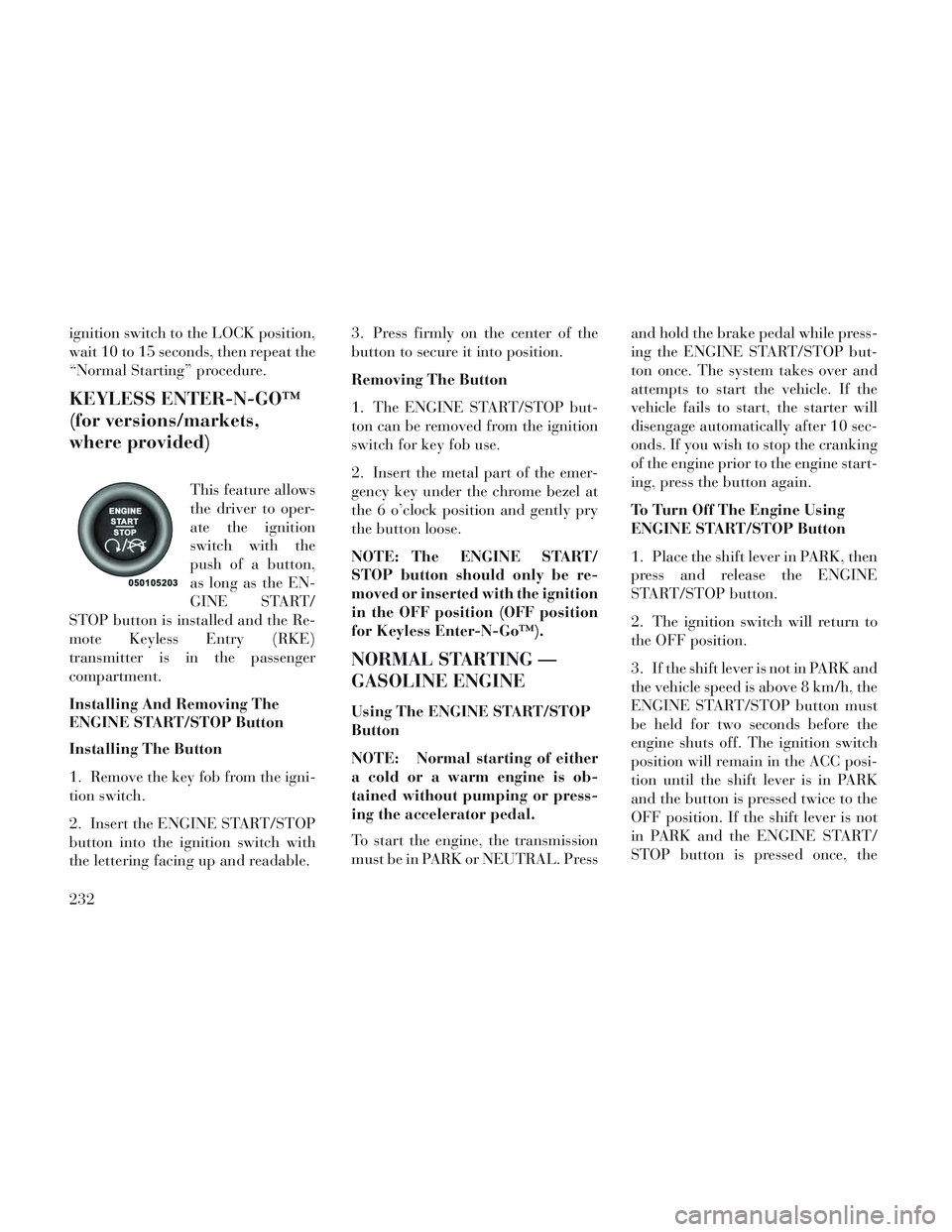
This feature allows
the driver to oper-
ate the ignition
switch with the
push of a button,
as long as the EN-
GINE START/
STOP button is installed and the Re-
mote Keyless Entry (RKE)
transmitter is in the passenger
compartment.
Installing And Removing The
ENGINE START/STOP Button
Installing The Button
1. Remove the key fob from the igni-
tion switch.
2. Insert the ENGINE START/STOP
button into the ignition switch with
the lettering facing up and readable. 3. Press firmly on the center of the
button to secure it into position.
Removing The Button
1. The ENGINE START/STOP but-
ton can be removed from the ignition
switch for key fob use.
2. Insert the metal part of the emer-
gency key under the chrome bezel at
the 6 o’clock position and gently pry
the button loose.
NOTE: The ENGINE START/
STOP button should only be re-
moved or inserted with the ignition
in the OFF position (OFF position
for Keyless Enter-N-Go™).
NORMAL STARTING —
GASOLINE ENGINE
Using The ENGINE START/STOP
Button
NOTE: Normal starting of either
a cold or a warm engine is ob-
tained without pumping or press-
ing the accelerator pedal.
To start the engine, the transmission
must be in PARK or NEUTRAL. Press
and hold the brake pedal while press-
ing the ENGINE START/STOP but-
ton once. The system takes over and
attempts to start the vehicle. If the
vehicle fails to start, the starter will
disengage automatically after 10 sec-
onds. If you wish to stop the cranking
of the engine prior to the engine start-
ing, press the button again.
To Turn Off The Engine Using
ENGINE START/STOP Button
1. Place the shift lever in PARK, then
press and release the ENGINE
START/STOP button.
2. The ignition switch will return to
the OFF position.
3. If the shift lever is not in PARK and
the vehicle speed is above 8 km/h, the
ENGINE START/STOP button must
be held for two seconds before the
engine shuts off. The ignition switch
position will remain in the ACC posi-
tion until the shift lever is in PARK
and the button is pressed twice to the
OFF position. If the shift lever is not
in PARK and the ENGINE START/
STOP button is pressed once, the
232
Page 239 of 364
EVIC will display a “Vehicle Not In
Park” message and the engine will
remain running. Never leave a vehicle
out of the PARK position, or it could
roll.
NOTE: If the ignition switch is left
in the ACC or RUN (engine not run-
ning) position and the transmis-
sion is in PARK, the system will
automatically time out after 30
minutes of inactivity and the igni-
tion will switch to the OFF posi-
tion.
Keyless Enter-N-Go™ Functions –
With Driver’s Foot OFF The
Brake Pedal (In PARK Or
NEUTRAL Position)
The Keyless Enter-N-Go™ feature
operates similar to an ignition switch.
It has four positions, OFF, ACC, RUN
and START. To change the ignition
switch positions without starting the
vehicle and use the accessories follow
these steps. Starting with the ignition switch in
the OFF position:
Press the ENGINE START/STOP button once to change the ignition
switch to the ACC position (EVIC
displays “IGNITION MODE
ACCESSORY”),
Press the ENGINE START/STOP button a second time to change the
ignition switch to the RUN position
(EVIC displays “IGNITION MODE
RUN”),
Press the ENGINE START/STOP button a third time to return the
ignition switch to the OFF position
(EVIC displays “IGNITION MODE
OFF”).
EXTREME COLD
WEATHER (BELOW 29°C)
To ensure reliable starting at these
temperatures, use of an externally
powered electric engine block heater
is recommended.
IF ENGINE FAILS TO
START
WARNING!
Never pour fuel or other flam-mable liquids into the throttle
body air inlet opening in an at-
tempt to start the vehicle. This
could result in a flash fire causing
serious personal injury.
Do not attempt to push or tow your vehicle to get it started. Ve-
hicles equipped with an auto-
matic transmission cannot be
started this way. Unburned fuel
could enter the catalytic con-
verter and once the engine has
started, ignite and damage the
converter and vehicle.
(Continued)
233
Page 242 of 364

AUTOMATIC
TRANSMISSION
CAUTION!
Damage to the transmission may
occur if the following precautions
are not observed:
Shift into PARK only after thevehicle has come to a complete
stop.
Shift into or out of REVERSE only after the vehicle has come to
a complete stop and the engine is
at idle speed.
Do not shift between PARK, RE- VERSE, NEUTRAL, or DRIVE
when the engine is above idle
speed.
Before shifting into any gear, make sure your foot is firmly
pressing the brake pedal.
NOTE: You must press and hold
the brake pedal while shifting out
of PARK.
WARNING!
It is dangerous to shift out of PARK or NEUTRAL if the engine
speed is higher than idle speed. If
your foot is not firmly pressing
the brake pedal, the vehicle could
accelerate quickly forward or in
reverse. You could lose control of
the vehicle and hit someone or
something. Only shift into gear
when the engine is idling nor-
mally and your foot is firmly
pressing the brake pedal.
Unintended movement of a ve- hicle could injure those in or near
the vehicle. As with all vehicles,
you should never exit a vehicle
while the engine is running. Be-
fore exiting a vehicle, always ap-
ply the parking brake, shift the
transmission into PARK, turn the
engine OFF, and remove the key
fob. When the ignition is in the
LOCK position, the transmission
is locked in PARK, securing the
vehicle against unwanted move-
ment.
(Continued)
WARNING!(Continued)
When leaving the vehicle, alwaysremove the key fob and lock your
vehicle.
Never leave children alone in a vehicle, or with access to an un-
locked vehicle. Allowing children
to be in a vehicle unattended is
dangerous for a number of rea-
sons. A child or others could be
seriously or fatally injured. Chil-
dren should be warned not to
touch the parking brake, brake
pedal or the shift lever.
Do not leave the key fob in or near the vehicle (or in a location acces-
sible to children), and do not
leave the ignition (in a vehicle
equipped with Keyless Enter-N-
Go™) in the ACC or ON/RUN
position. A child could operate
power windows, other controls, or
move the vehicle.
236