disc Lexus ES300h 2013 Owner's Guide
[x] Cancel search | Manufacturer: LEXUS, Model Year: 2013, Model line: ES300h, Model: Lexus ES300h 2013Pages: 910, PDF Size: 9.95 MB
Page 222 of 910
221
ES350 300h_OM_OM33A01U_(U)
4-2. Driving procedures
4
Driving
Tu r n s i g n a l l e v e r
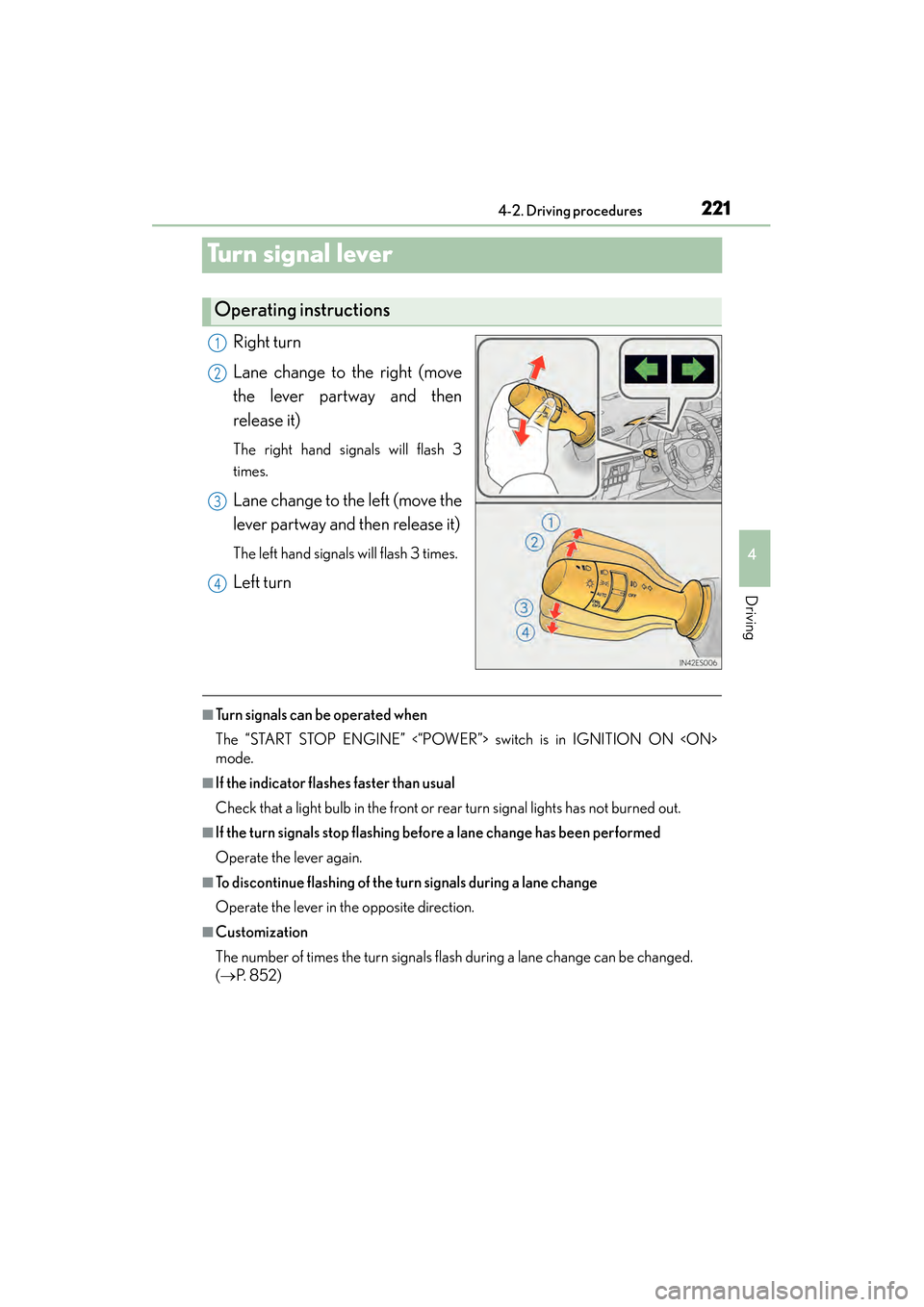
Right turn
Lane change to the right (move
the lever partway and then
release it)
The right hand signals will flash 3
times.
Lane change to the left (move the
lever partway and then release it)
The left hand signals will flash 3 times.
Left turn
■Turn signals can be operated when
The “START STOP ENGINE” <“POWER”> switch is in IGNITION ON
mode.
■If the indicator flashes faster than usual
Check that a light bulb in the front or rear turn signal lights has not burned out.
■If the turn signals stop flashing before a lane change has been performed
Operate the lever again.
■To discontinue flashing of the turn signals during a lane change
Operate the lever in the opposite direction.
■Customization
The number of times the turn signals flash during a lane change can be changed.
( → P. 8 5 2 )
Operating instructions
1
2
3
4
Page 228 of 910
ES350 300h_OM_OM33A01U_(U)
2274-3. Operating the lights and wipers
4
Driving
■Customization
Settings (e.g. light sensor sensitivity) can be changed.
(Customizable features: →P. 8 5 2 )
NOTICE
■To prevent 12-volt battery discharge
Do not leave the lights on longer than necessary when the engine is not running
Page 241 of 910
240
ES350 300h_OM_OM33A01U_(U)
4-4. Refueling
CAUTION
■When refueling the vehicle
Observe the following precautions while refueling the vehicle. Failure to do so may
result in death or serious injury.
●After exiting the vehicle and before opening the fuel door, touch an unpainted
metal surface to discharge any static electricity. It is important to discharge static
electricity before refueling because sparks resulting from static electricity can
cause fuel vapors to ignite while refueling.
●Always hold the grips on the fuel tank cap and turn it slowly to remove it.
A whooshing sound may be heard when the fuel tank cap is loosened. Wait until
the sound cannot be heard before fully removing the cap. In hot weather, pressur-
ized fuel may spray out the filler neck and cause injury.
●Do not allow anyone that has not discharged static electricity from their body to
come close to an open fuel tank.
●Do not inhale vaporized fuel.
Fuel contains substances that are harmful if inhaled.
●Do not smoke while refueling the vehicle.
Doing so may cause the fuel to ignite and cause a fire.
●Do not return to the vehicle or touch any person or object that is statically
charged.
This may cause static electricity to build up, resulting in a possible ignition hazard.
■When refueling
Observe the following precautions to prevent fuel overflowing from the fuel tank:
●Securely insert the fuel nozzle into the fuel filler neck.
●Stop filling the tank after the fuel nozzle automatically clicks off.
●Do not top off the fuel tank.
NOTICE
■Refueling
Do not spill fuel during refueling.
Doing so may damage the vehicle, such as causing the emission control system to
operate abnormally or damaging fuel system components or the vehicle’s painted
surface.
Page 302 of 910
ES350 300h_OM_OM33A01U_(U)
3014-5. Using the driving support systems
4
Driving
■When the message is displayed on the multi-information display showing that
TRAC has been disabled even if the VSC OFF switch has not been pressed
TRAC and hill-start assist control (hybrid vehicles) cannot be operated. Contact
your Lexus dealer.
■When the 12-volt battery is disconnected
The steering wheel may move from its straight forward position, but this will be cor-
rected automatically when driving.
■Sounds and vibrations caused by the ABS, brake assist, VSC and TRAC systems
●A sound may be heard from the engine compartment when the brake pedal is
depressed repeatedly, when the engine
vehicle begins to move. This sound does not indicate that a malfunction has
occurred in any of these systems.
●Any of the following conditions may occur when the above systems are operating.
None of these indicates that a malfunction has occurred.
• Vibrations may be felt through the vehicle body and steering.
• A motor sound may be heard after the vehicle comes to a stop.
• The brake pedal may pulsate slightly after the ABS is activated. (gasoline vehi-cles)
• The brake pedal may move down slightly after the ABS is activated. (gasoline vehicles)
■EPS operation sound
When the steering wheel is operated, a motor sound (whirring sound) may be heard.
This does not indicate a malfunction.
■Automatic reactivation of TRAC and VSC systems
After turing the TRAC and VSC systems off, the systems will be automatically reacti-
vated in the following situations:
●When the “START STOP ENGINE” <“POWER”> switch is turned off
●If only the TRAC system is turned off, the TRAC will turn on when vehicle speed
increases.
If both the TRAC and VSC systems are turned off, automatic reactivation will not
occur when vehicle speed increases.
Page 333 of 910
332
ES350 300h_OM_OM33A01U_(U)
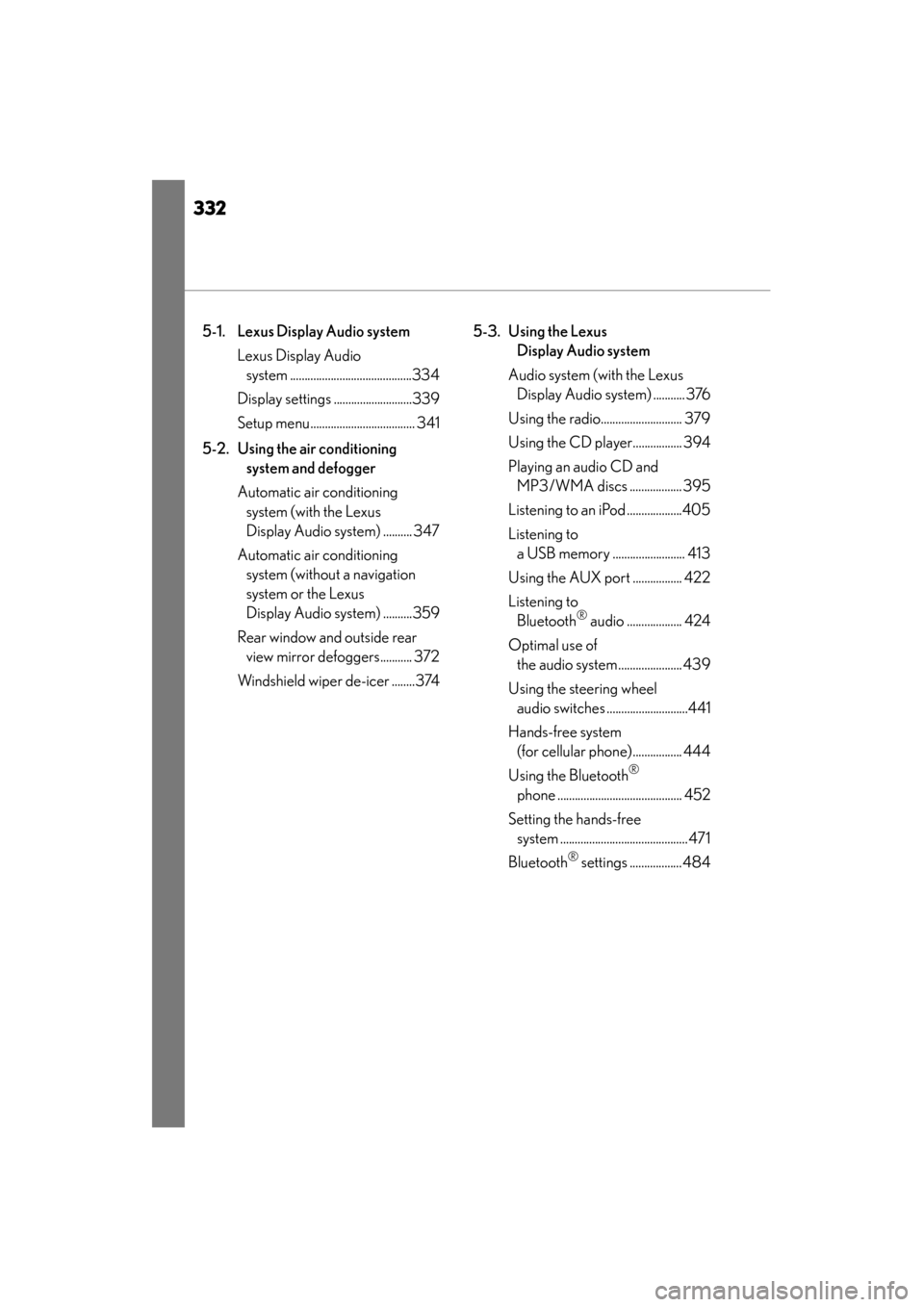
5-1. Lexus Display Audio systemLexus Display Audio system ..........................................334
Display settings ...........................339
Setup menu.................................... 341
5-2. Using the air conditioning system and defogger
Automatic air conditioning system (with the Lexus
Display Audio system) .......... 347
Automatic air conditioning system (without a navigation
system or the Lexus
Display Audio system) ..........359
Rear window and outside rear view mirror defoggers........... 372
Windshield wiper de-icer ........374 5-3. Using the Lexus
Display Audio system
Audio system (with the Lexus Display Audio system) ........... 376
Using the radio............................ 379
Using the CD player................. 394
Playing an audio CD and MP3/WMA discs .................. 395
Listening to an iPod ...................405
Listening to a USB memory ......................... 413
Using the AUX port ................. 422
Listening to Bluetooth
® audio ................... 424
Optimal use of the audio system...................... 439
Using the steering wheel audio switches ............................441
Hands-free system (for cellular phone)................. 444
Using the Bluetooth
®
phone ........................................... 452
Setting the hands-free system ............................................ 471
Bluetooth
® settings .................. 484
Page 334 of 910
333
ES350 300h_OM_OM33A01U_(U)
5Interior features
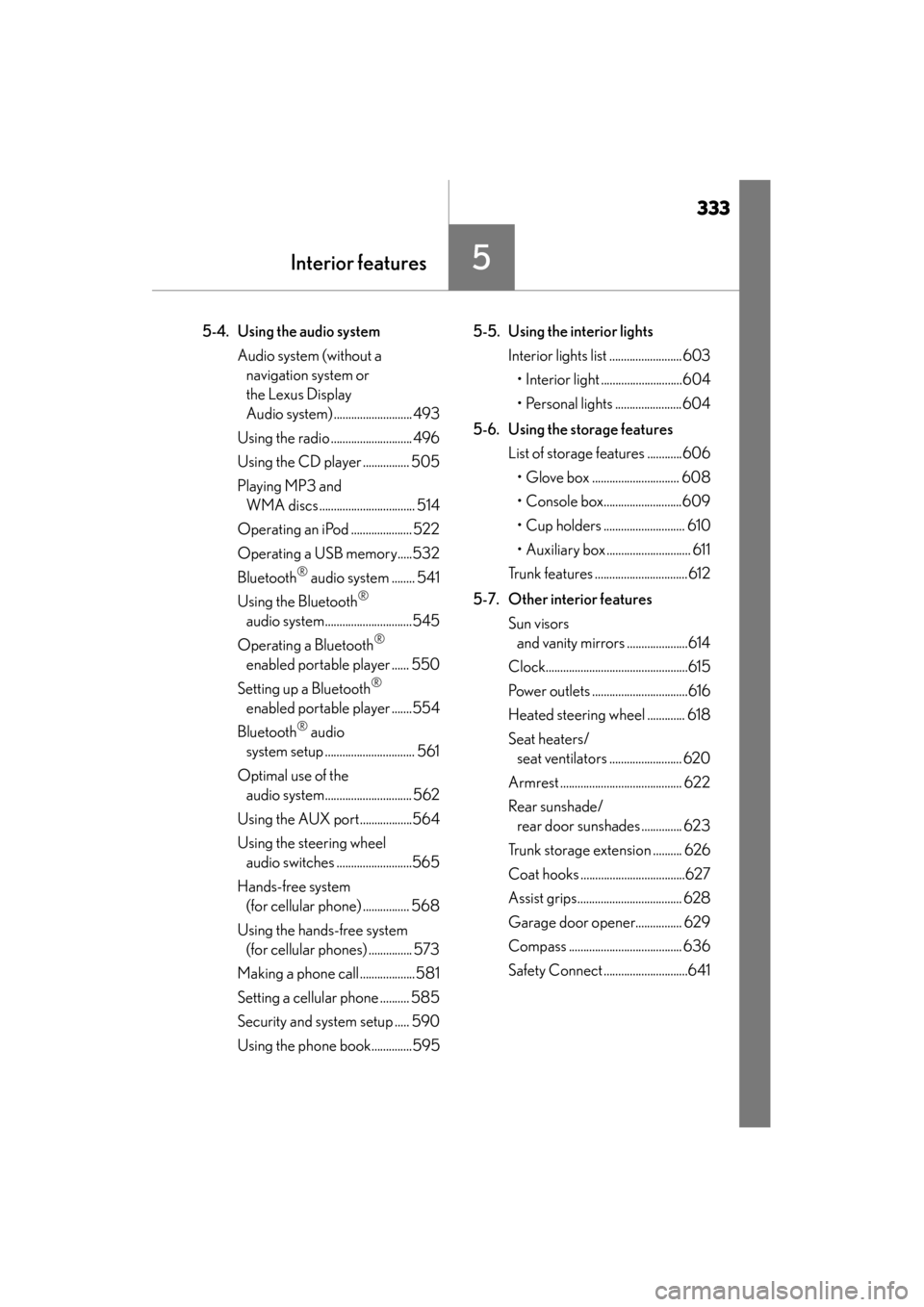
5-4. Using the audio systemAudio system (without a navigation system or
the Lexus Display
Audio system) ........................... 493
Using the radio ............................ 496
Using the CD player ................ 505
Playing MP3 and WMA discs................................. 514
Operating an iPod ..................... 522
Operating a USB memory.....532
Bluetooth
® audio system ........ 541
Using the Bluetooth
®
audio system..............................545
Operating a Bluetooth
®
enabled portable player ...... 550
Setting up a Bluetooth
®
enabled portable player .......554
Bluetooth
® audio
system setup ............................... 561
Optimal use of the audio system.............................. 562
Using the AUX port..................564
Using the steering wheel audio switches ..........................565
Hands-free system (for cellular phone) ................ 568
Using the hands-free system (for cellular phones) ............... 573
Making a phone call ...................581
Setting a cellular phone .......... 585
Security and system setup ..... 590
Using the phone book..............595 5-5. Using the interior lights
Interior lights list ......................... 603• Interior light ............................604
• Personal lights .......................604
5-6. Using the storage features List of storage features ............606• Glove box .............................. 608
• Console box...........................609
• Cup holders ............................ 610
• Auxiliary box ............................. 611
Trunk features ................................612
5-7. Other interior features Sun visors and vanity mirrors .....................614
Clock.................................................615
Power outlets .................................616
Heated steering wheel ............. 618
Seat heaters/ seat ventilators ......................... 620
Armrest .......................................... 622
Rear sunshade/ rear door sunshades .............. 623
Trunk storage extension .......... 626
Coat hooks ....................................627
Assist grips.................................... 628
Garage door opener................ 629
Compass ....................................... 636
Safety Connect .............................641
Page 359 of 910
358
ES350 300h_OM_OM33A01U_(U)
5-2. Using the air conditioning system and defogger
NOTICE
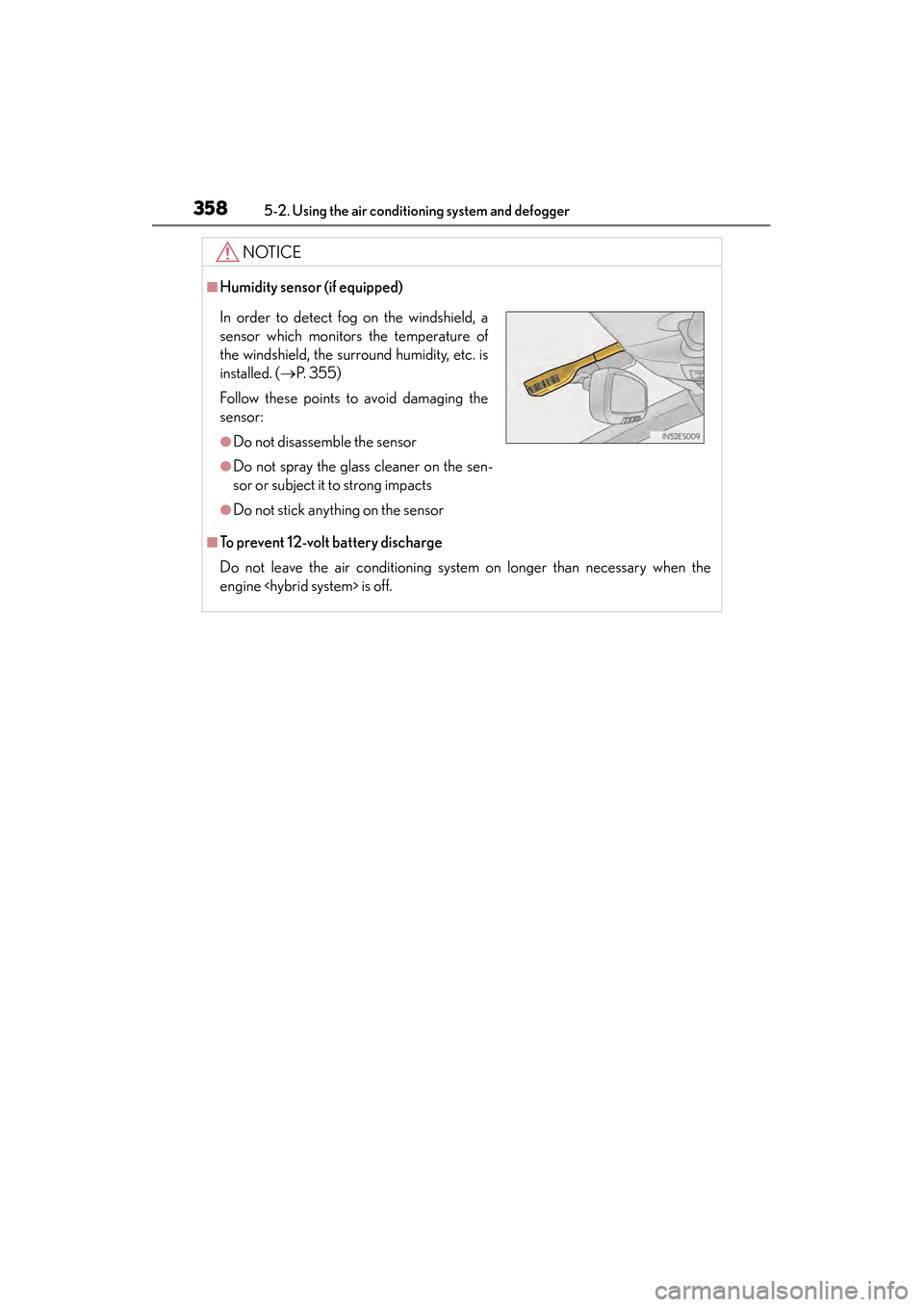
■Humidity sensor (if equipped)
■To prevent 12-volt battery discharge
Do not leave the air conditioning system on longer than necessary when the
engine
In order to detect fog on the windshield, a
sensor which monitors the temperature of
the windshield, the surround humidity, etc. is
installed. ( →P. 3 5 5 )
Follow these points to avoid damaging the
sensor:
●Do not disassemble the sensor
●Do not spray the glass cleaner on the sen-
sor or subject it to strong impacts
●Do not stick anything on the sensor
Page 372 of 910
ES350 300h_OM_OM33A01U_(U)
3715-2. Using the air conditioning system and defogger
5
Interior features
NOTICE
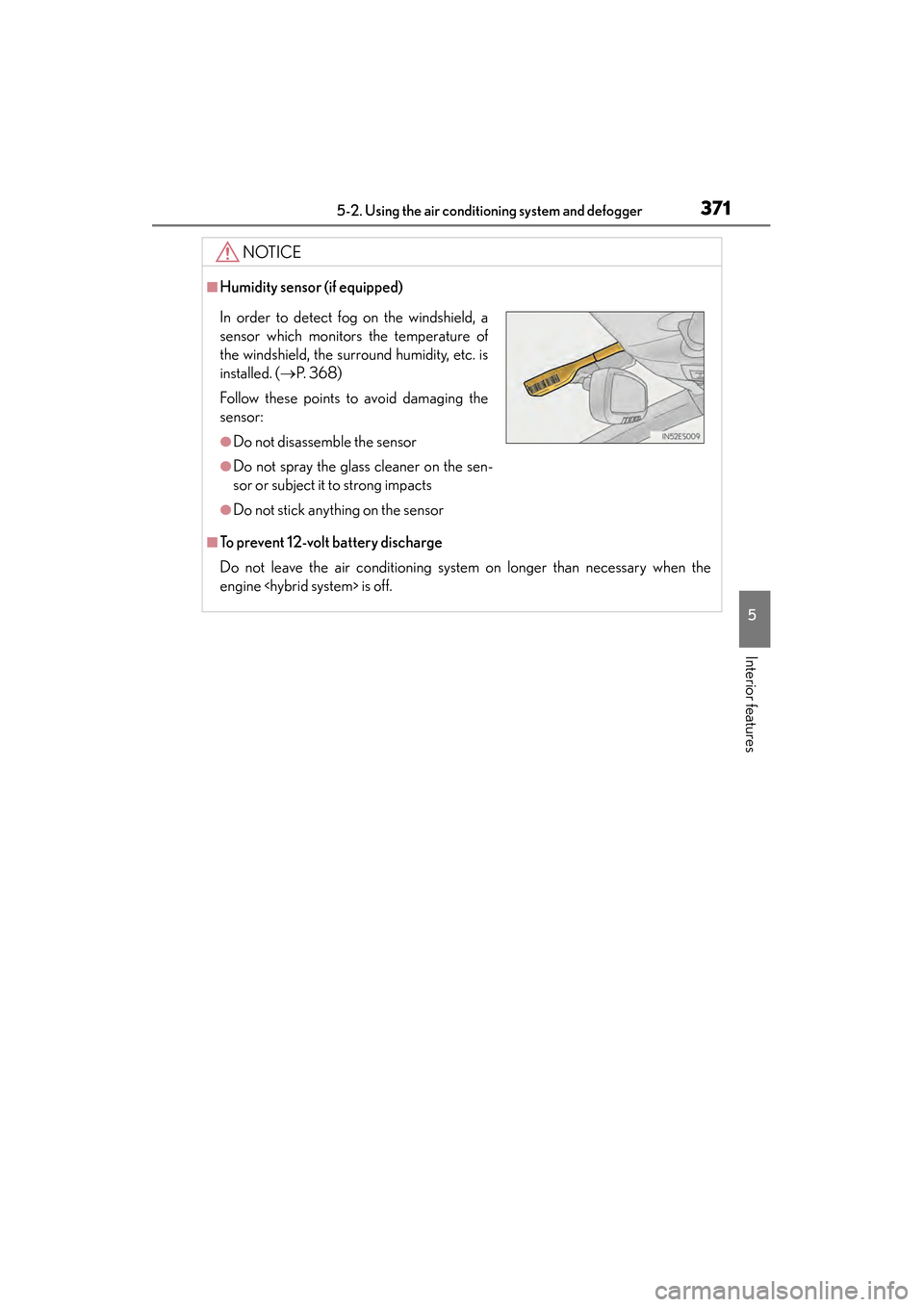
■Humidity sensor (if equipped)
■To prevent 12-volt battery discharge
Do not leave the air conditioning system on longer than necessary when the
engine
In order to detect fog on the windshield, a
sensor which monitors the temperature of
the windshield, the surround humidity, etc. is
installed. ( →P. 3 6 8 )
Follow these points to avoid damaging the
sensor:
●Do not disassemble the sensor
●Do not spray the glass cleaner on the sen-
sor or subject it to strong impacts
●Do not stick anything on the sensor
Page 374 of 910
ES350 300h_OM_OM33A01U_(U)
3735-2. Using the air conditioning system and defogger
5
Interior features
■Operating conditions
The “START STOP ENGINE” <“POWER”> switch must be in the IGNITION ON
CAUTION
■When the outside rear view mirror defoggers are on
Do not touch the rear view mirror surfaces, as they can become very hot and burn
you.
NOTICE
■To prevent 12-volt battery discharge
Turn the defoggers off when the engine
Page 378 of 910
ES350 300h_OM_OM33A01U_(U)
3775-3. Using the Lexus Display Audio system
5
Interior features
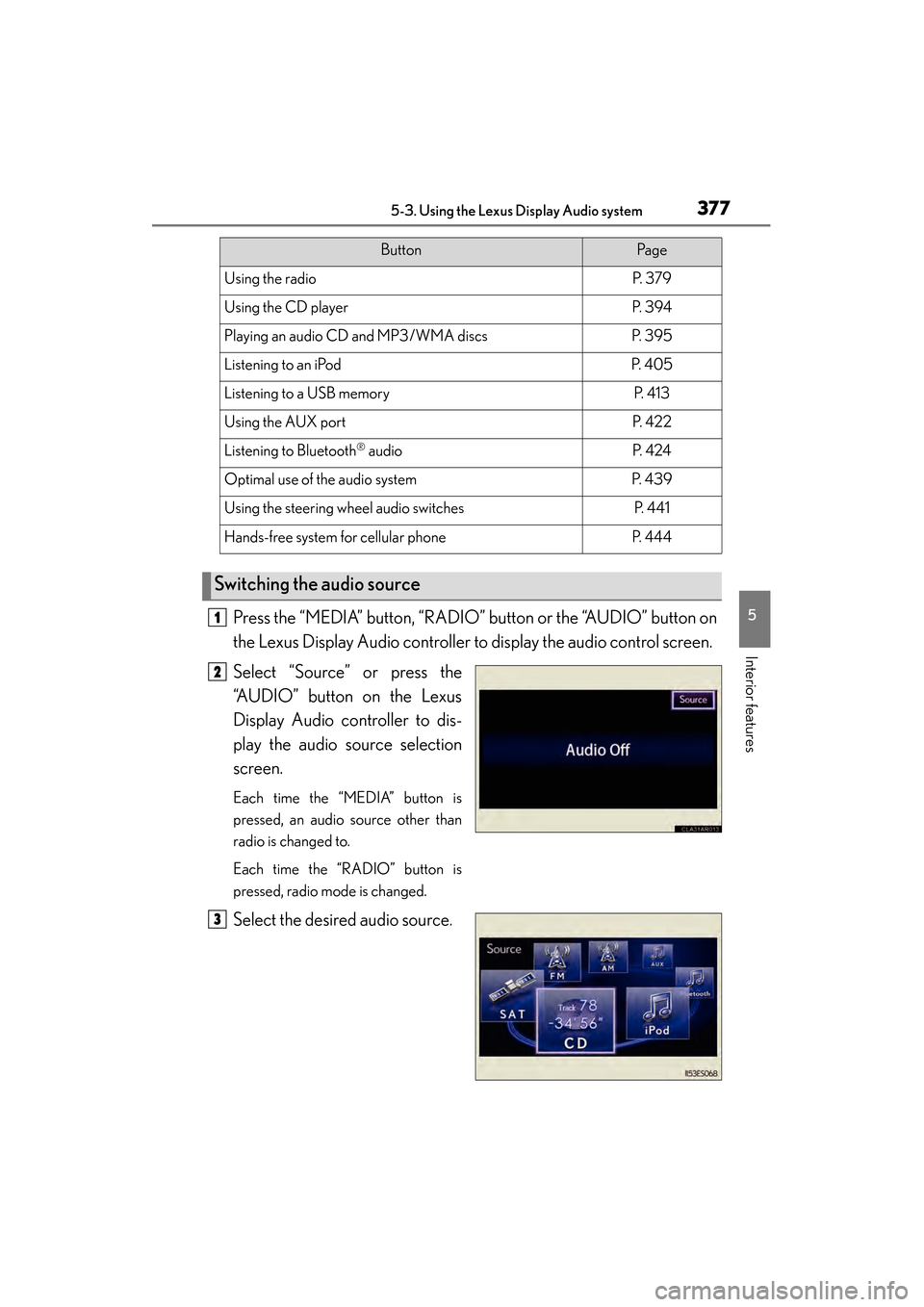
Press the “MEDIA” button, “RADIO” button or the “AUDIO” button on
the Lexus Display Audio controller to display the audio control screen.
Select “Source” or press the
“AUDIO” button on the Lexus
Display Audio controller to dis-
play the audio source selection
screen.
Each time the “MEDIA” button is
pressed, an audio source other than
radio is changed to.
Each time the “RADIO” button is
pressed, radio mode is changed.
Select the desired audio source.
ButtonPa g e
Using the radioP. 3 7 9
Using the CD playerP. 3 9 4
Playing an audio CD and MP3/WMA discsP. 3 9 5
Listening to an iPodP. 4 0 5
Listening to a USB memoryP. 4 1 3
Using the AUX portP. 4 2 2
Listening to Bluetooth® audioP. 4 2 4
Optimal use of the audio systemP. 4 3 9
Using the steering wheel audio switchesP. 4 4 1
Hands-free system for cellular phoneP. 4 4 4
Switching the audio source
1
2
3