disc Lexus ES300h 2013 Workshop Manual
[x] Cancel search | Manufacturer: LEXUS, Model Year: 2013, Model line: ES300h, Model: Lexus ES300h 2013Pages: 910, PDF Size: 9.95 MB
Page 496 of 910
ES350 300h_OM_OM33A01U_(U)
4955-4. Using the audio system
5
Interior features
CAUTION
■Certification
●Part 15 of the FCC Rules
FCC Warning:
Any unauthorized changes or modifications to this equipment will void the user’s
authority to operate this device.
●Laser products
• USE OF CONTROL OR ADJUSTMENT OR PERFORMANCE OF PRO-CEDURES OTHER THAN THOSE SPECIFIED HEREIN MAY RESULT IN
HAZARDOUS RADIATION EXPOSURE.
• THE USE OF OPTICAL INSTRUMENTS WITH THIS PRODUCT WILL INCREASE EYE HAZARD.
NOTICE
■To prevent 12-volt battery discharge
Do not leave the audio system on longer than necessary when the engine
■To avoid damaging the audio system
Take care not to spill drinks or other fluids over the audio system.
Page 503 of 910
502
ES350 300h_OM_OM33A01U_(U)
5-4. Using the audio system
■When the 12-volt battery is disconnected
All preset stations are erased.
■Reception sensitivity
●Cargo loaded on the roof luggage carrier, especially metal objects, may adversely
affect the reception of XM® Satellite Radio.
●It is difficult to maintain perfect radio reception at all times due to the continually
changing position of the antenna, differences in signal strength and surrounding
objects, such as trains and transmitters.
●The radio antenna is mounted inside the trunk and the rear window. To maintain
clear radio reception, do not attach metallic window tinting or other metallic
objects to the antenna wire mounted inside the rear window.
■Receiving XM® Satellite Radio
An XM
® Satellite Radio is a tuner designed exclusively to receive broadcasts pro-
vided under a separate subscription. Availability is limited to the 48 contiguous
states and 10 Canadian provinces.
●XM® subscriptions
For detailed information about XM® Satellite Radio or to subscribe:
U.S.A.
Visit on the web at www.siriusxm.com
or call 1-866-635-2349.
Canada
Visit on the web at www.xmradio.ca
or call 1-877-438-9677.
●Radio ID
You will need the radio ID when activating XM
® service or reporting a problem.
Select “CH000” using , and the receiver’s 8-character ID number will
appear.
●Satellite tuner
The tuner supports only Audio Services (Music and Talk) and the accompanying
Te x t I n f o r m a t i o n o f X M
® Satellite Radio.
Page 508 of 910
ES350 300h_OM_OM33A01U_(U)
5075-4. Using the audio system
5
Interior features
■Loading a CDPress .
“WAIT” is shown on the display.
When the indicator on the slot turns from amber to green, insert a
CD.
The display changes from “WAIT” to “LOAD”.
■Loading multiple CDsPress and hold until you hear a beep.
“WAIT” is shown on the display.
When the indicator on the slot turns from amber to green, insert a
CD.
The display changes from “WAIT” to “LOAD”.
The indicator on the slot turns to amber when the CD is being inserted.
When the indicator on the slot turns from amber to green, insert the
next CD.
Repeat the procedure for the remaining CDs.
To cancel the operation, press . If you do not insert a disc within 15 sec-
onds, loading will be canceled automatically.
Loading a CD
1
2
1
2
3
Page 509 of 910
508
ES350 300h_OM_OM33A01U_(U)
5-4. Using the audio system
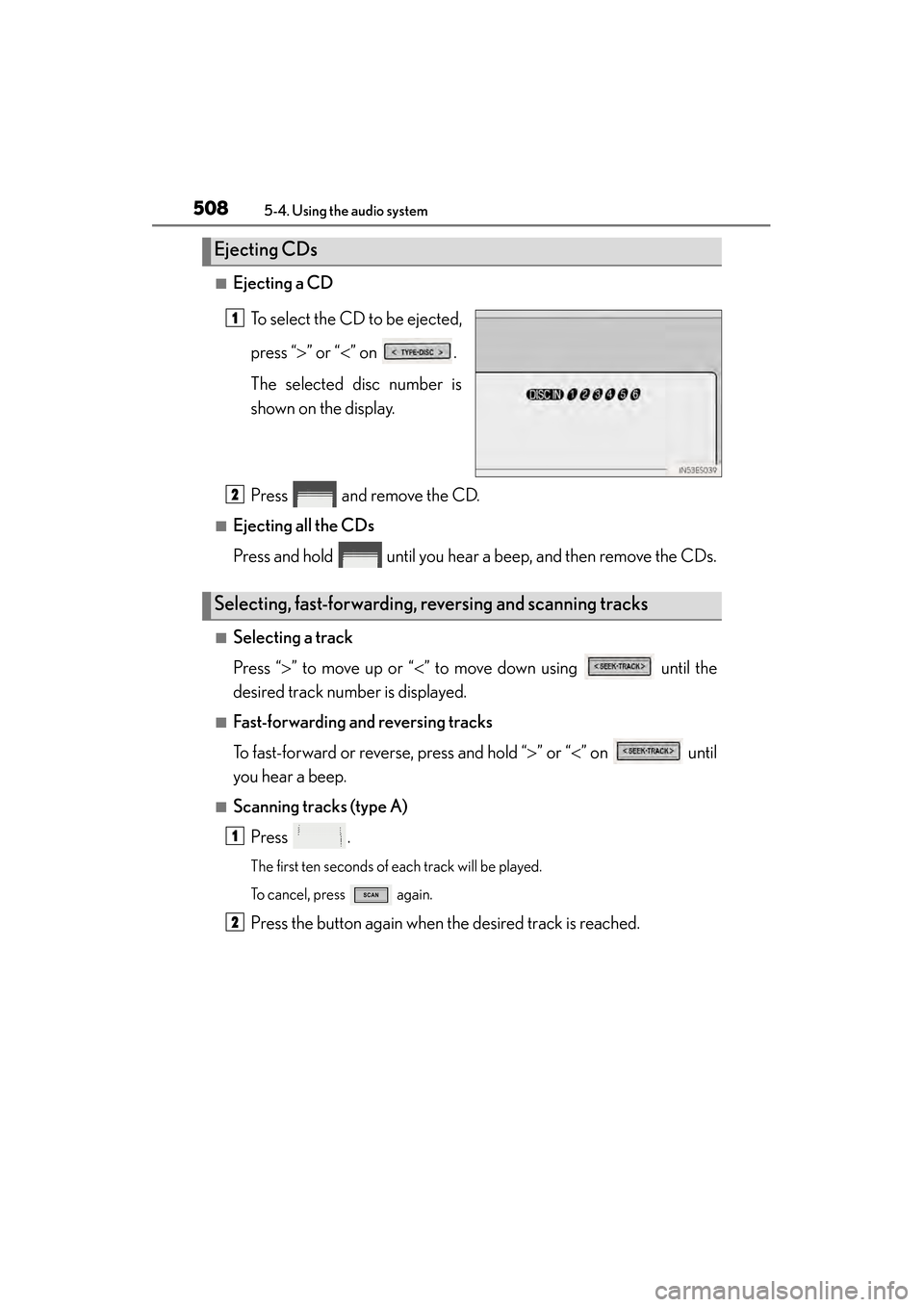
■Ejecting a CDTo select the CD to be ejected,
press “ >” or “ <” on .
The selected disc number is
shown on the display.
Press and remove the CD.
■Ejecting all the CDs
Press and hold until you hear a beep, and then remove the CDs.
■Selecting a track
Press “ >” to move up or “ <” to move down using until the
desired track number is displayed.
■Fast-forwarding and reversing tracks
To fast-forward or reverse, press and hold “ >” or “ <” on until
you hear a beep.
■Scanning tracks (type A)
Press .
The first ten seconds of each track will be played.
To cancel, press again.
Press the button again when the desired track is reached.
Ejecting CDs
1
Selecting, fast-forwarding, reversing and scanning tracks
2
1
2
Page 512 of 910
ES350 300h_OM_OM33A01U_(U)
5115-4. Using the audio system
5
Interior features
■CD player protection feature
To protect the internal components, playback is automatically stopped when a prob-
lem is detected.
■Display
Up to 12 characters can be displayed at a time.
If there are 13 or more characters, pressing and holding until you hear a beep
enables to display the remaining characters.
A maximum of 24 characters can be displayed.
If is pressed until you hear a beep again or has not been operated for more
than 6 seconds, the display will return to the first 12 characters.
Depending on the contents recorded, the characters may not be displayed properly
or may not be displayed at all.
■When “ERROR” or “WAIT” is shown on the display
“ERROR”:
This indicates a problem either in the CD or inside the player. The CD may be dirty,
damaged, or inserted up-side down.
“WAIT”:
This indicates that operation is stopped due to a high temperature inside the player.
Wait for a while and then press or . If the CD still cannot be played
back, contact your Lexus dealer.
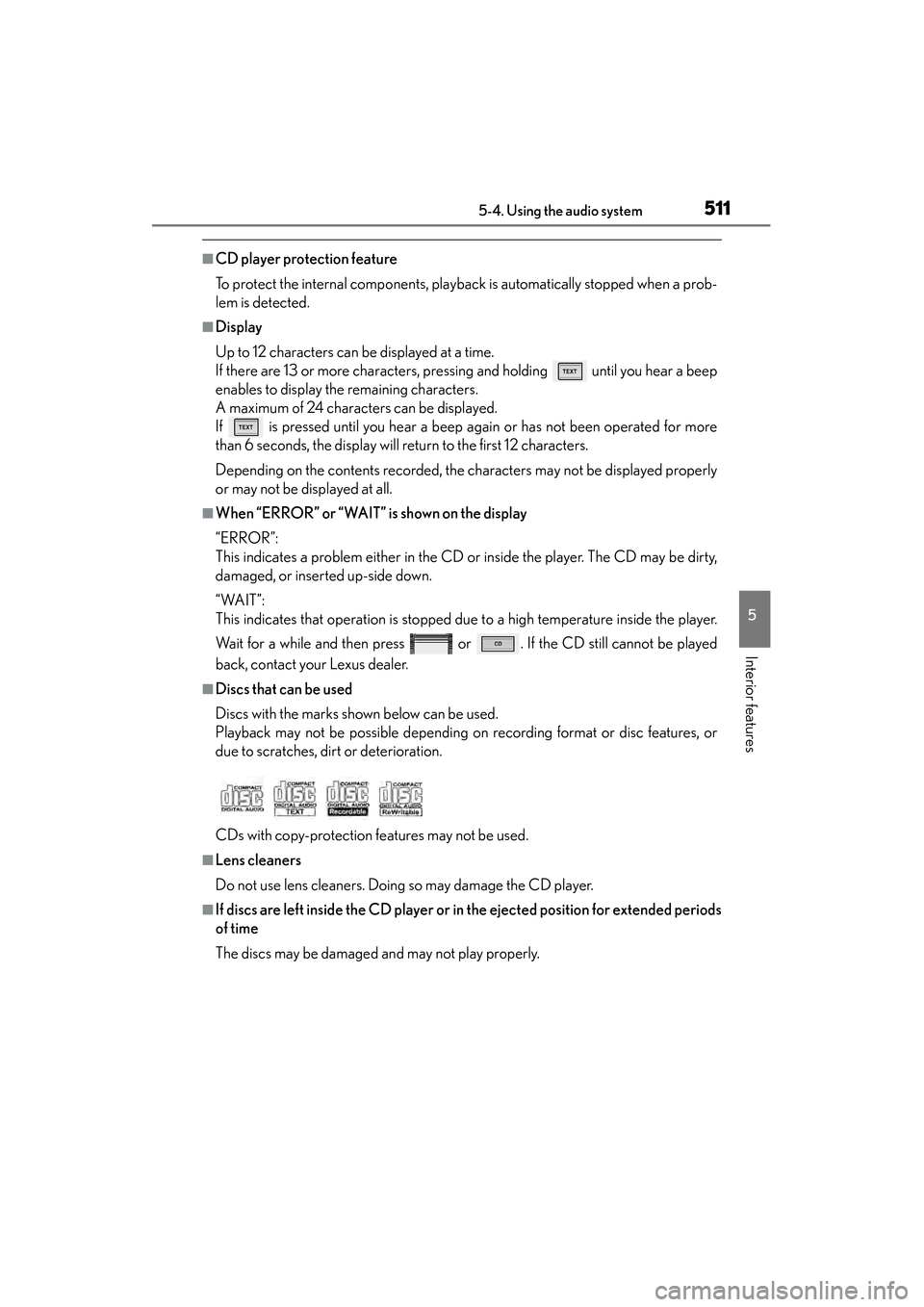
■Discs that can be used
Discs with the marks shown below can be used.
Playback may not be possible depending on recording format or disc features, or
due to scratches, dirt or deterioration.
CDs with copy-protection features may not be used.
■Lens cleaners
Do not use lens cleaners. Doing so may damage the CD player.
■If discs are left inside the CD player or in the ejected position for extended periods
of time
The discs may be damaged and may not play properly.
Page 513 of 910
512
ES350 300h_OM_OM33A01U_(U)
5-4. Using the audio system
NOTICE
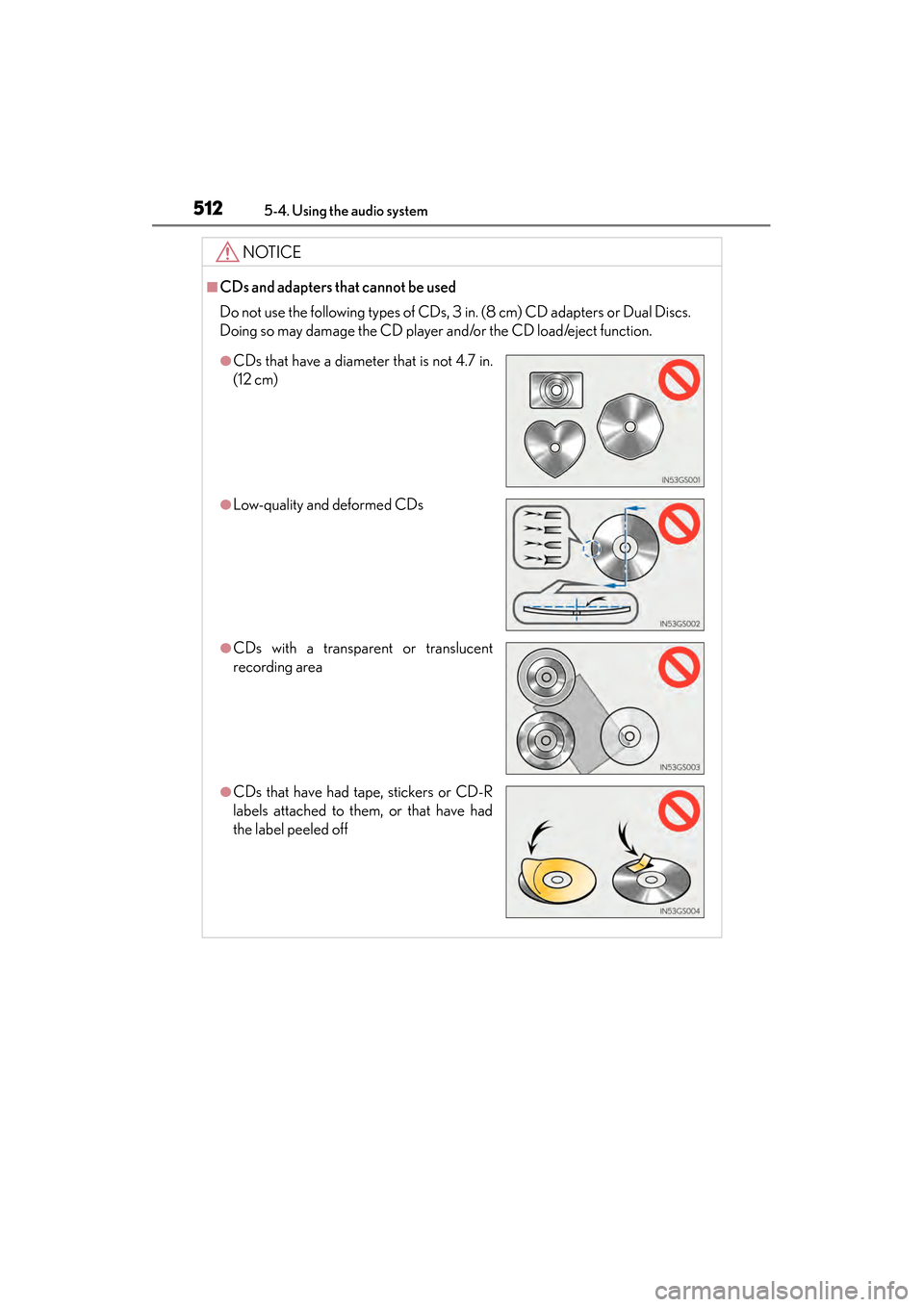
■CDs and adapters that cannot be used
Do not use the following types of CDs, 3 in. (8 cm) CD adapters or Dual Discs.
Doing so may damage the CD player and/or the CD load/eject function.
●CDs that have a diameter that is not 4.7 in.
(12 cm)
●Low-quality and deformed CDs
●CDs with a transparent or translucent
recording area
●CDs that have had tape, stickers or CD-R
labels attached to them, or that have had
the label peeled off
Page 515 of 910
514
ES350 300h_OM_OM33A01U_(U)
5-4. Using the audio system
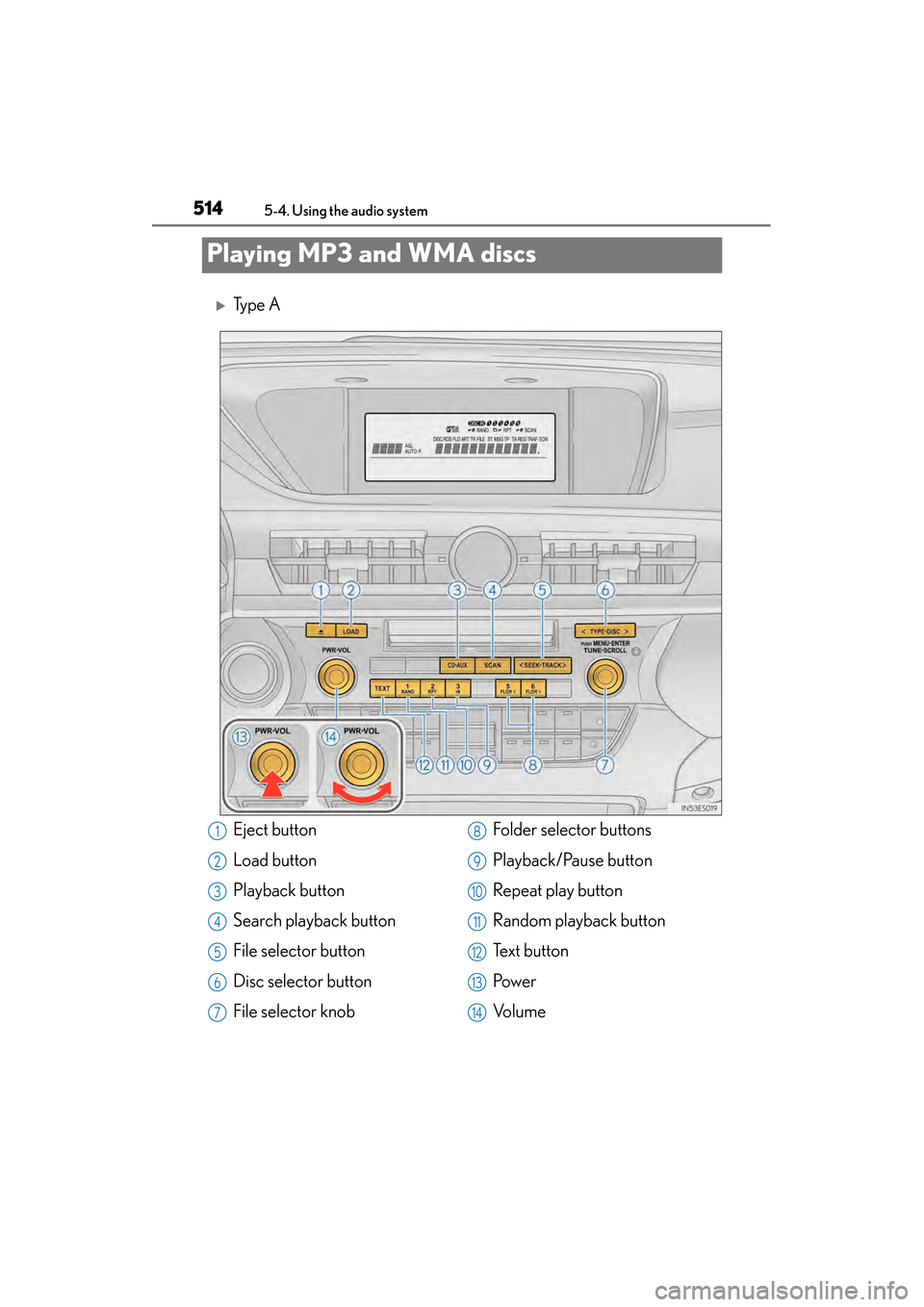
Playing MP3 and WMA discs
XTy p e A
Eject button
Load button
Playback button
Search playback button
File selector button
Disc selector button
File selector knobFolder selector buttons
Playback/Pause button
Repeat play button
Random playback button
Te x t b u t t o n
Pow e r
Vo l u m e1
2
3
4
5
6
7
8
9
10
11
12
13
14
Page 516 of 910
ES350 300h_OM_OM33A01U_(U)
5155-4. Using the audio system
5
Interior features
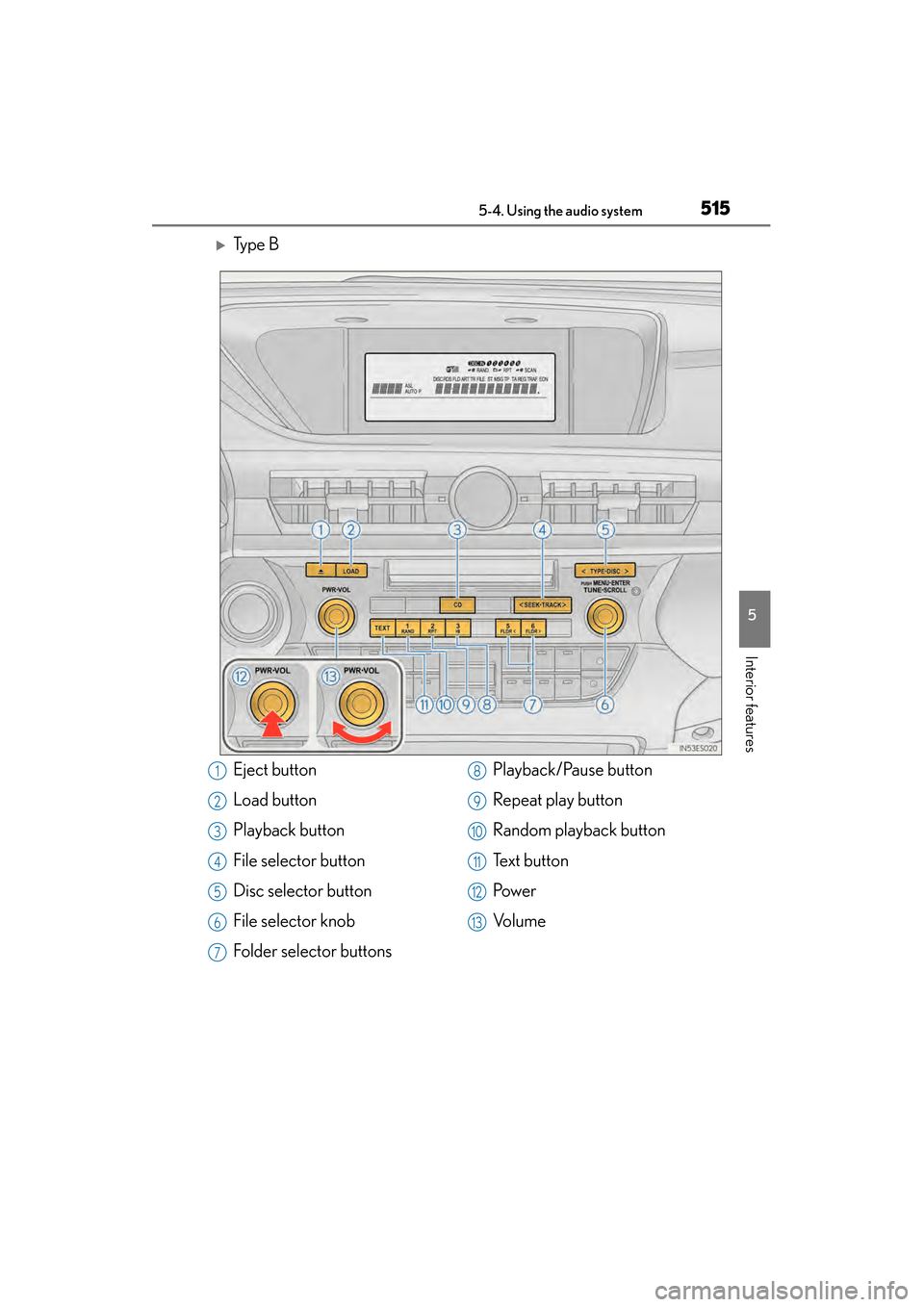
XTy p e B
Eject button
Load button
Playback button
File selector button
Disc selector button
File selector knob
Folder selector buttonsPlayback/Pause button
Repeat play button
Random playback button
Te x t b u t t o n
Pow e r
Vo l u m e1
2
3
4
5
6
7
8
9
10
11
12
13
Page 517 of 910
516
ES350 300h_OM_OM33A01U_(U)
5-4. Using the audio system
→P. 507, 508
→ P. 509
■Selecting a folder one at a time
Press or to select the desired folder.
■Returning to the first folder
Press and hold until you hear a beep.
■Scanning the first file of all the folders (type A)
Press and hold until you hear a beep.
The first ten seconds of the first file in each folder will be played.
When the desired folder is reached, press again.
To fast-forward or reverse, press and hold “ >” or “< ” on until
you hear a beep.
Loading and ejecting MP3 and WMA discs
Selecting MP3 and WMA discs
Selecting and scanning a folder
Fast-forwarding and reversing files
1
2
Page 518 of 910
ES350 300h_OM_OM33A01U_(U)
5175-4. Using the audio system
5
Interior features
■Selecting a file
Turn or press “>” or “ <” on to select the desired file.
■Scanning the files in a folder (type A)
Press .
The first ten seconds of each file will be played.
To cancel, press again.
When the desired file is reached, press again.
To play or pause a file, press .
■Playing files from a folder in random order
Press .
To cancel, press again.
■Playing all the files from a disc in random order
Press and hold until you hear a beep.
To cancel, press again.
Selecting and scanning files
Playing and pausing files
Random playback