interior Lexus ES300h 2014 Owner's Manual
[x] Cancel search | Manufacturer: LEXUS, Model Year: 2014, Model line: ES300h, Model: Lexus ES300h 2014Pages: 918, PDF Size: 25.26 MB
Page 546 of 918
ES350_300h_OM_OM33A60U_(U)
5455-4. Using the audio system
5
Interior features
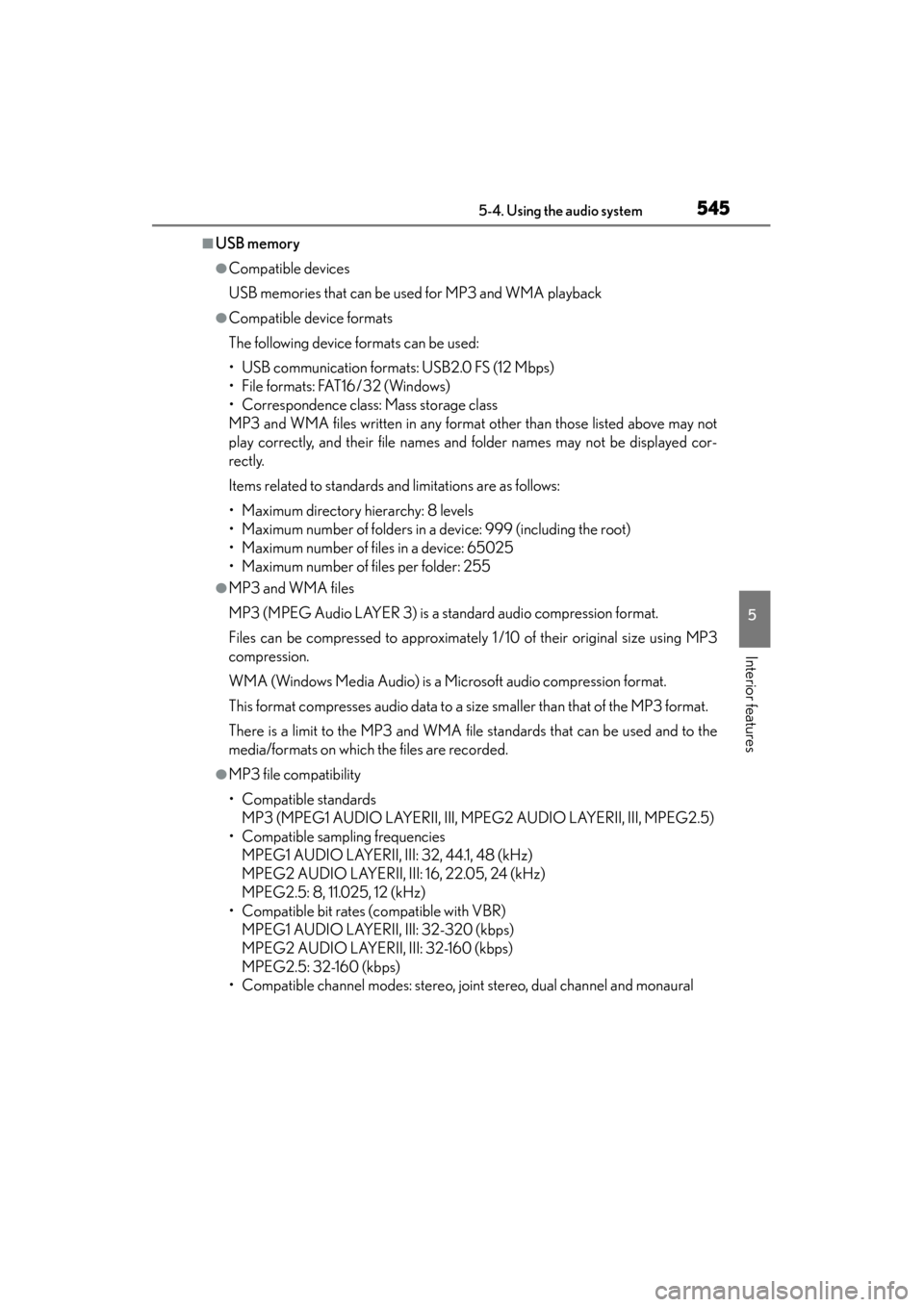
■USB memory
●Compatible devices
USB memories that can be used for MP3 and WMA playback
●Compatible device formats
The following device formats can be used:
• USB communication formats: USB2.0 FS (12 Mbps)
• File formats: FAT16/32 (Windows)
• Correspondence class: Mass storage class
MP3 and WMA files written in any format other than those listed above may not
play correctly, and their file names and folder names may not be displayed cor-
rectly.
Items related to standards and limitations are as follows:
• Maximum directory hierarchy: 8 levels
• Maximum number of folders in a device: 999 (including the root)
• Maximum number of files in a device: 65025
• Maximum number of files per folder: 255
●MP3 and WMA files
MP3 (MPEG Audio LAYER 3) is a standard audio compression format.
Files can be compressed to approximately 1 /10 of their original size using MP3
compression.
WMA (Windows Media Audio) is a Microsoft audio compression format.
This format compresses audio data to a size smaller than that of the MP3 format.
There is a limit to the MP3 and WMA file standards that can be used and to the
media/formats on which the files are recorded.
●MP3 file compatibility
• Compatible standardsMP3 (MPEG1 AUDIO LAYERII, III, MPEG2 AUDIO LAYERII, III, MPEG2.5)
• Compatible sampling frequencies MPEG1 AUDIO LAYERII, III: 32, 44.1, 48 (kHz)
MPEG2 AUDIO LAYERII, III: 16, 22.05, 24 (kHz)
MPEG2.5: 8, 11.025, 12 (kHz)
• Compatible bit rates (compatible with VBR) MPEG1 AUDIO LAYERII, III: 32-320 (kbps)
MPEG2 AUDIO LAYERII, III: 32-160 (kbps)
MPEG2.5: 32-160 (kbps)
• Compatible channel modes: stereo, joint stereo, dual channel and monaural
Page 548 of 918
ES350_300h_OM_OM33A60U_(U)
5475-4. Using the audio system
5
Interior features
CAUTION
■Caution while driving
Do not connect USB memories or operate the controls.
NOTICE
■If the armrest cannot be fully closed
Depending on the size and shape of the USB memory that is connected to the sys-
tem, the armrest may not close fully. In this case, do not forcibly close the armrest
as this may damage the USB memory or the terminal, etc.
■To prevent damage to USB memories
●Do not leave USB memories in the vehicle. The temperature inside the vehicle
may become high, resulting in damage to the player.
●Do not push down on or apply unnecessary pressure to the USB memory while it
is connected as this may damage the USB memory or its terminal.
●Do not insert foreign objects into the port as this may damage the USB memory
or its terminal.
Page 550 of 918
ES350_300h_OM_OM33A60U_(U)
5495-4. Using the audio system
5
Interior features
■About Bluetooth®
■Compatible models
●Bluetooth® specifications:
Ver. 1.1, or higher (Recommended: Ver. 1.2)
●Following profiles:
• A2DP (Advanced Audio Distribution Profile) Ver. 1.0, or higher (Conformed: Ve r. 1 . 2 )
• AVRCP (Audio/Video Remote Control Profile) Ver. 1.0 or higher (Conformed: Ve r. 1 . 3 )
Portable players must correspond to the above specifications in order to be con-
nected to the Bluetooth
® audio system. However, please note that some functions
may be limited depending on the type of portable player.
Please go to the website at http://www.lexus.com/MobileLink
to find approved por-
table players for this system.
■Certification for the Bluetooth® audio system
FCC ID: AJDK018
IC ID: 775E-K018
This device complies with Part 15 of FCC Rules and Industry Canada licence-
exempt RSS standard(s). Operation is subject to the following two conditions: (1) this
device may not cause interference, and (2) this device must accept any interference,
including interference that may cause undesired operation of this device.
Le présent appareil est conforme aux la partie 15 des règles de la FCC et CNR
d’Industrie Canada applicables aux appareils radio exempts de licence.
L’exploitation est autorisée aux deux conditions suivantes : (1) l’appareil ne doit pas
produire de brouillage, et (2) l’utilisateur de l’appareil doit accepter tout brouillage
radioélectrique subi, même si le brouillage est susceptible d’en compromettre le
fonctionnement. The Bluetooth
® word mark and logos are
registered trademarks owned by Bluetooth
SIG, Inc. and any use of such marks by
PIONEER CORPORATION is under
license. Other trademarks and trade names
are those of their respective owners.
Page 552 of 918
ES350_300h_OM_OM33A60U_(U)
5515-4. Using the audio system
5
Interior features
CAUTION
■Caution while driving
Do not connect portable players or operate the controls.
■Caution regarding interference with electronic devices
●Your audio unit is fitted with Bluetooth® antennas. People with implantable car-
diac pacemakers, cardiac resynchronization therapy-pacemakers or implantable
cardioverter defibrillators should maintain a reasonable distance between them-
selves and the Bluetooth
® antennas. The radio waves may affect the operation of
such devices.
●Before using Bluetooth® devices, users of any electrical medical device other
than implantable cardiac pacemakers, cardiac resynchronization therapy-pace-
makers or implantable cardioverter defibrillators should consult the manufac-
turer of the device for information about its operation under the influence of radio
waves. Radio waves could have unexpected effects on the operation of such
medical devices.
NOTICE
■To prevent damage to portable players
Do not leave portable players in the vehicle. The temperature inside the vehicle
may become high, resulting in damage to the player.
Page 554 of 918
ES350_300h_OM_OM33A60U_(U)
5535-4. Using the audio system
5
Interior features
By following voice guidance instructions output from the speaker, voice
commands enable the operation of the Bluetooth
® audio system without
the need to check the display or operate .
■Operation procedure when using voice commands
Press the talk switch and follow voice guidance instructions.
■Auxiliary commands when using voice commands
The following auxiliary commands can be used when operating the sys-
tem using a voice command: “Cancel”:
Exits the Bluetooth
® audio system
“Repeat”:
Repeats the previous voice guidance instruction
“Go back”:
Returns to the previous procedure
“Help”:
Reads aloud the function summary if a help comment is registered
for the selected function
Operating the system using voice commands
Page 556 of 918
ES350_300h_OM_OM33A60U_(U)
5555-4. Using the audio system
5
Interior features
Input the passkey into the portable player.
Refer to the manual that comes with the portable player for the operation of the
portable player.
Guidance for registration completion is heard.
If the portable player has a Bluetooth
® phone, the phone can be regis-
tered at the same time. A voice guidance instruction to register a
Bluetooth
® phone is heard.
Select “Yes” or “No” using a voice command or .
(Bluetooth
® phone →P. 5 7 7 )
Menu list of the Bluetooth® audio system
First menuSecond menuThird menuOperation detail
“Setup”
“BT•A Setup”
“Pair Audio”Registering a portable
player
“Connect”Selecting a portable player
to be used
“Change Name”Changing the registered
name of a portable player
“List Audios”Listing the registered por-
table players
“Set Passkey”Changing the passkey
“Delete Audio”Deleting a registered por-
table player
“System Setup”
“Guidance Vol”Setting voice guidance
volume
“Device Name”Displaying the Bluetooth®
device address and name
“Initialize”Initializing the system
6
7
Page 558 of 918
557
ES350_300h_OM_OM33A60U_(U)
5-4. Using the audio system
5
Interior features
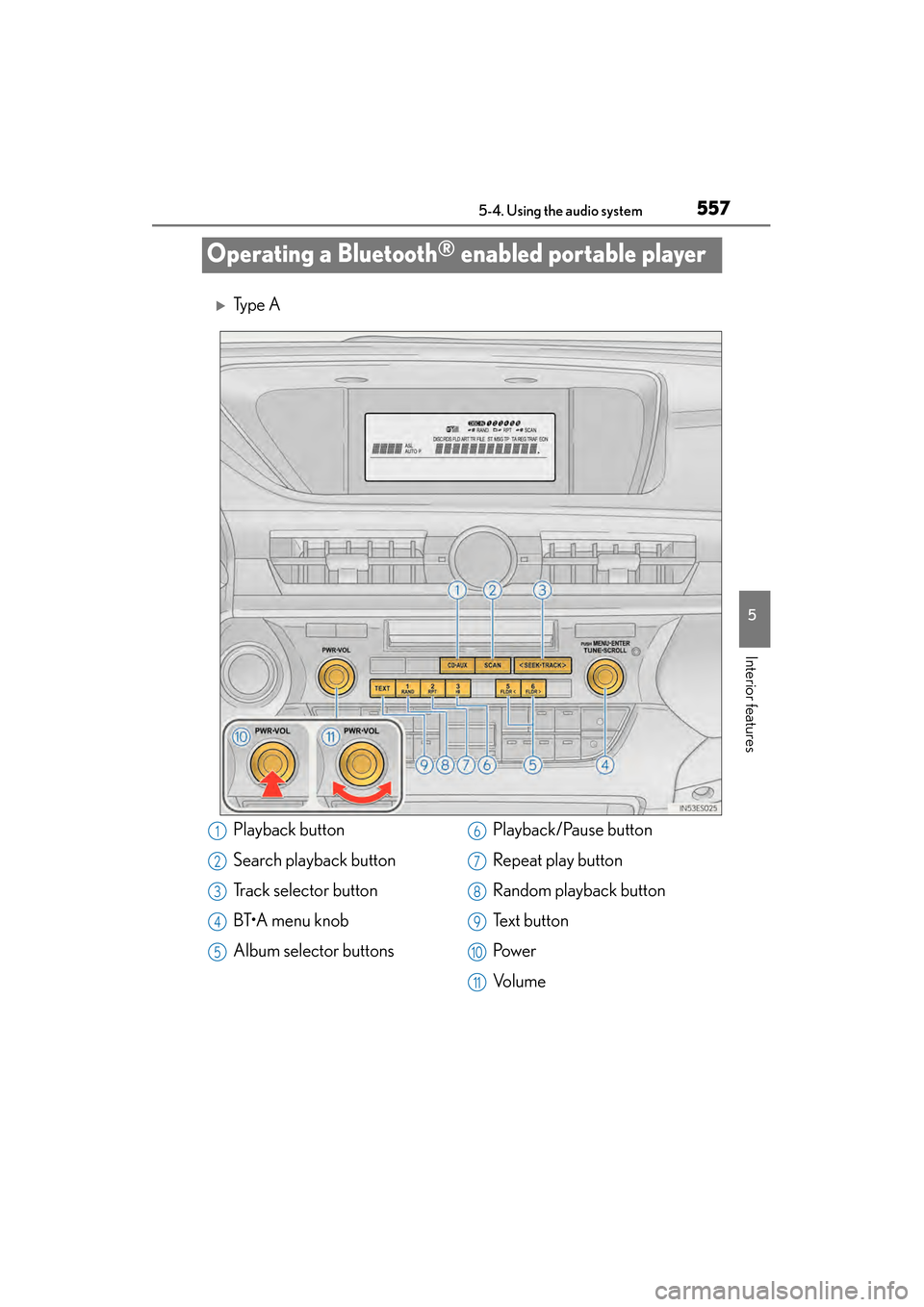
Operating a Bluetooth® enabled portable player
XTy p e A
Playback button
Search playback button
Track selector button
BT•A menu knob
Album selector buttonsPlayback/Pause button
Repeat play button
Random playback button
Te x t b u t t o n
Pow e r
Vo l u m e1
2
3
4
5
6
7
8
9
10
11
Page 560 of 918
ES350_300h_OM_OM33A60U_(U)
5595-4. Using the audio system
5
Interior features
To select the desired album, press or .
Press “>” or “ <” on to select the desired track.
To play or pause a track, press .
To fast-forward or reverse, press and hold “ >” or “< ” on until
you hear a beep.
Press .
To cancel, press again.
Press .
To cancel, press again.
Press .
To cancel, press again.
Press .
Each time the button is pressed, the display changes in the following order:
Elapsed time → Album title → Track title → Artist name
Selecting an album
Selecting tracks
Playing and pausing tracks
Fast-forwarding and reversing tracks
Random playback
Repeat play
Scanning tracks (type A)
Switching the display
Page 562 of 918
561
ES350_300h_OM_OM33A60U_(U)
5-4. Using the audio system
5
Interior features
Setting up a Bluetooth® enabled portable player
XPattern A
To enter the menu for each function, follow the steps below using a voice
command or :
●Registering a portable player
1. “Setup” → 2. “Bluetooth Audio Setup (BT•A Setup)” →
3. “Pair Audio Player (Pair Audio)”
●Selecting a portable player to be used
1. “Setup” → 2. “Bluetooth Audio Setup (BT•A Setup)” →
3. “Connect Audio Player (Connect)”
●Changing the registered name of a portable player
1. “Setup” → 2. “Bluetooth Audio Setup (BT•A Setup)” →
3. “Change Name”
●Listing the registered portable players
1. “Setup” → 2. “Bluetooth Audio Setup (BT•A Setup)” →
3. “List Audio Players (List Audios)”
●Changing the passkey
1. “Setup” → 2. “Bluetooth Audio Setup (BT•A Setup)” →
3. “Set Passkey”
●Deleting a registered portable player
1. “Setup” → 2. “Bluetooth Audio Setup (BT•A Setup)” →
3. “Delete Audio Player (Delete Audio)”
Registering a portable pl ayer in the Bluetooth® audio system allows
the system to function. The followin g functions can be used for regis-
tered portable players:
Functions and operation procedures
Page 564 of 918
ES350_300h_OM_OM33A60U_(U)
5635-4. Using the audio system
5
Interior features
Select “Connect Audio Player (Connect)” using a voice command or.
XPattern A
Select the portable player to be used by either of the following meth-
ods, and select “Confirm” by using a voice command or :
a. Press the talk switch and say the name of the desired portable player.
b. Press the talk switch and say “List Audio Players”. When the name ofthe desired portable player is read aloud, press the talk switch.
XPattern B
Select the portable player to be used using .
XPattern A
Press the talk switch and say “From Car” or “From Audio player”, and
select “Confirm” by using a voice command or .
XPattern B
Select “From Car” or “From Audio”, using .
If “From Car” is selected, the portable player will be automatically connected
whenever the “START STOP ENGINE” <“POWER”> switch is in either ACCES-
SORY or IGNITION ON
Selecting a portable player to be used
1
2
2
3
3