interior Lexus ES300h 2014 Owner's Guide
[x] Cancel search | Manufacturer: LEXUS, Model Year: 2014, Model line: ES300h, Model: Lexus ES300h 2014Pages: 918, PDF Size: 25.26 MB
Page 348 of 918
ES350_300h_OM_OM33A60U_(U)
3475-1. Lexus Display Audio system
5
Interior features
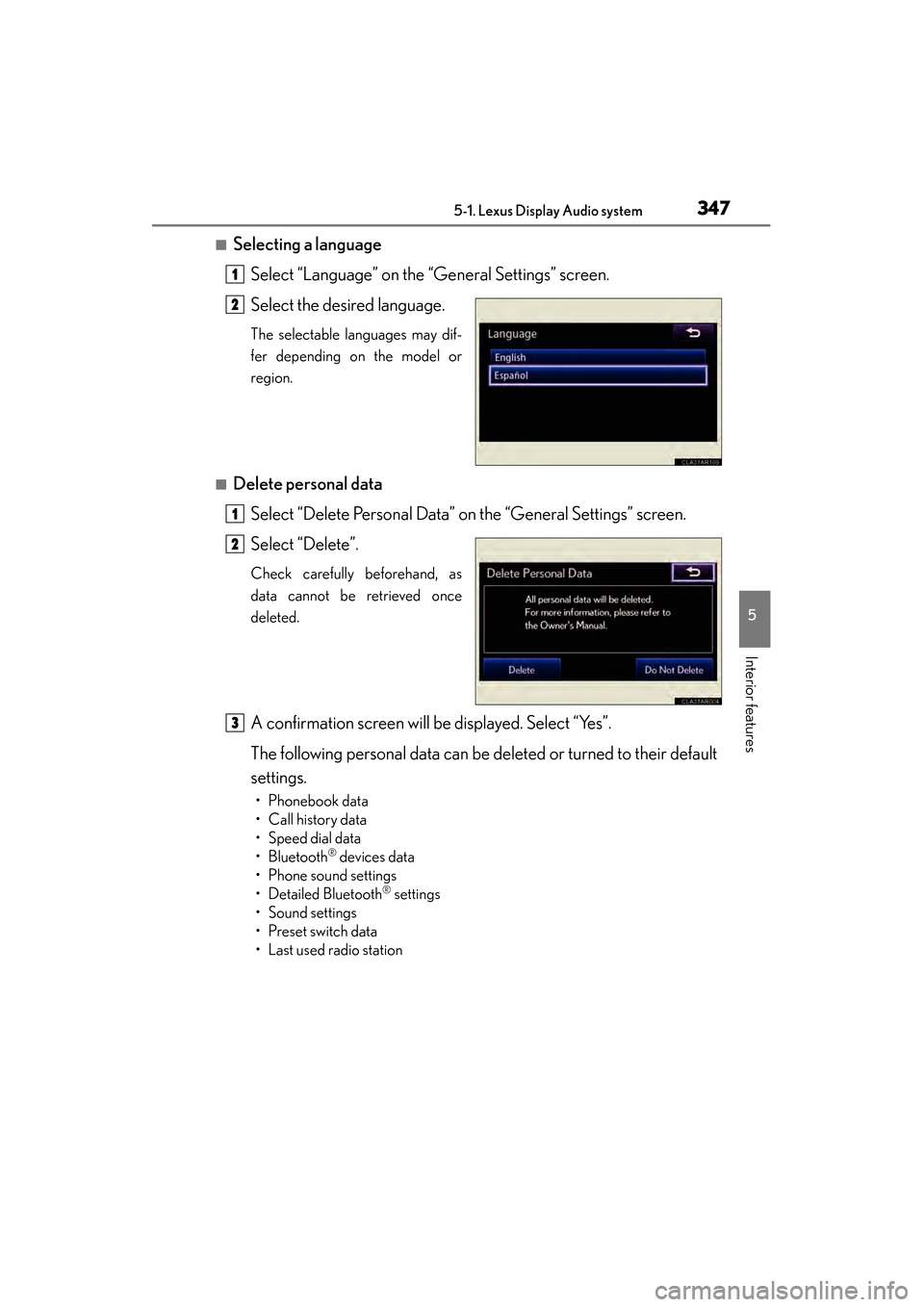
■Selecting a languageSelect “Language” on the “General Settings” screen.
Select the desired language.
The selectable languages may dif-
fer depending on the model or
region.
■Delete personal dataSelect “Delete Personal Data” on the “General Settings” screen.
Select “Delete”.
Check carefully beforehand, as
data cannot be retrieved once
deleted.
A confirmation screen will be displayed. Select “Yes”.
The following personal data can be deleted or turned to their default
settings.
• Phonebook data
•Call history data
• Speed dial data
•Bluetooth
® devices data
• Phone sound settings
• Detailed Bluetooth
® settings
•Sound settings
• Preset switch data
• Last used radio station
1
2
1
2
3
Page 350 of 918
ES350_300h_OM_OM33A60U_(U)
3495-1. Lexus Display Audio system
5
Interior features
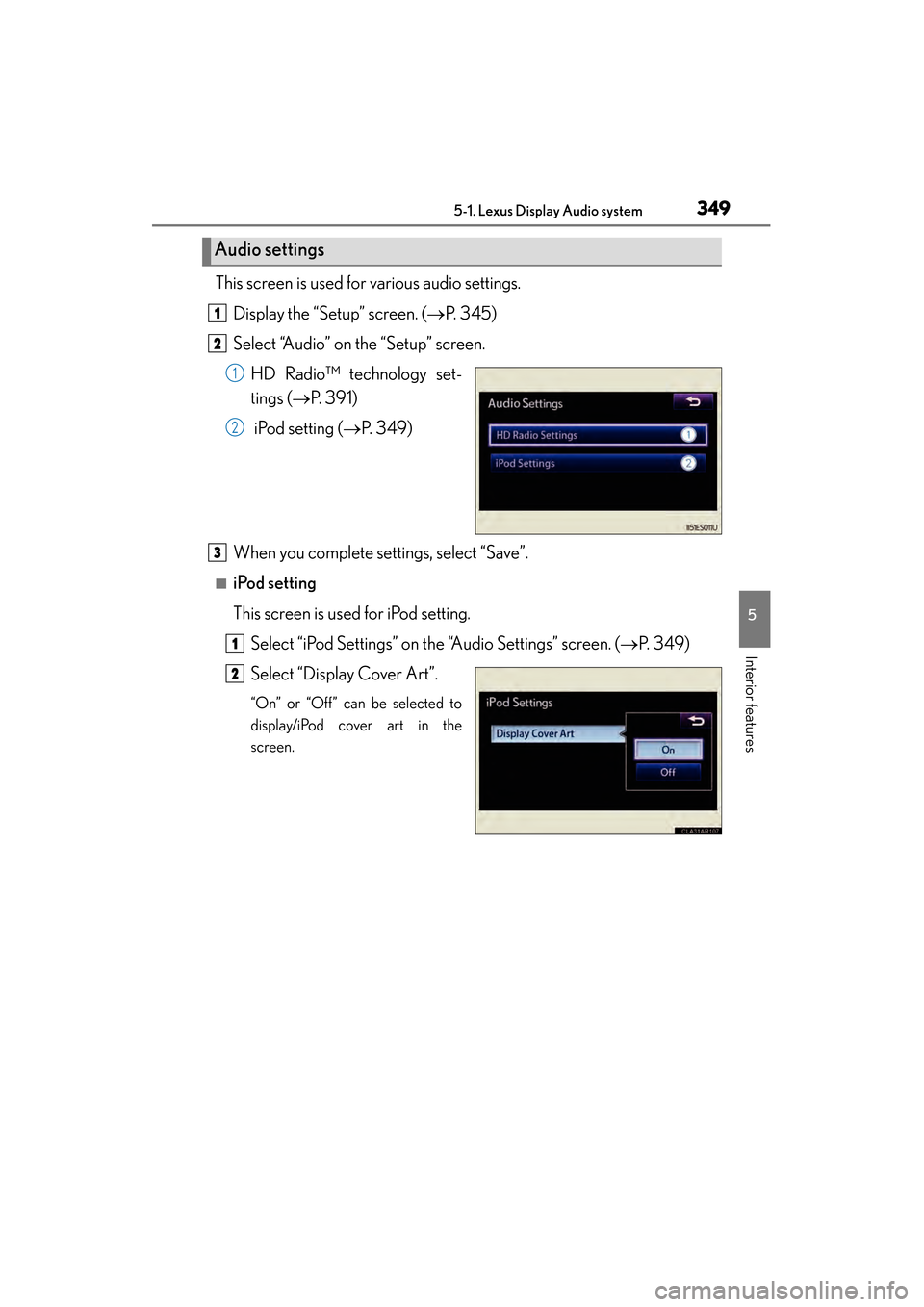
This screen is used for various audio settings.Display the “Setup” screen. ( →P. 345)
Select “Audio” on the “Setup” screen.
HD Radio™ technology set-
tings ( →P. 391)
iPod setting ( →P. 3 4 9 )
When you complete settings, select “Save”.
■iPod setting
This screen is used for iPod setting. Select “iPod Settings” on the “Audio Settings” screen. ( →P. 3 4 9 )
Select “Display Cover Art”.
“On” or “Off” can be selected to
display/iPod cover art in the
screen.
Audio settings
1
2
1
2
3
1
2
Page 352 of 918
351
ES350_300h_OM_OM33A60U_(U)
5-1. Lexus Display Audio system
5
Interior features
Mobile Assistant
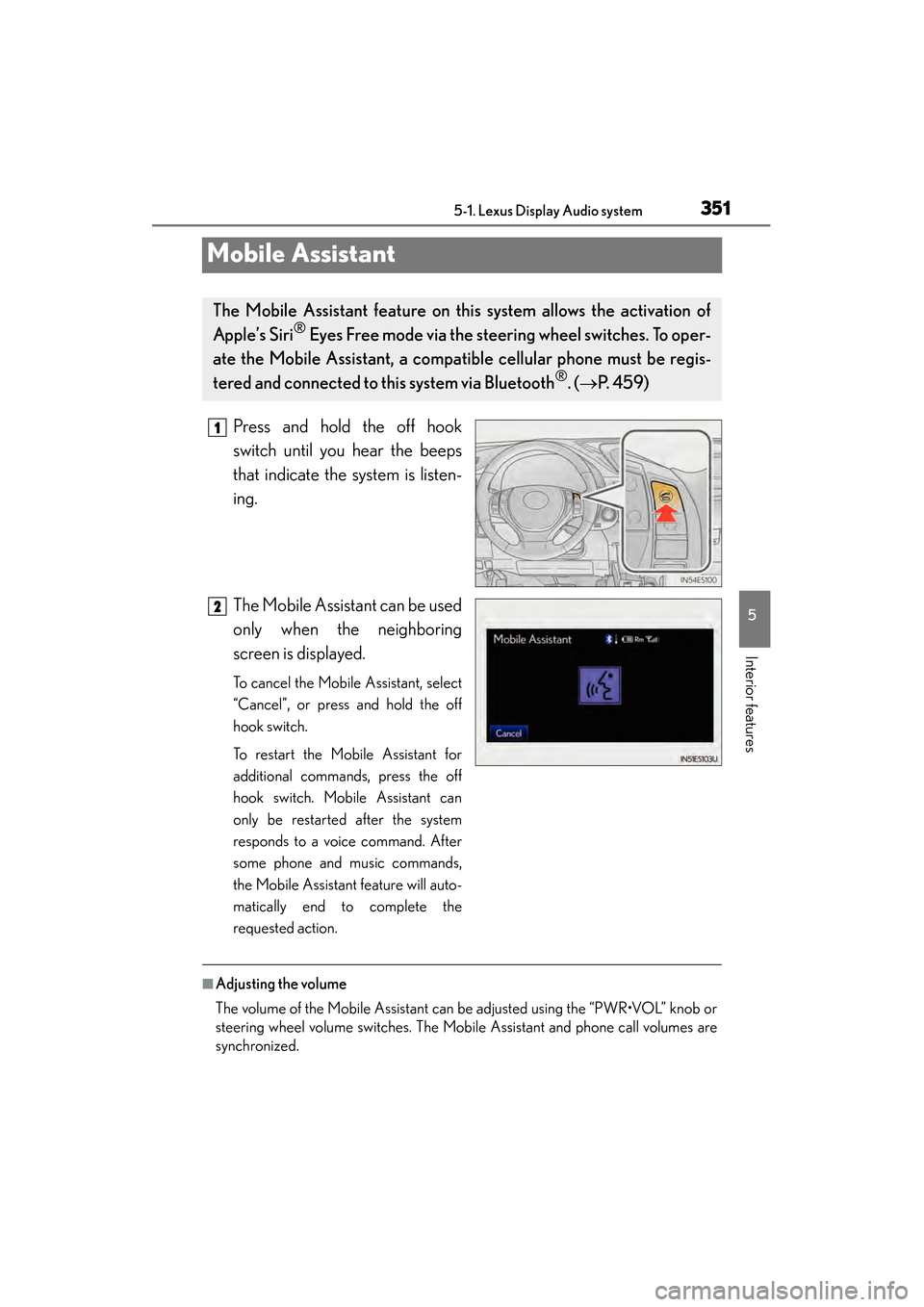
Press and hold the off hook
switch until you hear the beeps
that indicate the system is listen-
ing.
The Mobile Assistant can be used
only when the neighboring
screen is displayed.
To cancel the Mobile Assistant, select
“Cancel”, or press and hold the off
hook switch.
To restart the Mobile Assistant for
additional commands, press the off
hook switch. Mobile Assistant can
only be restarted after the system
responds to a voice command. After
some phone and music commands,
the Mobile Assistant feature will auto-
matically end to complete the
requested action.
■Adjusting the volume
The volume of the Mobile Assistant can be adjusted using the “PWR•VOL” knob or
steering wheel volume switches. The Mobile Assistant and phone call volumes are
synchronized.
The Mobile Assistant feature on this system allows the activation of
Apple’s Siri
® Eyes Free mode via the steering wheel switches. To oper-
ate the Mobile Assistant, a compat ible cellular phone must be regis-
tered and connected to this system via Bluetooth
®. ( → P. 4 5 9 )
1
2
Page 354 of 918
353
ES350_300h_OM_OM33A60U_(U)
5-2. Using the air conditioning system and defogger
5
Interior features
Automatic air conditioning system (with the Lexus
Display Audio system)
XVehicles with a navigation system
Owners of models equipped with a navigation system should refer to
the “Navigation System Owner’s Manual”.
XVehicles without a navigation system or the Lexus Display Audio sys-
tem
→P. 365
Air outlets and fan speed are automat ically adjusted according to the
temperature setting.
To display the air conditioning operation screen, press the “MENU”
button on the Lexus Display Audio co ntroller and then select “Cli-
mate”.
Page 356 of 918
ES350_300h_OM_OM33A60U_(U)
3555-2. Using the air conditioning system and defogger
5
Interior features
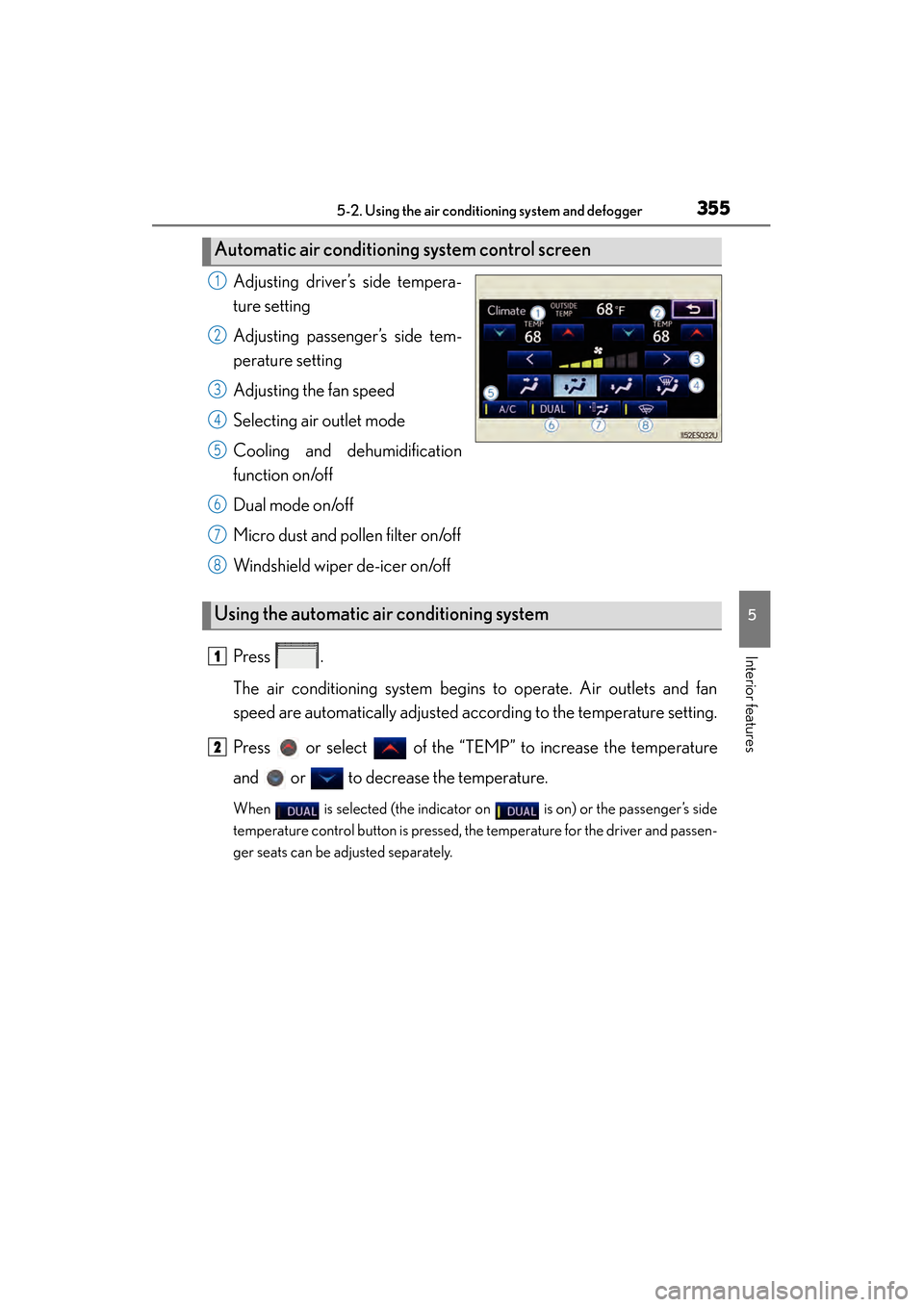
Adjusting driver’s side tempera-
ture setting
Adjusting passenger’s side tem-
perature setting
Adjusting the fan speed
Selecting air outlet mode
Cooling and dehumidification
function on/off
Dual mode on/off
Micro dust and pollen filter on/off
Windshield wiper de-icer on/off
Press .
The air conditioning system begins to operate. Air outlets and fan
speed are automatically adjusted according to the temperature setting.
Press or select of the “TEMP” to increase the temperature
and or to decrease the temperature.
When is selected (the indicator on is on) or the passenger’s side
temperature control button is pressed, the temperature for the driver and passen-
ger seats can be adjusted separately.
Automatic air conditioning system control screen
1
2
3
4
5
6
7
8
Using the automatic air conditioning system
1
2
Page 358 of 918
ES350_300h_OM_OM33A60U_(U)
3575-2. Using the air conditioning system and defogger
5
Interior features
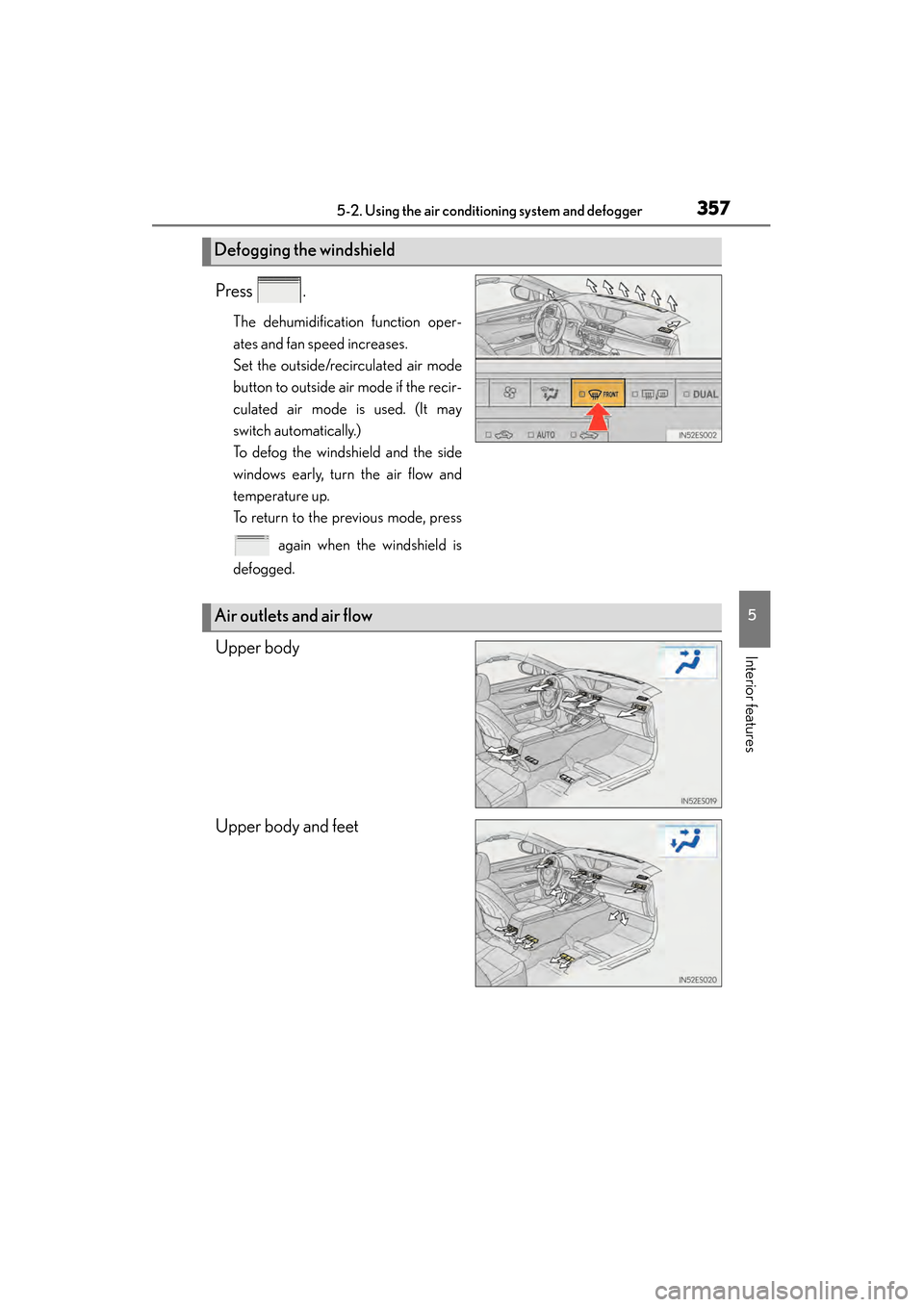
Press .
The dehumidification function oper-
ates and fan speed increases.
Set the outside/recirculated air mode
button to outside air mode if the recir-
culated air mode is used. (It may
switch automatically.)
To defog the windshield and the side
windows early, turn the air flow and
temperature up.
To return to the previous mode, press
again when the windshield is
defogged.
Upper body
Upper body and feet
Defogging the windshield
Air outlets and air flow
Page 360 of 918
ES350_300h_OM_OM33A60U_(U)
3595-2. Using the air conditioning system and defogger
5
Interior features
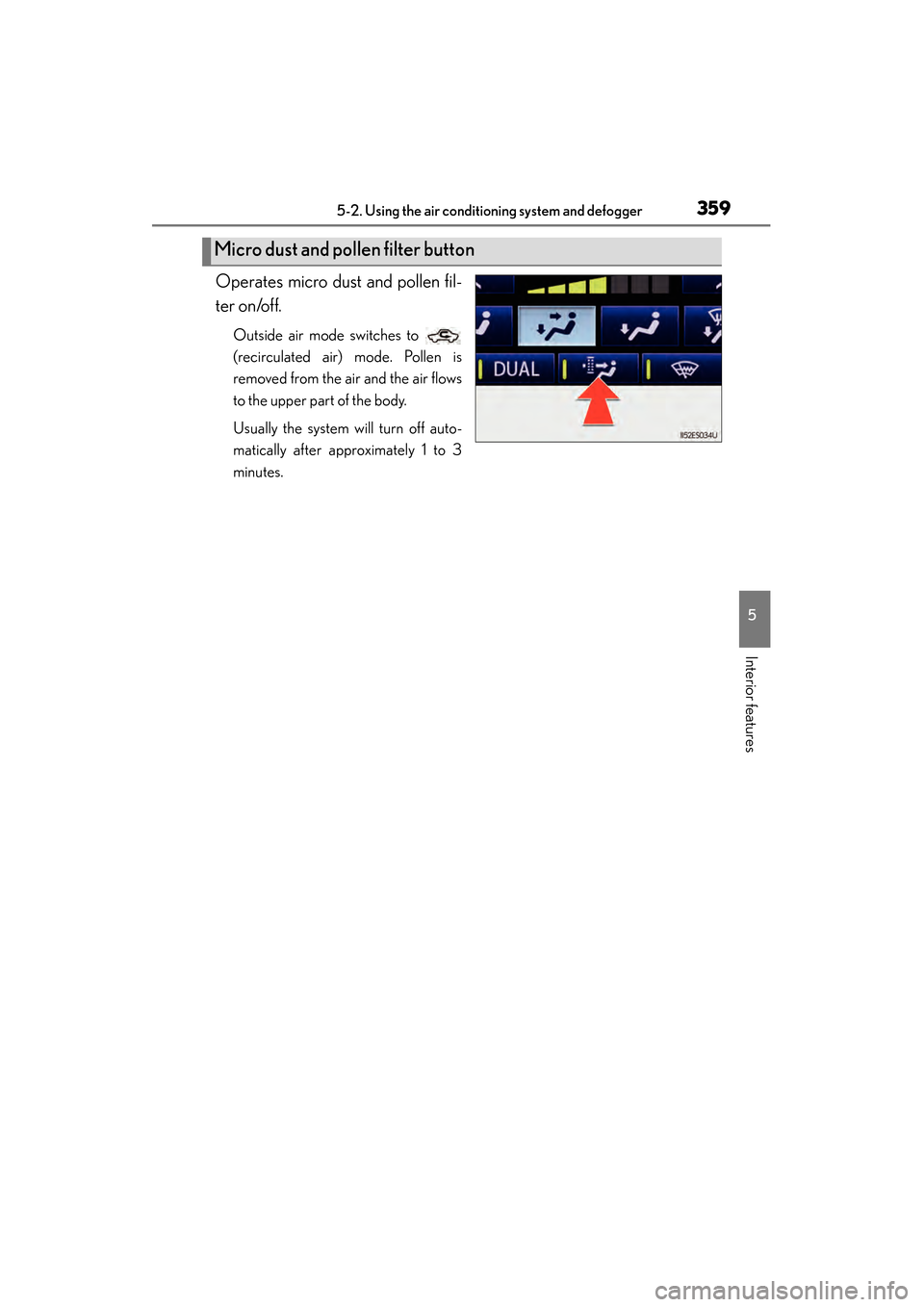
Operates micro dust and pollen fil-
ter on/off.
Outside air mode switches to
(recirculated air) mode. Pollen is
removed from the air and the air flows
to the upper part of the body.
Usually the system will turn off auto-
matically after approximately 1 to 3
minutes.
Micro dust and pollen filter button
Page 362 of 918
ES350_300h_OM_OM33A60U_(U)
3615-2. Using the air conditioning system and defogger
5
Interior features
■Registering air conditioning settings to electronic keys
●Unlocking the vehicle using an electronic key and turning the “START STOP
ENGINE” <“POWER”> switch to IGNITION ON
registered air conditioning settings.
●When the “START STOP ENGINE” <“POWER”> is turned off, the current air con-
ditioning settings will automatically be registered to the electronic key that was
used to unlock the vehicle.
The system may not operate correctly if more than one electronic key is in the vicinity
or if the smart access system with push-button start is used to unlock a passenger
door.
Settings for the electronic key and the corresponding door can be changed.
Contact your Lexus dealer.
■Using automatic mode
Fan speed is adjusted automatically according to the temperature setting and the
ambient conditions.
Therefore, the fan may stop for a while until warm or cool air is ready to flow immedi-
ately after is pressed.
■Fogging up of the windows
●The windows will easily fog up when the humidity in the vehicle is high. Selecting on will dehumidify the air from the outlets and defog the windshield effec-
tively.
●If you turn off, the windows may fog up more easily.
●The windows may fog up if the recirculated air mode is used.
■Windshield fog detection function (if equipped)
When automatic mode is set, the humidity sensor ( →P. 364) detects fog on the
windshield and controls the air conditioning system to prevent fog.
■Outside/recirculated air mode
●When driving on dusty roads such as tunnels or in heavy traffic, set the outside/
recirculated air mode button to the recirculated air mode. This is effective in pre-
venting outside air from entering the vehicl e interior. During cooling operation, set-
ting the recirculated air mode will also cool the vehicle interior effectively.
●Outside/recirculated air mode may automatically switch depending on the tem-
perature setting or the inside temperature.
Page 364 of 918
ES350_300h_OM_OM33A60U_(U)
3635-2. Using the air conditioning system and defogger
5
Interior features
■Air conditioning odors
●During use, various odors from inside and outside the vehicle may enter into and
accumulate in the air conditioning system. This may then cause odor to be emitted
from the vents.
●To reduce potential odors from occurring:
• It is recommended that the air conditioning system be set to outside air modeprior to turning the vehicle off.
• The start timing of the blower may be delayed for a short period of time immedi-
ately after the air conditioning system is started in automatic mode.
■Air conditioning filter
→ P. 7 1 7
■Customization
Settings (e.g. exhaust gas sensor sensitivity) can be changed.
(Customizable features →P. 8 6 3 )
CAUTION
■To prevent the windshield from fogging up
Do not use during cool air operation in extremely humid weather. The differ-
ence between the temperature of the outside air and that of the windshield can
cause the outer surface of the windshield to fog up, blocking your vision.
Page 366 of 918
365
ES350_300h_OM_OM33A60U_(U)
5-2. Using the air conditioning system and defogger
5
Interior features
Automatic air conditioning system (without a navi-
gation system or the Lexus Display Audio system)
XVehicles with a navigation system
Owners of models equipped with a navigation system should refer to the
“Navigation System Owner’s Manual”.
XVehicles with the Lexus Display Audio system
→ P. 3 5 3
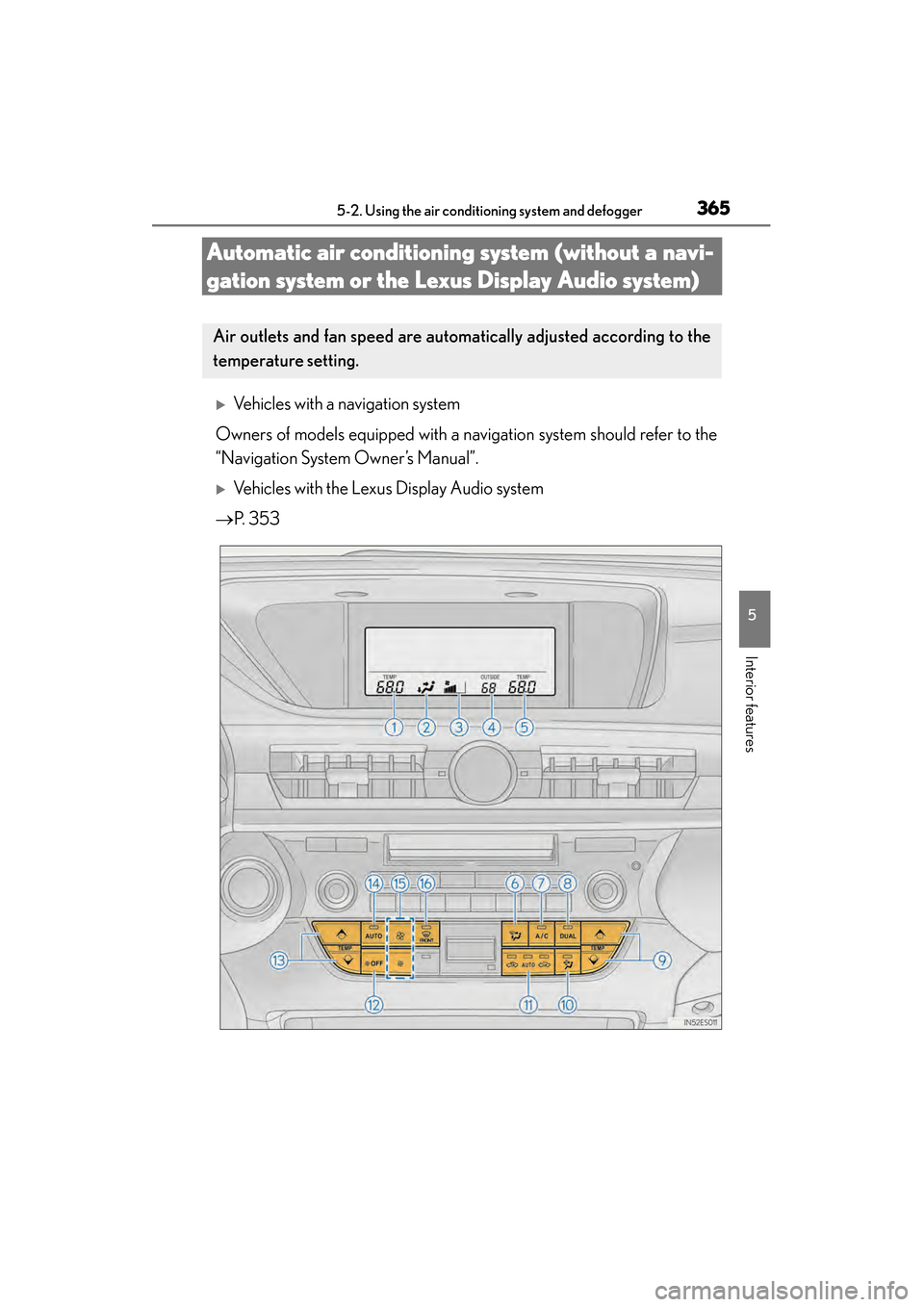
Air outlets and fan speed are automat ically adjusted according to the
temperature setting.