interior Lexus ES300h 2014 Owner's Guide
[x] Cancel search | Manufacturer: LEXUS, Model Year: 2014, Model line: ES300h, Model: Lexus ES300h 2014Pages: 918, PDF Size: 25.26 MB
Page 368 of 918
ES350_300h_OM_OM33A60U_(U)
3675-2. Using the air conditioning system and defogger
5
Interior features
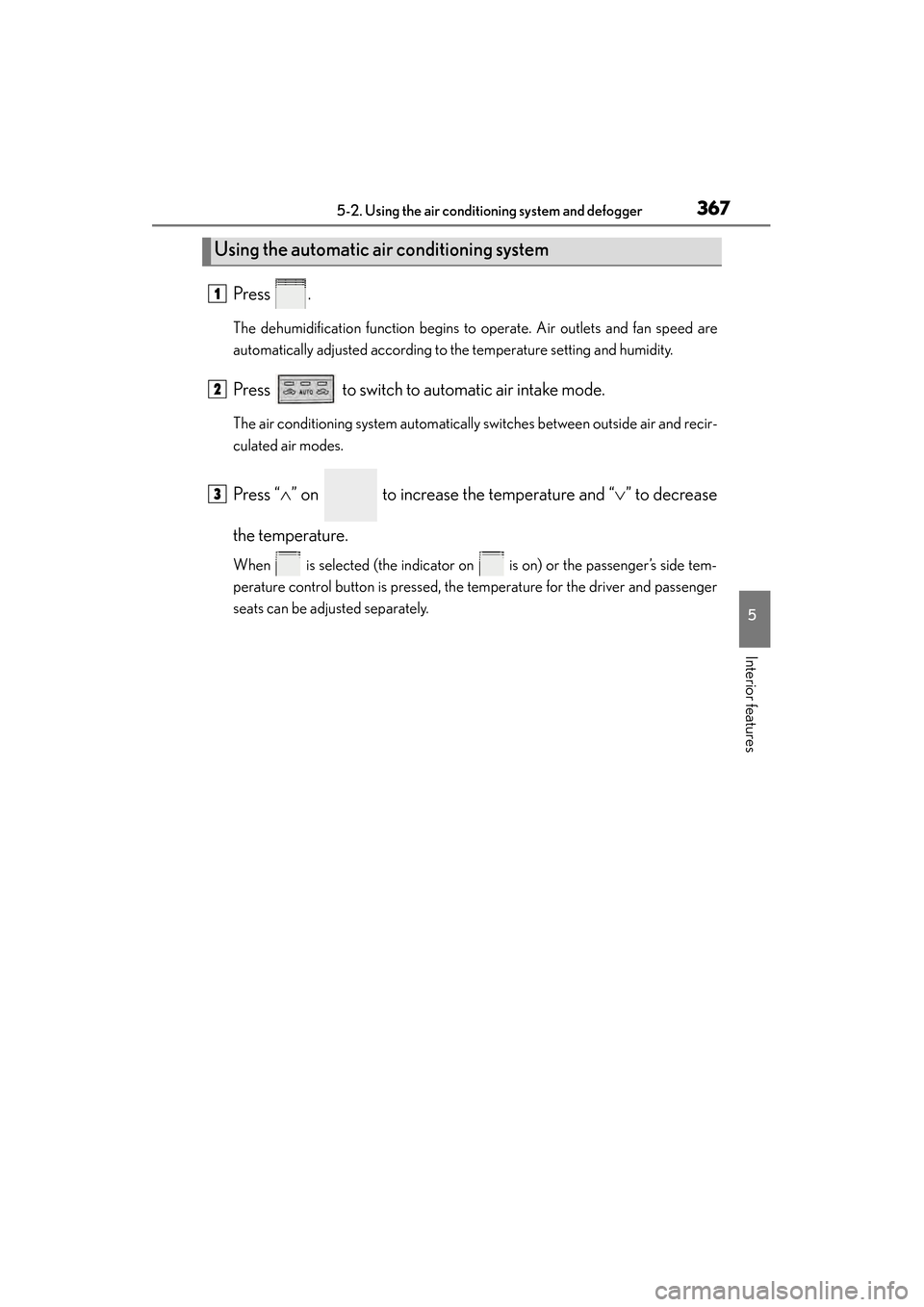
Press .
The dehumidification function begins to operate. Air outlets and fan speed are
automatically adjusted according to the temperature setting and humidity.
Press to switch to automatic air intake mode.
The air conditioning system automatically switches between outside air and recir-
culated air modes.
Press “∧” on to increase the temperature and “ ∨” to decrease
the temperature.
When is selected (the indicator on is on) or the passenger’s side tem-
perature control button is pressed, the temperature for the driver and passenger
seats can be adjusted separately.
Using the automatic air conditioning system
1
2
3
Page 370 of 918
ES350_300h_OM_OM33A60U_(U)
3695-2. Using the air conditioning system and defogger
5
Interior features
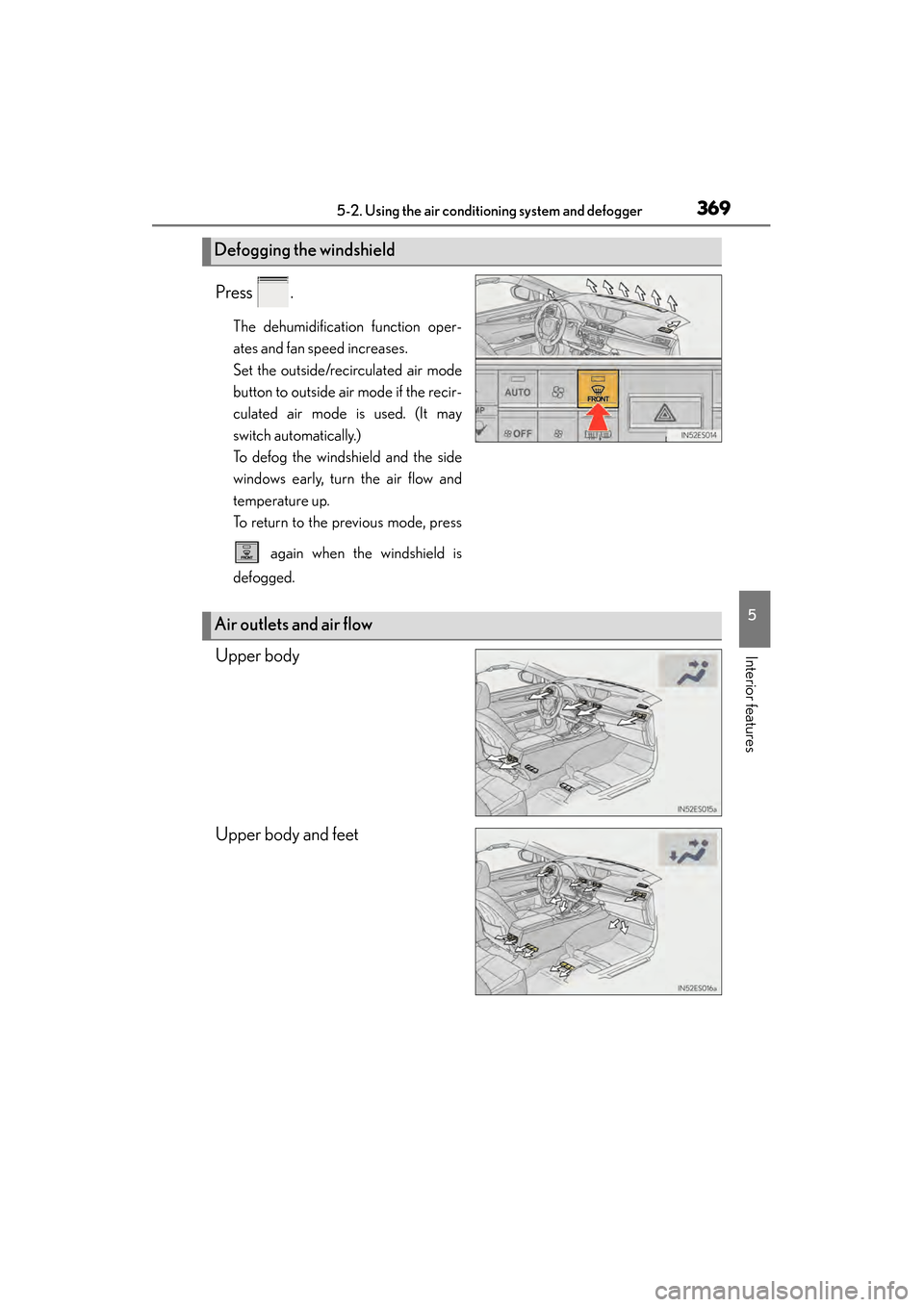
Press .
The dehumidification function oper-
ates and fan speed increases.
Set the outside/recirculated air mode
button to outside air mode if the recir-
culated air mode is used. (It may
switch automatically.)
To defog the windshield and the side
windows early, turn the air flow and
temperature up.
To return to the previous mode, press
again when the windshield is
defogged.
Upper body
Upper body and feet
Defogging the windshield
Air outlets and air flow
Page 372 of 918
ES350_300h_OM_OM33A60U_(U)
3715-2. Using the air conditioning system and defogger
5
Interior features
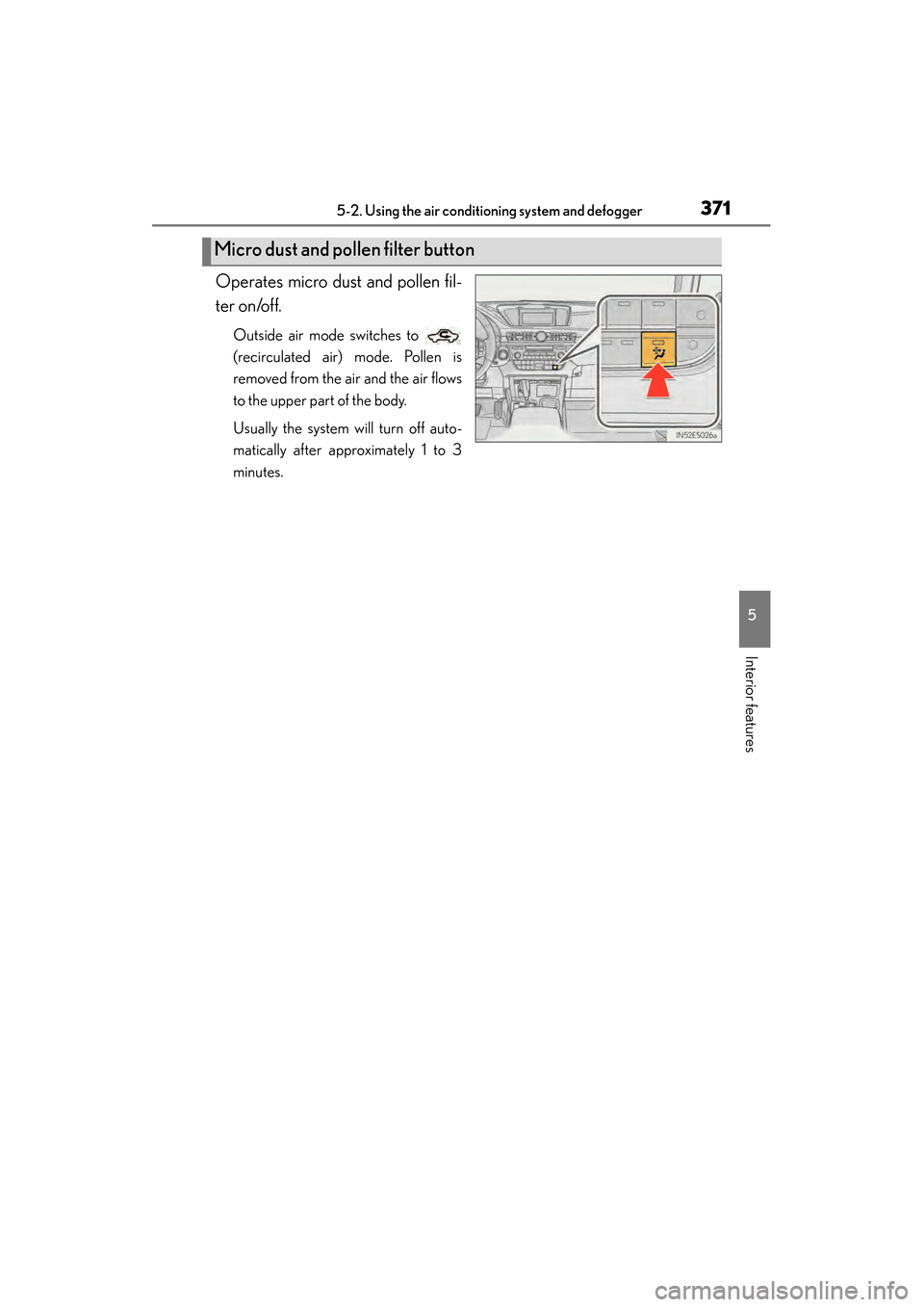
Operates micro dust and pollen fil-
ter on/off.
Outside air mode switches to
(recirculated air) mode. Pollen is
removed from the air and the air flows
to the upper part of the body.
Usually the system will turn off auto-
matically after approximately 1 to 3
minutes.
Micro dust and pollen filter button
Page 374 of 918
ES350_300h_OM_OM33A60U_(U)
3735-2. Using the air conditioning system and defogger
5
Interior features
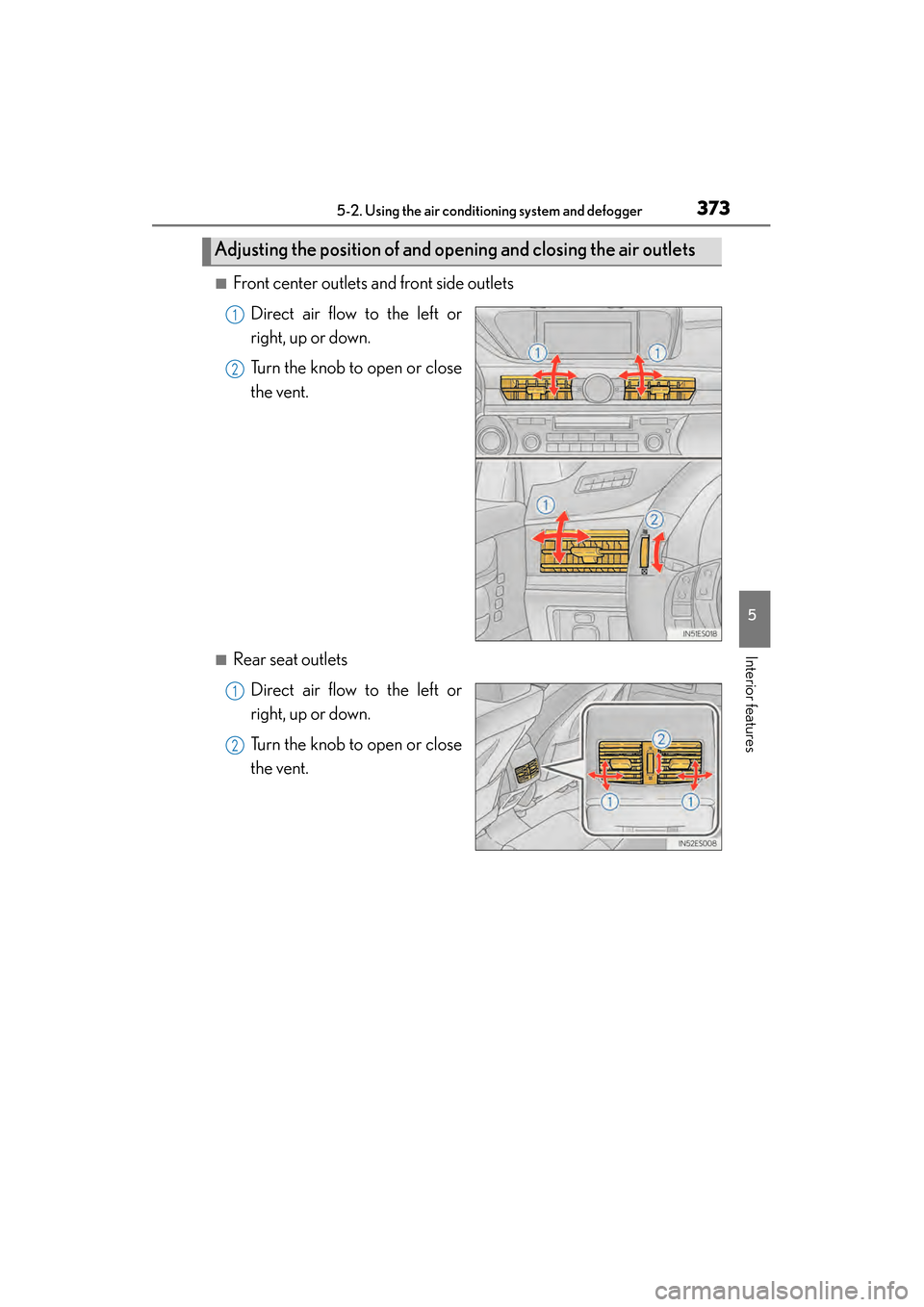
■Front center outlets and front side outletsDirect air flow to the left or
right, up or down.
Turn the knob to open or close
the vent.
■Rear seat outletsDirect air flow to the left or
right, up or down.
Turn the knob to open or close
the vent.
Adjusting the position of and opening and closing the air outlets
1
2
1
2
Page 375 of 918
374
ES350_300h_OM_OM33A60U_(U)
5-2. Using the air conditioning system and defogger
■Registering air conditioning settings to electronic keys
●Unlocking the vehicle using an electronic key and turning the “START STOP
ENGINE” <“POWER”> switch to IGNITION ON
registered air conditioning settings.
●When the “START STOP ENGINE” <“POWER”> is turned off, the current air con-
ditioning settings will automatically be registered to the electronic key that was
used to unlock the vehicle.
The system may not operate correctly if more than one electronic key is in the vicinity
or if the smart access system with push-button start is used to unlock a passenger
door.
Settings for the electronic key and the corresponding door can be changed.
Contact your Lexus dealer.
■Using automatic mode
Fan speed is adjusted automatically according to the temperature setting and the
ambient conditions.
Therefore, the fan may stop for a while until warm or cool air is ready to flow immedi-
ately after is pressed.
■Fogging up of the windows
●The windows will easily fog up when the humidity in the vehicle is high. Selecting
on will dehumidify the air from the outlets and defog the windshield effectively.
●If you turn off, the windows may fog up more easily.
●The windows may fog up if the recirculated air mode is used.
■Windshield fog detection function (if equipped)
When automatic mode is set, the humidity sensor ( →P. 377) detects fog on the
windshield and controls the air conditioning system to prevent fog.
■Outside/recirculated air mode
●When driving on dusty roads such as tunnels or in heavy traffic, set the outside/
recirculated air mode button to the recirculated air mode. This is effective in pre-
venting outside air from entering the vehicl e interior. During cooling operation, set-
ting the recirculated air mode will also cool the vehicle interior effectively.
●Outside/recirculated air mode may automatically switch depending on the tem-
perature setting or the inside temperature.
Page 376 of 918
ES350_300h_OM_OM33A60U_(U)
3755-2. Using the air conditioning system and defogger
5
Interior features
■When the outside temperature exceeds 75°F (24°C) and the air conditioning sys-
tem is on
●In order to reduce the air conditioning power consumption, the air conditioning
system may switch to recirculated air mode automatically. This may also reduce
fuel consumption.
●Recirculated air mode is selected as a default mode when the “START STOP
ENGINE” <“POWER”> switch is turned on.
●It is possible to switch to outside air mode at any time by pressing .
■Automatic mode for air intake control
In automatic mode, the system detects exhaust gas and other pollutants and auto-
matically switches between outside air and recirculated air modes.
When the dehumidification function is off, and the fan is operating, turning automatic
mode on will activate the dehumidification function.
■Micro dust and pollen filter
●In order to prevent the windshield from fogging up when the outside air is cold, the
following may occur:
• Outside air mode does not switch to (recirculated air) mode.
• The dehumidification function operates.
• The operation cancels after approximately 1 minute.
●In rainy weather, the windows may fog up. Press .
●In extremely humid weather, the windows may fog up.
●The pollens are filtered out even if the micro dust and pollen filter is turned off.
■Operation of the air conditioning system in Eco drive mode
In the Eco drive mode, the air conditioning system is controlled as follows to priori-
tize fuel efficiency:
●Engine speed and compressor operation controlled to restrict heating/cooling
capacity
●Fan speed restricted when automatic mode is selected
To improve air conditioning performance, perform the following operations:
●Adjust the fan speed
●Turn off Eco drive mode
■When the outside temperature falls to nearly 32 °F (0 °C)
The dehumidification function may not operate even when is pressed.
Page 378 of 918
ES350_300h_OM_OM33A60U_(U)
3775-2. Using the air conditioning system and defogger
5
Interior features
NOTICE
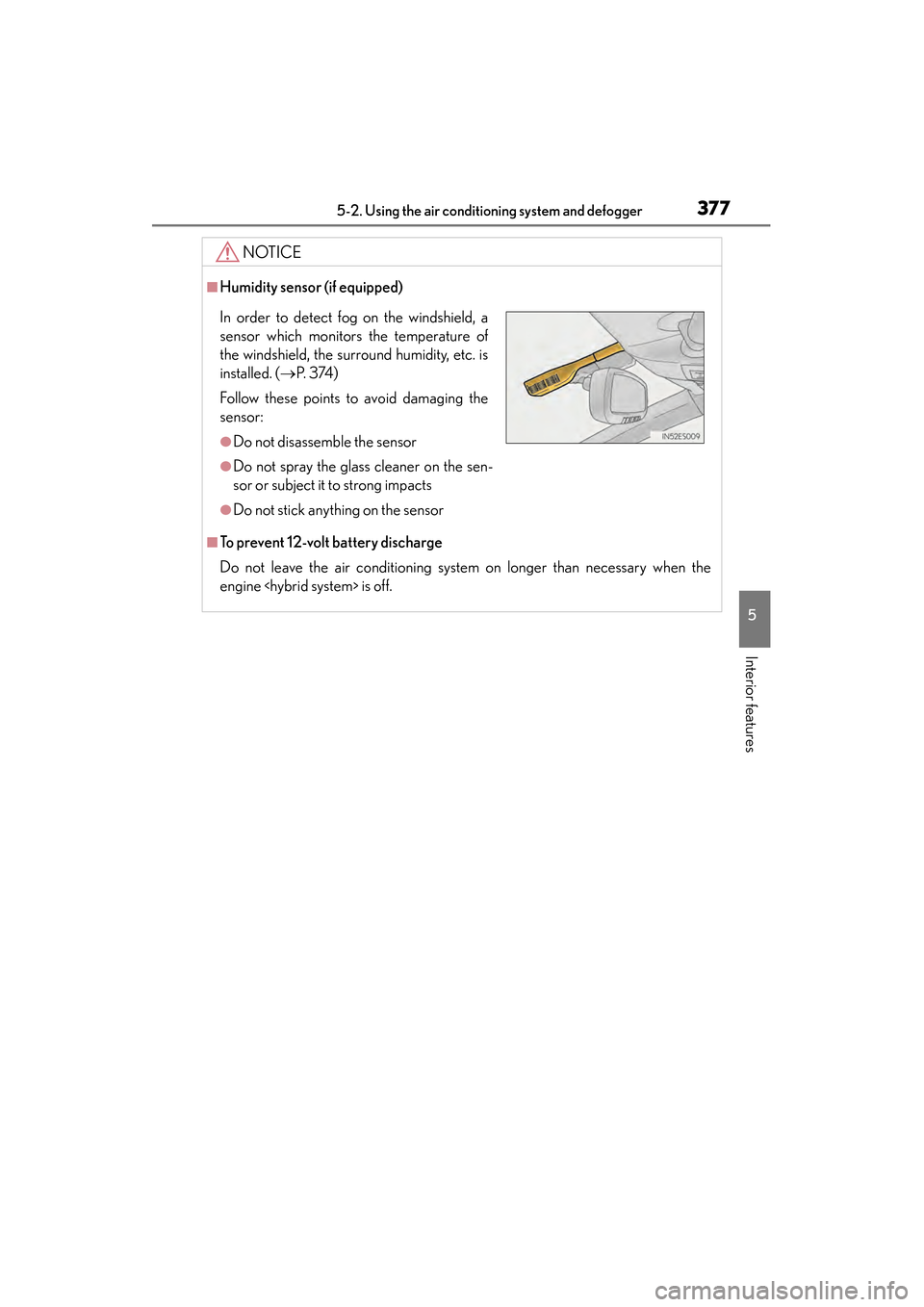
■Humidity sensor (if equipped)
■To prevent 12-volt battery discharge
Do not leave the air conditioning system on longer than necessary when the
engine
In order to detect fog on the windshield, a
sensor which monitors the temperature of
the windshield, the surround humidity, etc. is
installed. ( →P. 3 74 )
Follow these points to avoid damaging the
sensor:
●Do not disassemble the sensor
●Do not spray the glass cleaner on the sen-
sor or subject it to strong impacts
●Do not stick anything on the sensor
Page 380 of 918
ES350_300h_OM_OM33A60U_(U)
3795-2. Using the air conditioning system and defogger
5
Interior features
■Operating conditions
The “START STOP ENGINE” <“POWER”> switch must be in the IGNITION ON
CAUTION
■When the outside rear view mirror defoggers are on
Do not touch the rear view mirror surfaces, as they can become very hot and burn
you.
NOTICE
■To prevent 12-volt battery discharge
Turn the defoggers off when the engine
Page 382 of 918
ES350_300h_OM_OM33A60U_(U)
3815-2. Using the air conditioning system and defogger
5
Interior features
■Operating conditions
The “START STOP ENGINE” <“POWER”> switch must be in the IGNITION ON
CAUTION
■When the windshield wiper de-icer is on
Do not touch the glass at the lower part of the windshield or to the side of the front
pillars as the surfaces can become very hot and burn you.
Page 384 of 918
ES350_300h_OM_OM33A60U_(U)
3835-3. Using the Lexus Display Audio system
5
Interior features
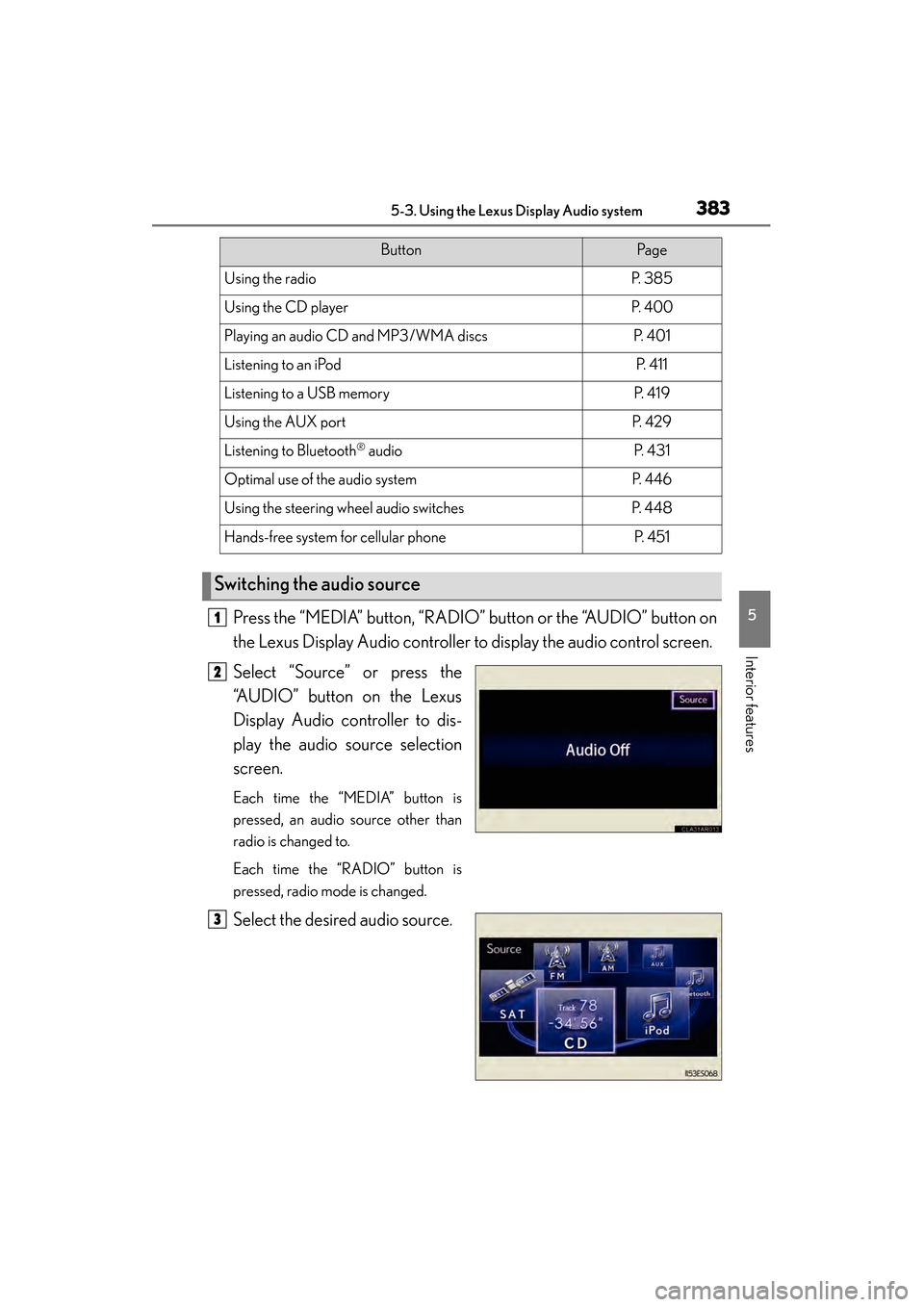
Press the “MEDIA” button, “RADIO” button or the “AUDIO” button on
the Lexus Display Audio controller to display the audio control screen.
Select “Source” or press the
“AUDIO” button on the Lexus
Display Audio controller to dis-
play the audio source selection
screen.
Each time the “MEDIA” button is
pressed, an audio source other than
radio is changed to.
Each time the “RADIO” button is
pressed, radio mode is changed.
Select the desired audio source.
ButtonPa g e
Using the radioP. 3 8 5
Using the CD playerP. 4 0 0
Playing an audio CD and MP3/WMA discsP. 4 0 1
Listening to an iPodP. 4 1 1
Listening to a USB memoryP. 4 1 9
Using the AUX portP. 4 2 9
Listening to Bluetooth® audioP. 4 3 1
Optimal use of the audio systemP. 446
Using the steering wheel audio switchesP. 4 4 8
Hands-free system for cellular phoneP. 4 5 1
Switching the audio source
1
2
3