ECU Lexus ES300h 2015 Repair Manual
[x] Cancel search | Manufacturer: LEXUS, Model Year: 2015, Model line: ES300h, Model: Lexus ES300h 2015Pages: 786, PDF Size: 23.74 MB
Page 251 of 786
250
ES350_300h_OM_OM33B36U_(U)
4-4. Refueling
CAUTION
■When refueling the vehicle
Observe the following precautions while refueling the vehicle. Failure to do so may
result in death or serious injury.
●After exiting the vehicle and before opening the fuel door, touch an unpainted
metal surface to discharge any static electricity. It is important to discharge static
electricity before refueling because sparks resulting from static electricity can
cause fuel vapors to ignite while refueling.
●Always hold the grips on the fuel tank cap and turn it slowly to remove it.
A whooshing sound may be heard when the fuel tank cap is loosened. Wait until
the sound cannot be heard before fully removing the cap. In hot weather, pressur-
ized fuel may spray out the filler neck and cause injury.
●Do not allow anyone that has not discharged static electricity from their body to
come close to an open fuel tank.
●Do not inhale vaporized fuel.
Fuel contains substances that are harmful if inhaled.
●Do not smoke while refueling the vehicle.
Doing so may cause the fuel to ignite and cause a fire.
●Do not return to the vehicle or touch any person or object that is statically
charged.
This may cause static electricity to build up, resulting in a possible ignition hazard.
■When refueling
Observe the following precautions to prevent fuel overflowing from the fuel tank:
●Securely insert the fuel nozzle into the fuel filler neck.
●Stop filling the tank after the fuel nozzle automatically clicks off.
●Do not top off the fuel tank.
NOTICE
■Refueling
Do not spill fuel during refueling.
Doing so may damage the vehicle, such as causing the emission control system to
operate abnormally or damaging fuel system components or the vehicle’s painted
surface.
Page 335 of 786
334
ES350_300h_OM_OM33B36U_(U)
4-5. Using the driving support systems
■Conditions under which the Blind Spot Monitor function may not function cor-
rectly
●The Blind Spot Monitor function may not detect vehicles correctly in the following
conditions:
• During bad weather such as heavy rain, fog, snow etc.
• When ice or mud etc. is attached to the rear bumper
• When driving on a road surface that is wet due to rain, standing water etc.
• When there is a significant difference in speed between your vehicle and thevehicle that enters the detection area
• When a vehicle is in the detection area from a stop and remains in the detection area as your vehicle accelerates
• When driving up or down consecutive steep inclines, such as hills, a dip in the road etc.
• When multiple vehicles approach with only a small gap between each vehicle
• When vehicle lanes are wide, and the vehicle in the next lane is too far away from your vehicle
• When the vehicle that enters the detection area is traveling at about the same speed as your vehicle
• When there is a significant difference in height between your vehicle and the vehicle that enters the detection area
• Directly after the BSM main switch is set to on
• When items such as a bicycle carrier are installed on the rear of the vehicle
●Instances of the Blind Spot Monitor function unnecessarily detecting a vehicle and/
or object may increase under the following conditions:
• When there is only a short distance between your vehicle and a guardrail, wall etc.
• When there is only a short distance between your vehicle and a following vehi- cle
• When vehicle lanes are narrow and a vehicle driving 2 lanes across from your vehicle enters the detection area
• When items such as a bicycle carrier are installed on the rear of the vehicle
Page 387 of 786
3865-4. Using the radio
ES350_300h_OM_OM33B36U_(U)
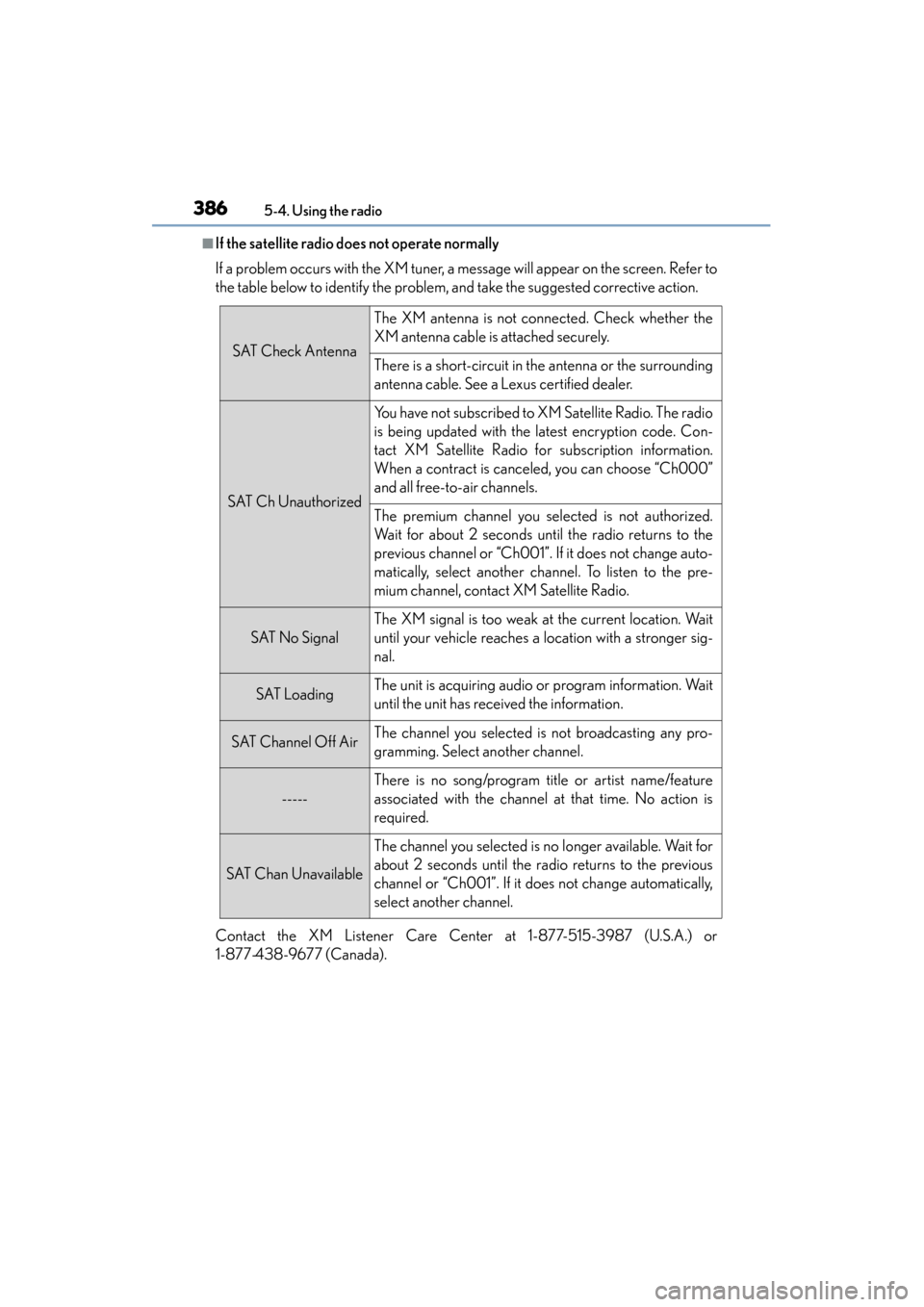
■If the satellite radio does not operate normally
If a problem occurs with the XM tuner, a message will appear on the screen. Refer to
the table below to identify the problem, and take the suggested corrective action.
Contact the XM Listener Care Center at 1-877-515-3987 (U.S.A.) or
1-877-438-9677 (Canada).
SAT Check Antenna
The XM antenna is not connected. Check whether the
XM antenna cable is attached securely.
There is a short-circuit in the antenna or the surrounding
antenna cable. See a Lexus certified dealer.
SAT Ch Unauthorized
You have not subscribed to XM Satellite Radio. The radio
is being updated with the latest encryption code. Con-
tact XM Satellite Radio for subscription information.
When a contract is canceled, you can choose “Ch000”
and all free-to-air channels.
The premium channel you selected is not authorized.
Wait for about 2 seconds until the radio returns to the
previous channel or “Ch001”. If it does not change auto-
matically, select another channel. To listen to the pre-
mium channel, contact XM Satellite Radio.
SAT No Signal
The XM signal is too weak at the current location. Wait
until your vehicle reaches a location with a stronger sig-
nal.
SAT LoadingThe unit is acquiring audio or program information. Wait
until the unit has received the information.
SAT Channel Off AirThe channel you selected is not broadcasting any pro-
gramming. Select another channel.
-----
There is no song/program title or artist name/feature
associated with the channel at that time. No action is
required.
SAT Chan Unavailable
The channel you selected is no longer available. Wait for
about 2 seconds until the radio returns to the previous
channel or “Ch001”. If it does not change automatically,
select another channel.
Page 409 of 786
408
ES350_300h_OM_OM33B36U_(U)
5-7. Connecting Bluetooth®
Registering a Bluetooth® device
Turn the Bluetooth® connection setting of your device set to on.
Go to “Bluetooth* Setup”: “MENU” button → “Setup” → “Bluetooth*”
Move the controller to the left and then select “Add Device”
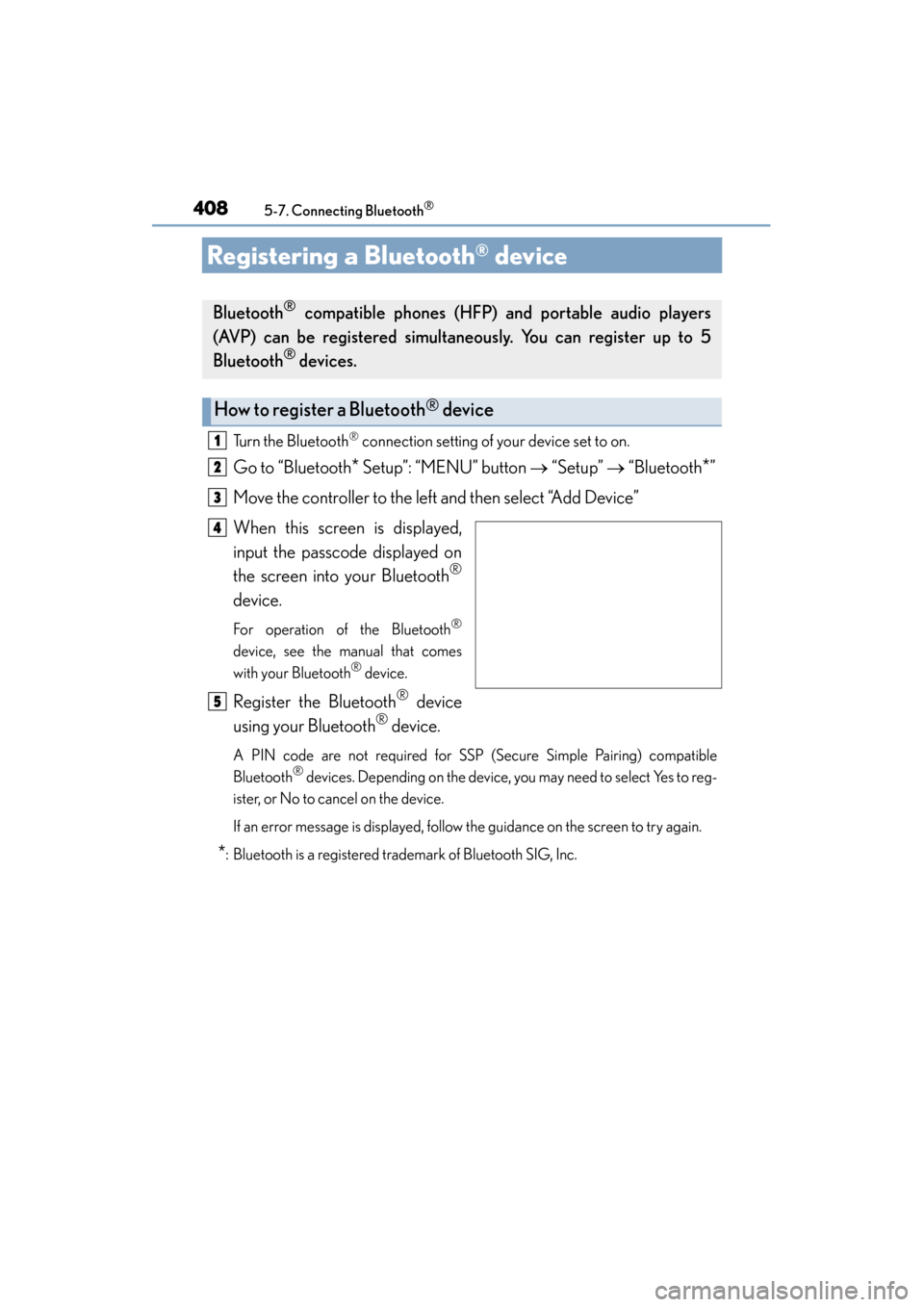
When this screen is displayed,
input the passcode displayed on
the screen into your Bluetooth
®
device.
For operation of the Bluetooth®
device, see the manual that comes
with your Bluetooth® device.
Register the Bluetooth® device
using your Bluetooth
® device.
A PIN code are not required for SSP (Secure Simple Pairing) compatible
Bluetooth® devices. Depending on the device, you may need to select Yes to reg-
ister, or No to cancel on the device.
If an error message is displayed, follow the guidance on the screen to try again.
*: Bluetooth is a registered trademark of Bluetooth SIG, Inc.
Bluetooth® compatible phones (HFP) and portable audio players
(AVP) can be registered simultaneously. You can register up to 5
Bluetooth
® devices.
How to register a Bluetooth® device
1
2
3
4
5
Page 443 of 786
4425-11. Bluetooth®
ES350_300h_OM_OM33B36U_(U)
XIn other situations
Even though all conceivable measures have been taken, the symptom status does
not change.
The cellular phone is not close enough to this system.
→Bring the cellular phone closer to this system.
The cellular phone is the most likely cause of the symptom.
→Turn the cellular phone off, remove and reinstall the battery pack, and then
restart the cellular phone.
→ Enable the cellular phone’s Bluetooth
® connection.
→ Stop the cellular phone’s security so ftware and close all applications.
→ Before using an application installed on the cellular phone, carefully check its
source and how its operation might affect this system.
Page 489 of 786
488
ES350_300h_OM_OM33B36U_(U)
6-3. Using the storage features
Trunk features
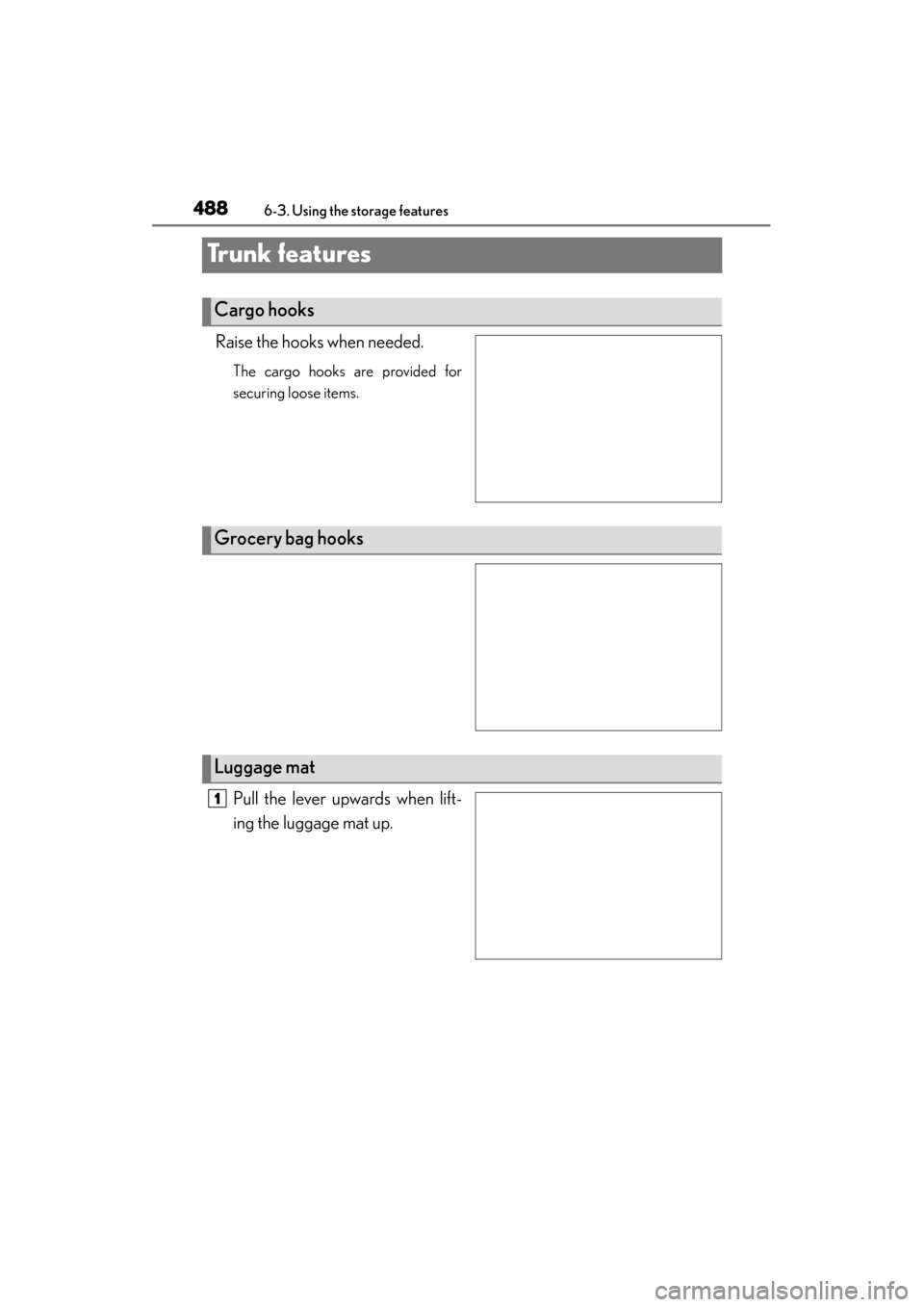
Raise the hooks when needed.
The cargo hooks are provided for
securing loose items.
Pull the lever upwards when lift-
ing the luggage mat up.
Cargo hooks
Grocery bag hooks
Luggage mat
1
Page 502 of 786
501
ES350_300h_OM_OM33B36U_(U)
6-4. Other interior features
6
Interior features
Garage door opener
The garage door opener (HomeLink® Universal Transceiver) is manufac-
tured under license from HomeLink
®.
The HomeLink
® compatible transceiver in your vehicle has 3 buttons
which can be programmed to operate 3 different devices. Refer to the
programming method below appropriate for the device.
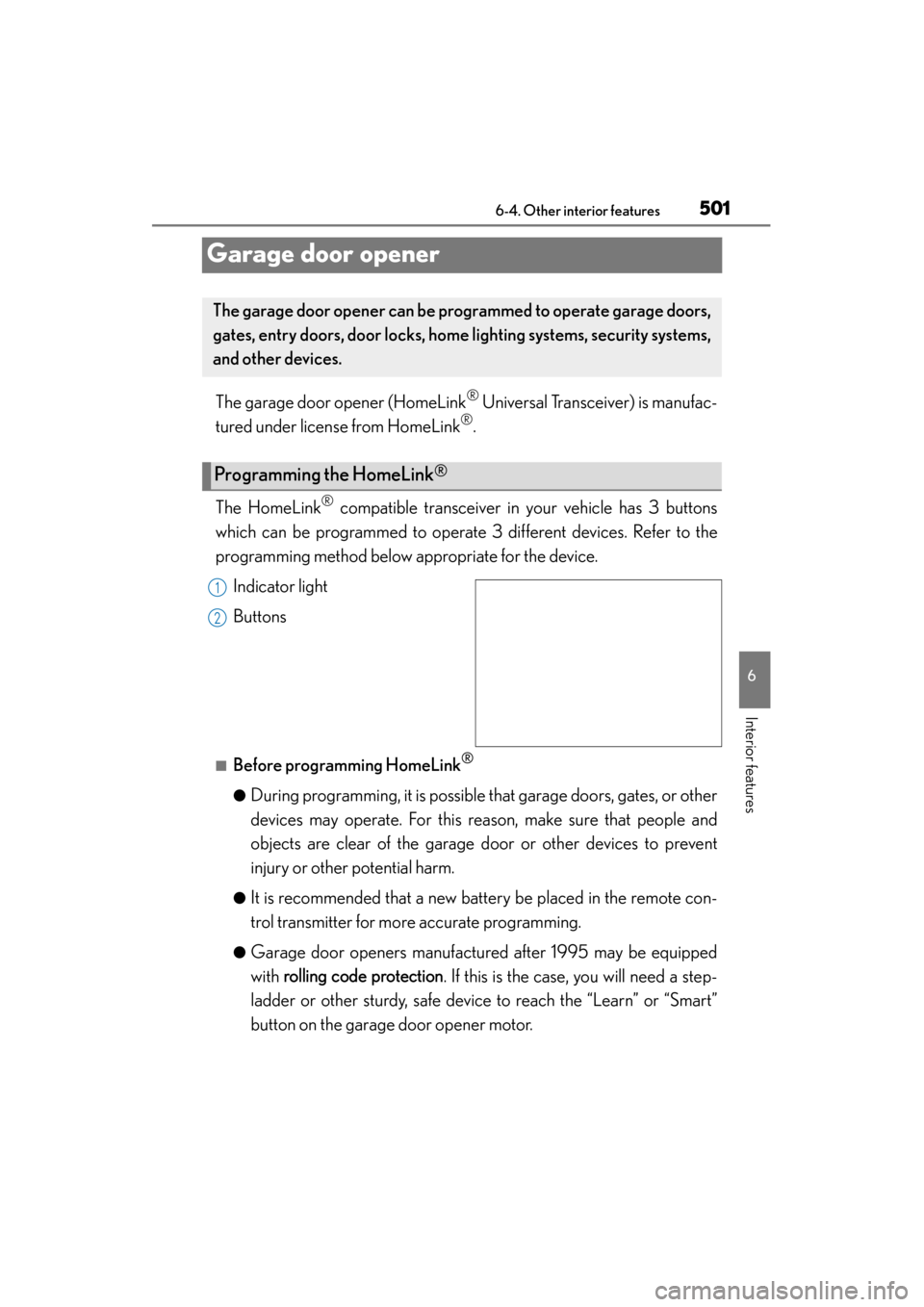
Indicator light
Buttons
■Before programming HomeLink®
●During programming, it is possible th at garage doors, gates, or other
devices may operate. For this reason, make sure that people and
objects are clear of the garage door or other devices to prevent
injury or other potential harm.
●It is recommended that a new battery be placed in the remote con-
trol transmitter for more accurate programming.
●Garage door openers manufactured after 1995 may be equipped
with rolling code protection . If this is the case, you will need a step-
ladder or other sturdy, safe device to reach the “Learn” or “Smart”
button on the garage door opener motor.
The garage door opener can be pr ogrammed to operate garage doors,
gates, entry doors, door locks, home lighting systems, security systems,
and other devices.
Programming the HomeLink®
1
2
Page 512 of 786
ES350_300h_OM_OM33B36U_(U)
5116-4. Other interior features
6
Interior features
■Conditions unfavorable to correct operation
The compass may not show the correct direction in the following conditions:
●The vehicle is stopped immediately after turning.
●The vehicle is on an inclined surface.
●The vehicle is in a place where the earth’s magnetic field is subject to interference
by artificial magnetic fields (underground car park/parking lot, under a steel tower,
between buildings, roof car park/parking lot, near an intersection, near a large
vehicle, etc.).
●The vehicle has become magnetized.
(There is a magnet or metal object near the inside rear view mirror.)
●The 12-volt battery has been disconnected.
●A door is open.
CAUTION
■While driving the vehicle
Do not adjust the display. Adjust the display only when the vehicle is stopped.
■When doing the circling calibration
Secure a wide space, and watch out for people and vehicles in the vicinity. Do not
violate any local traffic rules while performing circling calibration.
Page 514 of 786
513
ES350_300h_OM_OM33B36U_(U)
6-4. Other interior features
6
Interior features
LEXUS Enform Safety Connect∗
“SOS” button
LED light indicators
Microphone∗
: If equipped
Safety Connect is a subscription-based telematics service that uses
Global Positioning System (GPS) data and embedded cellular technol-
ogy to provide safety and security features to subscribers. Safety Con-
nect is supported by Lexus’ de signated response center, which
operates 24 hours per day, 7 days per week.
Safety Connect service is available by subscription on select, telemat-
ics hardware-equipped vehicles.
By using the Safety Connect service, you are agreeing to be bound by
the Telematics Subscription Ser vice Agreement and its Terms and
Conditions, as in effect and amended from time to time, a current copy
of which is available at Lexus.com. All use of the Safety Connect ser-
vice is subject to such then-app licable Terms and Conditions.
System components
1
2
3
Page 534 of 786
ES350_300h_OM_OM33B36U_(U)
5337-2. Maintenance
7
Maintenance and care
Ve h i c l e i n t e r i o r
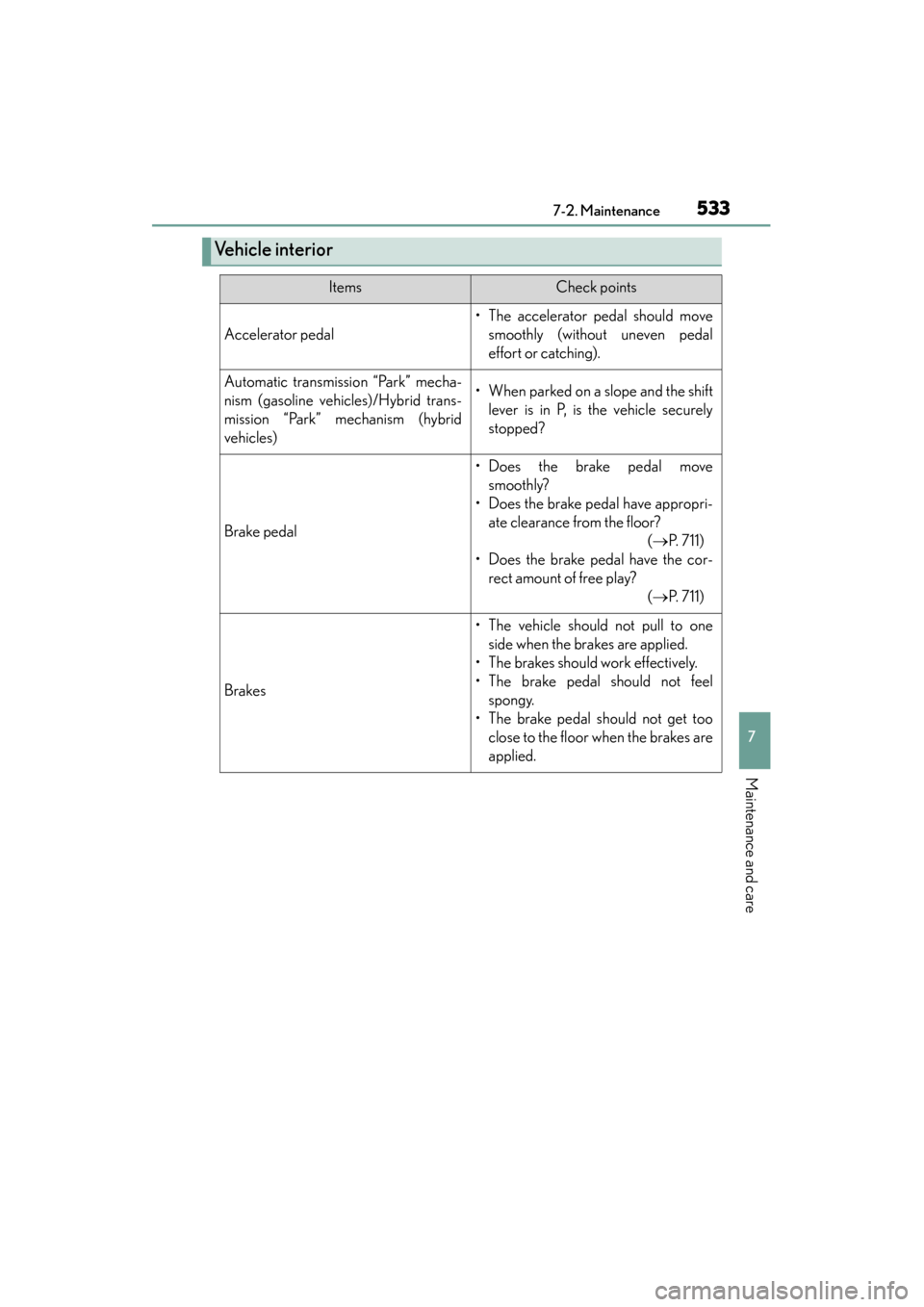
ItemsCheck points
Accelerator pedal
• The accelerator pedal should movesmoothly (without uneven pedal
effort or catching).
Automatic transmission “Park” mecha-
nism (gasoline vehicles)/Hybrid trans-
mission “Park” mechanism (hybrid
vehicles)• When parked on a slope and the shiftlever is in P, is the vehicle securely
stopped?
Brake pedal
• Does the brake pedal movesmoothly?
• Does the brake pedal have appropri- ate clearance from the floor? (→ P. 711)
• Does the brake pedal have the cor- rect amount of free play? (→ P. 711)
Brakes
• The vehicle should not pull to one
side when the brakes are applied.
• The brakes should work effectively.
• The brake pedal should not feel spongy.
• The brake pedal should not get too close to the floor when the brakes are
applied.