fuel Lexus ES300h 2015 Playing an audio CD and MP3/WMA/AAC discs / (OM33B99U) User Guide
[x] Cancel search | Manufacturer: LEXUS, Model Year: 2015, Model line: ES300h, Model: Lexus ES300h 2015Pages: 784, PDF Size: 9.63 MB
Page 81 of 784

811-2. Hybrid system
ES350_300h_OM_OM33B99U_(U)
1
For safety and security
CAUTION
■Road accident cautions
Observe the following precautions to reduce the risk of death or serious injury:
●Pull your vehicle off the road, apply the parking brake, shift the shift lever to P, and
turn the hybrid system off.
●Do not touch the high voltage parts, cables and connectors.
●If electric wires are exposed inside or outside your vehicle, an electric shock may
occur. Never touch exposed electric wires.
●If a fluid leak occurs, do not touch the flui d as it may be strong alkaline electrolyte
from the hybrid battery (traction battery). If it comes into contact with your skin or
eyes, wash it off immediately with a large amount of water or, if possible, boric
acid solution. Seek imme diate medical attention.
●If a fire occurs in the hybrid vehicles, le ave the vehicle as soon as possible. Never
use a fire extinguisher that is not meant for electric fires. Using even a small
amount of water may be dangerous.
●If your vehicle needs to be towed, do so with front wheels raised. If the wheels
connected to the electric motor (traction motor) are on the ground when towing,
the motor may continue to generate electricity. This may cause an electricity
leakage leading to a fire. ( P. 6 1 7 )
●Carefully inspect the ground under the vehicle. If you find that liquid has leaked
onto the ground, the fuel system may have been damaged. Leave the vehicle as
soon as possible.
Page 93 of 784
ES350_300h_OM_OM33B99U_(U)
932. Instrument cluster
2
Instrument cluster
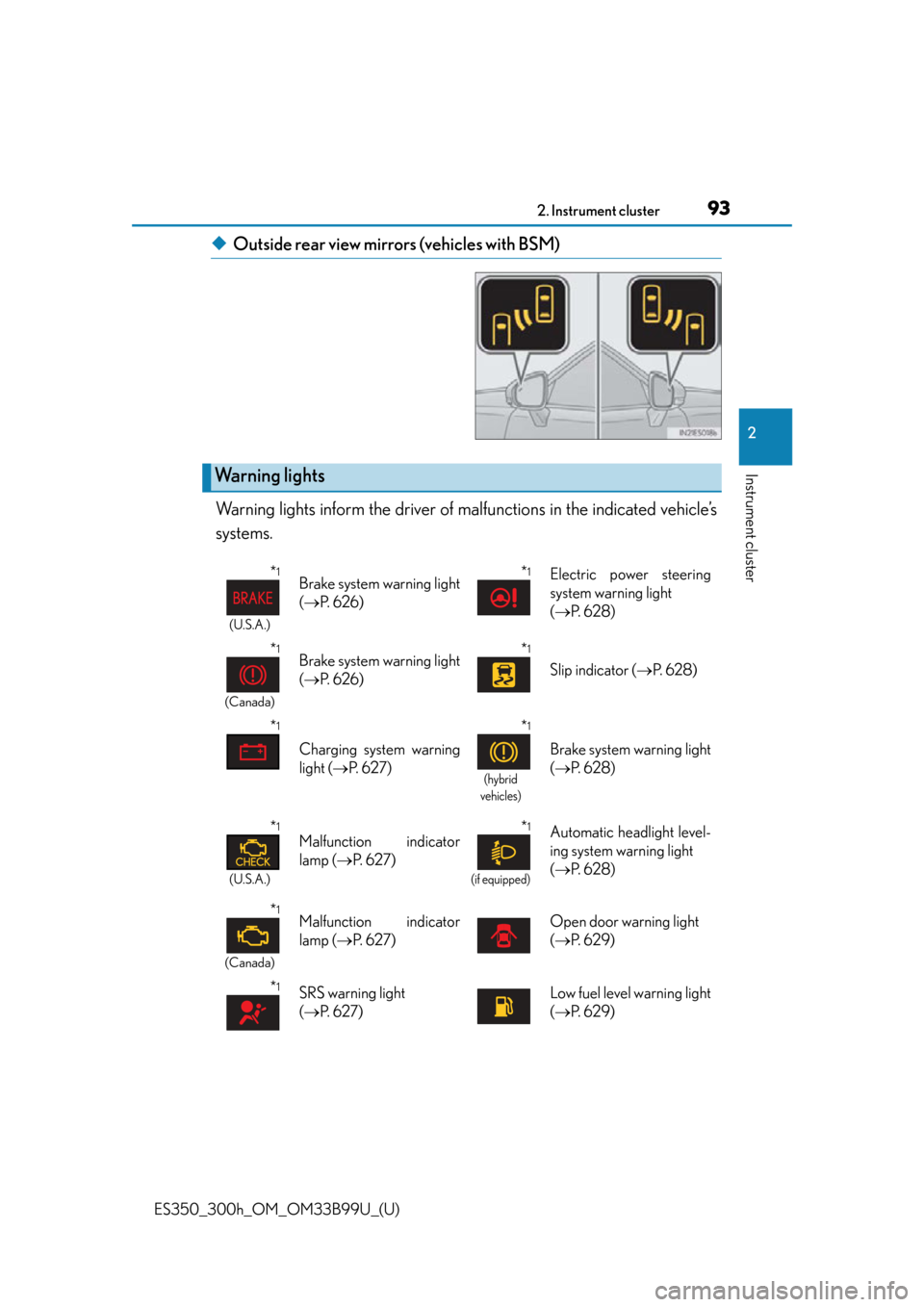
◆Outside rear view mirrors (vehicles with BSM)
Warning lights inform the driver of ma lfunctions in the indicated vehicle’s
systems.
Warning lights
*1
(U.S.A.)
Brake system warning light
( P. 6 2 6 )*1Electric power steering
system warning light
( P. 6 2 8 )
*1
(Canada)
Brake system warning light
( P. 6 2 6 )*1
Slip indicator ( P. 6 2 8 )
*1
Charging system warning
light ( P. 6 2 7 )
*1
(hybrid
vehicles)
Brake system warning light
( P. 6 2 8 )
*1
(U.S.A.)
Malfunction indicator
lamp ( P. 6 2 7 )*1
(if equipped)
Automatic headlight level-
ing system warning light
( P. 6 2 8 )
*1
(Canada)
Malfunction indicator
lamp ( P. 6 2 7 )Open door warning light
( P. 6 2 9 )
*1SRS warning light
( P. 6 2 7 )Low fuel level warning light
( P. 6 2 9 )
Page 98 of 784

98
ES350_300h_OM_OM33B99U_(U)
2. Instrument cluster
Fuel gauge
Displays the quantity of fuel remaining in the tank
Shift position and shift range
Displays the selected shift position or selected shift range ( P. 222, 226)
Odometer and trip meter display
Odometer
Displays the total distance the vehicle has been driven
Tr i p m e t e r
Displays the distance the vehicle has been driven since the meter was last reset.
Trip meters “A” and “B” can be used to record and display different distances inde-
pendently.
Switches between odometer and
trip meter displays. When the trip
meter is displayed, pressing and
holding the button will reset the trip
meter.
Changing the display
6
7
8
Page 101 of 784

ES350_300h_OM_OM33B99U_(U)
1012. Instrument cluster
2
Instrument cluster
■ECO lamp and SPORT lamp
●When sport mode is selected, SPORT lamp (red) will illuminate.
●When all of the following conditions are satisfied and Eco-friendly driving, ECO
lamp (blue) will illuminate. (ECO lamp will become brighter the more Eco-friendly
driving you perform. Also, while the vehicle is stopped or the acceleration exceeds
Zone of Eco driving, ECO lamp turns off. (P. 109) However, when Eco drive
mode is selected, while the vehicle is stopped or the acceleration exceeds Zone of
Eco driving, ECO lamp does not turn off.):
• Driving with the shift lever in D
• Either normal mode or Eco drive mode is selected.
• The vehicle speed is approximately 80 mph (130 km/h) or below.
■Tachometer (hybrid vehicles)
Hybrid System Indicator automatically sw itches to the tachometer when driving
mode is in sport mode.
■Engine speed (hybrid vehicles)
Engine speed is precisely controlled in or der to help improve fuel efficiency and
reduce exhaust emissions etc.
There are times when the engine speed that is displayed may differ even when vehi-
cle operation and driving conditions are the same.
■Odometer and trip meter display
P. 2 0 9 , 2 1 7
■Customization
Settings (e.g. on/off operatio n of ECO lamp) can be changed.
(Customizable features P. 7 3 0 )
NOTICE
■To prevent damage to the engine and its components
●Do not let the indicator needle of the tachometer enter the red zone, which indi-
cates the maximum engine speed.
●The engine may be overheating if the engine coolant temperature gauge is in the
red zone (H). In this case, immediately stop the vehicle in a safe place, and check
the engine after it has cooled completely. ( P. 688, 691)
Page 102 of 784

102
ES350_300h_OM_OM33B99U_(U)
2. Instrument cluster
Multi-information display
The multi-information display presents the driver with a variety of driving-
related data including the cu rrent outside air temperature.
●Eco Driving Indicator Zone Dis-
play (gasoline vehicles)
(P. 1 0 9 )
●Energy monitor (hybrid vehicles)
(P. 112)
●Outside temperature display
(P. 103)
●Trip information ( P. 103)
Displays driving range, fuel consumption and other cruising related information
●
Tire inflation pressure ( P. 105)
●Drive monitor ( P. 1 0 6 )
●Intuitive parking assist display* (if equipped) (P. 283)
●Dynamic radar cruise control display* (if equipped) ( P. 2 5 8 )
●LDA (Lane Departure Alert) display* (if equipped) ( P. 275)
●Warning messages ( P. 6 3 6 )
Automatically displayed when a malfunction occurs in one of the vehicle’s sys-
tems. Display can be switched by pressing the “DISP” button. ( P. 1 0 3 )
*: Automatically displayed when the system is used. Display can be switched by
pressing the “DISP” button. ( P. 1 0 3 )
Display contents
Page 103 of 784

ES350_300h_OM_OM33B99U_(U)
1032. Instrument cluster
2
Instrument cluster
■Switching the display
Items displayed can be switched
by pressing the “DISP” button.
■Eco Driving Indicator Zone Display (gasoline vehicles)
P. 1 0 9
■Energy monitor (hybrid vehicles)
P. 112
■Outside temperature
■Current fuel consumption
Trip information
Displays the outside air temperature
The temperature range that can be displayed is from
-40 F (-40 C) to 122 F (50C)
Displays the current rate of fuel consumption
Page 104 of 784

104
ES350_300h_OM_OM33B99U_(U)
2. Instrument cluster
■Average fuel consumption after refueling
■Average fuel consumption
■Average vehicle speed Displays the average fuel
consumption since the
vehicle was last refueled
Use the displayed average fuel consumption as a ref-
erence.
Displays the average fuel consumption since the
function was reset
• The function can be rese t by pressing the “DISP”
button for longer than 1 second when the average
fuel consumption is displayed.
• Use the displayed average fuel consumption as a reference.
Displays the average vehicle speed since the
function was reset
The function can be reset by pressing the “DISP” but-
ton for longer than 1 second when the average vehicle
speed is displayed.
Page 105 of 784

ES350_300h_OM_OM33B99U_(U)
1052. Instrument cluster
2
Instrument cluster
■Driving range
■Elapsed time
■Tire inflation pressureDisplays the estimated
maximum distance that
can be driven with the quantity of fuel remaining
• This distance is computed based on your average
fuel consumption. As a result, the actual distance
that can be driven may diff er from that displayed.
• When only a small amount of fuel is added to the tank, the display may not be updated.
When refueling, turn the “START STOP ENGINE”
<“POWER”> switch off. If the vehicle is refueled
without turning the “START STOP ENGINE”
<“POWER”> switch off, the display may not be
updated.
Displays the elapsed time since the engine
Displays inflation pres sure of each tire
For the vehicles with a full-size spare tire: The inflation
pressure of the spare tire will be displayed.
Page 106 of 784
106
ES350_300h_OM_OM33B99U_(U)
2. Instrument cluster
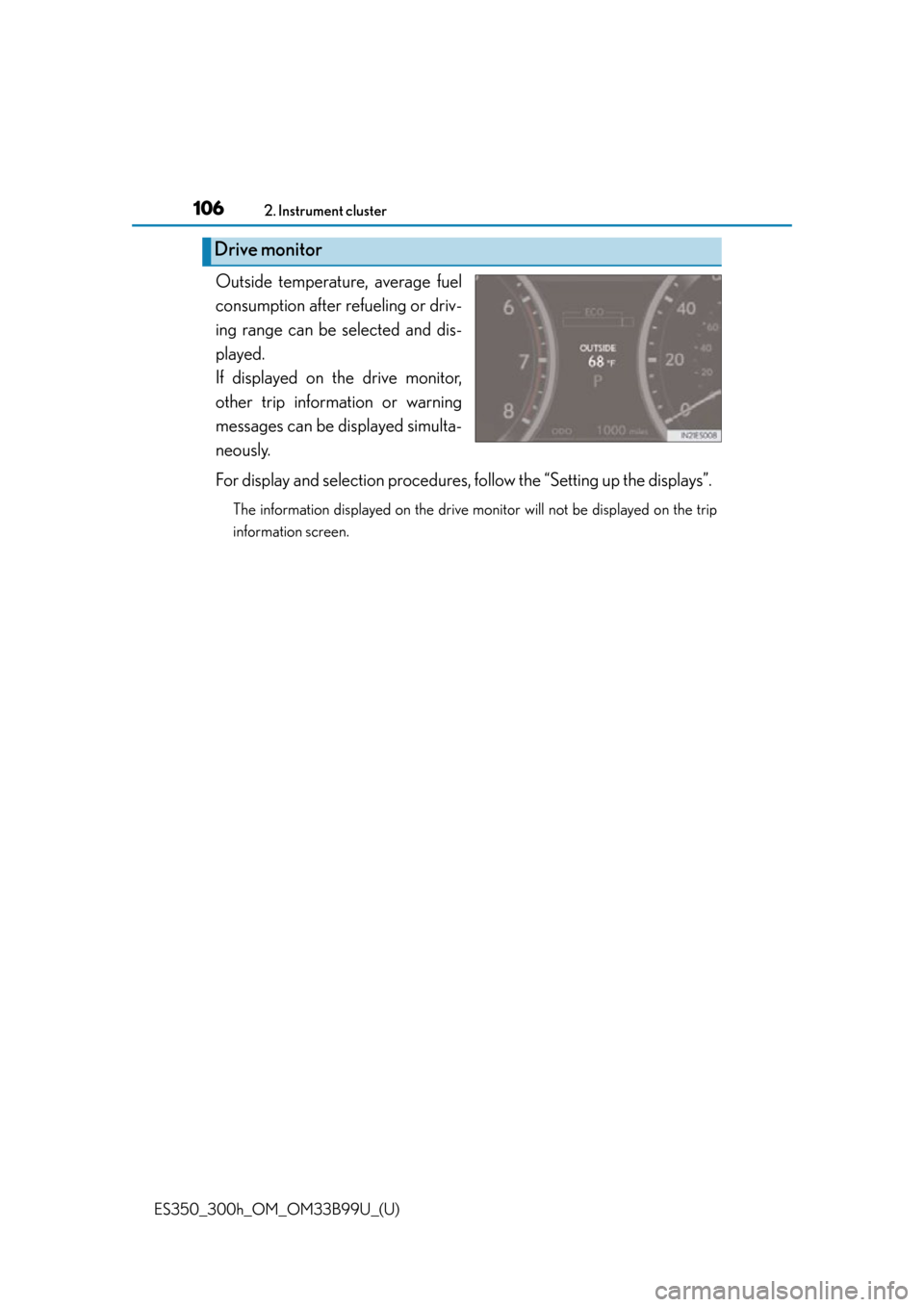
Outside temperature, average fuel
consumption after refueling or driv-
ing range can be selected and dis-
played.
If displayed on the drive monitor,
other trip information or warning
messages can be di splayed simulta-
neously.
For display and selection procedures, follow the “Setting up the displays”.
The information displayed on the drive monitor will not be displayed on the trip
information screen.
Drive monitor
Page 114 of 784
114
ES350_300h_OM_OM33B99U_(U)
2. Instrument cluster
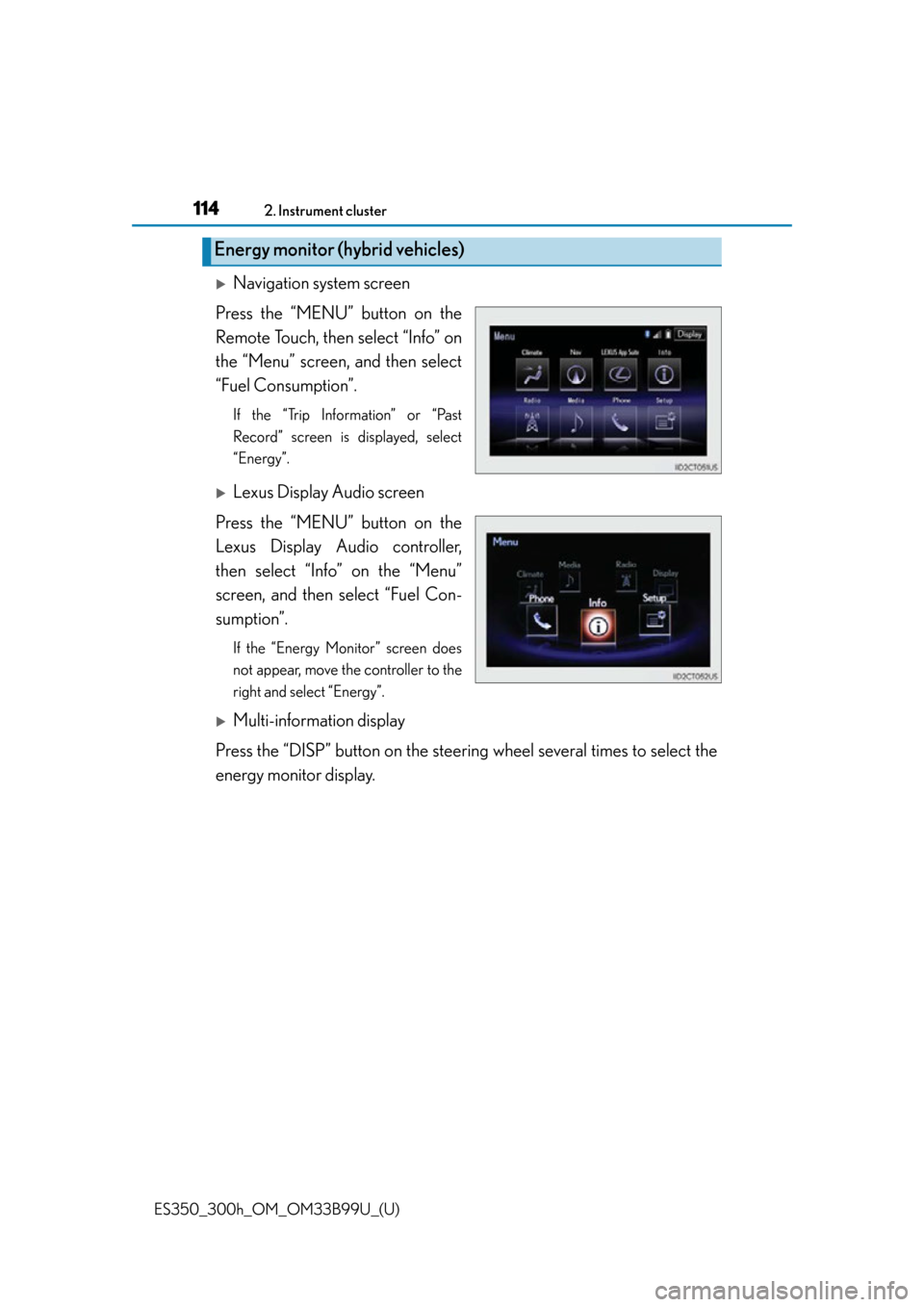
Navigation system screen
Press the “MENU” button on the
Remote Touch, then select “Info” on
the “Menu” screen, and then select
“Fuel Consumption”.
If the “Trip Information” or “Past
Record” screen is displayed, select
“Energy”.
Lexus Display Audio screen
Press the “MENU” button on the
Lexus Display Audio controller,
then select “Info” on the “Menu”
screen, and then select “Fuel Con-
sumption”.
If the “Energy Monitor” screen does
not appear, move the controller to the
right and select “Energy”.
Multi-information display
Press the “DISP” button on the steering wheel several times to select the
energy monitor display.
Energy monitor (hybrid vehicles)