Arm Lexus ES300h 2020 Owner's Guide
[x] Cancel search | Manufacturer: LEXUS, Model Year: 2020, Model line: ES300h, Model: Lexus ES300h 2020Pages: 462, PDF Size: 9.98 MB
Page 112 of 462
1103-2. Opening, closing and locking the doors and trunk
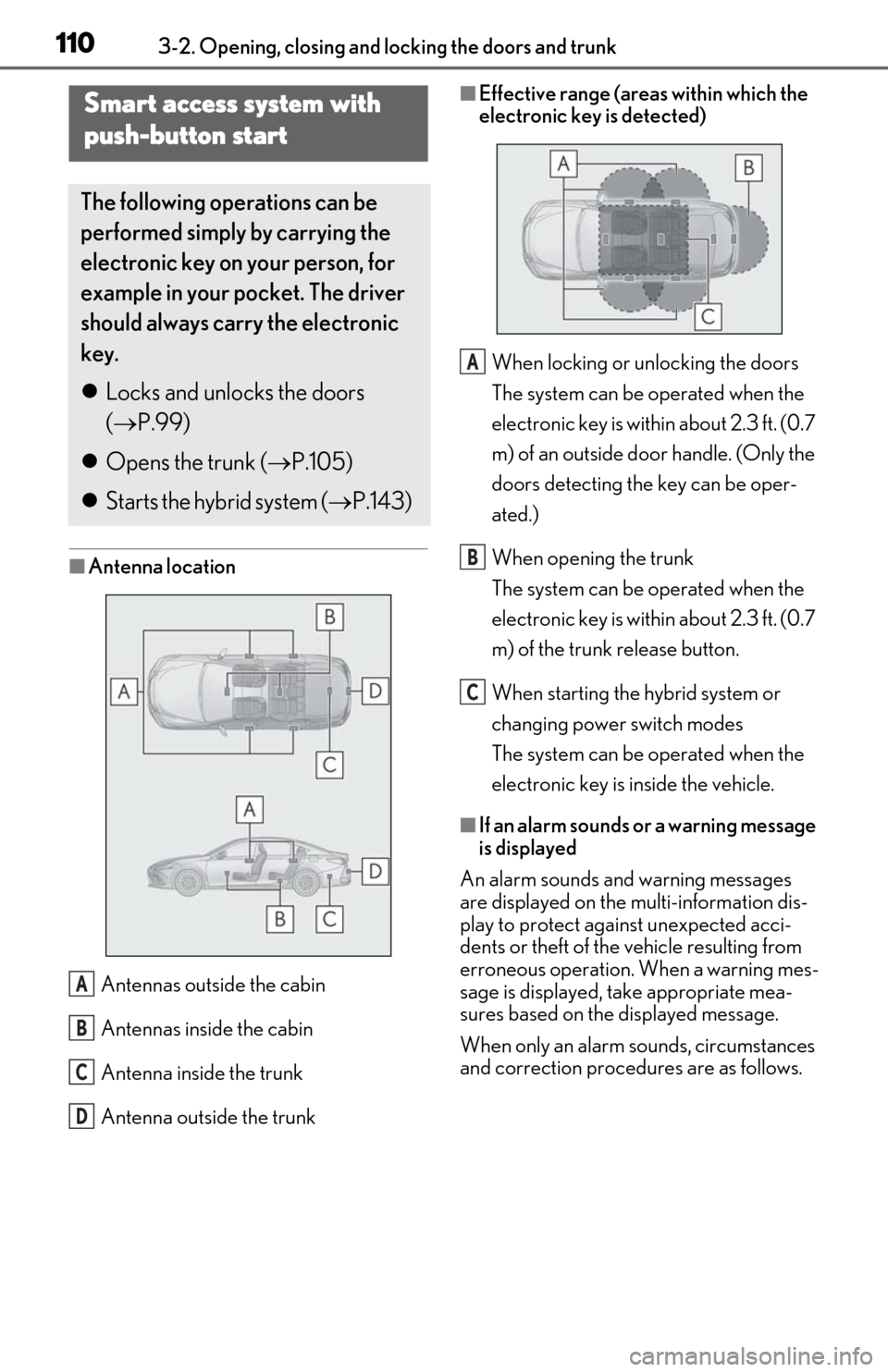
■Antenna location
Antennas outside the cabin
Antennas inside the cabin
Antenna inside the trunk
Antenna outside the trunk
■Effective range (areas within which the
electronic key is detected)When locking or unlocking the doors
The system can be operated when the
electronic key is within about 2.3 ft. (0.7
m) of an outside door handle. (Only the
doors detecting the key can be oper-
ated.)
When opening the trunk
The system can be operated when the
electronic key is within about 2.3 ft. (0.7
m) of the trunk release button.
When starting the hybrid system or
changing power switch modes
The system can be operated when the
electronic key is inside the vehicle.
■If an alarm sounds or a warning message
is displayed
An alarm sounds and warning messages
are displayed on the multi-information dis-
play to protect against unexpected acci-
dents or theft of the vehicle resulting from
erroneous operation. When a warning mes-
sage is displayed, take appropriate mea-
sures based on the displayed message.
When only an alarm sounds, circumstances
and correction procedures are as follows.
Smart access system with
push-button start
The following operations can be
performed simply by carrying the
electronic key on your person, for
example in your pocket. The driver
should always carry the electronic
key.
Locks and unlocks the doors
( P.99)
Opens the trunk ( P.105)
Starts the hybrid system ( P.143)
A
B
C
D
A
B
C
Page 113 of 462
1113-2. Opening, closing and locking the doors and trunk
3
Before driving
●When an exterior alarm sounds once for
5 seconds
●When an interior alarm sounds continu-
ously
■If “Key Detected in Vehicle” is shown on
the multi-information display
An attempt was made to lock the doors
using the smart access system with push-
button start while the electronic key was still
inside the vehicle. Retrieve the electronic
key from the vehicle and lock the doors
again.
■Battery-saving function
The battery-saving function will be acti-
vated in order to prevent the electronic key
battery and the 12-volt battery from being
discharged while the vehicle is not in opera-
tion for a long time.
●In the following situations, the smart
access system with pu sh-button start may
take some time to unlock the doors.
• The electronic key has been left within approximately 6 ft. (2 m) of the outside of
the vehicle for 10 minutes or longer.
• The smart access system with push-but- ton start has not been used for 5 days or
longer.
●If the smart access system with push-but-
ton start has not been used for 14 days or
longer, the doors cann ot be unlocked at
any doors except the driver’s door. In this
case, take hold of th e driver’s door han-
dle, or use the wireless remote control or
mechanical key, to unlock the doors.
■Turning an electronic key to battery-
saving mode
●When battery-saving mode is set, battery
depletion is minimized by stopping the
electronic key from receiving radio
waves.
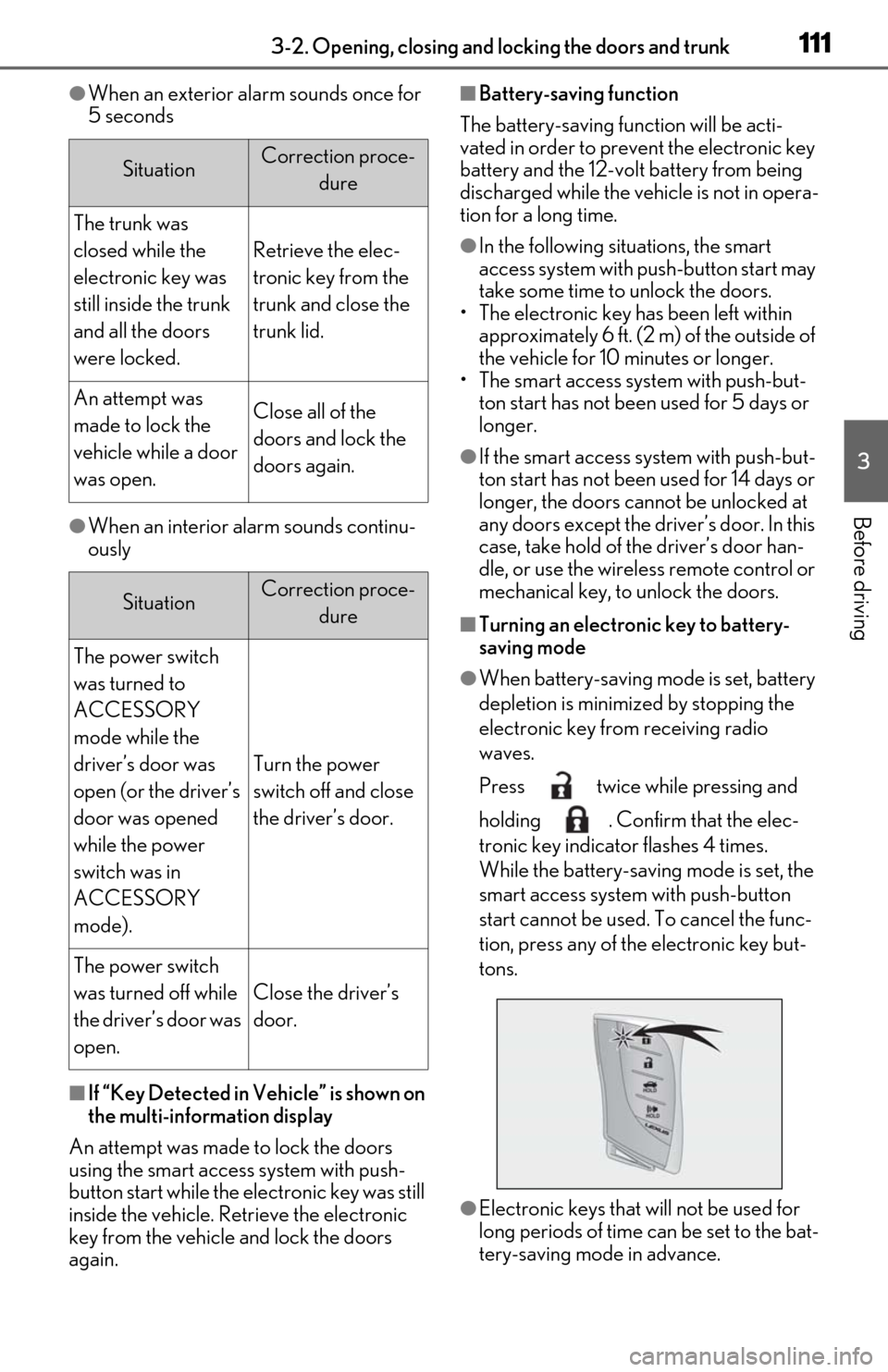
Press twice while pressing and
holding . Confirm that the elec-
tronic key indicator flashes 4 times.
While the battery-saving mode is set, the
smart access system with push-button
start cannot be used. To cancel the func-
tion, press any of the electronic key but-
tons.
●Electronic keys that will not be used for
long periods of time can be set to the bat-
tery-saving mode in advance.
SituationCorrection proce-
dure
The trunk was
closed while the
electronic key was
still inside the trunk
and all the doors
were locked.
Retrieve the elec-
tronic key from the
trunk and close the
trunk lid.
An attempt was
made to lock the
vehicle while a door
was open.Close all of the
doors and lock the
doors again.
SituationCorrection proce-dure
The power switch
was turned to
ACCESSORY
mode while the
driver’s door was
open (or the driver’s
door was opened
while the power
switch was in
ACCESSORY
mode).
Turn the power
switch off and close
the driver’s door.
The power switch
was turned off while
the driver’s door was
open.
Close the driver’s
door.
Page 114 of 462

1123-2. Opening, closing and locking the doors and trunk
■Conditions affecting operation
The smart access system with push-button
start uses weak radio waves. In the following
situations, the communication between the
electronic key and the vehicle may be
affected, preventing the smart access sys-
tem with push-button start, wireless remote
control and immobilizer system from oper-
ating properly.
(Ways of coping: P.388)
●When the electronic key battery is
depleted
●Near a TV tower, electric power plant,
gas station, radio stat ion, large display,
airport or other faci lity that generates
strong radio waves or electrical noise
●When the electronic key is in contact
with, or is covered by the following metal-
lic objects
• Cards to which aluminum foil is attached
• Cigarette boxes that have aluminum foil
inside
• Metallic wallets or bags
•Coins
• Hand warmers made of metal
• Media such as CDs and DVDs
●When other wireless ke ys (that emit radio
waves) are being used nearby
●When carrying the electronic key
together with the following devices that
emit radio waves
• Portable radio, cellular phone, cordless
phone or other wireless communication
device
• Another electronic ke y or a wireless key
that emits radio waves
• Personal computers or personal digital assistants (PDAs)
• Digital audio players
• Portable game systems
●If window tint with a metallic content or
metallic objects are attached to the rear
window
●When the electronic key is placed near a
battery charger or electronic devices
●When the vehicle is parked in a pay park-
ing spot where radio waves are emitted.
■Notes for the entry function
●Even when the electronic key is within the effective range (detection areas), the sys-
tem may not operate properly in the fol-
lowing cases:
• The electronic key is too close to the win-
dow or outside door handle, near the
ground, or in a high place when the doors
are locked or unlocked.
• The electronic key is near the ground or in a high place, or too close to the center
of the rear bumper when the trunk is
opened.
• The electronic key is on the instrument panel, rear package tray or floor, or in the
door pockets or glove box when the
hybrid system is started or power switch
modes are changed.
●Do not leave the electronic key on top of
the instrument panel or near the door
pockets when exiting the vehicle.
Depending on the radio wave reception
conditions, it may be detected by the
antenna outside the cabin and the doors
will become lockable from the outside,
possibly trapping the electronic key
inside the vehicle.
●As long as the electronic key is within the
effective range, the doors may be locked
or unlocked by anyone. However, only
the doors detecting the electronic key
can be used to unlock the vehicle.
●Even if the electronic key is not inside the
vehicle, it may be po ssible to start the
hybrid system if the el ectronic key is near
the window.
●The doors may unlock or lock if a large
amount of water splashes on the door
handle, such as in the rain or in a car
wash, when the electronic key is within
the effective range. (The doors will auto-
matically be locked after approximately
60 seconds if the doors are not opened
and closed.)
●If the wireless remote control is used to
lock the doors when the electronic key is
near the vehicle, there is a possibility that
the door may not be unlocked by the
entry function. (Use the wireless remote
control to unlock the doors.)
●Touching the door lock sensor while
wearing gloves may delay or prevent lock
operation. Remove the gloves and touch
the lock sensor again.
Page 115 of 462

1133-2. Opening, closing and locking the doors and trunk
3
Before driving
●When the lock operation is performed
using the lock sensor, recognition signals
will be shown up to two consecutive
times. After this, no recognition signals
will be given.
●Unlocking the vehicle may take more
time if another electronic key is within the
effective range.
●If the door handle becomes wet while the
electronic key is within the effective
range, the door may lock and unlock
repeatedly. In this case, follow the follow-
ing correction procedures to wash the
vehicle:
• Place the electronic key in a location 6 ft. (2 m) or more away from the vehicle.
(Take care to ensure that the key is not
stolen.)
• Set the electronic key to battery-saving mode to disable the smart access system
with push-button start. ( P.111)
●If the electronic key is inside the vehicle
and a door handle becomes wet during a
car wash, a message may be shown on
the multi-information display and a
buzzer will sound outside the vehicle. To
turn off the alarm, lock all the doors.
●The lock sensor may not work properly if
it comes into contact with ice, snow, mud,
etc.
Clean the lock sensor and attempt to
operate it again.
●A sudden approach to the effective
range or door handle may prevent the
doors from being unlocked. In this case,
return the door handle to the original
position and check that the doors unlock
before pulling the door handle again.
■When the vehicle is not driven for
extended periods
●To prevent theft of the vehicle, do not
leave the electronic key within 6 ft. (2 m)
of the vehicle.
●The smart access syst em with push-but-
ton start can be deactivated in advance.
●Battery-saving mode can reduce the
power consumption of electronic keys.
( P.111)
■To operate the system properly
●Make sure to carry the electronic key
when operating the system. Do not get
the electronic key too close to the vehicle
when operating the system from the out-
side of the vehicle.
Depending on the position and holding
condition of the elec tronic key, the key
may not be detected correctly and the
system may not operate properly. (The
alarm may go off accidentally, or the door
lock prevention function may not oper-
ate.)
●Do not leave the electr onic key inside the
trunk.
The key confinement prevention function
may not operate, depending on the loca-
tion of the key (close to a spare tire, the
inside edge of the trunk), conditions
(inside a metal bag, close to metallic
objects) and the radio waves in the sur-
rounding area. ( P.107)
■If an electronic key does not work prop-
erly
●Locking and unloc king the doors and
opening the trunk: P.388
●Starting the hybrid system: P.389
■Customization
Settings (e. g. smart access system with
push-button start) can be changed.
(Customizable features: P.418)
If the smart access system with push-button
start has been deactivated in a customized
setting, refer to the explanations for the fol-
lowing operations.
●Locking and unloc king the doors and
opening the trunk:
Use the wireless remote control or
mechanical key. ( P.99, 105, 388)
●Starting the hybrid system and changing
power switch modes: P.389
●Stopping the hybrid system: P.145
Page 120 of 462
1183-3. Adjusting the seats
*:If equipped
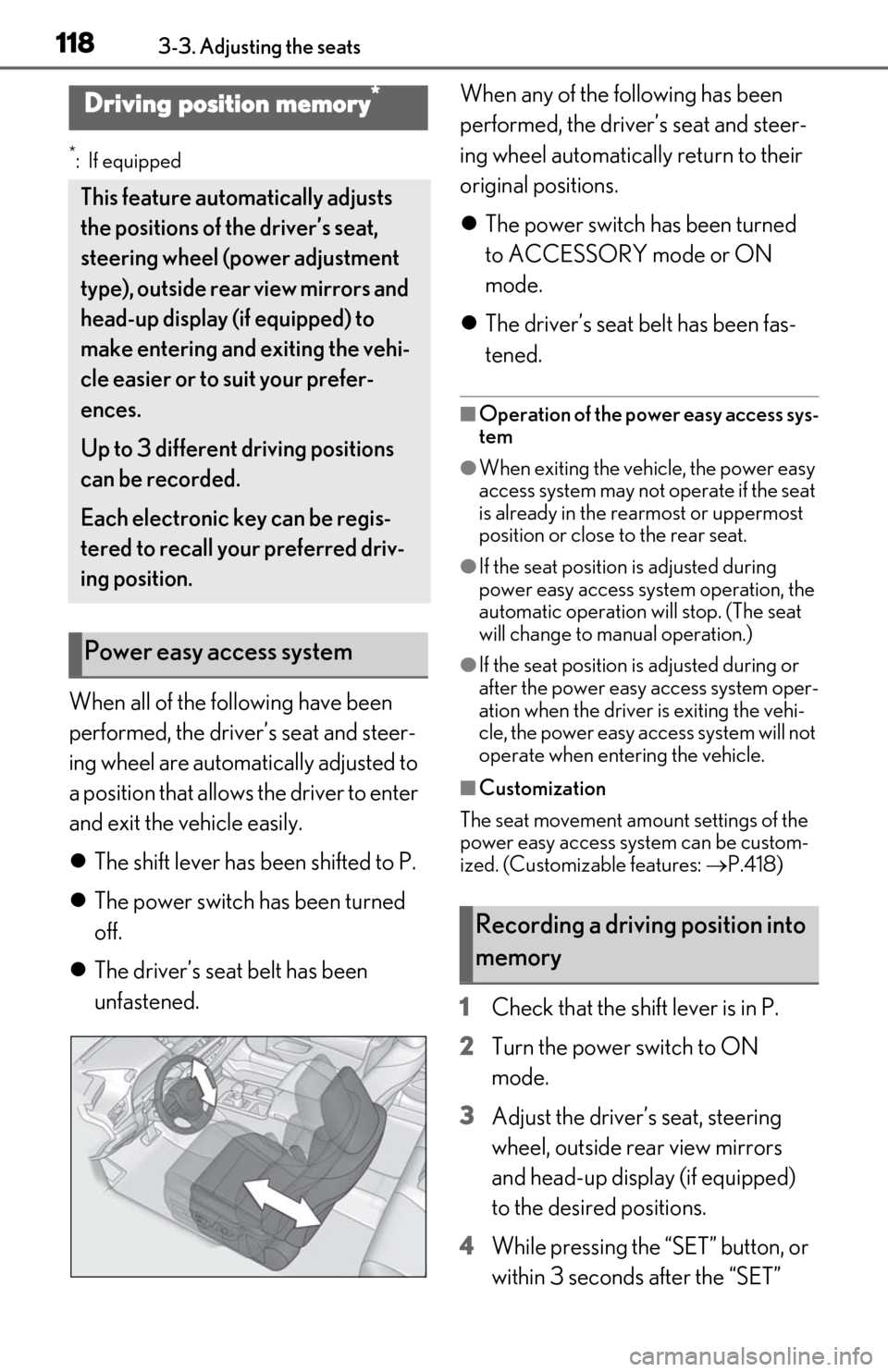
When all of the following have been
performed, the driver’s seat and steer-
ing wheel are automatically adjusted to
a position that allows the driver to enter
and exit the vehicle easily.
The shift lever has been shifted to P.
The power switch has been turned
off.
The driver’s seat belt has been
unfastened. When any of the following has been
performed, the driver’s seat and steer-
ing wheel automatically return to their
original positions.
The power switch has been turned
to ACCESSORY mode or ON
mode.
The driver’s seat belt has been fas-
tened.
■Operation of the power easy access sys-
tem
●When exiting the vehicle, the power easy
access system may not operate if the seat
is already in the rearmost or uppermost
position or close to the rear seat.
●If the seat position is adjusted during
power easy access syst em operation, the
automatic operation will stop. (The seat
will change to manual operation.)
●If the seat position is adjusted during or
after the power easy access system oper-
ation when the driver is exiting the vehi-
cle, the power easy access system will not
operate when entering the vehicle.
■Customization
The seat movement amou nt settings of the
power easy access system can be custom-
ized. (Customizable features: P.418)
1 Check that the shift lever is in P.
2 Turn the power switch to ON
mode.
3 Adjust the driver’s seat, steering
wheel, outside rear view mirrors
and head-up display (if equipped)
to the desired positions.
4 While pressing the “SET” button, or
within 3 seconds after the “SET”
Driving position memory*
This feature auto matically adjusts
the positions of the driver’s seat,
steering wheel (power adjustment
type), outside rear view mirrors and
head-up display (if equipped) to
make entering and exiting the vehi-
cle easier or to suit your prefer-
ences.
Up to 3 different driving positions
can be recorded.
Each electronic key can be regis-
tered to recall your preferred driv-
ing position.
Power easy access system
Recording a driving position into
memory
Page 138 of 462

1364-1. Before driving
WARNING
●During normal driving, do not turn off
the hybrid system. Turning the hybrid
system off while driving will not cause
loss of steering or braking control,
however, power assist to the steering
will be lost. This will make it more diffi-
cult to steer smoothly, so you should
pull over and stop the vehicle as soon
as it is safe to do so.
In the event of an emergency, such as if
it becomes impossible to stop the vehi-
cle in the normal way: P.356
●Use engine braking (downshift) to
maintain a safe speed when driving
down a steep hill.
Using the brakes continuously may
cause the brakes to overheat and lose
effectiveness. ( P.150)
●Do not adjust the positions of the
steering wheel, the seat, or the inside
or outside rear view mirrors while driv-
ing.
Doing so may result in a loss of vehicle
control.
●Always check that all passengers’
arms, heads or other parts of their
body are not outside the vehicle.
●Do not drive in excess of the speed
limit. Even if the legal speed limit per-
mits it, do not drive over 85 mph (140
km/h) unless your vehicle has high-
speed capability tires. Driving over 85
mph (140 km/h) may result in tire fail-
ure, loss of control and possible injury.
Be sure to consult a tire dealer to
determine whether the tires on your
vehicle are high-speed capability tires
or not before driving at such speeds.
■When driving on slippery road sur-
faces
●Sudden braking, acceleration and
steering may cause tire slippage and
reduce your ability to control the vehi-
cle.
●Sudden acceleration, engine braking
due to shifting, or changes in engine
speed could cause the vehicle to skid,
resulting in an accident.
●After driving through a puddle, lightly
depress the brake pedal to make sure
that the brakes are functioning prop-
erly. Wet brake pads may prevent the
brakes from functioning properly. If the
brakes on only one side are wet and
not functioning properly, steering con-
trol may be affected.
■When shifting the shift lever
●Do not let the vehicle roll backward
while the shift lever is in a driving posi-
tion, or roll forward while the shift lever
is in R.
Doing so may result in an accident or
damage to the vehicle.
●Do not shift the shif t lever to P while
the vehicle is moving.
Doing so can damage the transmission
and may result in a loss of vehicle con-
trol.
●Do not shift the shift lever to R while
the vehicle is moving forward.
Doing so can damage the transmission
and may result in a loss of vehicle con-
trol.
●Do not shift the shift lever to a driving
position while the vehicle is moving
backward.
Doing so can damage the transmission
and may result in a loss of vehicle con-
trol.
●Shifting the shift lever to N while the
vehicle is moving will disengage the
hybrid system. Engine braking is not
available when N is selected.
●Be careful not to shift the shift lever
with the accelerator pedal depressed.
Shifting the shift lever to a gear other
than P or N may lead to unexpected
rapid acceleration of the vehicle that
may cause an accident and result in
death or serious injury.
Page 148 of 462

1464-2. Driving procedures
Modes can be changed by pressing
the power switch with the brake pedal
released. (The mode changes each
time the switch is pressed.)1
Off*
The emergency flashers can be used.
2ACCESSORY mode
Some electrical components such as the
audio system can be used.
“ACCESSORY” will be displayed on the
meter.
3ON mode
All electrical components can be used.
“IGNITION ON” will be displayed on the
meter.
*: If the shift lever is in a position other than
P when turning off the hybrid system, the
power switch will be turned to ACCES-
SORY mode, not to off.
■Auto power off function
If the vehicle is left in ACCESSORY mode
for more than 20 minutes or ON mode (the
hybrid system is not operating) for more
than an hour with the shift lever in P, the
power switch will automatically turn off.
However, this function cannot entirely pre-
vent the 12-volt battery discharge. Do not
leave the vehicle with the power switch in
WARNING
■When parking
Exhaust gases include harmful carbon
monoxide (CO), which is colorless and
odorless. Observe the following precau-
tions.
Failure to do so may cause exhaust gases
to enter the vehicle and may lead to an
accident caused by light-headedness, or
may lead to death or a serious health
hazard.
●If the vehicle is in a poorly ventilated
area or a closed area, such as a
garage, stop the hybrid system.
●Do not leave the vehicle with the
hybrid system operating for a long
time. If such a situation cannot be
avoided, park the vehicle in an open
space and ensure that exhaust fumes
do not enter the vehicle interior.
●Do not leave the hybrid system operat-
ing in an area with snow build-up, or
where it is snowing. If snowbanks build
up around the vehicle while the hybrid
system is operating, exhaust gases
may collect and enter the vehicle.
Changing power switch modes
Page 150 of 462
1484-2. Driving procedures
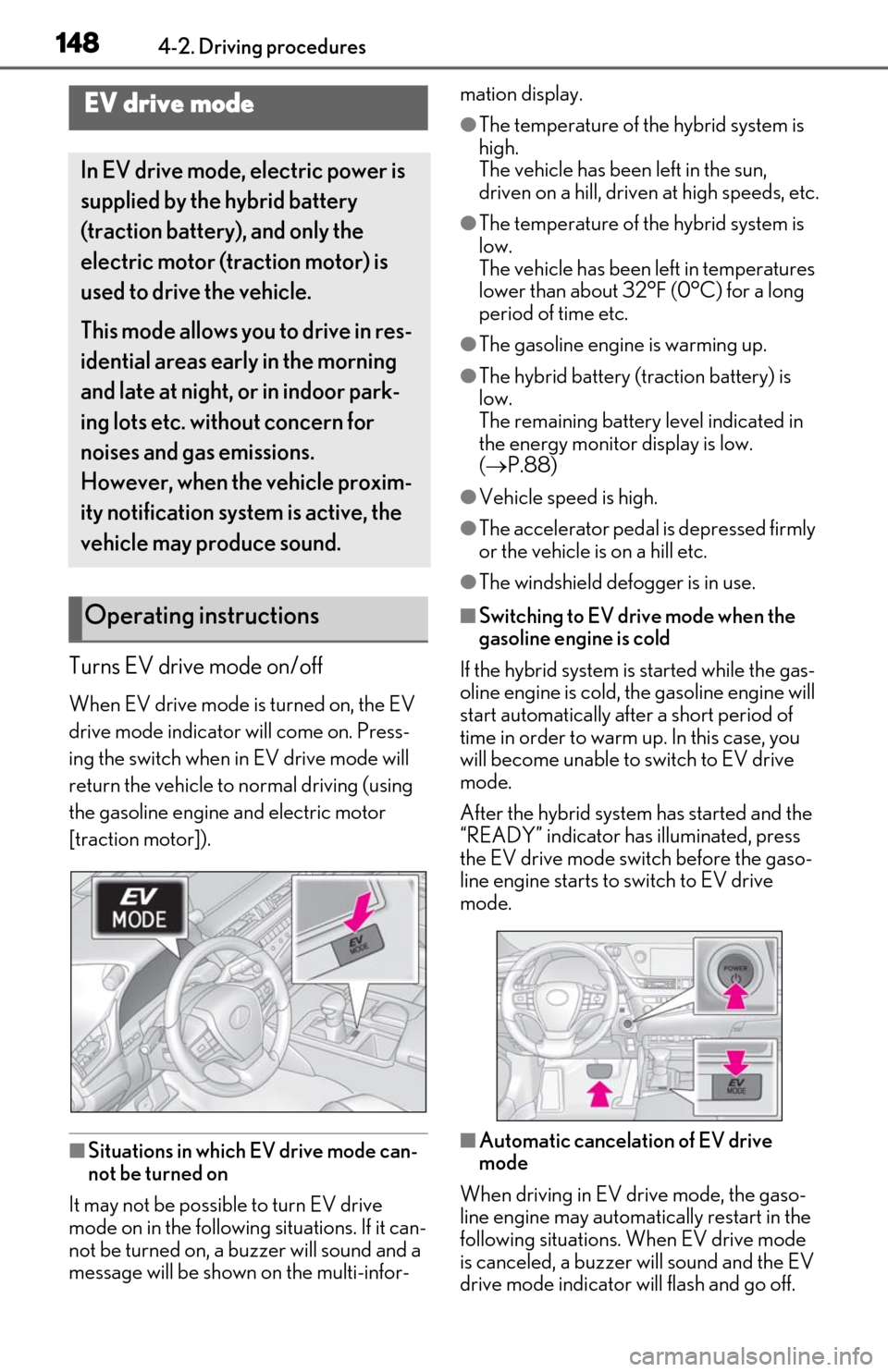
Turns EV drive mode on/off
When EV drive mode is turned on, the EV
drive mode indicator will come on. Press-
ing the switch when in EV drive mode will
return the vehicle to normal driving (using
the gasoline engine and electric motor
[traction motor]).
■Situations in which EV drive mode can-
not be turned on
It may not be possible to turn EV drive
mode on in the following situations. If it can-
not be turned on, a buzzer will sound and a
message will be shown on the multi-infor- mation display.
●The temperature of the hybrid system is
high.
The vehicle has been left in the sun,
driven on a hill, driven at high speeds, etc.
●The temperature of the hybrid system is
low.
The vehicle has been left in temperatures
lower than about 32°F (0°C) for a long
period of time etc.
●The gasoline engine is warming up.
●The hybrid battery (traction battery) is
low.
The remaining battery level indicated in
the energy monitor display is low.
(
P.88)
●Vehicle speed is high.
●The accelerator pedal is depressed firmly
or the vehicle is on a hill etc.
●The windshield defogger is in use.
■Switching to EV drive mode when the
gasoline engine is cold
If the hybrid system is started while the gas-
oline engine is cold, the gasoline engine will
start automatically after a short period of
time in order to warm up. In this case, you
will become unable to switch to EV drive
mode.
After the hybrid system has started and the
“READY” indicator has illuminated, press
the EV drive mode switch before the gaso-
line engine starts to switch to EV drive
mode.
■Automatic cancelation of EV drive
mode
When driving in EV drive mode, the gaso-
line engine may automatically restart in the
following situations. When EV drive mode
is canceled, a buzzer will sound and the EV
drive mode indicator will flash and go off.
EV drive mode
In EV drive mode, electric power is
supplied by the hybrid battery
(traction battery), and only the
electric motor (traction motor) is
used to drive the vehicle.
This mode allows you to drive in res-
idential areas early in the morning
and late at night, or in indoor park-
ing lots etc. without concern for
noises and gas emissions.
However, when the vehicle proxim-
ity notification system is active, the
vehicle may produce sound.
Operating instructions
Page 169 of 462
1674-3. Operating the lights and wipers
4
Driving
selected, wiper operation will be switched
from low speed to intermittent wiper opera-
tion only when the vehicle is stationary.
(However, when the sensor sensitivity is
adjusted to the highest level, the mode can-
not be switched.)
■Raindrop sensor (vehicles with rain-
sensing windshield wipers)
●The raindrop sensor judges the amount
of raindrops.
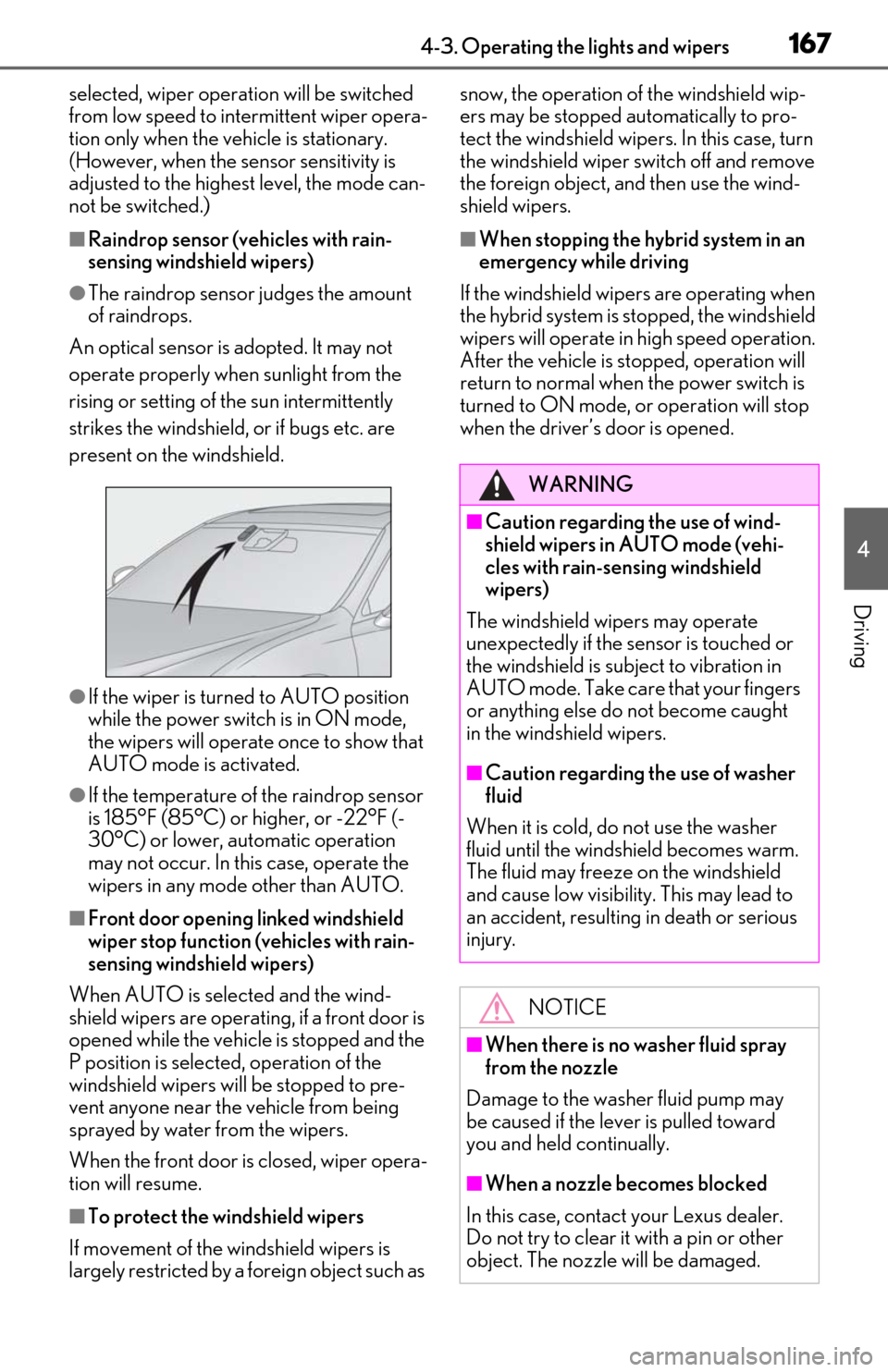
An optical sensor is adopted. It may not
operate properly when sunlight from the
rising or setting of the sun intermittently
strikes the windshield, or if bugs etc. are
present on the windshield.
●If the wiper is turned to AUTO position
while the power switch is in ON mode,
the wipers will operate once to show that
AUTO mode is activated.
●If the temperature of the raindrop sensor
is 185°F (85°C) or higher, or -22°F (-
30°C) or lower, automatic operation
may not occur. In this case, operate the
wipers in any mode other than AUTO.
■Front door opening linked windshield
wiper stop function (vehicles with rain-
sensing windshield wipers)
When AUTO is selected and the wind-
shield wipers are operatin g, if a front door is
opened while the vehicle is stopped and the
P position is selected, operation of the
windshield wipers w ill be stopped to pre-
vent anyone near the vehicle from being
sprayed by water from the wipers.
When the front door is closed, wiper opera-
tion will resume.
■To protect the windshield wipers
If movement of the windshield wipers is
largely restricted by a foreign object such as snow, the operation of the windshield wip-
ers may be stopped automatically to pro-
tect the windshield wipe
rs. In this case, turn
the windshield wiper switch off and remove
the foreign object, and then use the wind-
shield wipers.
■When stopping the hybrid system in an
emergency while driving
If the windshield wipe rs are operating when
the hybrid system is st opped, the windshield
wipers will operate in high speed operation.
After the vehicle is stopped, operation will
return to normal when the power switch is
turned to ON mode, or operation will stop
when the driver’s door is opened.
WARNING
■Caution regarding the use of wind-
shield wipers in AUTO mode (vehi-
cles with rain-sensing windshield
wipers)
The windshield wipers may operate
unexpectedly if the sensor is touched or
the windshield is subject to vibration in
AUTO mode. Take care that your fingers
or anything else do not become caught
in the windshield wipers.
■Caution regarding the use of washer
fluid
When it is cold, do not use the washer
fluid until the windshield becomes warm.
The fluid may freeze on the windshield
and cause low visibility. This may lead to
an accident, resulting in death or serious
injury.
NOTICE
■When there is no washer fluid spray
from the nozzle
Damage to the washer fluid pump may
be caused if the lever is pulled toward
you and held continually.
■When a nozzle becomes blocked
In this case, contact your Lexus dealer.
Do not try to clear it with a pin or other
object. The nozzle will be damaged.
Page 170 of 462
1684-3. Operating the lights and wipers
When the windshield wipers are not
being used, they retract to below the
hood. To enable the windshield wipers
to be lifted when parking in cold condi-
tions or when replacing a windshield
wiper insert, change the rest position of
the windshield wipers to the service
position using the wiper lever.
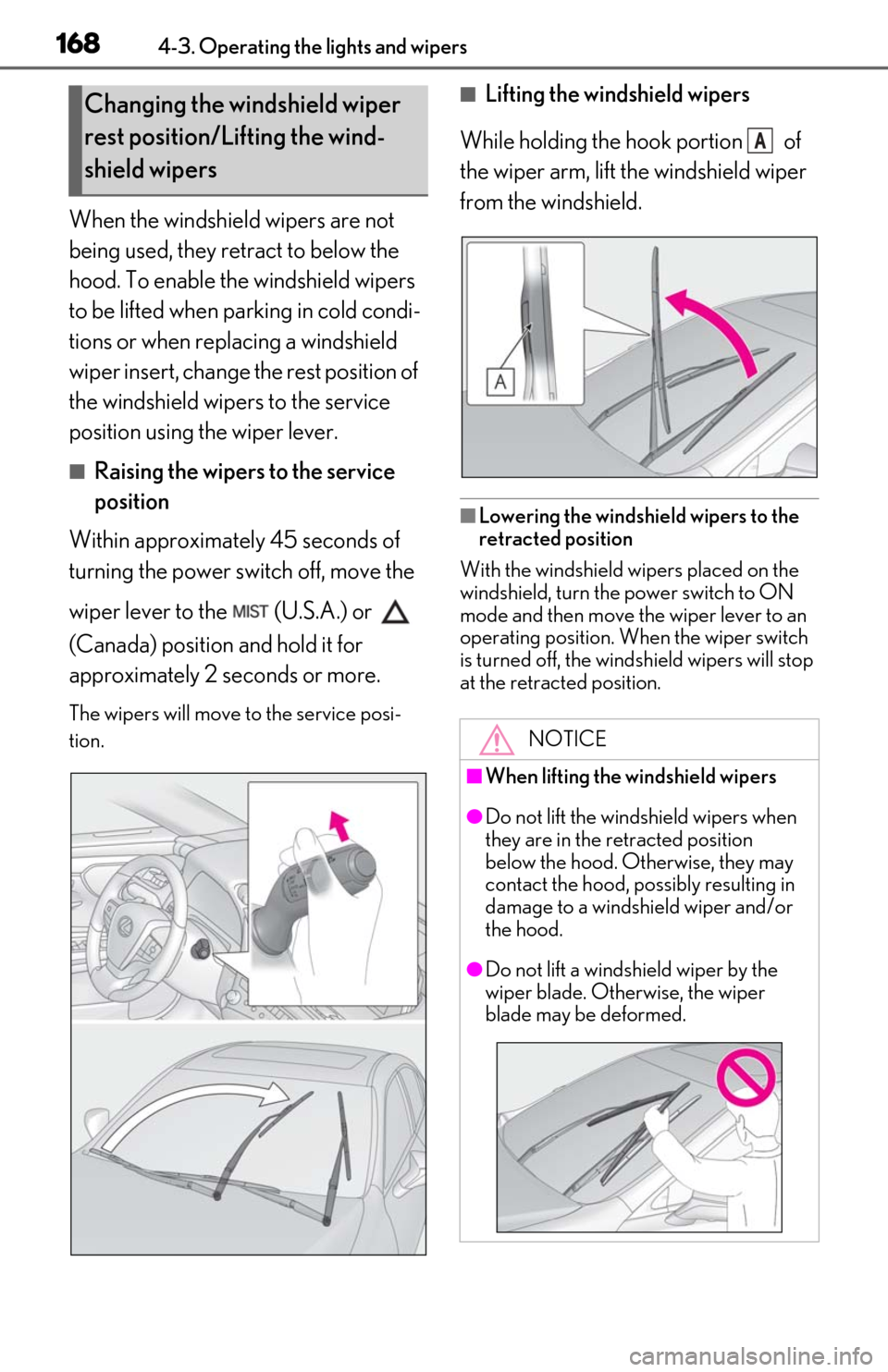
■Raising the wipers to the service
position
Within approximately 45 seconds of
turning the power switch off, move the
wiper lever to the (U.S.A.) or
(Canada) position and hold it for
approximately 2 se conds or more.
The wipers will move to the service posi-
tion.
■Lifting the windshield wipers
While holding the hook portion of
the wiper arm, lift the windshield wiper
from the windshield.
■Lowering the windshield wipers to the
retracted position
With the windshield wipers placed on the
windshield, turn the power switch to ON
mode and then move the wiper lever to an
operating position. Wh en the wiper switch
is turned off, the windshield wipers will stop
at the retracted position.
Changing the windshield wiper
rest position/Lifting the wind-
shield wipers
NOTICE
■When lifting the windshield wipers
●Do not lift the windshield wipers when
they are in the retracted position
below the hood. Otherwise, they may
contact the hood, possibly resulting in
damage to a windshield wiper and/or
the hood.
●Do not lift a windshield wiper by the
wiper blade. Otherwise, the wiper
blade may be deformed.
A