display Lexus ES350 2009 Owner's Guide
[x] Cancel search | Manufacturer: LEXUS, Model Year: 2009, Model line: ES350, Model: Lexus ES350 2009Pages: 475, PDF Size: 6.2 MB
Page 162 of 475
160
2-4. Using other driving systems
ES350_U_(L/O_0808)
■When the display flashes and a message is displayed
→P. 3 8 6
■Certification
For vehicles sold in U.S.A.
This device complies with Part 15 of the FCC Rules.
Operation is subject to the following two conditions: (1) This device may not cause
harmful interference, and (2) this device must accept any interference received,
including interference that may cause undesired operation. For vehicles sold in Canada
This ISM device complies with Canadian ICES-001.
Cet appareil ISM est conforme a la norme NMB-001 du Canada.
■Customization that can be configured at Lexus dealer
Settings (e.g. buzzer volume) can be changed. (Customizable features →P. 4 4 7 )
CAUTION
■Caution when using the intuitive parking assist
Observe the following precautions.
Failing to do so may result in the vehicle being unable to be driven safely and possi-
bly cause an accident.
●Do not use the sensor at speeds in excess of 6 mph (10 km/h).
●Do not attach any accessories within the sensor range.
NOTICE
■Notes when washing the vehicle
Do not apply intensive bursts of water or steam to the sensor area.
Doing so may result in the sensor malfunctioning.
Page 190 of 475
188
ES350_U_(L/O_0808)
3-1. Using the air conditioning system and defogger
Automatic air conditioning system
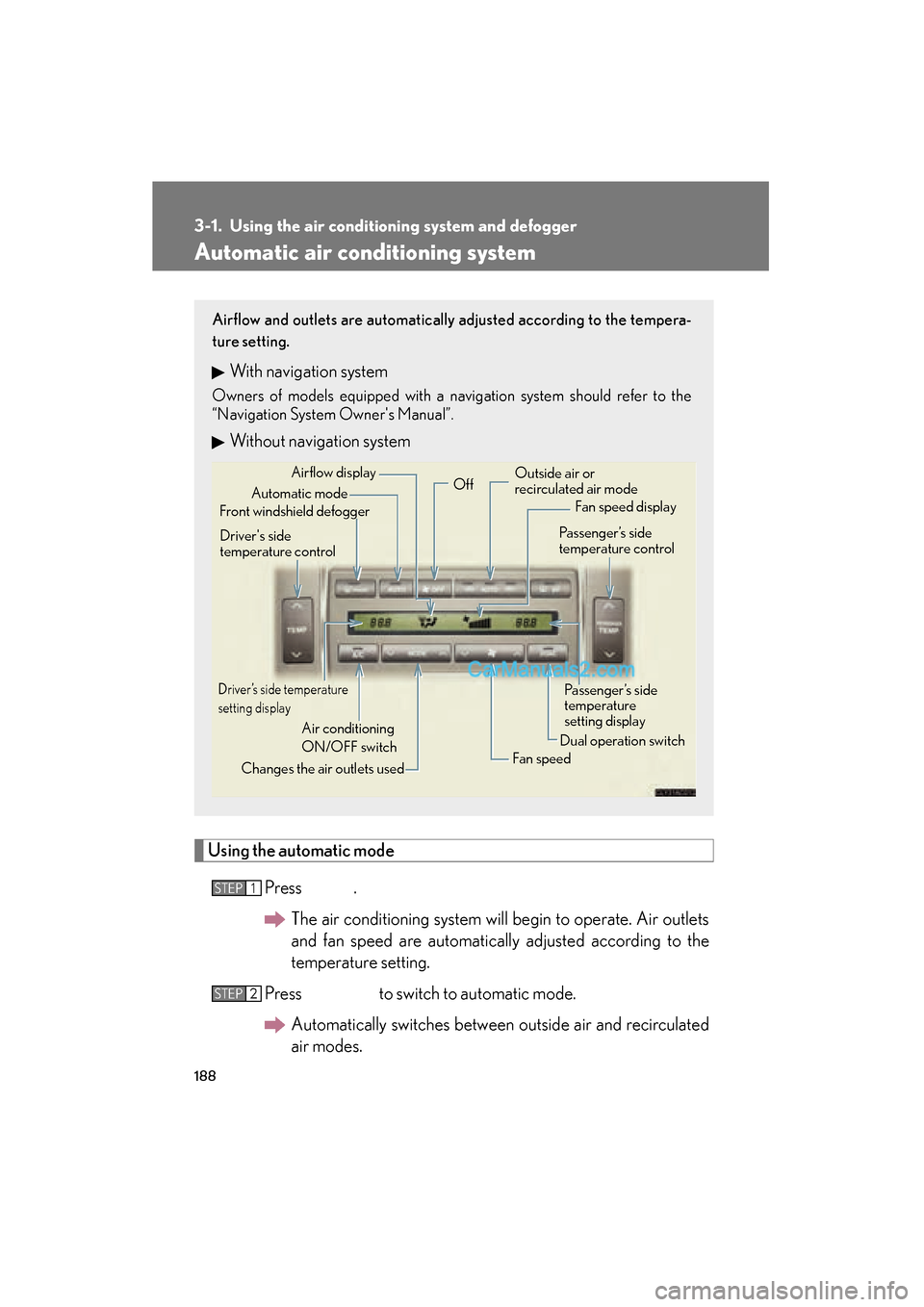
Using the automatic modePress .The air conditioning system will begin to operate. Air outlets
and fan speed are automatically adjusted according to the
temperature setting.
Press to switch to automatic mode. Automatically switches between outside air and recirculated
air modes.
Airflow and outlets are automatically adjusted according to the tempera-
ture setting.
With navigation system
Owners of models equipped with a navigation system should refer to the
“Navigation System Owner's Manual”.
Without navigation system
Automatic mode
Driver’s side temperature
setting display
Changes the air outlets used Off
Fan speed
Airflow display
Fan speed display
Passenger’s side
temperature
setting display
Driver's side
temperature control
Air conditioning
ON/OFF switch Outside air or
recirculated air mode
Front windshield defogger Passenger’s side
temperature control
Dual operation switch
STEP1
STEP2
Page 200 of 475
198
3-2. Using the audio system
ES350_U_(L/O_0808)
Using the radio
Setting station presets (excluding XM® Satellite Radio)
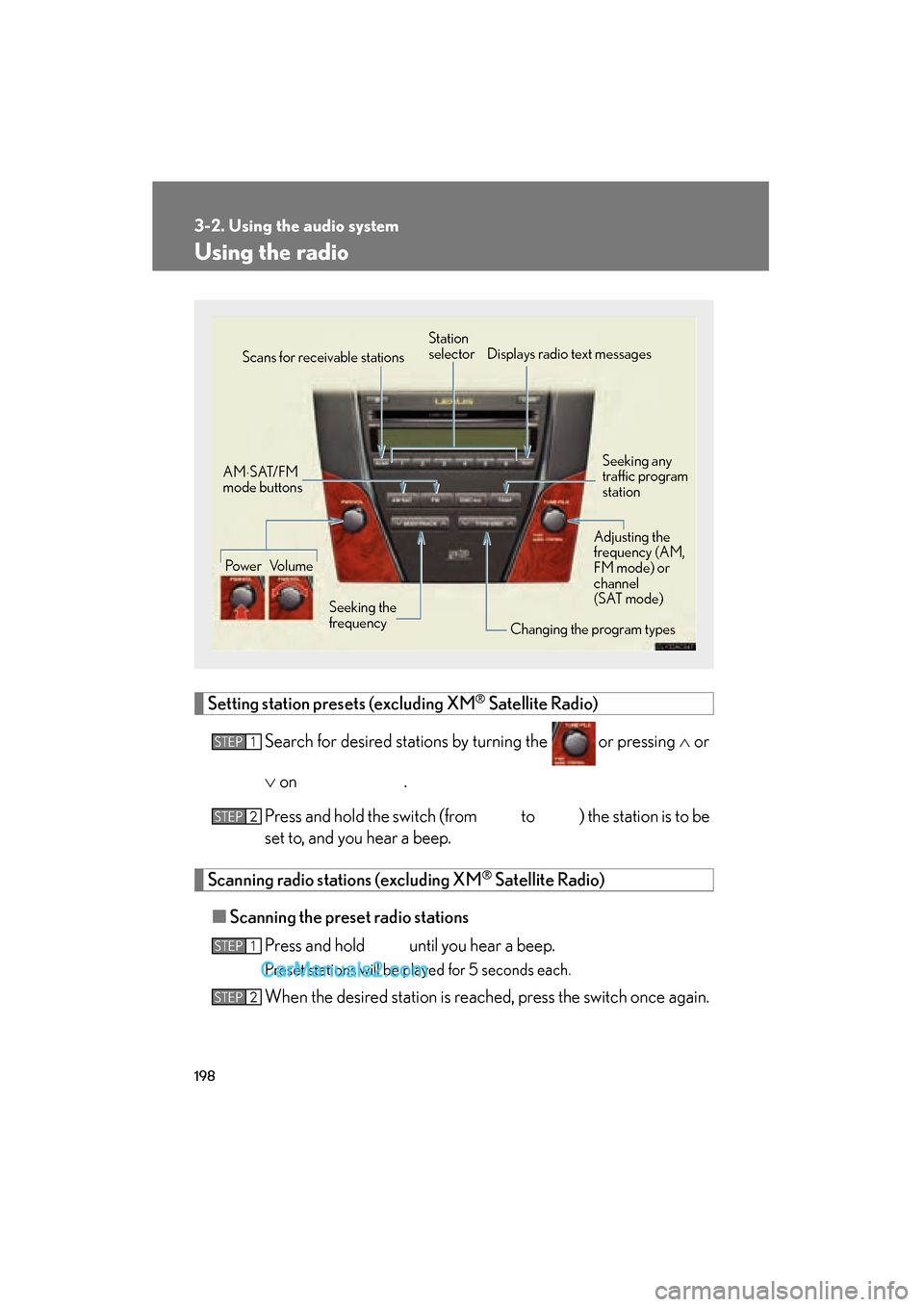
Search for desired stations by turning the
or pressing ∧ or
∨ on
.
Press and hold the switch (from to ) the station is to be
set to, and you hear a beep.
Scanning radio stations (excluding XM® Satellite Radio)
■ Scanning the preset radio stations
Press and hold until you hear a beep.
Preset stations will be played for 5 seconds each.
When the desired station is reached, press the switch once again.
Seeking any
traffic program
station
Station
selector
Displays radio text messages
Power Volume Scans for receivable stations
Seeking the
frequency Changing the program typesAdjusting the
frequency (AM,
FM mode) or
channel
(SAT mode)
AM
⋅SAT/FM
mode buttons
STEP1
STEP2
STEP1
STEP2
Page 201 of 475
199
3-2. Using the audio system
3
Interior features
ES350_U_(L/O_0808)■
Scanning all radio stations within range
Press .
All stations with reception will be played for 5 seconds each.
When the desired station is reached, press the switch once again.
RDS (Radio Data System)
This feature allows your radio to receive station identification information
and program information (classical, jazz, etc.) from radio stations which
broadcast this information.
■ Receiving RDS broadcasts
Press ∧ or ∨ on during FM reception.
The type of program changes each time the button is pressed.
●ROCK
● EASY LIS (Easy listening)
● CLS/JAZZ (Classical music and Jazz)
● R & B (Rhythm and Blues)
● INFORM (Information)
● RELIGION
● MISC (Miscellaneous)
● ALERT (Emergency messages)
If the system receives no RDS stations, NO PTY appears on the display.
Press , or ∧ or ∨ on .
The radio seeks or scans the station by the relevant program type.
■Displaying radio station names
Press .
STEP1
STEP2
STEP1
STEP2
Page 202 of 475
200
3-2. Using the audio system
ES350_U_(L/O_0808)■
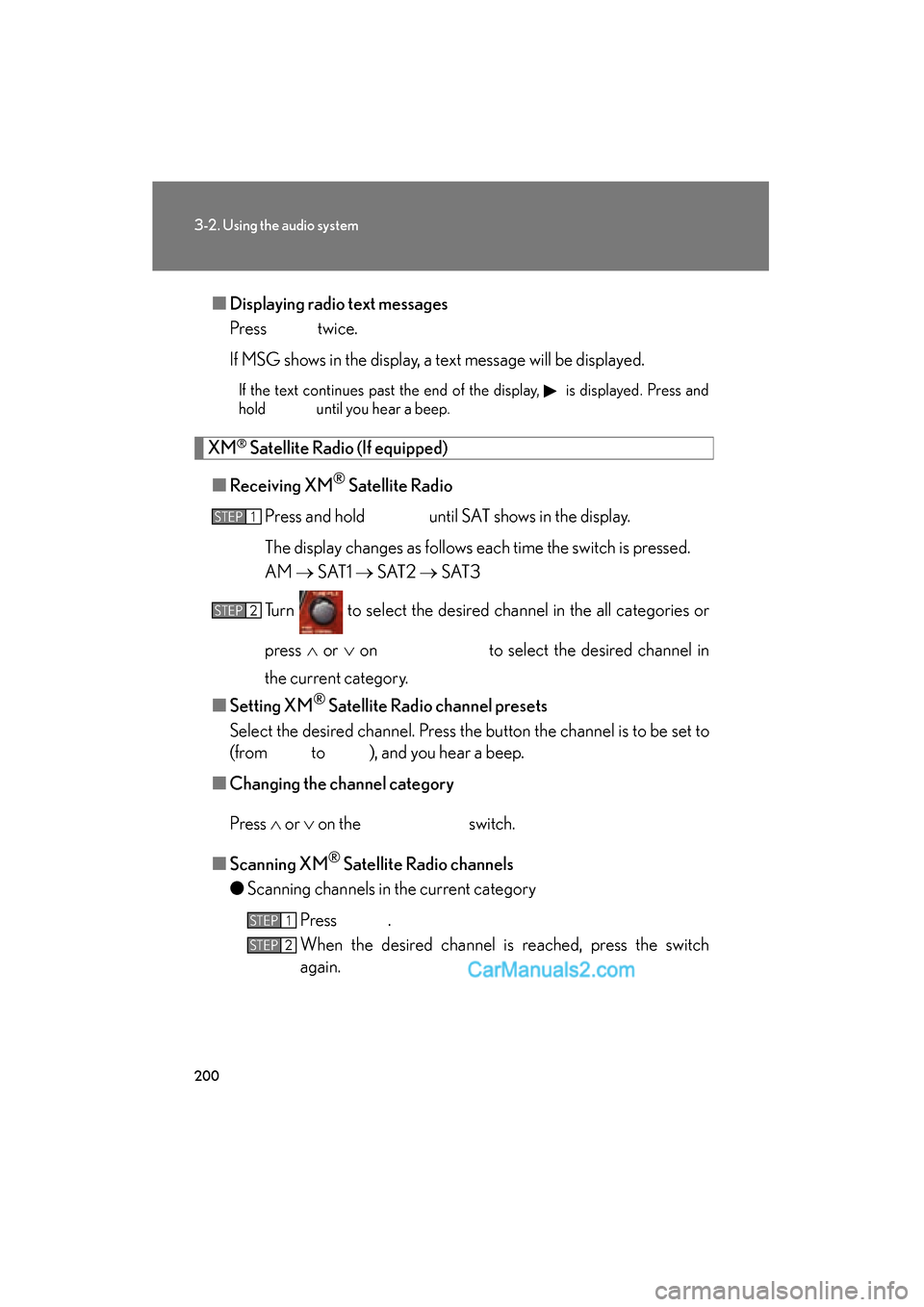
Displaying radio text messages
Press twice.
If MSG shows in the display, a text message will be displayed.
If the text continues past the end of the display, is displayed. Press and
hold until you hear a beep.
XM® Satellite Radio (If equipped)
■ Receiving XM
® Satellite Radio
Press and hold until SAT shows in the display.
The display changes as follows each time the switch is pressed.
AM → S AT 1 → S AT 2 → S AT 3
Turn to select the desired channel in the all categories or
press ∧ or ∨ on to select the desired channel in
the current category.
■ Setting XM
® Satellite Radio channel presets
Select the desired channel. Press the button the channel is to be set to
(from to ), and you hear a beep.
■ Changing the channel category
Press ∧ or ∨ on the switch.
■ Scanning XM
® Satellite Radio channels
● Scanning channels in the current category
Press .
When the desired channel is reached, press the switch
again.
STEP1
STEP2
STEP1
STEP2
Page 203 of 475
201
3-2. Using the audio system
3
Interior features
ES350_U_(L/O_0808)●
Scanning preset channels
Press and hold until you hear a beep.
When the desired channel is reached, press the switch
again.
■ Displaying text information
Press .
The display will show up to 10 characters.
The display changes as follows each time the button is pressed.
● CH NAME
● TITLE (SONG/PROGRAM TITLE)
● NAME (ARTIST NAME/FEATURE)
● CH NUMBER
STEP1
STEP2
Page 205 of 475
203
3-2. Using the audio system
3
Interior features
ES350_U_(L/O_0808)
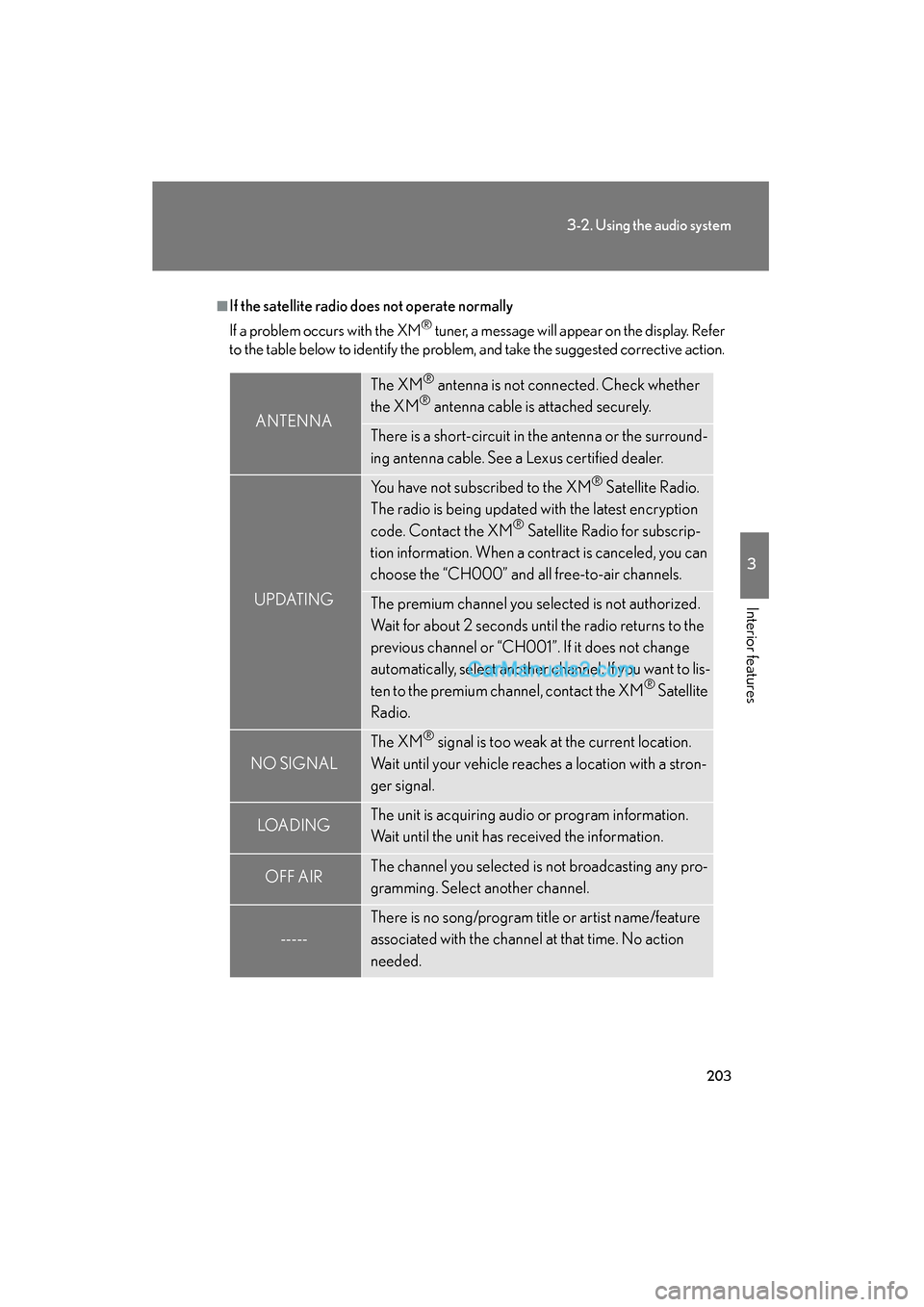
■If the satellite radio does not operate normally
If a problem occurs with the XM
® tuner, a message will appear on the display. Refer
to the table below to identify the problem, and take the suggested corrective action.
ANTENNA
The XM® antenna is not connected. Check whether
the XM® antenna cable is attached securely.
There is a short-circuit in the antenna or the surround-
ing antenna cable. See a Lexus certified dealer.
UPDATING
You have not subscribed to the XM® Satellite Radio.
The radio is being updated with the latest encryption
code. Contact the XM
® Satellite Radio for subscrip-
tion information. When a contract is canceled, you can
choose the “CH000” and all free-to-air channels.
The premium channel you selected is not authorized.
Wait for about 2 seconds until the radio returns to the
previous channel or “CH001”. If it does not change
automatically, select another channel. If you want to lis-
ten to the premium channel, contact the XM
® Satellite
Radio.
NO SIGNAL
The XM® signal is too weak at the current location.
Wait until your vehicle reaches a location with a stron-
ger signal.
LOAD INGThe unit is acquiring audio or program information.
Wait until the unit has received the information.
OFF AIRThe channel you selected is not broadcasting any pro-
gramming. Select another channel.
-----
There is no song/program title or artist name/feature
associated with the channel at that time. No action
needed.
Page 207 of 475
205
3-2. Using the audio system
3
Interior features
ES350_U_(L/O_0808)
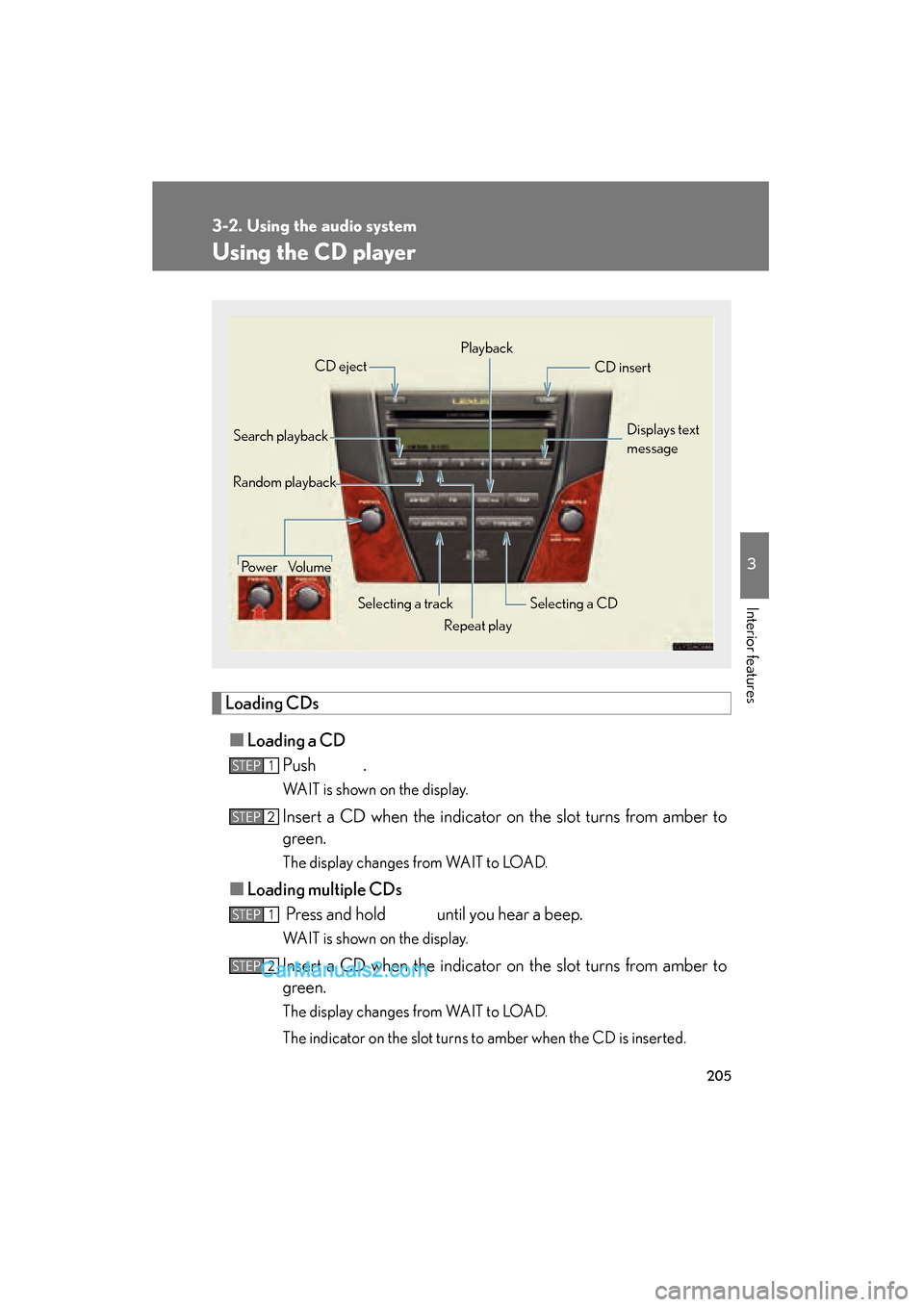
Using the CD player
Loading CDs■ Loading a CD
Push .
WAIT is shown on the display.
Insert a CD when the indicator on the slot turns from amber to
green.
The display changes from WAIT to LOAD.
■Loading multiple CDs
Press and hold until you hear a beep.
WAIT is shown on the display.
Insert a CD when the indicator on the slot turns from amber to
green.
The display changes from WAIT to LOAD.
The indicator on the slot turns to amber when the CD is inserted.
Power Volume
Selecting a track
CD eject
Playback
Search playback CD insert
Selecting a CD
Random playback
Repeat playDisplays text
message
STEP1
STEP2
STEP1
STEP2
Page 208 of 475
206
3-2. Using the audio system
ES350_U_(L/O_0808)Insert the next CD when the indicator on the slot turns from
amber to green again.
Repeat the procedure for the remaining CDs.
To stop the operation, press .
Ejecting CDs
■ Ejecting a CD
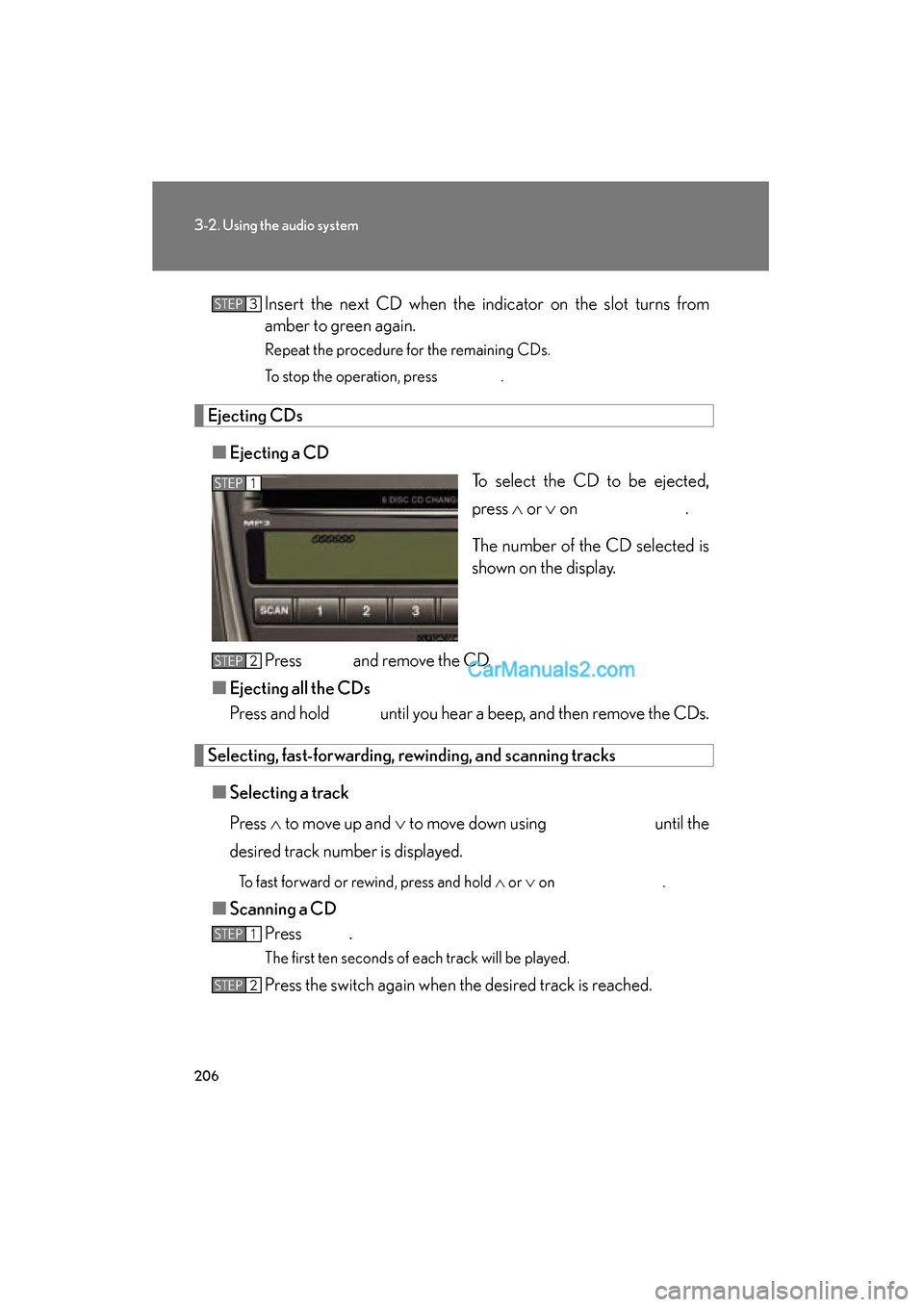
To select the CD to be ejected,
press ∧ or ∨ on .
The number of the CD selected is
shown on the display.
Press and remove the CD.
■ Ejecting all the CDs
Press and hold until you hear a beep, and then remove the CDs.
Selecting, fast-forwarding, rewinding, and scanning tracks
■ Selecting a track
Press ∧ to move up and ∨ to move down using until the
desired track number is displayed.
To fast forward or rewind, press and hold ∧ or ∨ on .
■Scanning a CD
Press .
The first ten seconds of each track will be played.
Press the switch again when the desired track is reached.
STEP3
STEP1
STEP2
STEP1
STEP2
Page 209 of 475
207
3-2. Using the audio system
3
Interior features
ES350_U_(L/O_0808)
Selecting a CD■ To select a CD to play
To select the desired CD, press ∧ or ∨ on .
■ To scan loaded CDs
Press and hold until you hear a beep.
The first ten seconds of the first track on each CD will be played.
Press the switch again when the desired CD is reached.
Repeat play
■ To repeat a track
Press (RPT).
■ To repeat all of the tracks on a CD
Press and hold (RPT) until you hear a beep.
Random playback
■ Current CD
Press (RAND).
Tracks are played in random order until random playback is canceled.
■All CDs
Press and hold (RAND) until you hear a beep.
Tracks on all loaded CDs are played in a random order until the switch is
pressed once more.
Switching the display
Press .
Each time the switch is pressed, the display changes in the order of Track no./
Elapsed time → CD title → Track name.
STEP1
STEP2