Rear window Lexus ES350 2012 Owner's Manual
[x] Cancel search | Manufacturer: LEXUS, Model Year: 2012, Model line: ES350, Model: Lexus ES350 2012Pages: 554, PDF Size: 6.43 MB
Page 3 of 554
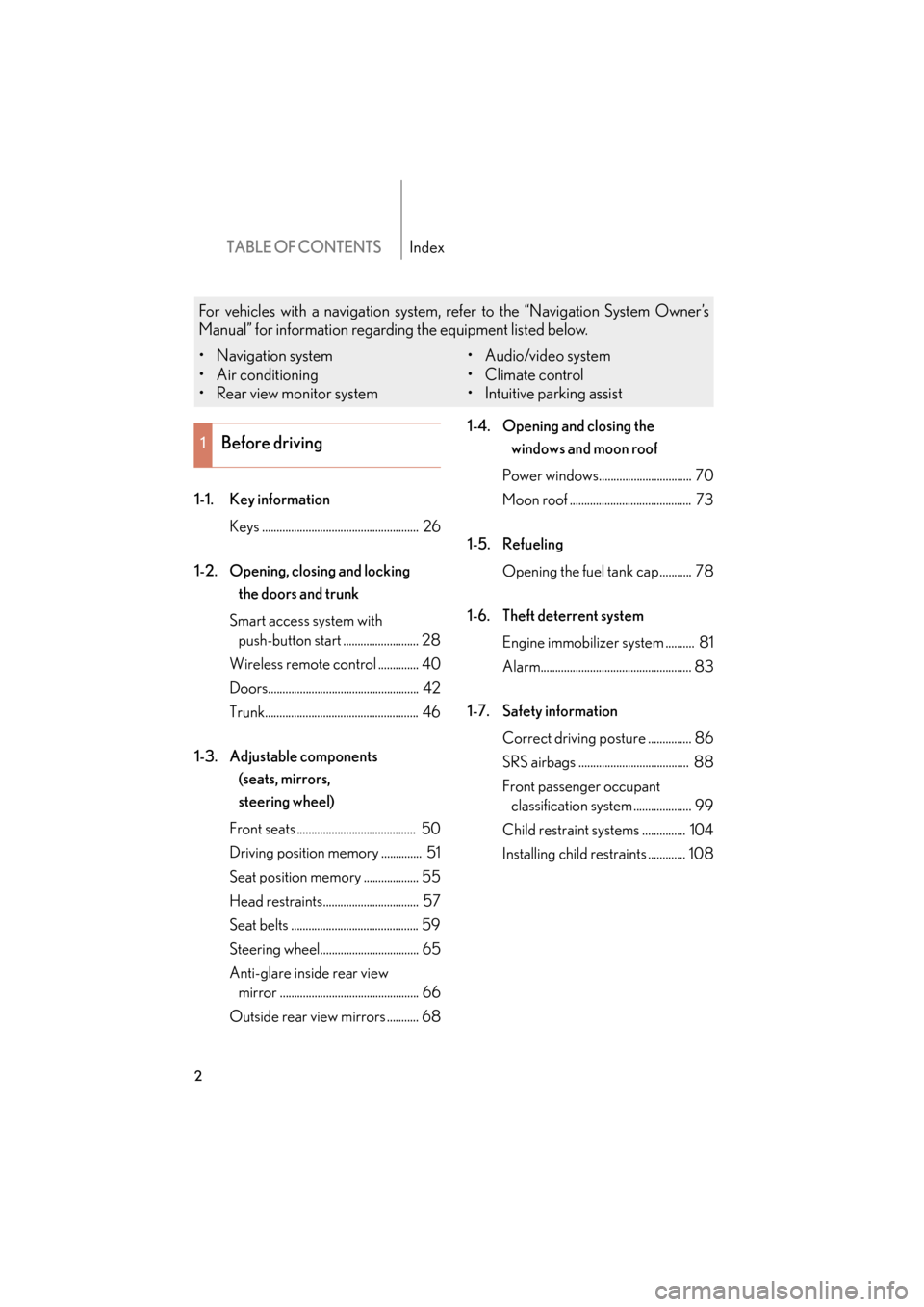
TABLE OF CONTENTSIndex
2
ES350_U
1-1. Key informationKeys ...................................................... 26
1-2. Opening, closing and locking the doors and trunk
Smart access system with push-button start .......................... 28
Wireless remote control .............. 40
Doors.................................................... 42
Trunk..................................................... 46
1-3. Adjustable components (seats, mirrors,
steering wheel)
Front seats ......................................... 50
Driving position memory .............. 51
Seat position memory ................... 55
Head restraints................................. 57
Seat belts ............................................ 59
Steering wheel.................................. 65
Anti-glare inside rear view mirror ................................................ 66
Outside rear view mirrors ........... 68 1-4. Opening and closing the
windows and moon roof
Power windows................................ 70
Moon roof .......................................... 73
1-5. Refueling Opening the fuel tank cap........... 78
1-6. Theft deterrent system Engine immobilizer system .......... 81
Alarm.................................................... 83
1-7. Safety information Correct driving posture ............... 86
SRS airbags ...................................... 88
Front passenger occupant classification system .................... 99
Child restraint systems ............... 104
Installing child restraints ............. 108
1Before driving
For vehicles with a navigation system, refer to the “Navigation System Owner’s
Manual” for information regarding the equipment listed below.
• Navigation system
• Air conditioning
• Rear view monitor system • Audio/video system
•Climate control
• Intuitive parking assist
Page 4 of 554
1
2
3
4
5
6
7
3
ES350_U
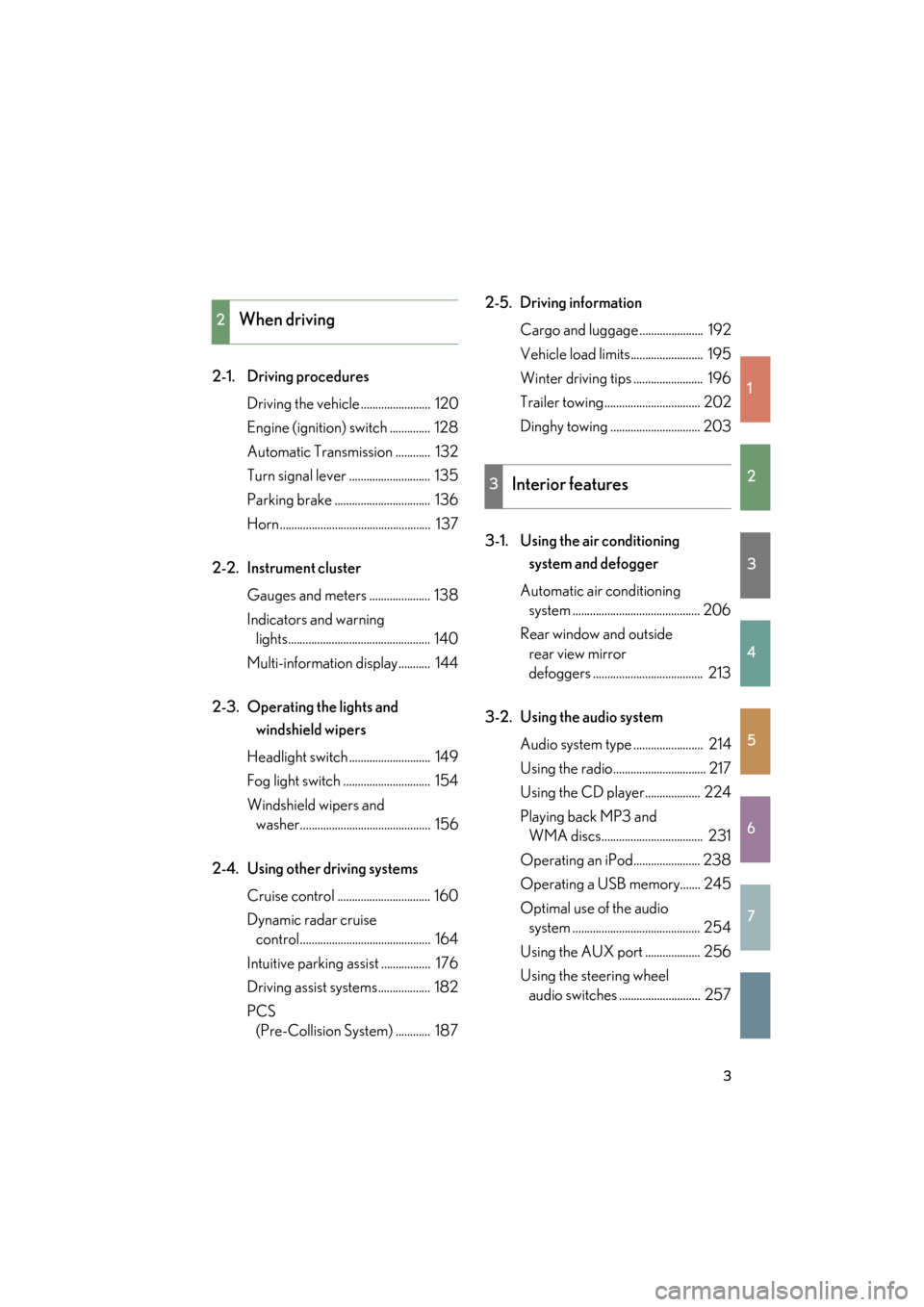
2-1. Driving proceduresDriving the vehicle ........................ 120
Engine (ignition) switch .............. 128
Automatic Transmission ............ 132
Turn signal lever ............................ 135
Parking brake ................................. 136
Horn.................................................... 137
2-2. Instrument cluster Gauges and meters ..................... 138
Indicators and warning lights................................................. 140
Multi-information display........... 144
2-3. Operating the lights and windshield wipers
Headlight switch ............................ 149
Fog light switch .............................. 154
Windshield wipers and washer............................................. 156
2-4. Using other driving systems Cruise control ................................ 160
Dynamic radar cruise control............................................. 164
Intuitive parking assist ................. 176
Driving assist systems.................. 182
PCS (Pre-Collision System) ............ 187 2-5. Driving information
Cargo and luggage ...................... 192
Vehicle load limits......................... 195
Winter driving tips ........................ 196
Trailer towing ................................. 202
Dinghy towing ............................... 203
3-1. Using the air conditioning system and defogger
Automatic air conditioning system ............................................ 206
Rear window and outside rear view mirror
defoggers ...................................... 213
3-2. Using the audio system Audio system type ........................ 214
Using the radio................................ 217
Using the CD player................... 224
Playing back MP3 and WMA discs................................... 231
Operating an iPod....................... 238
Operating a USB memory....... 245
Optimal use of the audio system ............................................ 254
Using the AUX port ................... 256
Using the steering wheel audio switches ............................ 257
2When driving
3Interior features
Page 10 of 554
ES350_U
9
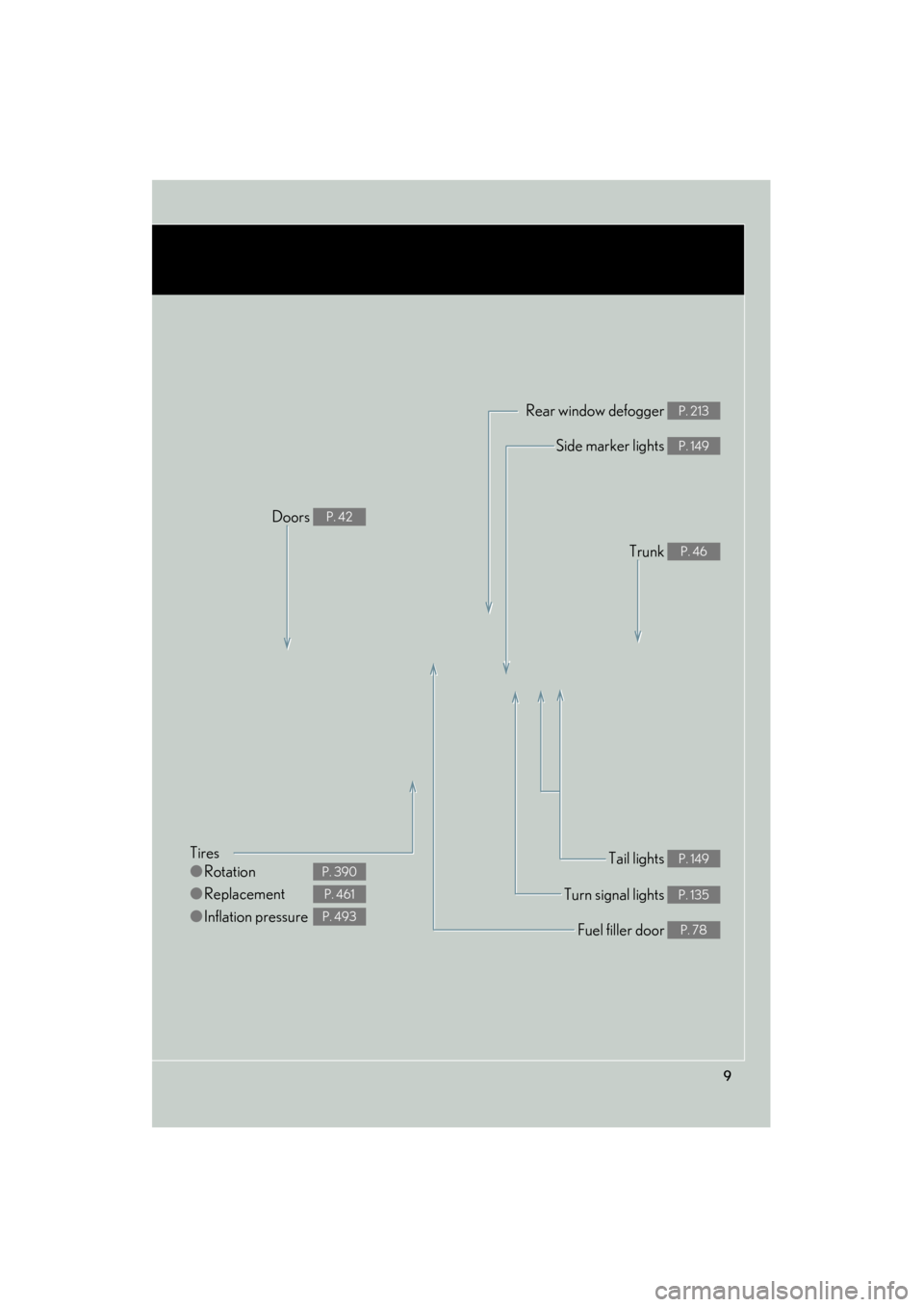
Tires
●Rotation
● Replacement
● Inflation pressure
P. 390
P. 461
P. 493
Tail lights P. 149
Side marker lights P. 149
Trunk P. 46
Rear window defogger P. 213
Doors P. 42
Fuel filler door P. 78
Turn signal lights P. 135
Page 16 of 554
ES350_U
15
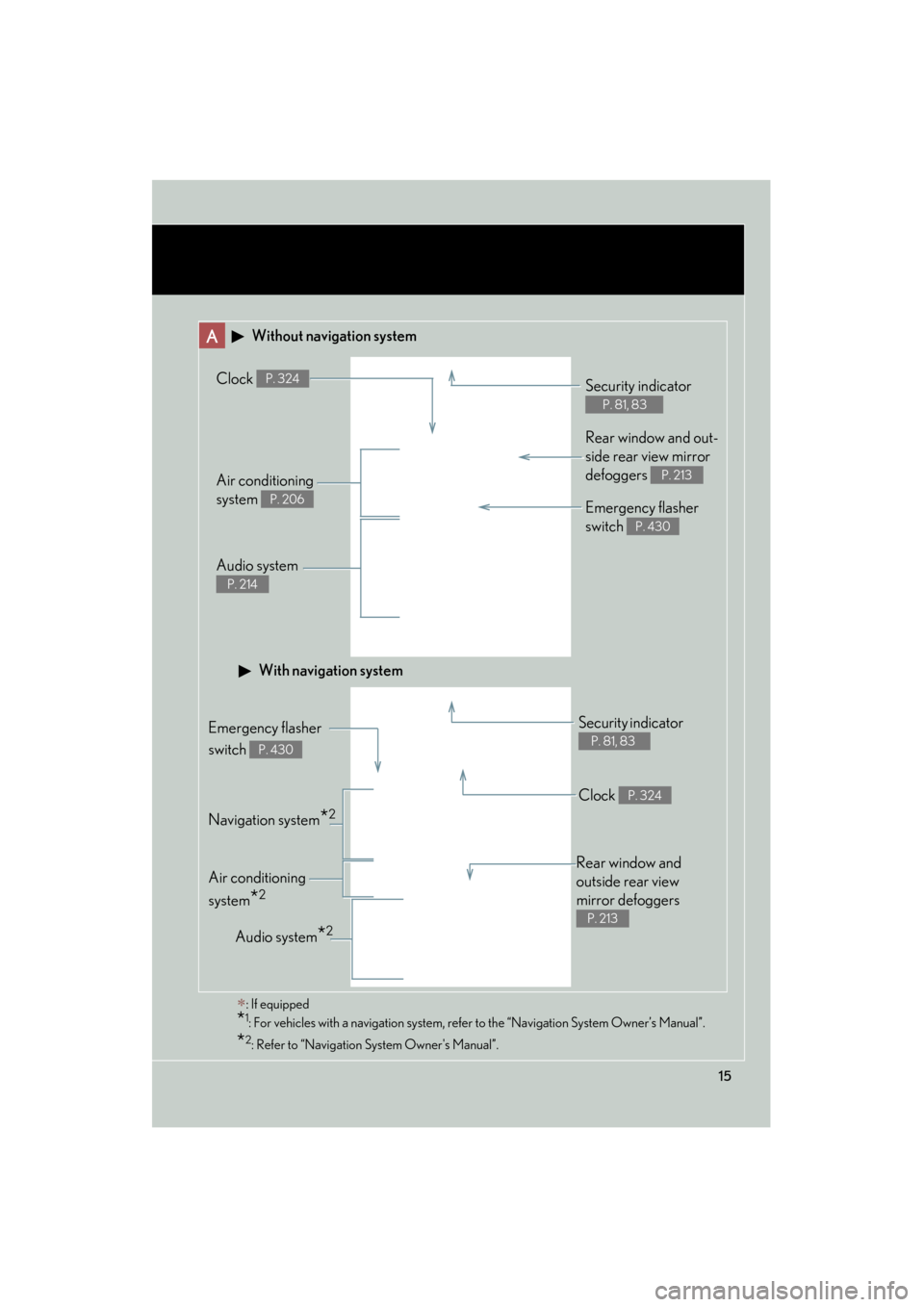
A Without navigation system
Navigation system*2
Clock P. 324
Audio system
P. 214
Air conditioning
system
P. 206
Rear window and out-
side rear view mirror
defoggers
P. 213
Security indicator
P. 81, 83
Emergency flasher
switch
P. 430
Audio system*2
Security indicator
P. 81, 83Emergency flasher
switch
P. 430
Air conditioning
system
*2
With navigation system
∗: If equipped
*1: For vehicles with a navigation system, refer to the “Navigation System Owner’s Manual”.
*2: Refer to “Navigation System Owner's Manual”.
Rear window and
outside rear view
mirror defoggers
P. 213
Clock P. 324
Page 26 of 554
Before driving1
25
ES350_U
1-1. Key informationKeys ............................................... 26
1-2. Opening, closing and locking the doors
and trunk
Smart access system with push-button start ................... 28
Wireless remote control ........ 40
Doors ............................................ 42
Trunk ............................................. 46
1-3. Adjustable components (seats, mirrors,
steering wheel)
Front seats .................................. 50
Driving position memory ......... 51
Seat position memory.............. 55
Head restraints .......................... 57
Seat belts ..................................... 59
Steering wheel........................... 65
Anti-glare inside rear view mirror ......................................... 66
Outside rear view mirrors ...... 68 1-4. Opening and closing the
windows and moon roof
Power windows .......................... 70
Moon roof ................................... 73
1-5. Refueling Opening the fuel tank cap ..... 78
1-6. Theft deterrent system Engine immobilizer system..... 81
Alarm............................................ 83
1-7. Safety information Correct driving posture ......... 86
SRS airbags ................................ 88
Front passenger occupant classification system.............. 99
Child restraint systems ......... 104
Installing child restraints....... 108
Page 34 of 554
33
1-2. Opening, closing and locking the doors and trunk
1
Before driving
ES350_U
●When carrying or using the electronic key together with the following devices
that emit radio waves
• Another vehicle's electronic key or a wireless key that emits radio waves
• Personal computers or personal digital assistants (PDAs)
• Digital audio players
• Portable game systems
●If window tint with a metallic content or metallic objects are attached to the rear
window
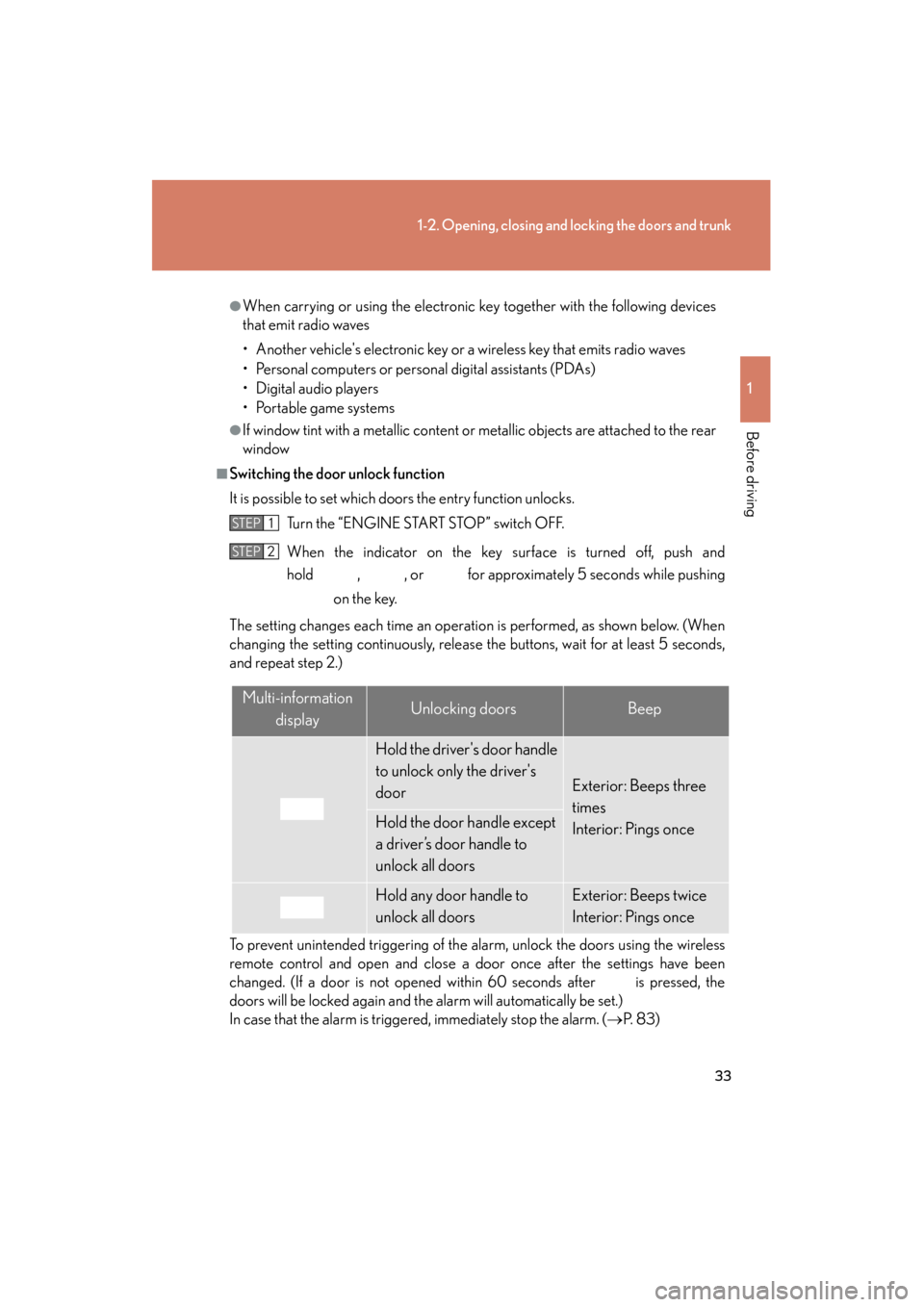
■Switching the door unlock function
It is possible to set which doors the entry function unlocks. Turn the “ENGINE START STOP” switch OFF.
When the indicator on the key surface is turned off, push and
hold , , or for approximately 5 seconds while pushing on the key.
The setting changes each time an operation is performed, as shown below. (When
changing the setting continuously, release the buttons, wait for at least 5 seconds,
and repeat step 2.)
To prevent unintended triggering of the alarm, unlock the doors using the wireless
remote control and open and close a door once after the settings have been
changed. (If a door is not opened within 60 seconds after is pressed, the
doors will be locked again and the alarm will automatically be set.)
In case that the alarm is triggered, immediately stop the alarm. (→ P. 8 3 )
STEP1
STEP2
Multi-information
displayUnlocking doorsBeep
Hold the driver's door handle
to unlock only the driver's
door
Exterior: Beeps three
times
Interior: Pings once
Hold the door handle except
a driver’s door handle to
unlock all doors
Hold any door handle to
unlock all doorsExterior: Beeps twice
Interior: Pings once
Page 36 of 554
35
1-2. Opening, closing and locking the doors and trunk
1
Before driving
ES350_U
■To operate the system properly
Make sure to carry the electronic key when operating the system. Do not get the
electronic key too close to the vehicle when operating the system from the outside
of the vehicle.
Depending on the position and holding condition of the electronic key, the key may
not be detected correctly and the system may not operate properly. (The alarm may
go off accidentally, or the door lock prevention may not function.)
■Note for the entry function
●Even when the electronic key is within the effective range (detection areas), the
system may not operate properly in the following cases.
• The electronic key is too close to the window or outside door handle, near the
ground, or in a high place when the doors are locked or unlocked.
• The electronic key is near the ground or in a high place, or too close to the rear bumper center when the trunk is unlocked.
• The electronic key is on the instrument panel, rear package tray or floor, or in
the glove box when the engine is started or “ENGINE START STOP” switch
modes are changed.
●Do not leave the electronic key on top of the instrument panel or near the door
pockets when exiting the vehicle. Depending on the radio wave reception con-
ditions, it may be detected by the antenna outside the cabin and the door will
become lockable from the outside, possibly trapping the electronic key inside
the vehicle.
●As long as the electronic key is within the effective range, the doors may be
locked or unlocked by anyone.
●Even if the electronic key is not inside the vehicle, it may be possible to start the
engine if the electronic key is near the window.
●The doors may unlock if a large amount of water splashes on the door handle,
such as in the rain or in a car wash. (The doors will automatically be locked after
approximately 60 seconds if the doors are not opened and closed.)
●Gripping the door handle when wearing a glove may not unlock the door.
●If the wireless remote control is used to lock the doors when the electronic key
is near the vehicle, there is a possibility that the door may not be unlocked by the
entry function. (Use the wireless re mote control to unlock the doors.)
●A sudden approach to the effective range or door handle may prevent the doors
from being unlocked. In this case, return the door handle to the original position
and check that the doors unlock before pulling the door handle again.
Page 98 of 554
97
1-7. Safety information
1
Before driving
ES350_U
CAUTION
■SRS airbag precautions
●If the vinyl cover is put on the area where the SRS knee airbag will deploys, be
sure to remove it.
●Do not use seat accessories which cover the parts where the SRS side airbags
inflate as they may interfere with inflation of the airbags.
●Do not strike or apply significant levels of force to the area of the SRS airbag
components shown on P. 89.
Doing so can cause the SRS airbags to malfunction.
●Do not touch any of the component parts immediately after the SRS airbags have
deployed (inflated) as they may be hot.
●If breathing becomes difficult after the SRS airbag has deployed, open a door or
window to allow fresh air in, or leave the vehicle if it is safe to do so. Wash off any
residue as soon as possible to prevent skin irritation.
●If the areas where the SRS airbags are stored, such as the steering wheel pad and
front pillar garnish, are damaged or cracked, have them replaced by your Lexus
dealer.
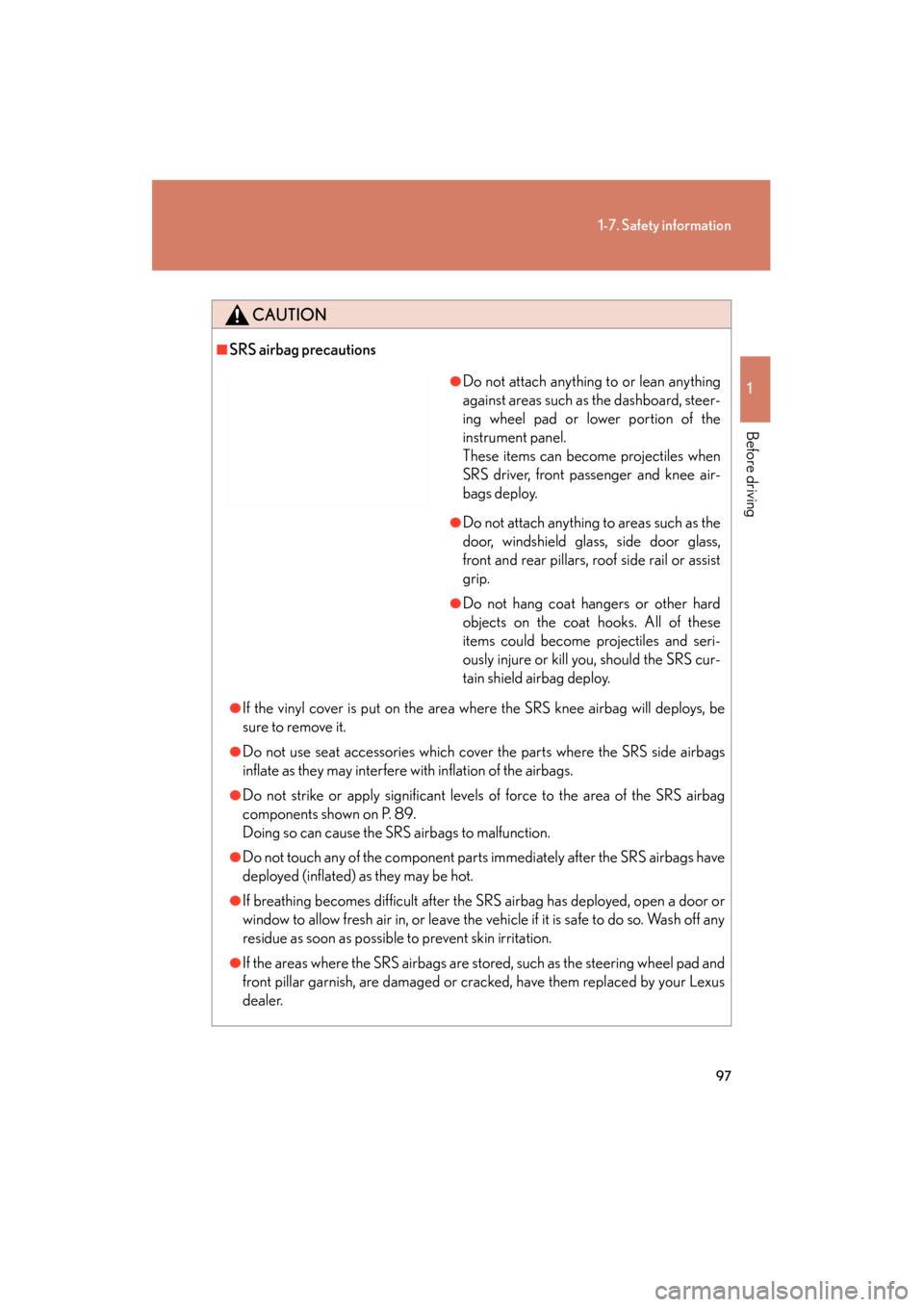
●Do not attach anything to or lean anything
against areas such as the dashboard, steer-
ing wheel pad or lower portion of the
instrument panel.
These items can become projectiles when
SRS driver, front passenger and knee air-
bags deploy.
●Do not attach anything to areas such as the
door, windshield glass, side door glass,
front and rear pillars, roof side rail or assist
grip.
●Do not hang coat hangers or other hard
objects on the coat hooks. All of these
items could become projectiles and seri-
ously injure or kill you, should the SRS cur-
tain shield airbag deploy.
Page 205 of 554
204
ES350_U
3-1. Using the air conditioning system and defogger
Automatic air conditioning system ..................................... 206
Rear window and outside rear view
mirror defoggers.................. 213
3-2. Using the audio system Audio system type .................. 214
Using the radio ........................ 217
Using the CD player ............. 224
Playing back MP3 and WMA discs ............................ 231
Operating an iPod ................. 238
Operating a USB memory.................................. 245
Optimal use of the audio system ..................................... 254
Using the AUX port.............. 256
Using the steering wheel audio switches...................... 257
Page 214 of 554

213
3-1. Using the air conditioning system and defogger
3
Interior features
ES350_U
Rear window and outside rear view mirror defoggers
CAUTION
■When the outside rear view mirror defoggers are on
Do not touch the outside surface of the rear view mirror, as it can become very hot
and burn you.
These features are used to defog the rear window, and to remove rain-
drops, dew and frost from the outside rear view mirrors.
Without navigation system ON/OFF
The defoggers will automatically
turn off after 15 to 60 minutes.
The operation time changes
according to the ambient tem-
perature and vehicle speed.
With navigation systemON/OFF
The defoggers will automatically
turn off after 15 to 60 minutes.
The operation time changes
according to the ambient tem-
perature and vehicle speed.