engine oil Lexus ES350 2020 Owner's Manuals / LEXUS 2020 ES350 THROUGH SEPT. 2019 PROD. OWNER'S MANUAL (OM06174U)
[x] Cancel search | Manufacturer: LEXUS, Model Year: 2020, Model line: ES350, Model: Lexus ES350 2020Pages: 448, PDF Size: 9.77 MB
Page 1 of 448

1
2
3
4
5
6
7
8
9
Pictorial indexSearch by illustration
For safety and
securityMake sure to read through them
(Main topics: Child seat, theft deterrent system)
Vehicle status
information and
indicatorsReading driving-related information
(Main topics: Meters, multi-information display)
Before drivingOpening and closing the doors and windows,
adjustment before driving
(Main topics: Keys, doors, seats, power windows)
DrivingOperations and advice which are necessary for driving
(Main topics: Starting engine, refueling)
Interior featuresUsage of the interior features
(Main topics: Air conditioner, storage features)
Maintenance and
careCaring for your vehicle and maintenance procedures
(Main topics: Interior and exterior, light bulbs)
When trouble
arisesWhat to do in case of malfunction and emergency
(Main topics: Battery discharge, flat tire)
Vehicle
specificationsVehicle specifications, customizable features
(Main topics: Fuel, oil, tire inflation pressure)
For ownersReporting safety defects for U.S. owners, and seat belt,
SRS airbag and headlight aim instructions for Canadian
owners
IndexSearch by symptom
Search alphabetically
Page 4 of 448
4TABLE OF CONTENTS
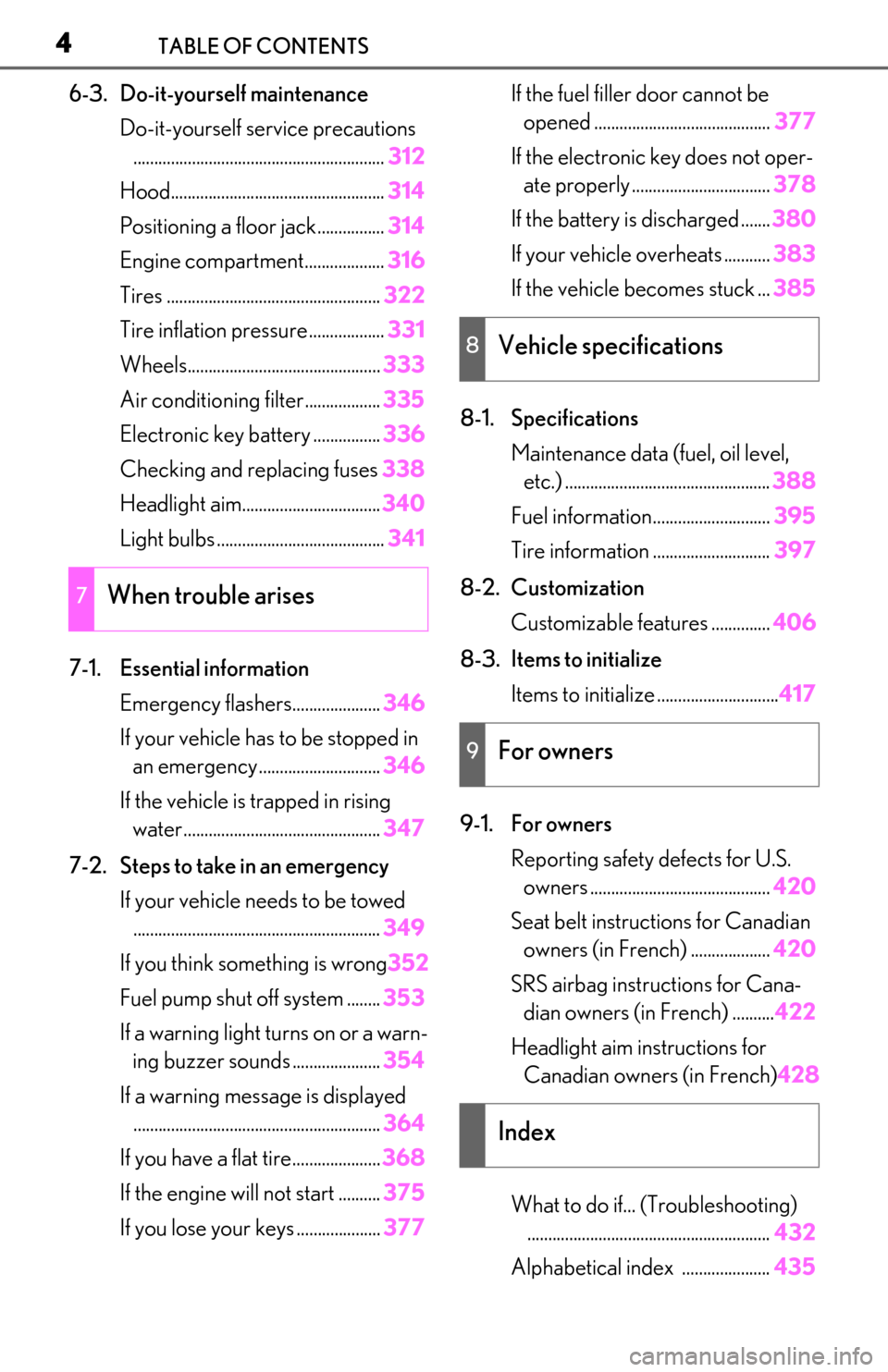
6-3. Do-it-yourself maintenanceDo-it-yourself service precautions............................................................ 312
Hood................................................... 314
Positioning a floor jack................ 314
Engine compartment................... 316
Tires ................................................... 322
Tire inflation pressure .................. 331
Wheels.............................................. 333
Air conditioning filter..................335
Electronic key battery ................ 336
Checking and replacing fuses 338
Headlight aim................................. 340
Light bulbs ........................................ 341
7-1. Essential information Emergency flashers..................... 346
If your vehicle has to be stopped in an emergency ............................. 346
If the vehicle is trapped in rising water............................................... 347
7-2. Steps to take in an emergency If your vehicle needs to be towed........................................................... 349
If you think something is wrong 352
Fuel pump shut off system ........ 353
If a warning light turns on or a warn- ing buzzer sounds ..................... 354
If a warning message is displayed ........................................................... 364
If you have a flat tire..................... 368
If the engine wi ll not start .......... 375
If you lose your keys .................... 377If the fuel filler door cannot be
opened .......................................... 377
If the electronic key does not oper- ate properly ................................. 378
If the battery is discharged ....... 380
If your vehicle overheats ........... 383
If the vehicle becomes stuck ... 385
8-1. Specifications Maintenance data (fuel, oil level, etc.) ................................................. 388
Fuel information............................ 395
Tire information ............................ 397
8-2. Customization Customizable features .............. 406
8-3. Items to initialize Items to initialize ............................. 417
9-1. For owners Reporting safety defects for U.S. owners ........................................... 420
Seat belt instructions for Canadian owners (in French) ................... 420
SRS airbag instructions for Cana- dian owners (in French) .......... 422
Headlight aim instructions for Canadian owners (in French) 428
What to do if... (Troubleshooting) .......................................................... 432
Alphabetical index ..................... 435
7When trouble arises
8Vehicle specifications
9For owners
Index
Page 13 of 448
13Pictorial index
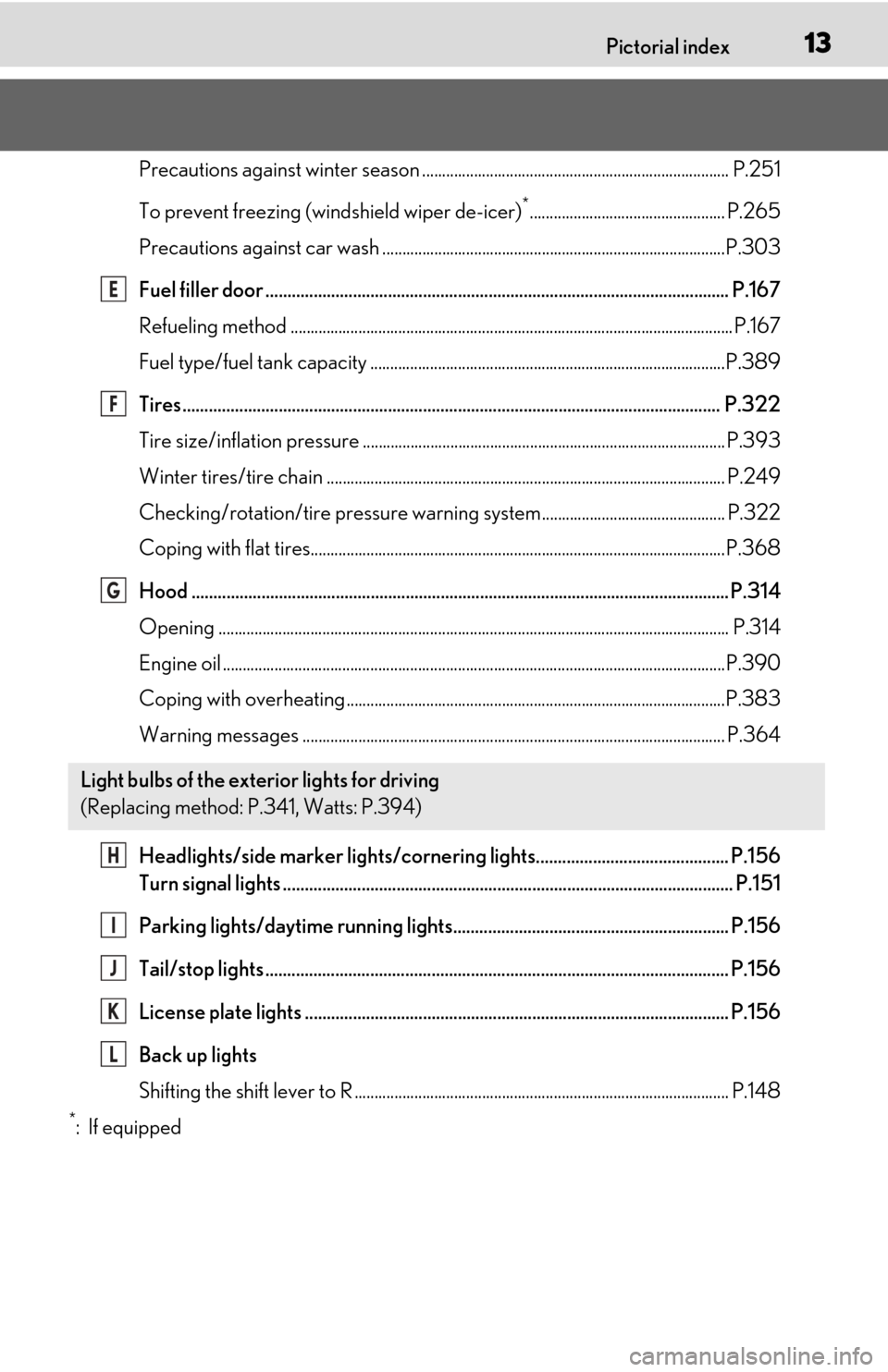
Precautions against winter season ............................................................................. P.251
To prevent freezing (windshield wiper de-icer)
*................................................. P.265
Precautions against car wash ......................................................................................P.303
Fuel filler door .......................................................................................................... P.167
Refueling method ............................................................................................................... P.167
Fuel type/fuel tank capacity ...... ...................................................................................P.389
Tires.......................................................................................................................... .P.322
Tire size/inflation pressure ........................................................................................... P.393
Winter tires/tire chain .................................................................................................... P.24 9
Checking/rotation/tire pressure warning system.............................................. P.322
Coping with flat tires........................................................................................................P .368
Hood ........................................................................................................................... P.314
Opening ........................................................................................................................ ........ P.314
Engine oil ..................................................................................................................... .........P.390
Coping with overheating ...............................................................................................P.383
Warning messages .......................................................................................................... P.364
Headlights/side marker lights/cornering lights............................................ P.156
Turn signal lights ....................................................................................................... P.151
Parking lights/daytime running lights............................................................... P.156
Tail/stop lights .......................................................................................................... P.156
License plate lights ................................................................................................. P.156
Back up lights
Shifting the shift lever to R .............................................................................................. P.14 8
*:If equipped
Light bulbs of the exterior lights for driving
(Replacing method: P.341, Watts: P.394)
E
F
G
H
I
J
K
L
Page 67 of 448
672-1. Instrument cluster
2
Vehicle status information and indicators
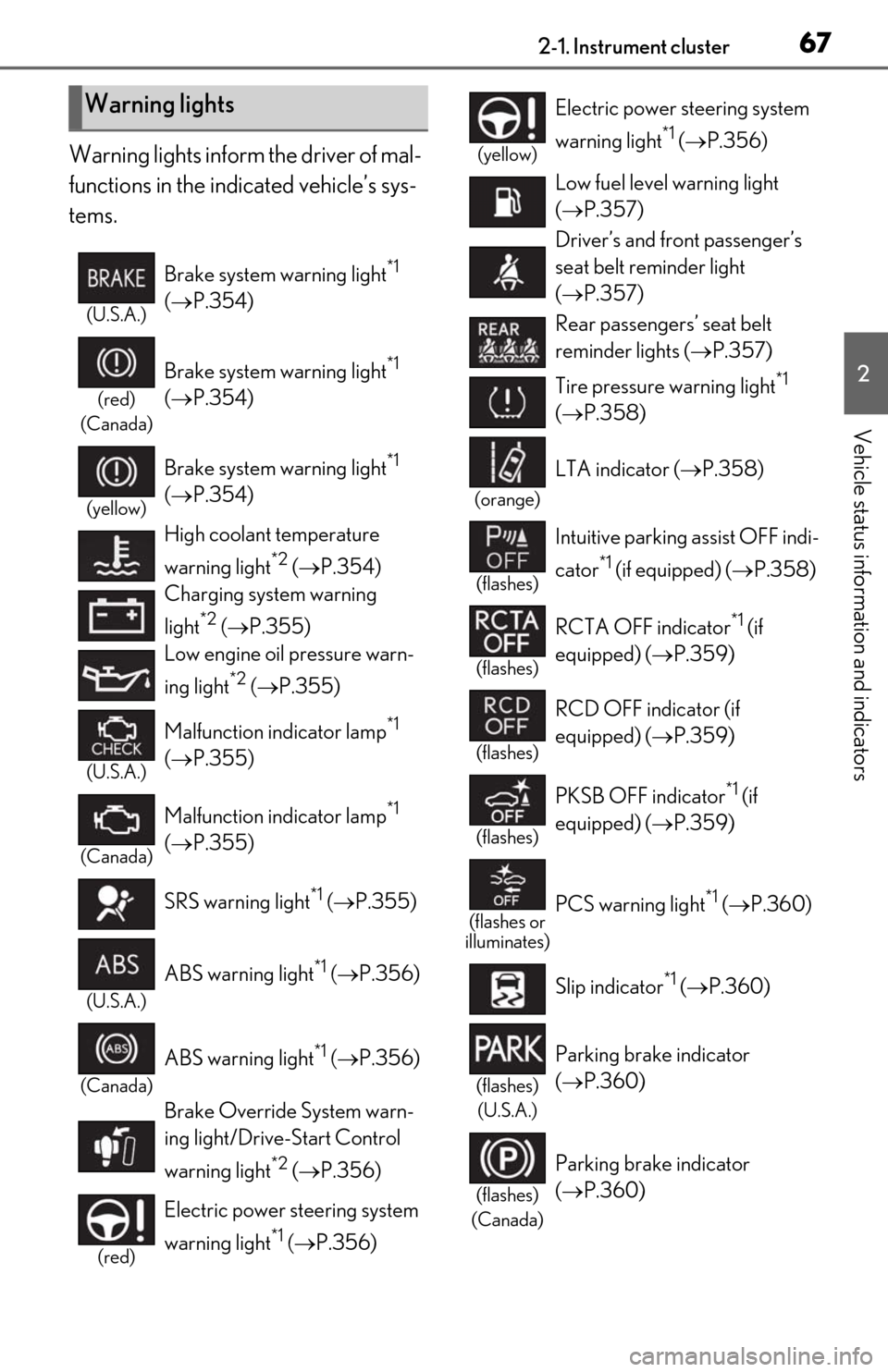
Warning lights inform the driver of mal-
functions in the indicated vehicle’s sys-
tems.
Warning lights
(U.S.A.)
Brake system warning light*1
( P.354)
(red)
(Canada)
Brake system warning light*1
( P.354)
(yellow)
Brake system warning light*1
( P.354)
High coolant temperature
warning light
*2 ( P.354)
Charging system warning
light
*2 ( P.355)
Low engine oil pressure warn-
ing light
*2 ( P.355)
(U.S.A.)
Malfunction indicator lamp*1
( P.355)
(Canada)
Malfunction indicator lamp*1
( P.355)
SRS warning light
*1 ( P.355)
(U.S.A.)
ABS warning light*1 ( P.356)
(Canada)
ABS warning light*1 ( P.356)
Brake Override System warn-
ing light/Drive-Start Control
warning light
*2 ( P.356)
(red)
Electric power st eering system
warning light
*1 ( P.356)
(yellow)
Electric power steering system
warning light
*1 ( P.356)
Low fuel level warning light
( P.357)
Driver’s and front passenger’s
seat belt re minder light
( P.357)
Rear passengers’ seat belt
reminder lights ( P.357)
Tire pressure warning light
*1
( P.358)
(orange)
LTA indicator ( P.358)
(flashes)
Intuitive parking assist OFF indi-
cator
*1 (if equipped) (P.358)
(flashes)
RCTA OFF indicator*1 (if
equipped) ( P.359)
(flashes)
RCD OFF indicator (if
equipped) (P.359)
(flashes)
PKSB OFF indicator*1 (if
equipped) ( P.359)
(flashes or
illuminates)PCS warning light*1 ( P.360)
Slip indicator
*1 ( P.360)
(flashes)
(U.S.A.)
Parking brake indicator
( P.360)
(flashes)
(Canada)
Parking brake indicator
( P.360)
Page 71 of 448
712-1. Instrument cluster
2
Vehicle status information and indicators
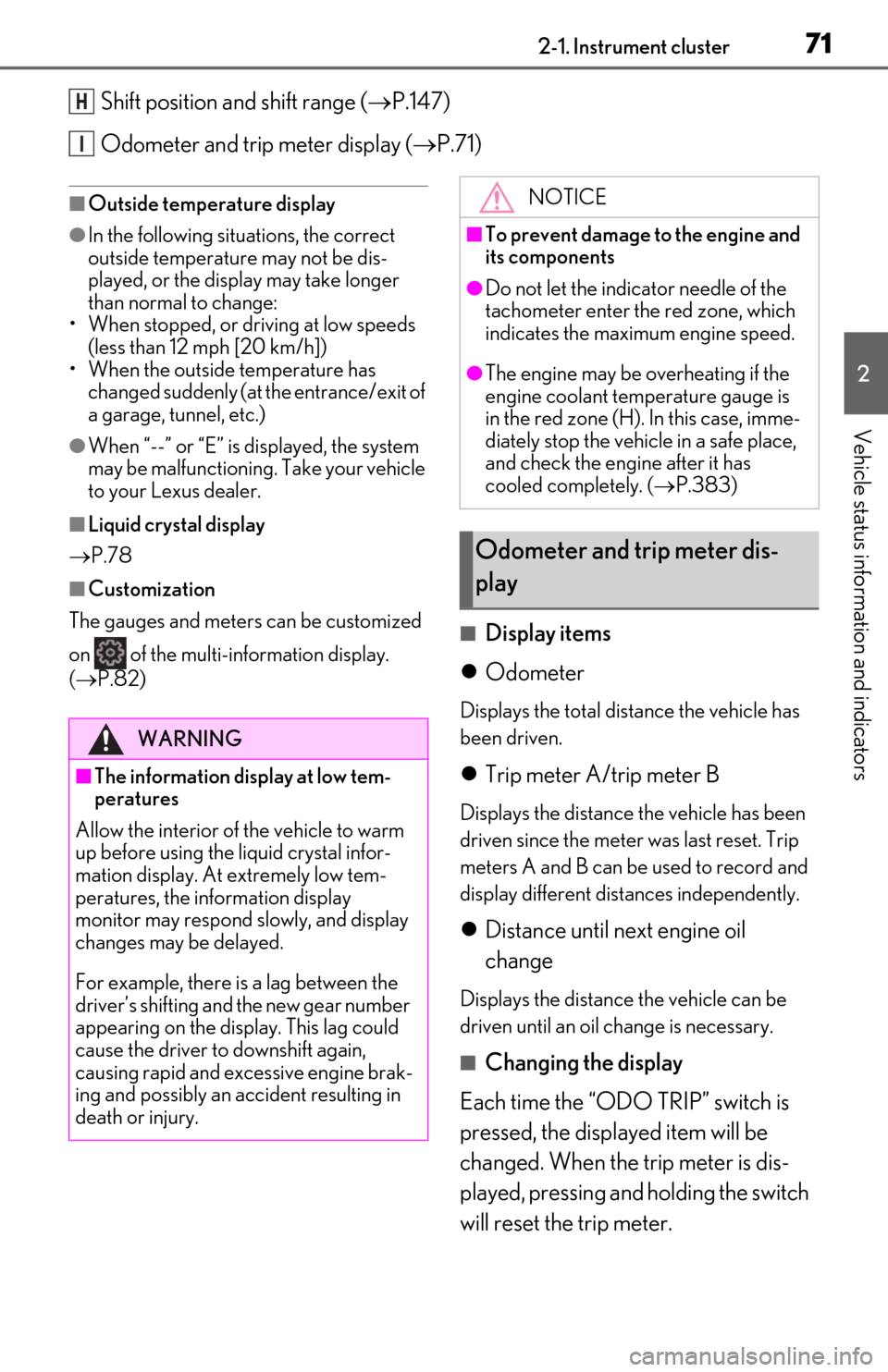
Shift position and shift range (P.147)
Odometer and trip meter display ( P.71)
■Outside temperature display
●In the following situations, the correct
outside temperature may not be dis-
played, or the display may take longer
than normal to change:
• When stopped, or driving at low speeds (less than 12 mph [20 km/h])
• When the outside temperature has changed suddenly (at the entrance/exit of
a garage, tunnel, etc.)
●When “--” or “E” is displayed, the system
may be malfunctioning. Take your vehicle
to your Lexus dealer.
■Liquid crystal display
P.78
■Customization
The gauges and meters can be customized
on of the multi-information display.
( P.82)
■Display items
Odometer
Displays the total distance the vehicle has
been driven.
Trip meter A/trip meter B
Displays the distance the vehicle has been
driven since the meter was last reset. Trip
meters A and B can be used to record and
display different distances independently.
Distance until next engine oil
change
Displays the distance the vehicle can be
driven until an oil change is necessary.
■Changing the display
Each time the “ODO TRIP” switch is
pressed, the displayed item will be
changed. When the trip meter is dis-
played, pressing and holding the switch
will reset the trip meter.
H
I
WARNING
■The information display at low tem-
peratures
Allow the interior of the vehicle to warm
up before using the liquid crystal infor-
mation display. At extremely low tem-
peratures, the information display
monitor may respond slowly, and display
changes may be delayed.
For example, there is a lag between the
driver’s shifting and the new gear number
appearing on the display. This lag could
cause the driver to downshift again,
causing rapid and excessive engine brak-
ing and possibly an accident resulting in
death or injury.
NOTICE
■To prevent damage to the engine and
its components
●Do not let the indicator needle of the
tachometer enter the red zone, which
indicates the maximum engine speed.
●The engine may be overheating if the
engine coolant temperature gauge is
in the red zone (H). In this case, imme-
diately stop the vehicle in a safe place,
and check the engine after it has
cooled completely. ( P.383)
Odometer and trip meter dis-
play
Page 72 of 448
722-1. Instrument cluster
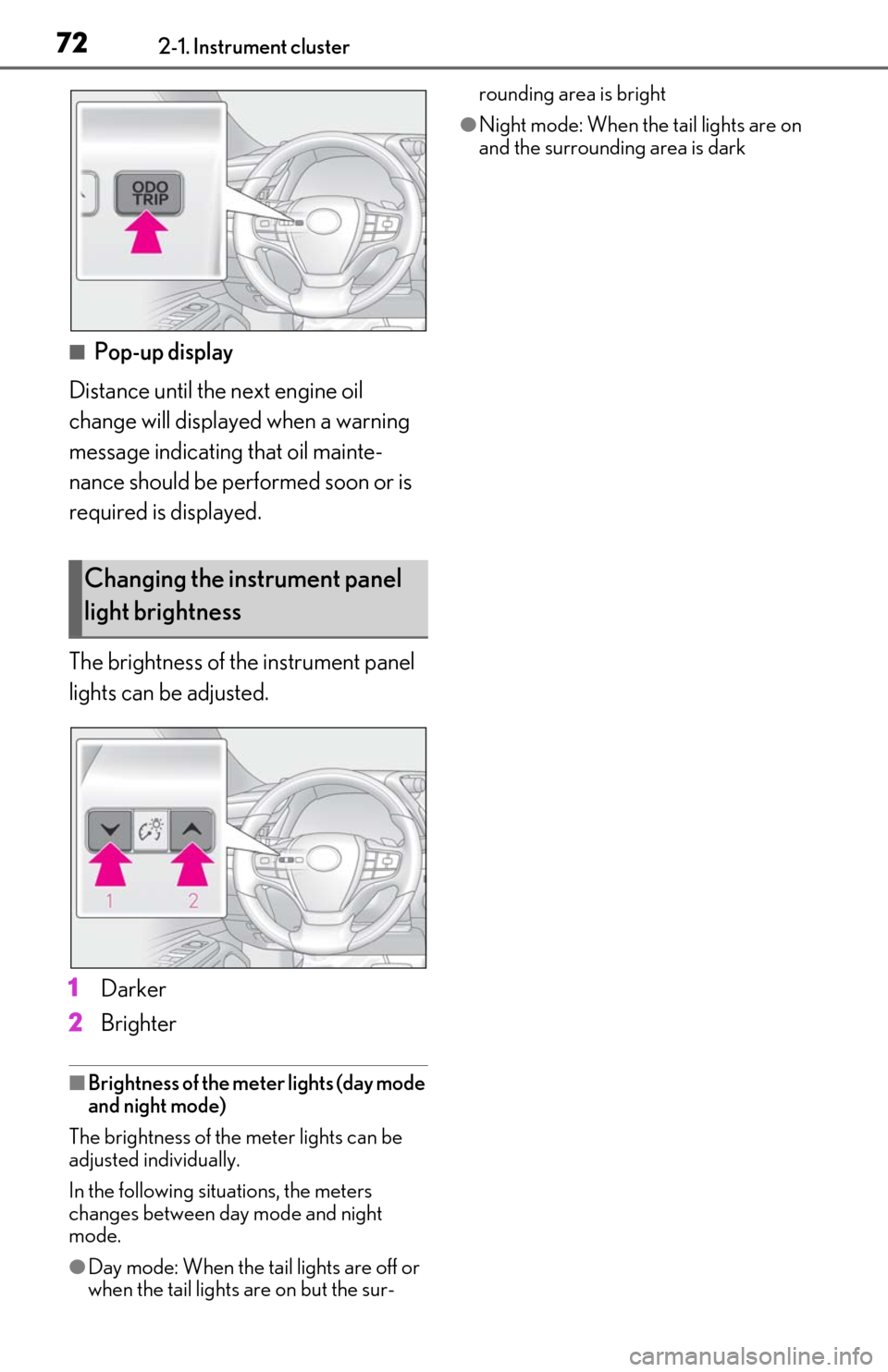
■Pop-up display
Distance until the next engine oil
change will displayed when a warning
message indicating that oil mainte-
nance should be performed soon or is
required is displayed.
The brightness of the instrument panel
lights can be adjusted.
1 Darker
2 Brighter
■Brightness of the mete r lights (day mode
and night mode)
The brightness of the meter lights can be
adjusted individually.
In the following situations, the meters
changes between day mode and night
mode.
●Day mode: When the tail lights are off or
when the tail lights are on but the sur- rounding area is bright
●Night mode: When the tail lights are on
and the surrounding area is dark
Changing the instrument panel
light brightness
Page 76 of 448
762-1. Instrument cluster
■Display items
Odometer
Displays the total distance the vehicle has
been driven.
Trip meter A/trip meter B
Displays the distance the vehicle has been
driven since the meter was last reset. Trip
meters A and B can be used to record and
display different distances independently.
Distance until next engine oil change
Displays the distance the vehicle can be
driven until an oil change is necessary.
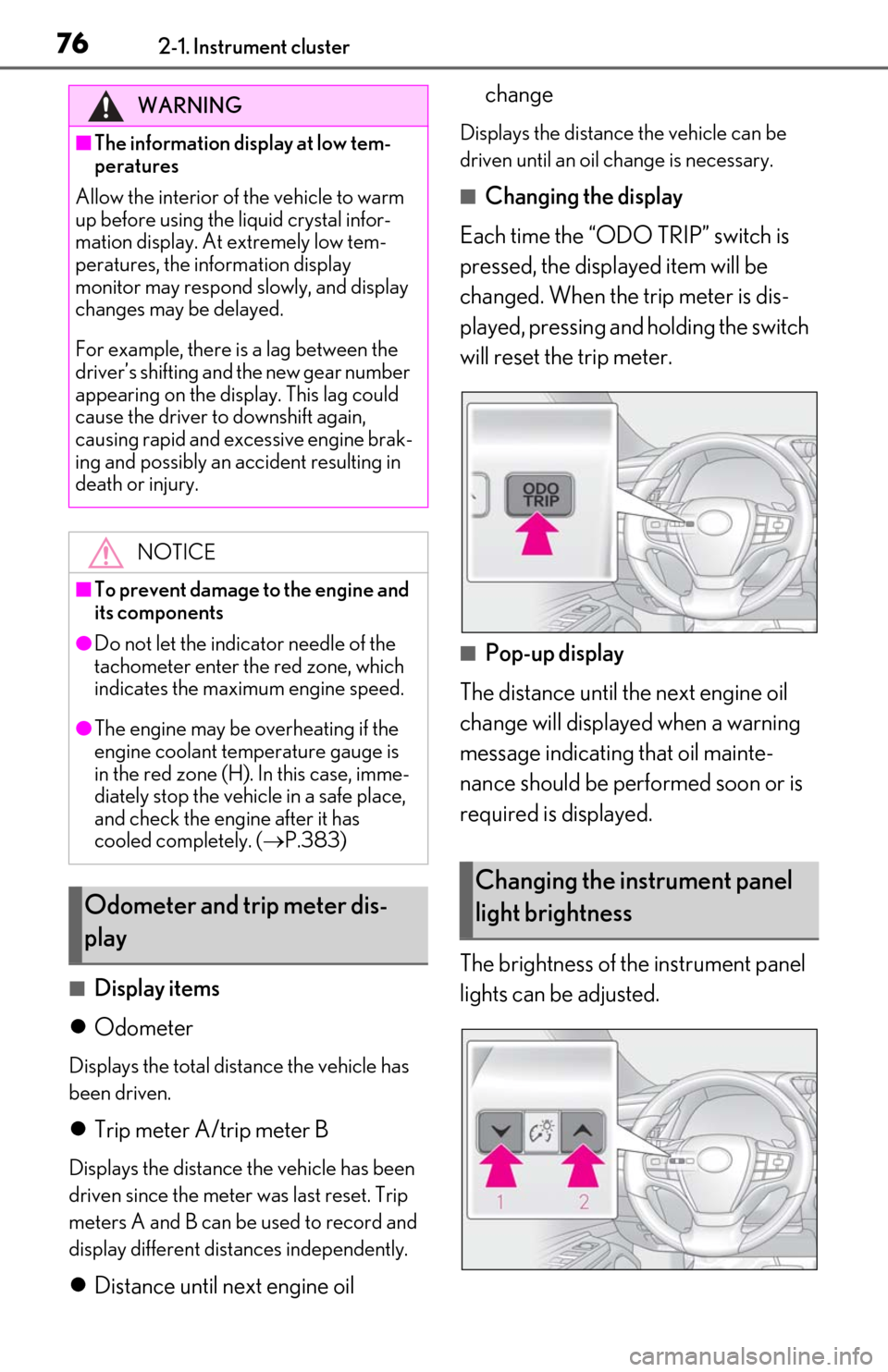
■Changing the display
Each time the “ODO TRIP” switch is
pressed, the displayed item will be
changed. When the trip meter is dis-
played, pressing and holding the switch
will reset the trip meter.
■Pop-up display
The distance until the next engine oil
change will displayed when a warning
message indicating that oil mainte-
nance should be performed soon or is
required is displayed.
The brightness of the instrument panel
lights can be adjusted.
WARNING
■The information display at low tem-
peratures
Allow the interior of the vehicle to warm
up before using the liquid crystal infor-
mation display. At extremely low tem-
peratures, the information display
monitor may respond slowly, and display
changes may be delayed.
For example, there is a lag between the
driver’s shifting and the new gear number
appearing on the display. This lag could
cause the driver to downshift again,
causing rapid and excessive engine brak-
ing and possibly an accident resulting in
death or injury.
NOTICE
■To prevent damage to the engine and
its components
●Do not let the indicator needle of the
tachometer enter the red zone, which
indicates the maximum engine speed.
●The engine may be overheating if the
engine coolant temperature gauge is
in the red zone (H). In this case, imme-
diately stop the vehicle in a safe place,
and check the engine after it has
cooled completely. ( P.383)
Odometer and trip meter dis-
play
Changing the instrument panel
light brightness
Page 108 of 448

1083-2. Opening, closing and locking the doors and trunk
situations, the communication between the
electronic key and the vehicle may be
affected, preventing the smart access sys-
tem with push-button start, wireless remote
control and engine immobilizer system
from operating properly.
(Ways of coping: P.378)
●When the electronic key battery is
depleted
●Near a TV tower, electric power plant,
gas station, radio stat ion, large display,
airport or other faci lity that generates
strong radio waves or electrical noise
●When the electronic key is in contact
with, or is covered by the following metal-
lic objects
• Cards to which aluminum foil is attached
• Cigarette boxes that have aluminum foil
inside
• Metallic wallets or bags
•Coins
• Hand warmers made of metal
• Media such as CDs and DVDs
●When other wireless ke ys (that emit radio
waves) are being used nearby
●When carrying the electronic key
together with the following devices that
emit radio waves
• Portable radio, cellular phone, cordless phone or other wireless communication
device
• Another electronic ke y or a wireless key
that emits radio waves
• Personal computers or personal digital assistants (PDAs)
• Digital audio players
• Portable game systems
●If window tint with a metallic content or
metallic objects are attached to the rear
window
●When the electronic key is placed near a
battery charger or electronic devices
●When the vehicle is parked in a pay park-
ing spot where radio waves are emitted.
■Notes for the entry function
●Even when the electronic key is within the
effective range (detection areas), the sys-
tem may not operate properly in the fol-
lowing cases:
• The electronic key is too close to the win- dow or outside door handle, near the
ground, or in a high place when the doors
are locked or unlocked.
• The electronic key is near the ground or
in a high place, or too close to the center
of the rear bumper when the trunk is
opened.
• The electronic key is on the instrument panel, rear package tray or floor, or in the
door pockets or glove box when the
engine is started or engine switch modes
are changed.
●Do not leave the electronic key on top of
the instrument panel or near the door
pockets when exiting the vehicle.
Depending on the radio wave reception
conditions, it may be detected by the
antenna outside the cabin and the doors
will become lockable from the outside,
possibly trapping the electronic key
inside the vehicle.
●As long as the electronic key is within the
effective range, the doors may be locked
or unlocked by anyone. However, only
the doors detecting the electronic key
can be used to unlock the vehicle.
●Even if the electronic key is not inside the
vehicle, it may be po ssible to start the
engine if the electronic key is near the
window.
●The doors may unlock or lock if a large
amount of water splashes on the door
handle, such as in the rain or in a car
wash, when the electronic key is within
the effective range. (The doors will auto-
matically be locked after approximately
60 seconds if the doors are not opened
and closed.)
●If the wireless remote control is used to
lock the doors when the electronic key is
near the vehicle, there is a possibility that
the door may not be unlocked by the
entry function. (Use the wireless remote
control to unlock the doors.)
●Touching the door lock sensor while
wearing gloves may delay or prevent lock
operation. Remove the gloves and touch
the lock sensor again.
●When the lock operation is performed
using the lock sensor, recognition signals
will be shown up to two consecutive
Page 138 of 448
1384-1. Before driving
WARNING
●If the brake booster device does not
operate, do not follow other vehicles
closely and avoid hills or sharp turns
that require braking.
In this case, braking is still possible, but
the brake pedal should be depressed
more firmly than usual. Also, the brak-
ing distance will increase. Have your
brakes fixed immediately.
●Do not pump the brake pedal if the
engine stalls.
Each push on the brake pedal uses up
the reserve for the power-assisted
brakes.
●The brake system consists of 2 or more
individual hydraulic systems; if one of
the systems fails, the other(s) will still
operate. In this case, the brake pedal
should be depressed more firmly than
usual and the braking distance will
increase. Have your brakes fixed
immediately.NOTICE
■When driving the vehicle
●Do not depress the accelerator and
brake pedals at the same time while
driving, as this may restrain the engine
output.
●Do not use the accelerator pedal or
depress the accelerator and brake
pedals at the same time to hold the
vehicle on a hill.
■Avoiding damage to vehicle parts
●Do not turn the steering wheel fully in
either direction and hold it there for an
extended period of time.
Doing so may damage the power
steering motor.
●When driving over bumps in the road,
drive as slowly as possible to avoid
damaging the wheels, underside of the
vehicle, etc.
■If you get a flat tire while driving
A flat or damaged tire may cause the fol-
lowing situations. Hold the steering
wheel firmly and gradually depress the
brake pedal to slow down the vehicle.
●It may be difficult to control your vehi-
cle.
●The vehicle will make abnormal
sounds or vibrations.
●The vehicle will lean abnormally.
Information on what to do in case of a flat
tire ( P.368)
■When encountering flooded roads
Do not drive on a road that has flooded
after heavy rain etc. Doing so may cause
the following serious damage to the vehi-
cle:
●Engine stalling
●Short in electrical components
●Engine damage caused by water
immersion
In the event that you drive on a flooded
road and the vehicle is flooded, be sure
to have your Lexus dealer check the fol-
lowing:
●Brake function
●Changes in quantity and quality of oil
and fluid used for the engine, auto-
matic transmission, etc.
●Lubricant condition for the bearings
and suspension joints (where possi-
ble), and the function of all joints, bear-
ings, etc.
■When parking the vehicle
Always set the parking brake, and shift
the shift lever to P. Failure to do so may
cause the vehicle to move or the vehicle
may accelerate suddenly if the accelera-
tor pedal is accidentally depressed.
Page 249 of 448
2494-6. Driving tips
4
Driving
4-6.Driving tips
Use fluids that are appropriate to
the prevailing outside temperatures.
• Engine oil
• Engine coolant
• Washer fluid
Have a service technician inspect
the condition of the battery.
Have the vehicle fitted with four
snow tires or purchase a set of tire
chains for the front tires.
*
Ensure that all tires are the specified size
and brand, and that chains match the size
of the tires.
*: Tire chains cannot be mounted on vehi-
cles with 18-inch/19-inch tires.
Perform the following according to the
driving conditions:
Do not try to forcibly open a window
Winter driving tips
Carry out the necessary prepara-
tions and inspections before driving
the vehicle in winter. Always drive
the vehicle in a manner appropriate
to the prevailing weather condi-
tions.
Preparation for winter
WARNING
■Driving with snow tires
Observe the following precautions to
reduce the risk of accidents.
Failure to do so may result in a loss of
vehicle control and cause death or seri-
ous injury.
●Use tires of the specified size.
●Maintain the recommended level of air
pressure.
●Do not drive in excess of 75 mph (120
km/h), regardless of the type of snow
tires being used.
●Use snow tires on all, not just some
wheels.
■Driving with tire chains (vehicles with
17-inch tires)
Observe the following precautions to
reduce the risk of accidents.
Failure to do so may result in the vehicle
being unable to be driven safely, and may
cause death or serious injury.
●Do not drive in excess of the speed
limit specified for the tire chains being
used, or 30 mph (50 km/h), which-
ever is lower.
●Avoid driving on bumpy road surfaces
or over potholes.
●Avoid sudden acceleration, abrupt
steering, sudden braking and shifting
operations that cause sudden engine
braking.
●Slow down sufficiently before entering
a curve to ensure that vehicle control is
maintained.
●Do not use LTA (Lane Tracing Assist)
system.
NOTICE
■Repairing or replacing snow tires
Request repairs or replacement of snow
tires from Lexus dealers or legitimate tire
retailers.
This is because the removal and attach-
ment of snow tires affects the operation
of the tire pressure warning valves and
transmitters.
Before driving the vehicle