change time Lexus GS250 2012 User Guide
[x] Cancel search | Manufacturer: LEXUS, Model Year: 2012, Model line: GS250, Model: Lexus GS250 2012Pages: 914, PDF Size: 53.04 MB
Page 262 of 914
2554-5. Using the driving support
4
Driving
GS350/250_EE (OM30C36E)To change the set speed, operate the lever until the desired set speed
is obtained.
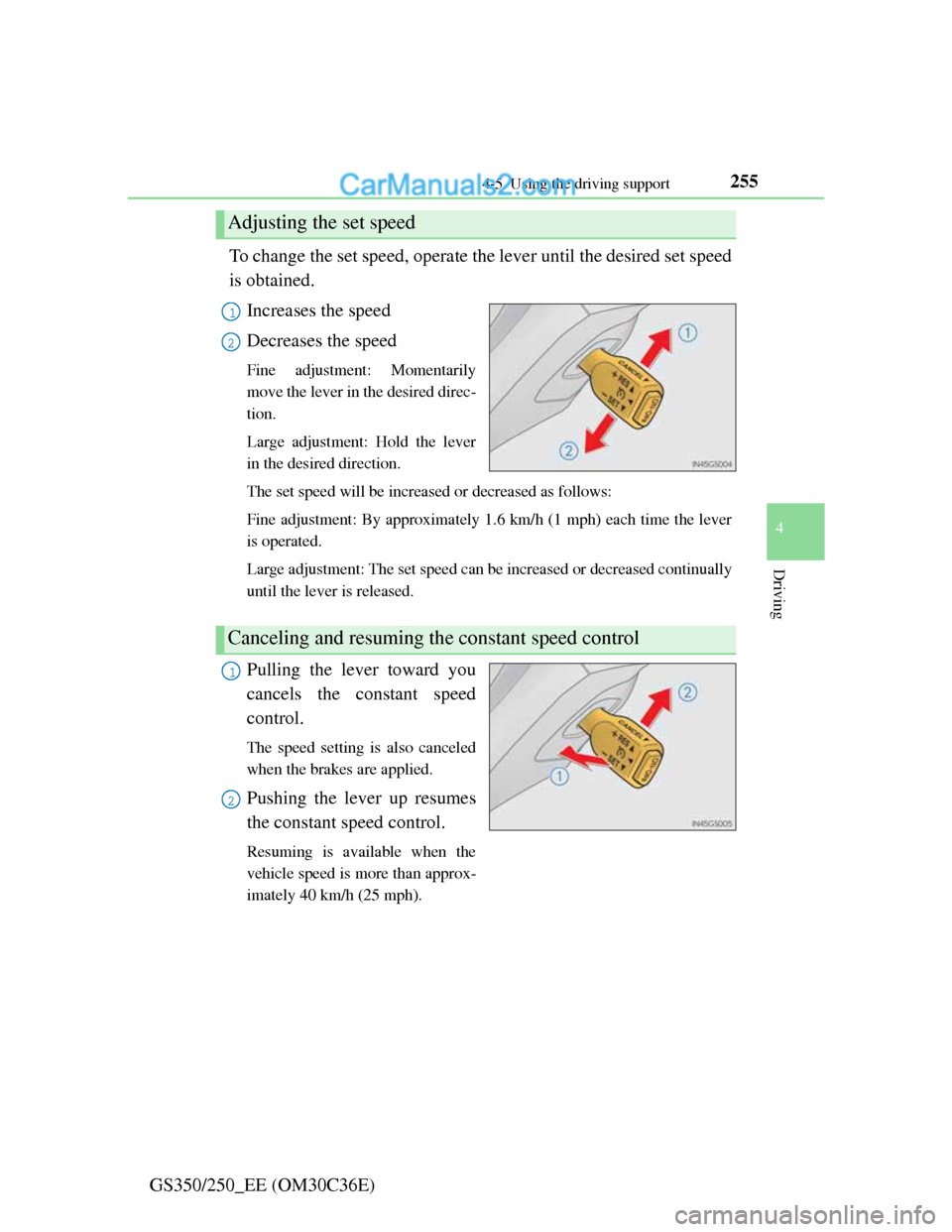
Increases the speed
Decreases the speed
Fine adjustment: Momentarily
move the lever in the desired direc-
tion.
Large adjustment: Hold the lever
in the desired direction.
The set speed will be increased or decreased as follows:
Fine adjustment: By approximately 1.6 km/h (1 mph) each time the lever
is operated.
Large adjustment: The set speed can be increased or decreased continually
until the lever is released.
Pulling the lever toward you
cancels the constant speed
control.
The speed setting is also canceled
when the brakes are applied.
Pushing the lever up resumes
the constant speed control.
Resuming is available when the
vehicle speed is more than approx-
imately 40 km/h (25 mph).
Adjusting the set speed
1
2
Canceling and resuming the constant speed control
1
2
Page 267 of 914
2604-5. Using the driving support
GS350/250_EE (OM30C36E)To change the set speed, operate the lever until the desired set speed
is displayed.
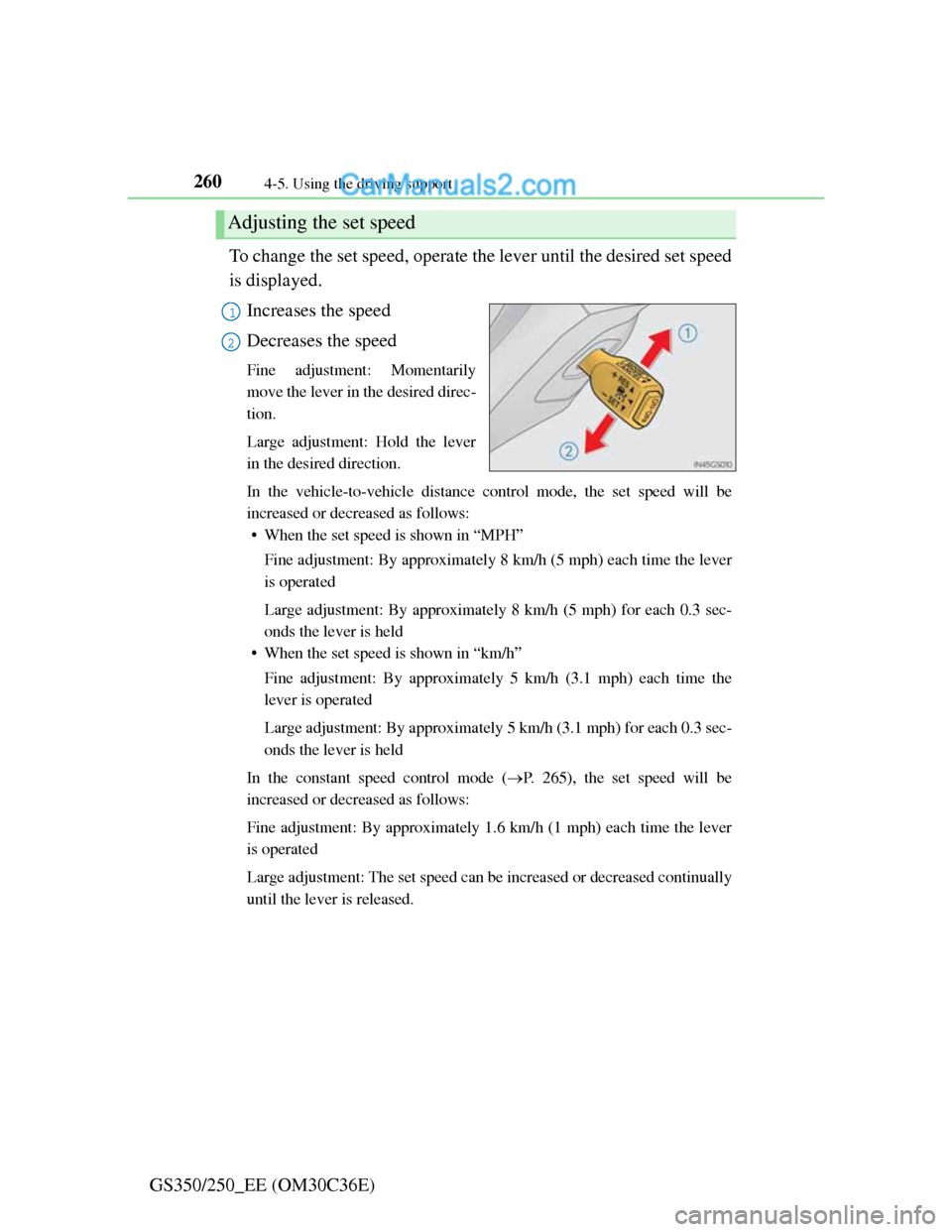
Increases the speed
Decreases the speed
Fine adjustment: Momentarily
move the lever in the desired direc-
tion.
Large adjustment: Hold the lever
in the desired direction.
In the vehicle-to-vehicle distance control mode, the set speed will be
increased or decreased as follows:
• When the set speed is shown in “MPH”
Fine adjustment: By approximately 8 km/h (5 mph) each time the lever
is operated
Large adjustment: By approximately 8 km/h (5 mph) for each 0.3 sec-
onds the lever is held
• When the set speed is shown in “km/h”
Fine adjustment: By approximately 5 km/h (3.1 mph) each time the
lever is operated
Large adjustment: By approximately 5 km/h (3.1 mph) for each 0.3 sec-
onds the lever is held
In the constant speed control mode (P. 265), the set speed will be
increased or decreased as follows:
Fine adjustment: By approximately 1.6 km/h (1 mph) each time the lever
is operated
Large adjustment: The set speed can be increased or decreased continually
until the lever is released.
Adjusting the set speed
1
2
Page 290 of 914

2834-5. Using the driving support
4
Driving
GS350/250_EE (OM30C36E)
NOTICE
Camera sensor (P. 274)
Observe the following to ensure that the LKA system functions correctly.
Keep the windshield clean at all times.
Performance could be affected if the windshield is dirty, or if raindrops,
condensation or ice are adhering to the windshield.
When adjusting the rear view mirror, make sure that it does not block the
camera lens.
Do not attach window tinting to the windshield.
Do not install an antenna in front of the camera lens.
If the windshield is fogged up, use the windshield defogger to remove fog
from the windshield.
When it is cold, using the heater with air blowing to the feet may allow the
upper part of the windshield to fog up. This will have a negative effect on
the images.
Do not place anything on the dashboard.
The camera sensor may recognize the image reflected on the windshield
as lane markers by mistake.
Do not scratch the camera lens, or let it get dirty.
When cleaning the inside of the windshield, be careful not to get any glass
cleaner etc. on the lens. Also, do not touch the lens.
For lens repair, contact any authorized Lexus dealer or repairer, or another
duly qualified and equipped professional.
Do not change the installation position or direction of the camera sensor
or remove it. The direction of the camera sensor is precisely adjusted.
Do not subject the camera sensor to strong impact or force, and do not dis-
assemble the camera sensor.
Do not attach a sticker or other items to
the windshield near the camera sensor.
Do not install or place anything near the
camera.
Page 368 of 914
3614-5. Using the driving support
4
Driving
GS350/250_EE (OM30C36E)
CAUTION
Cautions regarding the use of the system
The driver is solely responsible for safe driving. Always drive safely, taking
care to observe your surroundings.
The Blind Spot Monitor is a supplementary system which alerts the driver
that a vehicle is present in the blind spot. Do not overly rely on the Blind
Spot Monitor system. The system cannot judge if it is safe to change lanes,
therefore over reliance could cause an accident resulting in death or serious
injury. According to conditions, the system may not function correctly.
Therefore the driver’s own visual confirmation of safety is necessary.
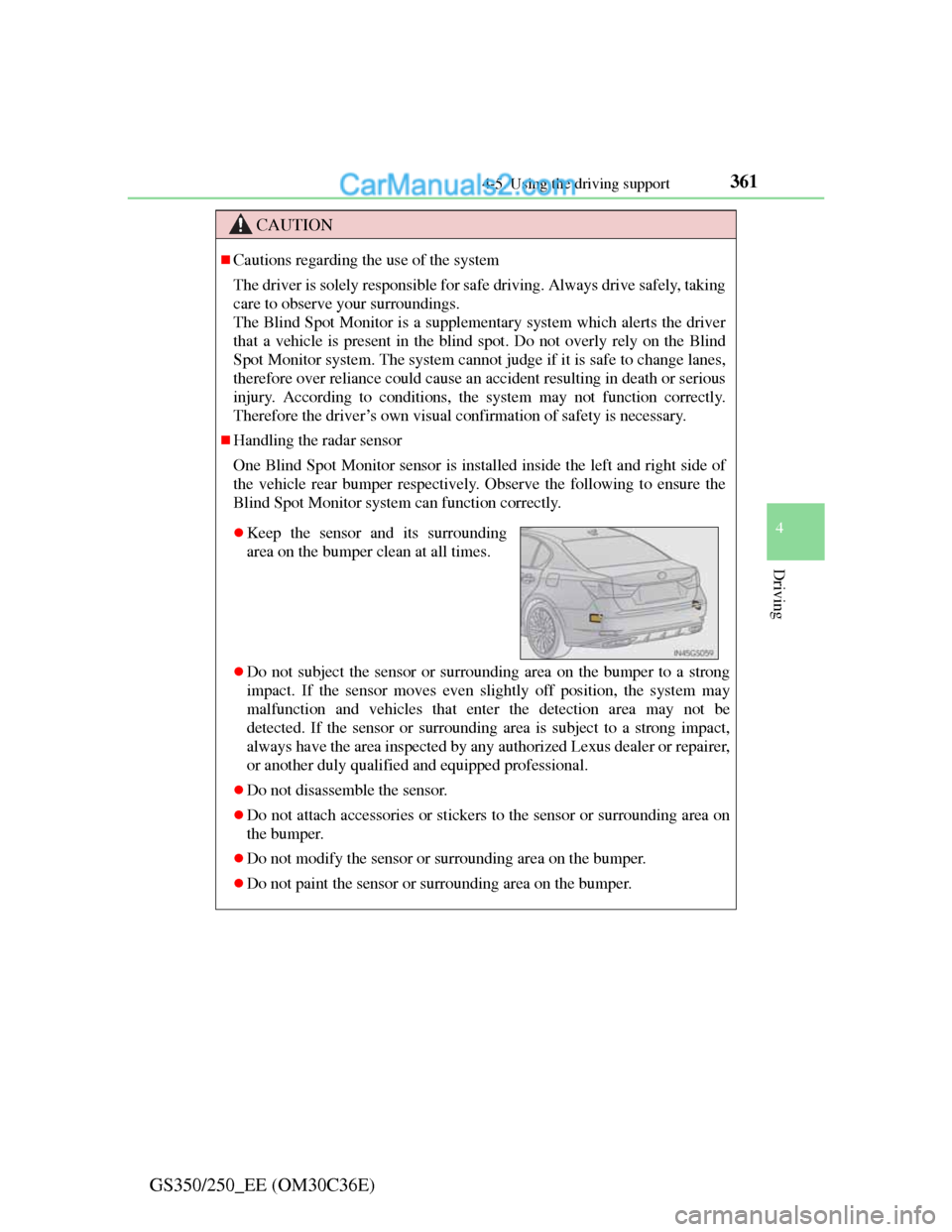
Handling the radar sensor
One Blind Spot Monitor sensor is installed inside the left and right side of
the vehicle rear bumper respectively. Observe the following to ensure the
Blind Spot Monitor system can function correctly.
Do not subject the sensor or surrounding area on the bumper to a strong
impact. If the sensor moves even slightly off position, the system may
malfunction and vehicles that enter the detection area may not be
detected. If the sensor or surrounding area is subject to a strong impact,
always have the area inspected by any authorized Lexus dealer or repairer,
or another duly qualified and equipped professional.
Do not disassemble the sensor.
Do not attach accessories or stickers to the sensor or surrounding area on
the bumper.
Do not modify the sensor or surrounding area on the bumper.
Do not paint the sensor or surrounding area on the bumper.
Keep the sensor and its surrounding
area on the bumper clean at all times.
Page 383 of 914
3735-1. Remote Touch screen
5
Interior features
GS350/250_EE (OM30C36E)
To avoid damaging the Remote Touch screen
Remove any dirt on the screen by wiping with a soft cloth. Do not use deter-
gent.
When using the Remote Touch screen
If the screen is cold, the display may be dark, or the system may seem to be
operating slightly slower than normal.
When the screen is viewed through polarized sunglasses, a rainbow pattern
may appear on the screen due to optical characteristics of the screen. If this
is disturbing, please operate the screen without polarized sunglasses.
Dimmed screen buttons cannot be operated.
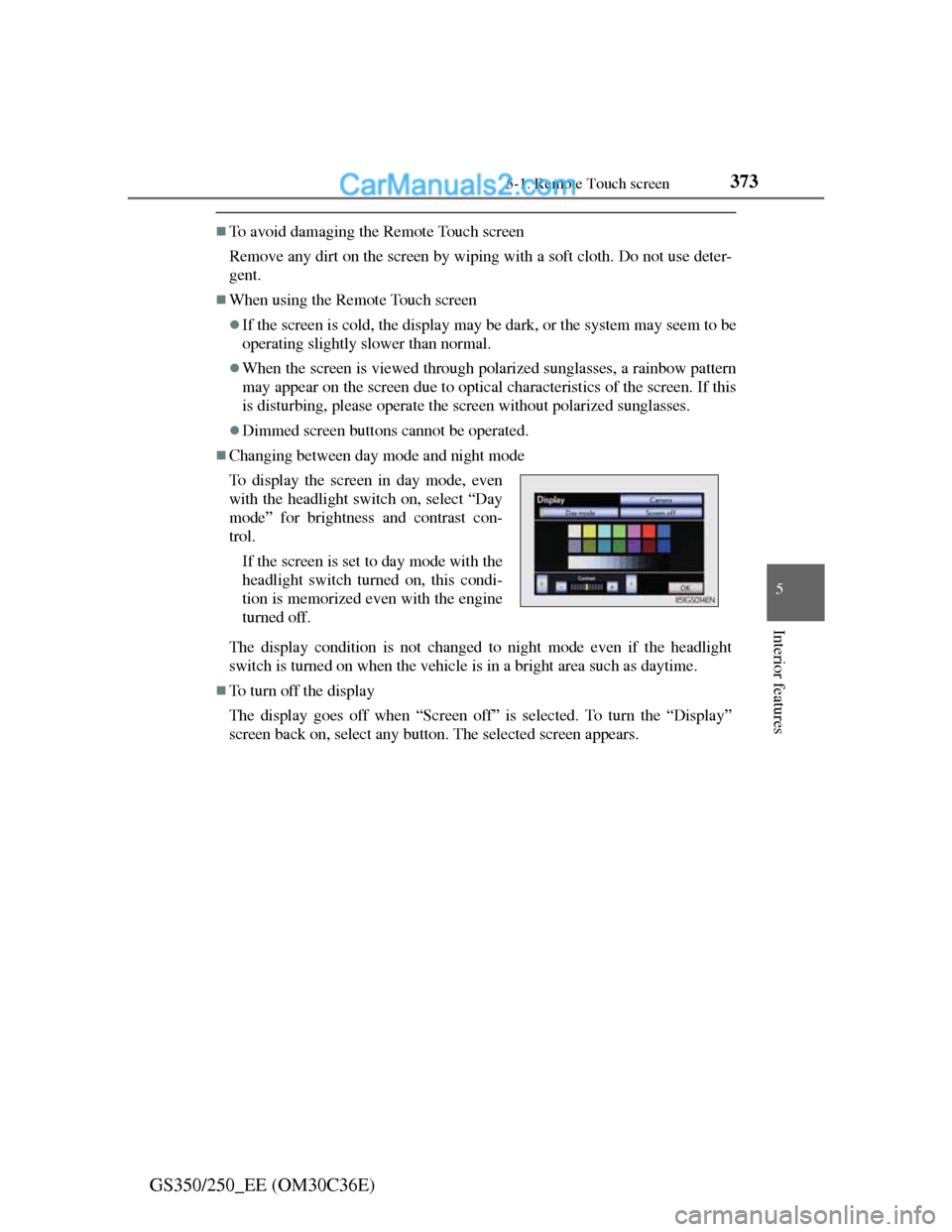
Changing between day mode and night mode
The display condition is not changed to night mode even if the headlight
switch is turned on when the vehicle is in a bright area such as daytime.
To turn off the display
The display goes off when “Screen off” is selected. To turn the “Display”
screen back on, select any button. The selected screen appears. To display the screen in day mode, even
with the headlight switch on, select “Day
mode” for brightness and contrast con-
trol.
If the screen is set to day mode with the
headlight switch turned on, this condi-
tion is memorized even with the engine
turned off.
Page 393 of 914
3835-1. Remote Touch screen
5
Interior features
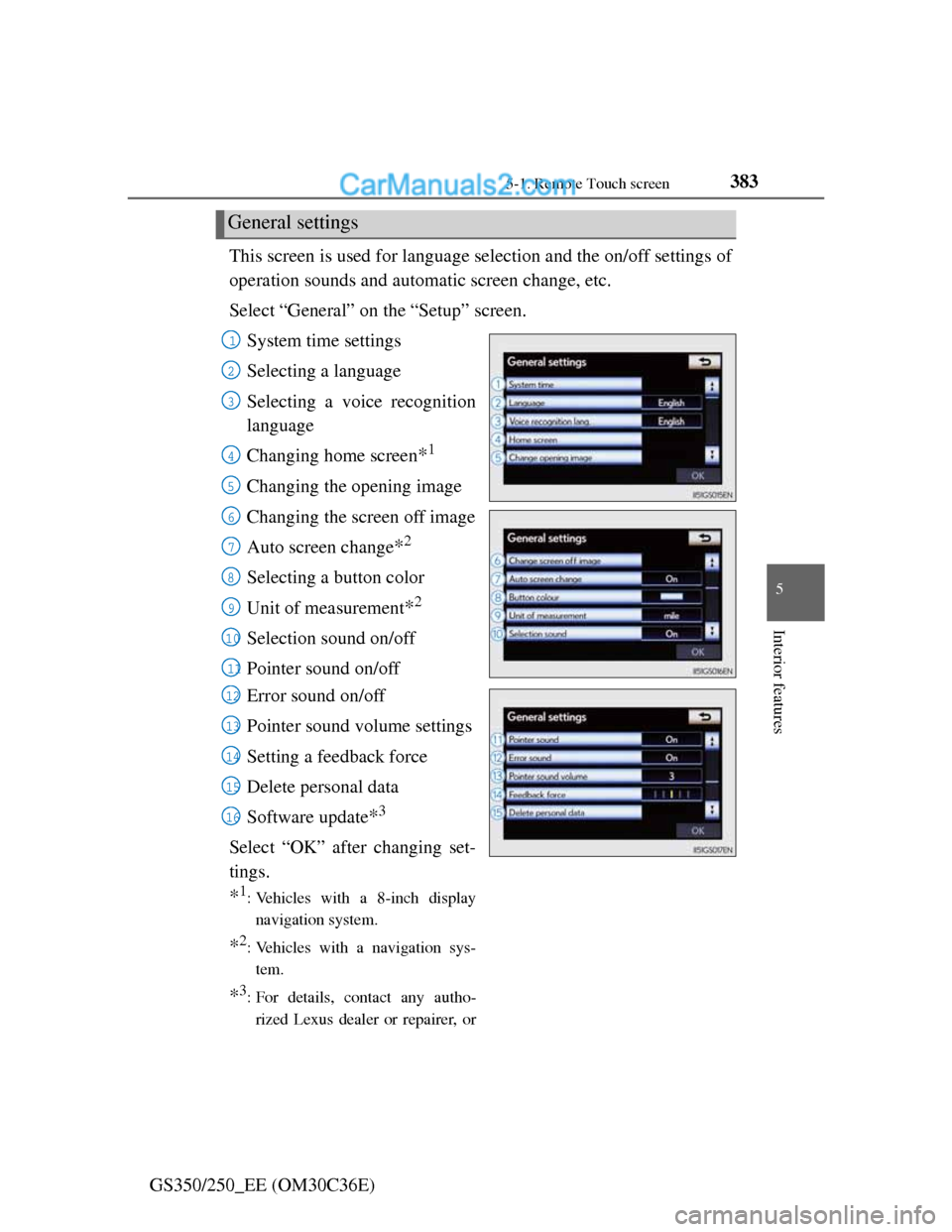
GS350/250_EE (OM30C36E)This screen is used for language selection and the on/off settings of
operation sounds and automatic screen change, etc.
Select “General” on the “Setup” screen.
System time settings
Selecting a language
Selecting a voice recognition
language
Changing home screen
*1
Changing the opening image
Changing the screen off image
Auto screen change
*2
Selecting a button color
Unit of measurement
*2
Selection sound on/off
Pointer sound on/off
Error sound on/off
Pointer sound volume settings
Setting a feedback force
Delete personal data
Software update
*3
Select “OK” after changing set-
tings.
*1: Vehicles with a 8-inch display
navigation system.
*2: Vehicles with a navigation sys-
tem.
*3: For details, contact any autho-
rized Lexus dealer or repairer, or
General settings
1
2
3
4
5
6
7
8
9
10
11
12
13
14
15
16
Page 396 of 914
3865-1. Remote Touch screen
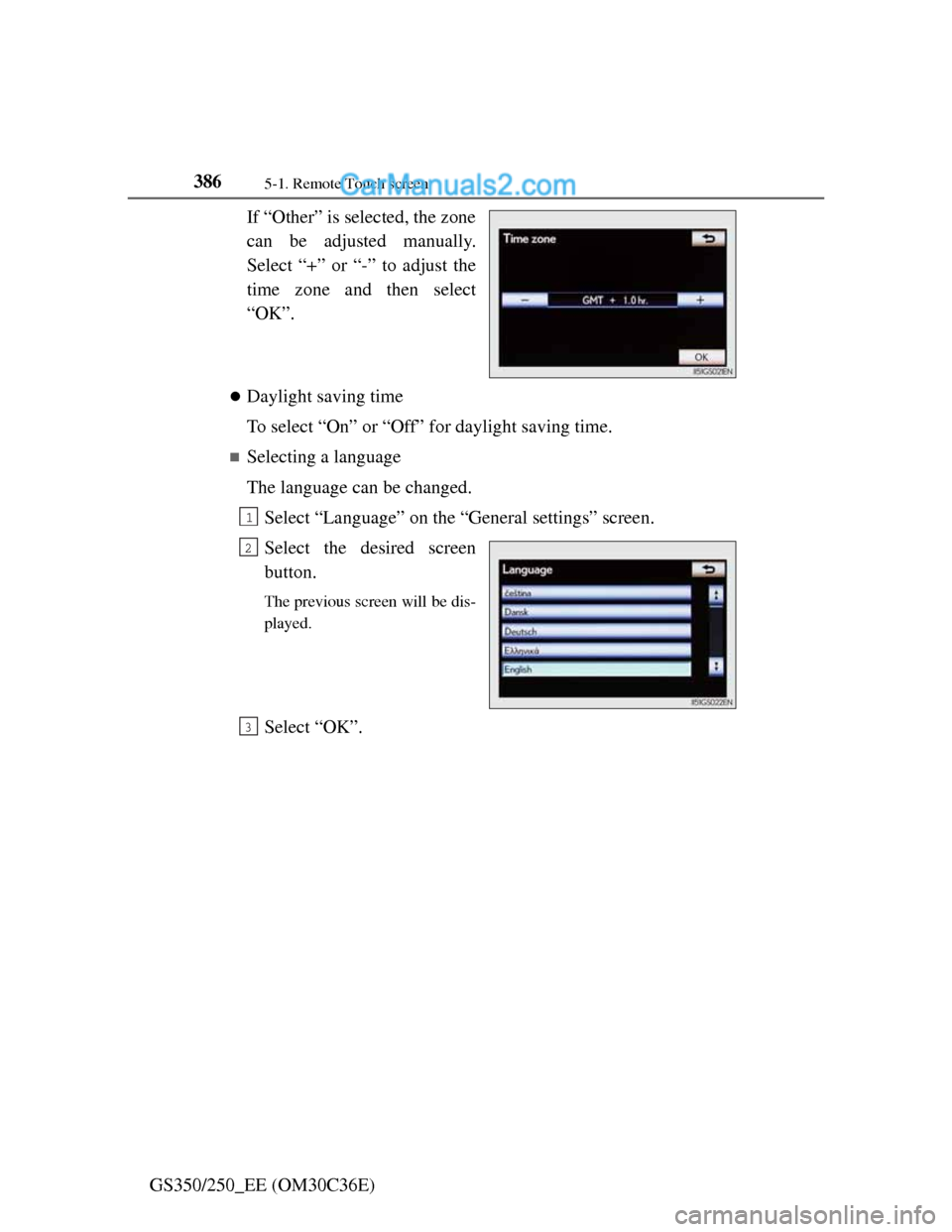
GS350/250_EE (OM30C36E)If “Other” is selected, the zone
can be adjusted manually.
Select “+” or “-” to adjust the
time zone and then select
“OK”.
Daylight saving time
To select “On” or “Off” for daylight saving time.
Selecting a language
The language can be changed.
Select “Language” on the “General settings” screen.
Select the desired screen
button.
The previous screen will be dis-
played.
Select “OK”.
1
2
3
Page 418 of 914
4085-1. Remote Touch screen
GS350/250_EE (OM30C36E)
Speech command system
Commands that are not displayed in the “Shortcuts” screen can be operated
from the “Main menu” screen.
If the system does not respond or the confirmation screen does not disap-
pear, press and try again.
Speech guidance can be canceled by setting voice prompts to off. Use this
setting when it is desirable to say a command immediately after pressing
and hearing a beep.
If a speech command cannot be recognized
If a speech command cannot be recognized within 6 seconds, voice guid-
ance will say “Pardon?” (“Command not recognized.” will be displayed on
the screen) and speech command reception will restart.
If a speech command cannot be recognized 2 consecutive times, the speech
command guidance system will say “Paused. To restart voice recognition,
push the talk switch. To cancel voice recognition, push and hold the talk
switch.” Voice recognition will then be suspended. Select “Cancel” or “Go
back”, or press .
When selecting “Voice Prompts”
The voice recognition prompt can be set to on or off. This setting can also
be changed on the “Voice settings” screen. (P. 398)
Voice recognition will be temporarily suspended. Press again.
Page 426 of 914
4155-2. Using the air conditioning system and defogger
5
Interior features
GS350/250_EE (OM30C36E)
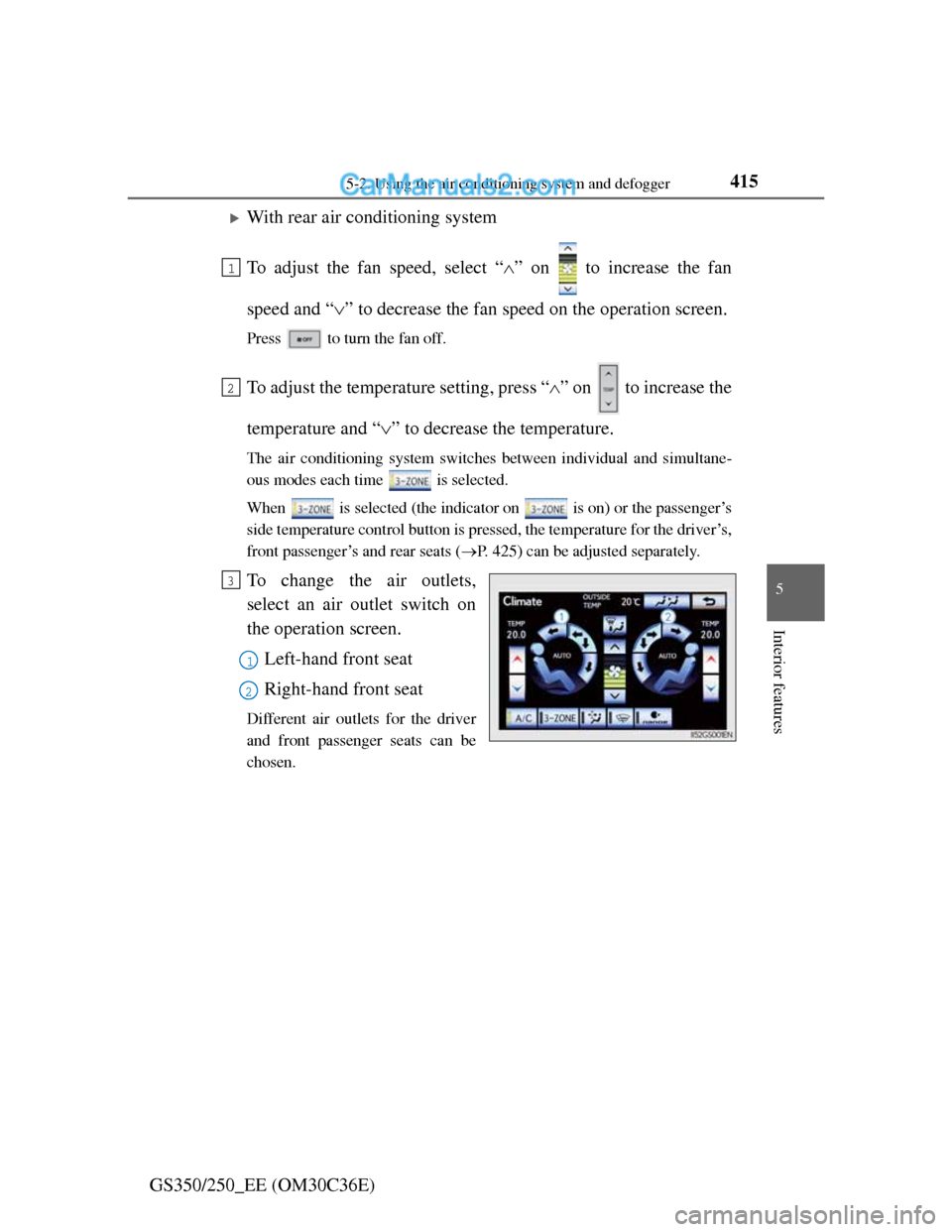
With rear air conditioning system
To adjust the fan speed, select “” on to increase the fan
speed and “” to decrease the fan speed on the operation screen.
Press to turn the fan off.
To adjust the temperature setting, press “” on to increase the
temperature and “” to decrease the temperature.
The air conditioning system switches between individual and simultane-
ous modes each time is selected.
When is selected (the indicator on is on) or the passenger’s
side temperature control button is pressed, the temperature for the driver’s,
front passenger’s and rear seats (P. 425) can be adjusted separately.
To change the air outlets,
select an air outlet switch on
the operation screen.
Left-hand front seat
Right-hand front seat
Different air outlets for the driver
and front passenger seats can be
chosen.
1
2
3
1
2
Page 438 of 914
4275-2. Using the air conditioning system and defogger
5
Interior features
GS350/250_EE (OM30C36E)
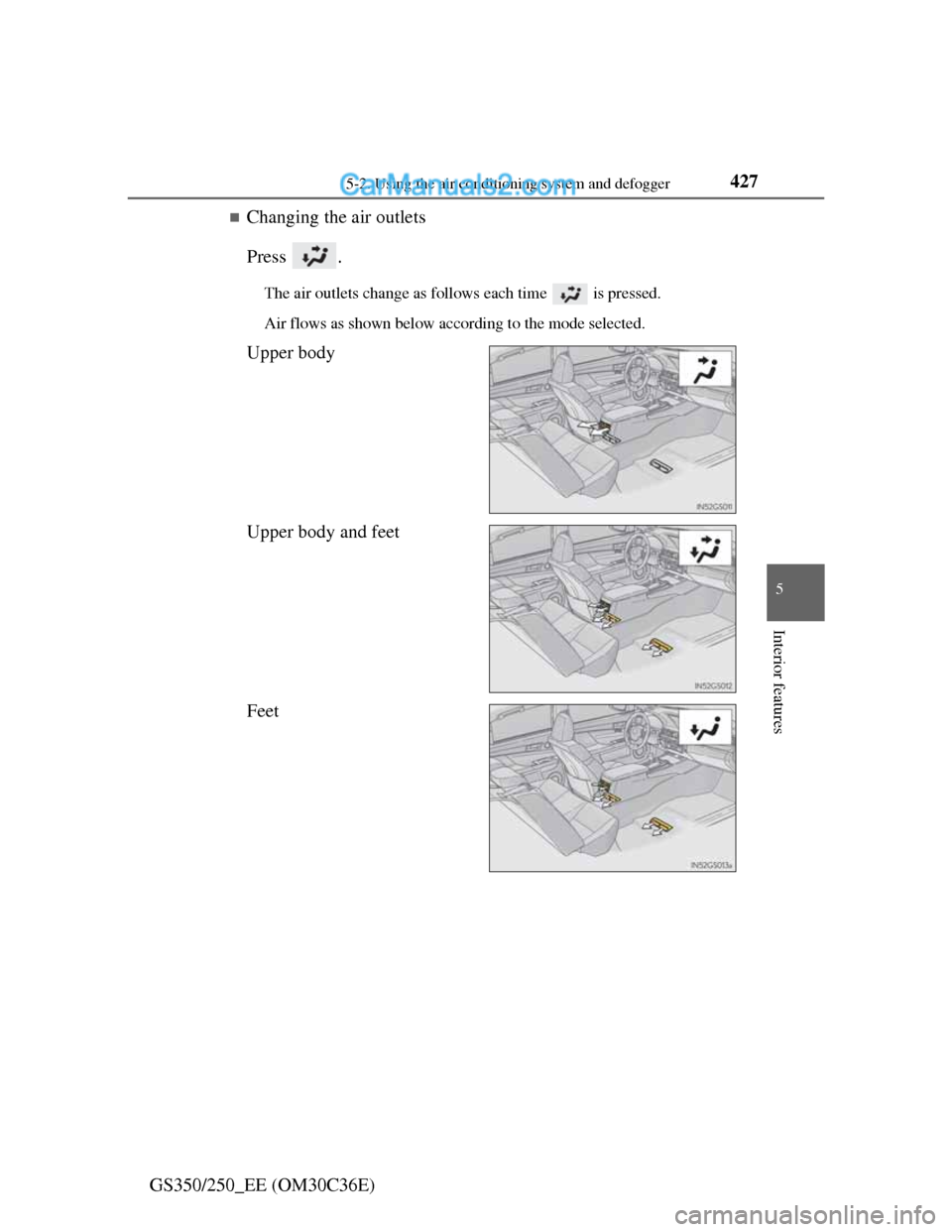
Changing the air outlets
Press .
The air outlets change as follows each time is pressed.
Air flows as shown below according to the mode selected.
Upper body
Upper body and feet
Feet