AUTO Lexus GS250 2012 Owner's Guide
[x] Cancel search | Manufacturer: LEXUS, Model Year: 2012, Model line: GS250, Model: Lexus GS250 2012Pages: 914, PDF Size: 53.04 MB
Page 127 of 914

1243-2. Opening, closing and locking the doors and trunk
GS350/250_EE (OM30C36E)Grip the handle to unlock the
doors.
Make sure to touch the sensor on
the back of the handle.
The doors cannot be unlocked for
3 seconds after the doors are
locked.
Touch the lock sensor (the inden-
tation on the upper part of the
door handle) to lock the doors.
Press the button.
If the vehicle is equipped with
power trunk lid, the trunk lid auto-
matically opens fully.
Unlocking and locking the doors
Opening the trunk
Page 131 of 914
1283-2. Opening, closing and locking the doors and trunk
GS350/250_EE (OM30C36E)
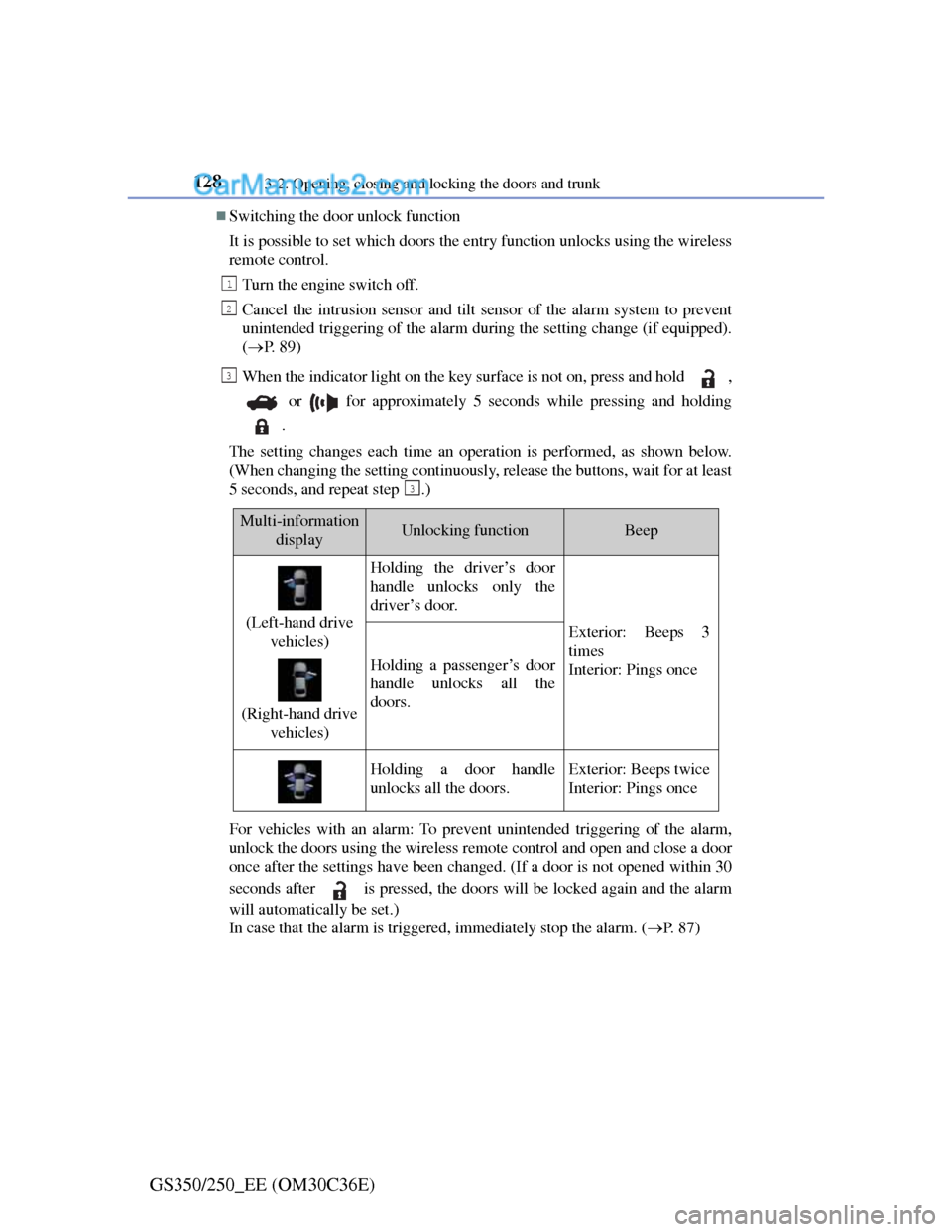
Switching the door unlock function
It is possible to set which doors the entry function unlocks using the wireless
remote control.
Turn the engine switch off.
Cancel the intrusion sensor and tilt sensor of the alarm system to prevent
unintended triggering of the alarm during the setting change (if equipped).
(P. 8 9 )
When the indicator light on the key surface is not on, press and hold ,
or for approximately 5 seconds while pressing and holding
.
The setting changes each time an operation is performed, as shown below.
(When changing the setting continuously, release the buttons, wait for at least
5 seconds, and repeat step .)
For vehicles with an alarm: To prevent unintended triggering of the alarm,
unlock the doors using the wireless remote control and open and close a door
once after the settings have been changed. (If a door is not opened within 30
seconds after is pressed, the doors will be locked again and the alarm
will automatically be set.)
In case that the alarm is triggered, immediately stop the alarm. (P. 8 7 )
1
2
3
3
Multi-information
displayUnlocking functionBeep
(Left-hand drive
vehicles)
(Right-hand drive
vehicles)
Holding the driver’s door
handle unlocks only the
driver’s door.
Exterior: Beeps 3
times
Interior: Pings once
Holding a passenger’s door
handle unlocks all the
doors.
Holding a door handle
unlocks all the doors.Exterior: Beeps twice
Interior: Pings once
Page 134 of 914
1313-2. Opening, closing and locking the doors and trunk
3
Operation of each component
GS350/250_EE (OM30C36E)
Note for the entry function
Even when the electronic key is within the effective range (detection areas),
the system may not operate properly in the following cases:
• The electronic key is too close to the window or outside door handle,
near the ground, or in a high place when the doors are locked or
unlocked.
• The electronic key is near the ground or in a high place, or too close to
the rear bumper center when the trunk is opened.
• The electronic key is on the instrument panel, rear package tray or floor,
or in the door pockets or glove box when the engine is started or engine
switch modes are changed.
Do not leave the electronic key on top of the instrument panel or near the
door pockets when exiting the vehicle. Depending on the radio wave recep-
tion conditions, it may be detected by the antenna outside the cabin and the
door will become lockable from the outside, possibly trapping the elec-
tronic key inside the vehicle.
As long as the electronic key is within the effective range, the doors may be
locked or unlocked by anyone. However, only the doors detecting the elec-
tronic key can be used to unlock the vehicle.
Even if the electronic key is not inside the vehicle, it may be possible to
start the engine if the electronic key is near the window.
The doors may unlock or lock if a large amount of water splashes on the
door handle, such as in the rain or in a car wash when the electronic key is
within the effective range. (The doors will automatically be locked after
approximately 30 seconds if the doors are not opened and closed.)
If the wireless remote control is used to lock the doors when the electronic
key is near the vehicle, there is a possibility that the door may not be
unlocked by the entry function. (Use the wireless remote control to unlock
the doors.)
Page 144 of 914
141
3 3-2. Opening, closing and locking the doors and trunk
Operation of each component
GS350/250_EE (OM30C36E)
Wireless remote control
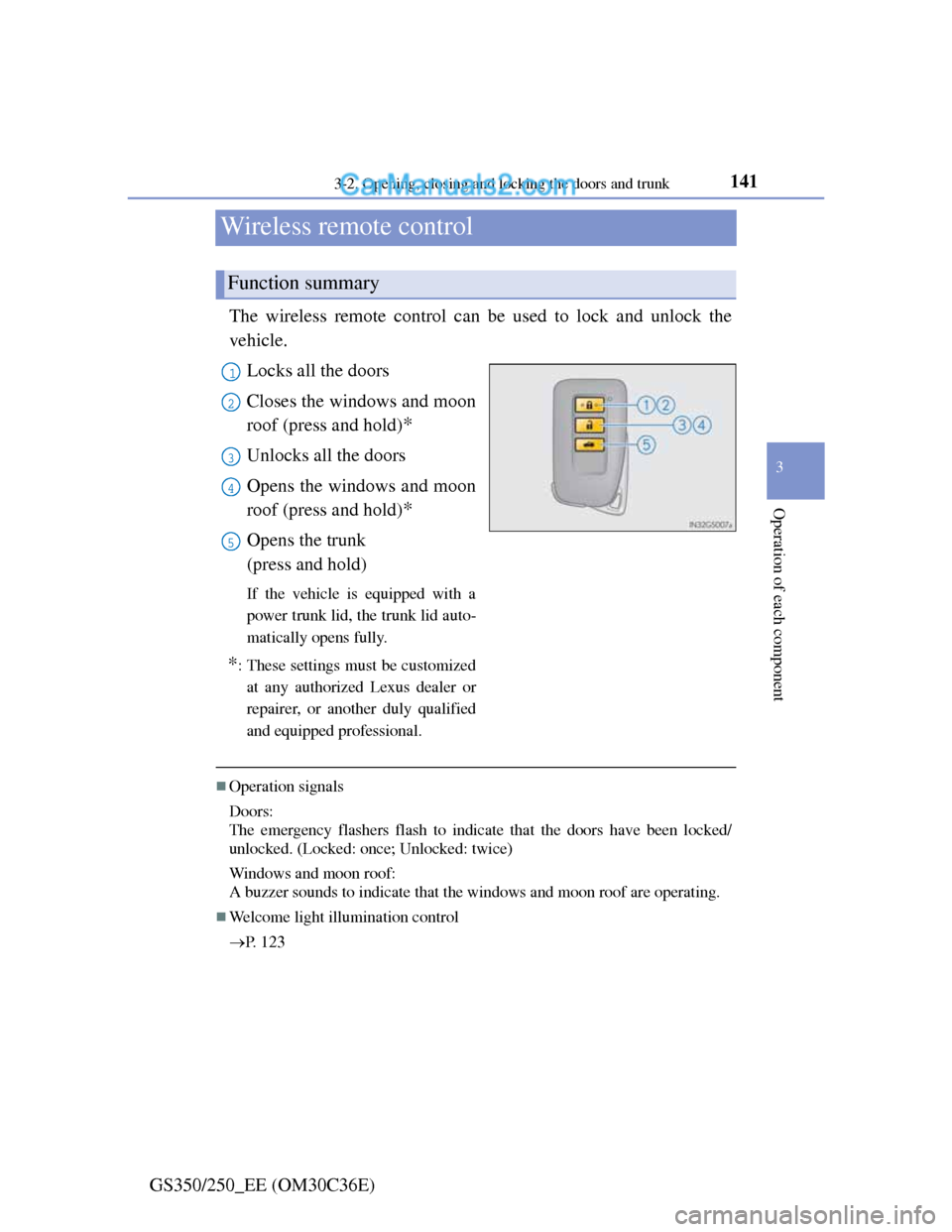
The wireless remote control can be used to lock and unlock the
vehicle.
Locks all the doors
Closes the windows and moon
roof (press and hold)
*
Unlocks all the doors
Opens the windows and moon
roof (press and hold)
*
Opens the trunk
(press and hold)
If the vehicle is equipped with a
power trunk lid, the trunk lid auto-
matically opens fully.
*: These settings must be customized
at any authorized Lexus dealer or
repairer, or another duly qualified
and equipped professional.
Operation signals
Doors:
The emergency flashers flash to indicate that the doors have been locked/
unlocked. (Locked: once; Unlocked: twice)
Windows and moon roof:
A buzzer sounds to indicate that the windows and moon roof are operating.
Welcome light illumination control
P. 1 2 3
Function summary
1
2
3
4
5
Page 151 of 914
1483-2. Opening, closing and locking the doors and trunk
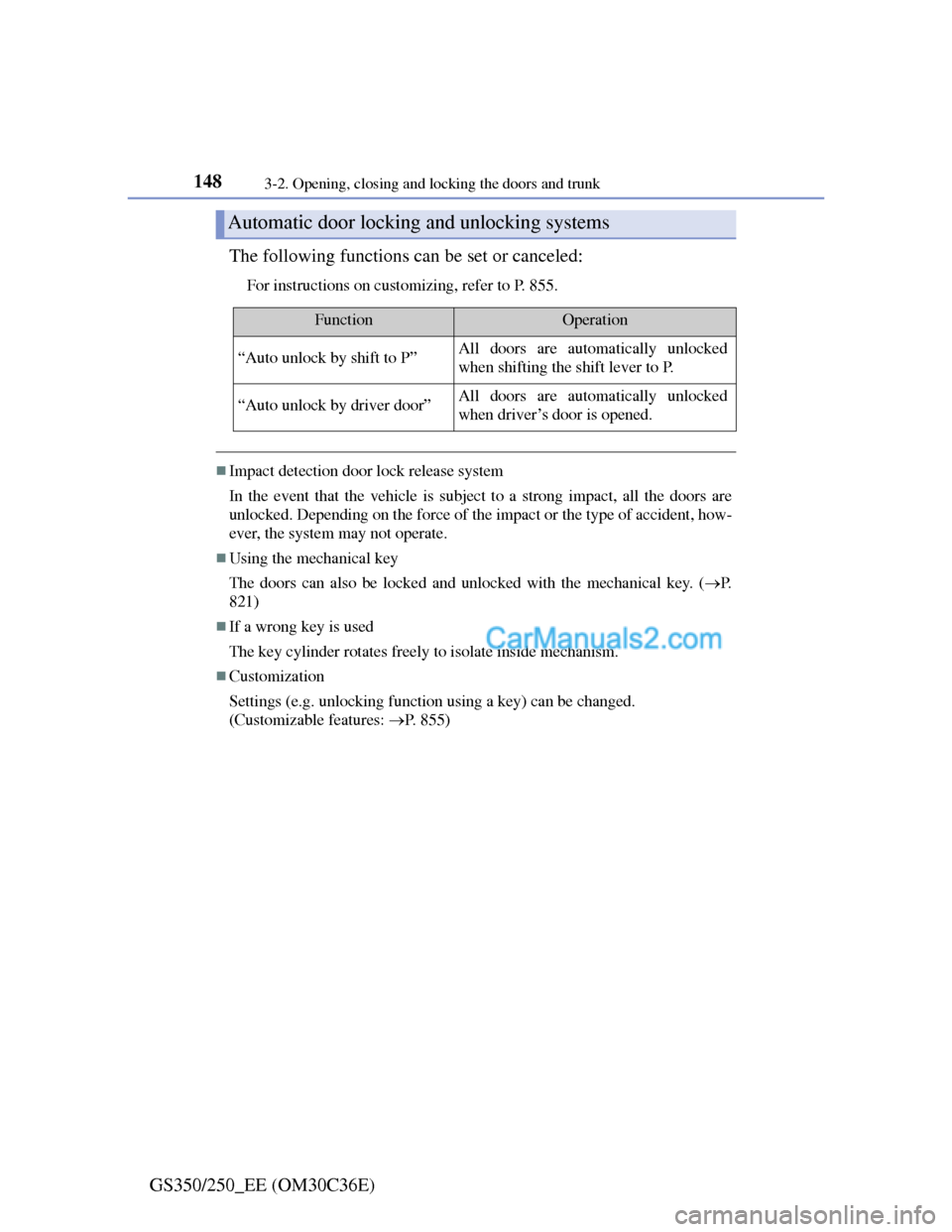
GS350/250_EE (OM30C36E)The following functions can be set or canceled:
For instructions on customizing, refer to P. 855.
Impact detection door lock release system
In the event that the vehicle is subject to a strong impact, all the doors are
unlocked. Depending on the force of the impact or the type of accident, how-
ever, the system may not operate.
Using the mechanical key
The doors can also be locked and unlocked with the mechanical key. (P.
821)
If a wrong key is used
The key cylinder rotates freely to isolate inside mechanism.
Customization
Settings (e.g. unlocking function using a key) can be changed.
(Customizable features: P. 855)
Automatic door locking and unlocking systems
FunctionOperation
“Auto unlock by shift to P”All doors are automatically unlocked
when shifting the shift lever to P.
“Auto unlock by driver door”All doors are automatically unlocked
when driver’s door is opened.
Page 153 of 914
1503-2. Opening, closing and locking the doors and trunk
GS350/250_EE (OM30C36E)
Trunk
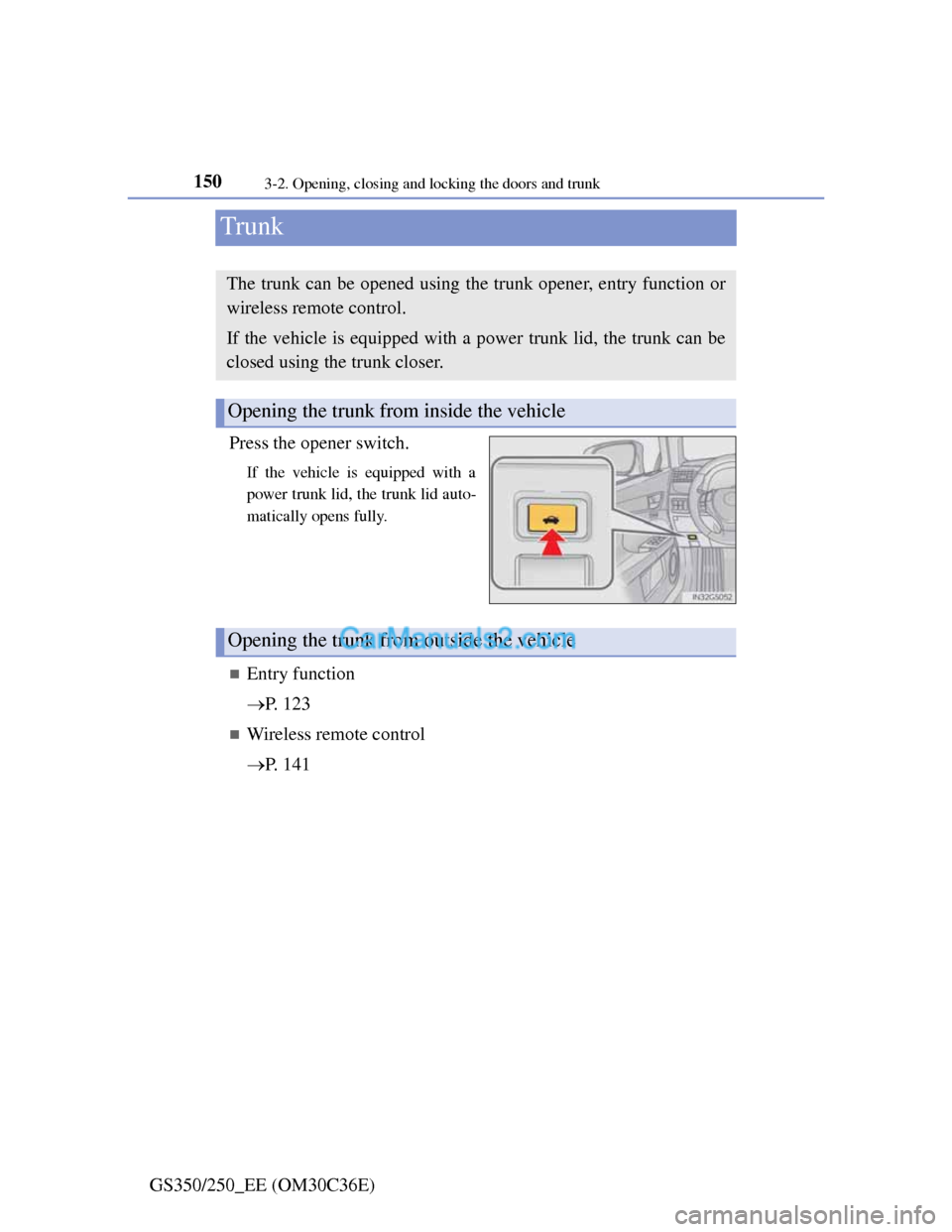
Press the opener switch.
If the vehicle is equipped with a
power trunk lid, the trunk lid auto-
matically opens fully.
Entry function
P. 123
Wireless remote control
P. 141
The trunk can be opened using the trunk opener, entry function or
wireless remote control.
If the vehicle is equipped with a power trunk lid, the trunk can be
closed using the trunk closer.
Opening the trunk from inside the vehicle
Opening the trunk from outside the vehicle
Page 154 of 914
1513-2. Opening, closing and locking the doors and trunk
3
Operation of each component
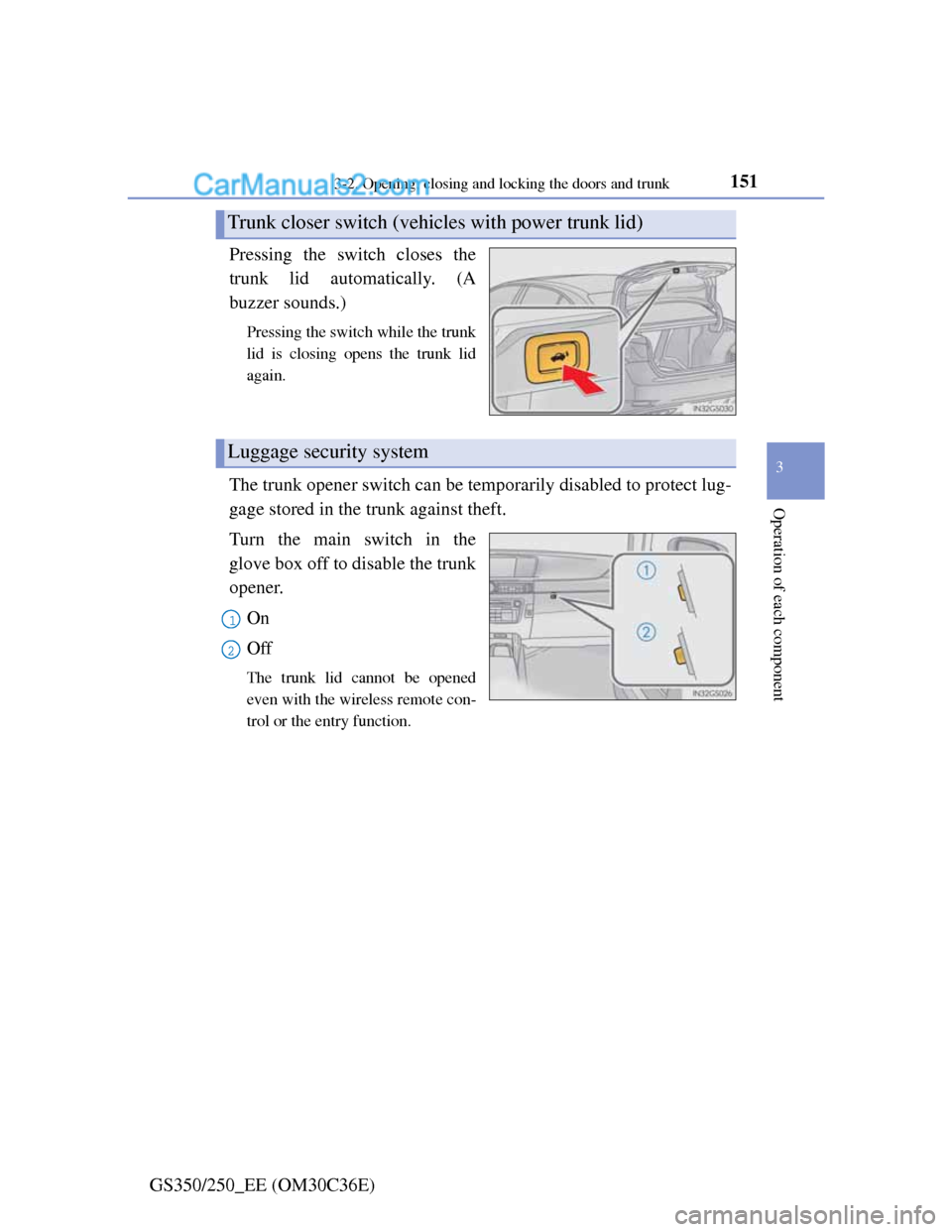
GS350/250_EE (OM30C36E)Pressing the switch closes the
trunk lid automatically. (A
buzzer sounds.)
Pressing the switch while the trunk
lid is closing opens the trunk lid
again.
The trunk opener switch can be temporarily disabled to protect lug-
gage stored in the trunk against theft.
Turn the main switch in the
glove box off to disable the trunk
opener.
On
Off
The trunk lid cannot be opened
even with the wireless remote con-
trol or the entry function.
Trunk closer switch (vehicles with power trunk lid)
Luggage security system
1
2
Page 155 of 914
1523-2. Opening, closing and locking the doors and trunk
GS350/250_EE (OM30C36E)
Trunk light
The trunk light turns on when the trunk is opened.
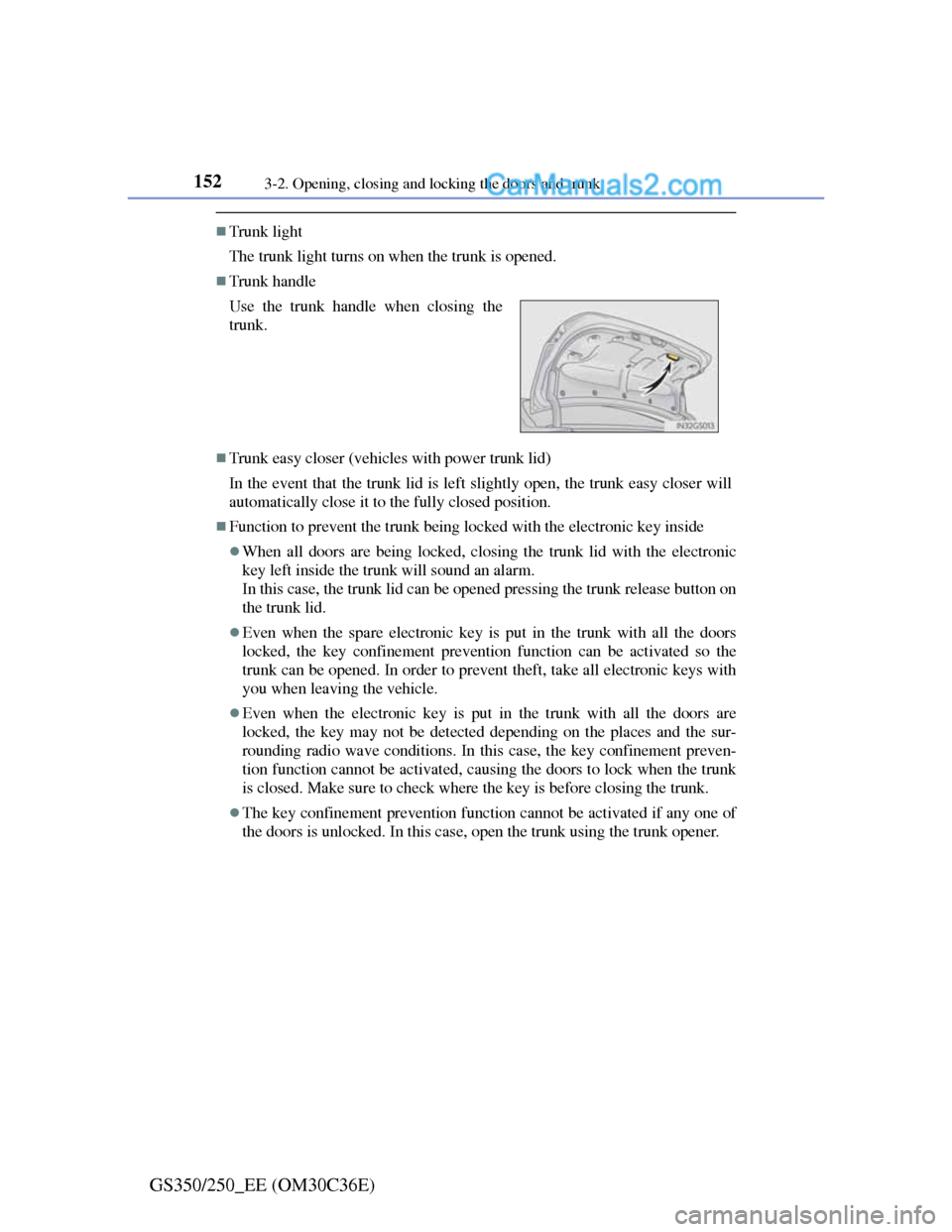
Trunk handle
Trunk easy closer (vehicles with power trunk lid)
In the event that the trunk lid is left slightly open, the trunk easy closer will
automatically close it to the fully closed position.
Function to prevent the trunk being locked with the electronic key inside
When all doors are being locked, closing the trunk lid with the electronic
key left inside the trunk will sound an alarm.
In this case, the trunk lid can be opened pressing the trunk release button on
the trunk lid.
Even when the spare electronic key is put in the trunk with all the doors
locked, the key confinement prevention function can be activated so the
trunk can be opened. In order to prevent theft, take all electronic keys with
you when leaving the vehicle.
Even when the electronic key is put in the trunk with all the doors are
locked, the key may not be detected depending on the places and the sur-
rounding radio wave conditions. In this case, the key confinement preven-
tion function cannot be activated, causing the doors to lock when the trunk
is closed. Make sure to check where the key is before closing the trunk.
The key confinement prevention function cannot be activated if any one of
the doors is unlocked. In this case, open the trunk using the trunk opener. Use the trunk handle when closing the
trunk.
Page 156 of 914
1533-2. Opening, closing and locking the doors and trunk
3
Operation of each component
GS350/250_EE (OM30C36E)
Overload protection function (vehicles with power trunk lid)
The trunk lid will not operate when excessive load is present on the top of the
trunk lid.
Fall-down protection function (vehicles with power trunk lid)
While the trunk lid is opening automatically, applying excessive force to it
will stop the opening operation to prevent the trunk lid from rapidly falling
down.
Jam protection function (vehicles with power trunk lid)
While the trunk lid is closing automatically, the trunk lid will stop closing
and open if something gets caught.
Using the mechanical key
The trunk can be also opened using the mechanical key. (P. 822)
When leaving a key to the vehicle with a parking attendant
P. 1 2 0
CAUTION
Observe the following precautions.
Failure to do so may result in death or serious injury.
Before driving
Make sure that the trunk lid is fully closed. If the trunk lid is not fully
closed, it may open unexpectedly while driving and hit near-by objects or
luggage in the trunk may be thrown out, causing an accident.
Do not allow children to enter the trunk.
If a child is accidentally locked in the trunk, they could overheat or suffo-
cate.
Do not allow a child to open or close the trunk lid.
Doing so may cause the trunk lid to open unexpectedly, or cause the
child’s hands, head, or neck to be caught by the closing trunk lid.
Important points while driving
Never let anyone sit in the trunk. In the event of sudden braking or a colli-
sion, they are susceptible to death or serious injury.
Page 158 of 914
1553-2. Opening, closing and locking the doors and trunk
3
Operation of each component
GS350/250_EE (OM30C36E)
CAUTION
Trunk easy closer (vehicles with power trunk lid)
Power trunk lid (if equipped)
Observe the following precautions when operating the power trunk lid.
Failure to do so may cause serious injury.
Check the safety of the surrounding area to make sure there are no obsta-
cles or anything that could cause any of your belongings to get caught.
If anyone is in the vicinity, make sure they are safe and let them know that
the trunk is about to open or close.
If the trunk closer switch is pressed while the trunk lid is opening during
automatic operation, the trunk lid stops opening. Take extra care when on
an incline, as the trunk lid may open or close suddenly.
On an incline, the trunk lid may fall after it opens automatically. Make
sure the trunk lid is fully open and secure before using the trunk.
In the following situations, the power trunk lid may detect an abnormality
and automatic operation may be stopped. In this case, the trunk lid has to
be operated manually. Take extra care in this situation, as the stopped
trunk lid may suddenly fall, causing an accident.
• When the trunk lid contacts an obstacle
• When the battery voltage suddenly drops, such as when the engine
switch is turned to IGNITION ON mode or the engine is started during
automatic operation
Do not attach any accessories other than genuine Lexus parts to the trunk
lid. The power trunk lid may not operate, causing itself to malfunction, or
the trunk lid may fall closed again after it is opened.
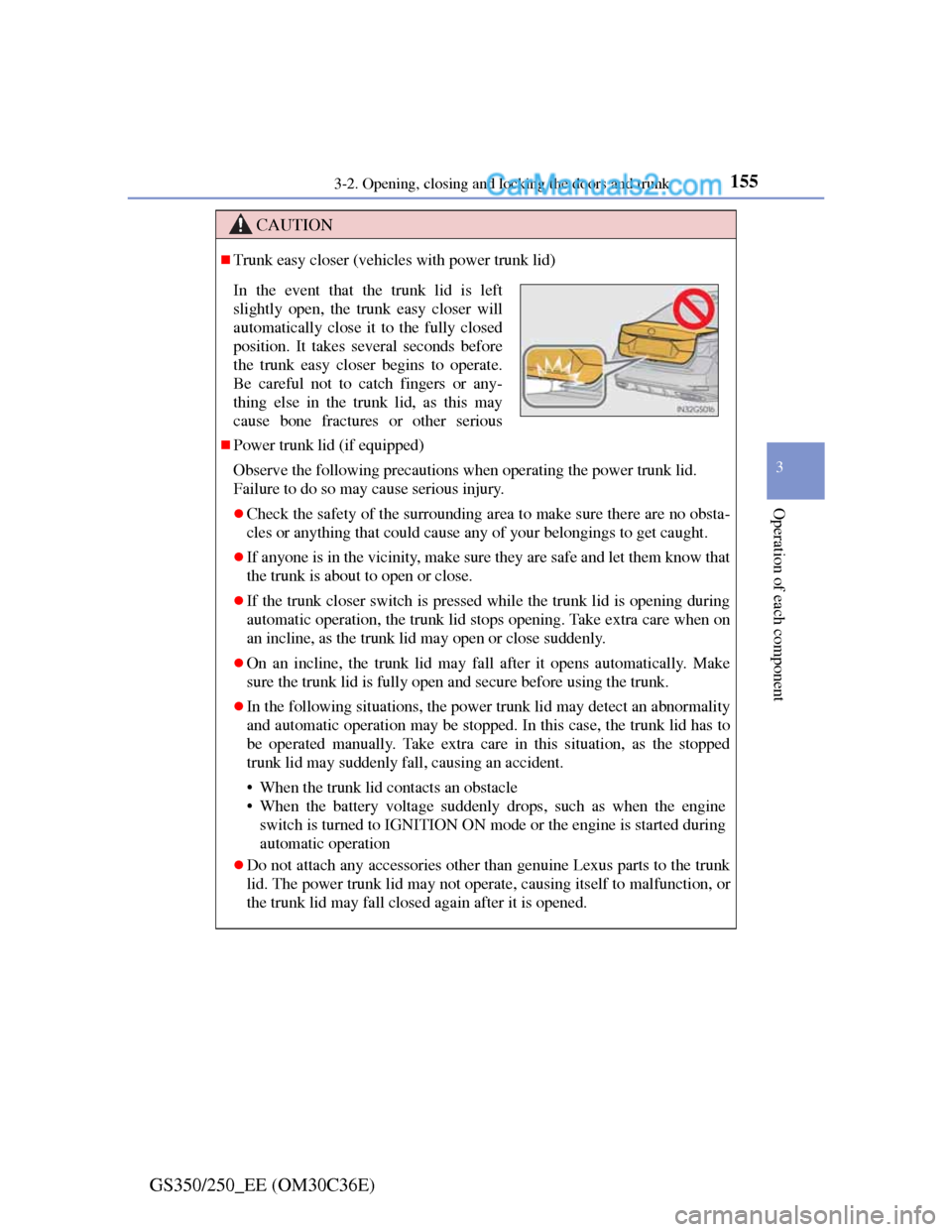
In the event that the trunk lid is left
slightly open, the trunk easy closer will
automatically close it to the fully closed
position. It takes several seconds before
the trunk easy closer begins to operate.
Be careful not to catch fingers or any-
thing else in the trunk lid, as this may
cause bone fractures or other serious