AUTO Lexus GS250 2012 User Guide
[x] Cancel search | Manufacturer: LEXUS, Model Year: 2012, Model line: GS250, Model: Lexus GS250 2012Pages: 914, PDF Size: 53.04 MB
Page 102 of 914
101
2 2. Instrument cluster
Instrument cluster
GS350/250_EE (OM30C36E)
The meters and display illuminate when
The engine switch is in IGNITION ON mode.
Instrument panel brightness adjustment
The instrument panel brightness levels when the tail lights are on and off can
be adjusted individually. However, when the surroundings are bright (day-
time, etc.), turning on the tail lights will not change the instrument panel
brightness.
Limitation of brightness adjustment
The brightness of the instrument panel lights is automatically adjusted based
on the light sensor detecting how bright the surroundings are. However, if the
instrument panel brightness has been manually set to either the brightest or
darkest setting, the automatic adjustment will not be performed.
ECO lamp and SPORT lamp
When sport mode is selected, SPORT lamp (red) will illuminate.
When all of the following conditions are satisfied and Eco-friendly driving,
ECO lamp (blue) will illuminate. (ECO lamp will become brighter the more
Eco-friendly driving you perform. Also, while the acceleration exceeds
Zone of Eco driving, ECO lamp turns off. (P. 109) However, when Eco
drive mode is selected, while the acceleration exceeds Zone of Eco driving,
ECO lamp does not turn off.):
• Driving with the shift lever in D
• Paddle shift switch is not operated.
• Either normal mode or Eco drive mode is selected.
• The vehicle speed is approximately 130 km/h (80 mph) or below.
Customization
Settings (e.g. on/off operation of ECO lamp) can be changed.
(Customizable features P. 857)
NOTICE
To prevent damage to the engine and its components
Do not let the indicator needle of the tachometer enter the red zone, which
indicates the maximum engine speed.
The engine may be overheating if the engine coolant temperature gauge is
in the red zone (H). In this case, immediately stop the vehicle in a safe
place, and check the engine after it has cooled completely. (P. 829)
Page 103 of 914
1022. Instrument cluster
GS350/250_EE (OM30C36E)
Multi-information display
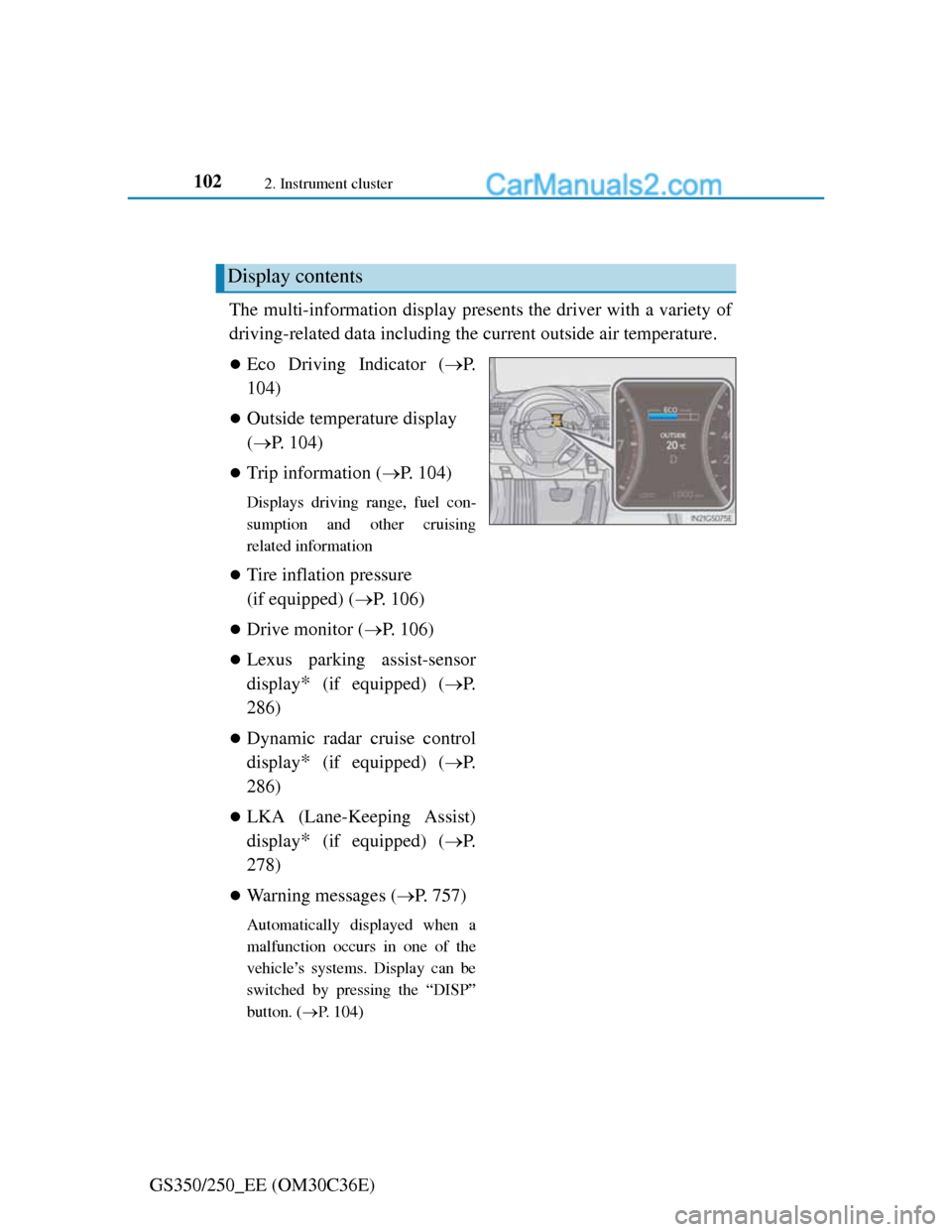
The multi-information display presents the driver with a variety of
driving-related data including the current outside air temperature.
Eco Driving Indicator (P.
104)
Outside temperature display
(P. 104)
Trip information (P. 104)
Displays driving range, fuel con-
sumption and other cruising
related information
Tire inflation pressure
(if equipped) (P. 106)
Drive monitor (P. 106)
Lexus parking assist-sensor
display
* (if equipped) (P.
286)
Dynamic radar cruise control
display
* (if equipped) (P.
286)
LKA (Lane-Keeping Assist)
display
* (if equipped) (P.
278)
Warning messages (P. 757)
Automatically displayed when a
malfunction occurs in one of the
vehicle’s systems. Display can be
switched by pressing the “DISP”
button. (P. 104)
Display contents
Page 104 of 914
1032. Instrument cluster
2
Instrument cluster
GS350/250_EE (OM30C36E)
*: Automatically displayed when the
system is used. Display can be
switched by pressing the “DISP”
button.
(P. 104)
Page 109 of 914
1082. Instrument cluster
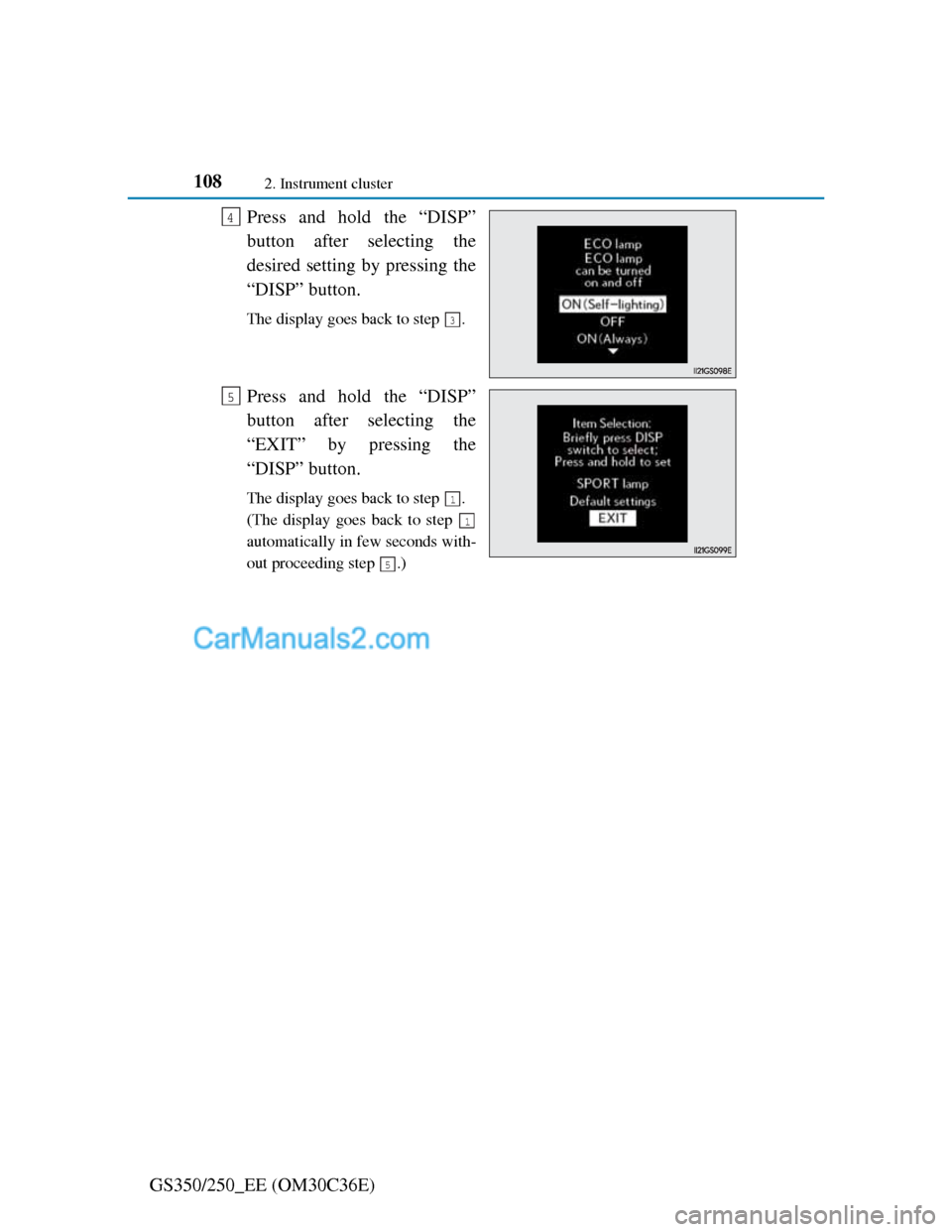
GS350/250_EE (OM30C36E)Press and hold the “DISP”
button after selecting the
desired setting by pressing the
“DISP” button.
The display goes back to step .
Press and hold the “DISP”
button after selecting the
“EXIT” by pressing the
“DISP” button.
The display goes back to step .
(The display goes back to step
automatically in few seconds with-
out proceeding step .)
4
3
5
1
1
5
Page 110 of 914
109
2 2. Instrument cluster
Instrument cluster
GS350/250_EE (OM30C36E)
System check display
After turning the engine switch to IGNITION ON mode, “SYSTEM
CHECK” is displayed while system operation is checked.
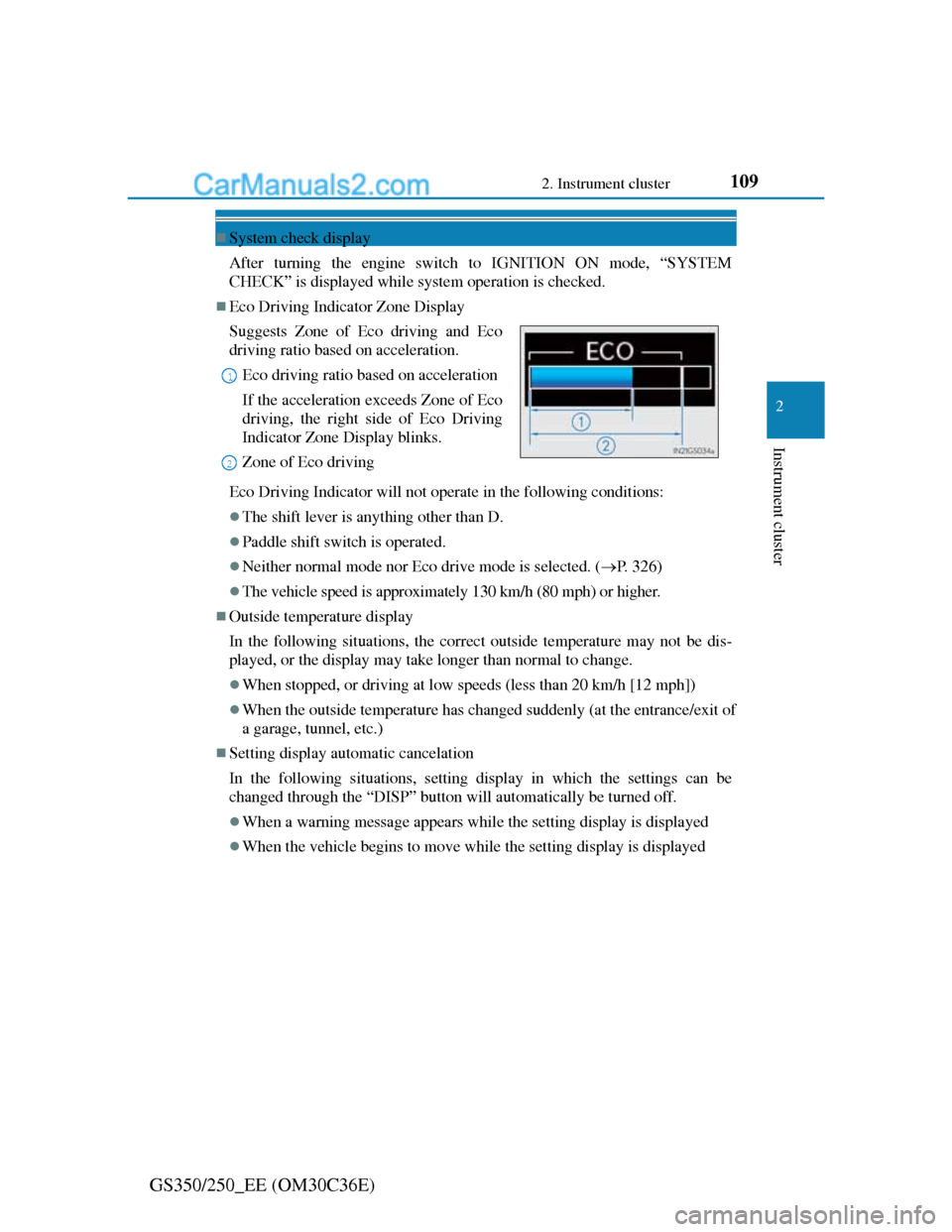
Eco Driving Indicator Zone Display
Eco Driving Indicator will not operate in the following conditions:
The shift lever is anything other than D.
Paddle shift switch is operated.
Neither normal mode nor Eco drive mode is selected. (P. 326)
The vehicle speed is approximately 130 km/h (80 mph) or higher.
Outside temperature display
In the following situations, the correct outside temperature may not be dis-
played, or the display may take longer than normal to change.
When stopped, or driving at low speeds (less than 20 km/h [12 mph])
When the outside temperature has changed suddenly (at the entrance/exit of
a garage, tunnel, etc.)
Setting display automatic cancelation
In the following situations, setting display in which the settings can be
changed through the “DISP” button will automatically be turned off.
When a warning message appears while the setting display is displayed
When the vehicle begins to move while the setting display is displayed Suggests Zone of Eco driving and Eco
driving ratio based on acceleration.
Eco driving ratio based on acceleration
If the acceleration exceeds Zone of Eco
driving, the right side of Eco Driving
Indicator Zone Display blinks.
Zone of Eco driving
1
2
Page 113 of 914
1122. Instrument cluster
GS350/250_EE (OM30C36E)
Head-up display
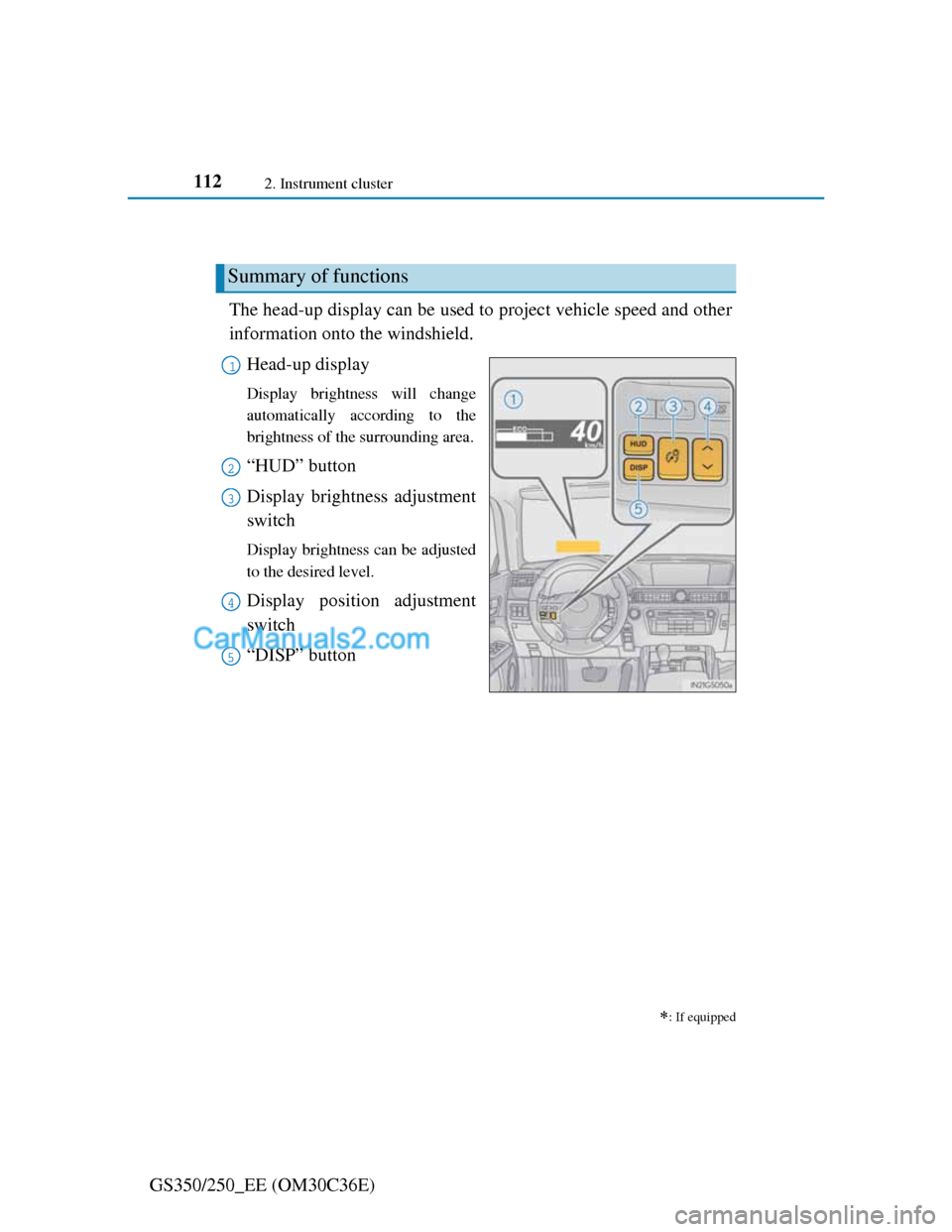
The head-up display can be used to project vehicle speed and other
information onto the windshield.
Head-up display
Display brightness will change
automatically according to the
brightness of the surrounding area.
“HUD” button
Display brightness adjustment
switch
Display brightness can be adjusted
to the desired level.
Display position adjustment
switch
“DISP” button
: If equipped
Summary of functions
1
2
3
4
5
Page 114 of 914
1132. Instrument cluster
2
Instrument cluster
GS350/250_EE (OM30C36E)
Vehicle speed
Tachometer
Shift position and shift range
Displays the selected shift position or selected shift range (P. 214)
Eco Driving Indicator (P. 109)
Audio display
Displays audio information for approximately 3 seconds when the audio
system is operated
Route guidance display (vehicles with navigation system)
(P. 116)
When approaching an intersection while the navigation system is giving
route guidance, an arrow will automatically be displayed to indicate the
direction of travel.
Lane departure warning display (LKA [Lane-Keeping Assist])
(if equipped) (P. 767)
Approach warning display (dynamic radar cruise control) (if
equipped)
(P. 767)
Pre-crash braking warning message (pre-crash safety system)
(if equipped) (P. 767)
Head-up display contents
Page 116 of 914
1152. Instrument cluster
2
Instrument cluster
GS350/250_EE (OM30C36E)
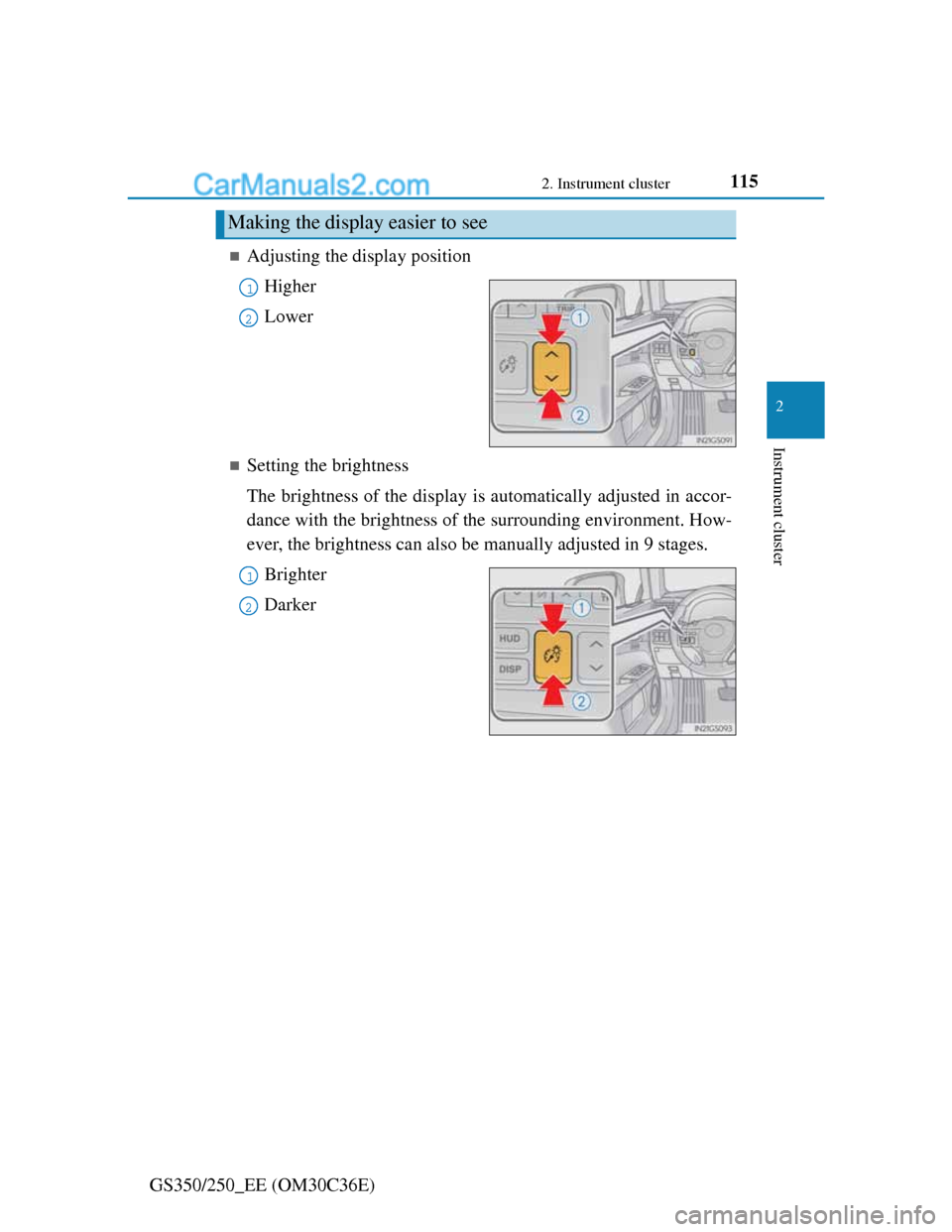
Adjusting the display position
Higher
Lower
Setting the brightness
The brightness of the display is automatically adjusted in accor-
dance with the brightness of the surrounding environment. How-
ever, the brightness can also be manually adjusted in 9 stages.
Brighter
Darker
Making the display easier to see
1
2
1
2
Page 118 of 914
1172. Instrument cluster
2
Instrument cluster
GS350/250_EE (OM30C36E)
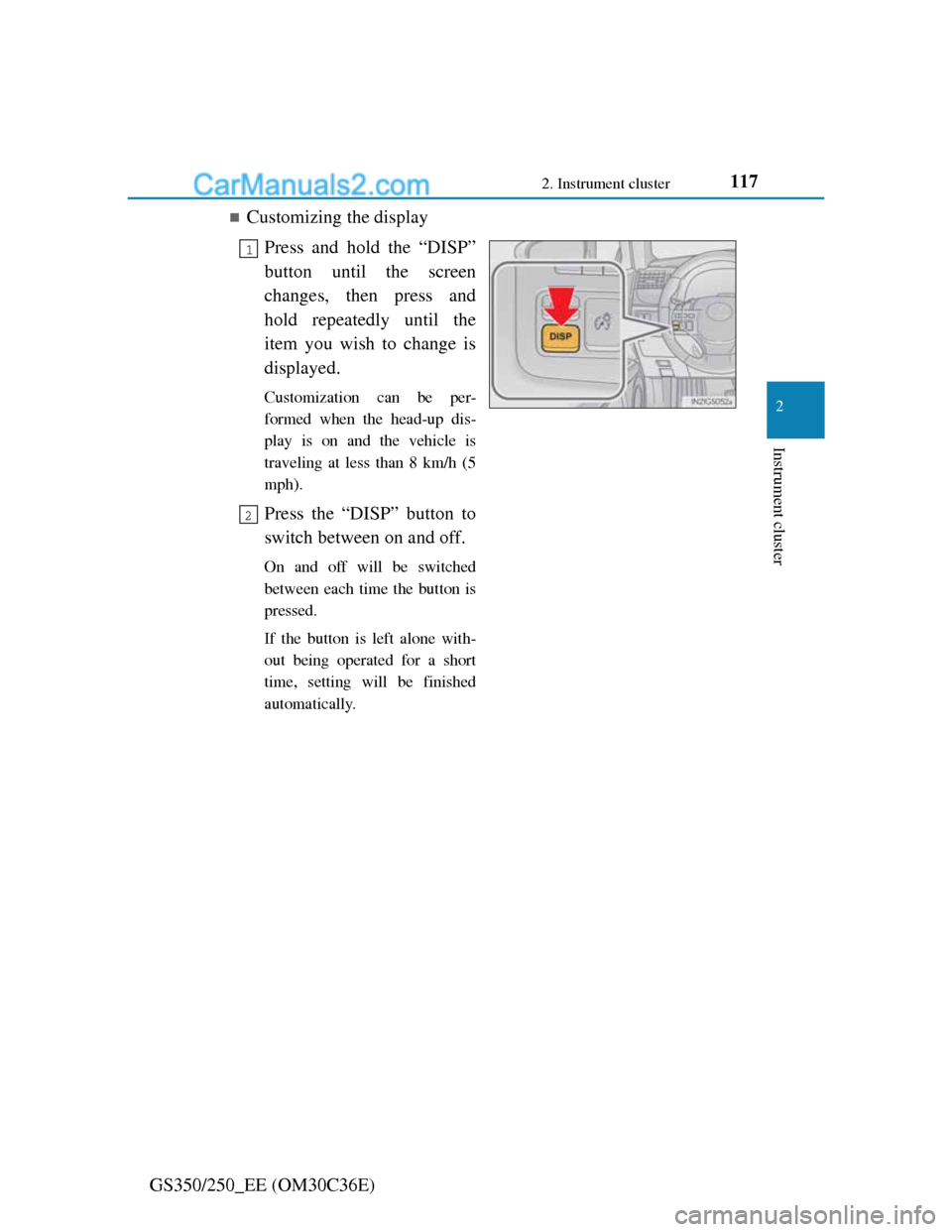
Customizing the display
Press and hold the “DISP”
button until the screen
changes, then press and
hold repeatedly until the
item you wish to change is
displayed.
Customization can be per-
formed when the head-up dis-
play is on and the vehicle is
traveling at less than 8 km/h (5
mph).
Press the “DISP” button to
switch between on and off.
On and off will be switched
between each time the button is
pressed.
If the button is left alone with-
out being operated for a short
time, setting will be finished
automatically.
1
2
Page 126 of 914
123
3 3-2. Opening, closing and locking the doors and trunk
Operation of each component
GS350/250_EE (OM30C36E)
Smart entry & start system
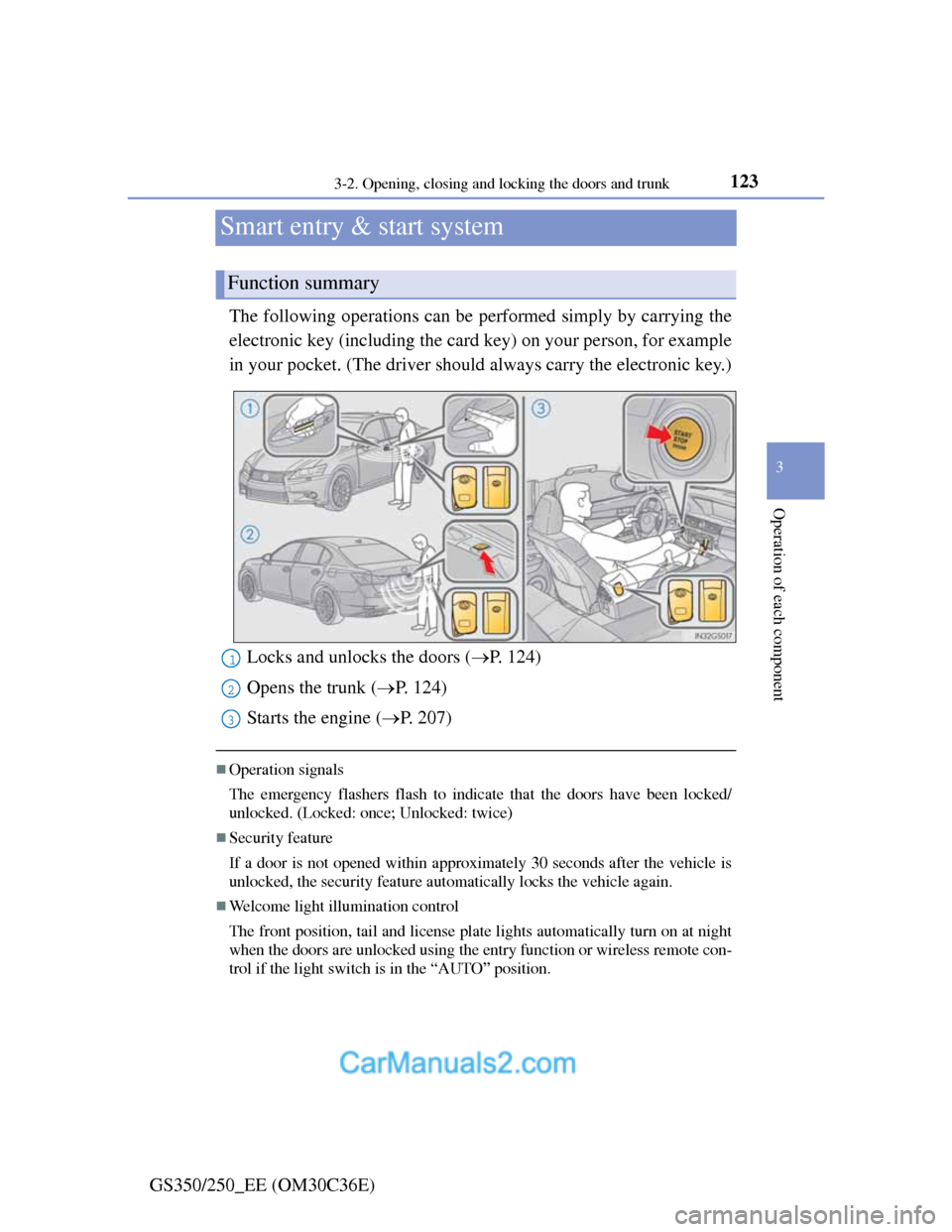
The following operations can be performed simply by carrying the
electronic key (including the card key) on your person, for example
in your pocket. (The driver should always carry the electronic key.)
Operation signals
The emergency flashers flash to indicate that the doors have been locked/
unlocked. (Locked: once; Unlocked: twice)
Security feature
If a door is not opened within approximately 30 seconds after the vehicle is
unlocked, the security feature automatically locks the vehicle again.
Welcome light illumination control
The front position, tail and license plate lights automatically turn on at night
when the doors are unlocked using the entry function or wireless remote con-
trol if the light switch is in the “AUTO” position.
Function summary
Locks and unlocks the doors (P. 124)
Opens the trunk (P. 124)
Starts the engine (P. 207)1
2
3