Lexus GS250 2012 Owner's Guide
GS250 2012
Lexus
Lexus
https://www.carmanualsonline.info/img/36/13052/w960_13052-0.png
Lexus GS250 2012 Owner's Guide
Page 387 of 914
3775-1. Remote Touch screen
5
Interior features
GS350/250_EE (OM30C36E)
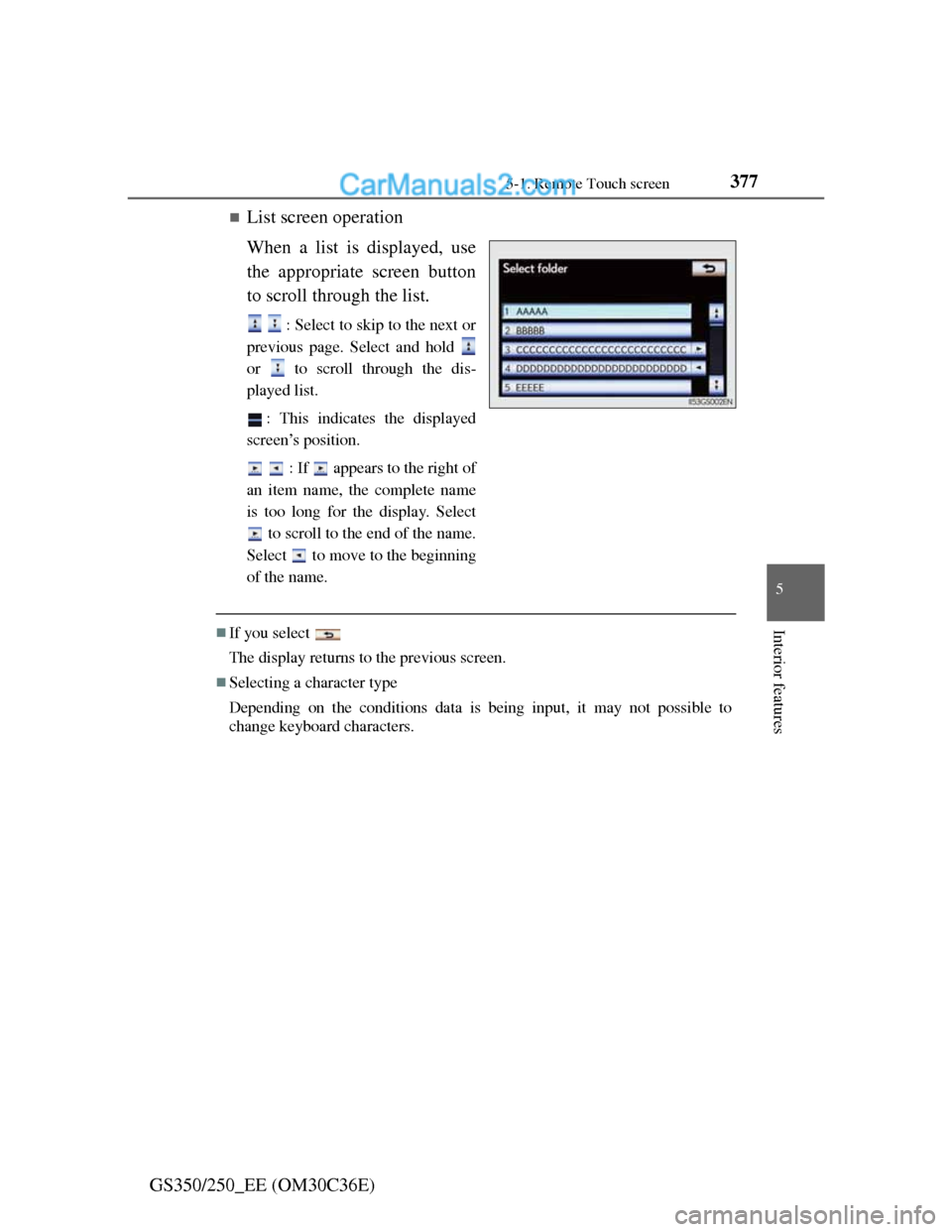
List screen operation
When a list is displayed, use
the appropriate screen button
to scroll through the list.
: Select to skip to the next or
previous page. Select and hold
or to scroll through the dis-
played list.
: This indicates the displayed
screen’s position.
: If appears to the right of
an item name, the complete name
is too long for the display. Select
to scroll to the end of the name.
Select to move to the beginning
of the name.
If you select
The display returns to the previous screen.
Selecting a character type
Depending on the conditions data is being input, it may not possible to
change keyboard characters.
Page 388 of 914
3785-1. Remote Touch screen
GS350/250_EE (OM30C36E)Fuel consumption information from recent resets will be displayed.
Vehicles with a 12.3-inch display: The fuel consumption informa-
tion can be displayed and operated on the “Side Display”. For
details, refer to the “Navigation System Owner’s Manual”.
Press the “MENU” button on the Remote Touch, then select “Car”
on the “Menu” screen.
Fuel consumption
Page 389 of 914
3795-1. Remote Touch screen
5
Interior features
GS350/250_EE (OM30C36E)
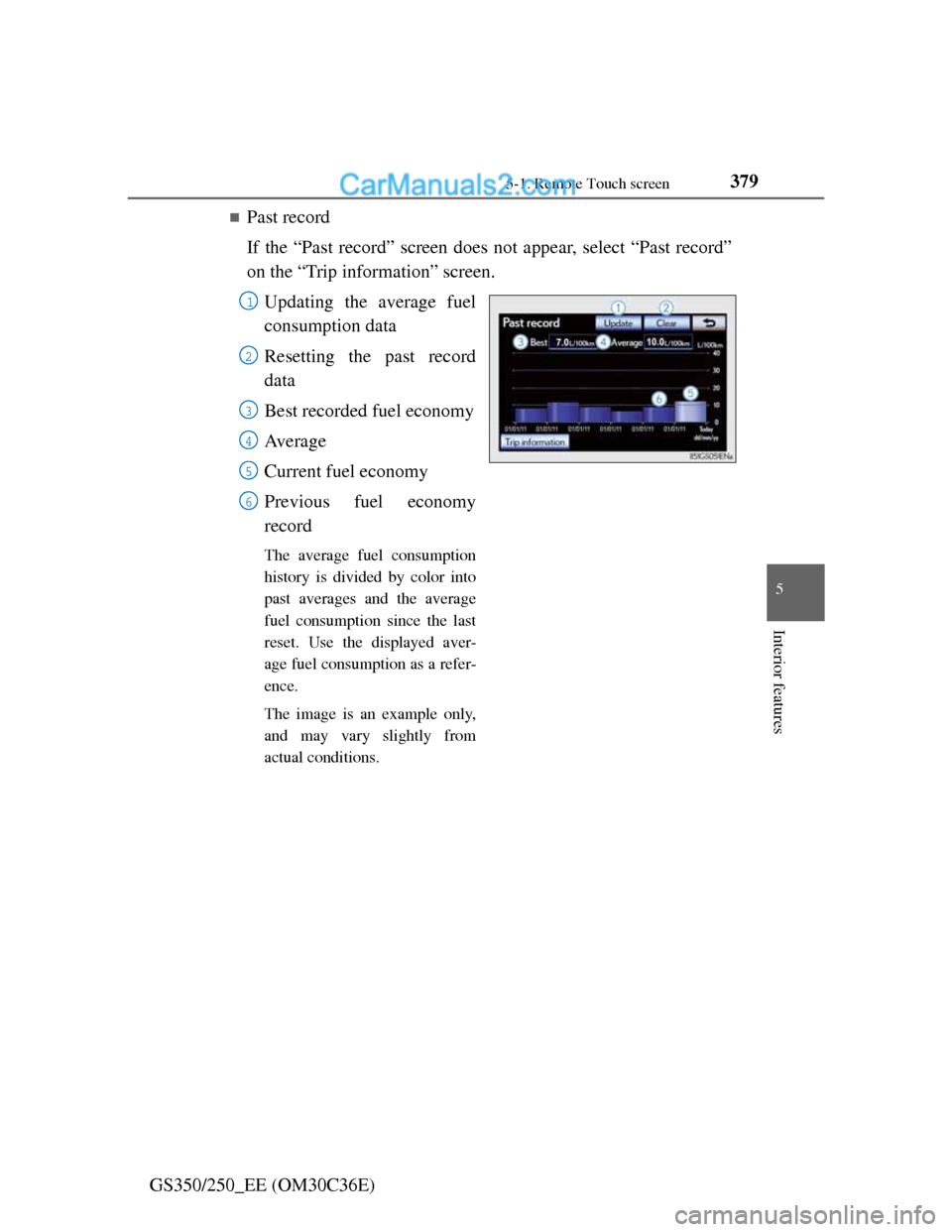
Past record
If the “Past record” screen does not appear, select “Past record”
on the “Trip information” screen.
Updating the average fuel
consumption data
Resetting the past record
data
Best recorded fuel economy
Av e r a g e
Current fuel economy
Previous fuel economy
record
The average fuel consumption
history is divided by color into
past averages and the average
fuel consumption since the last
reset. Use the displayed aver-
age fuel consumption as a refer-
ence.
The image is an example only,
and may vary slightly from
actual conditions.
1
2
3
4
5
6
Page 390 of 914
3805-1. Remote Touch screen
GS350/250_EE (OM30C36E)
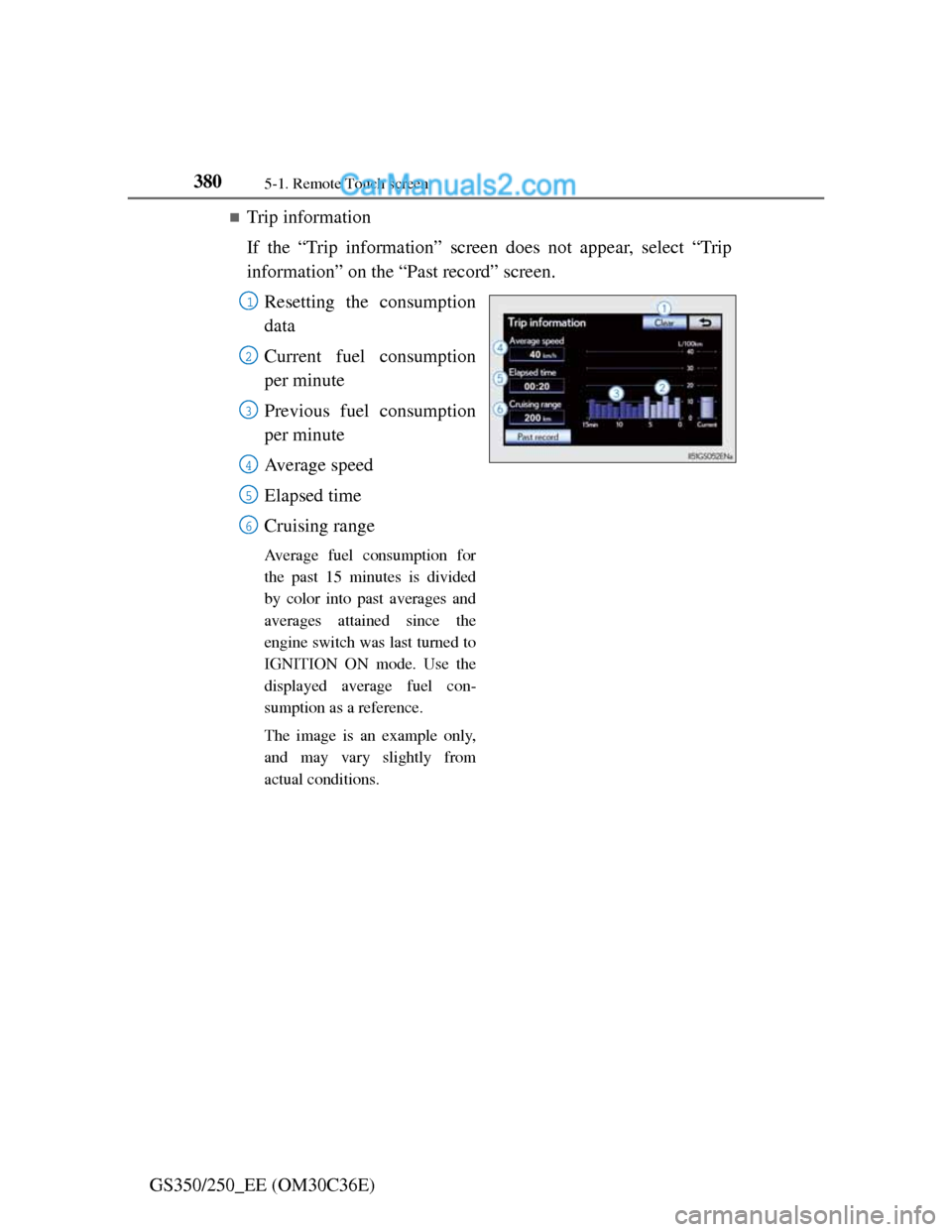
Trip information
If the “Trip information” screen does not appear, select “Trip
information” on the “Past record” screen.
Resetting the consumption
data
Current fuel consumption
per minute
Previous fuel consumption
per minute
Average speed
Elapsed time
Cruising range
Average fuel consumption for
the past 15 minutes is divided
by color into past averages and
averages attained since the
engine switch was last turned to
IGNITION ON mode. Use the
displayed average fuel con-
sumption as a reference.
The image is an example only,
and may vary slightly from
actual conditions.
1
2
3
4
5
6
Page 391 of 914
3815-1. Remote Touch screen
5
Interior features
GS350/250_EE (OM30C36E)
Updating the past record data
Update the average fuel consumption by selecting “Update” to measure the
current fuel consumption again.
Resetting the data
The data can be deleted by selecting “Clear”.
Cruising range
Displays the estimated maximum distance that can be driven with the quan-
tity of fuel remaining.
This distance is computed based on your average fuel consumption.
As a result, the actual distance that can be driven may differ from that dis-
played.
Page 392 of 914
3825-1. Remote Touch screen
GS350/250_EE (OM30C36E)
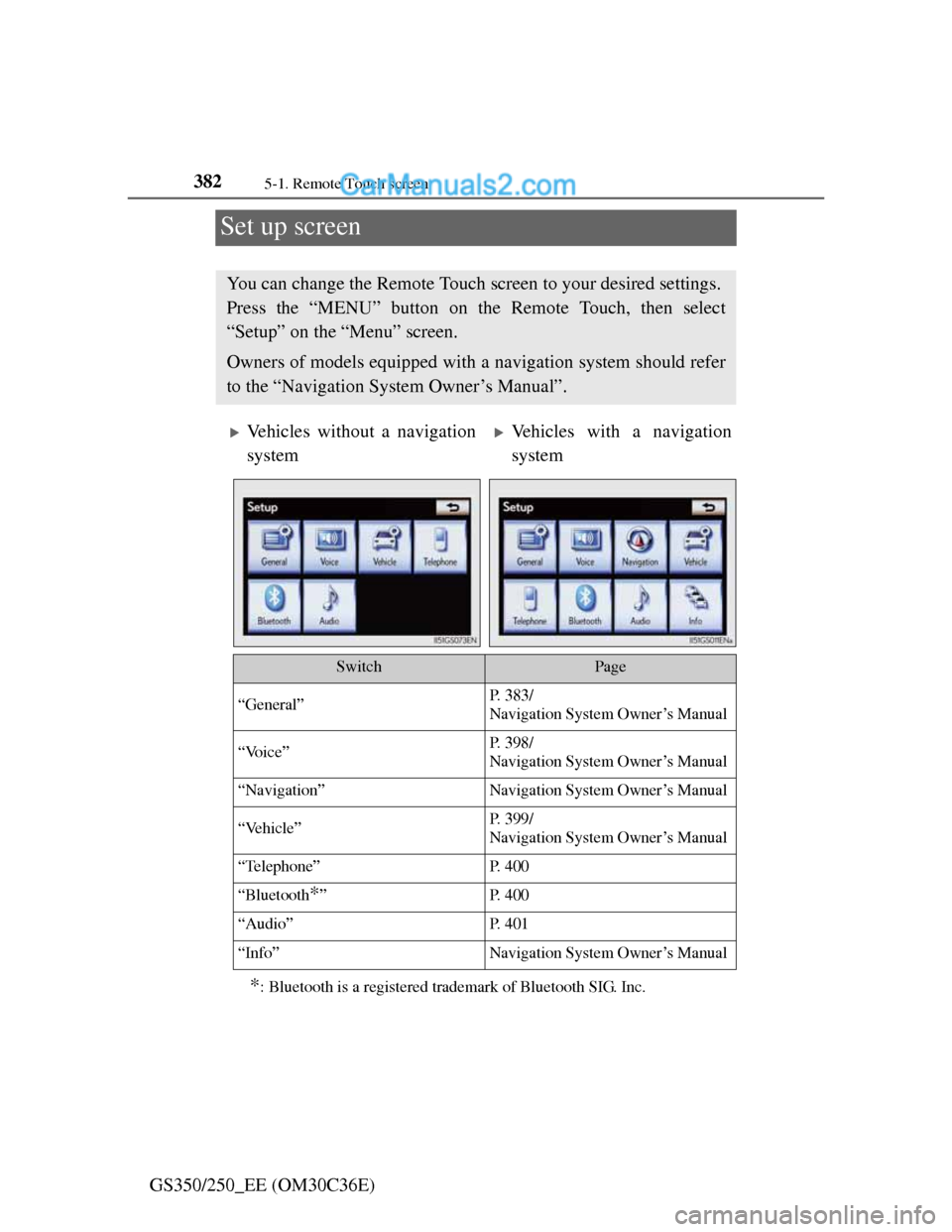
Set up screen
*: Bluetooth is a registered trademark of Bluetooth SIG. Inc.
You can change the Remote Touch screen to your desired settings.
Press the “MENU” button on the Remote Touch, then select
“Setup” on the “Menu” screen.
Owners of models equipped with a navigation system should refer
to the “Navigation System Owner’s Manual”.
Vehicles without a navigation
systemVehicles with a navigation
system
SwitchPage
“General”P. 383/
Navigation System Owner’s Manual
“Voice”P. 398/
Navigation System Owner’s Manual
“Navigation”Navigation System Owner’s Manual
“Vehicle”P. 399/
Navigation System Owner’s Manual
“Telephone”P. 4 0 0
“Bluetooth*”P. 4 0 0
“Audio”P. 4 0 1
“Info”Navigation System Owner’s Manual
Page 393 of 914
3835-1. Remote Touch screen
5
Interior features
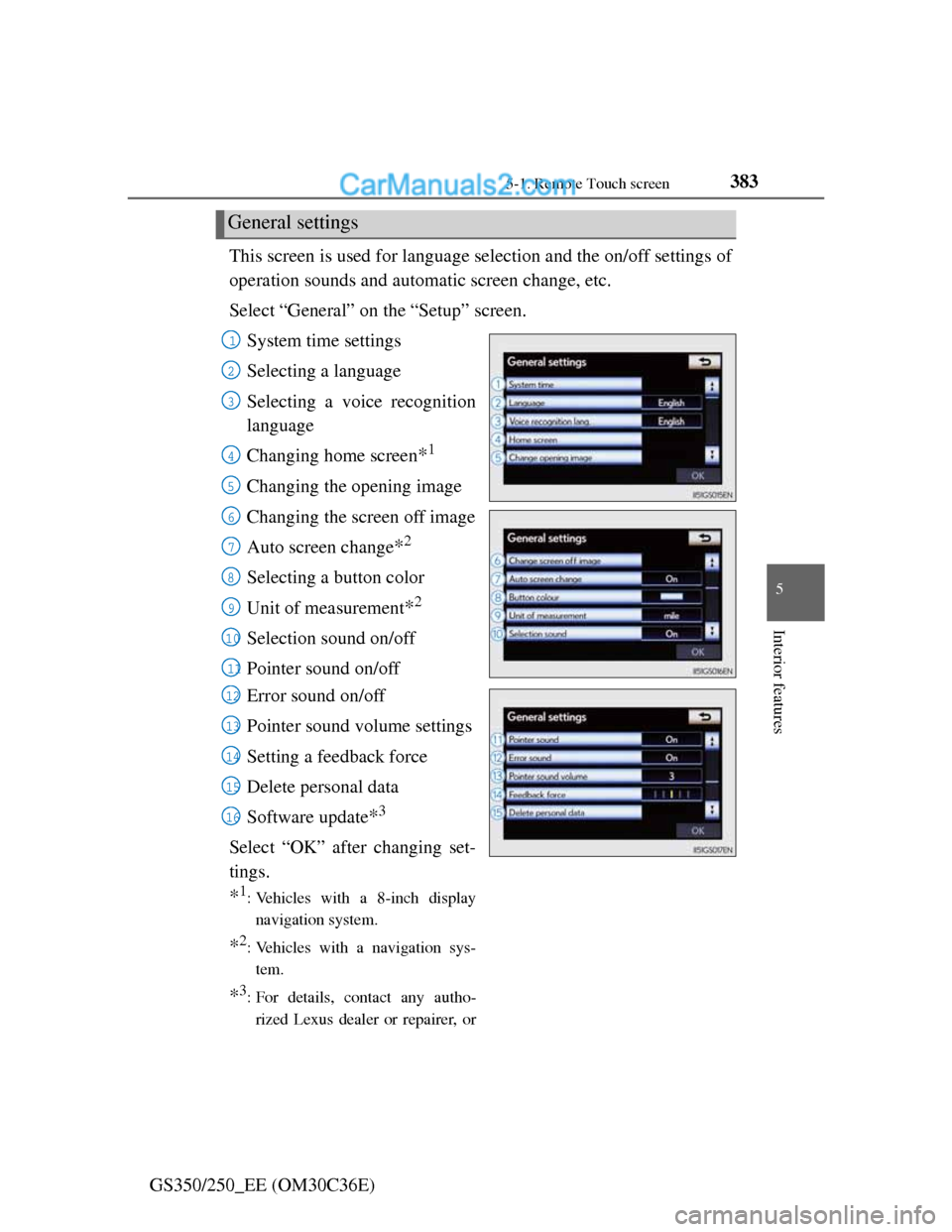
GS350/250_EE (OM30C36E)This screen is used for language selection and the on/off settings of
operation sounds and automatic screen change, etc.
Select “General” on the “Setup” screen.
System time settings
Selecting a language
Selecting a voice recognition
language
Changing home screen
*1
Changing the opening image
Changing the screen off image
Auto screen change
*2
Selecting a button color
Unit of measurement
*2
Selection sound on/off
Pointer sound on/off
Error sound on/off
Pointer sound volume settings
Setting a feedback force
Delete personal data
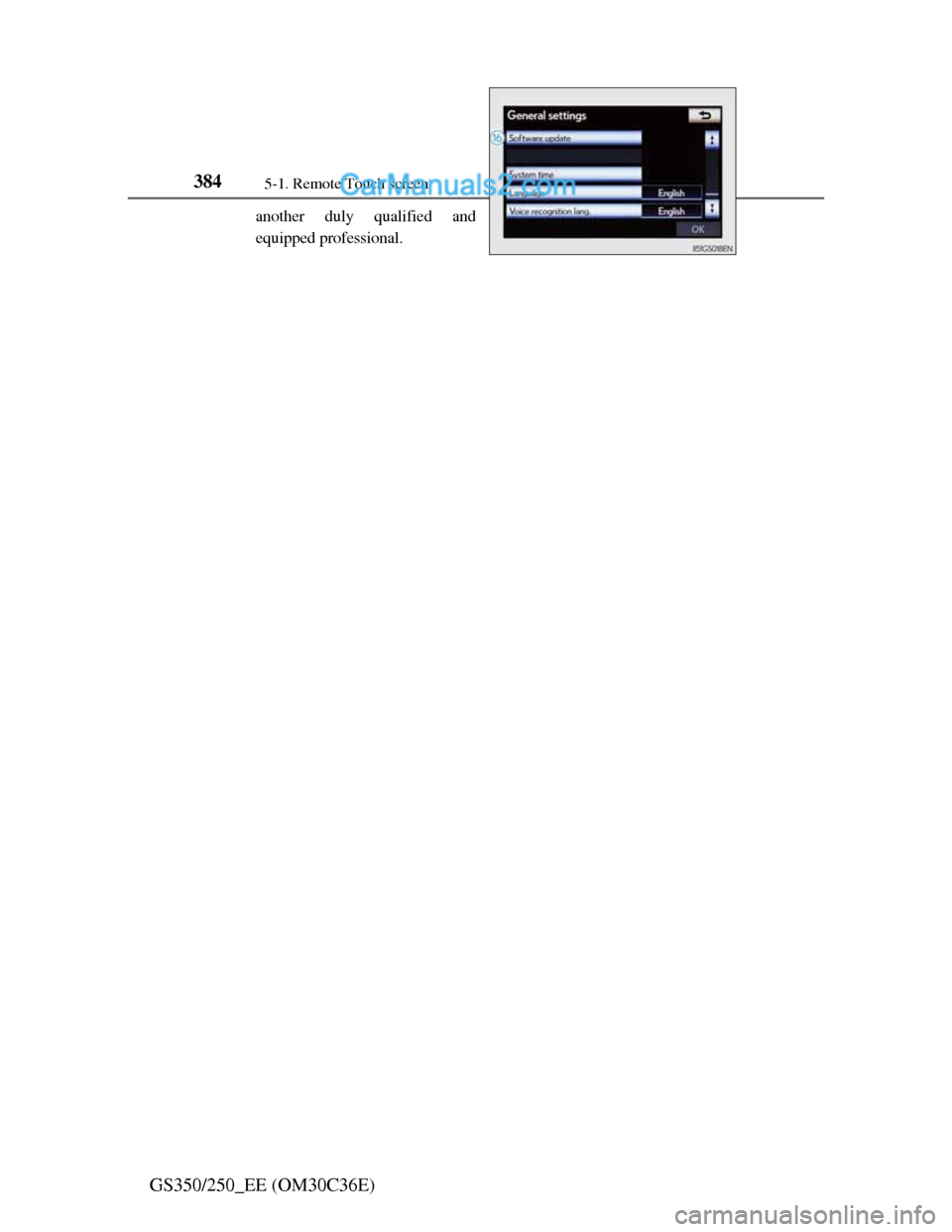
Software update
*3
Select “OK” after changing set-
tings.
*1: Vehicles with a 8-inch display
navigation system.
*2: Vehicles with a navigation sys-
tem.
*3: For details, contact any autho-
rized Lexus dealer or repairer, or
General settings
1
2
3
4
5
6
7
8
9
10
11
12
13
14
15
16
Page 394 of 914
3845-1. Remote Touch screen
GS350/250_EE (OM30C36E)
another duly qualified and
equipped professional.
Page 395 of 914
3855-1. Remote Touch screen
5
Interior features
GS350/250_EE (OM30C36E)
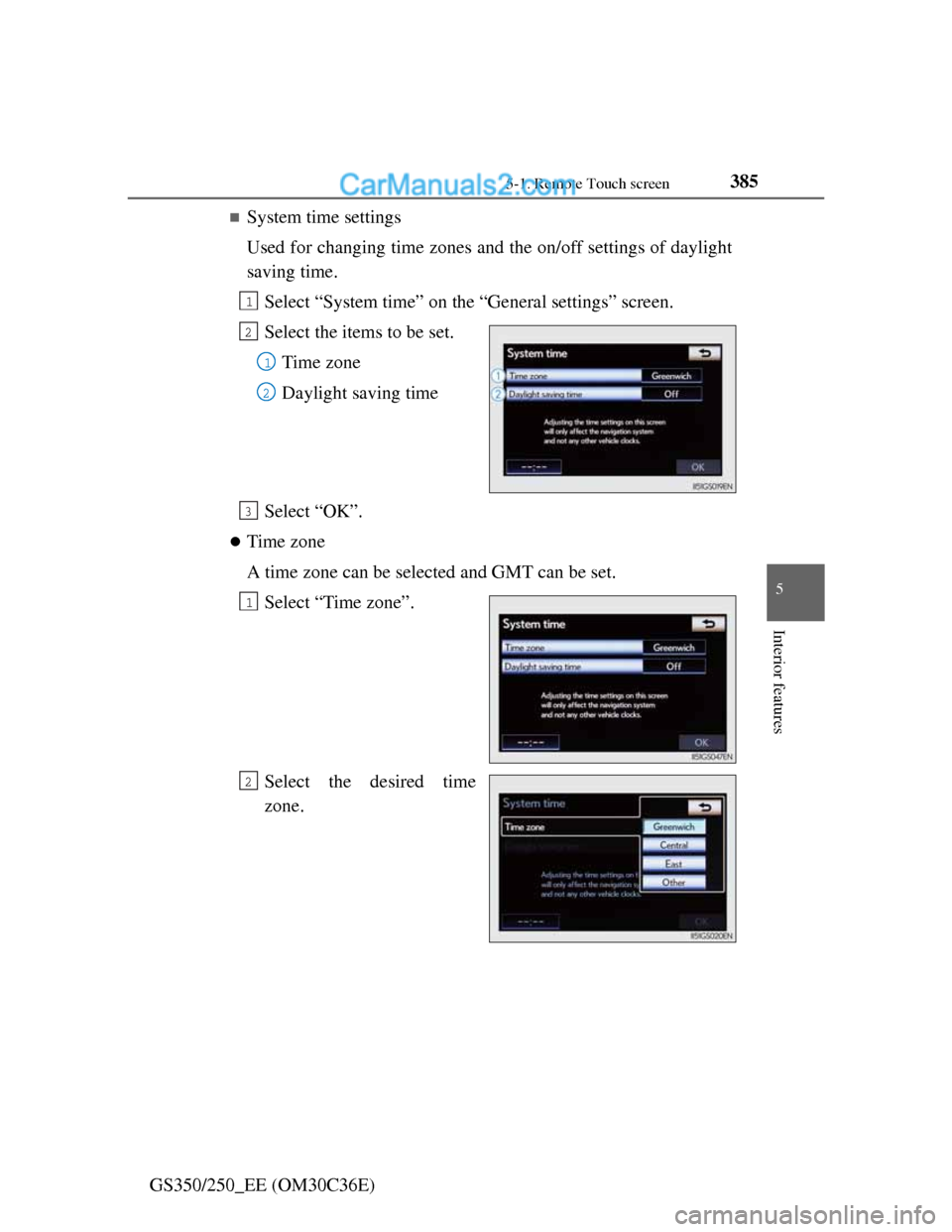
System time settings
Used for changing time zones and the on/off settings of daylight
saving time.
Select “System time” on the “General settings” screen.
Select the items to be set.
Time zone
Daylight saving time
Select “OK”.
Time zone
A time zone can be selected and GMT can be set.
Select “Time zone”.
Select the desired time
zone.
1
2
1
2
3
1
2
Page 396 of 914
3865-1. Remote Touch screen
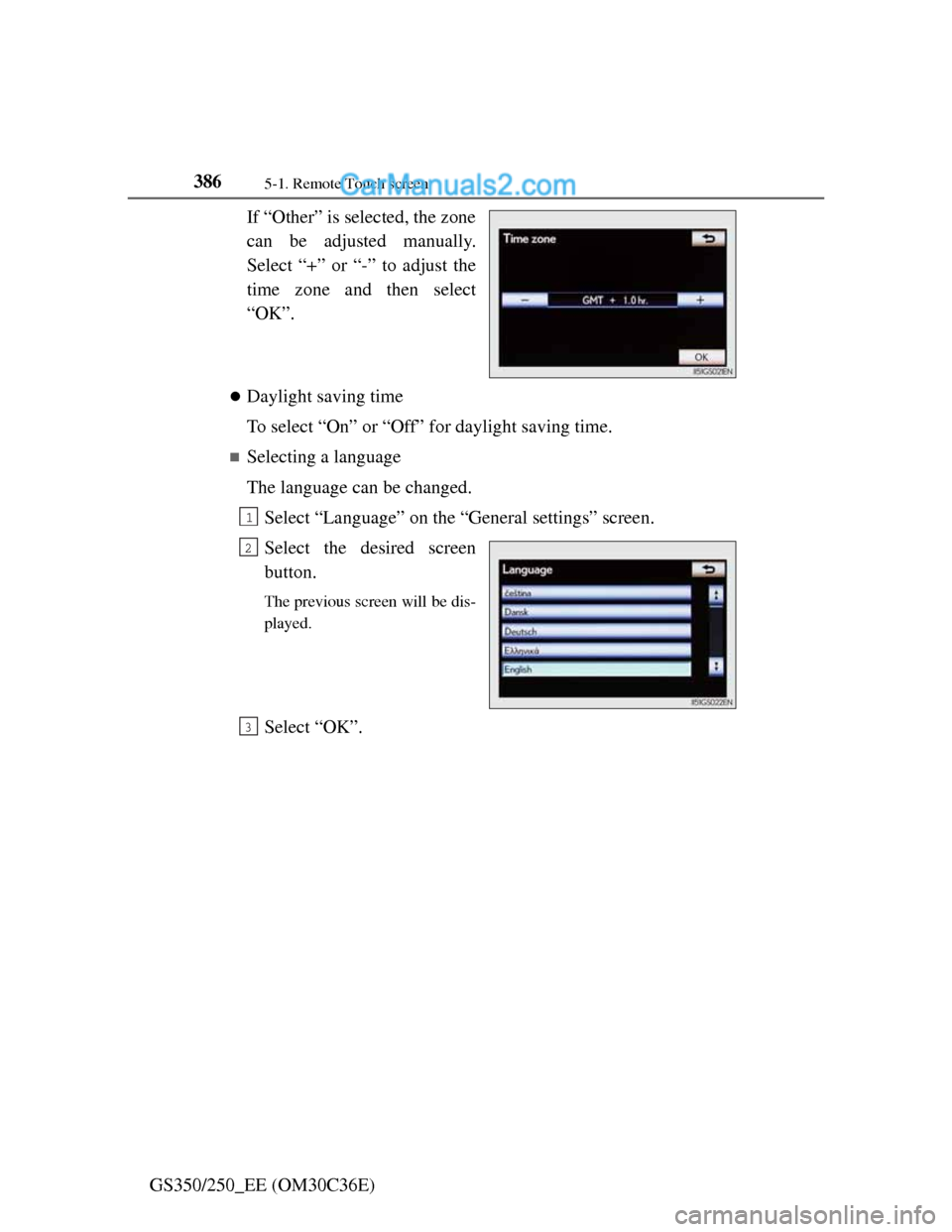
GS350/250_EE (OM30C36E)If “Other” is selected, the zone
can be adjusted manually.
Select “+” or “-” to adjust the
time zone and then select
“OK”.
Daylight saving time
To select “On” or “Off” for daylight saving time.
Selecting a language
The language can be changed.
Select “Language” on the “General settings” screen.
Select the desired screen
button.
The previous screen will be dis-
played.
Select “OK”.
1
2
3