Disp Lexus GS250 2012 Owner's Guide
[x] Cancel search | Manufacturer: LEXUS, Model Year: 2012, Model line: GS250, Model: Lexus GS250 2012Pages: 914, PDF Size: 53.04 MB
Page 117 of 914
1162. Instrument cluster
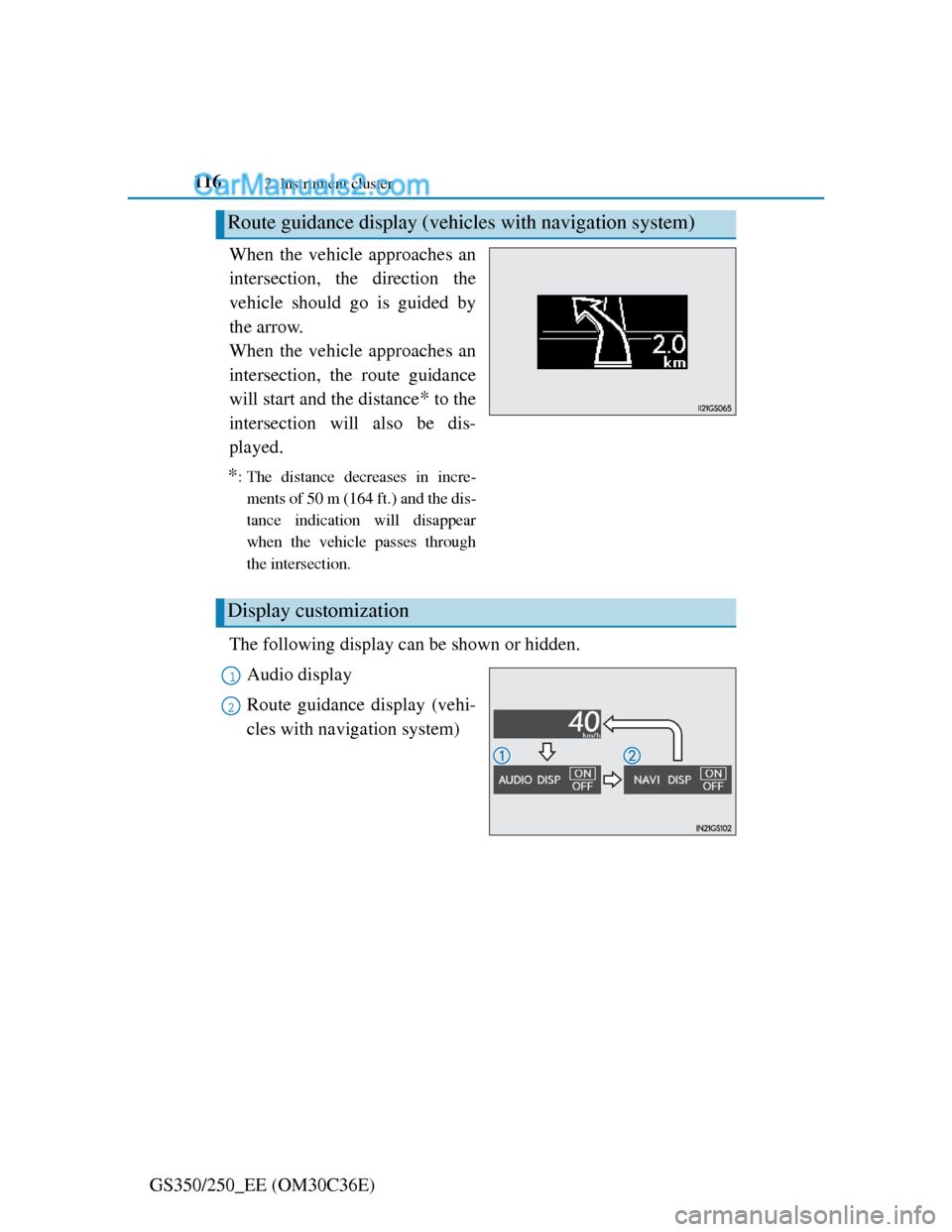
GS350/250_EE (OM30C36E)When the vehicle approaches an
intersection, the direction the
vehicle should go is guided by
the arrow.
When the vehicle approaches an
intersection, the route guidance
will start and the distance
* to the
intersection will also be dis-
played.
*: The distance decreases in incre-
ments of 50 m (164 ft.) and the dis-
tance indication will disappear
when the vehicle passes through
the intersection.
The following display can be shown or hidden.
Audio display
Route guidance display (vehi-
cles with navigation system)
Route guidance display (vehicles with navigation system)
Display customization
1
2
Page 118 of 914
1172. Instrument cluster
2
Instrument cluster
GS350/250_EE (OM30C36E)
Customizing the display
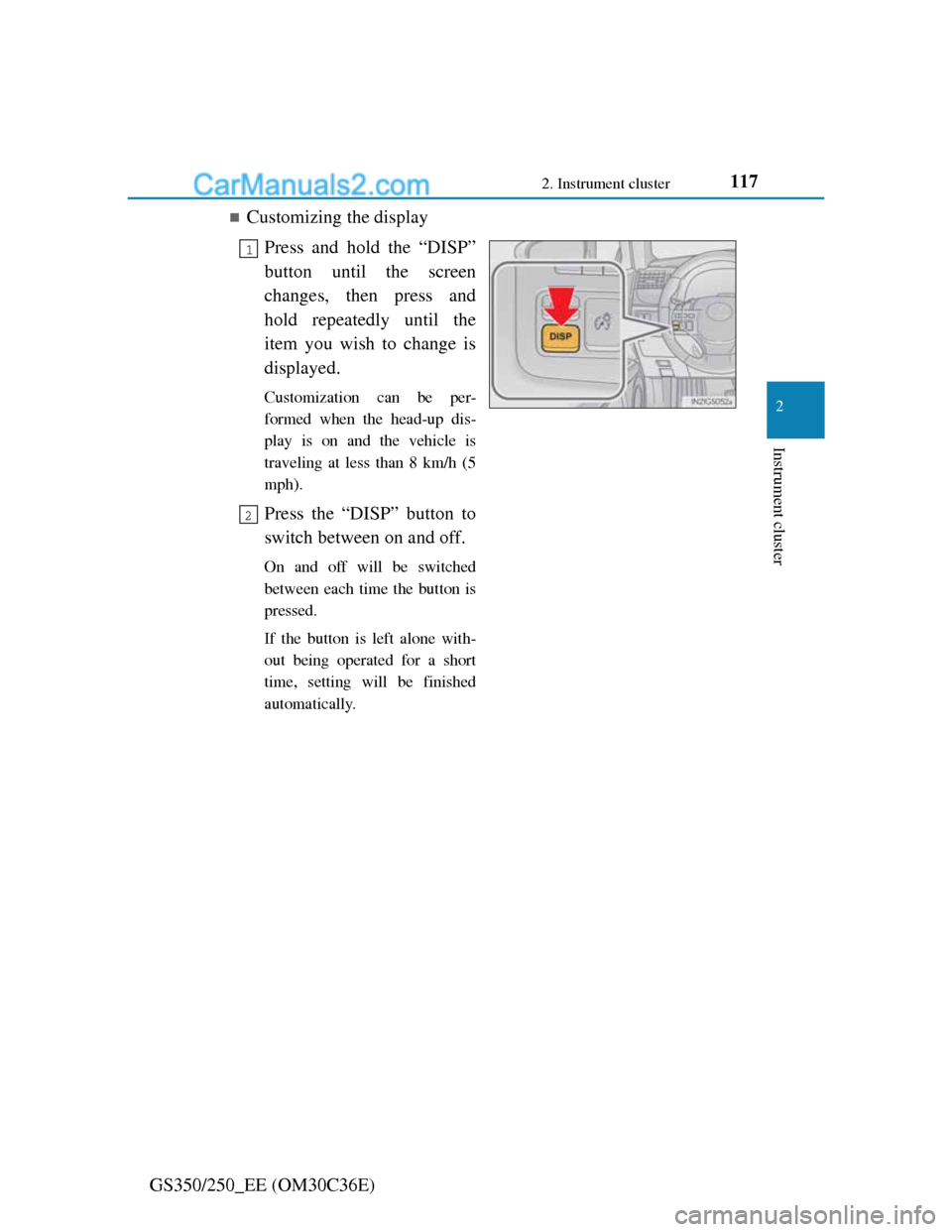
Press and hold the “DISP”
button until the screen
changes, then press and
hold repeatedly until the
item you wish to change is
displayed.
Customization can be per-
formed when the head-up dis-
play is on and the vehicle is
traveling at less than 8 km/h (5
mph).
Press the “DISP” button to
switch between on and off.
On and off will be switched
between each time the button is
pressed.
If the button is left alone with-
out being operated for a short
time, setting will be finished
automatically.
1
2
Page 119 of 914
1182. Instrument cluster
GS350/250_EE (OM30C36E)
Head-up display
The head-up display may seem dark and hard to see when viewed through
sunglasses, especially polarized sunglasses.
Adjust the brightness of the head-up display or remove your sunglasses.
When the head-up display is turned off, it will remain off even if the engine
switch is turned to IGNITION ON mode after the engine switch has been
turned off.
When the battery is disconnected
The customize settings of the head-up display will be reset.
CAUTION
Before using the head-up display
Check that the position and brightness of the head-up display image does
not interfere with safe driving. Incorrect adjustment of the image’s position
or brightness may obstruct the driver’s view and lead to an accident, result-
ing in death or serious injury.
NOTICE
To prevent damage to components
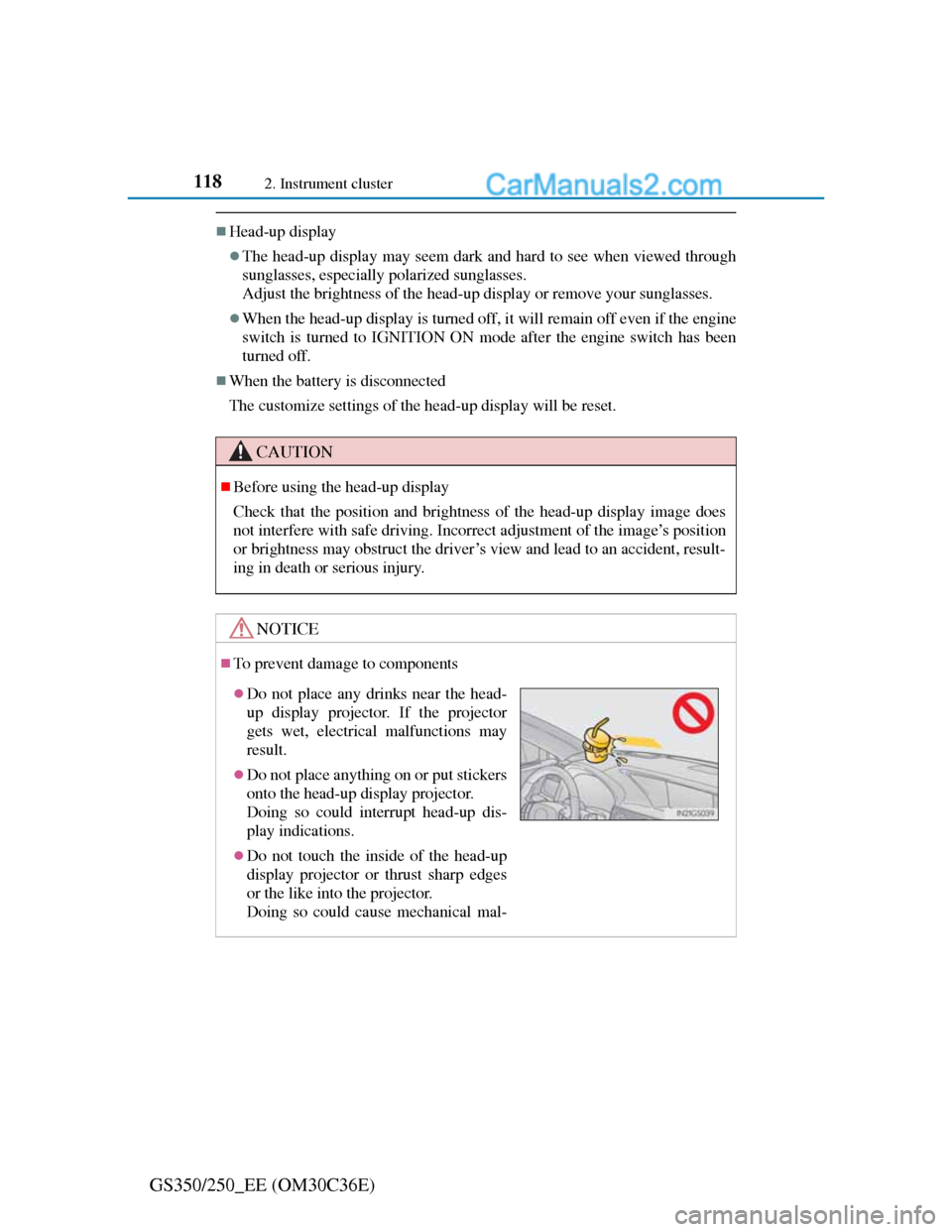
Do not place any drinks near the head-
up display projector. If the projector
gets wet, electrical malfunctions may
result.
Do not place anything on or put stickers
onto the head-up display projector.
Doing so could interrupt head-up dis-
play indications.
Do not touch the inside of the head-up
display projector or thrust sharp edges
or the like into the projector.
Doing so could cause mechanical mal-
Page 130 of 914
1273-2. Opening, closing and locking the doors and trunk
3
Operation of each component
GS350/250_EE (OM30C36E)
Alarms and warning indicators
An alarm sounds and warning message displays shown on the multi-informa-
tion display are used to protect against unexpected accidents or theft of the
vehicle resulting from erroneous operation. When a warning message is dis-
played, take appropriate measures based on the displayed message. (P.
757)
When only an alarm sounds, circumstances and correction procedures are as
follows.
AlarmSituationCorrection procedure
Exterior alarm sounds
once for 5 seconds
The trunk was closed
while the electronic
key was still inside the
trunk and all the doors
were locked.
Retrieve the electronic
key from the trunk and
close the trunk lid.
An attempt was made
to lock the vehicle
while a door was open.Close all of the doors
and lock the doors
again.
Interior alarm sounds
continuously
The engine switch was
turned to ACCES-
SORY mode while the
driver’s door was open
(or the driver’s door
was opened while the
engine switch was in
ACCESSORY mode).
Turn the engine switch
off and close the
driver’s door.
Page 131 of 914
1283-2. Opening, closing and locking the doors and trunk
GS350/250_EE (OM30C36E)
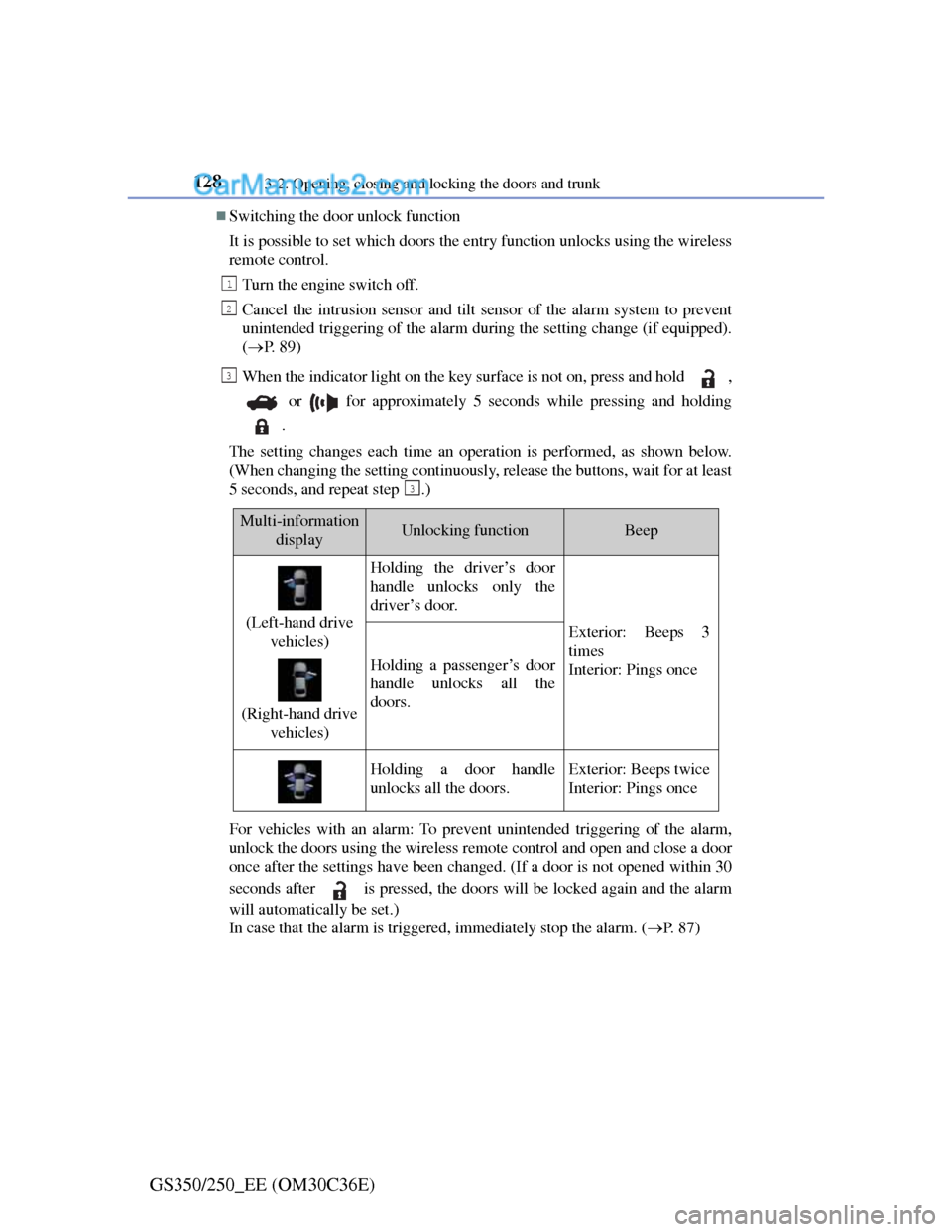
Switching the door unlock function
It is possible to set which doors the entry function unlocks using the wireless
remote control.
Turn the engine switch off.
Cancel the intrusion sensor and tilt sensor of the alarm system to prevent
unintended triggering of the alarm during the setting change (if equipped).
(P. 8 9 )
When the indicator light on the key surface is not on, press and hold ,
or for approximately 5 seconds while pressing and holding
.
The setting changes each time an operation is performed, as shown below.
(When changing the setting continuously, release the buttons, wait for at least
5 seconds, and repeat step .)
For vehicles with an alarm: To prevent unintended triggering of the alarm,
unlock the doors using the wireless remote control and open and close a door
once after the settings have been changed. (If a door is not opened within 30
seconds after is pressed, the doors will be locked again and the alarm
will automatically be set.)
In case that the alarm is triggered, immediately stop the alarm. (P. 8 7 )
1
2
3
3
Multi-information
displayUnlocking functionBeep
(Left-hand drive
vehicles)
(Right-hand drive
vehicles)
Holding the driver’s door
handle unlocks only the
driver’s door.
Exterior: Beeps 3
times
Interior: Pings once
Holding a passenger’s door
handle unlocks all the
doors.
Holding a door handle
unlocks all the doors.Exterior: Beeps twice
Interior: Pings once
Page 143 of 914
1403-2. Opening, closing and locking the doors and trunk
GS350/250_EE (OM30C36E)
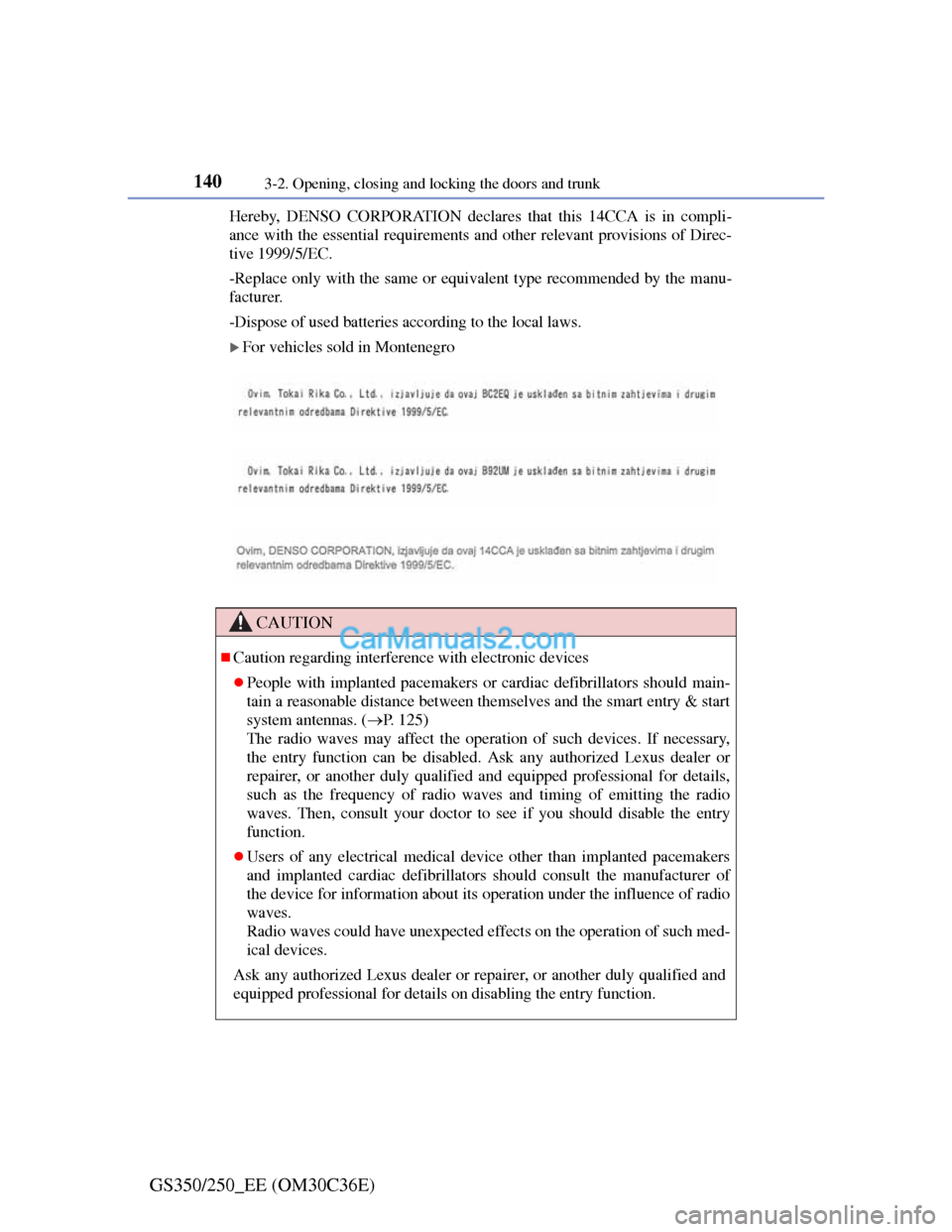
Hereby, DENSO CORPORATION declares that this 14CCA is in compli-
ance with the essential requirements and other relevant provisions of Direc-
tive 1999/5/EC.
-Replace only with the same or equivalent type recommended by the manu-
facturer.
-Dispose of used batteries according to the local laws.
For vehicles sold in Montenegro
CAUTION
Caution regarding interference with electronic devices
People with implanted pacemakers or cardiac defibrillators should main-
tain a reasonable distance between themselves and the smart entry & start
system antennas. (P. 125)
The radio waves may affect the operation of such devices. If necessary,
the entry function can be disabled. Ask any authorized Lexus dealer or
repairer, or another duly qualified and equipped professional for details,
such as the frequency of radio waves and timing of emitting the radio
waves. Then, consult your doctor to see if you should disable the entry
function.
Users of any electrical medical device other than implanted pacemakers
and implanted cardiac defibrillators should consult the manufacturer of
the device for information about its operation under the influence of radio
waves.
Radio waves could have unexpected effects on the operation of such med-
ical devices.
Ask any authorized Lexus dealer or repairer, or another duly qualified and
equipped professional for details on disabling the entry function.
Page 184 of 914
1803-5. Opening, closing the windows and moon roof
GS350/250_EE (OM30C36E)
Door lock linked window operation
The power windows can be opened and closed using the mechanical key.*
(P. 821)
The power windows can be opened and closed using the wireless remote
control.
* (P. 141)
*: These settings must be customized at any authorized Lexus dealer or
repairer, or another duly qualified and equipped professional.
When the battery is disconnected
The window lock switch is disabled. If necessary, press the window lock
switch after reconnecting the battery.
Power windows open warning buzzer
The buzzer sounds and a message is shown on the multi-information display
in the instrument cluster when the engine switch is turned off and the driver’s
door is opened with the power windows open.
Customization
Settings (e.g. linked door lock operation) can be changed.
(Customizable features: P. 855)
CAUTION
Observe the following precautions.
Failure to do so may result in death or serious injury.
Closing the windows
Check to make sure that all passengers do not have any part of their body
in a position where it could be caught when a window is being operated.
Do not allow children to operate the power windows.
Closing a power window on someone can cause serious injury, and in
some instances, even death.
Jam protection function
Never use any part of your body to intentionally activate the jam protec-
tion function.
The jam protection function may not work if something gets caught just
before the window fully closes.
Page 188 of 914
1843-5. Opening, closing the windows and moon roof
GS350/250_EE (OM30C36E)
Moon roof open warning buzzer
The buzzer sounds and a message is shown on the multi-information display
in the instrument cluster when the engine switch is turned off and the driver’s
door is opened with the moon roof open.
Customization
Settings (e.g. linked door lock operation) can be changed.
(Customizable features: P. 855)
CAUTION
Observe the following precautions.
Failure to do so may cause death or serious injury.
Opening the moon roof
Do not allow any passengers to put their hands or heads outside the vehi-
cle while it is moving.
Do not sit on top of the moon roof.
Closing the moon roof
Check to make sure that all passengers do not have any part of their body
in a position where it could be caught when the moon roof is being oper-
ated.
Do not allow children to operate the moon roof.
Closing the moon roof on someone can cause death or serious injury.
Jam protection function
Never use any part of your body to intentionally activate the jam protec-
tion function.
The jam protection function may not work if something gets caught just
before the moon roof fully closes.
Page 213 of 914
207
4 4-2. Driving procedures
Driving
GS350/250_EE (OM30C36E)
Engine (ignition) switch
Check that the parking brake is set.
Check that the shift lever is set in P.
Firmly depress the brake pedal.
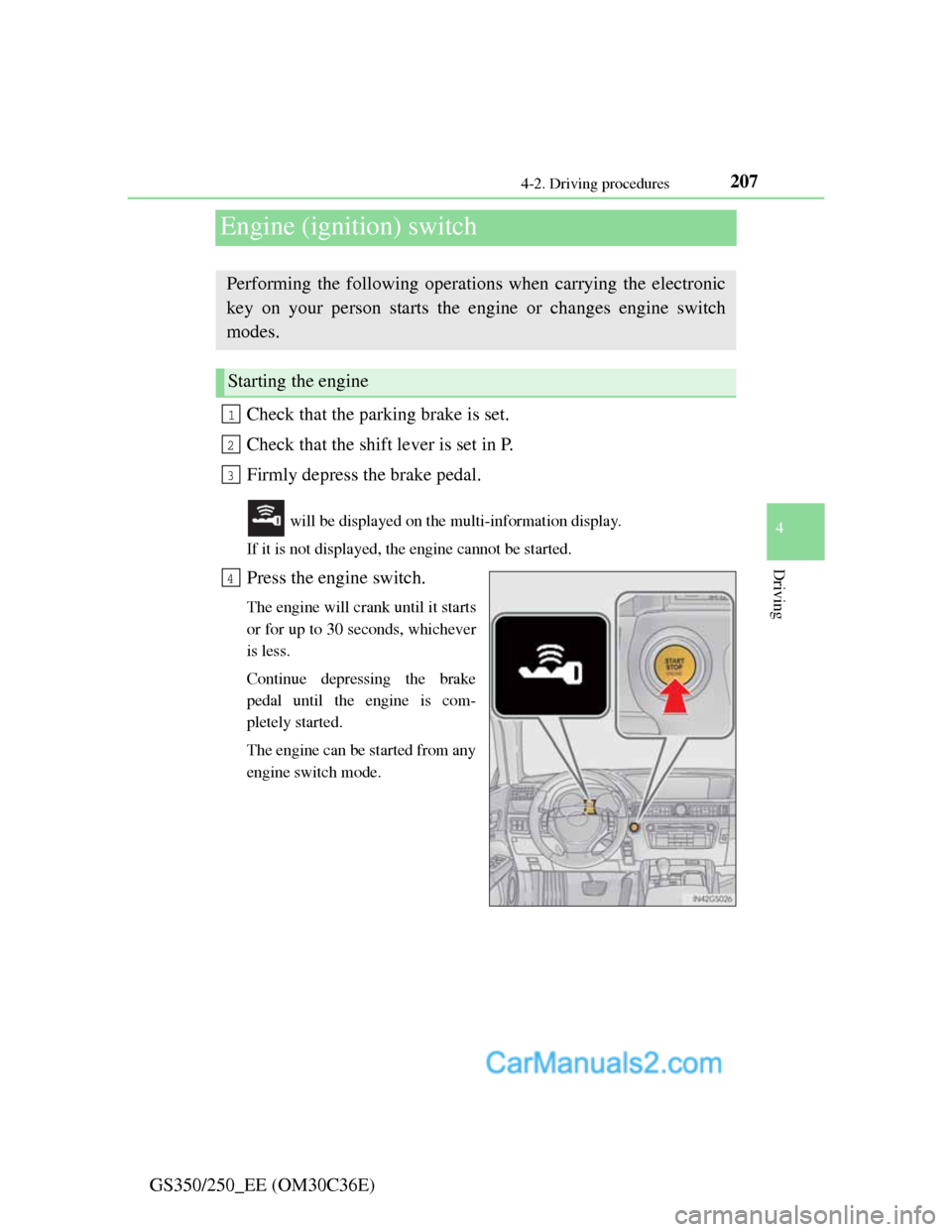
will be displayed on the multi-information display.
If it is not displayed, the engine cannot be started.
Press the engine switch.
The engine will crank until it starts
or for up to 30 seconds, whichever
is less.
Continue depressing the brake
pedal until the engine is com-
pletely started.
The engine can be started from any
engine switch mode.
Performing the following operations when carrying the electronic
key on your person starts the engine or changes engine switch
modes.
Starting the engine
1
2
3
4
Page 214 of 914
2084-2. Driving procedures
GS350/250_EE (OM30C36E)Stop the vehicle.
Shift the shift lever to P.
Set the parking brake. (P. 225)
Press the engine switch.
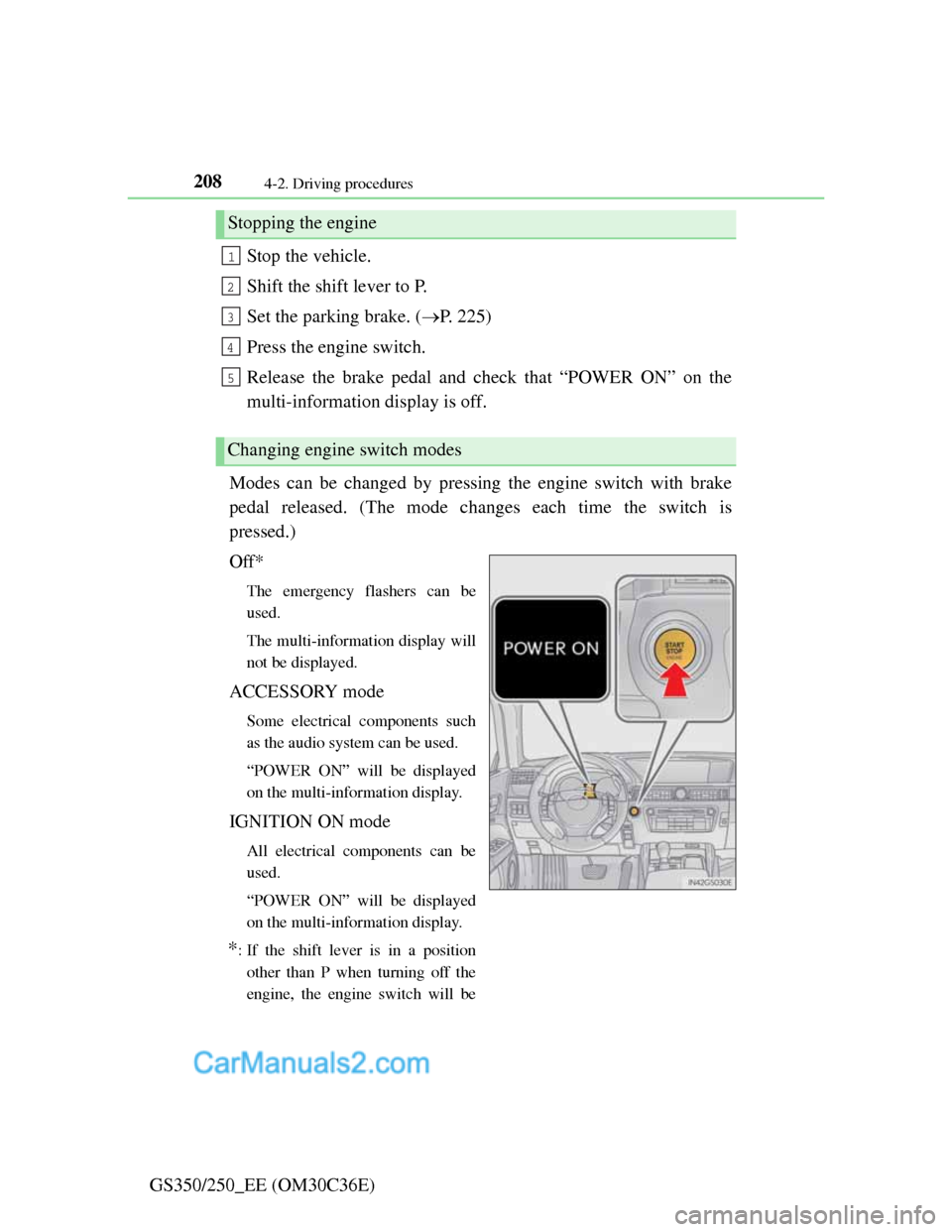
Release the brake pedal and check that “POWER ON” on the
multi-information display is off.
Modes can be changed by pressing the engine switch with brake
pedal released. (The mode changes each time the switch is
pressed.)
Off*
The emergency flashers can be
used.
The multi-information display will
not be displayed.
ACCESSORY mode
Some electrical components such
as the audio system can be used.
“POWER ON” will be displayed
on the multi-information display.
IGNITION ON mode
All electrical components can be
used.
“POWER ON” will be displayed
on the multi-information display.
*: If the shift lever is in a position
other than P when turning off the
engine, the engine switch will be
Stopping the engine
Changing engine switch modes
1
2
3
4
5