lock Lexus GS250 2012 Repair Manual
[x] Cancel search | Manufacturer: LEXUS, Model Year: 2012, Model line: GS250, Model: Lexus GS250 2012Pages: 914, PDF Size: 53.04 MB
Page 157 of 914
1543-2. Opening, closing and locking the doors and trunk
GS350/250_EE (OM30C36E)
CAUTION
Using the trunk
Observe the following precautions.
Failure to do so may cause parts of the body to be caught, resulting in seri-
ous injury.
Remove any heavy loads, such as snow and ice, from the trunk lid before
opening it. Failure to do so may cause the trunk lid to fall closed again
after it is opened.
When opening or closing the trunk lid, thoroughly check to make sure the
surrounding area is safe.
If anyone is in the vicinity, make sure they are safe and let them know that
the trunk is about to open or close.
Use caution when opening or closing the trunk lid in windy weather as it
may move abruptly in strong wind.
Do not attach any accessories other than genuine Lexus parts to the trunk
lid. Such additional weight on the trunk lid may cause the lid to fall closed
again after it is opened.
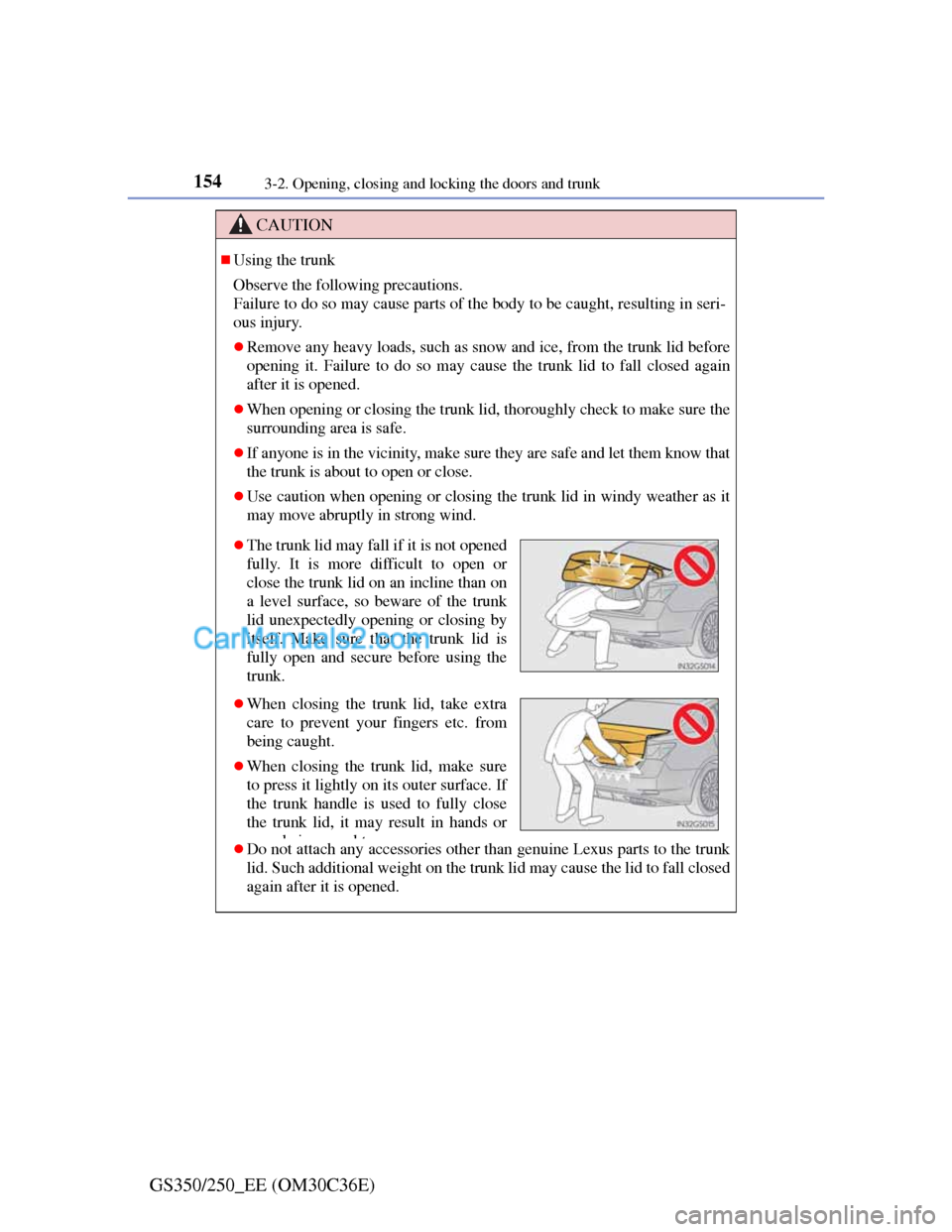
The trunk lid may fall if it is not opened
fully. It is more difficult to open or
close the trunk lid on an incline than on
a level surface, so beware of the trunk
lid unexpectedly opening or closing by
itself. Make sure that the trunk lid is
fully open and secure before using the
trunk.
When closing the trunk lid, take extra
care to prevent your fingers etc. from
being caught.
When closing the trunk lid, make sure
to press it lightly on its outer surface. If
the trunk handle is used to fully close
the trunk lid, it may result in hands or
arms being ca ght
Page 158 of 914
1553-2. Opening, closing and locking the doors and trunk
3
Operation of each component
GS350/250_EE (OM30C36E)
CAUTION
Trunk easy closer (vehicles with power trunk lid)
Power trunk lid (if equipped)
Observe the following precautions when operating the power trunk lid.
Failure to do so may cause serious injury.
Check the safety of the surrounding area to make sure there are no obsta-
cles or anything that could cause any of your belongings to get caught.
If anyone is in the vicinity, make sure they are safe and let them know that
the trunk is about to open or close.
If the trunk closer switch is pressed while the trunk lid is opening during
automatic operation, the trunk lid stops opening. Take extra care when on
an incline, as the trunk lid may open or close suddenly.
On an incline, the trunk lid may fall after it opens automatically. Make
sure the trunk lid is fully open and secure before using the trunk.
In the following situations, the power trunk lid may detect an abnormality
and automatic operation may be stopped. In this case, the trunk lid has to
be operated manually. Take extra care in this situation, as the stopped
trunk lid may suddenly fall, causing an accident.
• When the trunk lid contacts an obstacle
• When the battery voltage suddenly drops, such as when the engine
switch is turned to IGNITION ON mode or the engine is started during
automatic operation
Do not attach any accessories other than genuine Lexus parts to the trunk
lid. The power trunk lid may not operate, causing itself to malfunction, or
the trunk lid may fall closed again after it is opened.
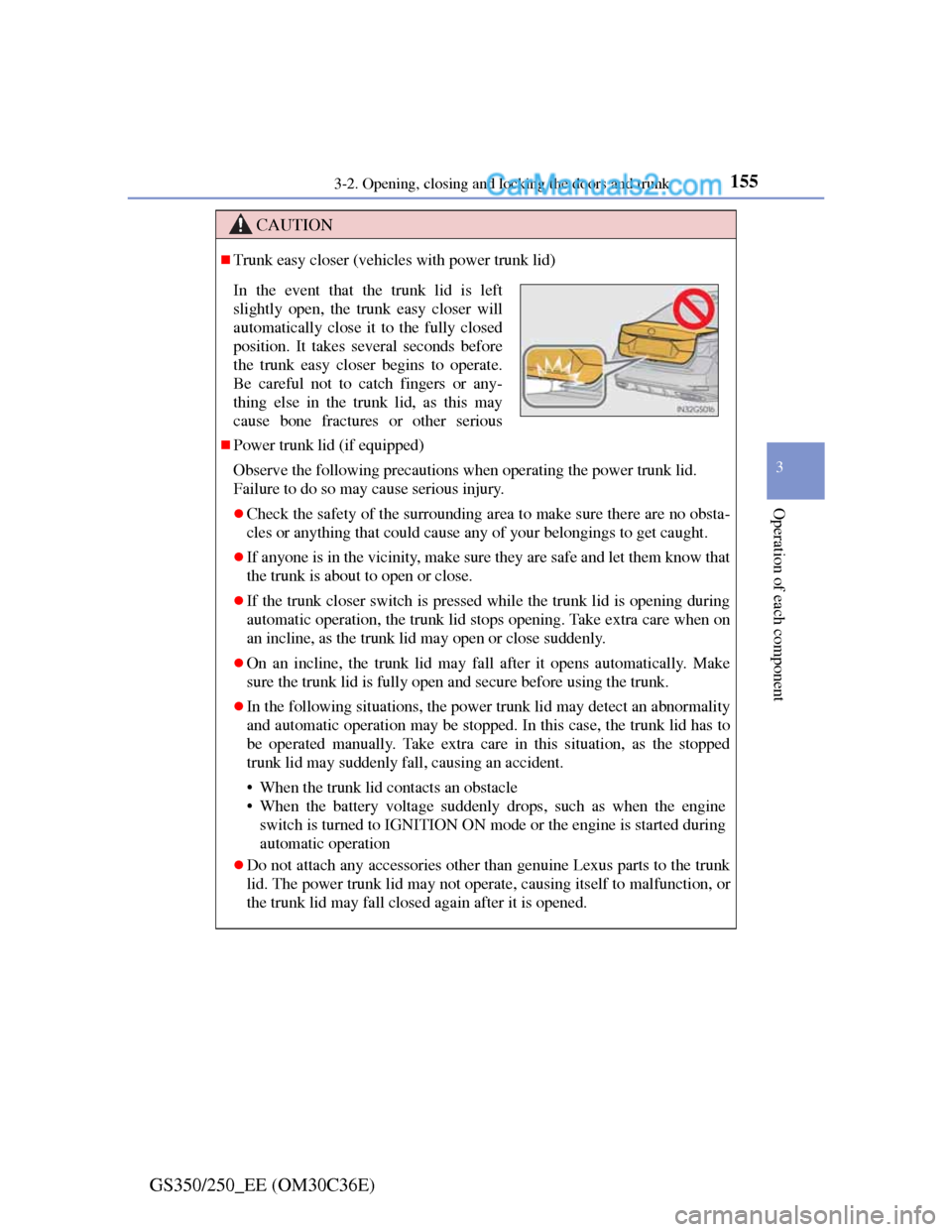
In the event that the trunk lid is left
slightly open, the trunk easy closer will
automatically close it to the fully closed
position. It takes several seconds before
the trunk easy closer begins to operate.
Be careful not to catch fingers or any-
thing else in the trunk lid, as this may
cause bone fractures or other serious
Page 159 of 914
1563-2. Opening, closing and locking the doors and trunk
GS350/250_EE (OM30C36E)
CAUTION
Jam protection function (vehicles with power trunk lid)
Observe the following precautions.
Failure to do so may cause serious injury.
Never use any part of your body to intentionally activate the jam protec-
tion function.
The jam protection function may not work if something gets caught just
before the trunk lid fully closes. Be careful not to catch fingers or any-
thing else in the trunk lid.
The jam protection function may not work depending on the shape of the
object that is caught. Be careful not to catch fingers or anything else.
NOTICE
To prevent trunk easy closer malfunctions (vehicles with power trunk lid)
Do not apply force to the trunk lid while the trunk easy closer is operating.
To prevent damage to the power trunk lid (vehicles with power trunk lid)
Make sure that there is no luggage or snow on the trunk lid before operat-
ing the power trunk lid. In addition, make sure that there is no ice between
the trunk lid and frame that prevents movement of the trunk lid. Operating
the power trunk lid when excessive load is present on the trunk lid may
cause a malfunction.
Do not apply excessive force to the trunk lid while the power trunk lid is
operating.
Page 165 of 914
1623-3. Adjusting the seats
GS350/250_EE (OM30C36E)
Driving position memory
Check that the shift lever is in P.
Turn the engine switch to IGNITION ON mode.
Adjust the driver’s seat, steering wheel, and outside rear view
mirrors to the desired positions. (When memorizing the front
passenger’s seat, adjust the front passenger’s seat to the desired
positions.)
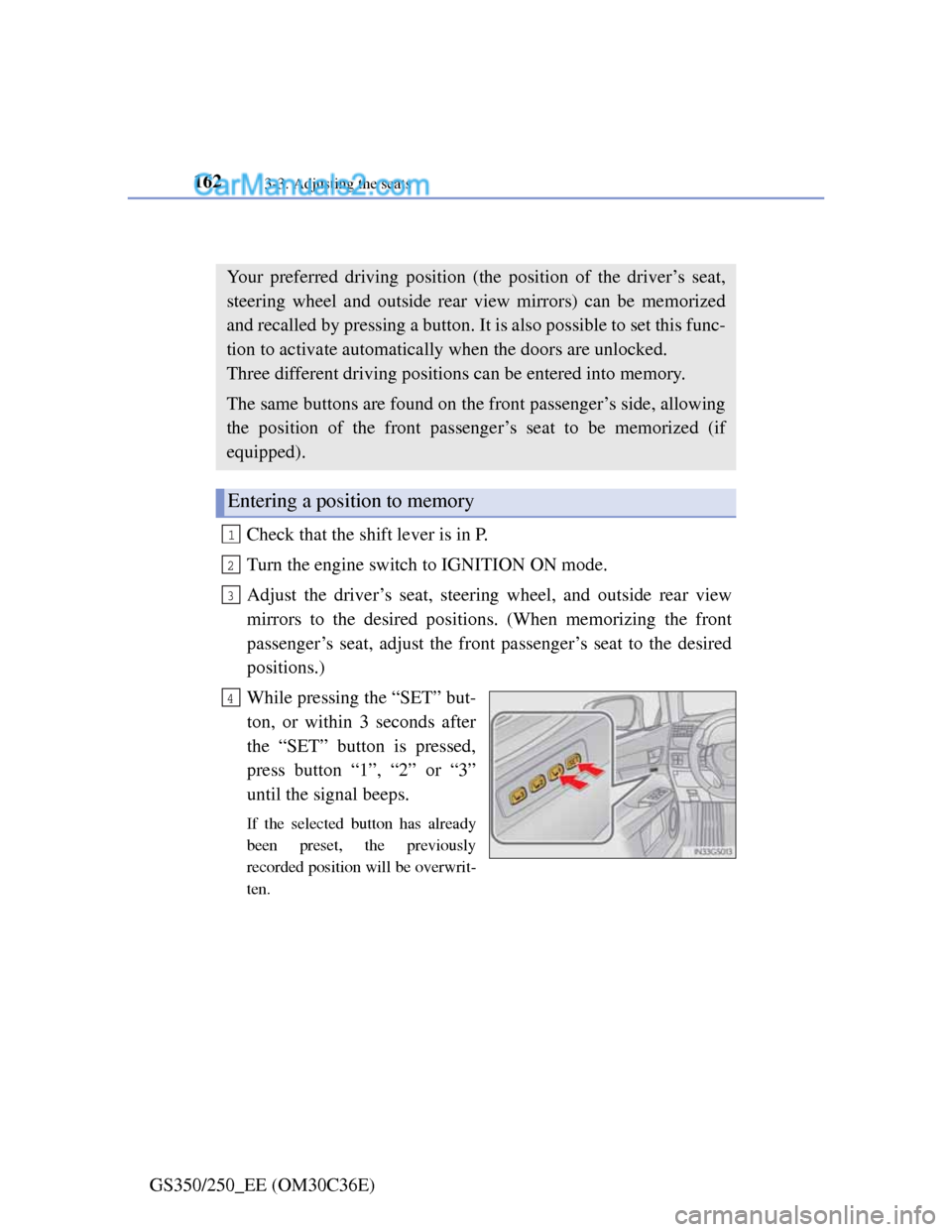
While pressing the “SET” but-
ton, or within 3 seconds after
the “SET” button is pressed,
press button “1”, “2” or “3”
until the signal beeps.
If the selected button has already
been preset, the previously
recorded position will be overwrit-
ten.
Your preferred driving position (the position of the driver’s seat,
steering wheel and outside rear view mirrors) can be memorized
and recalled by pressing a button. It is also possible to set this func-
tion to activate automatically when the doors are unlocked.
Three different driving positions can be entered into memory.
The same buttons are found on the front passenger’s side, allowing
the position of the front passenger’s seat to be memorized (if
equipped).
Entering a position to memory
1
2
3
4
Page 167 of 914
1643-3. Adjusting the seats
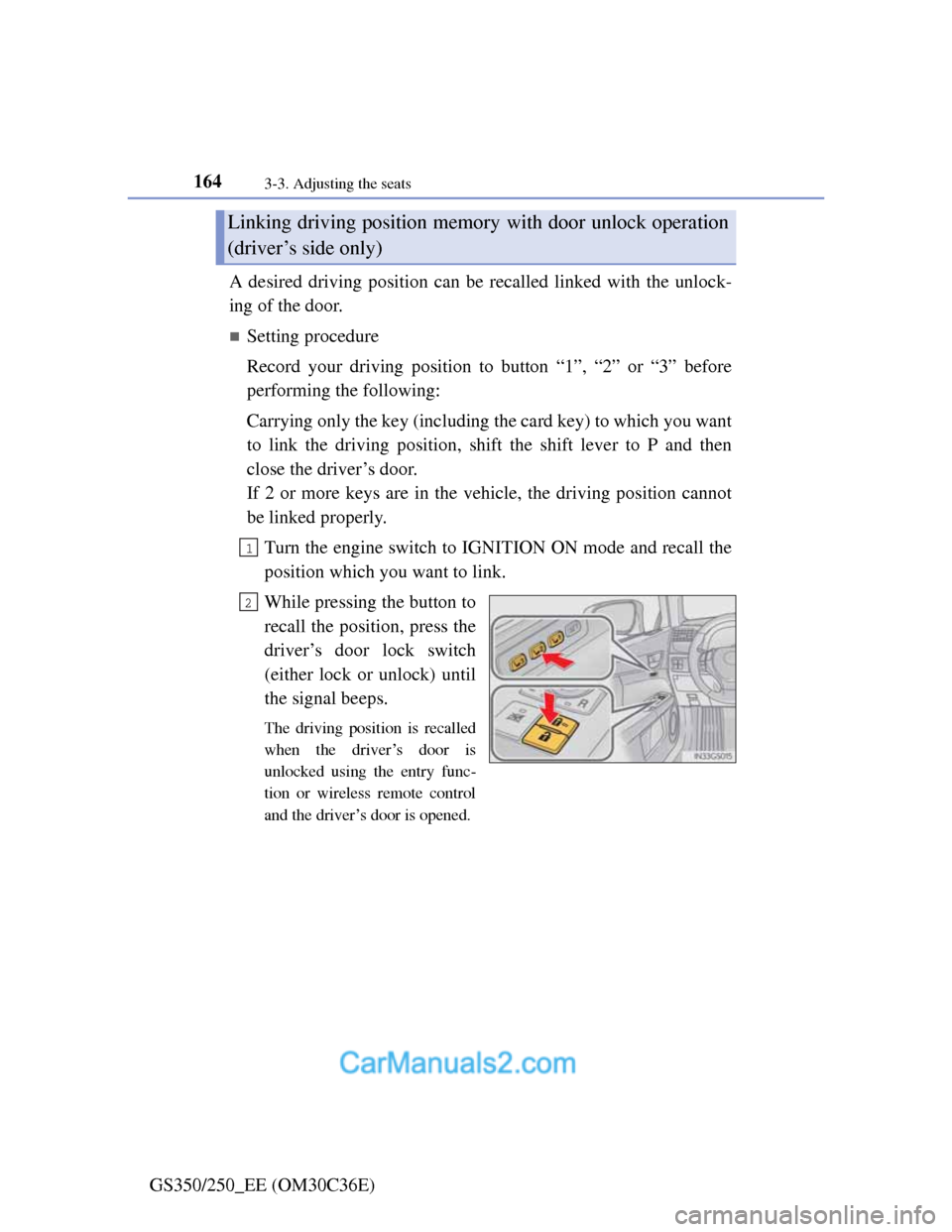
GS350/250_EE (OM30C36E)A desired driving position can be recalled linked with the unlock-
ing of the door.
Setting procedure
Record your driving position to button “1”, “2” or “3” before
performing the following:
Carrying only the key (including the card key) to which you want
to link the driving position, shift the shift lever to P and then
close the driver’s door.
If 2 or more keys are in the vehicle, the driving position cannot
be linked properly.
Turn the engine switch to IGNITION ON mode and recall the
position which you want to link.
While pressing the button to
recall the position, press the
driver’s door lock switch
(either lock or unlock) until
the signal beeps.
The driving position is recalled
when the driver’s door is
unlocked using the entry func-
tion or wireless remote control
and the driver’s door is opened.
Linking driving position memory with door unlock operation
(driver’s side only)
1
2
Page 168 of 914
1653-3. Adjusting the seats
3
Operation of each component
GS350/250_EE (OM30C36E)
Cancelation procedure
Carry only the key to which you want to cancel the linked door
unlock operation.
If 2 or more keys are in the vehicle, the driving position cannot
be canceled properly.
Turn the engine switch to IGNITION ON mode.
While pressing the “SET” button, press the driver’s door lock
switch (either lock or unlock) until the signal beeps.
1
2
Page 170 of 914
167
3 3-3. Adjusting the seats
Operation of each component
GS350/250_EE (OM30C36E)
When driving position memory is linked with door unlock operation
If the driver’s door is opened, the driver’s seat will move toward the memo-
rized position but stop slightly beforehand to allow easy access to the vehi-
cle.
Turning the engine switch to ACCESSORY or IGNITION ON mode, or fas-
tening the driver’s seat belt moves the seat fully into the memorized position.
Operating the driving position memory after turning the engine switch off
Driver’s seat:
Memorized seat positions can be activated up to 180 seconds after the
driver’s door is opened and another 60 seconds after it is closed again. Mem-
orized steering wheel position can be activated by pressing the engine switch.
Front passenger’s seat:
Memorized positions can be activated up to 180 seconds after the front pas-
senger’s door is opened by pressing button “1”, “2” or “3”.
Correct seat position
When the seat is in the most forward or most backward position, and the seat
is being moved in those directions, the system may not correctly recognize
the current position and the memorized position will not be correctly
recalled.
The auto away function for exiting the driver’s seat
If the seat is already close to the rearmost position, the auto away function
may not operate when the driver exits the vehicle.
Customization
The distance that the driver’s seat moves backward during the auto away
function can be changed. (Customizable features: P. 855)
CAUTION
Seat adjustment caution
Take care during seat adjustment so that the seat does not strike the rear
passenger or squeeze your body against the steering wheel.
Page 171 of 914
1683-3. Adjusting the seats
GS350/250_EE (OM30C36E)
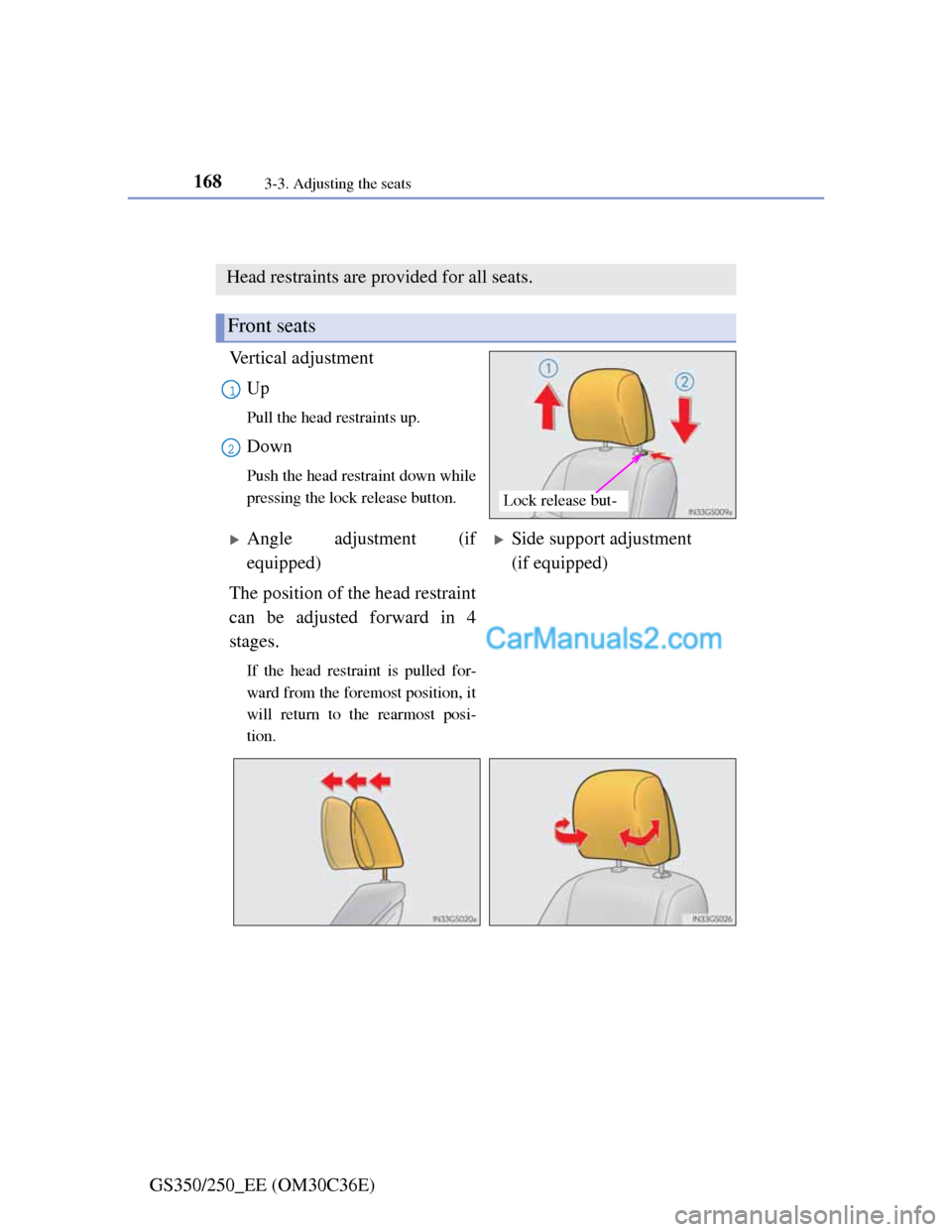
Head restraints
Vertical adjustment
Up
Pull the head restraints up.
Down
Push the head restraint down while
pressing the lock release button.
Head restraints are provided for all seats.
Front seats
Lock release but-
1
2
Angle adjustment (if
equipped)Side support adjustment
(if equipped)
The position of the head restraint
can be adjusted forward in 4
stages.
If the head restraint is pulled for-
ward from the foremost position, it
will return to the rearmost posi-
tion.
Page 172 of 914
1693-3. Adjusting the seats
3
Operation of each component
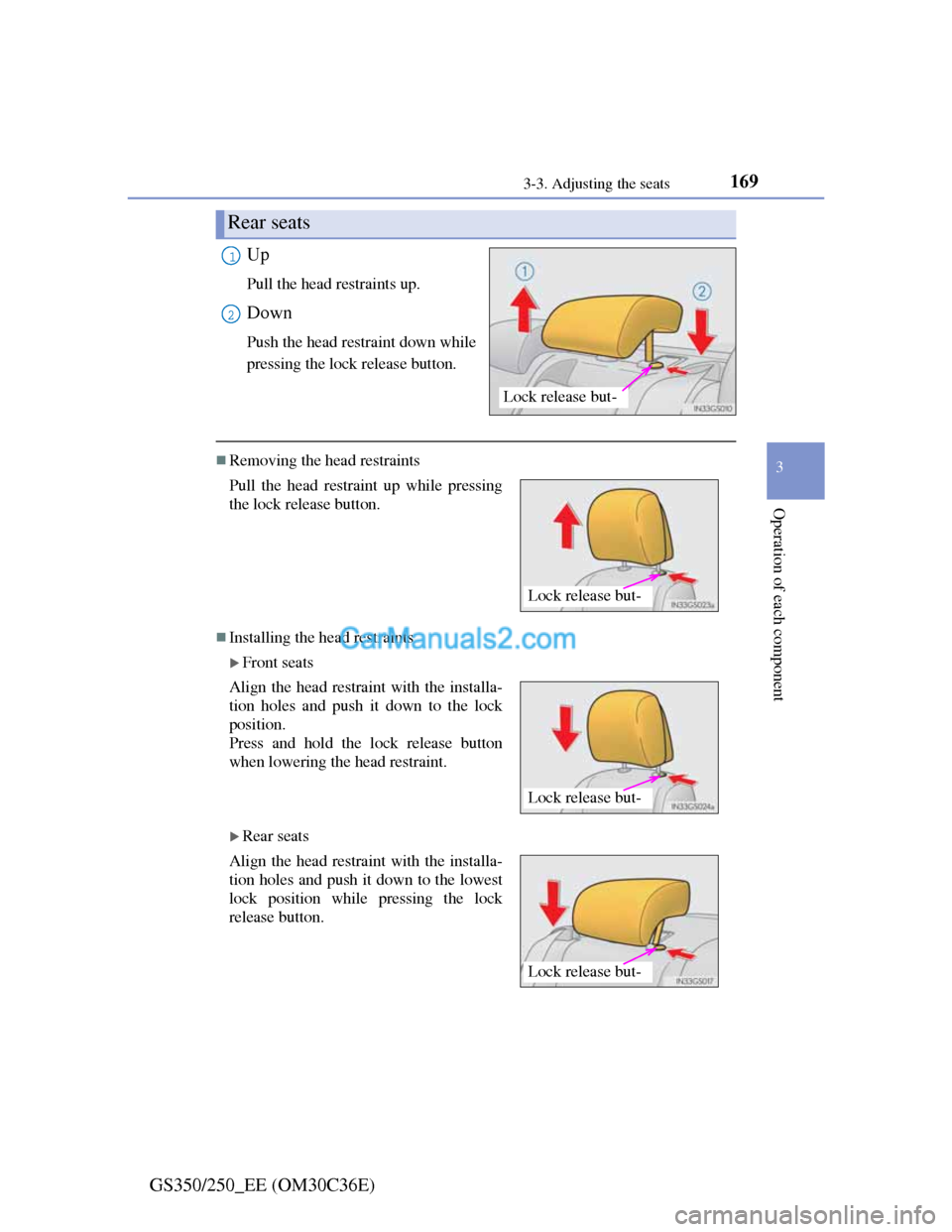
GS350/250_EE (OM30C36E)Up
Pull the head restraints up.
Down
Push the head restraint down while
pressing the lock release button.
Removing the head restraints
Installing the head restraints
Front seats
Rear seats
Rear seats
Lock release but-
1
2
Pull the head restraint up while pressing
the lock release button.
Align the head restraint with the installa-
tion holes and push it down to the lock
position.
Press and hold the lock release button
when lowering the head restraint.
Align the head restraint with the installa-
tion holes and push it down to the lowest
lock position while pressing the lock
release button.
Lock release but-
Lock release but-
Lock release but-
Page 173 of 914
1703-3. Adjusting the seats
GS350/250_EE (OM30C36E)
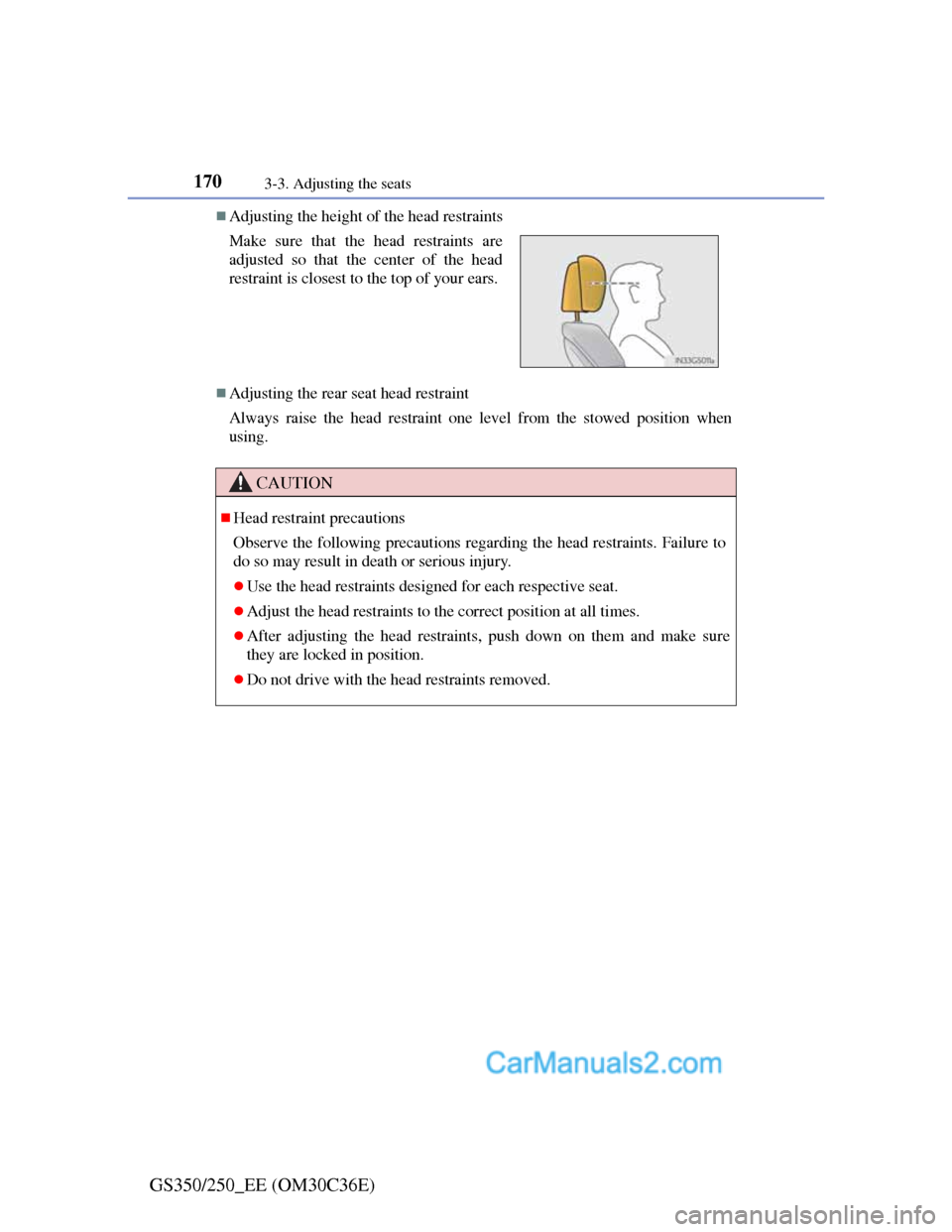
Adjusting the height of the head restraints
Adjusting the rear seat head restraint
Always raise the head restraint one level from the stowed position when
using. Make sure that the head restraints are
adjusted so that the center of the head
restraint is closest to the top of your ears.
CAUTION
Head restraint precautions
Observe the following precautions regarding the head restraints. Failure to
do so may result in death or serious injury.
Use the head restraints designed for each respective seat.
Adjust the head restraints to the correct position at all times.
After adjusting the head restraints, push down on them and make sure
they are locked in position.
Do not drive with the head restraints removed.