engine Lexus GS300h 2013 Owner's Guide
[x] Cancel search | Manufacturer: LEXUS, Model Year: 2013, Model line: GS300h, Model: Lexus GS300h 2013Pages: 1014
Page 413 of 1014
4024-5. Using the driving support system
GS450h_300h_OM_OM30D53E_(EE)
When the message is displayed on the multi-information display showing that
TRC has been disabled even if the VSC OFF switch has not been pressed
TRC cannot be operated. Contact any authorized Lexus dealer or repairer, or
another duly qualified and equipped professional.
VGRS is disabled when
VGRS may stop operating in the following situations.
In this event, the steering wheel may move from its straight forward position,
but it will return when the system restarts.
The steering wheel is operated for an extended period of time while the
vehicle is stopped or is moving very slowly.
When force is continuously applied for a long time with the steering wheel
turned as far as it will go.
The center position of the steering wheel may change when VGRS is dis-
abled. However, the position will return to normal after VGRS is reacti-
vated.
When the 12-volt battery is disconnected
The steering wheel may move from its straight forward position, but this will
be corrected automatically when driving.
Sounds and vibrations caused by the ABS, brake assist, VSC, TRC and
VGRS systems
A sound may be heard from the engine compartment when the brake pedal
is depressed repeatedly, when the hybrid system is started or just after the
vehicle begins to move. This sound does not indicate that a malfunction has
occurred in any of these systems.
Any of the following conditions may occur when the above systems are
operating. None of these indicates that a malfunction has occurred.
• Vibrations may be felt through the vehicle body and steering.
• A motor sound may be heard after the vehicle comes to a stop.
EPS, VGRS and DRS operation sound
When the steering wheel is operated, a motor sound (whirring sound) may be
heard. This does not indicate a malfunction.
Reactivation of the TRC/VSC systems
Even after the TRC/VSC systems have been turned off, turning the hybrid
system off and then on again will automatically reactivate the TRC/VSC sys-
tems.
Page 450 of 1014
4334-6. Driving tips
4
Driving
GS450h_300h_OM_OM30D53E_(EE)
the accelerator and gently apply the brakes. A greater amount of
electrical energy can be retained when slowing down.
Air conditioning
Use the air conditioning only when necessary. Doing so can help
control excessive gasoline consumption.
In summer: In high temperatures, use the recirculated air mode.
Doing so will help to reduce the burden on the air conditioner
and reduce fuel consumption as well.
In winter: Because the gasoline engine will not automatically cut
out until the gasoline engine and the interior of the vehicle are
warm, it will consume fuel. Also, fuel consumption can be
improved by avoiding overuse of the heater.
Checking tire inflation pressure
Make sure to check the tire inflation pressure frequently.
Improper tire inflation pressure can cause poor fuel consumption.
Also, as snow tires can cause large amounts of friction, their use
on dry roads can lead to poor fuel consumption. Use a tire that is
appropriate for the season.
Luggage
Carrying heavy luggage can lead to poor fuel consumption.
Avoid carrying unnecessary luggage. Installing a large roof rack
can also cause poor fuel consumption.
Warming up before driving
Since the gasoline engine starts up and cuts out automatically
when cold, warming up the engine is unnecessary. Moreover, fre-
quently driving short distances will cause the engine to repeat-
edly warm up, which can lead to poor fuel consumption.
Page 451 of 1014
4344-6. Driving tips
GS450h_300h_OM_OM30D53E_(EE)
Winter driving tips
Use fluids that are appropriate to the prevailing outside tempera-
tures.
• Engine oil
• Engine/power control unit coolant
• Washer fluid
Have a service technician inspect the condition of the 12-volt
battery.
Have the vehicle fitted with four snow tires or purchase a set of
tire chains for the rear tires.
*
Ensure that all tires are the specified size and brand, and that chains
match the size of the tires.
*: Tire chains cannot be mounted on vehicles with front and rear tires of
differing sizes and vehicles with LDH and 19 inch tires
Carry out the necessary preparations and inspections before driv-
ing the vehicle in winter. Always drive the vehicle in a manner
appropriate to the prevailing weather conditions.
Preparation for winter
Page 455 of 1014
4384-6. Driving tips
GS450h_300h_OM_OM30D53E_(EE)
CAUTION
Driving with snow tires
Observe the following precautions to reduce the risk of accidents.
Failure to do so may result in a loss of vehicle control and cause death or
serious injury.
Use tires of the specified size.
Maintain the recommended level of air pressure.
Do not drive at speeds in excess of the speed limit or the speed limit spec-
ified for the snow tires being used.
Use snow tires on all, not just some wheels.
Do not use LKA (Lane-Keeping Assist) system.
Driving with tire chains (vehicles with front and rear tires of the same size
except for the vehicles with LDH and 19 inch tires)
Observe the following precautions to reduce the risk of accidents.
Failure to do so may result in the vehicle being unable to be driven safely,
and may cause death or serious injury.
Do not drive in excess of the speed limit specified for the tire chains being
used, or 50 km/h (30 mph), whichever is lower.
Avoid driving on bumpy road surfaces or over potholes.
Avoid sudden acceleration, abrupt steering, sudden braking and shifting
operations that cause sudden engine braking.
Slow down sufficiently before entering a curve to ensure that vehicle con-
trol is maintained.
Do not use LKA (Lane-Keeping Assist) system.
Page 482 of 1014
4655-1. Remote Touch screen
5
Interior features
GS450h_300h_OM_OM30D53E_(EE)
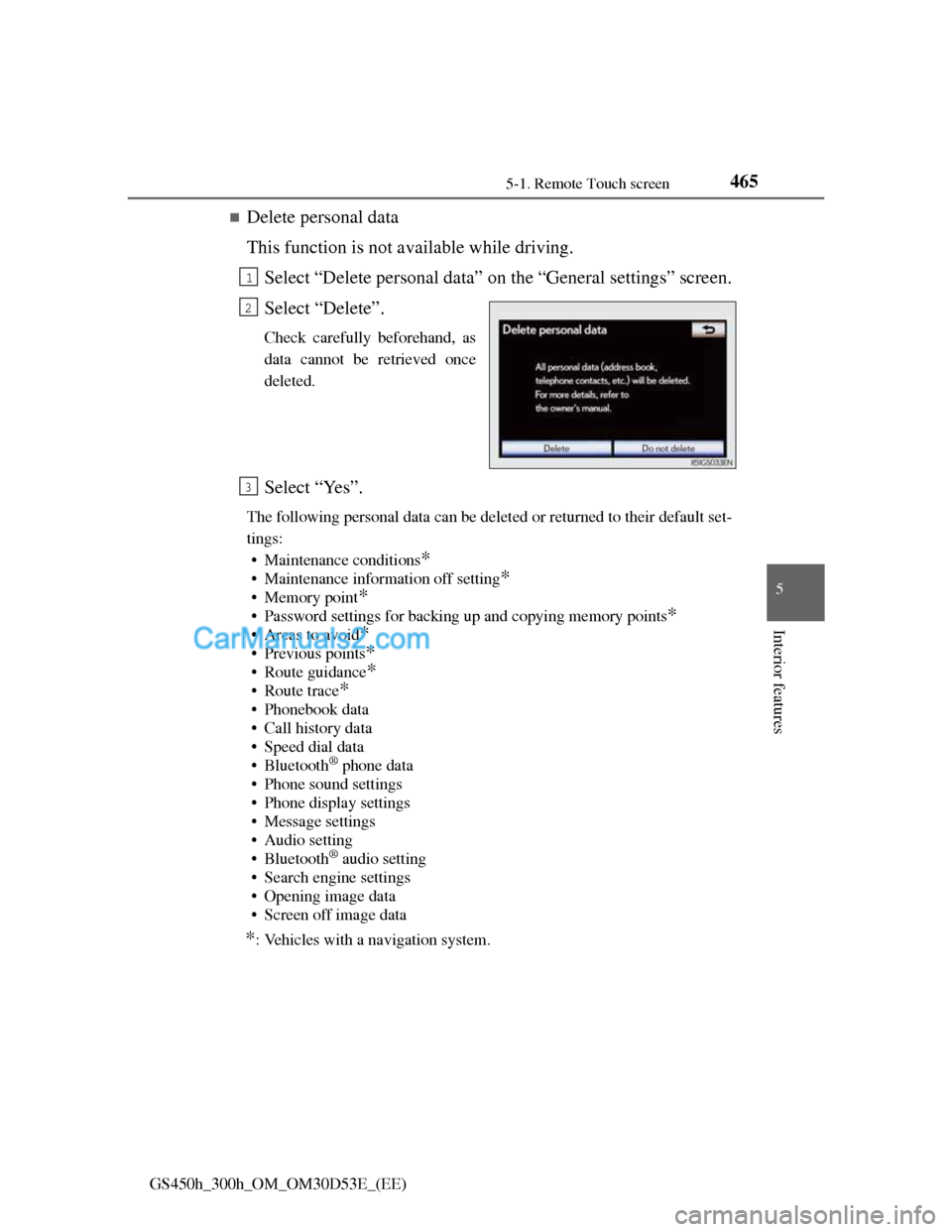
Delete personal data
This function is not available while driving.
Select “Delete personal data” on the “General settings” screen.
Select “Delete”.
Check carefully beforehand, as
data cannot be retrieved once
deleted.
Select “Yes”.
The following personal data can be deleted or returned to their default set-
tings:
• Maintenance conditions
*
• Maintenance information off setting*
• Memory point*
• Password settings for backing up and copying memory points*
•Areas to avoid*
• Previous points*
• Route guidance*
•Route trace*
• Phonebook data
• Call history data
• Speed dial data
•Bluetooth
® phone data
• Phone sound settings
• Phone display settings
• Message settings
• Audio setting
•Bluetooth
® audio setting
• Search engine settings
• Opening image data
• Screen off image data
*: Vehicles with a navigation system.
1
2
3
Page 510 of 1014
4925-2. Using the air conditioning system and defogger
GS450h_300h_OM_OM30D53E_(EE)
The windows may fog up if the recirculated air mode is used.
Outside/recirculated air mode
When driving on dusty roads such as tunnels or in heavy traffic, set the out-
side/recirculated air mode button to the recirculated air mode. This is effec-
tive in preventing outside air from entering the vehicle interior. During
cooling operation, setting the recirculated air mode will also cool the vehi-
cle interior effectively.
Outside/recirculated air mode may automatically switch depending on the
temperature setting or the inside temperature.
Automatic mode for air intake control
In automatic mode, the system detects exhaust gas and other pollutants and
automatically switches between outside air and recirculated air modes.
When the dehumidification function is off, and the fan is operating, turning
automatic mode on will activate the dehumidification function.
Pollen removal mode
In order to prevent the windshield from fogging up when the outside air is
cold, the following may occur:
• Outside air mode does not switch to (recirculated air) mode.
• The dehumidification function operates.
• The operation cancels after approximately 1 minute.
In rainy weather, the windows may fog up. Press .
In extremely humid weather, the windows may fog up.
The pollens are filtered out even if the pollen removal mode is turned off.
Operation of the air conditioning system in Eco drive mode
In the Eco drive mode, the air conditioning system is controlled as follows to
prioritize fuel efficiency:
Engine speed and compressor operation controlled to restrict heating/cool-
ing capacity
Fan speed restricted when automatic mode is selected
To improve air conditioning performance, perform the following opera-
tions:
Adjust the fan speed
Turn off Eco drive mode
When the S-FLOW mode operates
If air flows to the driver’s seat only, the temperature setting for the front pas-
senger’s seat is not displayed.
When the outside temperature falls to nearly 0C (32F)
Page 526 of 1014
5065-3. Using the audio system
GS450h_300h_OM_OM30D53E_(EE)
Open source license
This product uses the following open source software.
T- K e r n e l
This Product uses the Source Code of T-Kernel under T-License granted
by the T-Engine Forum (www.t-engine.org
).
C Library
This product includes software developed by the University of California,
Berkeley and its contributors. This product includes software developed by
the University of California, Lawrence Berkeley Laboratory.
Copyright © 1982, 1985, 1993 The Regents of the University of California.
All rights reserved.
Copyright © 1982, 1986, 1993 The Regents of the University of California.
All rights reserved.
Copyright © 1982, 1986, 1989, 1993 The Regents of the University of
California. All rights reserved.
© UNIX System Laboratories, Inc. All or some portions of this file are
derived from material licensed to the University of California by American
Telephone and Telegraph Co. or Unix System Laboratories, Inc. and are
reproduced herein with the permission of UNIX System Laboratories, Inc.
Copyright © 1982, 1986, 1991, 1993, 1994 The Regents of the University of
California. All rights reserved.
© UNIX System Laboratories, Inc. All or some portions of this file are
derived from material licensed to the University of California by American
Telephone and Telegraph Co. or Unix System Laboratories, Inc. and are
reproduced herein with the permission of UNIX System Laboratories, Inc.
Copyright © 1983, 1990, 1993 The Regents of the University of California.
All rights reserved.
© UNIX System Laboratories, Inc. All or some portions of this file are
derived from material licensed to the University of California by American
Telephone and Telegraph Co. or Unix System Laboratories, Inc. and are
reproduced herein with the permission of UNIX System Laboratories, Inc.
Copyright © 1983, 1993 The Regents of the University of California. All
rights reserved.
Page 528 of 1014
5085-3. Using the audio system
GS450h_300h_OM_OM30D53E_(EE)This code is derived from software contributed to Berkeley by Chris Torek.
Copyright © 1991, 1993 The Regents of the University of California. All
rights reserved.
Copyright © 1991, 1993 The Regents of the University of California. All
rights reserved.
This code is derived from software contributed to Berkeley by Berkeley
Software Design, Inc.
Copyright © 1992, 1993 The Regents of the University of California. All
rights reserved.
Copyright © 1992, 1993 The Regents of the University of California. All
rights reserved.
This code is derived from software contributed to Berkeley by Ralph
Campbell.
Copyright © 1992, 1993 The Regents of the University of California. All
rights reserved.
© UNIX System Laboratories, Inc. All or some portions of this file are
derived from material licensed to the University of California by American
Telephone and Telegraph Co. or Unix System Laboratories, Inc. and are
reproduced herein with the permission of UNIX System Laboratories, Inc.
Copyright © 1992, 1993 The Regents of the University of California. All
rights reserved.
This software was developed by the Computer Systems Engineering group at
Lawrence Berkeley Laboratory under DARPA contract BG 91-66 and
contributed to Berkeley. All advertising materials mentioning features or use
of this software must display the following acknowledgement: This product
includes software developed by the University of California, Lawrence
Berkeley Laboratory.
Copyright © 1992, 1993 The Regents of the University of California. All
rights reserved.
This code is derived from software contributed to Berkeley by Ralph
Campbell. This file is derived from the MIPS RISC Architecture book by
Gerry Kane.
Copyright © 1993 The Regents of the University of California. All rights
reserved.
Copyright © 1994 The Regents of the University of California. All rights
reserved.
Page 743 of 1014
719
6Maintenance and care
GS450h_300h_OM_OM30D53E_(EE)6-1. Maintenance and care
Cleaning and protecting
the vehicle exterior ......... 720
Cleaning and protecting
the vehicle interior .......... 724
6-2. Maintenance
Maintenance
requirements ................... 728
6-3. Do-it-yourself maintenance
Do-it-yourself service
precautions...................... 731
Hood ................................. 734
Positioning a floor jack ..... 735
Engine compartment ......... 737
12-volt battery................... 748
Tires .................................. 753
Tire inflation pressure ....... 770
Wheels .............................. 772
Air conditioning filter ....... 775
Electronic key battery ....... 777
Checking and replacing
fuses ................................ 780
Light bulbs ........................ 800
Page 746 of 1014
7226-1. Maintenance and care
GS450h_300h_OM_OM30D53E_(EE)
CAUTION
When washing the vehicle
Do not apply water to the inside of the engine compartment. Doing so may
cause the electrical components etc. to catch fire.
When cleaning the windshield (vehicles with rain-sensing windshield wip-
ers)
When the upper part of the windshield where the raindrop sensor is
located is touched by hand
When a wet rag or similar is held close to the raindrop sensor
If something bumps against the windshield
If you directly touch the raindrop sensor body or if something bumps into
the raindrop sensor
Precautions regarding the exhaust pipes
Exhaust gases cause the exhaust pipes to become quite hot.
When washing the vehicle, be careful not to touch the pipes until they have
cooled sufficiently, as touching hot exhaust pipes can cause burns.
Precaution regarding the rear bumper with Blind Spot Monitor (if equipped)
If the paint of the rear bumper is chipped or scratched, the system may mal-
function. If this occurs, consult any authorized Lexus dealer or repairer, or
another duly qualified and equipped professional.
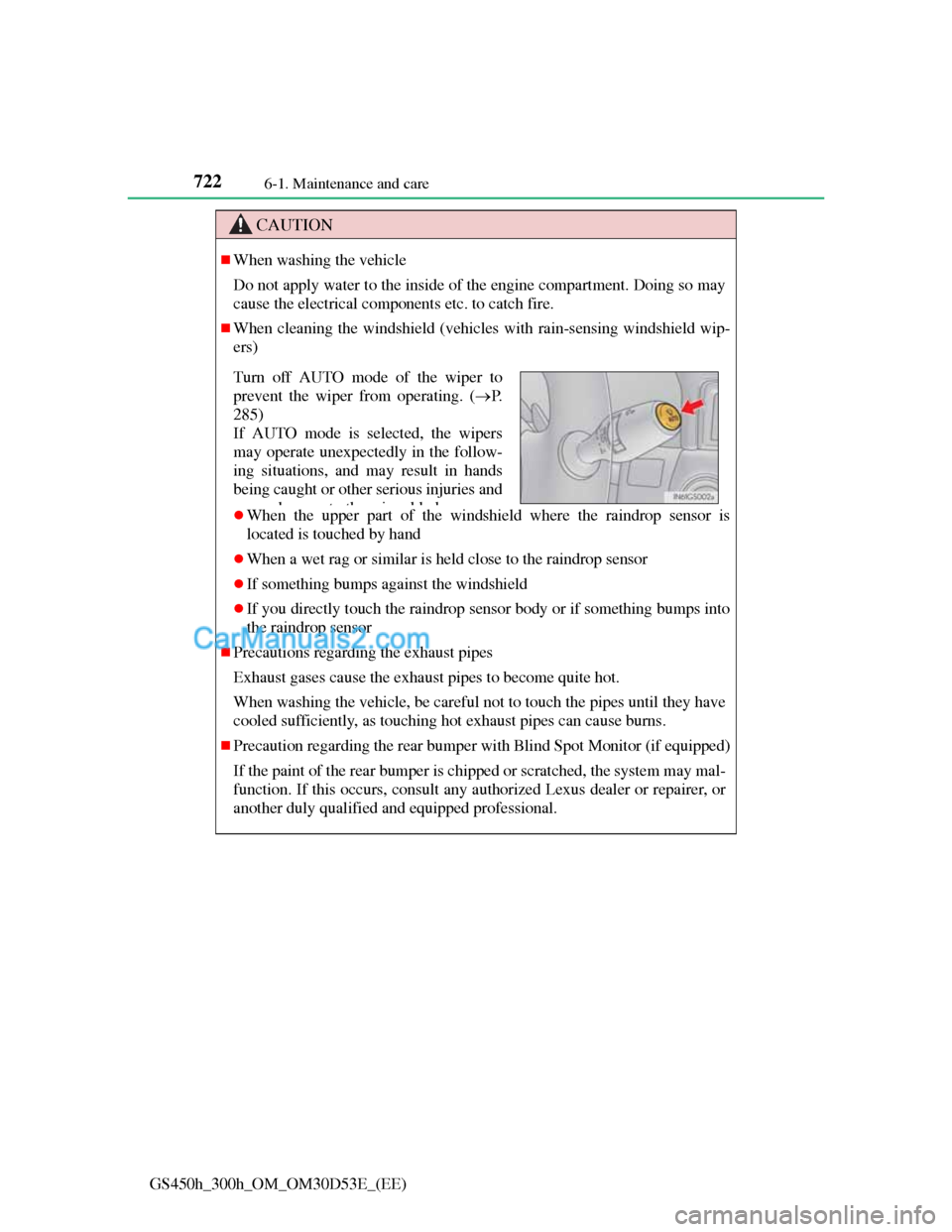
Turn off AUTO mode of the wiper to
prevent the wiper from operating. (P.
285)
If AUTO mode is selected, the wipers
may operate unexpectedly in the follow-
ing situations, and may result in hands
being caught or other serious injuries and
dtthibld