air condition LEXUS GS300H 2019 User Guide
[x] Cancel search | Manufacturer: LEXUS, Model Year: 2019, Model line: GS300H, Model: LEXUS GS300H 2019Pages: 600, PDF Size: 55.99 MB
Page 207 of 600
2074-1. Before driving
4
Driving
GS450h_300h_OM_OM30F92E_(EE)
NOTICE
■When driving the vehicle
●Do not depress the accelerator and brake pedals at the same time during driving, as this may restrain the hybrid system output.
●Do not use the accelerator pedal or depress the accelerator and brake pedals at thesame time to hold the vehicle on a hill.
■When parking the vehicle
Always set the parking brake, and shift the shift lever to P. Failure to do so may cause the vehicle to move or the vehicle may accelerate suddenly if the accelerator pedal isaccidentally depressed.
■Avoiding damage to vehicle parts
●Do not turn the steering wheel fully in either direction and hold it there for anextended period of time.
Doing so may damage the power steering motor.
●When driving over bumps in the road, drive as slowly as possible to avoid damaging the wheels, underside of the vehicle, etc.
■If you get a flat tire while driving
A flat or damaged tire may cause the following situations. Hold the steering wheel firmly and gradually depress the brake pedal to slow down the vehicle.
●It may be difficult to control your vehicle.
●The vehicle will make abnormal sounds or vibrations.
●The vehicle will lean abnormally.
Information on what to do in case of a flat tire ( P. 498, 509)
■When encountering flooded roads
Do not drive on a road that has flooded after heavy rain etc. Doing so may cause the
following serious damage to the vehicle:
●Engine stalling
●Short in electrical components
●Engine damage caused by water immersion
In the event that you drive on a flooded road and the vehicle is flooded, be sure to have any authorized Lexus retailer or Lexus auth orized repairer, or any reliable repairer
check the following:
●Brake function
●Changes in quantity and quality of oil and fluid used for the engine, hybrid transmis-
sion, differential, etc.
●Lubricant condition for the propeller shaft, bearings and suspension joints (where possible), and the function of all joints, bearings, etc.
Page 210 of 600
2104-1. Before driving
GS450h_300h_OM_OM30F92E_(EE)
Trailer towing (vehicles with towing package)
◆Weight limits
Check the allowable towing capacity, GVM (Gross Vehicle Mass), MPAC
(Maximum Permissible Axle Capacity), and permissible drawbar load before
towing. ( P. 546)
◆Towing hitch/bracket
Lexus recommends the use of the Lexus hitch/bracket for your vehicle. Other
products of a suitable nature and comparable quality may also be used.
Your vehicle is designed primaril y as a passenger carrying vehicle.
Towing a trailer will have an adverse effect on handling, performance, brak-
ing, durability, and fuel consumption. Your safety and satisfaction depend on
the proper use of correct equipment and cautious driving habits. For your
safety and the safety of others, do not overload the vehicle or trailer.
To tow a trailer safely, use extreme care and drive the vehicle in accordance
with the trailer’s characteristics and operating conditions.
Lexus warranties do not apply to damage or malfunction caused by towing a
trailer for commercial purposes.
Ask your local authorized Lexus retailer or Lexus authorized repairer, or any
reliable repairer for further details before towing, as there are additional legal
requirements in some countries.
Page 215 of 600
2154-1. Before driving
4
Driving
GS450h_300h_OM_OM30F92E_(EE)
■Passing other vehicles
Consider the total combined length of your vehicle and trailer and ensure that
the vehicle-to-vehicle distance is sufficient before executing lane changes.
■Transmission information
To maintain engine braking efficiency, when using engine braking, when driv-
ing on a long steep downgrade, do not use the transmission in D. (P. 227)
■If the engine overheats
Towing a loaded trailer up a long, steep incline in temperatures exceeding
30 C (85F) may result in the engine overheating. If the engine coolant tem-
perature gauge indicates that the engine is overheating, turn the air condition-
ing off immediately, leave the road and stop the vehicle in a safe place.
( P. 535)
■When parking the vehicle
Always place wheel chocks under the wheels of both the vehicle and trailer.
Firmly set the parking brake and shift the shift lever to P.
WARNING
Follow all the instructions described in this se ction. Failure to do so could cause an acci- dent resulting in death or serious injury.
■Trailer towing precautions
When towing, make sure that none of the weight limits are exceeded. ( P. 211)
■To avoid accident or injury
●Do not tow a trailer when the compact spare tire is installed on your vehicle.
●Do not tow a trailer when the tire installed is repaired with the emergency tire punc- ture repair kit.
●Do not use cruise control (if equipped) or dynamic radar cruise control with full-
speed range (if equipped) when trailer towing.
■Vehicle speed in towing
Observe the legal maximum speeds for trailer towing.
■Before descending hills or long declines
Reduce speed and downshift. However, never downshift suddenly while descending steep or long downhill grades.
■Operation of the brake pedal
Do not hold the brake pedal depressed often or for long periods of time.
Doing so may result in the brake ov erheating or reduce braking effects.
Page 219 of 600
2194-2. Driving procedures
4
Driving
GS450h_300h_OM_OM30F92E_(EE)
If the hybrid system is stopped with the shift lever in a position other than P, the
power switch will not be turned off but instead be turned to ACCESSORY
mode. Perform the following procedure to turn the switch off:
Check that the parking brake is set.
Shift the shift lever to P.
Check that “Turn Off Vehicle” is displayed on the multi-information display
and then press the power switch once.
Check that “Turn Off Vehicle” on the multi-information display is off.
■Auto power off function
If the vehicle is left in ACCESSORY mode for more than 20 minutes or ON mode (the
hybrid system is not operating) for more than an hour with the shift lever in P, the power switch will automatically turn off. However, this function cannot entirely prevent 12-voltbattery discharge. Do not leave the vehicle with the power switch in ACCESSORY or
ON mode for long periods of time when the hybrid system is not operating.
■Sounds and vibrations specific to a hybrid vehicle
P. 79
■Electronic key battery depletion
P. 136
■When the ambient temperature is low, such as during winter driving conditions
When starting the hybrid system, the flashing time of the “READY” indicator may be long. Leave the vehicle as it is until the “REA DY” indicator is steady on, as steady means the vehicle is able to move.
■Conditions affecting operation
P. 155
■Notes for the push-start function
P. 157
■If the hybrid system does not start
●The immobilizer system may not have been deactivated. (P. 85)
Contact any authorized Lexus retailer or Le xus authorized repairer, or any reliable repairer.
●Check that the shift lever is securely set in P. The hybrid system may not start if the shift
lever is displaced out of P. “Shift to P posi tion to Start” will be displayed on the multi- information display.
■Steering lock
After turning the power switch off and opening and closing the doors, the steering wheel will be locked due to the steering lock func tion. Operating the power switch again auto- matically cancels the steering lock.
When stopping the hybrid system with the shift lever in a position other
than P
1
2
3
4
Page 240 of 600
2404-3. Operating the lights and wipers
GS450h_300h_OM_OM30F92E_(EE)
■Daytime running light system
To make your vehicle more visible to other drivers during daytime driving, the daytime running lights turn on automatically whenever the hybrid system is started and the park- ing brake is released with the headlight sw itch is in the “AUTO” position. (Illuminate
brighter than the front position lights.) Daytime running lights are not designed for use at night.
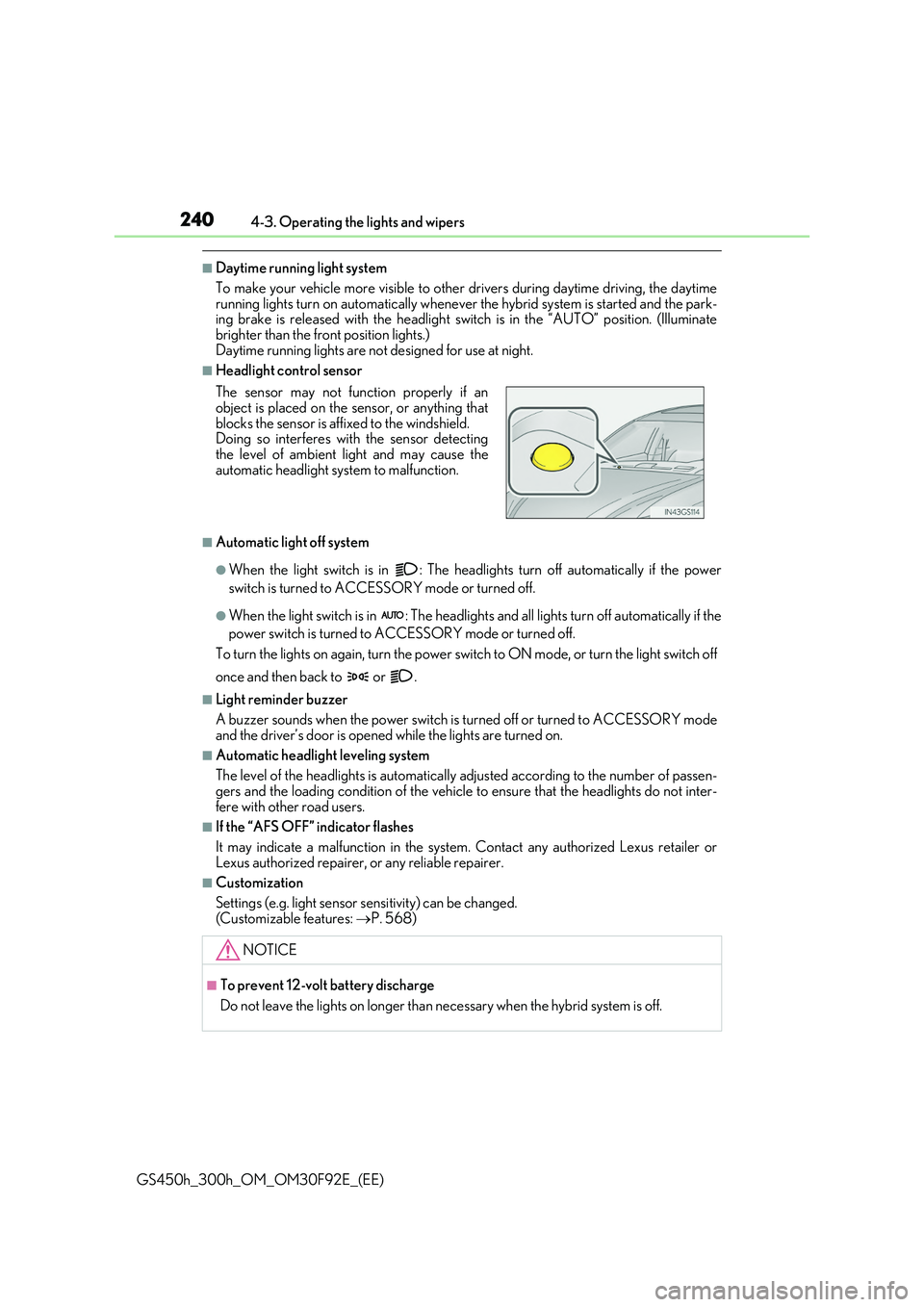
■Headlight control sensor
■Automatic light off system
●When the light switch is in : The headlig hts turn off automatically if the power
switch is turned to ACCESSORY mode or turned off.
●When the light switch is in : The headlights and all lights turn off automatically if the
power switch is turned to ACCESSORY mode or turned off.
To turn the lights on again, turn the power switch to ON mode, or turn the light switch off
once and then back to or .
■Light reminder buzzer
A buzzer sounds when the power switch is turned off or turned to ACCESSORY mode and the driver’s door is opened while the lights are turned on.
■Automatic headlight leveling system
The level of the headlights is automatically adjusted according to the number of passen- gers and the loading condition of the vehicle to ensure that the headlights do not inter-
fere with other road users.
■If the “AFS OFF” indicator flashes
It may indicate a malfunction in the system. Contact any authorized Lexus retailer or
Lexus authorized repairer, or any reliable repairer.
■Customization
Settings (e.g. light sensor se nsitivity) can be changed.
(Customizable features: P. 568)
The sensor may not function properly if an object is placed on the sensor, or anything that
blocks the sensor is affixed to the windshield. Doing so interferes with the sensor detectingthe level of ambient light and may cause the
automatic headlight system to malfunction.
NOTICE
■To prevent 12-volt battery discharge
Do not leave the lights on longer than ne cessary when the hybrid system is off.
Page 281 of 600
2814-5. Using the driving support systems
4
Driving
GS450h_300h_OM_OM30F92E_(EE)
*4: Depending on the region in which the vehicle was sold, the pedestrian detection
function may not be available.
■If the PCS warning light flashes and a warnin g message is displayed on the multi-infor- mation display
The pre-crash safety system may be temporar ily unavailable or there may be a malfunc-
tion in the system.
●In the following situations, the warning light will turn off, the message will disappear and the system will become operational when normal operating conditions return:
• When the radar sensor or camera sensor or the area around either sensor is hot, such as in the sun• When the radar sensor or camera sensor or the area around either sensor is cold,
such as in an extremely cold environment • When the radar sensor or front grille emblem is dirty or covered with snow, etc.• When the part of the windshield in front of the camera sensor is fogged up or cov-
ered with condensation or ice (Defogging the windshield: P. 352) • If the camera sensor is obstructed, such as when the hood is open or a sticker isattached to the windshield near the camera sensor
●If the PCS warning light continues to flash or the warning message does not disappear,the system may be malfunctioning. Have the vehicle inspected by any authorized Lexus
retailer or Lexus authorized repairer, or any reliable repairer immediately.
■If VSC is disabled
●If VSC is disabled (P. 327), the pre-crash brake assist and pre-crash braking func-
tions are also disabled.
●The PCS warning light will turn on and “VSC Turned Off Pre-Crash Brake System Unavailable” will be displayed on the multi-information display.
Page 285 of 600
2854-5. Using the driving support systems
4
Driving
GS450h_300h_OM_OM30F92E_(EE)
WARNING
■Before using LKA system
Do not rely solely upon the LKA system. Th e LKA system does not automatically drive the vehicle or reduce the amount of attention that must be paid to the area in front of
the vehicle. The driver must always assume full responsibility for driving safely by pay- ing careful attention to the surrounding conditions and operating the steering wheel tocorrect the path of the vehicle. Also, the driver must take adequate breaks when
fatigued, such as from driving for a long period of time. Failure to perform appropriate driving operat ions and pay careful attention may lead to an accident, resulting in death or serious injury.
■To avoid operating LKA system by mistake
When not using the LKA system, use the LKA switch to turn the system off.
■Situations unsuitable for LKA system
Do not use the LKA system in the following situations. The system may not operate properly and le ad to an accident, resulting in death or serious injury.
●A spare tire, tire chains, etc. are equipped.
●When the tires have been excessively worn, or when the tire inflation pressure is low.
●Tires which differ by structure, manufacturer, brand or tread pattern are used.
●Objects or patterns that could be mistaken for white (yellow) lines are present on the side of the road (guardrails, cu rbs, reflective poles, etc.).
●Vehicle is driven on a snow-covered road.
●White (yellow) lines are difficult to see due to rain, snow, fog, dust, etc.
●Asphalt repair marks, white (yellow) line marks, etc. are present due to road repair.
●Vehicle is driven in a temporary lane or restricted lane due to construction work.
●Vehicle is driven on a road surface which is slippery due to rainy weather, fallen snow, freezing, etc.
●Vehicle is driven in traffic lanes other than on highways and freeways.
●Vehicle is driven in a construction zone.
●Vehicle is towing a trailer or another vehicle. (vehicles with towing package)
■Preventing LKA system malfunctions and operations performed by mistake
●Do not modify the headlights or place stickers, etc. on the surface of the lights.
●Do not modify the suspension etc. If the suspension etc. needs to be replaced, con- tact any authorized Lexus retailer or Le xus authorized repairer, or any reliable
repairer.
●Do not install or place anything on the hood or grille. Also, do not install a grille guard (bull bars, kangaroo bar, etc.).
●If your windshield needs repairs, contac t any authorized Lexus retailer or Lexus authorized repairer, or any reliable repairer.
Page 306 of 600
3064-5. Using the driving support systems
GS450h_300h_OM_OM30F92E_(EE)
■Automatic cancelation of constant speed control mode
Constant speed control mode is automatica lly canceled in the following situations:
●Actual vehicle speed is more than approximately 16 km/h (10 mph) below the set vehi-
cle speed.
●Actual vehicle speed falls below approximately 40 km/h (25 mph).
●VSC is activated.
●TRC is activated for a period of time.
●When the VSC or TRC system is turned off by pressing the VSC OFF switch.
●Pre-crash braking is activated.
If constant speed control mode is automatically canceled for any other reason, there may be a malfunction in the system. Contact an y authorized Lexus retailer or Lexus autho- rized repairer, or any reliable repairer.
■Warning messages and buzzers for dynamic radar cruise control with full-speed range
Warning messages and buzzers are used to indicate a system malfunction or to inform the driver of the need for caution while driv ing. If a warning message is shown on the
multi-information display, read the message and follow the instructions. (P. 466)
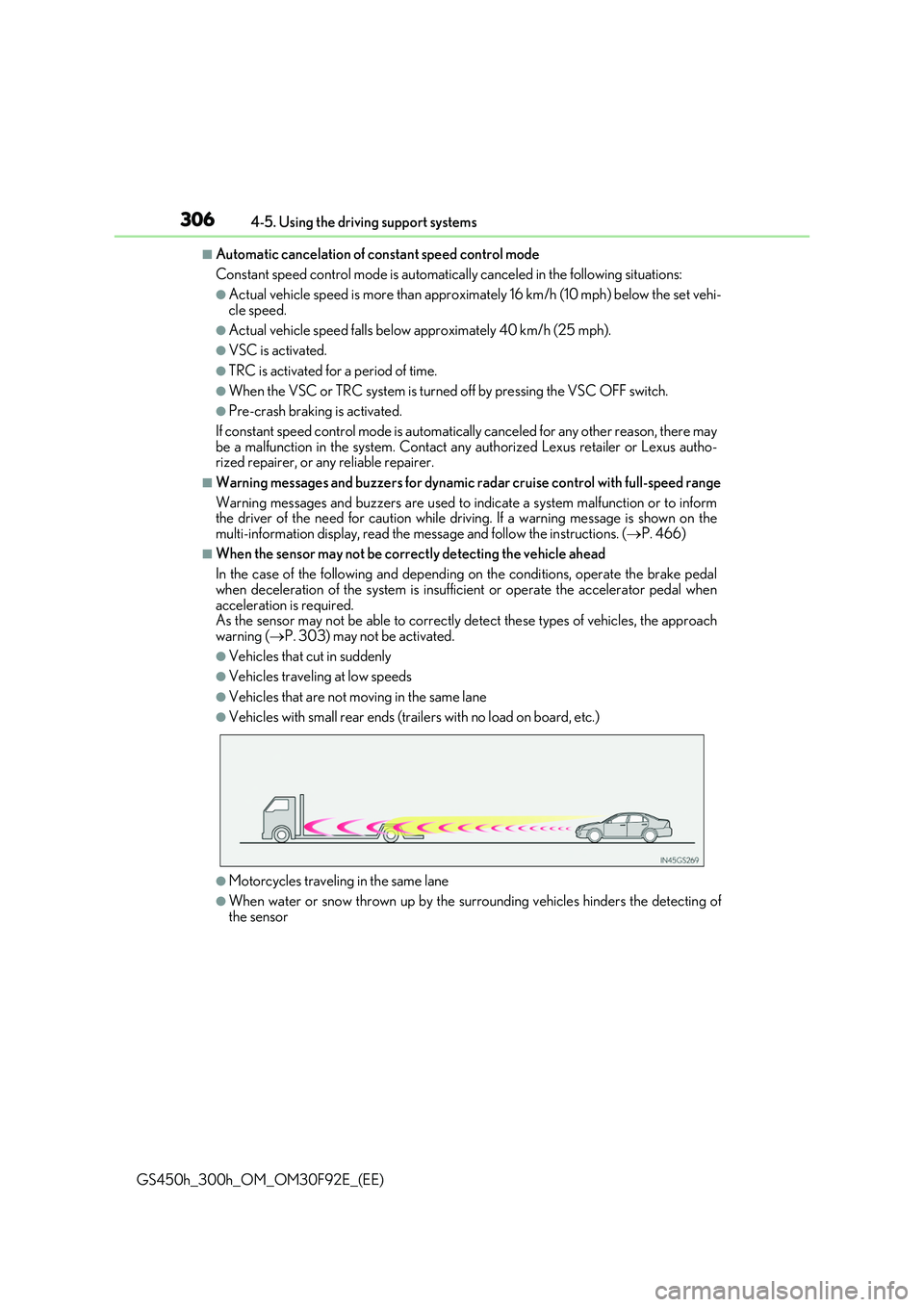
■When the sensor may not be correctly detecting the vehicle ahead
In the case of the following and depending on the conditions, operate the brake pedal
when deceleration of the system is insufficient or operate the accelerator pedal when acceleration is required.As the sensor may not be able to correctly detect these types of vehicles, the approach
warning ( P. 303) may not be activated.
●Vehicles that cut in suddenly
●Vehicles traveling at low speeds
●Vehicles that are not moving in the same lane
●Vehicles with small rear ends (trailers with no load on board, etc.)
●Motorcycles traveling in the same lane
●When water or snow thrown up by the surrounding vehicles hinders the detecting of the sensor
Page 312 of 600
3124-5. Using the driving support systems
GS450h_300h_OM_OM30F92E_(EE)
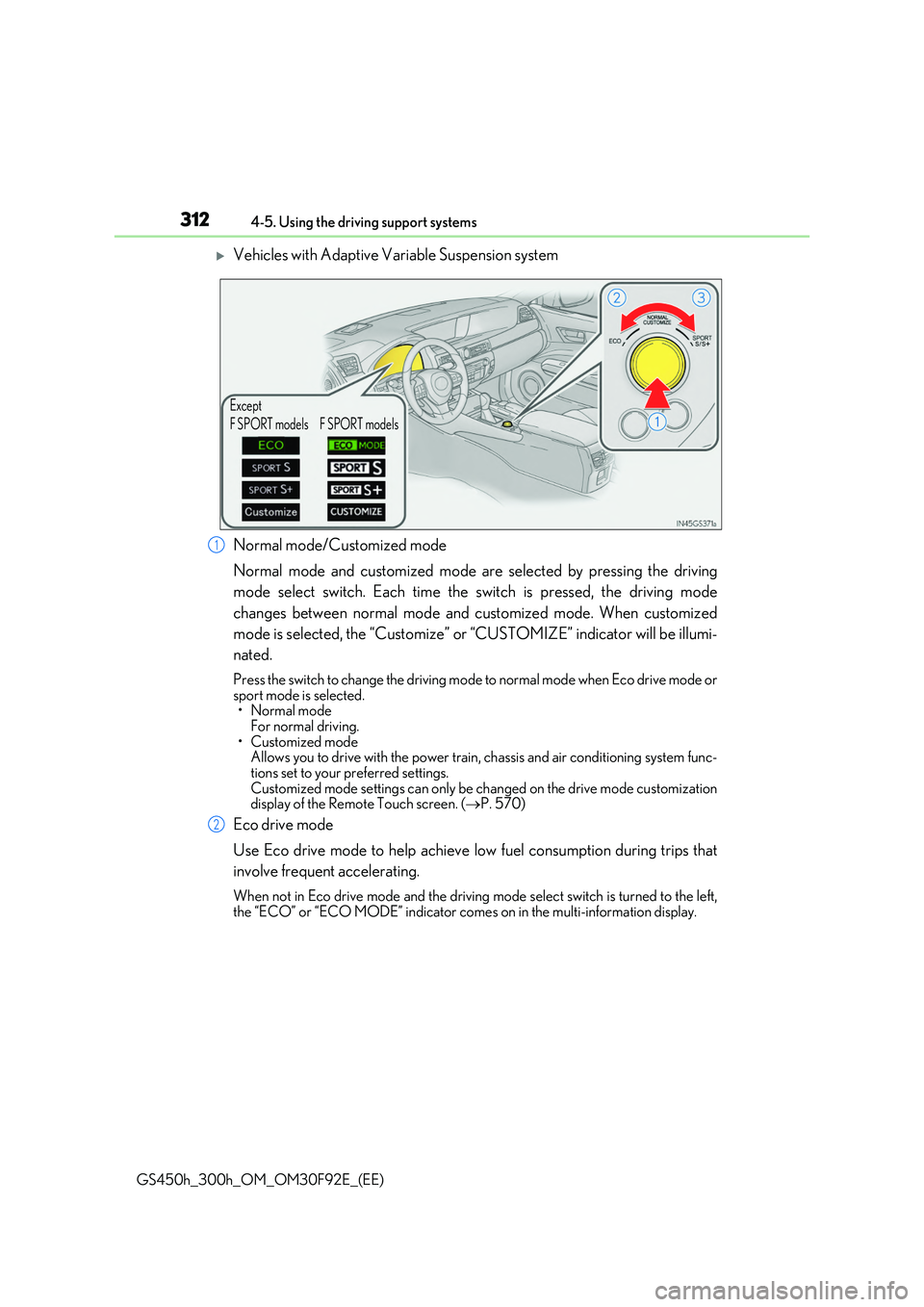
Vehicles with Adaptive Variable Suspension system
Normal mode/Customized mode
Normal mode and customized mode are selected by pressing the driving
mode select switch. Each time the switch is pressed, the driving mode
changes between normal mode and customized mode. When customized
mode is selected, the “Customize” or “CUSTOMIZE” indicator will be illumi-
nated.
Press the switch to change the driving mode to normal mode when Eco drive mode or sport mode is selected.•Normal mode
For normal driving. • Customized modeAllows you to drive with the power train, chassis and air conditioning system func-
tions set to your preferred settings. Customized mode settings can only be changed on the drive mode customization display of the Remote Touch screen. ( P. 570)
Eco drive mode
Use Eco drive mode to help achieve low fuel consumption during trips that
involve frequent accelerating.
When not in Eco drive mode and the driving mode select switch is turned to the left,
the “ECO” or “ECO MODE” indicator come s on in the multi-information display.
Except
F SPORT models F SPORT models
1
2
Page 313 of 600
3134-5. Using the driving support systems
4
Driving
GS450h_300h_OM_OM30F92E_(EE)
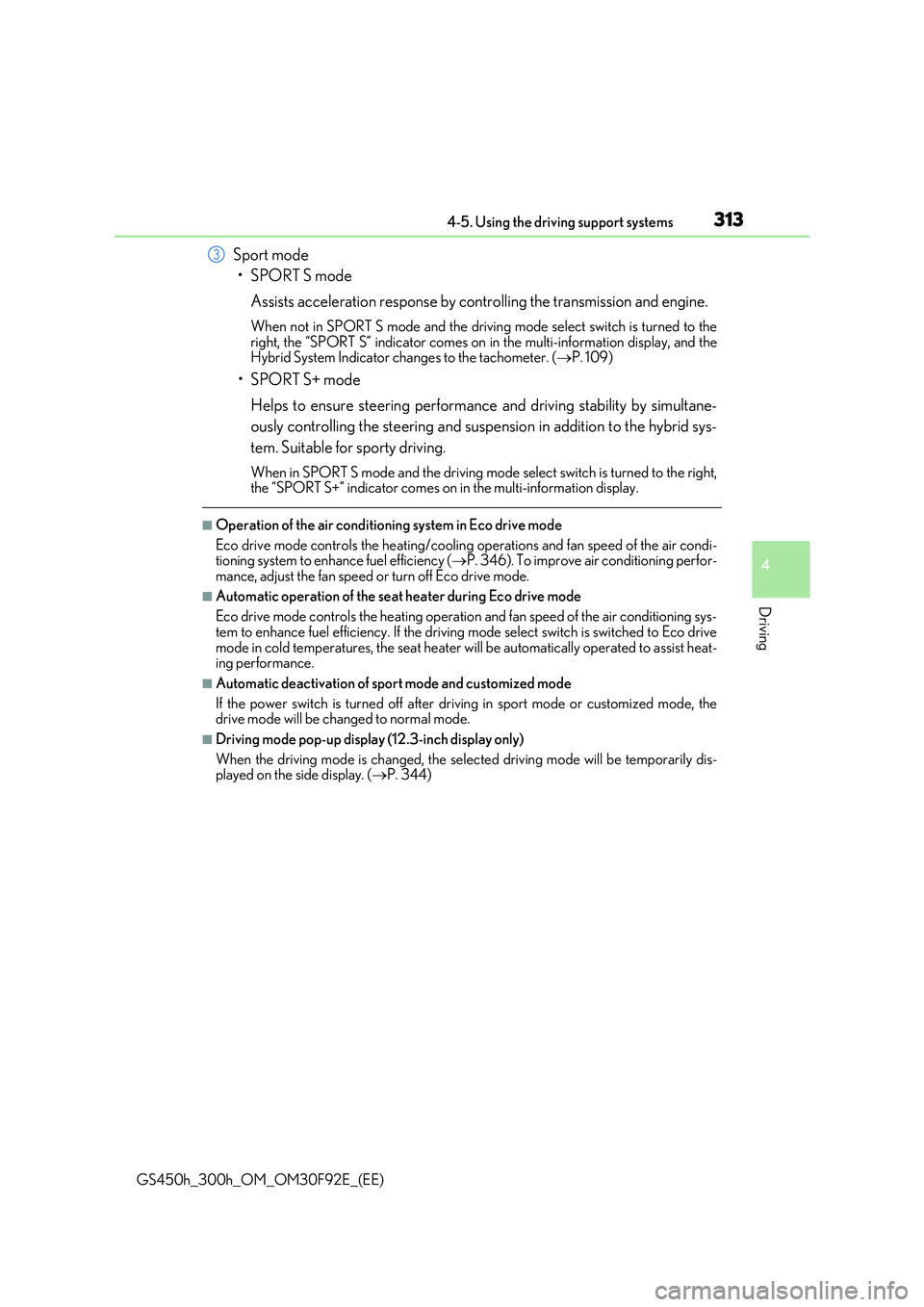
Sport mode
•SPORT S mode
Assists acceleration response by controlling the transmission and engine.
When not in SPORT S mode and the driving mode select switch is turned to the
right, the “SPORT S” indicator comes on in the multi-information display, and the Hybrid System Indicator changes to the tachometer. ( P. 109)
•SPORT S+ mode
Helps to ensure steering performance and driving stability by simultane-
ously controlling the steering and suspen sion in addition to the hybrid sys-
tem. Suitable for sporty driving.
When in SPORT S mode and the driving mode select switch is turned to the right, the “SPORT S+” indicator comes on in the multi-information display.
■Operation of the air conditioning system in Eco drive mode
Eco drive mode controls the heating/cooling operations and fan speed of the air condi- tioning system to enhance fuel efficiency ( P. 346). To improve air conditioning perfor-
mance, adjust the fan speed or turn off Eco drive mode.
■Automatic operation of the seat heater during Eco drive mode
Eco drive mode controls the he ating operation and fan speed of the air conditioning sys-
tem to enhance fuel efficiency. If the driving mode select switch is switched to Eco drive mode in cold temperatures, the seat heater w ill be automatically operated to assist heat- ing performance.
■Automatic deactivation of sport mode and customized mode
If the power switch is turned off after driv ing in sport mode or customized mode, the drive mode will be changed to normal mode.
■Driving mode pop-up display (12.3-inch display only)
When the driving mode is changed, the selected driving mode will be temporarily dis- played on the side display. ( P. 344)
3