buttons LEXUS GS300H 2019 User Guide
[x] Cancel search | Manufacturer: LEXUS, Model Year: 2019, Model line: GS300H, Model: LEXUS GS300H 2019Pages: 600, PDF Size: 55.99 MB
Page 341 of 600
3415-1. Remote Touch screen
5
Interior features
GS450h_300h_OM_OM30F92E_(EE)
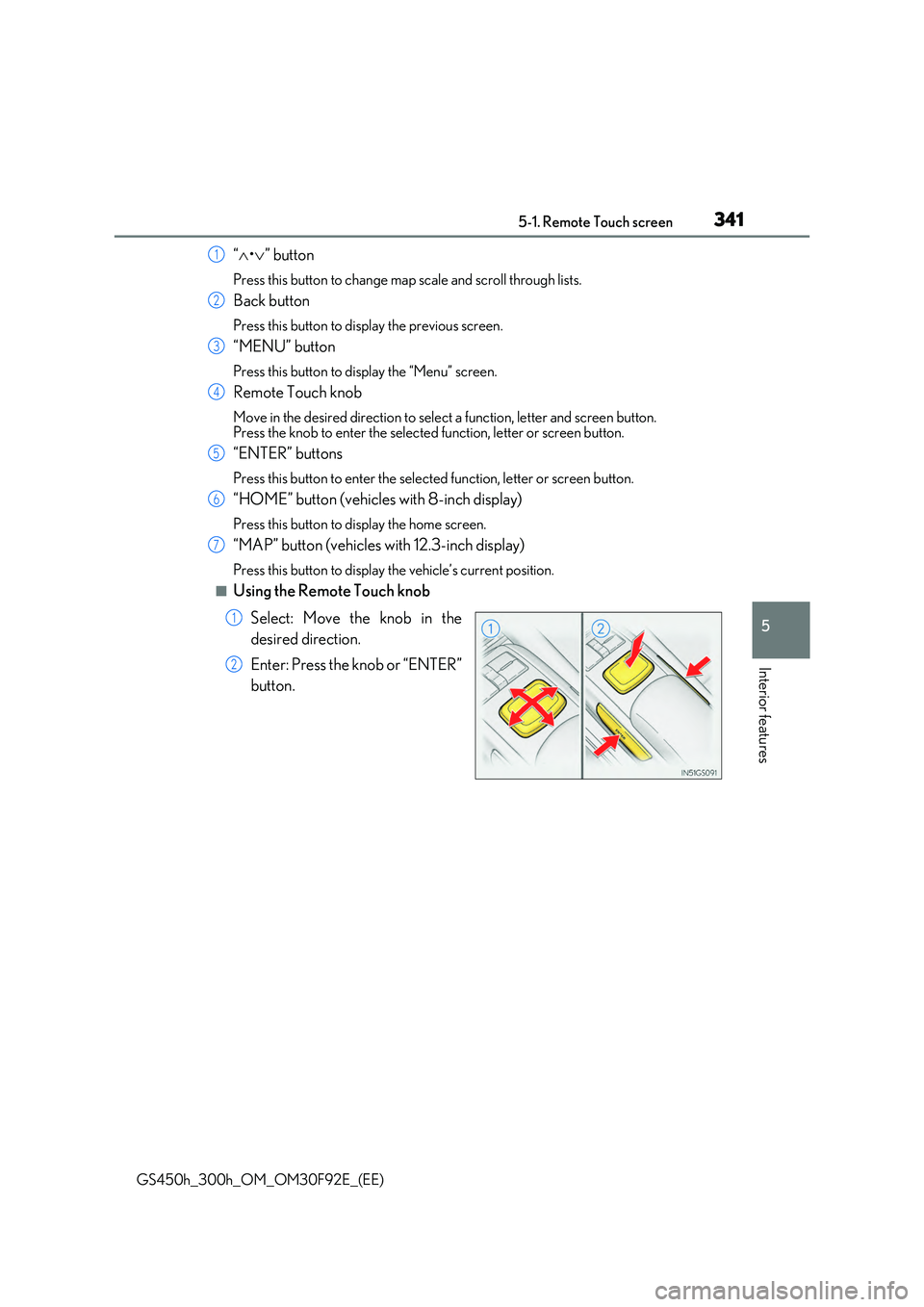
“•” button
Press this button to change map scale and scroll through lists.
Back button
Press this button to display the previous screen.
“MENU” button
Press this button to display the “Menu” screen.
Remote Touch knob
Move in the desired direction to select a function, letter and screen button. Press the knob to enter the selected function, letter or screen button.
“ENTER” buttons
Press this button to enter the selected function, letter or screen button.
“HOME” button (vehicles with 8-inch display)
Press this button to display the home screen.
“MAP” button (vehicles with 12.3-inch display)
Press this button to display the vehicle’s current position.
■Using the Remote Touch knob
Select: Move the knob in the
desired direction.
Enter: Press the knob or “ENTER”
button.
1
2
3
4
5
6
7
1
2
Page 360 of 600
3605-2. Using the air conditioning system and defogger
GS450h_300h_OM_OM30F92E_(EE)
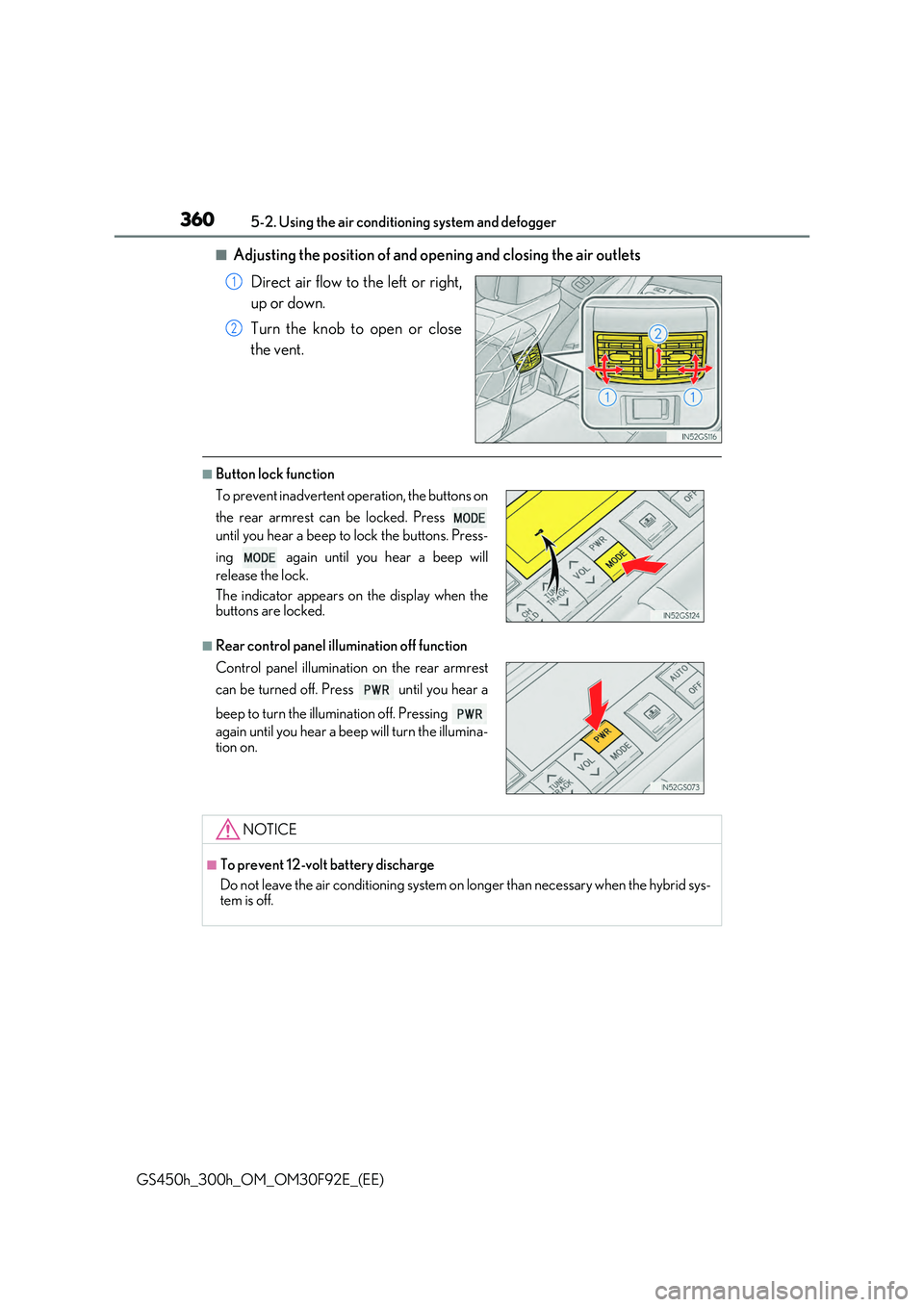
■Adjusting the position of and opening and closing the air outlets
Direct air flow to the left or right,
up or down.
Turn the knob to open or close
the vent.
■Button lock function
■Rear control panel illumination off function
1
2
To prevent inadvertent operation, the buttons on
the rear armrest can be locked. Press
until you hear a beep to lock the buttons. Press-
ing again until you hear a beep will
release the lock.
The indicator appears on the display when the buttons are locked.
Control panel illumination on the rear armrest
can be turned off. Press until you hear a
beep to turn the illumination off. Pressing
again until you hear a beep will turn the illumina-
tion on.
NOTICE
■To prevent 12-volt battery discharge
Do not leave the air conditioning system on longer than necessary when the hybrid sys- tem is off.
Page 381 of 600
3815-5. Using the other interior features
5
Interior features
GS450h_300h_OM_OM30F92E_(EE)
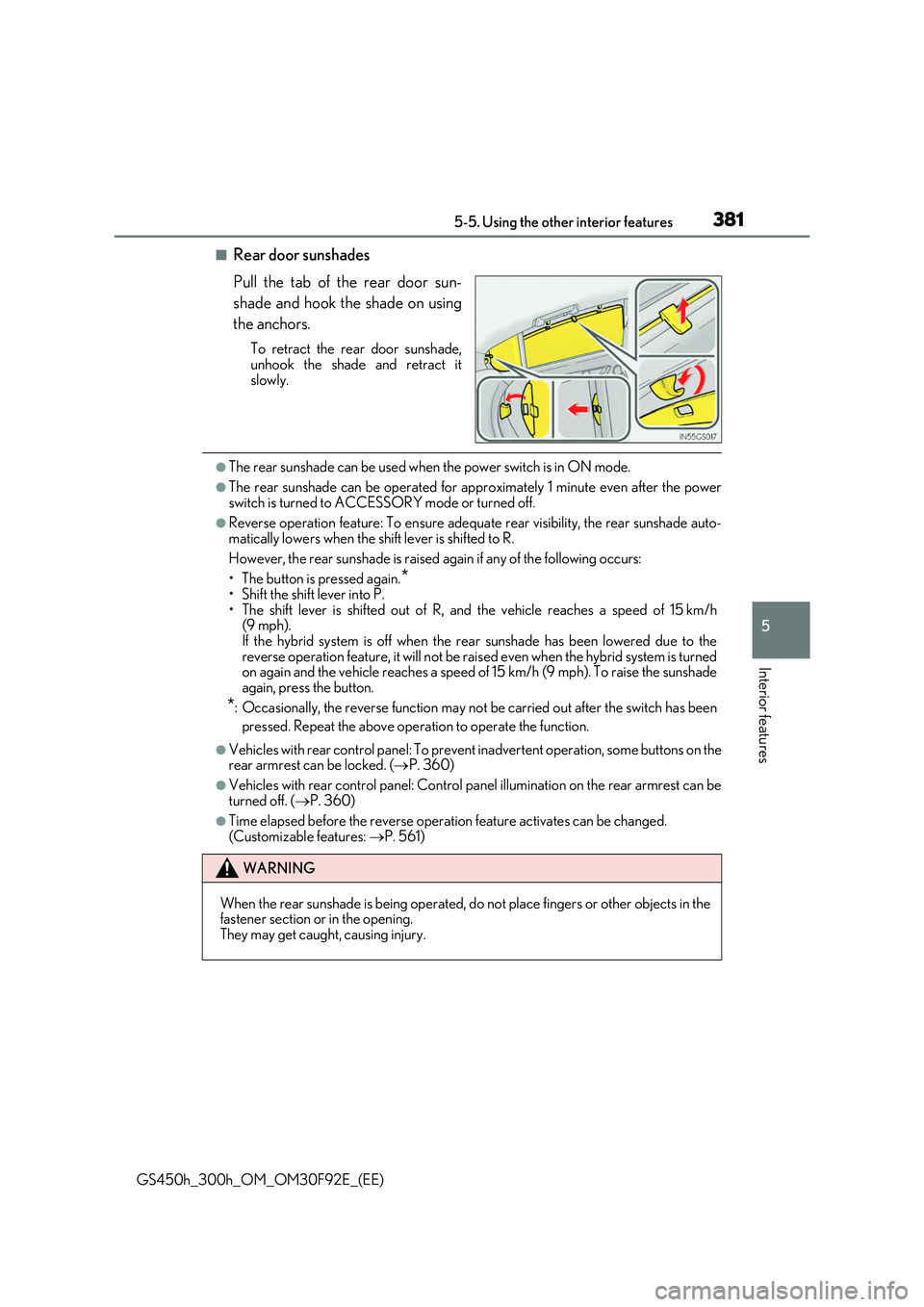
■Rear door sunshades
Pull the tab of the rear door sun-
shade and hook the shade on using
the anchors.
To retract the rear door sunshade, unhook the shade and retract it
slowly.
●The rear sunshade can be used when the power switch is in ON mode.
●The rear sunshade can be operated for approximately 1 minute even after the power
switch is turned to ACCESSORY mode or turned off.
●Reverse operation feature: To ensure adequate rear visibility, the rear sunshade auto- matically lowers when the shift lever is shifted to R.
However, the rear sunshade is raised again if any of the following occurs:
• The button is pressed again.*• Shift the shift lever into P.
• The shift lever is shifted out of R, and the vehicle reaches a speed of 15 km/h (9 mph). If the hybrid system is off when the rear sunshade has been lowered due to the
reverse operation feature, it will not be rais ed even when the hybrid system is turned on again and the vehicle reaches a speed of 15 km/h (9 mph). To raise the sunshadeagain, press the button.
*: Occasionally, the reverse function may not be carried out after the switch has been
pressed. Repeat the above operation to operate the function.
●Vehicles with rear control panel: To prevent inadvertent operation, some buttons on the rear armrest can be locked. ( P. 360)
●Vehicles with rear control panel: Control panel illumination on the rear armrest can be
turned off. ( P. 360)
●Time elapsed before the reverse operation feature activates can be changed. (Customizable features: P. 561)
WARNING
When the rear sunshade is being operated, do not place fingers or other objects in the fastener section or in the opening.
They may get caught, causing injury.