Auto Lexus GS350 2008 Workshop Manual
[x] Cancel search | Manufacturer: LEXUS, Model Year: 2008, Model line: GS350, Model: Lexus GS350 2008Pages: 598, PDF Size: 14.03 MB
Page 220 of 598
219
3-2. Using the air conditioning system and defogger
3
Interior features
GS_G_U
June 19, 2008 12:54 pm
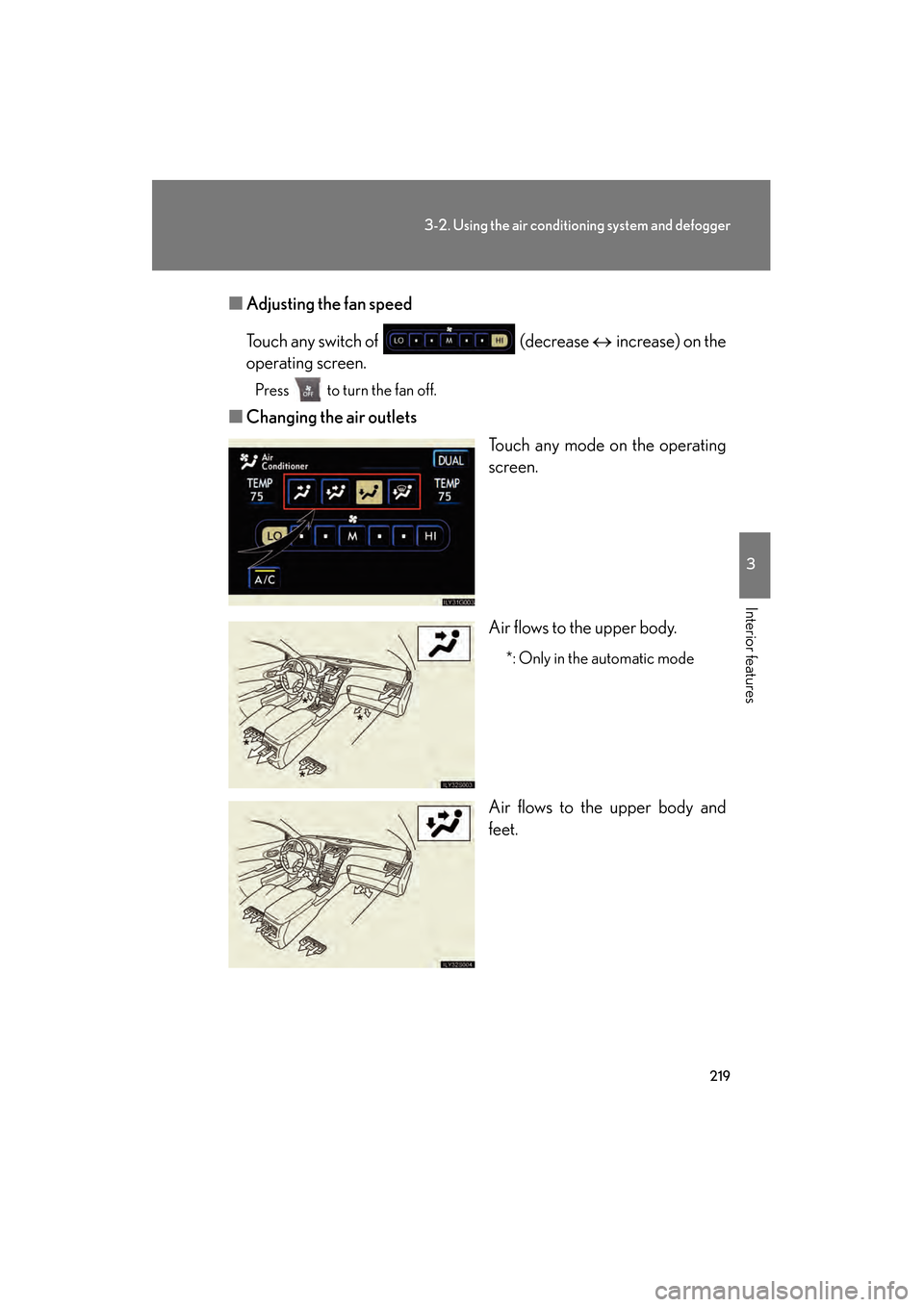
■Adjusting the fan speed
Touch any switch of (decrease ↔ increase) on the
operating screen.
Press to turn the fan off.
■ Changing the air outlets
Touch any mode on the operating
screen.
Air flows to the upper body.
*: Only in the automatic mode
Air flows to the upper body and
feet.
GS_U_G.book Page 219 Thursday, June 19, 2008 12:54 PM
Page 221 of 598
220
3-2. Using the air conditioning system and defogger
GS_G_U
June 19, 2008 12:54 pm
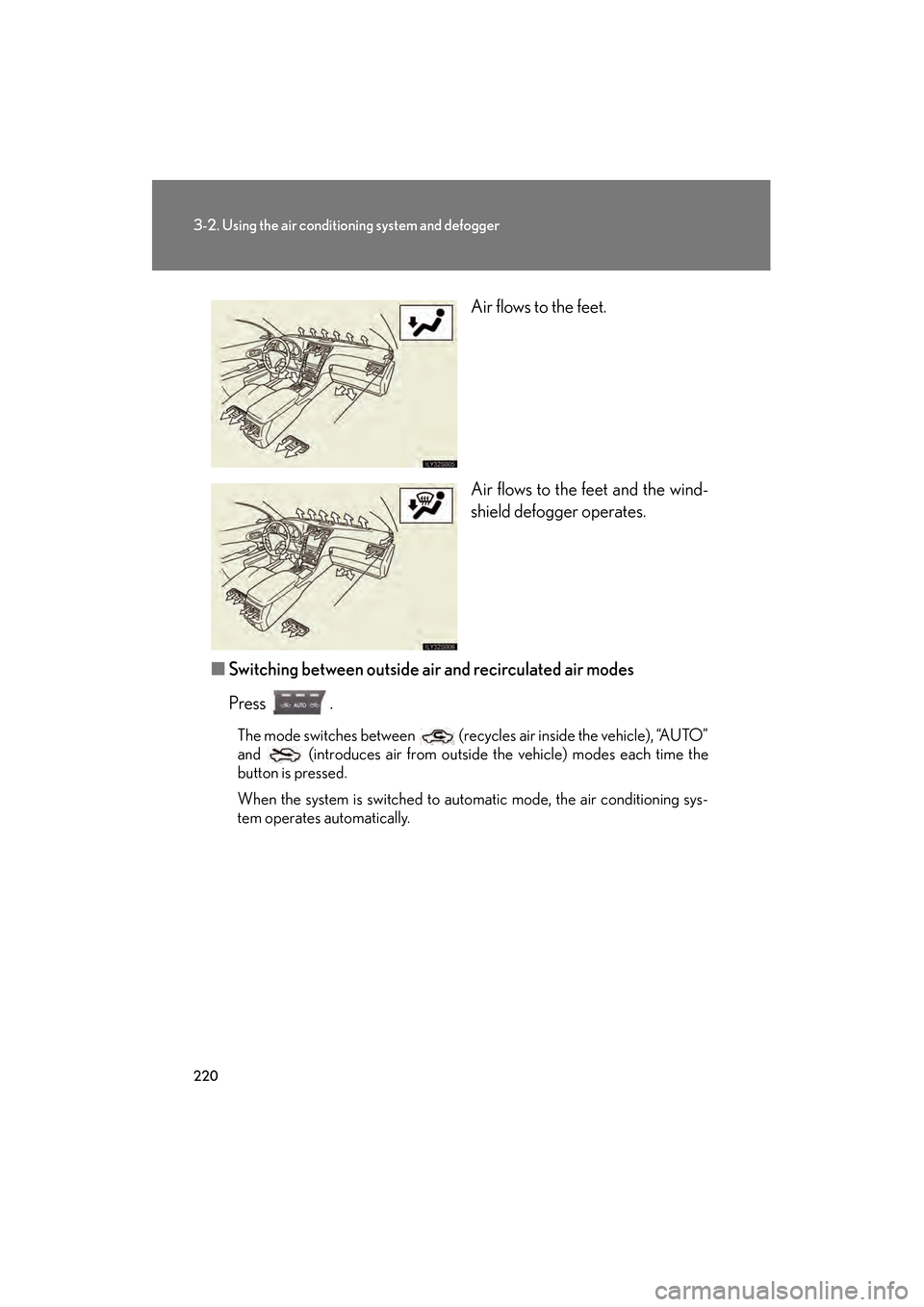
Air flows to the feet.
Air flows to the feet and the wind-
shield defogger operates.
■ Switching between outside air and recirculated air modes
Press .
The mode switches between (recycles air inside the vehicle), “AUTO”
and (introduces air from outside the vehicle) modes each time the
button is pressed.
When the system is switched to automatic mode, the air conditioning sys-
tem operates automatically.
GS_U_G.book Page 220 Thursday, June 19, 2008 12:54 PM
Page 222 of 598
221
3-2. Using the air conditioning system and defogger
3
Interior features
GS_G_U
June 19, 2008 12:54 pm
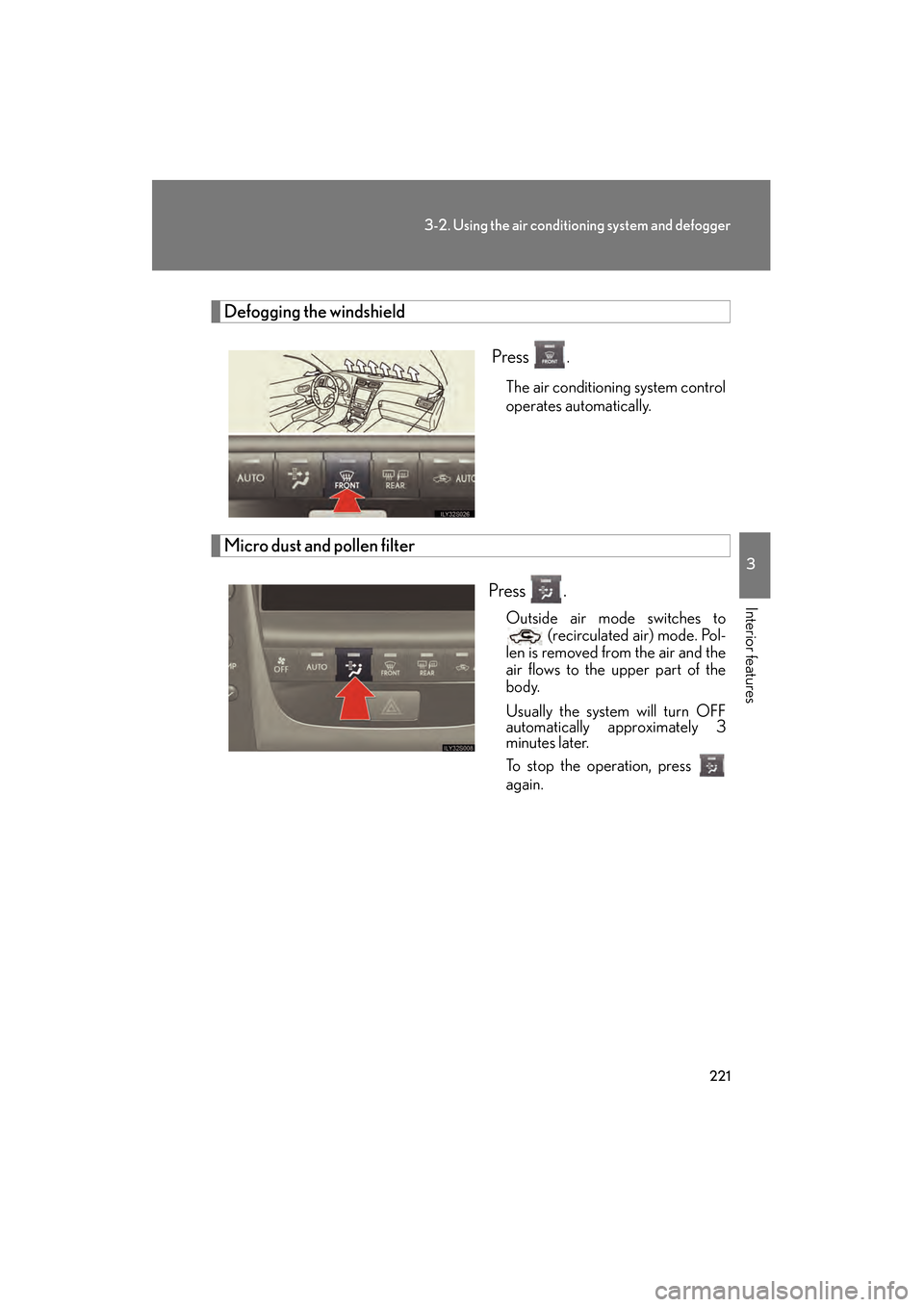
Defogging the windshield Press
.
The air conditioning system control
operates automatically.
Micro dust and pollen filter
Press .
Outside air mode switches to (recirculated air) mode. Pol-
len is removed from the air and the
air flows to the upper part of the
body.
Usually the system will turn OFF
automatically approximately 3
minutes later.
To stop the operation, press
again.
GS_U_G.book Page 221 Thursday, June 19, 2008 12:54 PM
Page 223 of 598
222
3-2. Using the air conditioning system and defogger
GS_G_U
June 19, 2008 12:54 pm
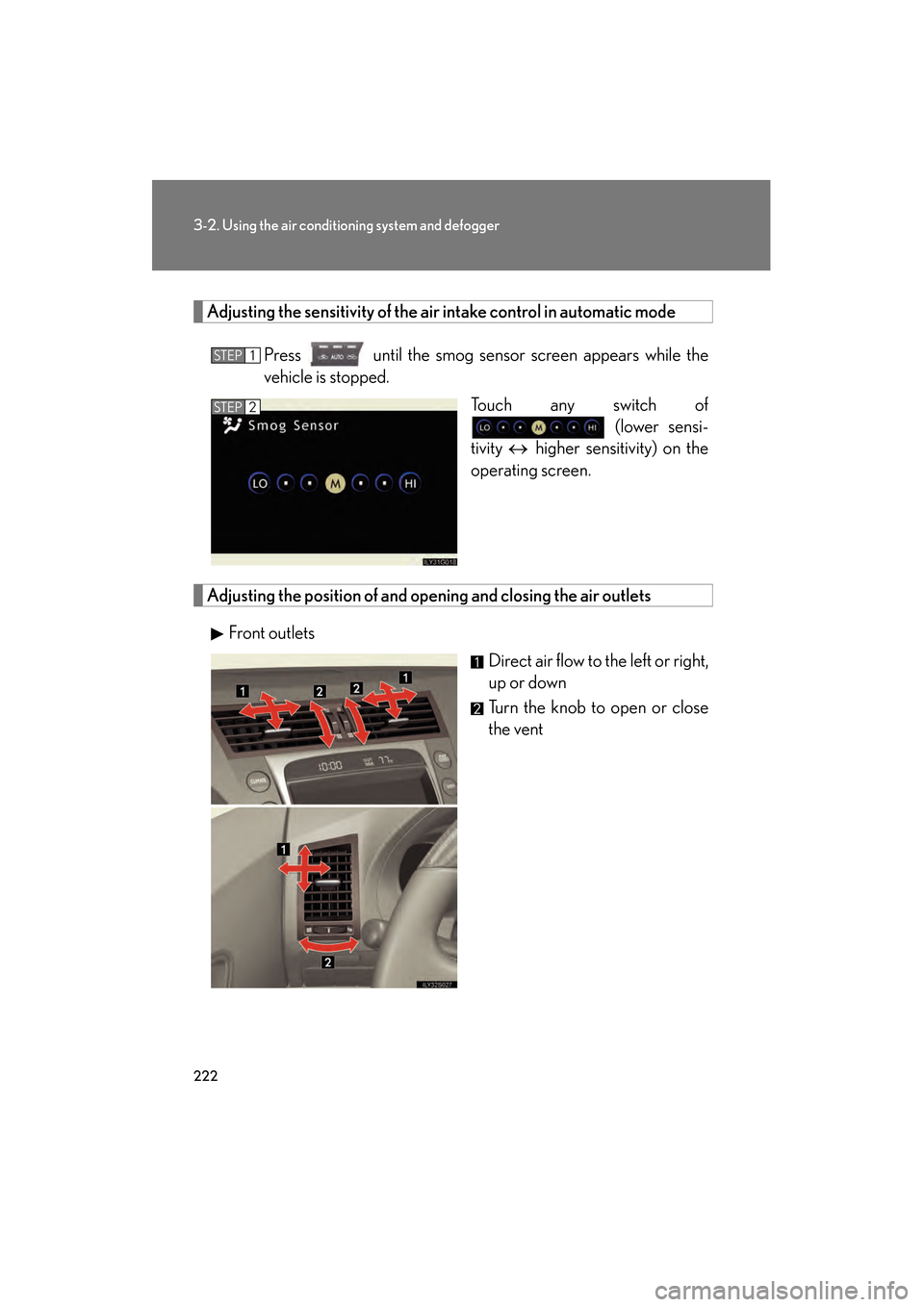
Adjusting the sensitivity of the air intake control in automatic modePress until the smog sensor screen appears while the
vehicle is stopped. Touch any switch of (lower sensi-
tivity ↔ higher sensitivity) on the
operating screen.
Adjusting the position of and op ening and closing the air outlets
Front outlets Direct air flow to the left or right,
up or down
Turn the knob to open or close
the vent
STEP1
STEP2
GS_U_G.book Page 222 Thursday, June 19, 2008 12:54 PM
Page 224 of 598
223
3-2. Using the air conditioning system and defogger
3
Interior features
GS_G_U
June 19, 2008 12:54 pm
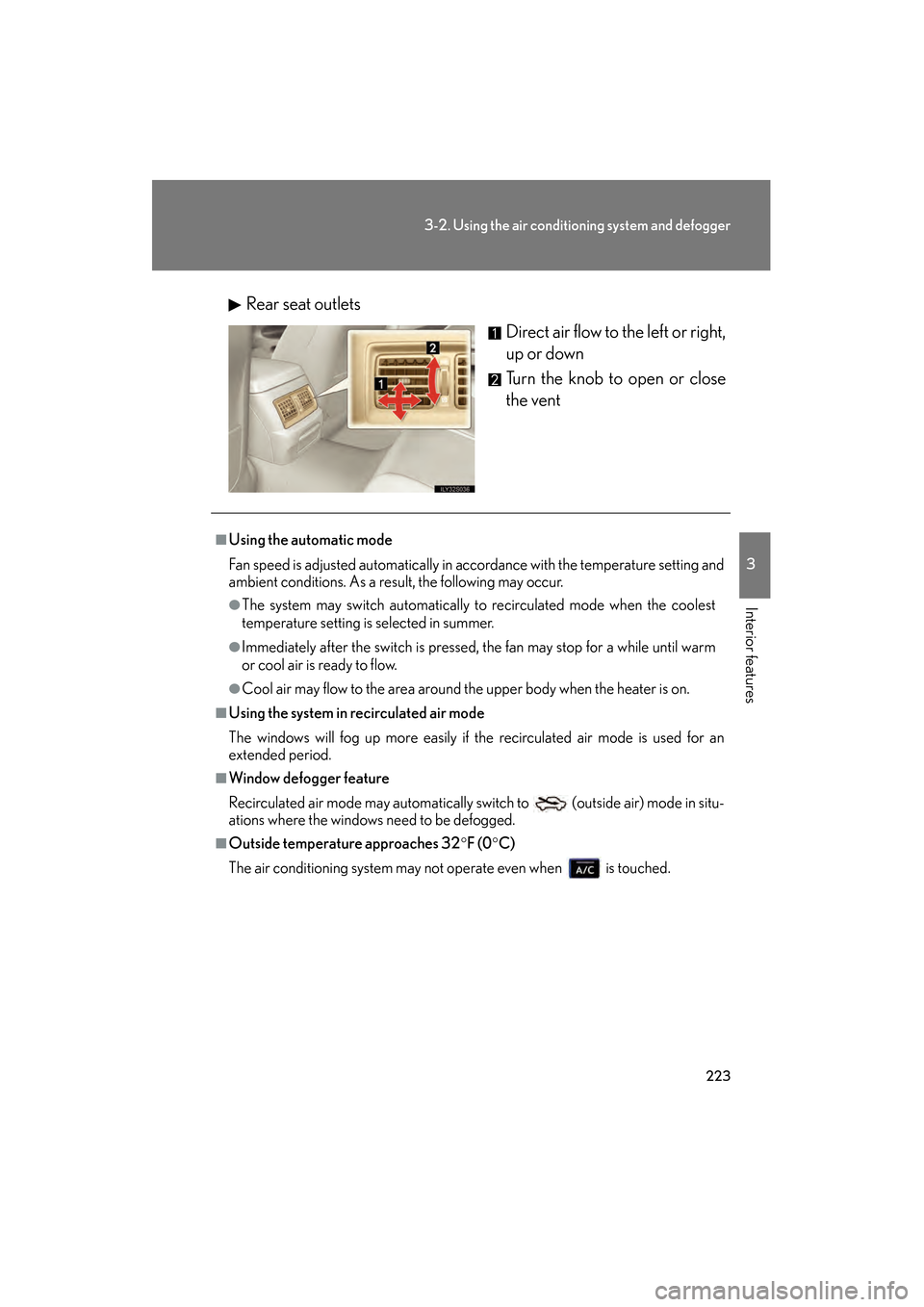
Rear seat outletsDirect air flow to the left or right,
up or down
Turn the knob to open or close
the vent
■Using the automatic mode
Fan speed is adjusted automatically in accordance with the temperature setting and
ambient conditions. As a result, the following may occur.
●The system may switch automatically to recirculated mode when the coolest
temperature setting is selected in summer.
●Immediately after the switch is pressed, the fan may stop for a while until warm
or cool air is ready to flow.
●Cool air may flow to the area around the upper body when the heater is on.
■Using the system in recirculated air mode
The windows will fog up more easily if the recirculated air mode is used for an
extended period.
■Window defogger feature
Recirculated air mode may automatically switch to
(outside air) mode in situ-
ations where the windows need to be defogged.
■Outside temperature approaches 32 °F (0 °C)
The air conditioning system may not operate even when is touched.
GS_U_G.book Page 223 Thursday, June 19, 2008 12:54 PM
Page 225 of 598
224
3-2. Using the air conditioning system and defogger
GS_G_U
June 19, 2008 12:54 pm
■Automatic mode for air intake control
In automatic mode, the system detects exhaust gas and other pollutants and auto-
matically switches between outside air and recirculated air modes.
When the air conditioning is off, and the fan is operating, turning the auto mode ON
will activate the air conditioning system.
■Micro dust and pollen filter
●In order to prevent the windows from fogging up when the outside air is cold,
the following may occur.
• Outside air mode does not switch to .
• The air conditioning system operates automatically.
• The operation cancels after 1 minute.
●In rainy weather, the windows may fog up. Press .
■When the indicator light on flashes
Touch and turn off the air conditioning system before turning it on once
more. There may be a problem in the air conditioning system if the indicator light
continues to flash. Turn the air conditioning system off and have it inspected by your
Lexus dealer.
CAUTION
■To prevent the windshield from fogging up
Do not use during cool air operation in extremely humid weather. The differ-
ence between the temperature of the outside air and that of the windshield can
cause the outer surface of the windshield to fog up, blocking your vision.
NOTICE
■To prevent 12 volt battery discharge
Do not leave the automatic air conditioning system on longer than necessary when
the engine is off.
GS_U_G.book Page 224 Thursday, June 19, 2008 12:54 PM
Page 226 of 598
225
3-2. Using the air conditioning system and defogger
3
Interior features
GS_G_U
June 19, 2008 12:54 pm
Rear window and outside rear view mirror defoggers
■Operating conditions
The “ENGINE START STOP” switch must be in the IGNITION ON mode.
CAUTION
■When the outside rear view mirror defoggers are on
Do not touch the rear view mirror surfaces, as they can become very hot and burn
you.
NOTICE
■To prevent 12 volt battery discharge
Turn the defoggers off when the engine is off.
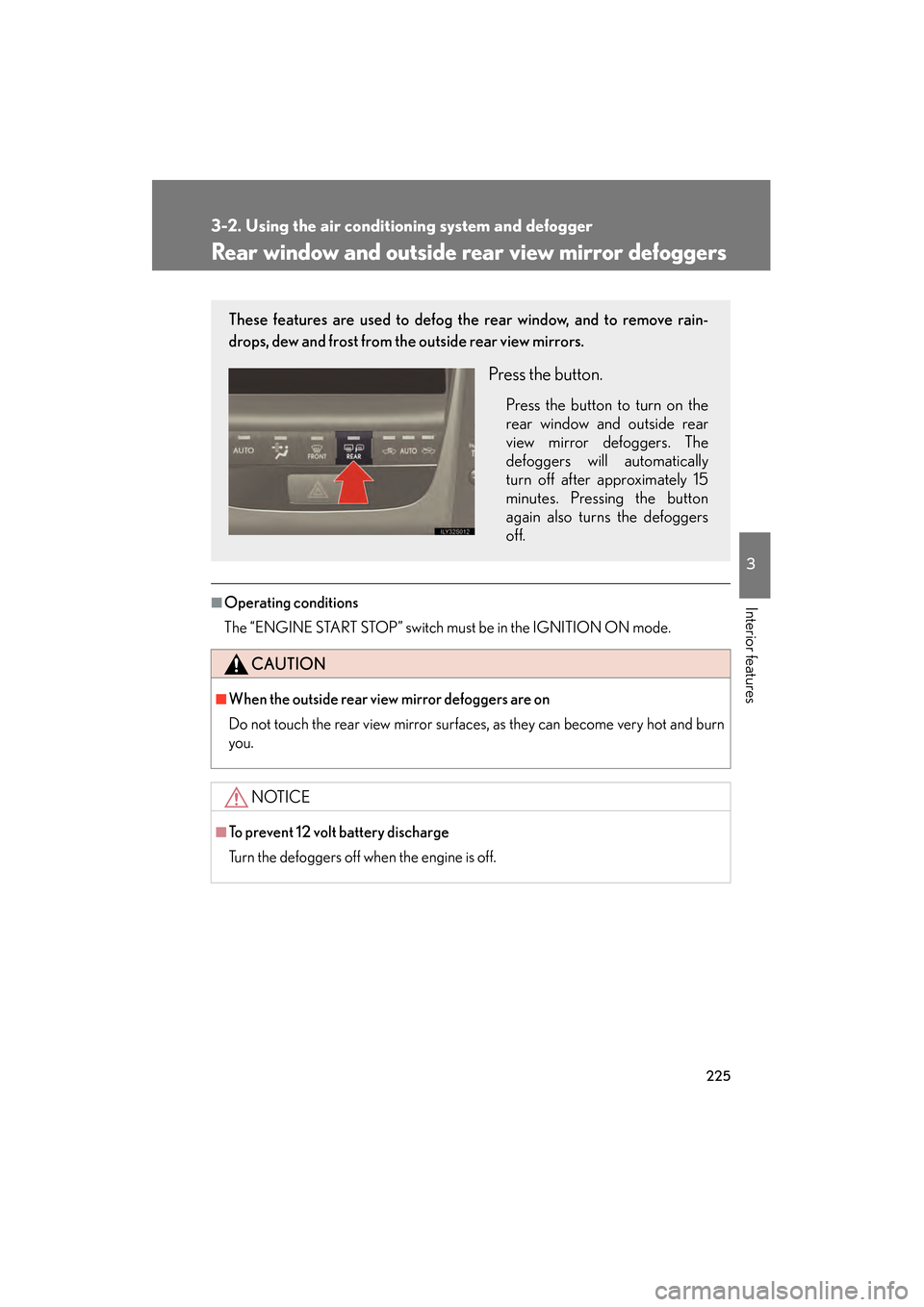
These features are used to defog the rear window, and to remove rain-
drops, dew and frost from the outside rear view mirrors.
Press the button.
Press the button to turn on the
rear window and outside rear
view mirror defoggers. The
defoggers will automatically
turn off after approximately 15
minutes. Pressing the button
again also turns the defoggers
off.
GS_U_G.book Page 225 Thursday, June 19, 2008 12:54 PM
Page 237 of 598
236
3-3. Using the audio system
GS_G_U
June 19, 2008 12:54 pm
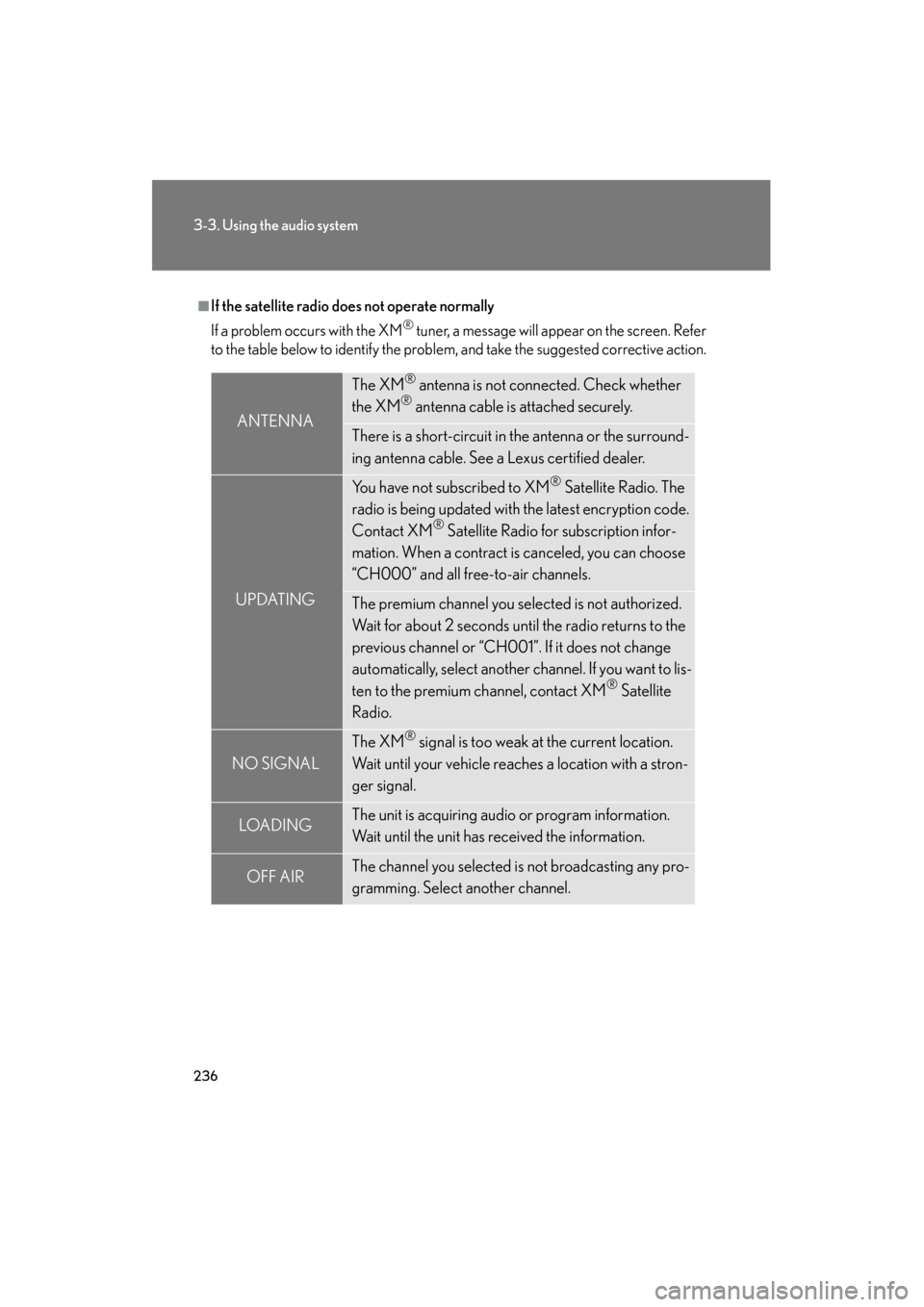
■If the satellite radio does not operate normally
If a problem occurs with the XM
® tuner, a message will appear on the screen. Refer
to the table below to identify the problem, and take the suggested corrective action.
ANTENNA
The XM® antenna is not connected. Check whether
the XM® antenna cable is attached securely.
There is a short-circuit in the antenna or the surround-
ing antenna cable. See a Lexus certified dealer.
UPDATING
You have not subscribed to XM® Satellite Radio. The
radio is being updated with the latest encryption code.
Contact XM
® Satellite Radio for subscription infor-
mation. When a contract is canceled, you can choose
“CH000” and all free-to-air channels.
The premium channel you selected is not authorized.
Wait for about 2 seconds until the radio returns to the
previous channel or “CH001”. If it does not change
automatically, select another channel. If you want to lis-
ten to the premium channel, contact XM
® Satellite
Radio.
NO SIGNAL
The XM® signal is too weak at the current location.
Wait until your vehicle reaches a location with a stron-
ger signal.
LOAD INGThe unit is acquiring audio or program information.
Wait until the unit has received the information.
OFF AIRThe channel you selected is not broadcasting any pro-
gramming. Select another channel.
GS_U_G.book Page 236 Thursday, June 19, 2008 12:54 PM
Page 238 of 598
237
3-3. Using the audio system
3
Interior features
GS_G_U
June 19, 2008 12:54 pm
Contact the XM® Listener Care Center at (800) 967-2346 during the following
hours
*.
Monday - Saturday: 6 a.m. - 2 a.m. Eastern Time
Sunday: 8 a.m. - 8 p.m. Eastern Time
*: Subject to change without notice.
■Certifications for the radio tuner
This equipment has been tested and found to comply with the limits for a class B
digital device, pursuant to Part 15 of the FCC Rules. These limits are designed to
provide reasonable protection against harmful interference in a residential installa-
tion. This equipment generates, uses and can radiate radio frequency energy and, if
not installed and used in accordance with the instructions, may cause harmful inter-
ference to radio communications. However, there is no guarantee that interference
will not occur in a particular installation.
If this equipment does cause harmful interference to radio or television reception,
which can be determined by turning the equipment off and on, the user is encour-
aged to try to correct the interference by trying one or more of the following:
●Reorienting or relocating the receiving antenna.
●Increasing the separation between the equipment and receiver.
●Connecting the equipment into an outlet on a circuit different from that to which
the receiver is connected.
●Consulting the dealer or an experienced radio/TV technician for help.
---
There is no song/program title or artist name/feature
associated with the channel at that time. No action
needed.
---
The channel you selected is no longer available. Wait
for about 2 seconds until the radio returns to the previ-
ous channel or “CH001”. If it does not change auto-
matically, select another channel.
GS_U_G.book Page 237 Thursday, June 19, 2008 12:54 PM
Page 241 of 598
240
3-3. Using the audio system
GS_G_U
June 19, 2008 12:54 pm
Using Dolby® Noise Reduction
Touch on the screen.
Reduces the level of noise for tapes recorded with Dolby NR only.
Dolby noise reduction is manufactured under license from Dolby Laborato-
ries Licensing Corporation. DOLBY and the double-D symbol are
registered trademarks of Dolby Laboratories.
■Canceling noise reduction, skip play, repeat play, rewind and fast forward
To cancel , and : Touch the corresponding button on the screen.
To cancel and : Touch the corresponding button on the screen or press
.
■Auto-reverse feature
After the cassette player reaches the end of a tape, it automatically reverses and
begins to play the other side, regardless of whether the cassette was playing or fast
forwarding.
■When the cassette player does not operate correctly due to the cassette record-
ing conditions
Forwarding to the beginning of a track, repeat, blank tape skip and fast-forward
may not be possible in the following situations:
●The interval between tracks is less than 3 seconds (beginning of track and
repeat playback) or less than 15 seconds (blank tape skip).
●When there is noise between 2 tracks.
●The beginning and end of subsequent tracks are not clearly defined.
GS_U_G.book Page 240 Thursday, June 19, 2008 12:54 PM