Sound system Lexus GS350 2012 Owner's Guide
[x] Cancel search | Manufacturer: LEXUS, Model Year: 2012, Model line: GS350, Model: Lexus GS350 2012Pages: 914, PDF Size: 49.39 MB
Page 544 of 914
533
5 5-3. Using the audio system
Interior features
GS350/250_EE (OM30C36E)
Optimal use of the audio/video system
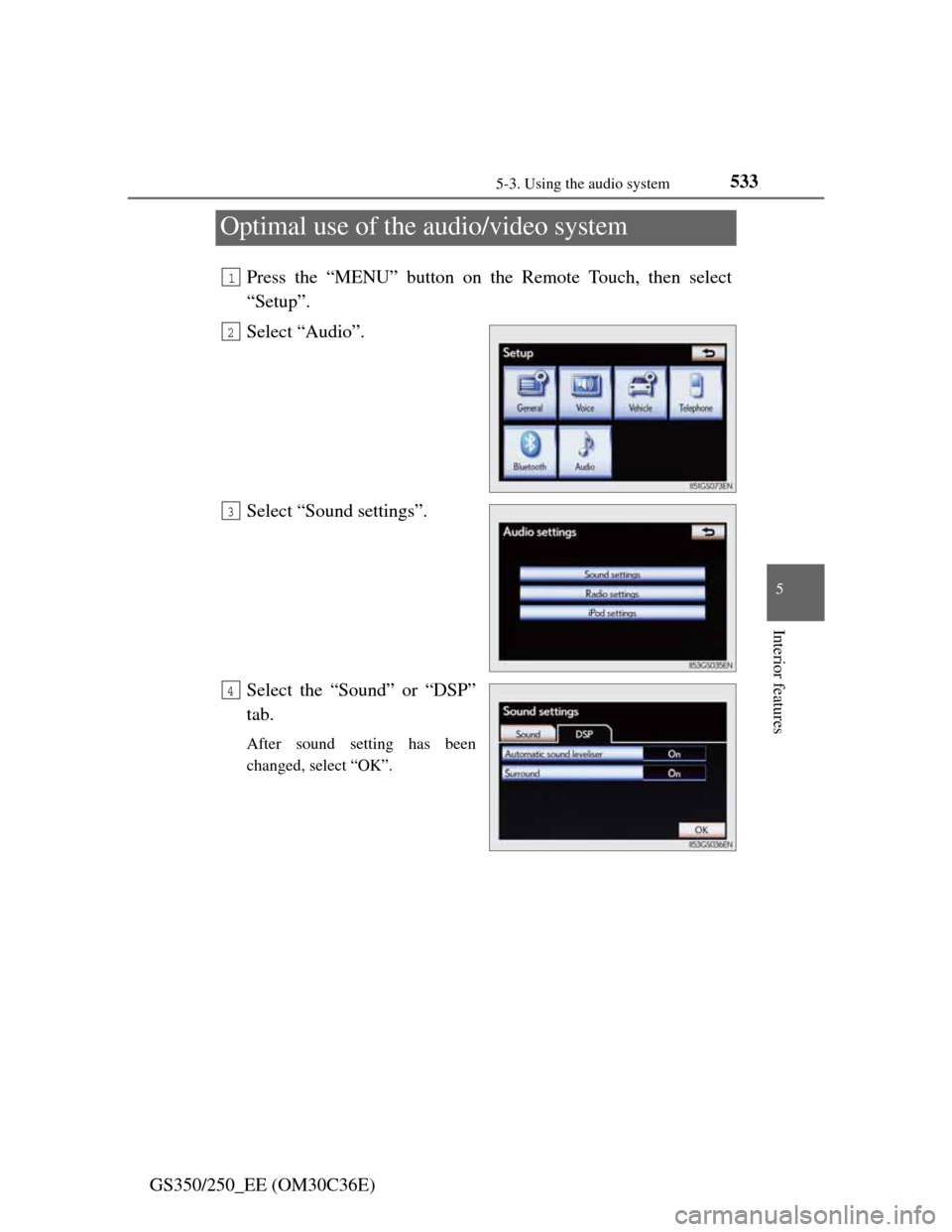
Press the “MENU” button on the Remote Touch, then select
“Setup”.
Select “Audio”.
Select “Sound settings”.
Select the “Sound” or “DSP”
tab.
After sound setting has been
changed, select “OK”.
1
2
3
4
Page 545 of 914
5345-3. Using the audio system
GS350/250_EE (OM30C36E)
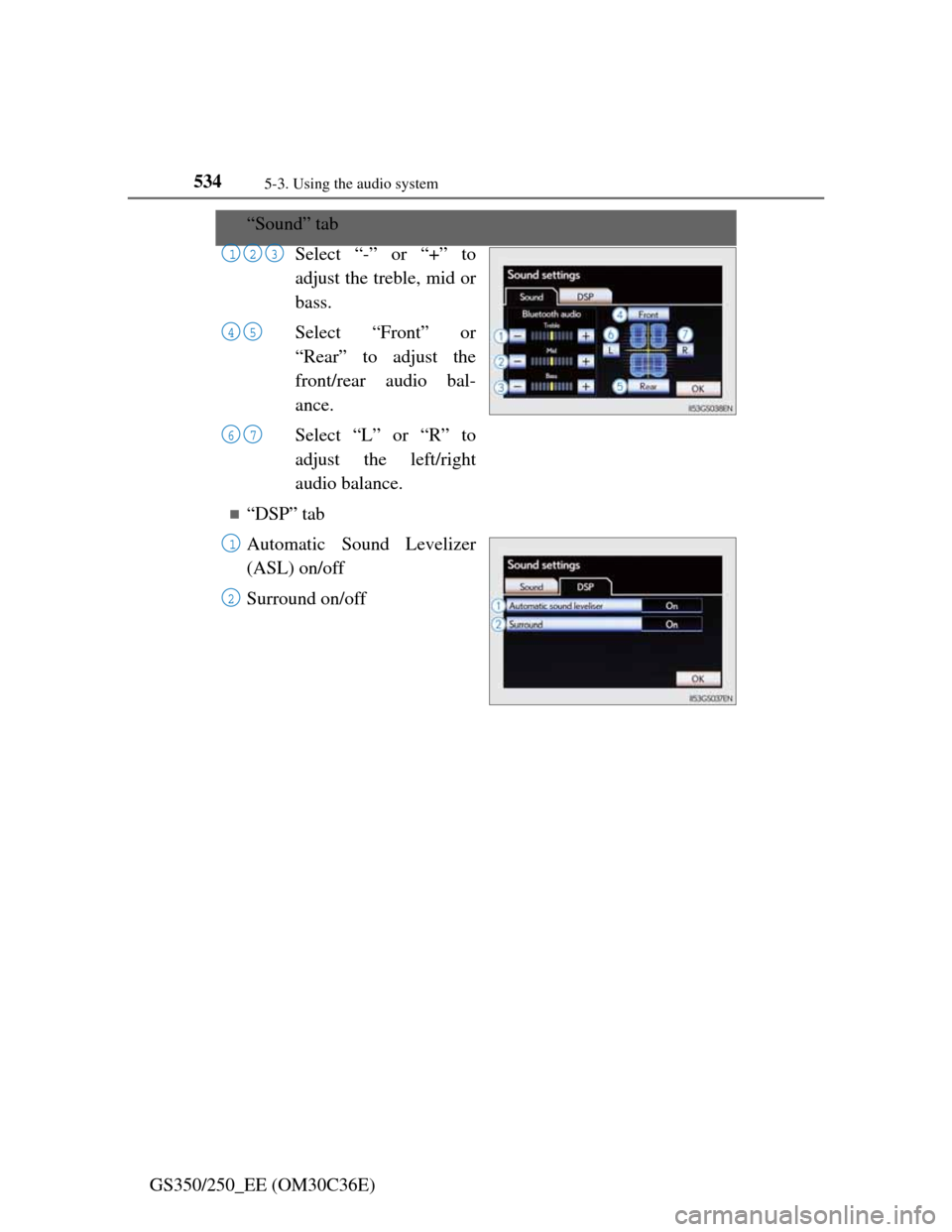
“Sound” tab
Select “-” or “+” to
adjust the treble, mid or
bass.
Select “Front” or
“Rear” to adjust the
front/rear audio bal-
ance.
Select “L” or “R” to
adjust the left/right
audio balance.
“DSP” tab
Automatic Sound Levelizer
(ASL) on/off
Surround on/off
123
45
67
1
2
Page 546 of 914

5355-3. Using the audio system
5
Interior features
GS350/250_EE (OM30C36E)
The sound quality level is adjusted individually
The treble, mid and bass levels can be adjusted for the each audio mode sep-
arately.
About Automatic Sound Levelizer (ASL)
ASL automatically adjusts the volume and tone quality according to the vehi-
cle speed, wind noise or other noise.
Page 555 of 914
5445-3. Using the audio system
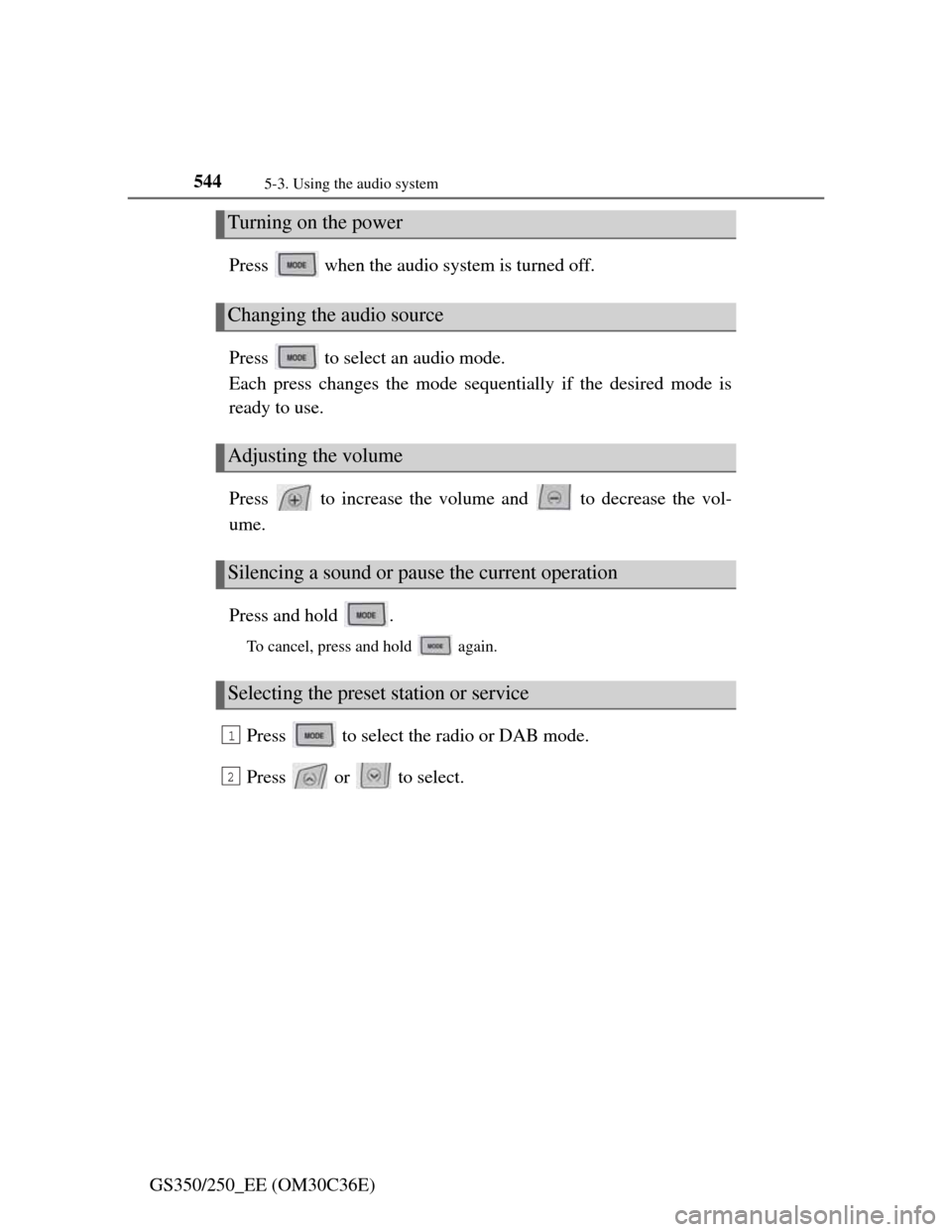
GS350/250_EE (OM30C36E)Press when the audio system is turned off.
Press to select an audio mode.
Each press changes the mode sequentially if the desired mode is
ready to use.
Press to increase the volume and to decrease the vol-
ume.
Press and hold .
To cancel, press and hold again.
Press to select the radio or DAB mode.
Press or to select.
Turning on the power
Changing the audio source
Adjusting the volume
Silencing a sound or pause the current operation
Selecting the preset station or service
1
2
Page 587 of 914
5725-4. Using the hands-free phone system (for cellular phone)
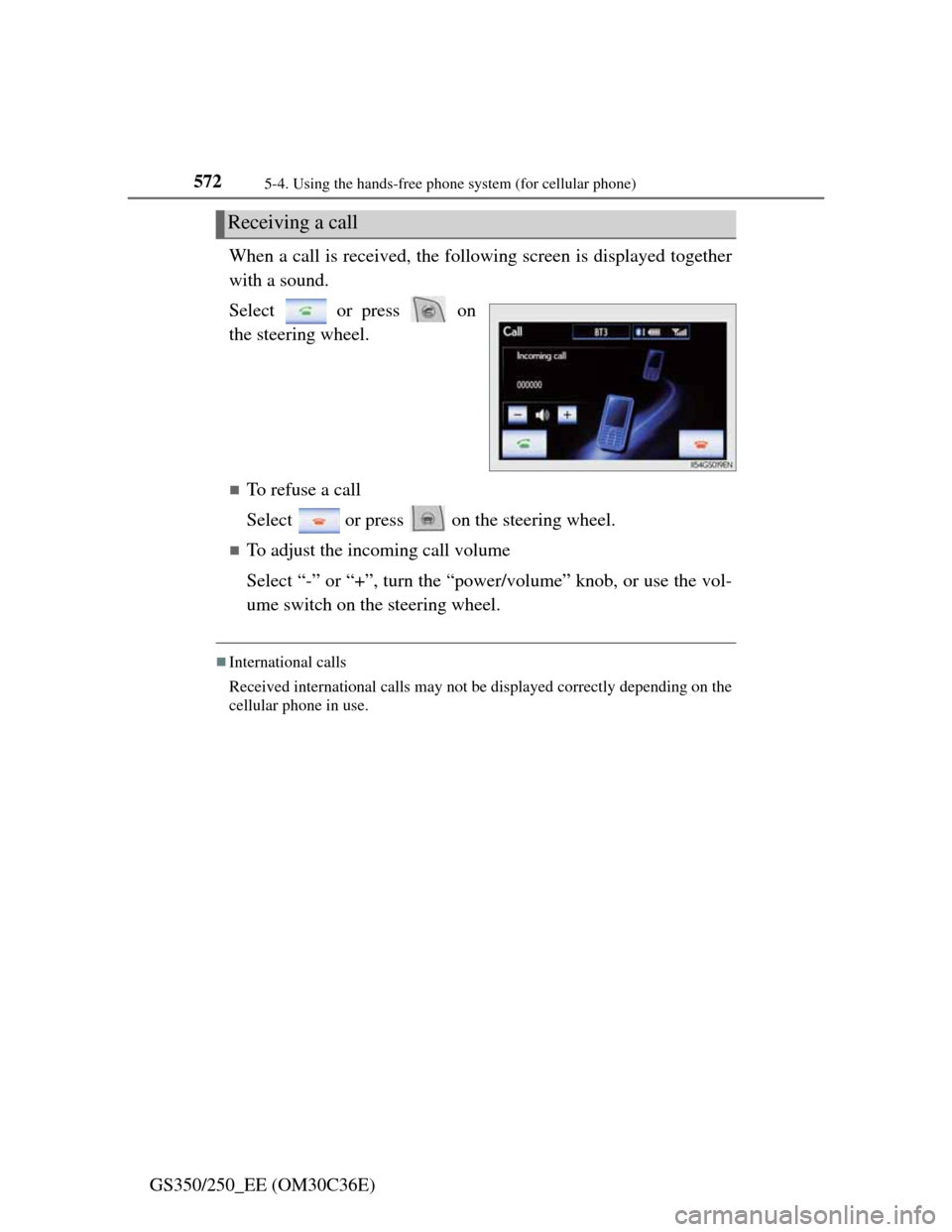
GS350/250_EE (OM30C36E)When a call is received, the following screen is displayed together
with a sound.
Select or press on
the steering wheel.
To refuse a call
Select or press on the steering wheel.
To adjust the incoming call volume
Select “-” or “+”, turn the “power/volume” knob, or use the vol-
ume switch on the steering wheel.
International calls
Received international calls may not be displayed correctly depending on the
cellular phone in use.
Receiving a call
Page 593 of 914
5785-4. Using the hands-free phone system (for cellular phone)
GS350/250_EE (OM30C36E)
Setting the hands-free system (for cellular phone)
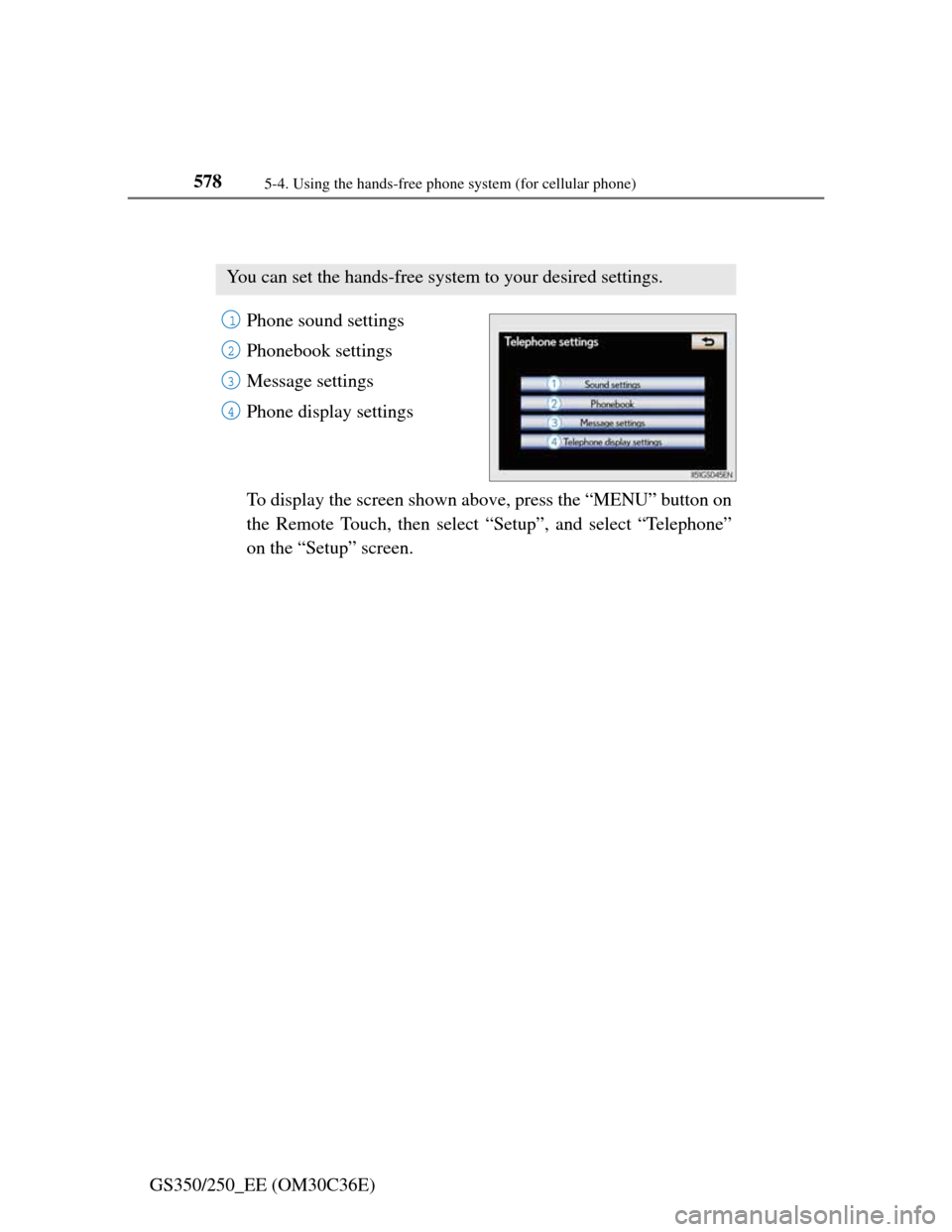
Phone sound settings
Phonebook settings
Message settings
Phone display settings
To display the screen shown above, press the “MENU” button on
the Remote Touch, then select “Setup”, and select “Telephone”
on the “Setup” screen.
You can set the hands-free system to your desired settings.
1
2
3
4
Page 594 of 914
5795-4. Using the hands-free phone system (for cellular phone)
5
Interior features
GS350/250_EE (OM30C36E)
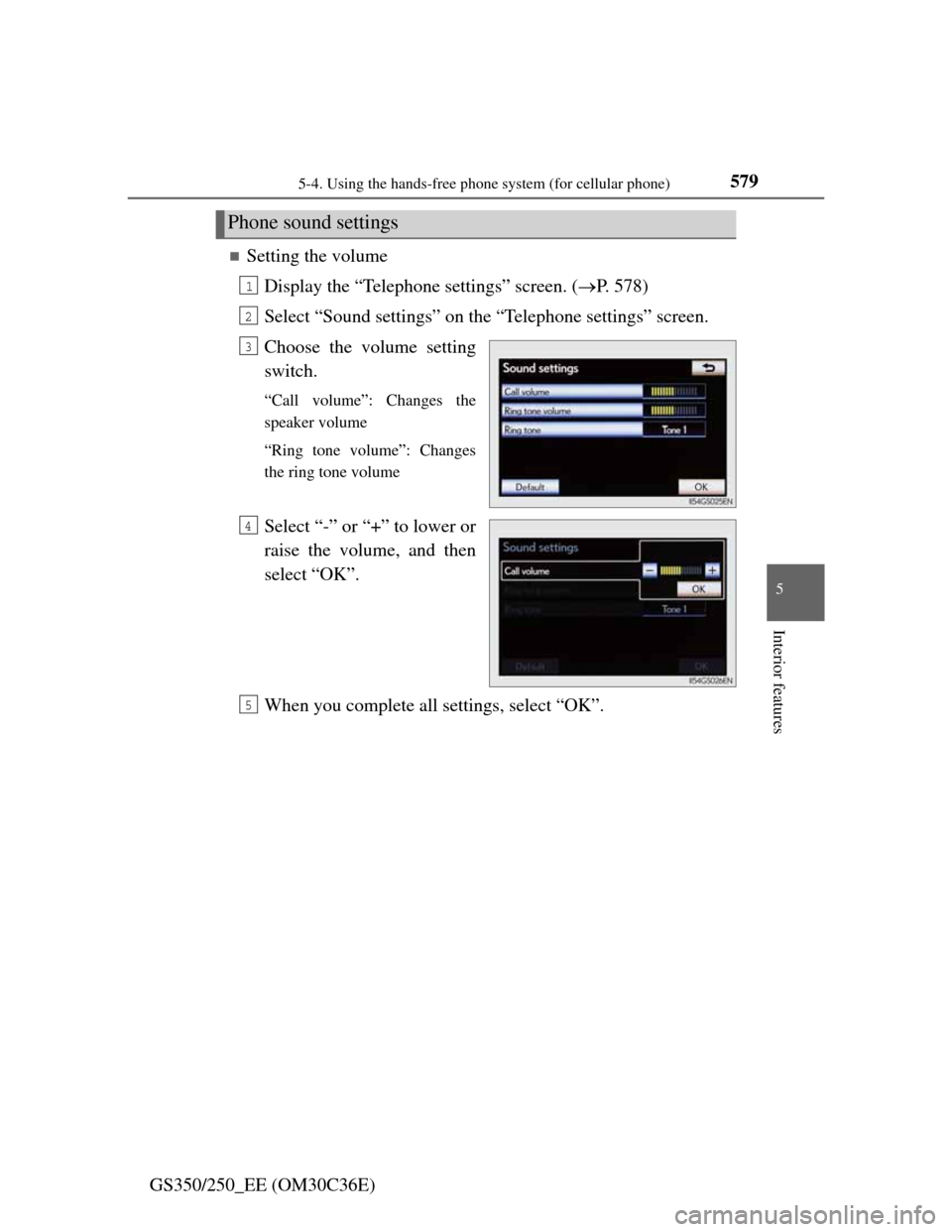
Setting the volume
Display the “Telephone settings” screen. (P. 578)
Select “Sound settings” on the “Telephone settings” screen.
Choose the volume setting
switch.
“Call volume”: Changes the
speaker volume
“Ring tone volume”: Changes
the ring tone volume
Select “-” or “+” to lower or
raise the volume, and then
select “OK”.
When you complete all settings, select “OK”.
Phone sound settings
1
2
3
4
5
Page 595 of 914
5805-4. Using the hands-free phone system (for cellular phone)
GS350/250_EE (OM30C36E)
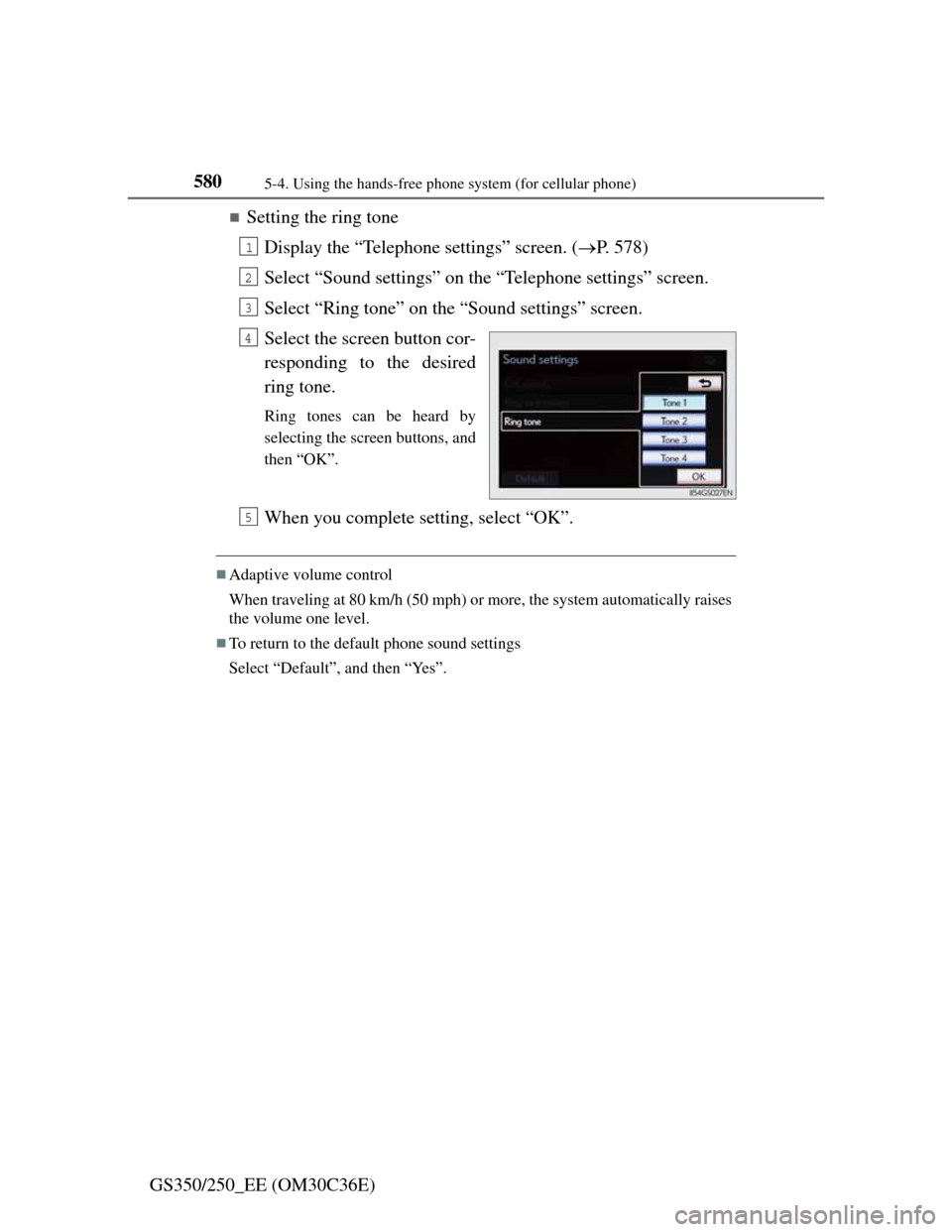
Setting the ring tone
Display the “Telephone settings” screen. (P. 578)
Select “Sound settings” on the “Telephone settings” screen.
Select “Ring tone” on the “Sound settings” screen.
Select the screen button cor-
responding to the desired
ring tone.
Ring tones can be heard by
selecting the screen buttons, and
then “OK”.
When you complete setting, select “OK”.
Adaptive volume control
When traveling at 80 km/h (50 mph) or more, the system automatically raises
the volume one level.
To return to the default phone sound settings
Select “Default”, and then “Yes”.
1
2
3
4
5
Page 670 of 914

6526-2. Maintenance
GS350/250_EE (OM30C36E)
Where to go for service?
In order to maintain your vehicle in the best possible condition, Lexus rec-
ommends that all repairs and service operations be carried out by authorized
Lexus dealers or repairers or other duly qualified and equipped professionals.
For repairs and services covered by your warranty, please visit an authorized
Lexus dealer or repairer, who will use genuine Lexus parts in repairing any
difficulties you may encounter. There can also be advantages in utilizing
authorized Lexus dealers or repairers for non-warranty repairs and services,
as members of the Lexus network will be able to expertly assist you with any
difficulties you may encounter.
Your Lexus dealer or repairer, or another duly qualified and equipped profes-
sional will perform all of the scheduled maintenance on your vehicle reliably
and economically due to their experience with Lexus vehicles.
Does your vehicle need repairs?
Be on the alert for changes in performance and sounds, and visual tip-offs
that indicate service is needed. Some important clues are:
Engine missing, stumbling or pinging
Appreciable loss of power
Strange engine noises
A fluid leak under the vehicle (However, water dripping from the air condi-
tioning system after use is normal.)
Change in exhaust sound (This may indicate a dangerous carbon monoxide
leak. Drive with the windows open and have the exhaust system checked
immediately.)
Flat-looking tires, excessive tire squeal when cornering, uneven tire wear
Vehicle pulls to one side when driven straight on a level road
Strange noises related to suspension movement
Loss of brake effectiveness, spongy feeling brake pedal, pedal almost
touches the floor, vehicle pulls to one side when braking
Engine coolant temperature continually higher than normal (P. 9 9 )
If you notice any of these clues, take your vehicle to any authorized Lexus
dealer or repairer, or another duly qualified and equipped professional as
soon as possible. Your vehicle may need adjustment or repair.
Page 757 of 914

737
7When trouble arises
GS350/250_EE (OM30C36E)
7-1. Essential information
Emergency flashers ........... 738
If your vehicle
has to be stopped
in an emergency .............. 7397-2. Steps to take in an emergency
If your vehicle needs
to be towed ..................... 740
If you think something
is wrong .......................... 747
Fuel pump shut off system 748
If a warning light turns on or
a warning buzzer sounds 749
If a warning message
is displayed ..................... 757
If you have a flat tire (vehicles
with a spare tire) ............. 782
If you have a flat tire (vehicles
without a spare tire) ........ 797
If the engine will not start . 815
If the shift lever cannot be
shifted from P ................. 817
If the parking brake
cannot be released........... 818
If the electronic key does not
operate properly .............. 821
If the vehicle battery
is discharged ................... 824
If your vehicle overheats .. 829
If the vehicle
becomes stuck................. 832