display Lexus GS350 2013 Owners Manual
[x] Cancel search | Manufacturer: LEXUS, Model Year: 2013, Model line: GS350, Model: Lexus GS350 2013Pages: 830, PDF Size: 9.71 MB
Page 321 of 830
320
GS350_U (OM30C34U)
5-1. Remote Touch screen
If “Other” is selected, the zone
can be adjusted manually. Select
“+” or “-” to adjust the time zone
and then select “OK”.
●Daylight saving time
To select “On” or “Off” for daylight saving time.
■Selecting a language
The language can be changed.Select “Language” on the “General Settings” screen.
Select the desired screen but-
ton.
Select “Yes”.
The previous screen will be displayed.
Select “Save”.
1
2
3
4
Page 326 of 830
GS350_U (OM30C34U)
3255-1. Remote Touch screen
5
Interior features
■Changing the screen off image
Select “Screen Off” on the “Display” screen to turn off the screen. An
image can be copied from a USB memory and can be set to display
when “Screen Off” is selected.
When saving the images to a USB memory, name the folder that the
screen off image is saved to “DisplayOffImage”. If these folder names
are not used, the system cannot download the images. (The folder
names are case sensitive.)
●Transferring dataOpen the console box.
Open the cover and connect a
USB memory.
Turn on the power of the USB
memory if it is not turned on.
Close the console box.
Select “Customize Screen Off Image” on the “General Settings”
screen.
1
2
3
4
Page 329 of 830
328
GS350_U (OM30C34U)
5-1. Remote Touch screen
■Delete personal data
This function is not available while driving.Select “Delete Personal Data” on the “General Settings” screen.
Select “Delete”.
Check carefully beforehand, as
data cannot be retrieved once
deleted.
Select “Yes”.
The following personal data can be deleted or returned to their default settings:
• Maintenance conditions*
• Maintenance information off setting*
• Address book*
•Areas to avoid*
•Previous points*
• Route guidance*
•Route trace*
• Phonebook data
•Call history data
• Speed dial data
•Bluetooth
® phone data
• Phone sound settings
• Phone display settings
• Message settings
• Audio setting
•Bluetooth
® audio setting
•Startup image data
• Screen off image data
*: Vehicles with a navigation system.
1
2
3
Page 333 of 830
332
GS350_U (OM30C34U)
5-1. Remote Touch screen
Select “Phone” on the “Setup” screen.Phone sound settings
Detailed information: →P. 5 1 3
Phonebook settings
Detailed information: →P. 5 1 4
Message settings
Detailed information: →P. 5 2 8
Phone display settings
Detailed information: →P. 5 3 2
Select “Bluetooth*” on the “Setup” screen.
Registered devices
Detailed information: →P. 5 3 6
Selecting a Bluetooth® phone
Detailed information: →P. 5 4 2
Selecting portable player
Detailed information: →P. 5 4 3
Detailed Bluetooth® settings
Detailed information: →P. 5 4 4
*: Bluetooth is a registered trademark
of Bluetooth SIG, Inc.
Phone settings
1
2
3
4
Bluetooth® Settings
1
2
3
4
Page 336 of 830
GS350_U (OM30C34U)
3355-1. Remote Touch screen
5
Interior features
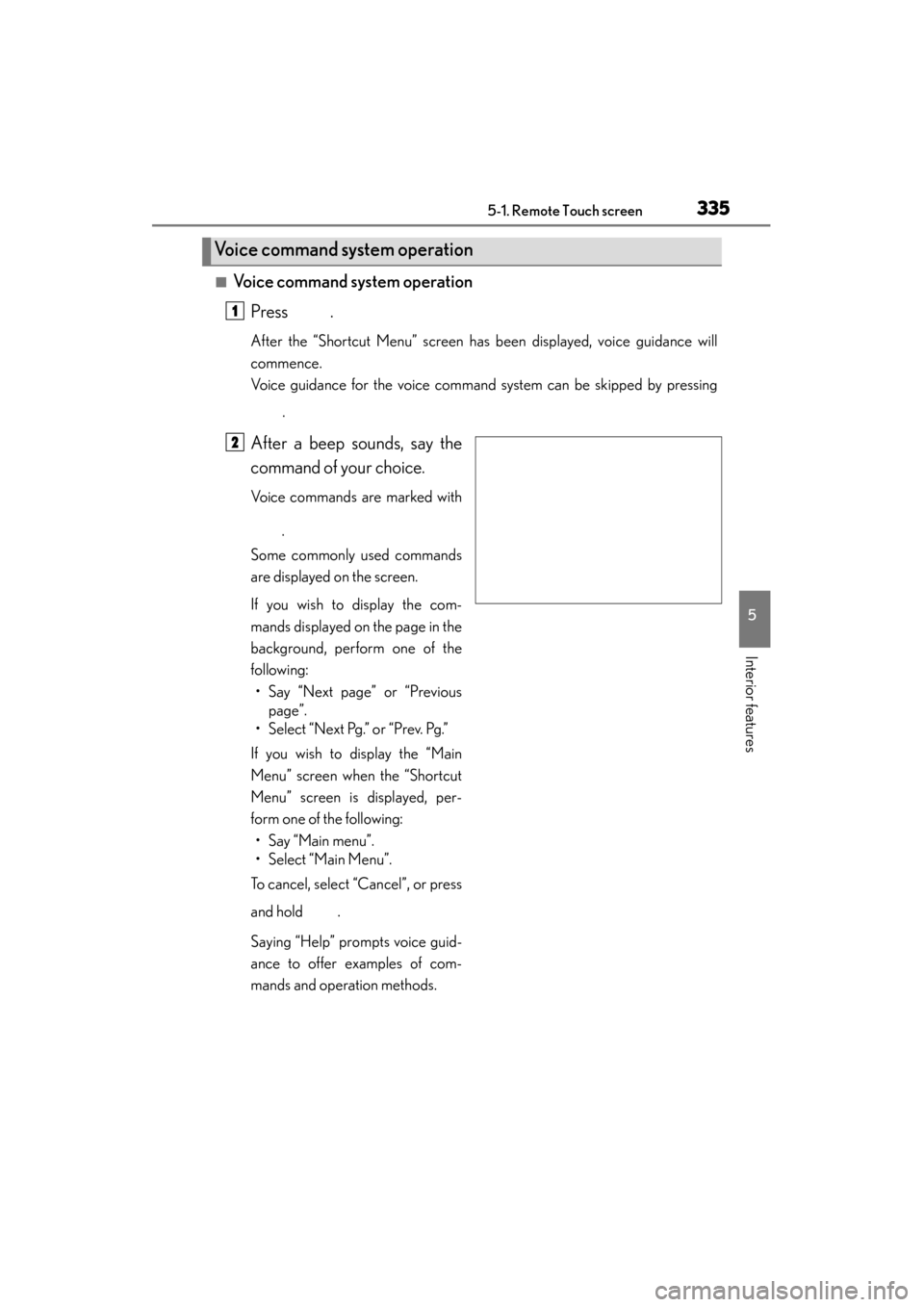
■Voice command system operationPress .
After the “Shortcut Menu” screen has been displayed, voice guidance will
commence.
Voice guidance for the voice command system can be skipped by pressing
.
After a beep sounds, say the
command of your choice.
Voice commands are marked with
.
Some commonly used commands
are displayed on the screen.
If you wish to display the com-
mands displayed on the page in the
background, perform one of the
following: • Say “Next page” or “Previous page”.
• Select “Next Pg.” or “Prev. Pg.”
If you wish to display the “Main
Menu” screen when the “Shortcut
Menu” screen is displayed, per-
form one of the following: • Say “Main menu”.
• Select “Main Menu”.
To cancel, select “Cancel”, or press
and hold .
Saying “Help” prompts voice guid-
ance to offer examples of com-
mands and operation methods.
Voice command system operation
1
2
Page 337 of 830
336
GS350_U (OM30C34U)
5-1. Remote Touch screen
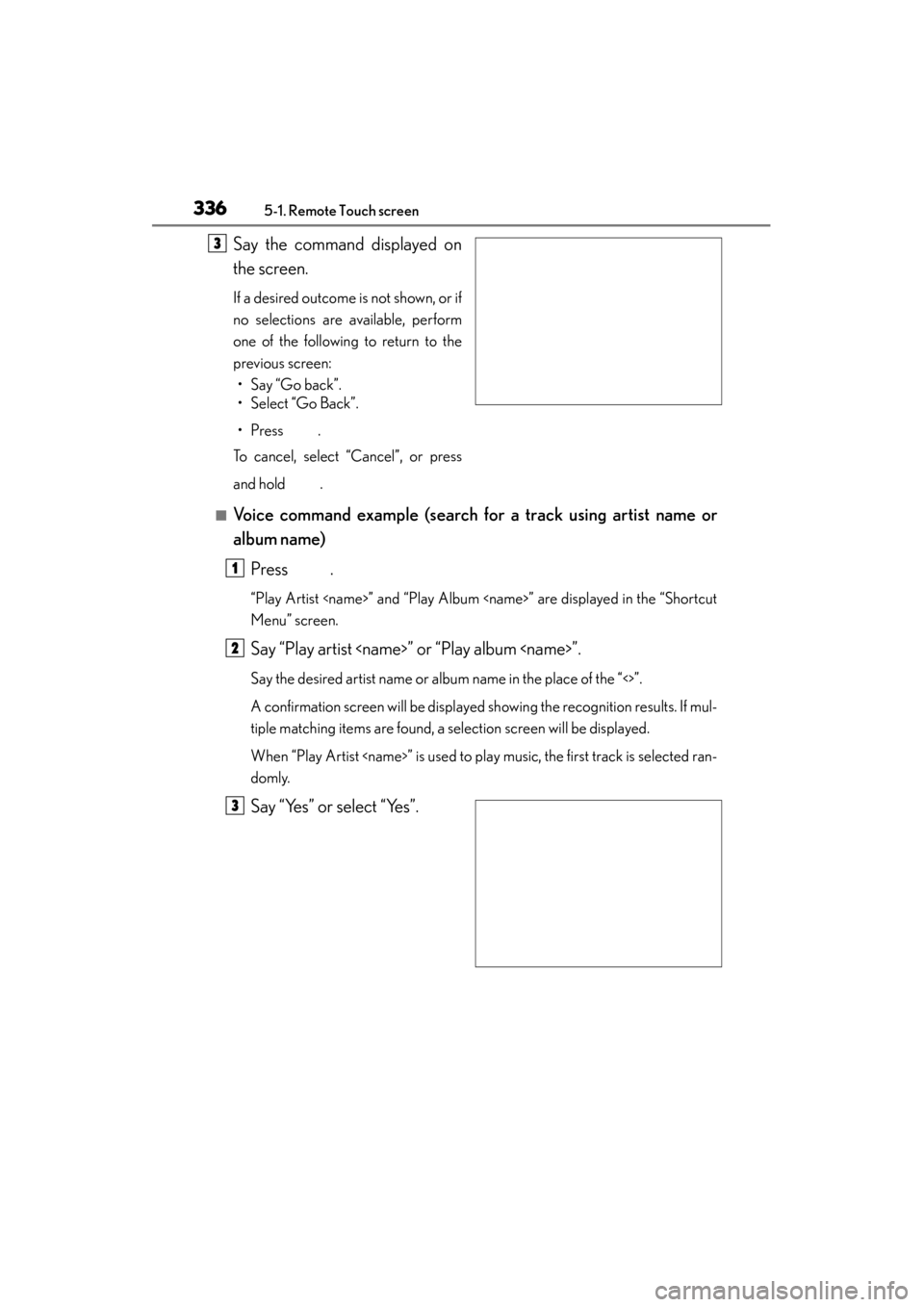
Say the command displayed on
the screen.
If a desired outcome is not shown, or if
no selections are available, perform
one of the following to return to the
previous screen:• Say “Go back”.
• Select “Go Back”.
•Press .
To cancel, select “Cancel”, or press
and hold .
■Voice command example (search for a track using artist name or
album name)
Press .
“Play Artist
Menu” screen.
Say “Play artist
Say the desired artist name or album name in the place of the “<>”.
A confirmation screen will be displayed showing the recognition results. If mul-
tiple matching items are found, a selection screen will be displayed.
When “Play Artist
domly.
Say “Yes” or select “Yes”.
3
1
2
3
Page 338 of 830
GS350_U (OM30C34U)
3375-1. Remote Touch screen
5
Interior features
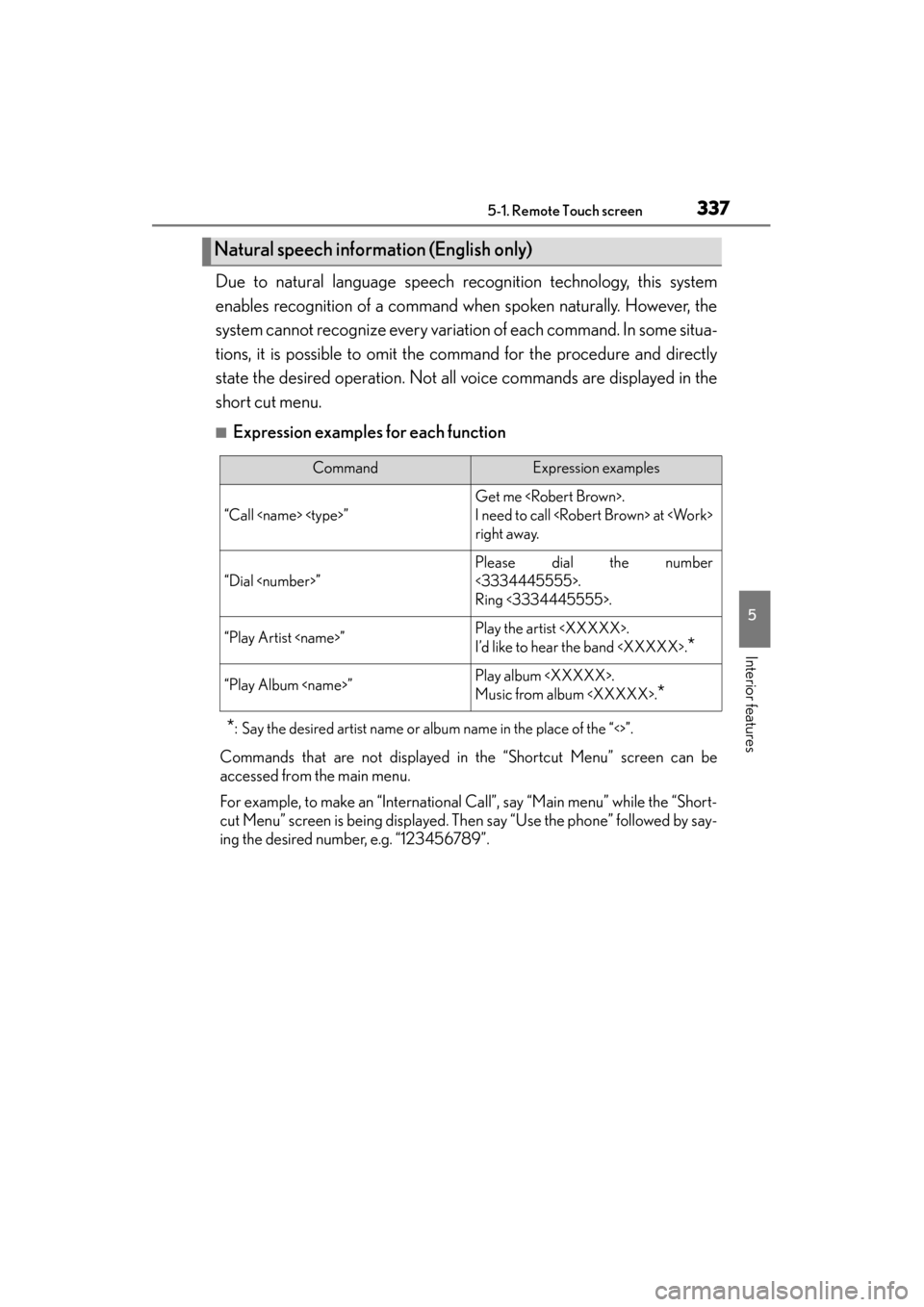
Due to natural language speech recognition technology, this system
enables recognition of a command when spoken naturally. However, the
system cannot recognize every variation of each command. In some situa-
tions, it is possible to omit the command for the procedure and directly
state the desired operation. Not all voice commands are displayed in the
short cut menu.
■Expression examples for each function
*: Say the desired artist name or album name in the place of the “<>”.
Commands that are not displayed in the “Shortcut Menu” screen can be
accessed from the main menu.
For example, to make an “International Call”, say “Main menu” while the “Short-
cut Menu” screen is being displayed. Then say “Use the phone” followed by say-
ing the desired number, e.g. “123456789”.
Natural speech information (English only)
CommandExpression examples
“Call
Get me
I need to call
right away.
“Dial
Please dial the number
<3334445555>.
Ring <3334445555>.
“Play Artist
I’d like to hear the band
*
“Play Album
Music from album
*
Page 340 of 830
GS350_U (OM30C34U)
3395-1. Remote Touch screen
5
Interior features
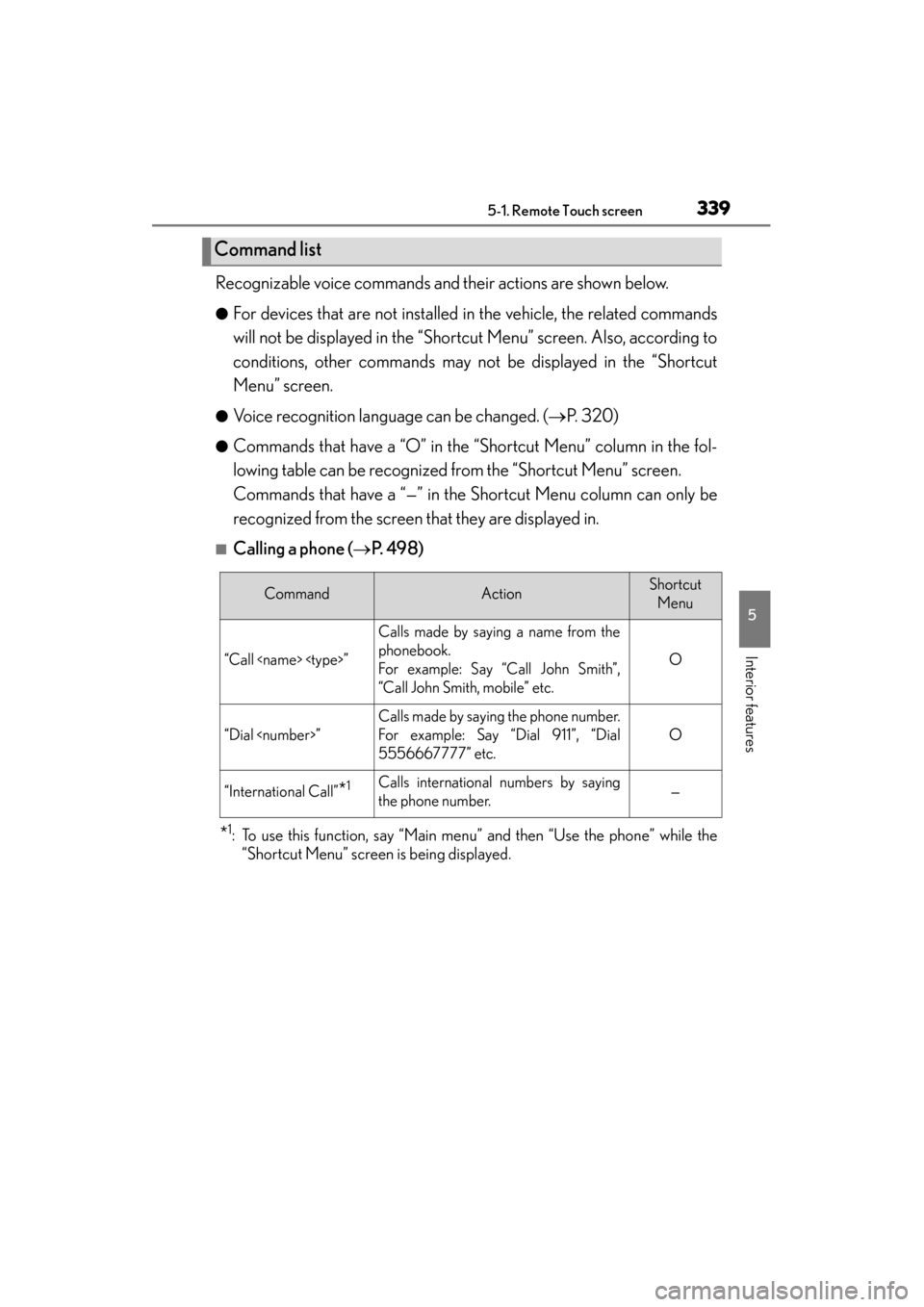
Recognizable voice commands and their actions are shown below.
●For devices that are not installed in the vehicle, the related commands
will not be displayed in the “Shortcut Menu” screen. Also, according to
conditions, other commands may not be displayed in the “Shortcut
Menu” screen.
●Voice recognition language can be changed. (→P. 320)
●Commands that have a “O” in the “Shortcut Menu” column in the fol-
lowing table can be recognized from the “Shortcut Menu” screen.
Commands that have a “—” in the Shortcut Menu column can only be
recognized from the screen that they are displayed in.
■Calling a phone ( →P. 4 9 8 )
*1: To use this function, say “Main menu” and then “Use the phone” while the
“Shortcut Menu” screen is being displayed.
Command list
CommandActionShortcut
Menu
“Call
Calls made by saying a name from the
phonebook.
For example: Say “Call John Smith”,
“Call John Smith, mobile” etc.
O
“Dial
Calls made by saying the phone number.
For example: Say “Dial 911”, “Dial
5556667777” etc.
O
“International Call”*1Calls international numbers by saying
the phone number.—
Page 341 of 830
340
GS350_U (OM30C34U)
5-1. Remote Touch screen
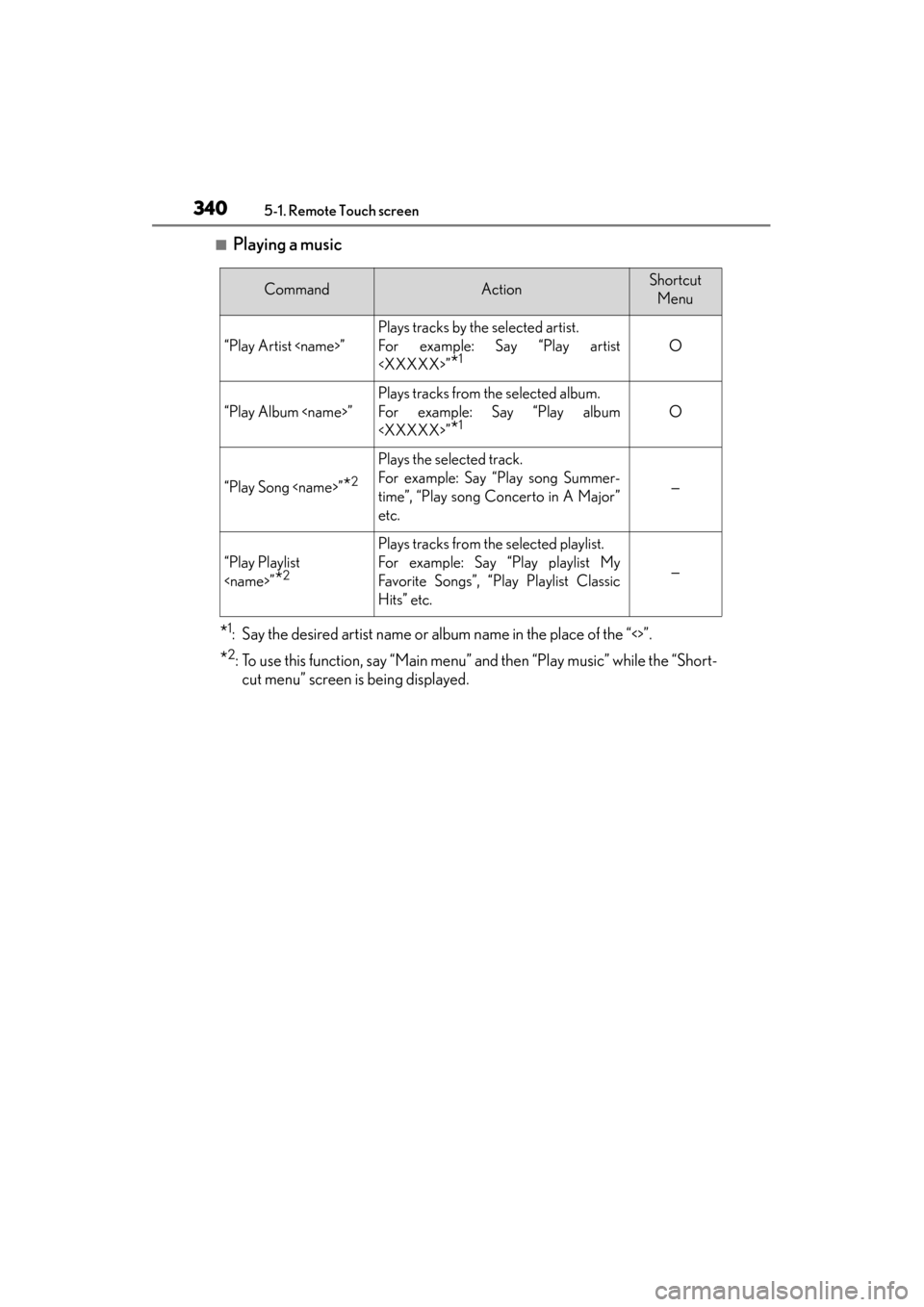
■Playing a music
*1: Say the desired artist name or album name in the place of the “<>”.
*2: To use this function, say “Main menu” and then “Play music” while the “Short-cut menu” screen is being displayed.
CommandActionShortcut
Menu
“Play Artist
Plays tracks by the selected artist.
For example: Say “Play artist
*1O
“Play Album
Plays tracks from the selected album.
For example: Say “Play album
*1O
“Play Song
Plays the selected track.
For example: Say “Play song Summer-
time”, “Play song Concerto in A Major”
etc.
—
“Play Playlist
*2
Plays tracks from the selected playlist.
For example: Say “Play playlist My
Favorite Songs”, “Play Playlist Classic
Hits” etc.
—
Page 343 of 830
342
GS350_U (OM30C34U)
5-1. Remote Touch screen
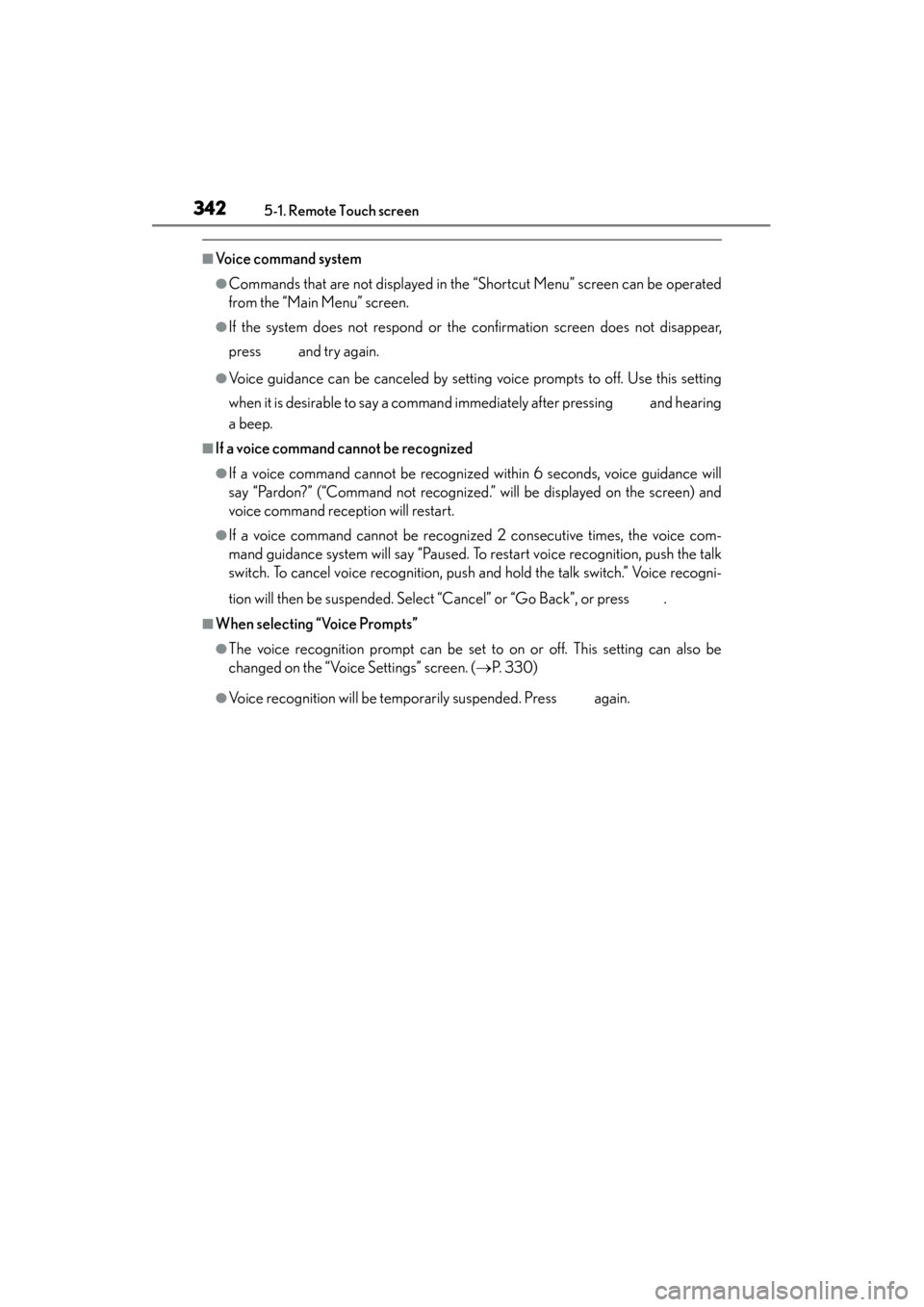
■Voice command system
●Commands that are not displayed in the “Shortcut Menu” screen can be operated
from the “Main Menu” screen.
●If the system does not respond or the confirmation screen does not disappear,
press and try again.
●Voice guidance can be canceled by setting voice prompts to off. Use this setting
when it is desirable to say a command immediately after pressing and hearing
a beep.
■If a voice command cannot be recognized
●If a voice command cannot be recognized within 6 seconds, voice guidance will
say “Pardon?” (“Command not recognized.” will be displayed on the screen) and
voice command reception will restart.
●If a voice command cannot be recognized 2 consecutive times, the voice com-
mand guidance system will say “Paused. To restart voice recognition, push the talk
switch. To cancel voice recognition, push and hold the talk switch.” Voice recogni-
tion will then be suspended. Select “Cancel” or “Go Back”, or press .
■When selecting “Voice Prompts”
●The voice recognition prompt can be set to on or off. This setting can also be
changed on the “Voice Settings” screen. (→P. 3 3 0 )
●Voice recognition will be temporarily suspended. Press again.