change time Lexus GS350 2016 Service Manual
[x] Cancel search | Manufacturer: LEXUS, Model Year: 2016, Model line: GS350, Model: Lexus GS350 2016Pages: 624, PDF Size: 15.29 MB
Page 522 of 624
5227-2. Steps to take in an emergency
GS350_200t_GS F_OM_OM30E86U_(U)
■Stopping the engine
Shift the shift lever to P and press the engine switch as you normally do when stopping
the engine.
■Replacing the key battery
As the above procedure is a temporary measure, it is recommended that the electronic
key battery be replaced immediately when the battery is depleted. ( P. 4 2 9 )
■Changing engine switch modes
Release the brake pedal and press the engine switch in step above.
The engine does not start and modes w ill be changed each time the switch is
pressed.( P. 1 9 8 )
■When the electronic key does not work properly
●Make sure that the smart access system wi th push-button start has not been deacti-
vated in the custom ization setting. If it is off, turn the function on.
(Customizable features: P. 5 6 8 )
●Check if battery-saving mo de is set. If it is set, cancel the function. ( P. 151)
WA R N I N G
■When using the mechanical key and operating the power windows or moon roof
Operate the power window or moon roof afte r checking to make sure that there is no
possibility of any passenger having any of their body parts caught in the window or
moon roof.
Also, do not allow children to operate the mech anical key. It is possible for children and
other passengers to get caught in the power window or moon roof.
3
Page 581 of 624
GS350_200t_GS F_OM_OM30E86U_(U)
5818-2. Customization
8
Vehicle specifications
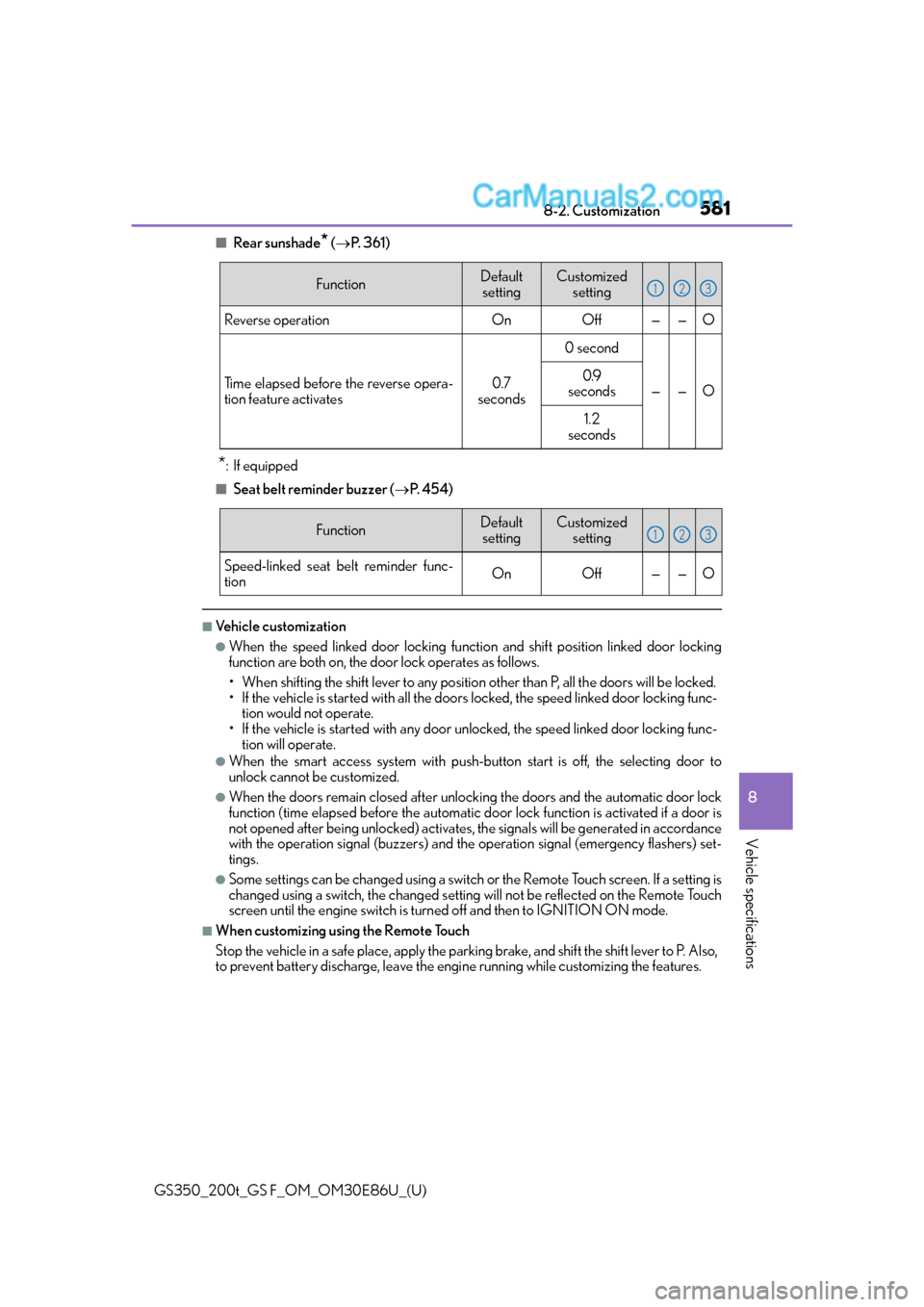
■Rear sunshade* ( P. 3 6 1 )
*:If equipped
■Seat belt reminder buzzer ( P. 4 5 4 )
■Vehicle customization
●When the speed linked door locking functi on and shift position linked door locking
function are both on, the door lock operates as follows.
• When shifting the shift lever to any position other than P, all th e doors will be locked.
• If the vehicle is started with all the door s locked, the speed linked door locking func-
tion would not operate.
• If the vehicle is started with any door un locked, the speed linked door locking func-
tion will operate.
●When the smart access system with push-but ton start is off, the selecting door to
unlock cannot be customized.
●When the doors remain closed after unloc king the doors and the automatic door lock
function (time elapsed before the automatic d oor lock function is activated if a door is
not opened after being unlocked) activates, the signals will be generated in accordance
with the operation signal (buzzers) and the operation signal (emergency flashers) set-
tings.
●Some settings can be changed using a switch or the Remote Touch screen. If a setting is
changed using a switch, the ch anged setting will not be reflected on the Remote Touch
screen until the engine switch is turn ed off and then to IGNITION ON mode.
■When customizing using the Remote Touch
Stop the vehicle in a safe place, apply the parking brake, and shift the shift lever to P. Also,
to prevent battery discharge, leave the engi ne running while customizing the features.
FunctionDefault
settingCustomized setting
Reverse operationOnOff——O
Time elapsed before the reverse opera-
tion feature activates0.7
seconds
0 second
——O
0.9
seconds
1.2
seconds
123
FunctionDefault
settingCustomized setting
Speed-linked seat belt reminder func-
tionOnOff——O
123