air condition Lexus GS350 2017 User Guide
[x] Cancel search | Manufacturer: LEXUS, Model Year: 2017, Model line: GS350, Model: Lexus GS350 2017Pages: 676, PDF Size: 67.73 MB
Page 264 of 676
2644-3. Operating the lights and wipers
GS350_200t_GS F_OM_OM30F83E_(EE)
■Daytime running light system
To make your vehicle more visible to other drivers during daytime driving, the daytime
running lights turn on automatically whenever the engine is started and the parking
brake is released with the head light switch is in the “AUTO” position. (Illuminate brighter
than the front position lights.)
Daytime running lights are not designed for use at night.
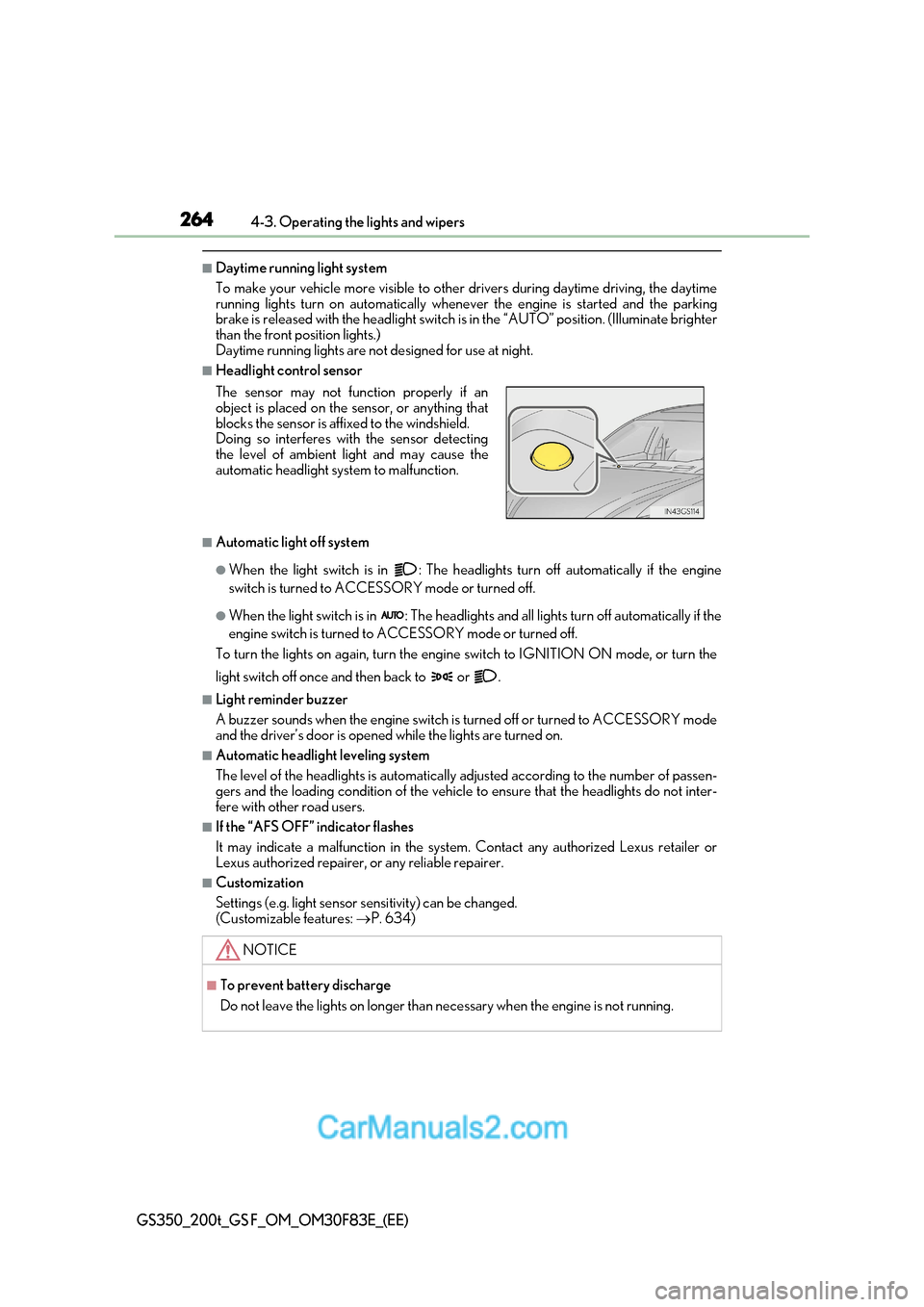
■Headlight control sensor
■Automatic light off system
●When the light switch is in : The headlights turn off automatically if the engine
switch is turned to ACCESSORY mode or turned off.
●When the light switch is in : The headlights and all lights turn off automatically if the
engine switch is turned to ACCESSORY mode or turned off.
To turn the lights on again, turn the engine switch to IGNITI ON ON mode, or turn the
light switch off once and then back to or .
■Light reminder buzzer
A buzzer sounds when the engine switch is turned off or turned to ACCESSORY mode
and the driver’s door is opened while the lights are turned on.
■Automatic headlight leveling system
The level of the headlights is automatically adjusted according to the number of passen-
gers and the loading condition of the vehicle to ensure that the headlights do not inter-
fere with other road users.
■If the “AFS OFF” indicator flashes
It may indicate a malfunction in the system. Contact any authorized Lexus retailer or
Lexus authorized repairer, or any reliable repairer.
■Customization
Settings (e.g. light sensor se nsitivity) can be changed.
(Customizable features: P. 634)
The sensor may not function properly if an
object is placed on the sensor, or anything that
blocks the sensor is affixed to the windshield.
Doing so interferes with the sensor detecting
the level of ambient light and may cause the
automatic headlight system to malfunction.
NOTICE
■To prevent battery discharge
Do not leave the lights on longer than necessary when the engine is not running.
Page 319 of 676
319
4-5. Using the driving support systems
4
Driving
GS350_200t_GS F_OM_OM30F83E_(EE)
WARNING
■Before using LDA system
Do not rely solely upon the LDA system. The LDA system does not automatically drive
the vehicle or reduce the amount of attention that must be paid to the area in front of
the vehicle. The driver must always assume full responsibility for driving safely by pay-
ing careful attention to the surrounding conditions and operating the steering wheel to
correct the path of the vehicle. Also, the driver must take adequate breaks when
fatigued, such as from driving for a long period of time.
Failure to perform appropriate driving operat ions and pay careful attention may lead to
an accident, resulting in death or serious injury.
■To avoid operating LDA system by mistake
When not using the LDA system, use the LDA switch to turn the system off.
■Situations unsuitable for LDA system
Do not use the LDA system in the following situations.
The system may not operate properly and le ad to an accident, resulting in death or
serious injury.
●A spare tire, tire chains, etc. are equipped.
●When the tires have been excessively worn, or when the tire inflation pressure is low.
●Tires which differ by structure, manufacturer, brand or tread pattern are used.
●Objects or patterns that could be mistaken for white (yellow) lines are present on the
side of the road (guardrails, cu rbs, reflective poles, etc.).
●Vehicle is driven on a snow-covered road.
●White (yellow) lines are difficult to see due to rain, snow, fog, dust, etc.
●Asphalt repair marks, white (yellow) line ma rks, etc. are present due to road repair.
●Vehicle is driven in a temporary lane or restricted lane due to construction work.
●Vehicle is driven on a road surface which is slippery due to rainy weather, fallen snow,
freezing, etc.
●Vehicle is driven in traffic lanes other than on highways and freeways.
●Vehicle is driven in a construction zone.
■Preventing LDA system malfunctions and operations performed by mistake
●Do not modify the headlights or place stickers, etc. on the surface of the lights.
●Do not modify the suspension etc. If the suspension etc. needs to be replaced, con-
tact any authorized Lexus retailer or Le xus authorized repairer, or any reliable
repairer.
●Do not install or place anything on the hood or grille. Also, do not install a grille guard
(bull bars, kangaroo bar, etc.).
●If your windshield needs repairs, contac t any authorized Lexus retailer or Lexus
authorized repairer, or any reliable repairer.
Page 341 of 676
341
4-5. Using the driving support systems
4
Driving
GS350_200t_GS F_OM_OM30F83E_(EE)
■Automatic cancelation of constant speed control mode
Constant speed control mode is automatica lly canceled in the following situations:
●Actual vehicle speed is more than approximately 16 km/h (10 mph) below the set vehi-
cle speed.
●Actual vehicle speed falls below approximately 40 km/h (25 mph).
●VSC is activated.
●TRC is activated for a period of time.
●When the VSC or TRC system is turned off by pressing the VSC OFF switch.
●Pre-crash braking is activated.
If constant speed control mode is automatically canceled for any other reason, there may
be a malfunction in the system. Contact an y authorized Lexus retailer or Lexus autho-
rized repairer, or any reliable repairer.
■Warning messages and buzzers for dynamic radar cruise control with full-speed range
Warning messages and buzzers are used to indicate a system malfunction or to inform
the driver of the need for caution while driv ing. If a warning message is shown on the
multi-information display, read the message and follow the instructions. ( P. 524)
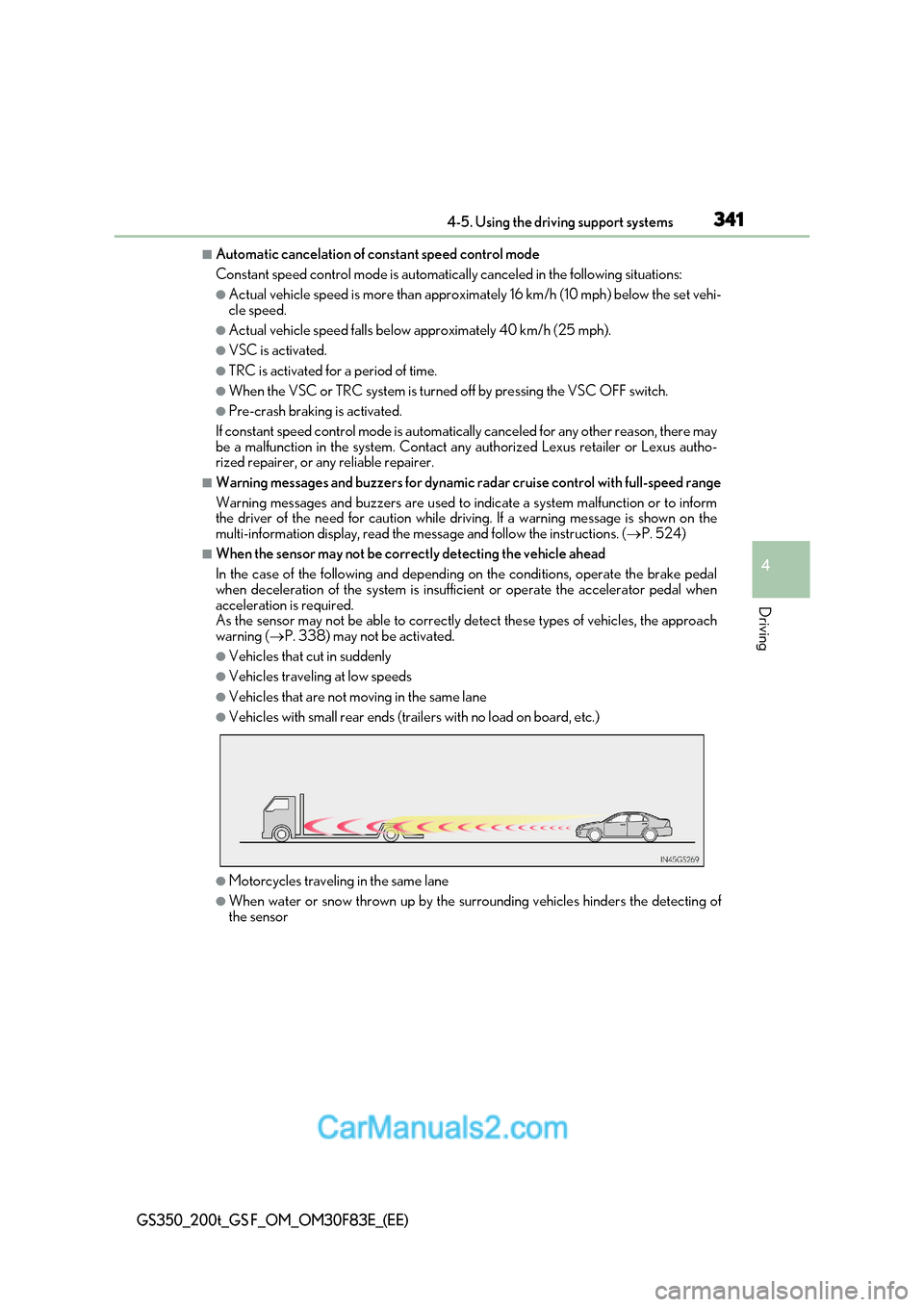
■When the sensor may not be correctly detecting the vehicle ahead
In the case of the following and depending on the conditions, operate the brake pedal
when deceleration of the system is insufficient or operate the accelerator pedal when
acceleration is required.
As the sensor may not be able to correctly detect these types of vehicles, the approach
warning ( P. 338) may not be activated.
●Vehicles that cut in suddenly
●Vehicles traveling at low speeds
●Vehicles that are not moving in the same lane
●Vehicles with small rear ends (trailers with no load on board, etc.)
●Motorcycles travelin g in the same lane
●When water or snow thrown up by the surrounding vehicles hinders the detecting of
the sensor
Page 353 of 676
353
4-5. Using the driving support systems
4
Driving
GS350_200t_GS F_OM_OM30F83E_(EE)
■Automatic cancelation of constant speed control mode
Constant speed control mode is automatica lly canceled in the following situations:
●Actual vehicle speed is more than approximately 16 km/h (10 mph) below the set vehi-
cle speed.
●Actual vehicle speed falls below approximately 40 km/h (25 mph).
●VSC is activated.
●TRC is activated for a period of time.
●When the VSC or TRC system is turned off by pressing the VSC OFF switch.
●Pre-crash braking is activated.
If constant speed control mode is automatically canceled for any other reason, there may
be a malfunction in the system. Contact an y authorized Lexus retailer or Lexus autho-
rized repairer, or any reliable repairer.
■Warning messages and buzzers for dynamic radar cruise control
Warning messages and buzzers are used to indicate a system malfunction or to inform
the driver of the need for caution while driv ing. If a warning message is shown on the
multi-information display, read the message and follow the instructions. ( P. 524)
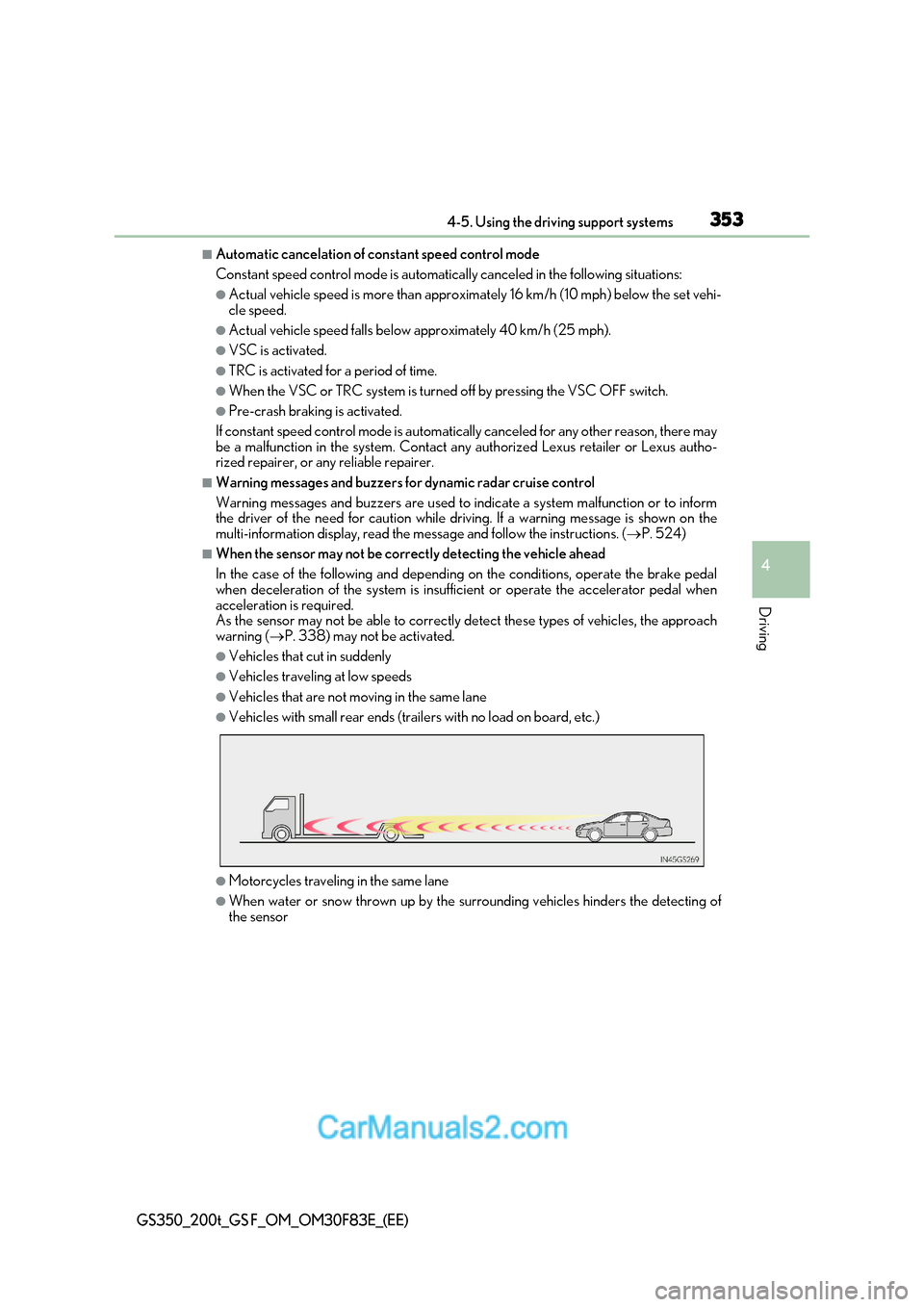
■When the sensor may not be correctly detecting the vehicle ahead
In the case of the following and depending on the conditions, operate the brake pedal
when deceleration of the system is insufficient or operate the accelerator pedal when
acceleration is required.
As the sensor may not be able to correctly detect these types of vehicles, the approach
warning ( P. 338) may not be activated.
●Vehicles that cut in suddenly
●Vehicles traveling at low speeds
●Vehicles that are not moving in the same lane
●Vehicles with small rear ends (trailers with no load on board, etc.)
●Motorcycles travelin g in the same lane
●When water or snow thrown up by the surrounding vehicles hinders the detecting of
the sensor
Page 379 of 676
379
4-5. Using the driving support systems
4
Driving
GS350_200t_GS F_OM_OM30F83E_(EE)
■When the “TRC OFF” indicator light comes on even if has not been pressed (GS F)
TRC and hill-start assist control cannot be operated. Contact any authorized Lexus
retailer or Lexus authorized repa irer, or any reliable repairer.
■Sounds and vibrations caused by the ABS, brake assist, VSC, Hill-start assist control
and TRC systems
●A sound may be heard from the engine compartment when the brake pedal is
depressed repeatedly, when the engine is started or just after the vehicle begins to
move. This sound does not indicate that a malfunction has occurred in any of these sys-
tems.
●Any of the following conditions may occur when the above systems are operating.
None of these indicates that a malfunction has occurred.
Page 382 of 676
3824-5. Using the driving support systems
GS350_200t_GS F_OM_OM30F83E_(EE)
WARNING
■Expert mode precautions (GS F)
●Do not use on public roads.
●Use only when the road conditions and safety of the surrounding area can be
ensured.
●Proper use of expert mode re quires a professional level of driving skill. When using
expert mode, always check the road conditions and surrounding area and drive more
carefully than usual.
■Replacing tires
Make sure that all tires are of the specified size, brand, tread pattern and total load
capacity. In addition, make sure that the tires are inflated to the recommended tire infla-
tion pressure level.
The ABS, TRC and VSC systems will not function correctly if different tires are installed
on the vehicle.
Contact any authorized Lexus retailer or Lexus authorized repairer, or any reliable
repairer for further information when replacing tires or wheels.
■Handling of tires and the suspension
Using tires with any kind of problem or modi fying the suspension will affect the driving
assist systems, and may cause a system to malfunction.
Page 384 of 676
3844-6. Driving tips
GS350_200t_GS F_OM_OM30F83E_(EE)
Perform the following according to the driving conditions: ●Do not try to forcibly open a window or move a wiper that is fr ozen. Pour
warm water over the frozen area to melt the ice. Wipe away the water imme-
diately to prevent it from freezing.
● To ensure proper operation of the climate control system fan, remove any
snow that has accumulated on the air inlet vents in front of the windsh ield.
● Check for and remove any excess ice or snow that may have accumulated on
the exterior lights, vehicle’s roof, chassis, around the tires or on the brakes.
● Remove any snow or mud from the bottom of your shoes before getting in the
vehicle.
Accelerate the vehicle slowly, keep a safe distance between you and the vehicle
ahead, and drive at a reduced speed suitable to road conditions. ● Park the vehicle and move the shift lever to P without setting the parking
brake. The parking brake may freeze up, preventing it from being released. If
the vehicle is parked without setting the parking brake, make sure to block the
wheels.
Failure to do so may be dangerous because it may cause the vehicle to move
unexpectedly, possibly leading to an accident.
● If the vehicle is parked without setting the parking brake, confirm that the shift
lever cannot be moved out of P *.
* : The shift lever will be locked if it is attemp ted to be shifted from P to any other position
without depressing the brake pedal. If the shift lever can be shifted from P, there may
be a problem with the shift lock system. Have the vehicle inspected by any authorized
Lexus retailer or Lexus authorized repair er, or any reliable repairer immediately.
Before driving the vehicle
When driving the vehicle
When parking the vehicle
Page 389 of 676
389
5Interior features
GS350_200t_GS F_OM_OM30F83E_(EE)
5-1. Remote Touch screenRemote Touch/12.3-inch display ......................................... 390
5-2. Using the air conditioning system and defogger
Front automatic air conditioning system .........396
Rear air conditioning system ........ 408
Heated steering wheel/ seat heaters/
seat ventilators ............................ 411
5-3. Using the interior lights Interior lights list........................... 416
Page 393 of 676
393
5-1. Remote Touch screen
5
Interior features
GS350_200t_GS F_OM_OM30F83E_(EE)
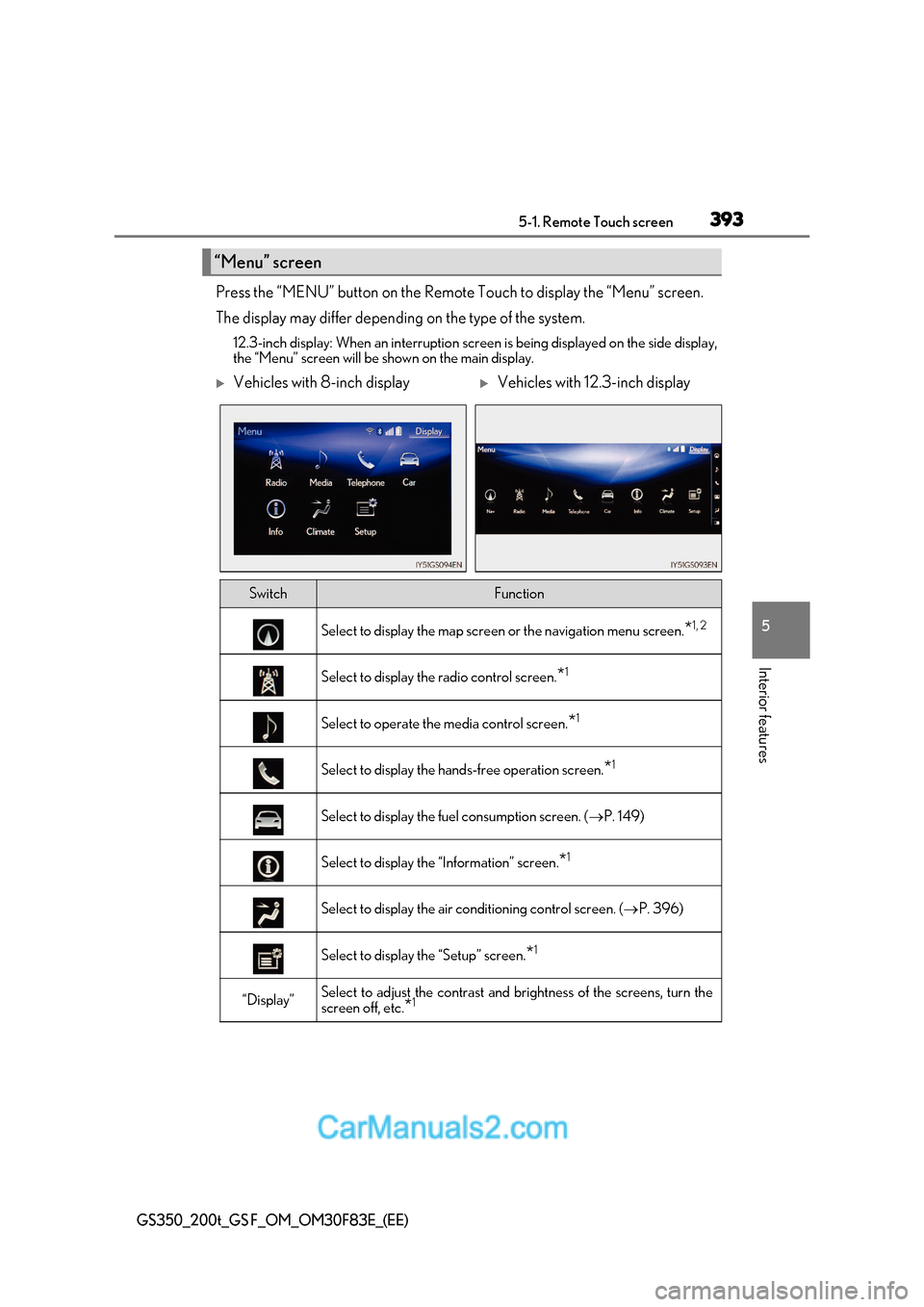
Press the “MENU” button on the Remote Touch to display the “Menu” screen.
The display may differ depending on the type of the system.
12.3-inch display: When an interruption scr een is being displayed on the side display,
the “Menu” screen will be shown on the main display.
“Menu” screen
Vehicles with 8-inch displayVehicles with 12.3-inch display
SwitchFunction
Select to display the map screen or the navigation menu screen.*1, 2
Select to display the radio control screen.
*1
Select to operate the media control screen.
*1
Select to display the hand
s-free operation screen.*1
Select to display the fuel consumption screen. (
P. 149)
Select to display the “Information” screen. *1
Select to display the air conditioning control screen. (
P. 396)
Select to display the “Setup” screen. *1
“Display”Select to adjust the contrast and
brightness of the screens, turn the
screen off, etc. *1
Page 394 of 676
3945-1. Remote Touch screen
GS350_200t_GS F_OM_OM30F83E_(EE)
*1
: Refer to the “NAVIGATION AND MULTIMEDIA SYSTEM OWNER’S MANUAL”.
* 2
: If equipped
■Full screen display
The following functions can be displayed full screen:
*: Refer to the “NAVIGATION AND MULTIMEDIA SYSTEM OWNER’S
MANUAL”.
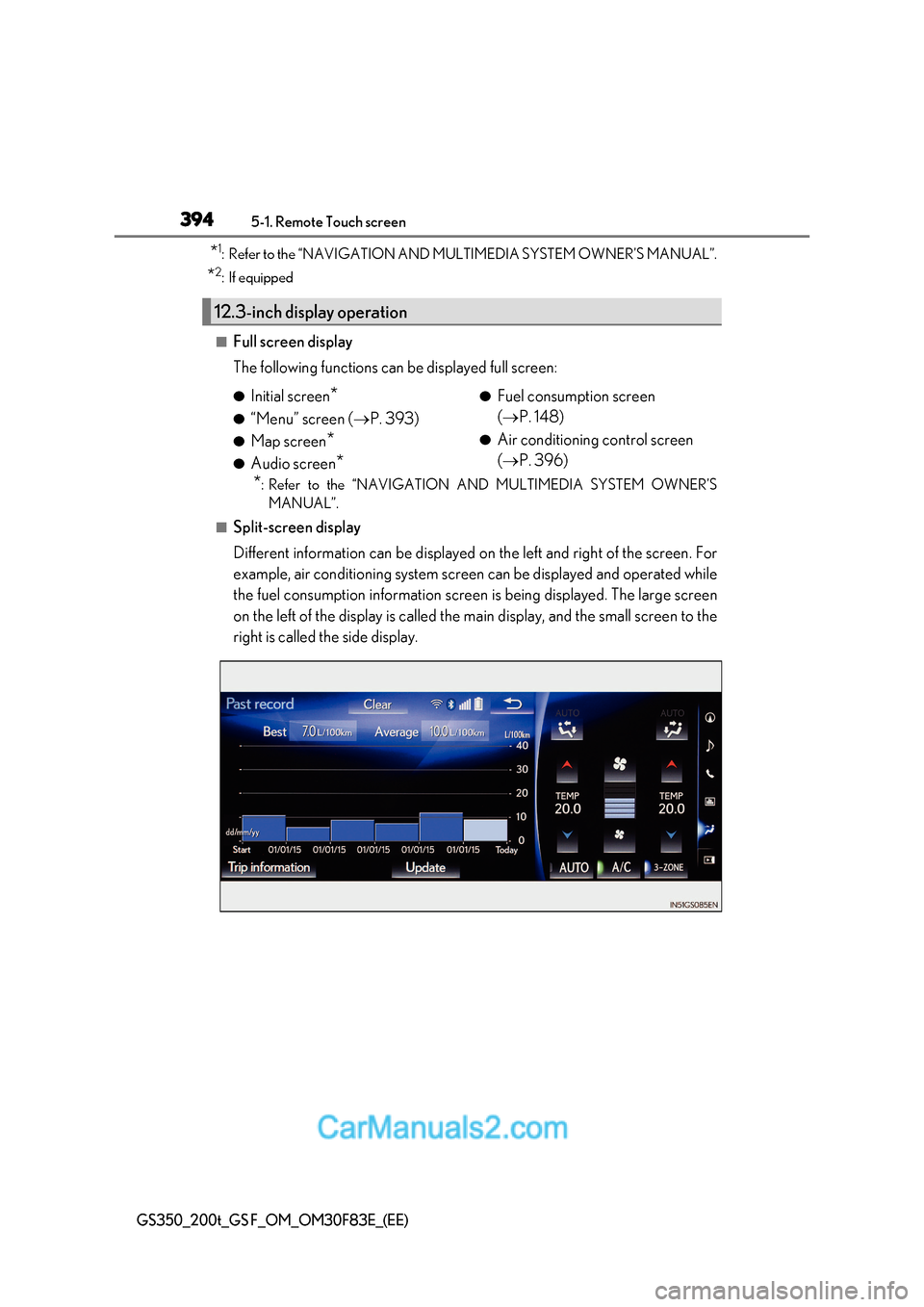
■Split-screen display
Different information can be displayed on the left and right of the screen. For
example, air conditioning system screen can be displayed and operated while
the fuel consumption information screen is being displayed. The large screen
on the left of the display is called the main display, and the small screen to the
right is called the side display.
12.3-inch display operation
● Initial screen *
● “Menu” screen ( P. 393)
● Map screen *
● Audio screen * ●
Fuel consumption screen ( P. 148)
● Air conditioning control screen ( P. 396)