brakes Lexus GS350 2017 User Guide
[x] Cancel search | Manufacturer: LEXUS, Model Year: 2017, Model line: GS350, Model: Lexus GS350 2017Pages: 676, PDF Size: 67.73 MB
Page 356 of 676
3564-5. Using the driving support systems
GS350_200t_GS F_OM_OM30F83E_(EE)
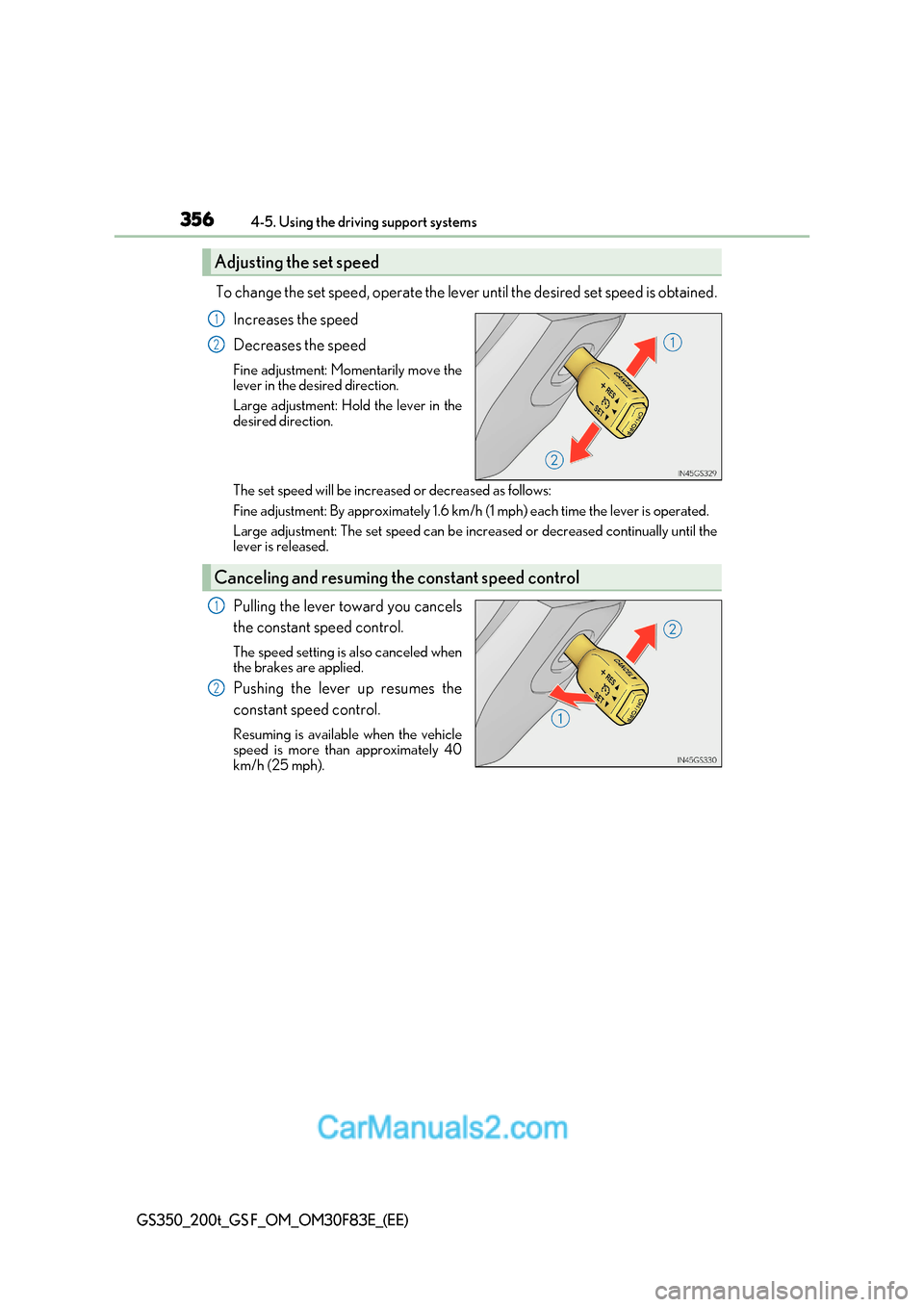
To change the set speed, operate the lever until the desired set speed is obtained.
Increases the speed
Decreases the speed
Fine adjustment: Momentarily move the
lever in the desired direction.
Large adjustment: Hold the lever in the
desired direction.
The set speed will be increased or decreased as follows:
Fine adjustment: By approximately 1.6 km/h (1 mph) each time the lever is operated.
Large adjustment: The set spee d can be increased or decreased continually until the
lever is released.
Pulling the lever toward you cancels
the constant speed control.
The speed setting is also canceled when
the brakes are applied.
Pushing the lever up resumes the
constant speed control.
Resuming is available when the vehicle
speed is more than approximately 40
km/h (25 mph).
Adjusting the set speed
1
2
Canceling and resuming the constant speed control
1
2
Page 375 of 676
375
4
4-5. Using the driving support systems
Driving
GS350_200t_GS F_OM_OM30F83E_(EE)
Driving assist systems
◆ABS (Anti-lock Brake System)
Helps to prevent wheel lock when the brakes are applied suddenly, or if the
brakes are applied while driving on a slippery road surface
◆Brake assist
Generates an increased level of braking force after the brake pedal is
depressed when the system detects a panic stop situation
◆VSC (Vehicle Stability Control)
Helps the driver to control skidding when swerving suddenly or turning on
slippery road surfaces
◆VSC+ (Vehicle Stability Control+)
Provides cooperative control of the ABS, TRC, VSC and EPS. Helps to main-
tain directional stability when swerving on slippery road surfaces by con-
trolling steering performance.
◆TRC (Traction Control)
Helps to maintain drive power and prevent the drive wheels from spinning
when starting the vehicle or accelerating on slippery roads
To help enhance driving safety and performance, the following systems oper-
ate automatically in response to various driving situations. Be aware, however,
that these systems are suppl ementary and should not be relied upon too heav-
ily when operating the vehicle.
Page 376 of 676
3764-5. Using the driving support systems
GS350_200t_GS F_OM_OM30F83E_(EE)
◆Hill-start assist control
Helps to prevent the vehicle from rolling backward when starting on an
incline.
◆EPS (Electric Power Steering)
Employs an electric motor to reduce the amount of effort needed to turn the
steering wheel
◆AVS (Adaptive Variable Susp ension system) (if equipped)
By independently controlling the damp ing force of the shock absorbers for
each of the 4 wheels according to the road and driving conditions, this system
helps riding comfort with superior a high level of stability, and helps good vehi-
cle posture
When SPORT S+ mode is selected by the driving mode select switch, the
damping force is suitable for sporty driving ( P. 359)
◆VDIM (Vehicle Dynamics Integrated Management)
Provides integrated control of the ABS, brake assist, TRC, VSC, hill-start
assist control and EPS systems
Helps to maintain vehicle stability when swerving on slippery road surfaces by
controlling the brakes, engine output, steering assist, and steering ratio
◆Emergency brake signal
When the brakes are applie d suddenly, the stop lights automatically flash to
alert the vehicle behind
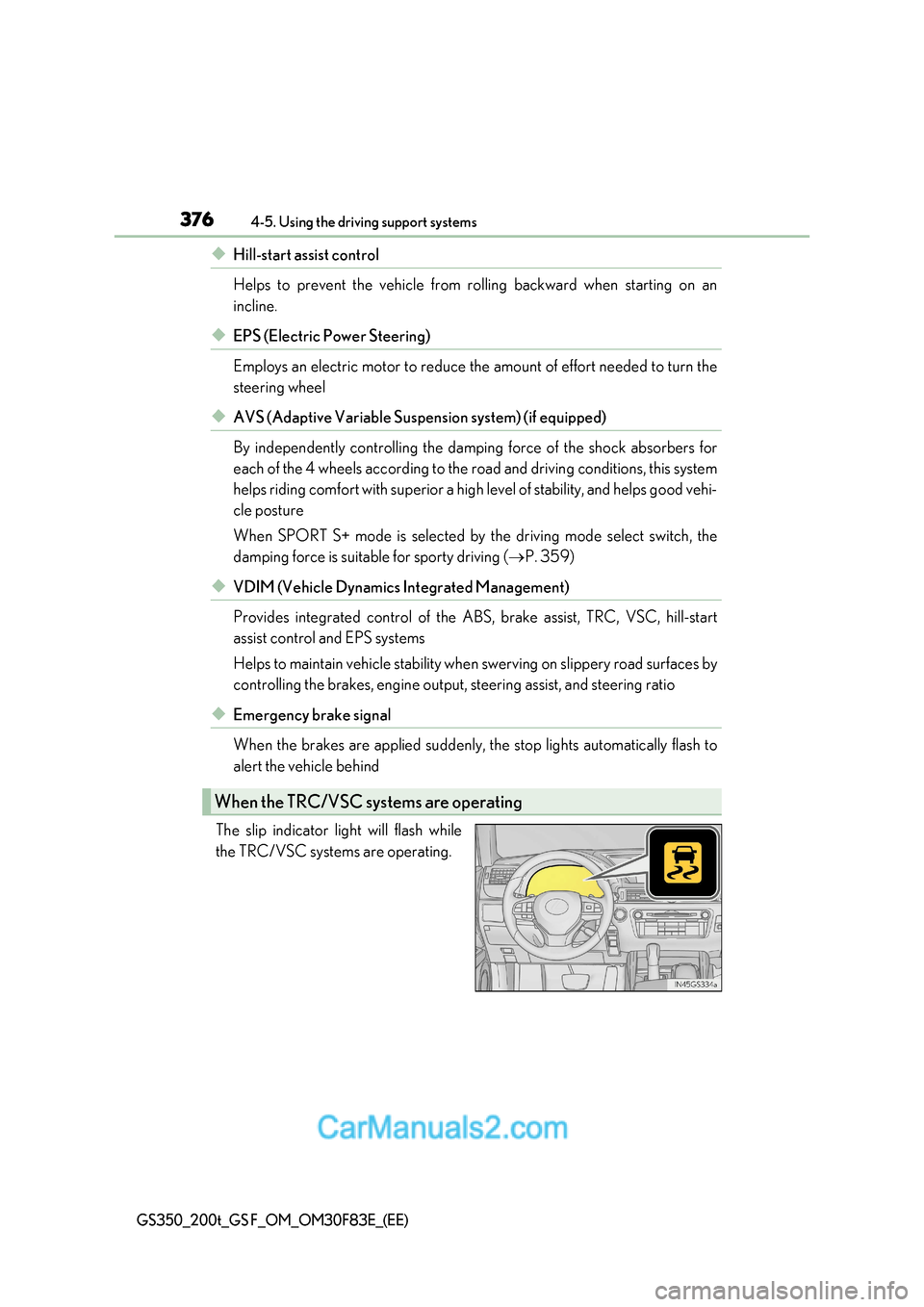
The slip indicator light will flash while
the TRC/VSC systems are operating.
When the TRC/VSC sys tems are operating
Page 378 of 676
3784-5. Using the driving support systems
GS350_200t_GS F_OM_OM30F83E_(EE)
■Turning off both TRC and VSC systems
GS350/GS200t
To turn the TRC and VSC systems off, press and hold for more than 3 seconds while
the vehicle is stopped.
The VSC OFF indicator light will come on an d the “Traction Control Turned Off” will be
shown on the multi-information display. *
Press again to turn the systems back on.
GS F
To turn the TRC and VSC systems off, press and hold for more than 3 seconds.
The “TRC OFF” indicator light and the VSC OFF indi cator light will come on.*
Press again to turn the systems back on.
* : On vehicles with PCS (Pre-Crash Safety system), pre-crash brake assist and pre-
crash braking will also be disabled. The PCS (Pre-Crash Safety system) warning light
will come on and a message will be disp layed on the multi-information display.
( P. 524)
■Expert mode (GS F)
When expert mode is selected, it is possible to drive in a more sporty manner than other
drive modes. Expert mode disables the TRC and VSC systems but the engine and
brakes may be controlled depending on the vehicle behavior.
■When the message is displayed on the mult i-information display showing that TRC has
been disabled even if has not been pressed (GS350/GS200t)
TRC and hill-start assist control cannot be operated. Contact any authorized Lexus
retailer or Lexus authorized repa irer, or any reliable repairer.
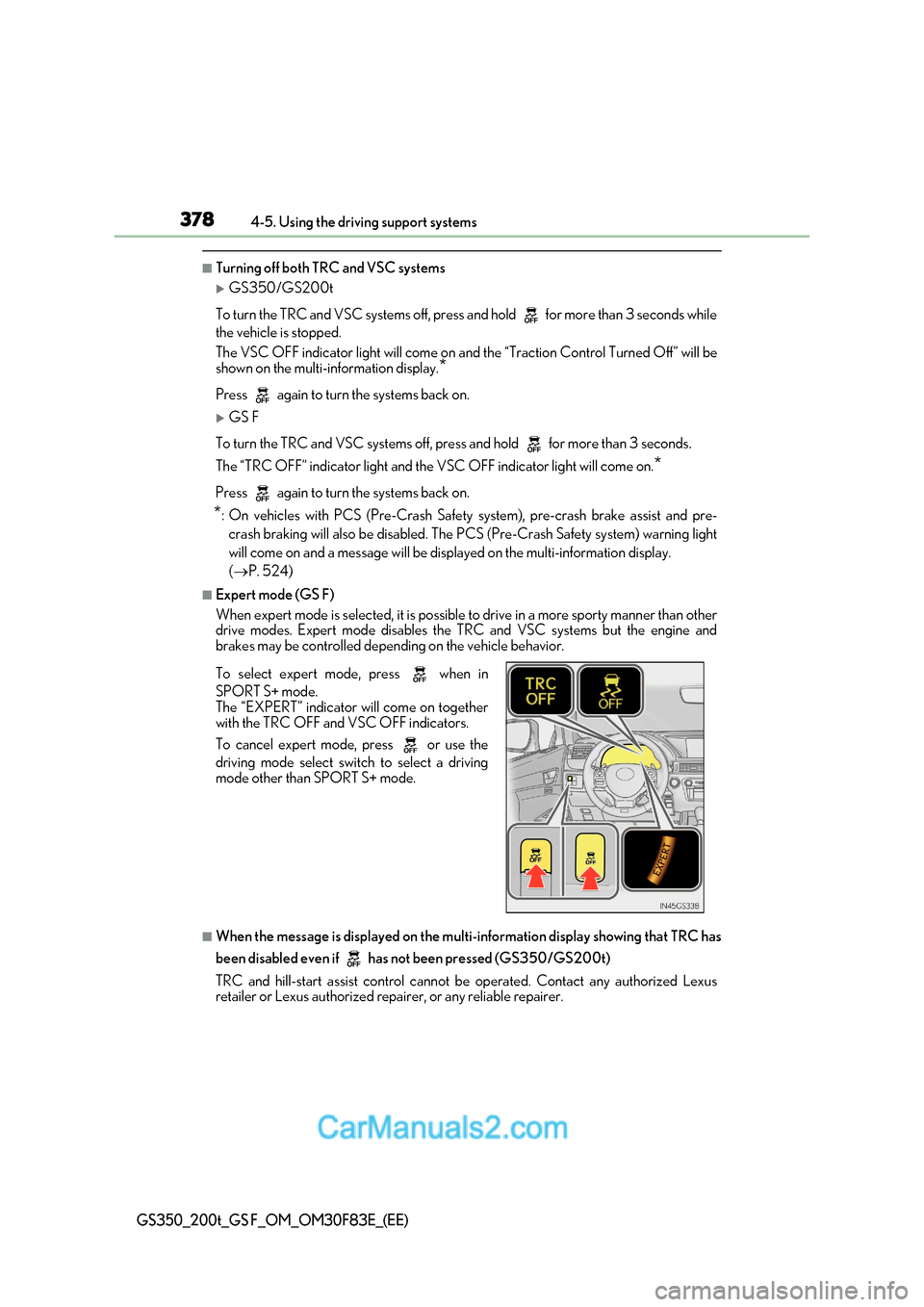
To select expert mode, press when in
SPORT S+ mode.
The “EXPERT” indicator will come on together
with the TRC OFF and VSC OFF indicators.
To cancel expert mode, press or use the
driving mode select swit
ch to select a driving
mode other than SPORT S+ mode.
Page 384 of 676
3844-6. Driving tips
GS350_200t_GS F_OM_OM30F83E_(EE)
Perform the following according to the driving conditions: ●Do not try to forcibly open a window or move a wiper that is fr ozen. Pour
warm water over the frozen area to melt the ice. Wipe away the water imme-
diately to prevent it from freezing.
● To ensure proper operation of the climate control system fan, remove any
snow that has accumulated on the air inlet vents in front of the windsh ield.
● Check for and remove any excess ice or snow that may have accumulated on
the exterior lights, vehicle’s roof, chassis, around the tires or on the brakes.
● Remove any snow or mud from the bottom of your shoes before getting in the
vehicle.
Accelerate the vehicle slowly, keep a safe distance between you and the vehicle
ahead, and drive at a reduced speed suitable to road conditions. ● Park the vehicle and move the shift lever to P without setting the parking
brake. The parking brake may freeze up, preventing it from being released. If
the vehicle is parked without setting the parking brake, make sure to block the
wheels.
Failure to do so may be dangerous because it may cause the vehicle to move
unexpectedly, possibly leading to an accident.
● If the vehicle is parked without setting the parking brake, confirm that the shift
lever cannot be moved out of P *.
* : The shift lever will be locked if it is attemp ted to be shifted from P to any other position
without depressing the brake pedal. If the shift lever can be shifted from P, there may
be a problem with the shift lock system. Have the vehicle inspected by any authorized
Lexus retailer or Lexus authorized repair er, or any reliable repairer immediately.
Before driving the vehicle
When driving the vehicle
When parking the vehicle
Page 509 of 676
509
7
7-1. Essential information
When trouble arises
GS350_200t_GS F_OM_OM30F83E_(EE)
If your vehicle has to be stopped in an emergency
Steadily step on the brake pedal with both feet and firmly depress it.
Do not pump the brake pedal repeatedly as this will increase the effort required to
slow the vehicle.
Shift the shift lever to N.
If the shift lever is shifted to N
After slowing down, stop the vehicle in a safe place by the road.
Stop the engine.
If the shift lever cannot be shifted to N
Keep depressing the brake pedal with both feet to reduce vehicle speed as
much as possible.
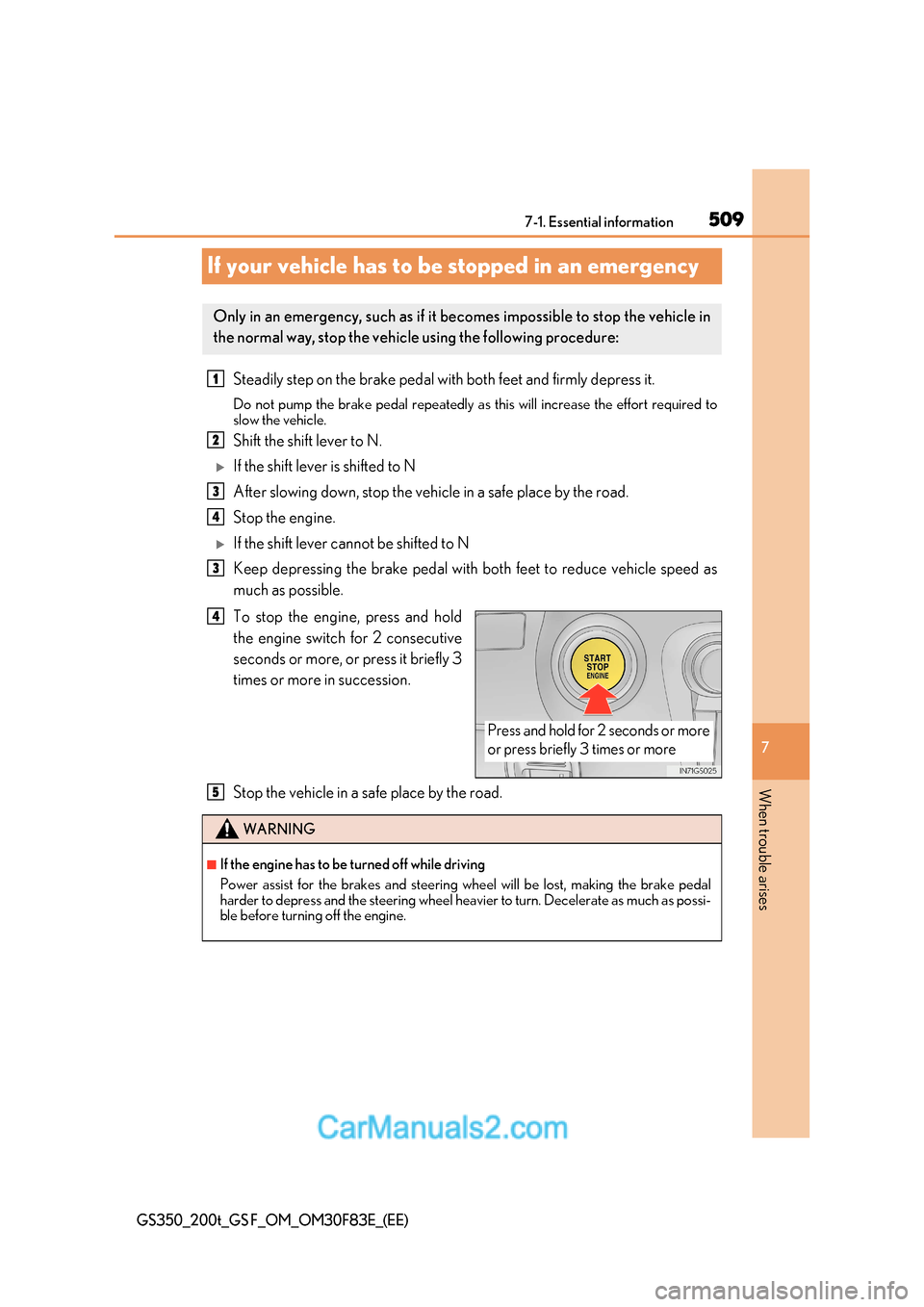
To stop the engine, press and hold
the engine switch for 2 consecutive
seconds or more, or press it briefly 3
times or more in succession.
Stop the vehicle in a safe place by the road.
Only in an emergency, such as if it becomes impossible to stop the vehicle in
the normal way, stop the vehicl e using the following procedure:
1
2
3
4
3
Press and hold for 2 seconds or more
or press briefly 3 times or more
4
WARNING
■If the engine has to be turned off while driving
Power assist for the brakes and steering wheel will be lost, making the brake pedal
harder to depress and the steering wheel heavier to turn. Decelerate as much as possi-
ble before turning off the engine.
5
Page 513 of 676
513
7-2. Steps to take in an emergency
7
When trouble arises
GS350_200t_GS F_OM_OM30F83E_(EE)
If a tow truck is not available in an emergency, your vehicle may be temporarily
towed using cables or chains secured to the emergency towing eyelets. This
should only be attempted on hard surfaced roads for at most 80 km (50 miles)
at under 30 km/h (18 mph).
A driver must be in the vehicle to steer and operate the brakes. The vehicle’s
wheels, drive train, axles, steering and brakes must be in good condition.
Take out the towing eyelet. ( P. 558, 575)
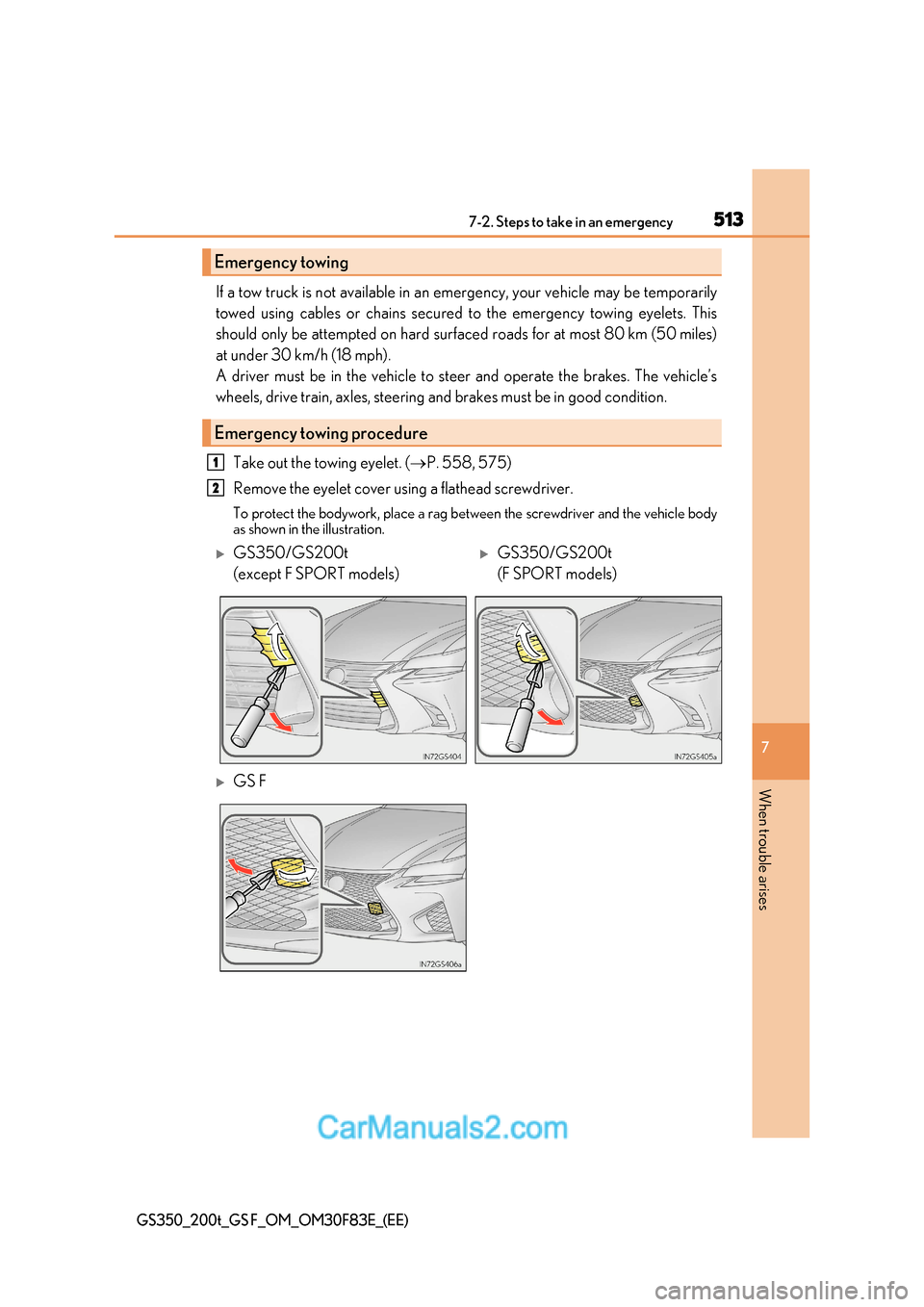
Remove the eyelet cover using a flathead screwdriver.
To protect the bodywork, place a rag between the screwdriver and the vehicle body
as shown in the illustration.
Emergency towing
Emergency towing procedure
1
2
GS350/GS200t
(except F SPORT models)GS350/GS200t
(F SPORT models)
GS F
Page 514 of 676
5147-2. Steps to take in an emergency
GS350_200t_GS F_OM_OM30F83E_(EE)
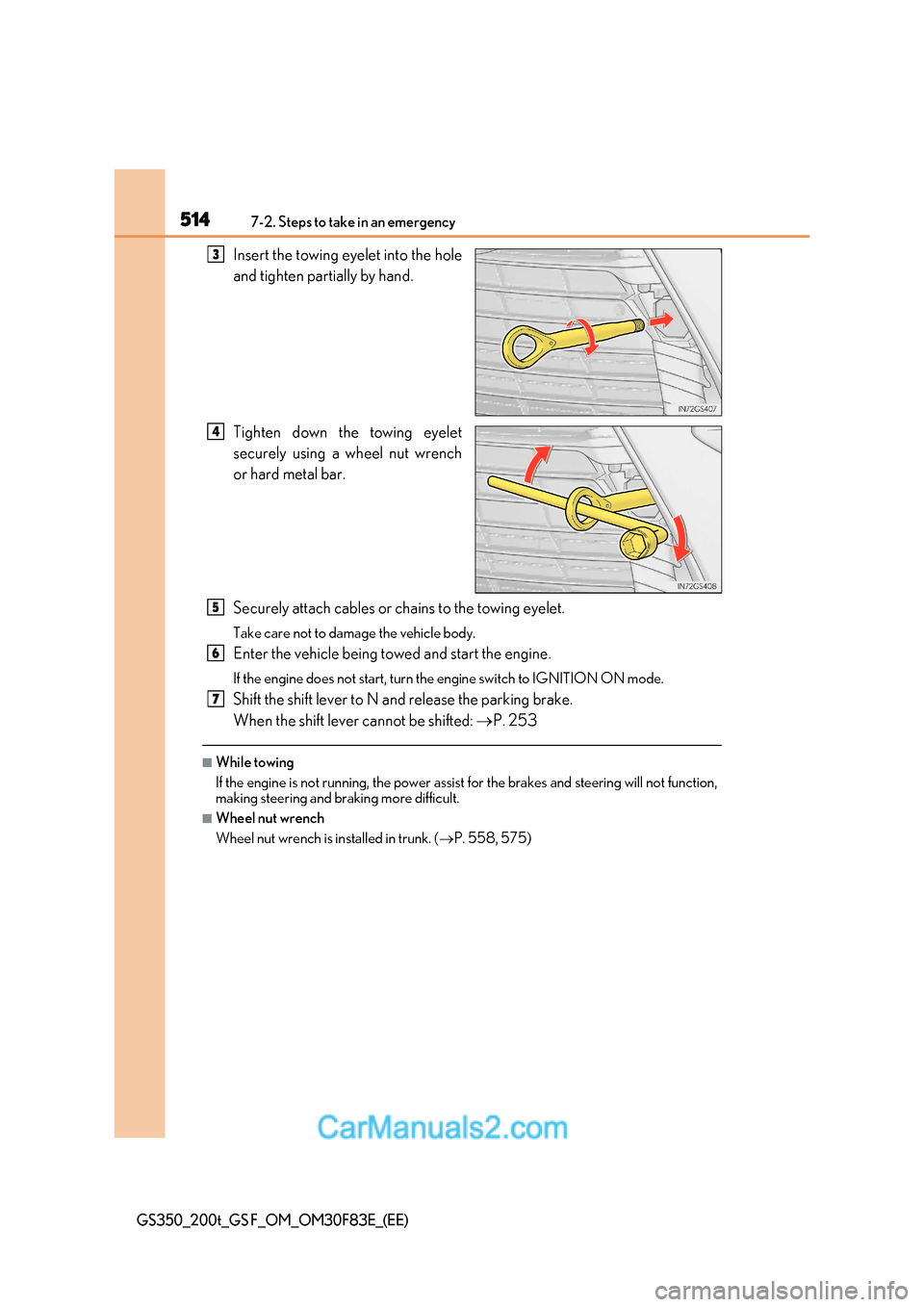
Insert the towing eyelet into the hole
and tighten partially by hand.
Tighten down the towing eyelet
securely using a wheel nut wrench
or hard metal bar.
Securely attach cables or chains to the towing eyelet.
Take care not to damage the vehicle body.
Enter the vehicle being towed and start the engine.
If the engine does not start, turn the engine switch to IGNITION ON mode.
Shift the shift lever to N and release the parking brake.
When the shift lever cannot be shifted: P. 253
■While towing
If the engine is not running, the power assist for the brakes and steering will not function,
making steering and braking more difficult.
■Wheel nut wrench
Wheel nut wrench is installed in trunk. ( P. 558, 575)
3
4
5
6
7
Page 523 of 676
523
7-2. Steps to take in an emergency
7
When trouble arises
GS350_200t_GS F_OM_OM30F83E_(EE)
WARNING
■If both the ABS and the brake system warning lights remain on
Stop your vehicle in a safe place immediately and contact any authorized Lexus retailer
or Lexus authorized repairer, or any reliable repairer. The vehicle will become
extremely unstable during braking, and the ABS system may fail, which could cause an
accident resulting in death or serious injury.
■When the electric power steering system warning light comes on
The steering wheel may become extremely heavy.
If the steering wheel becomes heavier than us ual when operating, hold firmly and oper-
ate using more force than usual.
■If the tire pressure warning light comes on
Be sure to observe the following precautions. Failure to do so could cause a loss of
vehicle control and result in death or serious injury.
●Stop your vehicle in a safe place as soon as possible. Adjust the tire inflation pressure
immediately.
●If the tire pressure warning light comes on even after tire inflation pressure adjust-
ment, it is probable that you have a flat tire. Check the tires. If a tire is flat, change it
with the spare tire and have the flat tire repaired by the nearest any authorized Lexus
retailer or Lexus authorized repa irer, or any reliable repairer.
●Avoid abrupt maneuvering and braking. If the vehicle tires deteriorate, you could lose
control of the steering wheel or the brakes.
■If a blowout or sudden air leakage should occur
The tire pressure warning system may not activate immediately.
NOTICE
■To ensure the tire pressure warning system operates properly
Do not install tires with different specifications or makers, as the tire pressure warning
system may not operate properly.
Page 525 of 676
525
7-2. Steps to take in an emergency
7
When trouble arises
GS350_200t_GS F_OM_OM30F83E_(EE)
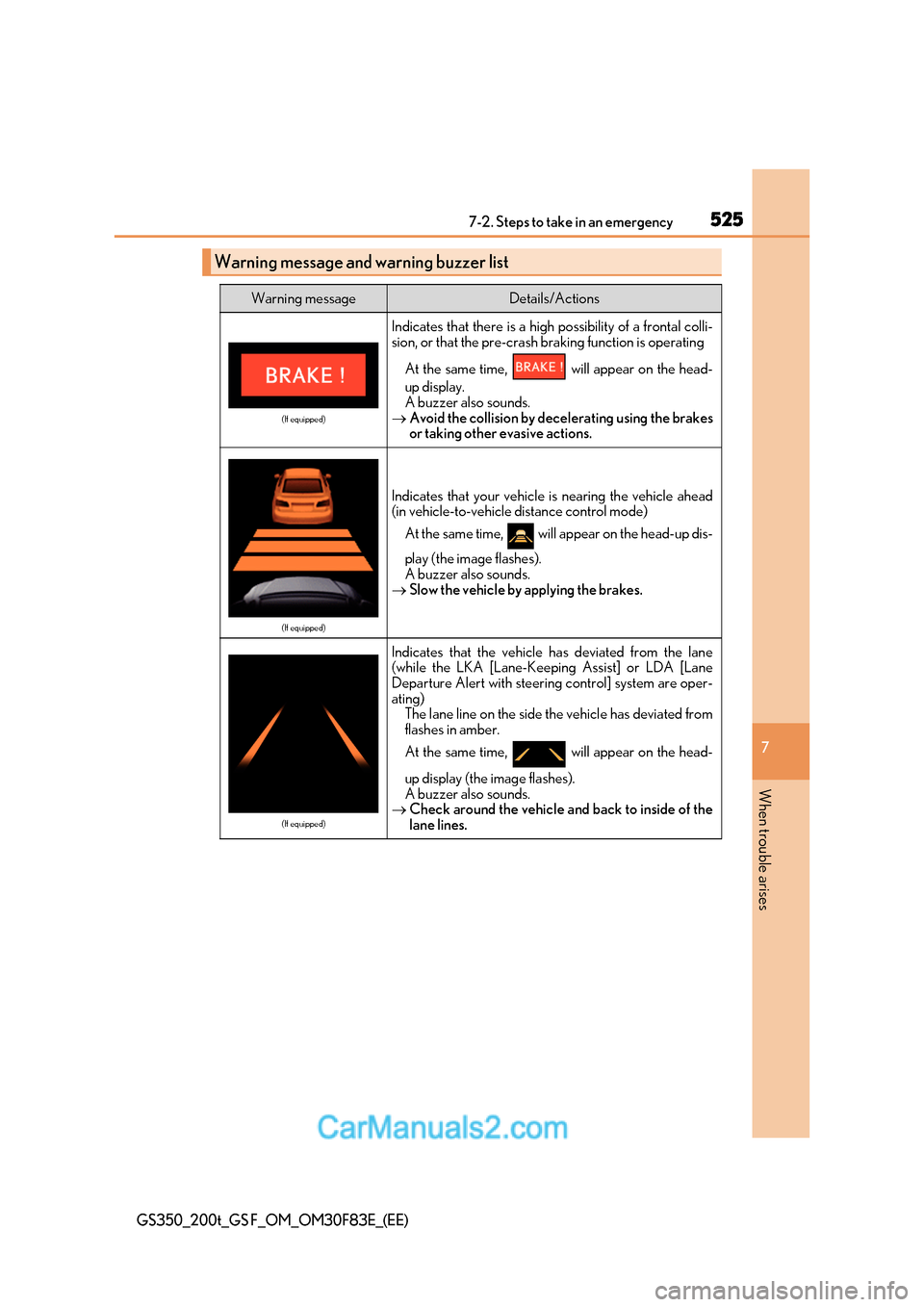
Warning message and warning buzzer list
Warning messageDetails/Actions
(If equipped)
Indicates that there is a high possibility of a frontal colli-
sion, or that the pre-crash braking function is operating
At the same time, will appear on the head-
up display.
A buzzer also sounds.
Avoid the collision by decelerating using the brakes
or taking other evasive actions.
(If equipped)
Indicates that your vehicle is nearing the vehicle ahead
(in vehicle-to-vehicle distance control mode)
At the same time, will appear on the head-up dis-
play (the image flashes).
A buzzer also sounds.
Slow the vehicle by applying the brakes.
(If equipped)
Indicates that the vehicle has deviated from the lane
(while the LKA [Lane-Keeping Assist] or LDA [Lane
Departure Alert with steering control] system are oper-
ating)
The lane line on the side the vehicle has deviated from
flashes in amber.
At the same time, will appear on the head-
up display (the image flashes).
A buzzer also sounds.
Check around the vehicle and back to inside of the
lane lines.