instrument cluster Lexus GS350 2017 Service Manual
[x] Cancel search | Manufacturer: LEXUS, Model Year: 2017, Model line: GS350, Model: Lexus GS350 2017Pages: 676, PDF Size: 67.73 MB
Page 136 of 676
1362. Instrument cluster
GS350_200t_GS F_OM_OM30F83E_(EE)
●Switching the display
To switch to advanced display, press .
To return to normal display, press .
● Resetting the record of maximum G-forces
With the record of maximum G-forces displayed, press and hold to
reset the display.
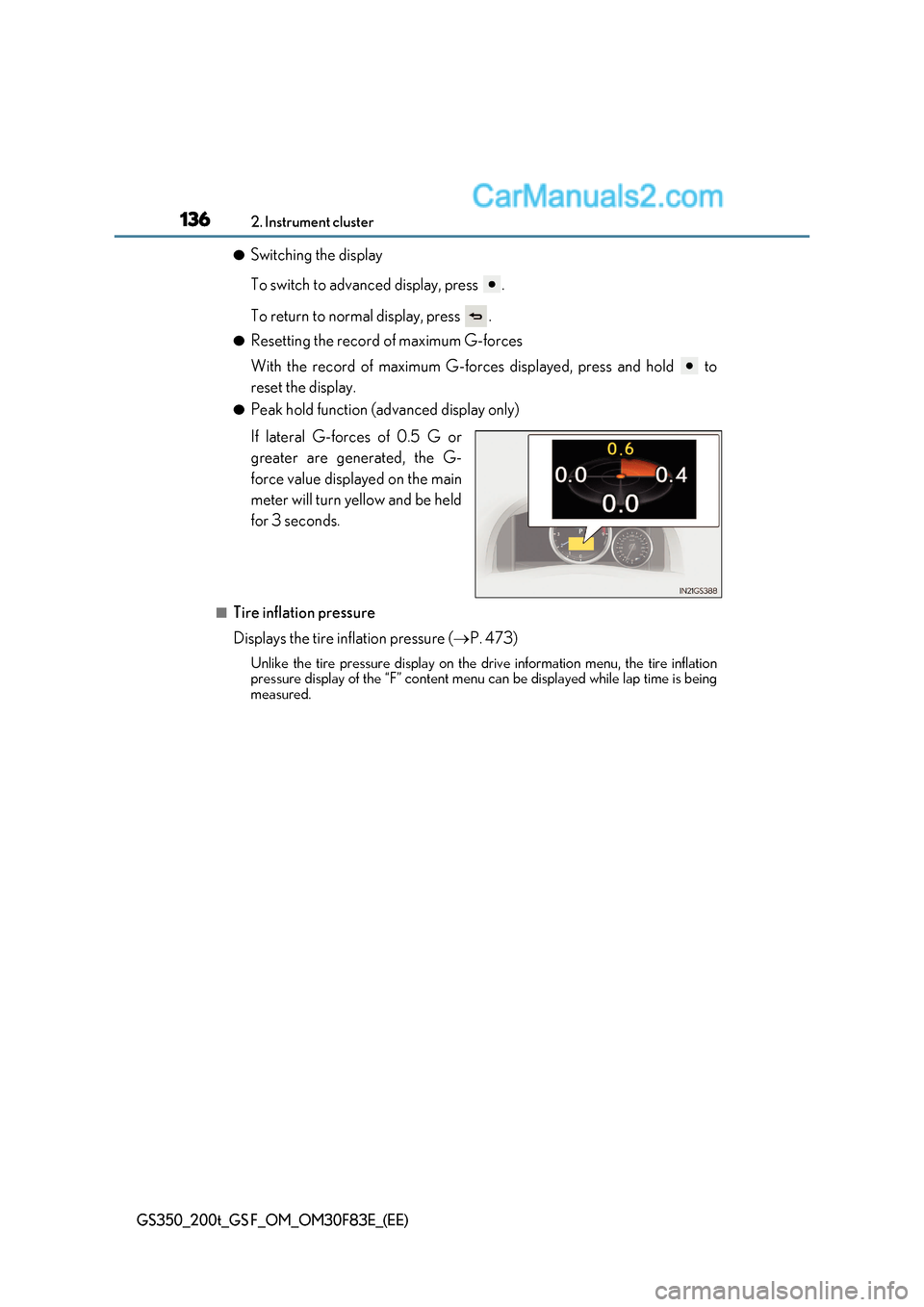
● Peak hold function (advanced display only)
If lateral G-forces of 0.5 G or
greater are generated, the G-
force value displayed on the main
meter will turn yellow and be held
for 3 seconds.
■Tire inflation pressure
Displays the tire inflation pressure ( P. 473)
Unlike the tire pressure display on the dr ive information menu, the tire inflation
pressure display of the “F” content menu can be displayed while lap time is being
measured.
Page 137 of 676
137
2. Instrument cluster
2
Instrument cluster
GS350_200t_GS F_OM_OM30F83E_(EE)
The settings of the following items can be changed, refer to P. 634
For functions that can be enabled or disabled, the function switches between on and
off each time is pressed.
■(Lane Departure Alert with st eering control) (if equipped)
( P. 317)
■(Pre-Crash Safety system) (if equipped) ( P. 295)
■
Select to turn the speed warning on and off, or to change the speed at which
the speed warning is displayed.
■(Road Sign Assist) (if equipped) ( P. 326)
■(Blind Spot Monitor) (if equipped) ( P. 363)
■
Page 138 of 676
1382. Instrument cluster
GS350_200t_GS F_OM_OM30F83E_(EE)
● switch
Displays a procedure to register a desired screen to .
You can register 1 screen as a shortcut, which can be displayed by pressing .
● Drive information 1/2/3
Select to select up to 2 items that will be displayed on a Drive information screen,
up to 3 Drive information screens can be set.
● Pop-up display
Select to set the following pop-up displa ys, which may appear in some situations,
on/off.
Page 139 of 676
139
2. Instrument cluster
2
Instrument cluster
GS350_200t_GS F_OM_OM30F83E_(EE)
■Start-up display
When the engine is started, the name of the vehicle is displayed on the multi-information
display.
While the start-up display is being displayed, the meter display cannot be changed even
if the drive mode is changed. When the start-up display is finished, the meter display for
the currently selected mode will be displayed.
■Torque distribution display (if equipped)
Torque distribution may not be displayed correctly in some cases, such as when the vehi-
cle passes over road expansion joints.
■G-force display
●The G-force values may not be zero even when the vehicle is parked, such as when it is
parked on an incline.
●The steering amount, accelerator pedal input, and brake fluid pressure displays are dis-
abled until the engine has warmed up (the variable red zone of the tachometer has
retracted to 7300 r/min).
After the engine has warmed up, these displays will be enabled.
●Depending on the vehicle usage conditions, the brake fluid pressure display may not
reach its maximum reading even though the brake pedal is fully depressed.
●If a battery terminal is disconnected and reconnected, the steering amount display may
be disabled temporarily. After driving the ve hicle for a while, the display will be enabled.
■Suspension of the settings display
In the following situations, operation of th e settings display will be temporarily sus-
pended.
●When a warning message appears on the multi-information display
●When the vehicle begins to move
■Tire inflation pressure
●It may take a few minutes to display the tire inflation pressure afte r the engine switch is
turned to IGNITION ON mode. It may also take a few minutes to display the tire infla-
tion pressure after inflation pressure has been adjusted.
●“---” may be displayed if the tire positi on information cannot be determined due to
unfavorable radio wave conditions.
●Tire inflation pressure changes with temperature. The displayed values may also be dif-
ferent from the values measured using a tire pressure gauge.
■When disconnecting and reconnecting battery terminals
The following information data will be reset:
●Lap timer: Measured lap times, history
●G-force: Record of the maximum G-forces
■Using the lap timer
If the engine is stopped while a lap is being timed, the lap timer will stop and the lap time
up to that point will be recorded.
■Liquid crystal display P. 119
Page 140 of 676
1402. Instrument cluster
GS350_200t_GS F_OM_OM30F83E_(EE)
WARNING
■Caution for use while driving
●When operating the multi-info rmation display while driving, pay extra attention to the
safety of the area around the vehicle.
●Do not look continuously at the multi-info rmation display while driving as you may fail
to see pedestrians, objects on the road, etc. ahead of the vehicle.
■Cautions during setting up the display
As the engine needs to be running during setting up the display, ensure that the vehicle
is parked in a place with adequate ventilation. In a closed area such as a garage,
exhaust gases including harmful carbon monoxide (CO) may collect and enter the
vehicle. This may lead to death or a serious health hazard.
NOTICE
■During setting up the display
To prevent battery discharge, ensure that the engine is running while setting up the dis-
play features.
Page 141 of 676
141
2
2. Instrument cluster
Instrument cluster
GS350_200t_GS F_OM_OM30F83E_(EE)
Head-up display
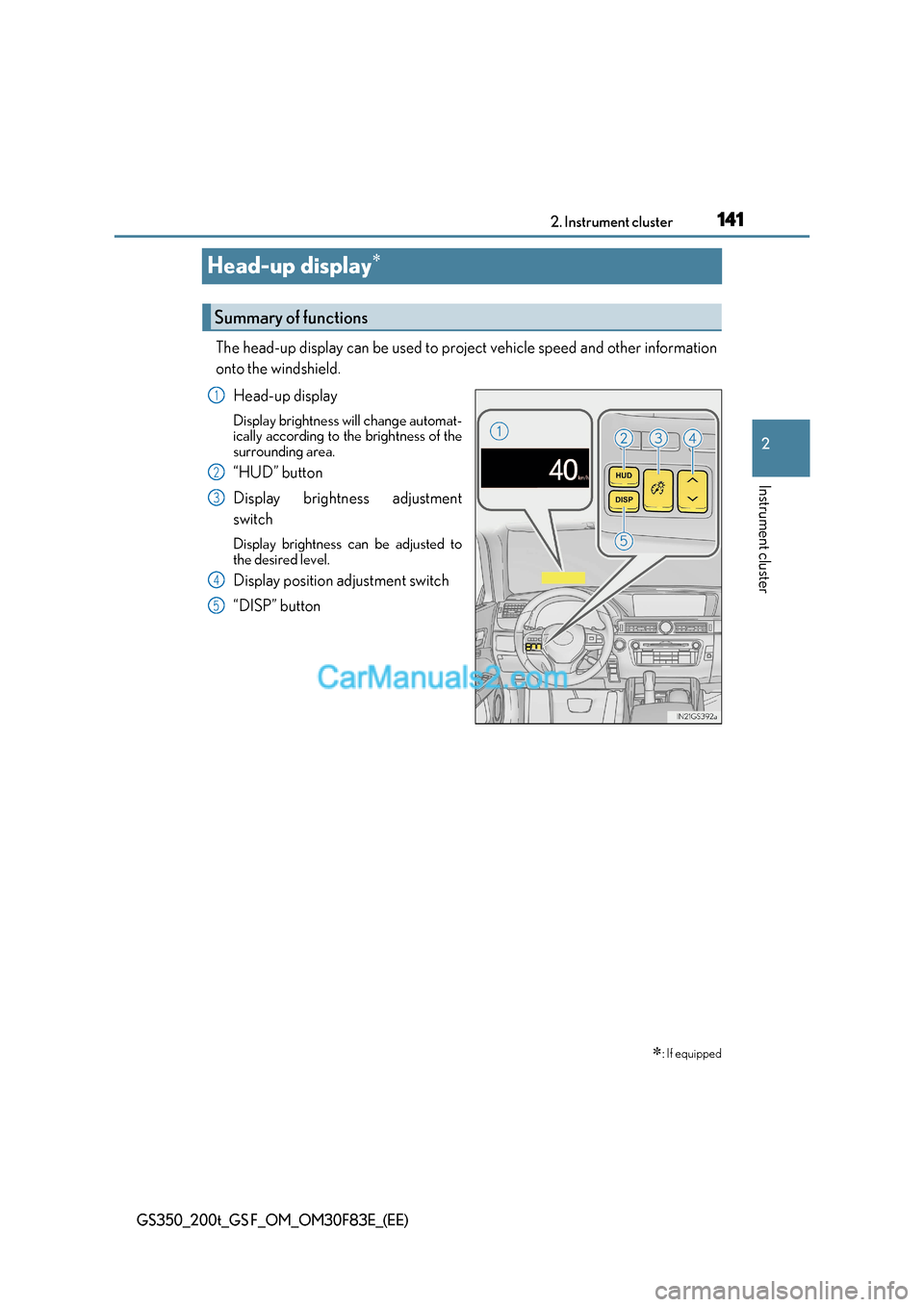
The head-up display can be used to project vehicle speed and other information
onto the windshield.
Head-up display
Display brightness will change automat-
ically according to the brightness of the
surrounding area.
“HUD” button
Display brightness adjustment
switch
Display brightness can be adjusted to
the desired level.
Display position adjustment switch
“DISP” button
: If equipped
Summary of functions
1
2
3
4
5
Page 142 of 676
1422. Instrument cluster
GS350_200t_GS F_OM_OM30F83E_(EE)
●Vehicle speed
● Tachometer
● Shift position and shift range
Displays the selected shift posi tion or selected shift range ( P. 246)
● Eco Driving Indicator (GS350/GS200t) ( P. 145)
● Road signs recognized by the RSA (Road Sign Assist)
(if equipped) ( P. 326)
● Head-up rev indicator (GS F) ( P. 145)
● Audio display *
Displays audio information for approximat ely 3 seconds when the audio system is
operated
● Route guidance display (vehicles with navigation system) ( P. 146)
When approaching an intersection while the navigation system is giving route guid-
ance, an arrow will automatically be displa yed to indicate the direction of travel.
● Lane departure warning display (L DA [Lane Departure Alert with
steering control], LKA [Lane-Keeping Assist]) (if equipped) ( P. 525)
● Approach warning display (dynamic radar cruise control, dynamic
radar cruise control with full-speed range) (if equipped) ( P. 525)
● Pre-crash warning message (PCS [Pre-Crash Safety system])
(if equipped) ( P. 525)
* : The default setting is off
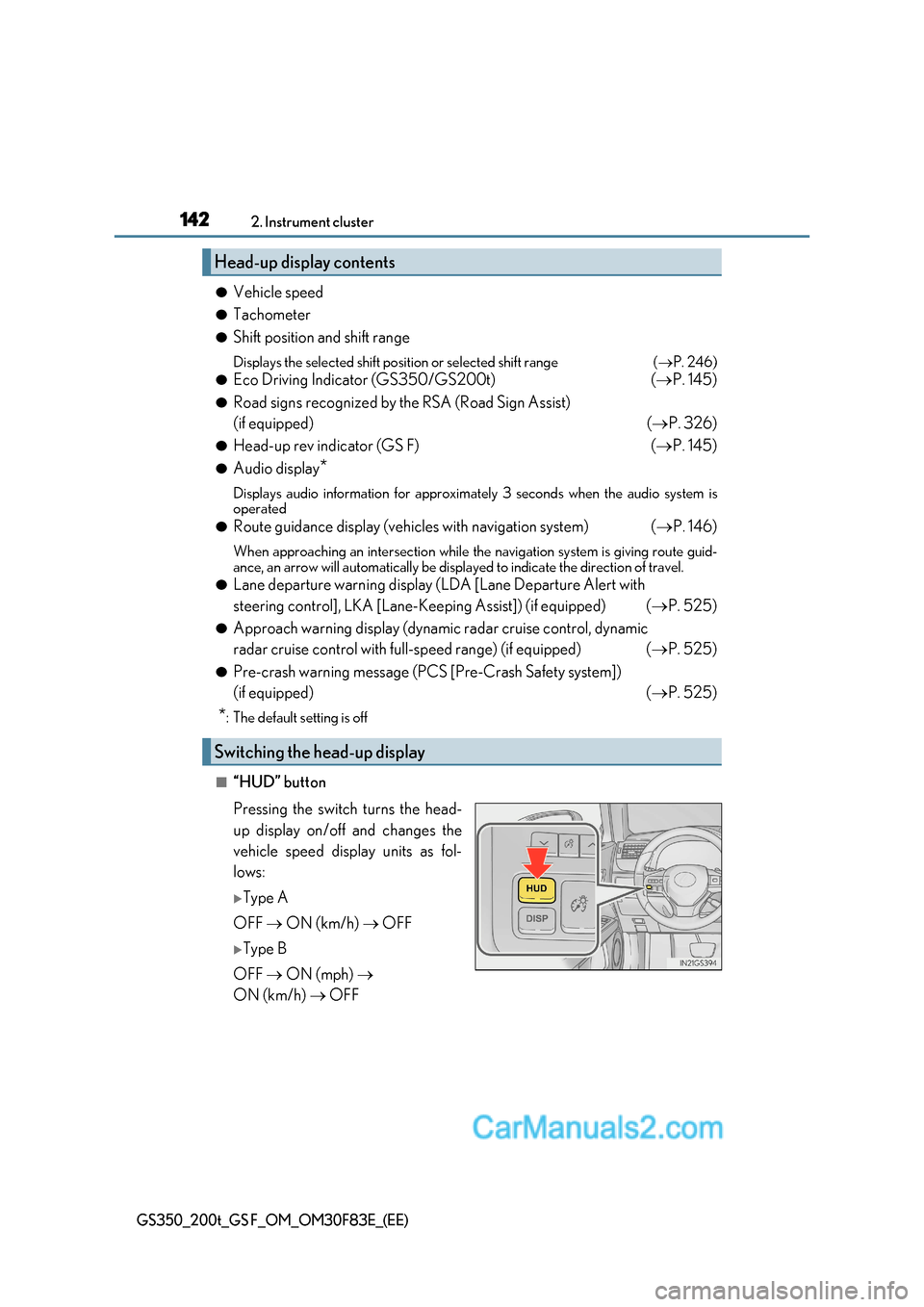
■“HUD” button
Pressing the switch turns the head-
up display on/off and changes the
vehicle speed display units as fol-
lows:
Type A
OFF ON (km/h) OFF
Type B
OFF ON (mph)
ON (km/h) OFF
Head-up display contents
Switching the head-up display
Page 143 of 676
143
2. Instrument cluster
2
Instrument cluster
GS350_200t_GS F_OM_OM30F83E_(EE)
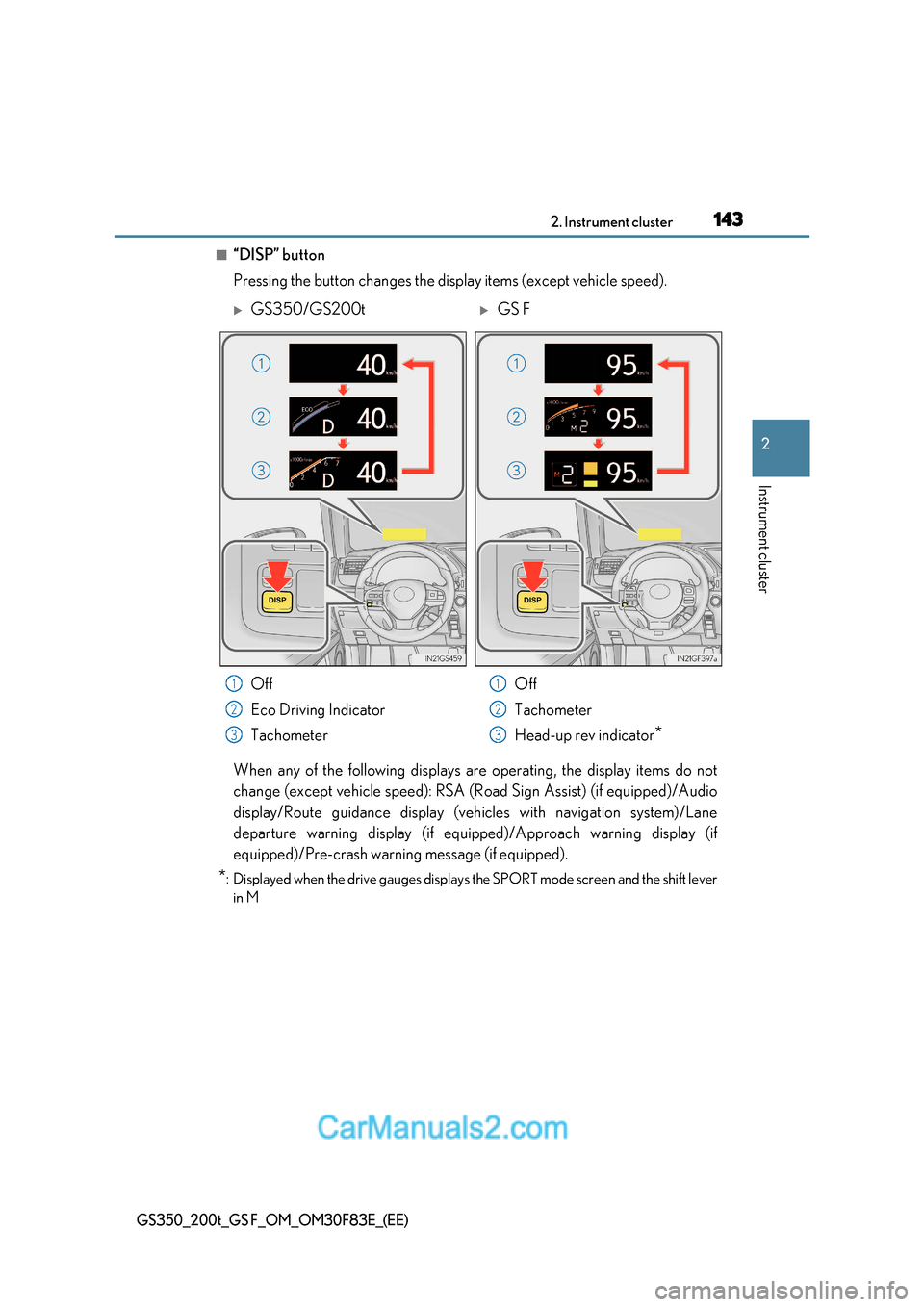
■“DISP” button
Pressing the button changes the display items (except vehicle speed).
When any of the following displays are operating, the display items do not
change (except vehicle speed): RSA (Road Sign Assist) (if equipped)/Audio
display/Route guidance display (vehicles with navigation system)/Lane
departure warning display (if equipp ed)/Approach warning display (if
equipped)/Pre-crash warning message (if equipped).
* : Displayed when the drive gauges displays the SPORT mode screen and the shift lever
in M
GS350/GS200tGS F
Off
Eco Driving Indicator
Tachometer Off
Tachometer
Head-up rev indicator
*
1
2
3
1
2
3
Page 144 of 676
1442. Instrument cluster
GS350_200t_GS F_OM_OM30F83E_(EE)
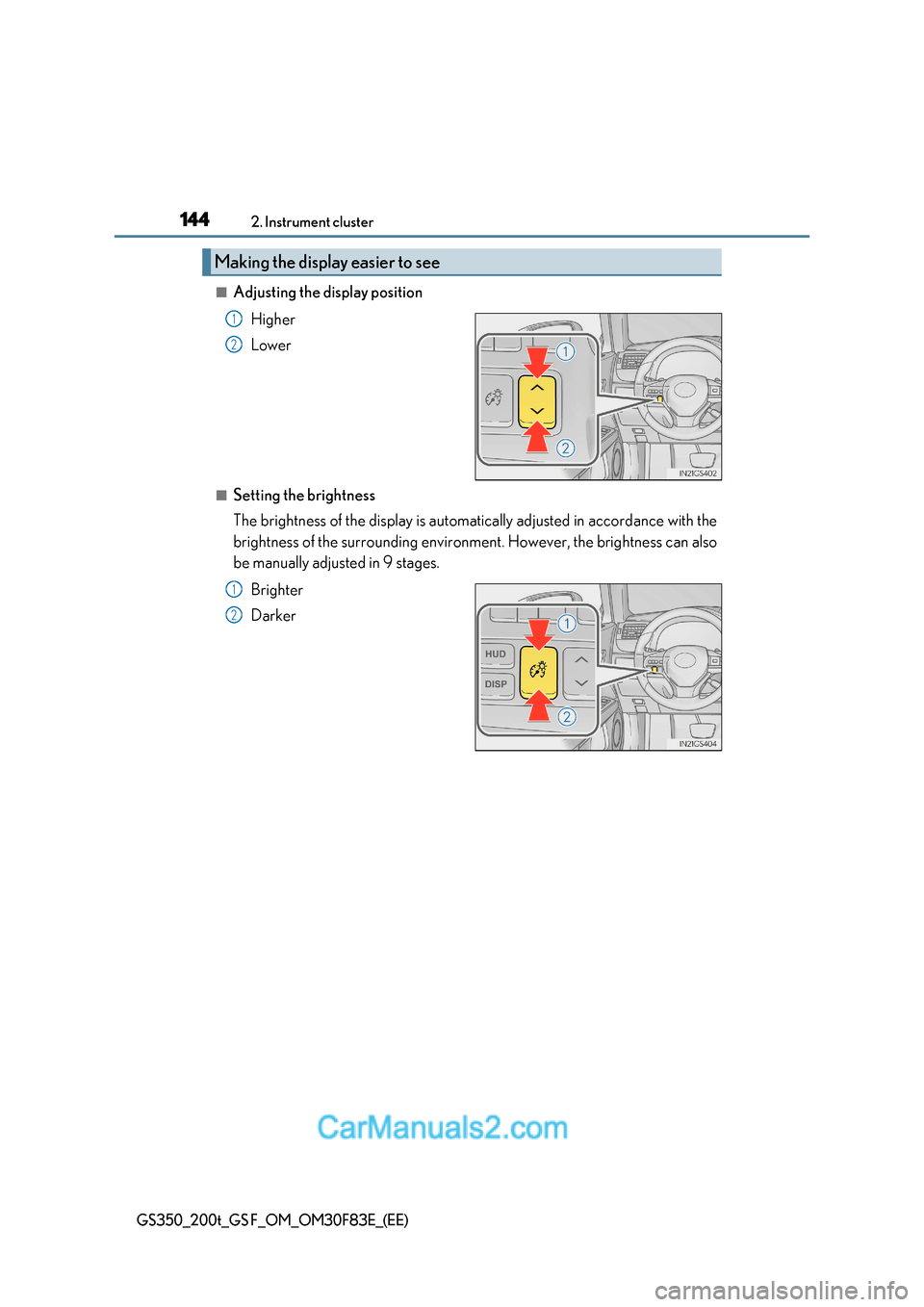
■Adjusting the display position
Higher
Lower
■Setting the brightness
The brightness of the display is automatically adjusted in accordance with the
brightness of the surrounding environment. However, the brightness can also
be manually adjusted in 9 stages.Brighter
Darker
Making the display easier to see
1
2
1
2
Page 145 of 676
145
2. Instrument cluster
2
Instrument cluster
GS350_200t_GS F_OM_OM30F83E_(EE)
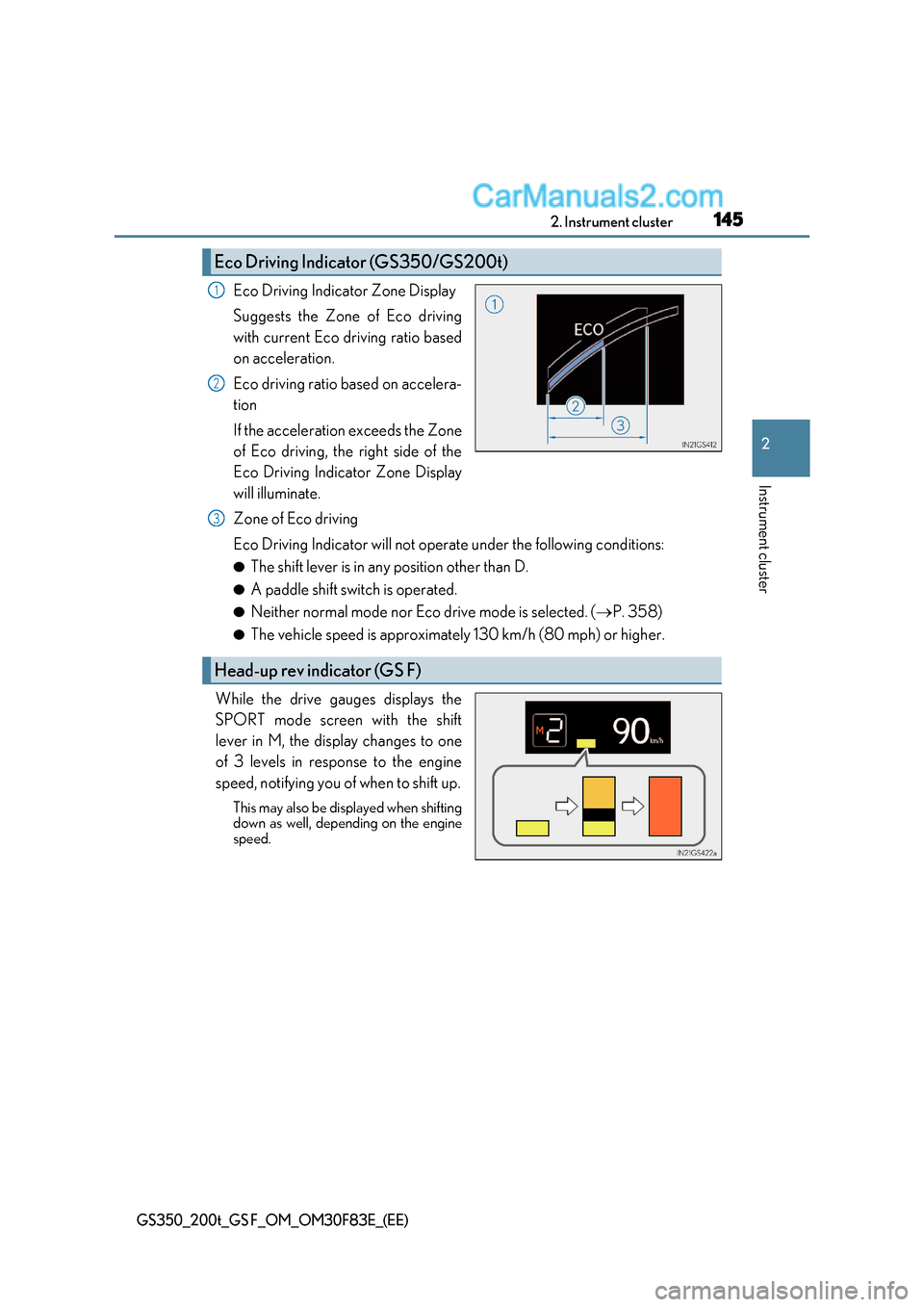
Eco Driving Indicator Zone Display
Suggests the Zone of Eco driving
with current Eco driving ratio based
on acceleration.
Eco driving ratio based on accelera-
tion
If the acceleration exceeds the Zone
of Eco driving, the right side of the
Eco Driving Indicator Zone Display
will illuminate.
Zone of Eco driving
Eco Driving Indicator will not operate under the following conditions: ● The shift lever is in any position other than D.
● A paddle shift switch is operated.
● Neither normal mode nor Eco drive mode is selected. ( P. 358)
● The vehicle speed is approximately 130 km/h (80 mph) or higher.
While the drive gauges displays the
SPORT mode screen with the shift
lever in M, the display changes to one
of 3 levels in response to the engine
speed, notifying you of when to shift up. This may also be displayed when shifting
down as well, depending on the engine
speed.
Eco Driving Indicator (GS350/GS200t)
1
2
Head-up rev indicator (GS F)
3