park Lexus GS350 2017 Quick Guide
[x] Cancel search | Manufacturer: LEXUS, Model Year: 2017, Model line: GS350, Model: Lexus GS350 2017Pages: 100, PDF Size: 3.95 MB
Page 3 of 100
2
GS350_200t_QG_OM30G01U_(U)
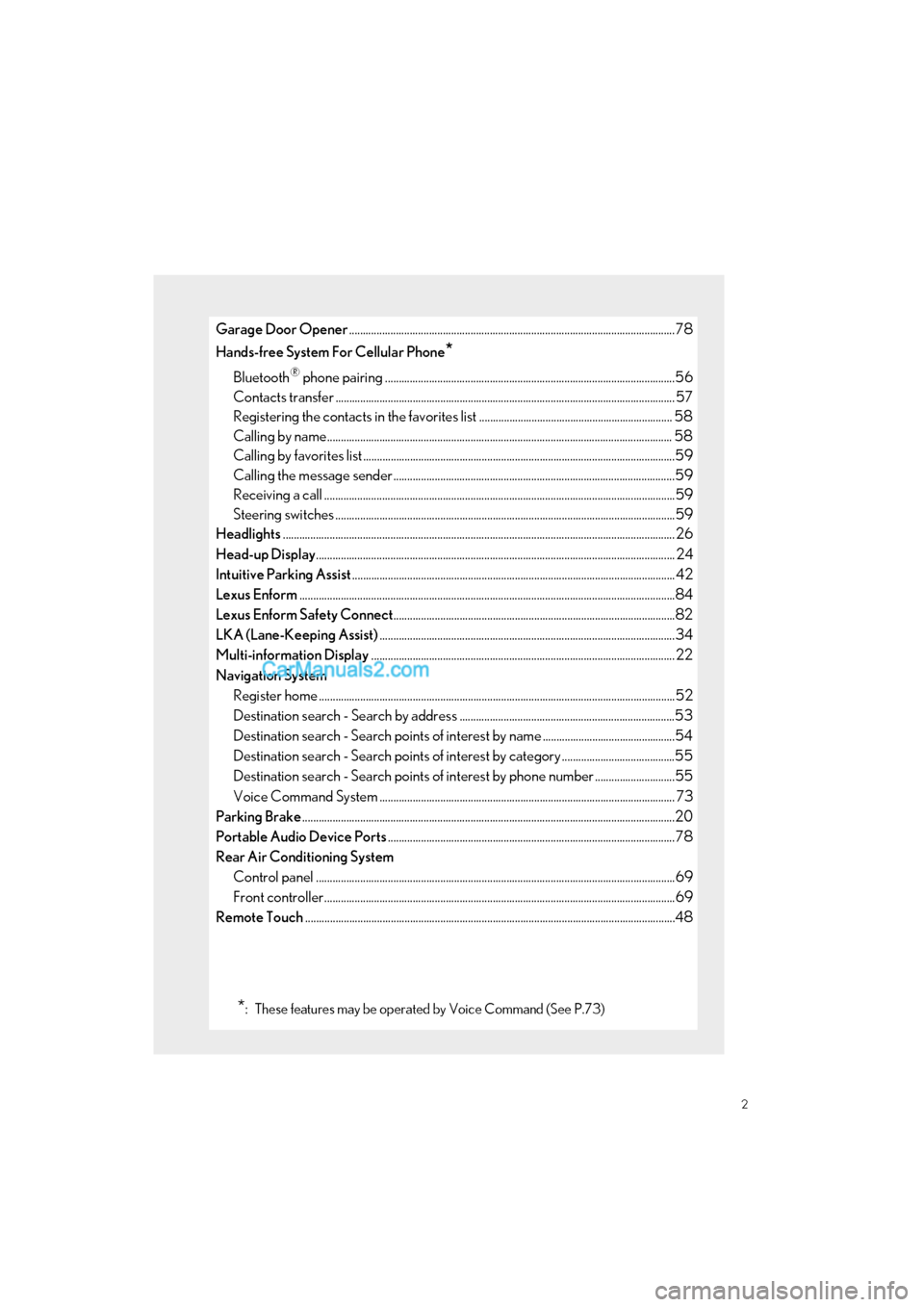
Garage Door Opener......................................................................................................................78
Hands-free System For Cellular Phone
*
Bluetooth® phone pairing .........................................................................................................56
Contacts transfer .............................................................................................................. ............. 57
Registering the contacts in the favori tes list ...................................................................... 58
Calling by name................................................................................................................ ............. 58
Calling by favorites list ...................................................................................................... ...........59
Calling the message sender ..................................................................................................... .59
Receiving a call ............................................................................................................... ................59
Steering switches .............................................................................................................. .............59
Headlights .............................................................................................................................................. 26
Head-up Display ............................................................................................................................... ... 24
Intuitive Parking Assist ..................................................................................................................... 42
Lexus Enform ............................................................................................................................... .........84
Lexus Enform Safety Connect ......................................................................................................82
LKA (Lane-Keeping Assist) ...........................................................................................................34
Multi-information Display .............................................................................................................. 22
Navigation System Register home .................................................................................................................. ...............52
Destination search - Search by address ..............................................................................53
Destination search - Search points of interest by name ................................................54
Destination search - Search points of interest by category .........................................55
Destination search - Search points of interest by phone number .............................55
Voice Command System ........................................................................................................... 73
Parking Brake .......................................................................................................................................20
Portable Audio Device Ports ........................................................................................................78
Rear Air Conditioning System Control panel .................................................................................................................. ................69
Front controller............................................................................................................... ................69
Remote Touch ............................................................................................................................... .......48
*: These features may be operated by Voice Command (See P.73)
Page 7 of 100
6
GS350_200t_QG_OM30G01U_(U)
: If equipped
*: Refer to “OWNER’S MANUAL”.
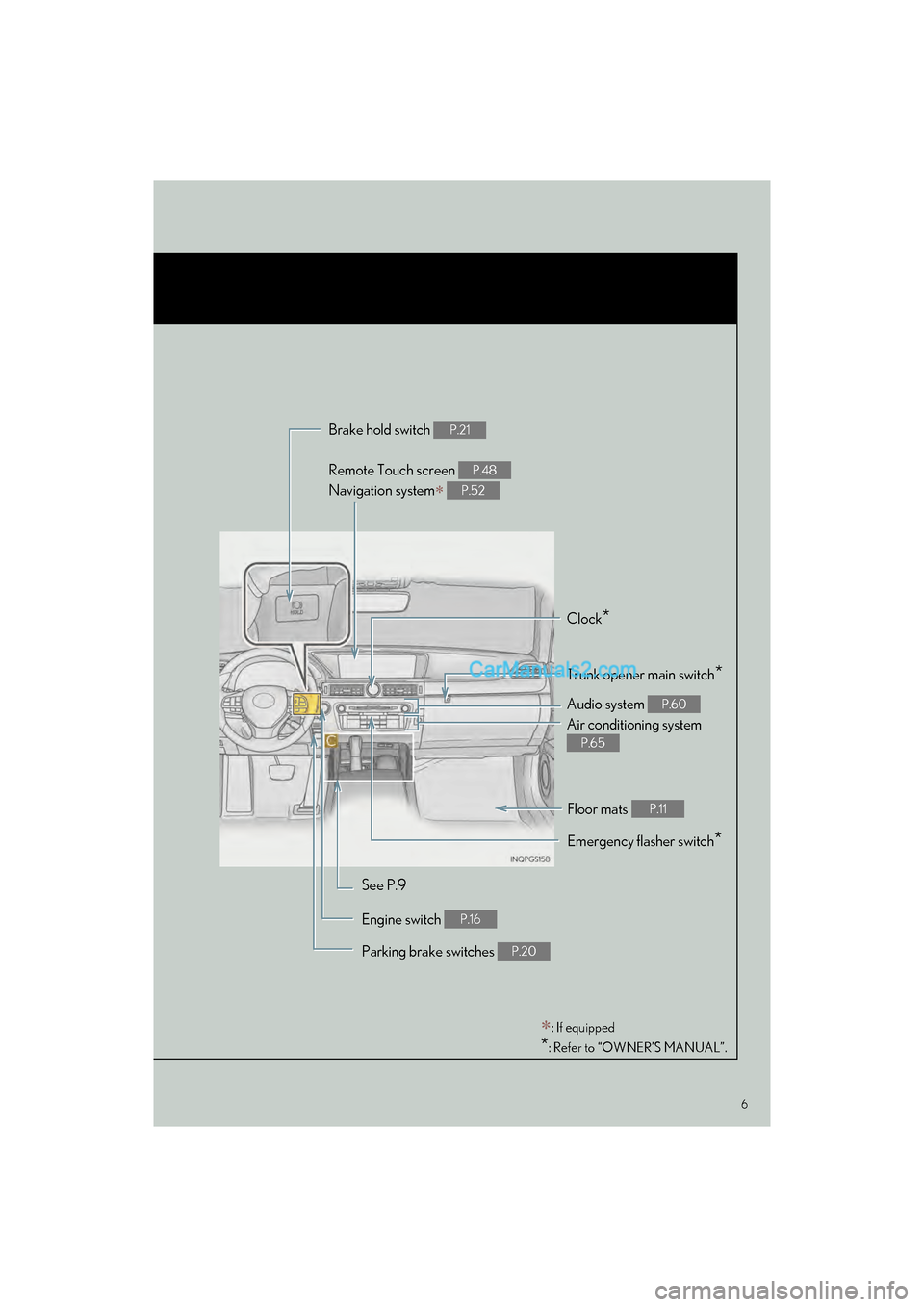
Remote Touch screen
Navigation system
P.48
P.52
Brake hold switch P.21
Clock*
Trunk opener main switch*
Audio system P.60
Air conditioning system
P.65
Emergency flasher switch*
See P.9
Engine switch
P.16
Parking brake switches P.20
Floor mats P.11
Page 10 of 100
9
GS350_200t_QG_OM30G01U_(U)
OverviewInstrument Panel
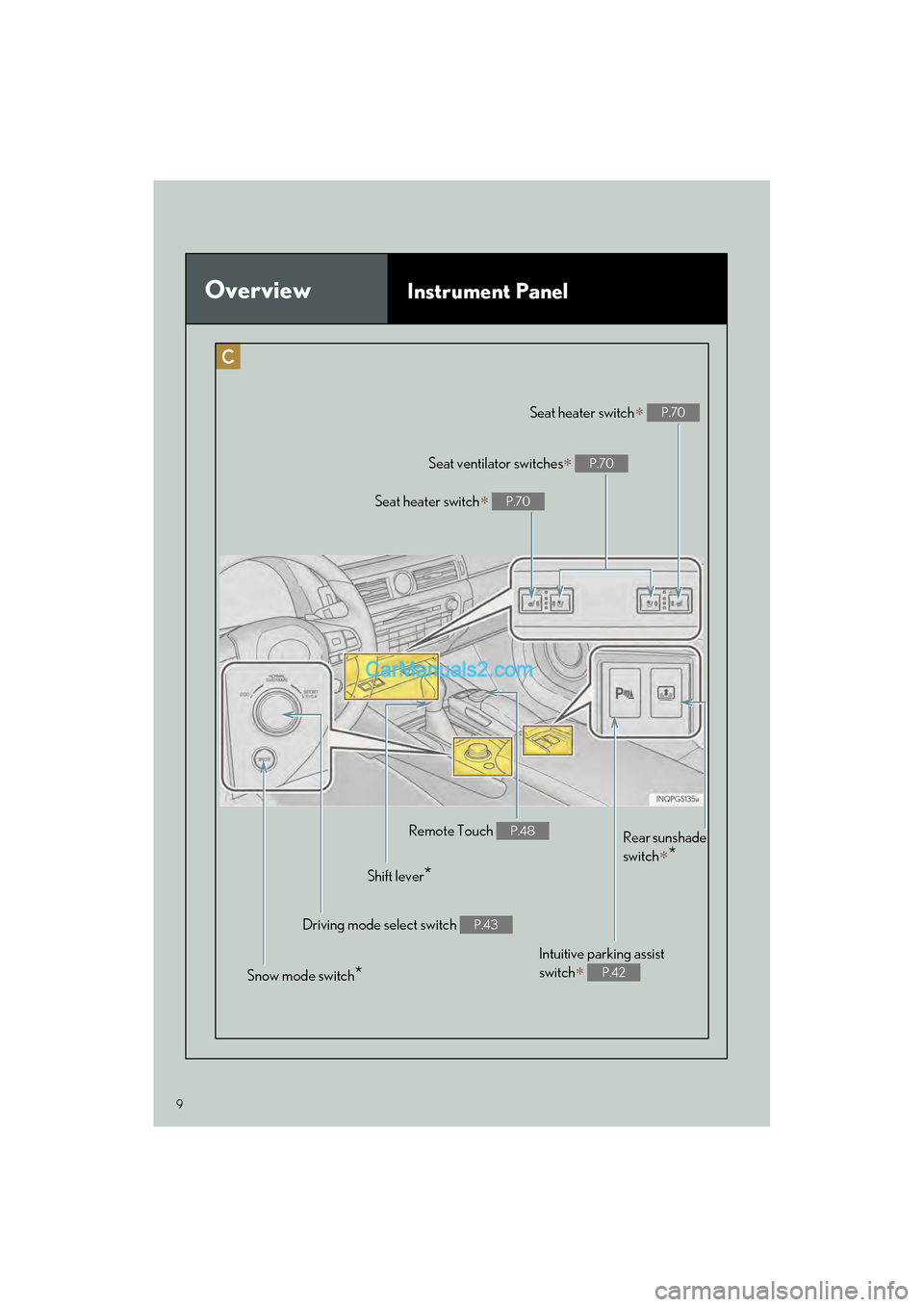
Remote Touch P.48
Shift lever*
Driving mode select switch P.43
Snow mode switch*
Seat heater switch P.70
Seat ventilator switches P.70
Seat heater switch P.70
Rear sunshade
switch
*
Intuitive parking assist
switch
P.42
Page 17 of 100

16
GS350_200t_QG_OM30G01U_(U)
Engine (Ignition) Switch
■Starting the engine
Press the parking brake switch to
check that the parking brake is set.
( P. 20)
Parking brake indicator will come on.
Check that the shift lever is set in P.
Firmly depress the brake pedal.
will be displayed on the multi-
information display. If it is not dis-
played, the engine cannot be started.
Press the engine switch shortly and
firmly. When operating the engine switch,
one short, firm press is enough.
It is not necessary to press and hold
the switch.
The engine will crank until it starts or
for up to 30 seconds, whichever is
less.
Continue depressing the brake pedal
until the engine is completely started.
The engine can be started from any
engine switch mode.
Performing the following operations when carrying the electronic key on your person
starts the engine or changes engine switch modes.
1
2
3
4
Page 18 of 100

17
GS350_200t_QG_OM30G01U_(U)
■Stopping the engine
Stop the vehicle.
Set the parking brake ( P. 20), and shift the shift lever to P.
Press the engine switch.
Release the brake pedal and check that “POWER ON” on the multi-information dis-
play is off.
■ Changing engine switch modes
Modes can be changed by pressing the engine switch with brake pedal released. (The mode
changes each time the switch is pressed.)
Off
*
The emergency flashers can be used.
“POWER ON” will not be displayed on
the multi-information display.
ACCESSORY mode Some electrical components such as the
audio system can be used.
“POWER ON” will be displayed on the
multi-information display.
IGNITION ON mode All electrical components can be used.
“POWER ON” will be displayed on the
multi-information display.
*: If the shift lever is in a position other than
P when turning off the engine, the
engine switch will be turned to ACCES-
SORY mode, not to off.
1
2
3
4
Page 21 of 100
20
GS350_200t_QG_OM30G01U_(U)
Parking Brake
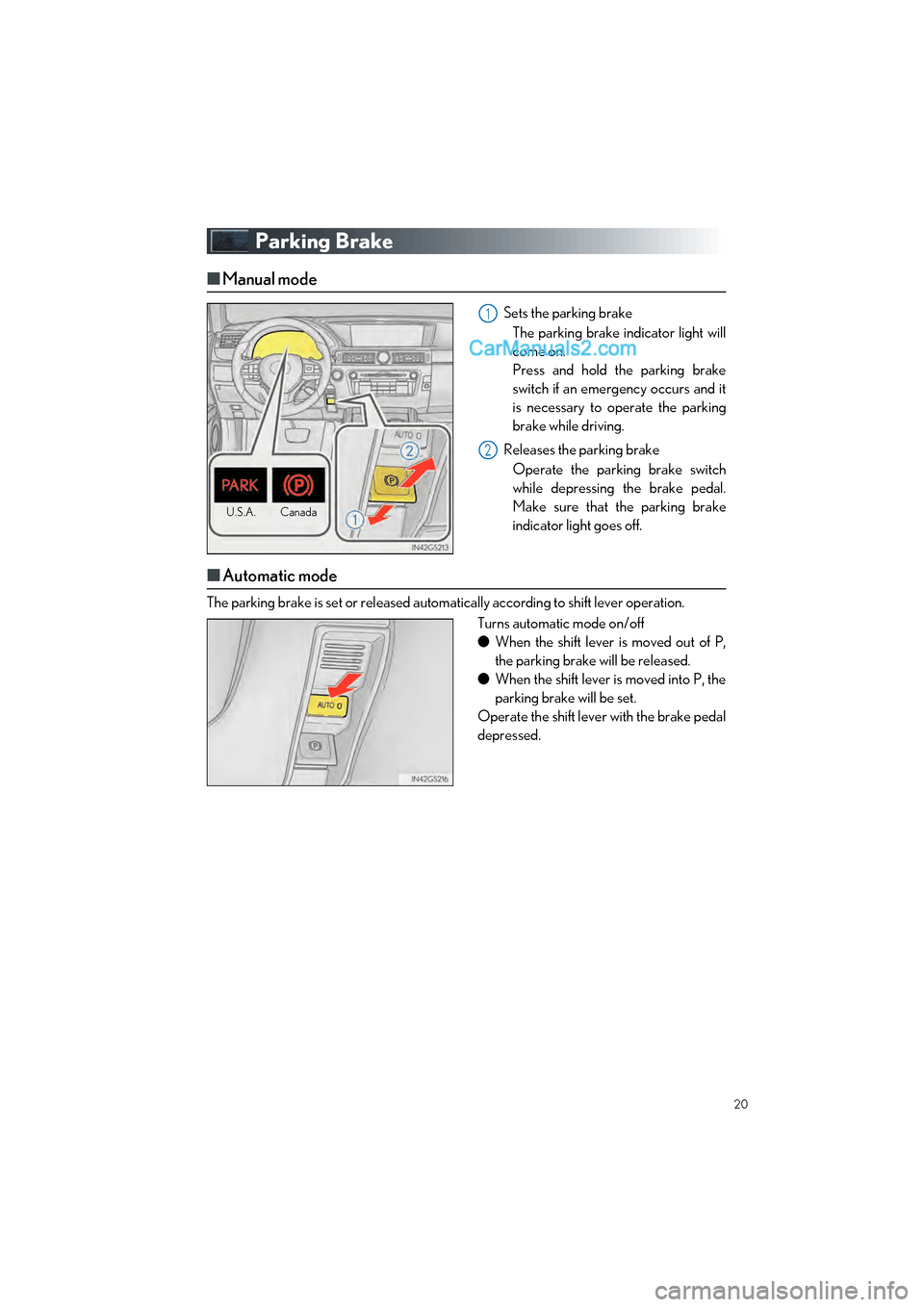
■Manual mode
Sets the parking brake
The parking brake indicator light will
come on.
Press and hold the parking brake
switch if an emergency occurs and it
is necessary to operate the parking
brake while driving.
Releases the parking brake Operate the parking brake switch
while depressing the brake pedal.
Make sure that the parking brake
indicator light goes off.
■ Automatic mode
The parking brake is set or released auto matically according to shift lever operation.
Turns automatic mode on/off
●When the shift lever is moved out of P,
the parking brake will be released.
● When the shift lever is moved into P, the
parking brake will be set.
Operate the shift lever with the brake pedal
depressed.
U.S.A. Canada
1
2
Page 27 of 100

26
GS350_200t_QG_OM30G01U_(U)
Headlights
The side marker, parking, tail,
license plate and instrument
panel lights turn on.
The headlights and all lights
listed above turn on.
The headlights, daytime run-
ning lights and all the lights
listed above turn on and off
automatically. (When the
engine switch is in IGNITION
ON mode.)
Off
The daytime running lights turn
on.
■ Turning on the high beam headlights
With the headlights on, push the lever
away from you to turn on the high
beams.
Pull the lever toward you to the cen-
ter position to turn the high beams off.
Pull the lever toward you and release it
to flash the high beams once. You can flash the high beams with the
headlights on or off.
(Canada)
(U.S.A.)
1
2
3
4
(U.S.A.)
(Canada)
1
2
Page 43 of 100

42
GS350_200t_QG_OM30G01U_(U)
Intuitive Parking Assist (if equipped)
■Turning the system on and off
Turns the intuitive parking assist on/off
When on, the indicator light comes on to
inform the driver that the system is oper-
ational.
The distance from your vehicle to nearby obstacles when parallel parking or maneuver-
ing into a garage is measured by the sensors and communicated via the multi-informa-
tion display, Remote Touch screen and a buzzer. Always check the surrounding area
when using this system.
Page 52 of 100
51
GS350_200t_QG_OM30G01U_(U)
12.3-inch Display (if equipped)
■Full screen display
The following functions can be displayed full screen:
■Split-screen display
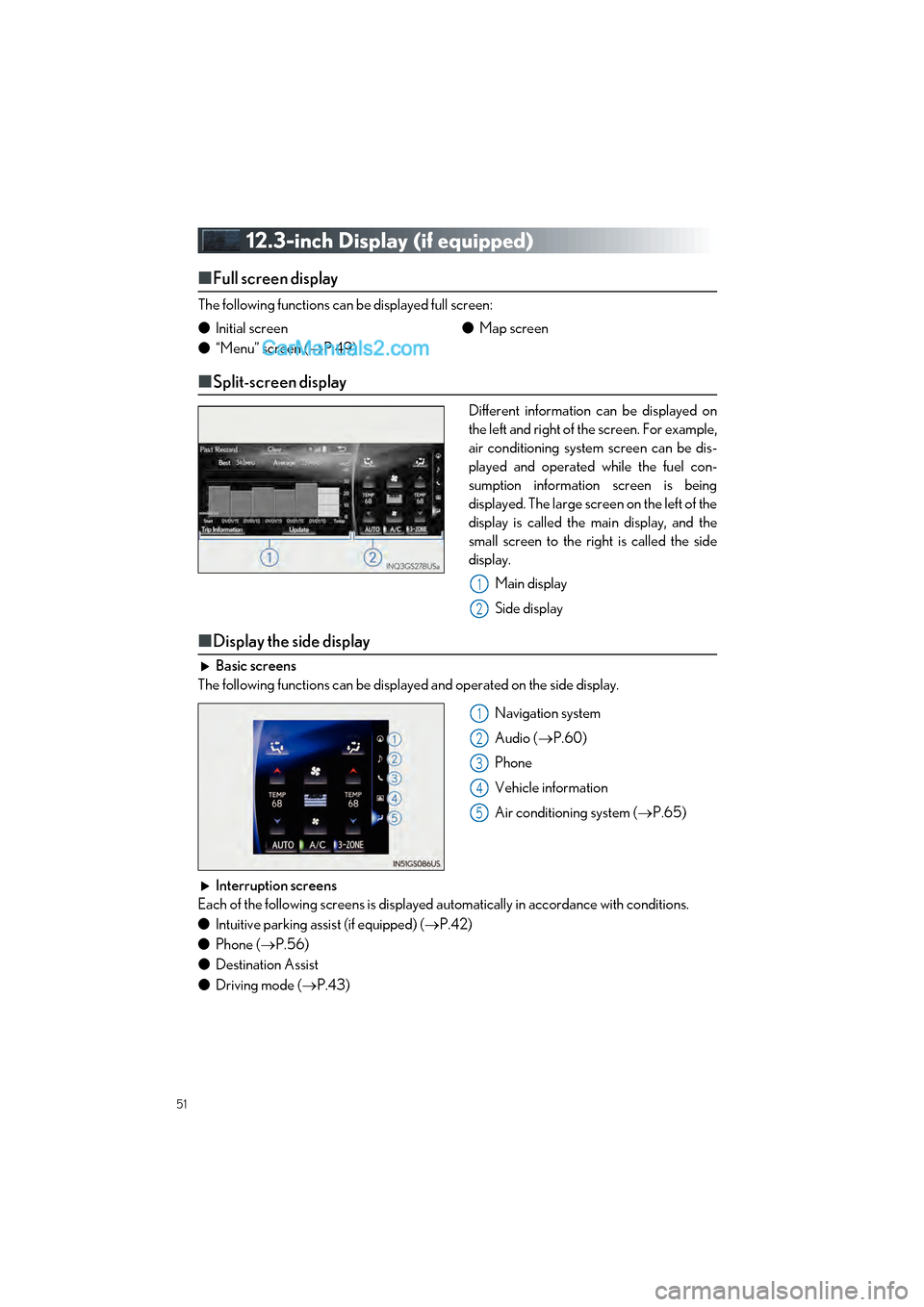
Different information can be displayed on
the left and right of the screen. For example,
air conditioning system screen can be dis-
played and operated while the fuel con-
sumption information screen is being
displayed. The large screen on the left of the
display is called the main display, and the
small screen to the right is called the side
display.
Main display
Side display
■Display the side display
Basic screens
The following functions can be displayed and operated on the side display.
Navigation system
Audio (P.60)
Phone
Vehicle information
Air conditioning system ( P.65)
Interruption screens
Each of the following screens is displayed automatically in accordance with conditions.
● Intuitive parking assist (if equipped) ( P.42)
● Phone ( P.56)
● Destination Assist
● Driving mode ( P.43)
●
Initial screen
● “Menu” screen ( P.49) ●
Map screen
1
2
1
2
3
4
5
Page 90 of 100
What to do if...
89
GS350_200t_QG_OM30G01U_(U)
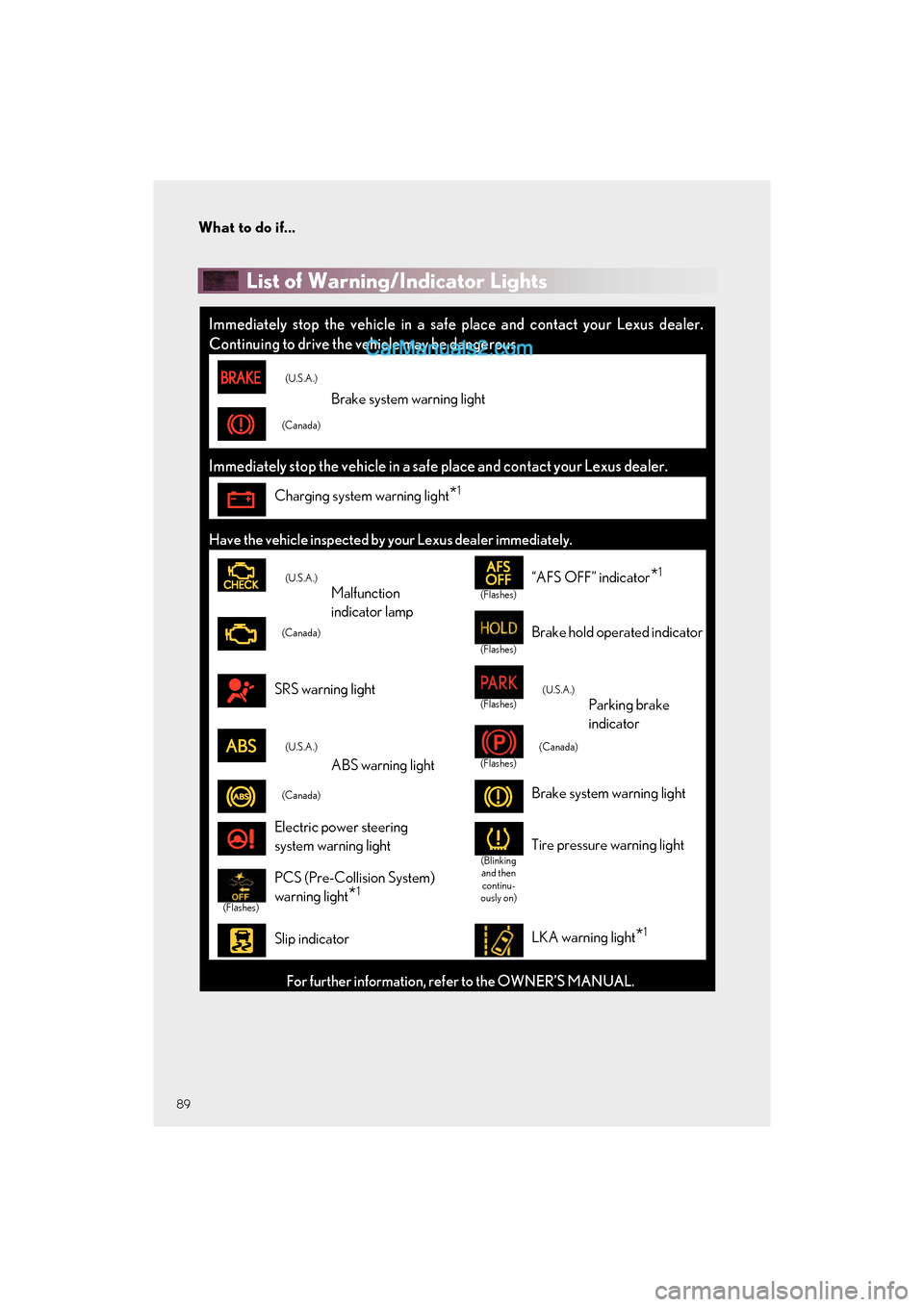
List of Warning/Indicator Lights
Immediately stop the vehicle in a safe place and contact your Lexus dealer.
Continuing to drive the vehicle may be dangerous.
(U.S.A.)
Brake system warning light
(Canada)
Immediately stop the vehicle in a safe place and contact your Lexus dealer.
Charging system warning light*1
Have the vehicle inspected by your Lexus dealer immediately.
(U.S.A.)
Malfunction
indicator lamp(Flashes)
“AFS OFF” indicator*1
(Canada)
(Flashes)
Brake hold operated indicator
SRS warning light(Flashes)(U.S.A.)
Parking brake
indicator
(U.S.A.)
ABS warning light(Flashes)
(Canada)
(Canada)Brake system warning light
Electric power steering
system warning light
(Blinking and then continu-
ously on)Tire pressure warning light
(Flashes)
PCS (Pre-Collision System)
warning light
*1
Slip indicatorLKA warning light*1
For further information, refer to the OWNER’S MANUAL.