light Lexus GS450h 2009 Owner's Manual
[x] Cancel search | Manufacturer: LEXUS, Model Year: 2009, Model line: GS450h, Model: Lexus GS450h 2009Pages: 622
Page 395 of 622
394
3-7. Other interior features
GS_HV_U (OM30B44U)
April 27, 2009 10:09 am
Garage door opener
The garage door opener (HomeLink Universal Transceiver) is manufactured
under license from HomeLink.
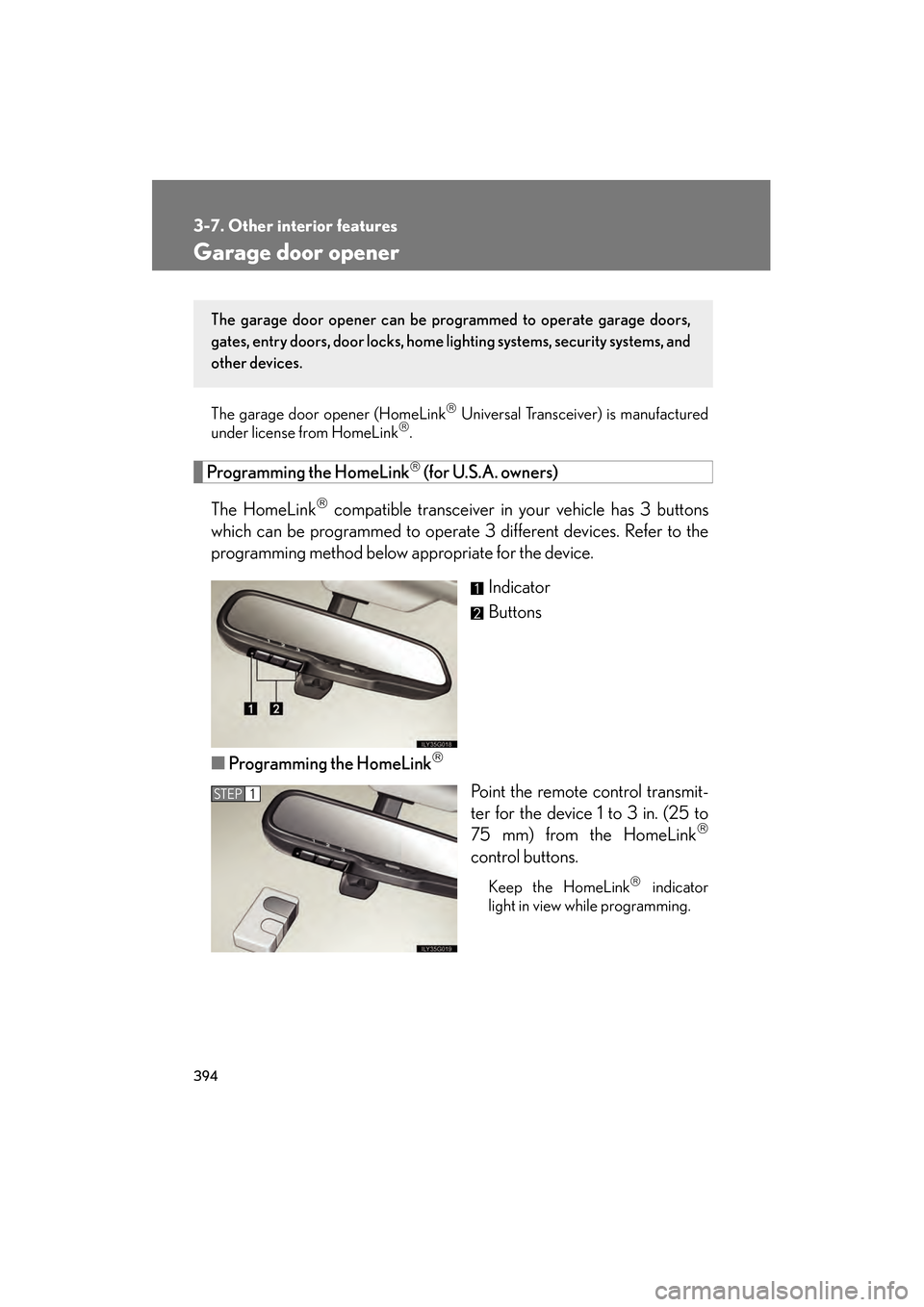
Programming the HomeLink (for U.S.A. owners)
The HomeLink
compatible transceiver in your vehicle has 3 buttons
which can be programmed to operate 3 different devices. Refer to the
programming method below appropriate for the device.
Indicator
Buttons
■ Programming the HomeLink
Point the remote control transmit-
ter for the device 1 to 3 in. (25 to
75 mm) from the HomeLink
control buttons.
Keep the HomeLink indicator
light in view while programming.
The garage door opener can be pr ogrammed to operate garage doors,
gates, entry doors, door locks, home lighting systems, security systems, and
other devices.
STEP1
GS450h_HV_U.book Page 394 Monday, April 27, 2009 10:10 AM
Page 396 of 622
395
3-7. Other interior features
3
Interior features
GS_HV_U (OM30B44U)
April 27, 2009 10:09 am
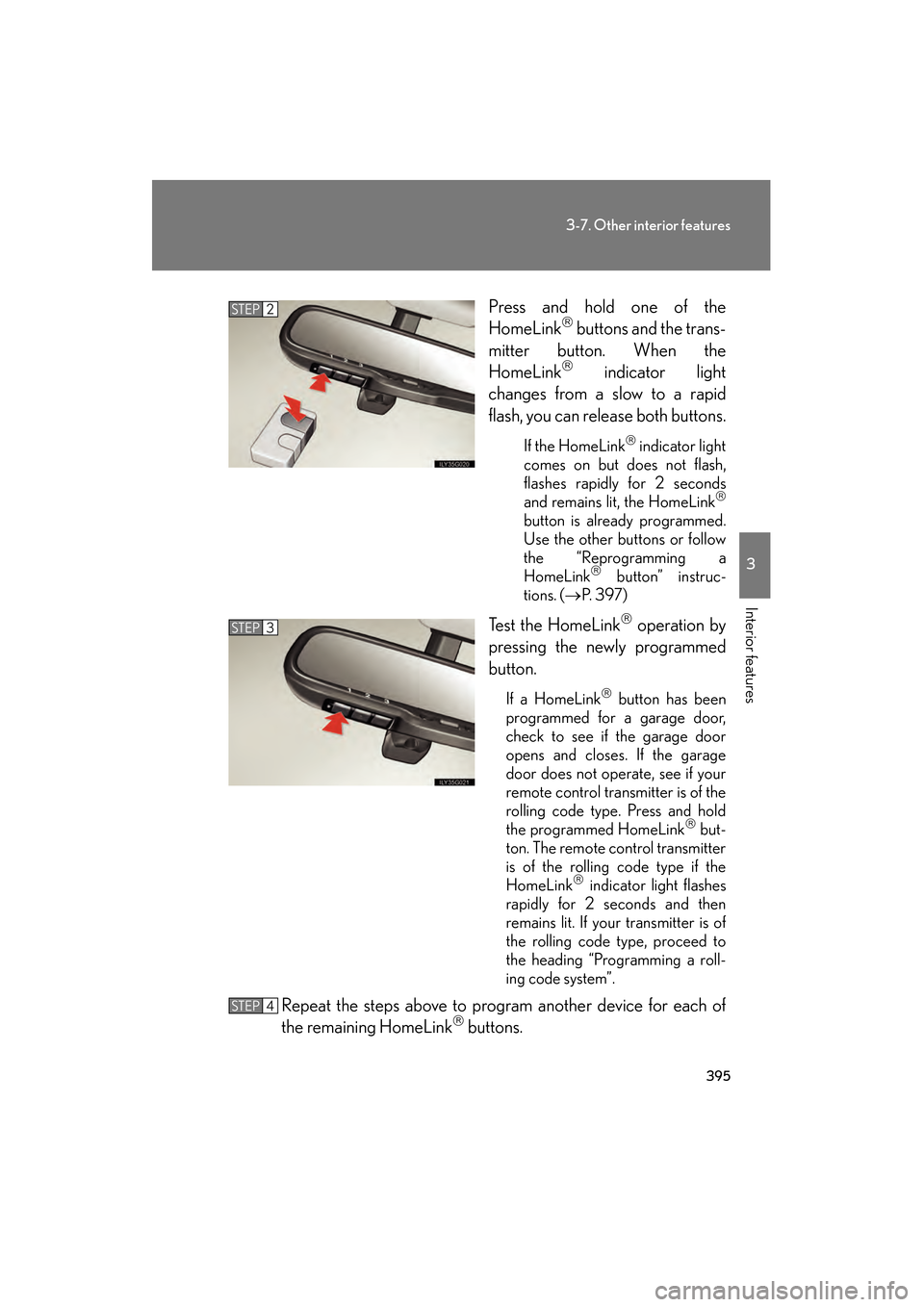
Press and hold one of the
HomeLink buttons and the trans-
mitter button. When the
HomeLink
indicator light
changes from a slow to a rapid
flash, you can release both buttons.
If the HomeLink indicator light
comes on but does not flash,
flashes rapidly for 2 seconds
and remains lit, the HomeLink
button is already programmed.
Use the other buttons or follow
the “Reprogramming a
HomeLink
button” instruc-
tions. (→ P. 3 9 7 )
Test the HomeLink operation by
pressing the newly programmed
button.
If a HomeLink button has been
programmed for a garage door,
check to see if the garage door
opens and closes. If the garage
door does not operate, see if your
remote control transmitter is of the
rolling code type. Press and hold
the programmed HomeLink
but-
ton. The remote control transmitter
is of the rolling code type if the
HomeLink
indicator light flashes
rapidly for 2 seconds and then
remains lit. If your transmitter is of
the rolling code type, proceed to
the heading “Programming a roll-
ing code system”.
Repeat the steps above to program another device for each of
the remaining HomeLink buttons.
STEP2
STEP3
STEP4
GS450h_HV_U.book Page 395 Monday, April 27, 2009 10:10 AM
Page 397 of 622

396
3-7. Other interior features
GS_HV_U (OM30B44U)
April 27, 2009 10:09 am
■Programming a Rolling Code system
If your device is Rolling Code equipped, follow the steps under the
heading “Programming the HomeLink
” before proceeding with the
steps listed below.
Locate the learn button on the ceiling mounted garage door
opener motor. The exact location and color of the button may
vary by brand of garage door opener motor.
Refer to the operation manual supplied with the garage door opener
motor for the location of the learn button.
Press the learn button.
Press and hold the vehicle’s programmed HomeLink
button for
2 seconds and release it. Repeat this step once again. The garage
door may open.
If the garage door opens, the programming process is complete. If the
door does not open, press and release the button a third time. This third
press and release will complete the programming process by opening
the garage door.
The ceiling mounted garage door op ener motor should now recognize
the HomeLink
transceiver and operate the garage door.
Repeat the steps above to program another rolling code system
for any of the remaining HomeLink buttons.
■ Programming an entry gate (for U.S.A. owners)/Programming all
devices in the Canadian market
Place your transmitter 1 to 3 in. (25 to 75 mm) away from the sur-
face of the HomeLink
.
Keep the indicator light on the HomeLink in view while programming.
Press and hold the selected HomeLink button.
Repeatedly press and release (cycle) the device’s remote control
button for two seconds each until step 4 is completed.
When the indicator light on the HomeLink
compatible trans-
ceiver starts to flash rapidly, release the buttons.
STEP1
STEP2
STEP3
STEP4
STEP1
STEP2
STEP3
STEP4
GS450h_HV_U.book Page 396 Monday, April 27, 2009 10:10 AM
Page 398 of 622
397
3-7. Other interior features
3
Interior features
GS_HV_U (OM30B44U)
April 27, 2009 10:09 am
Test the operation of the HomeLink by pressing the newly pro-
grammed button. Check to see if the gate/device operates cor-
rectly.
Repeat the steps above to program another device for each of
the remaining HomeLink
buttons.
■ Programming other devices
To program other devices such as home security systems, home door
locks or lighting, contact your authorized Lexus dealer for assistance.
■ Reprogramming a button
The individual HomeLink
buttons cannot be erased but can be
reprogrammed. To reprogram a button, follow the “Reprogramming a
HomeLink
button” instructions.
Operating the HomeLink
Press the appropriate HomeLink button. The HomeLink indicator
light on the HomeLink transceiver should turn on.
The HomeLink continues to send a signal for up to 20 seconds as long as
the button is pressed.
Reprogramming a HomeLink® button
Press and hold the desired HomeLink
button. After 20 seconds, the
HomeLink indicator light will start flashing slowly. Next, while still press-
ing and holding the HomeLink button, press and hold the button on the
transmitter until the HomeLink indicator light changes from a slow to a
rapid flash.
STEP5
STEP6
GS450h_HV_U.book Page 397 Monday, April 27, 2009 10:10 AM
Page 399 of 622
398
3-7. Other interior features
GS_HV_U (OM30B44U)
April 27, 2009 10:09 am
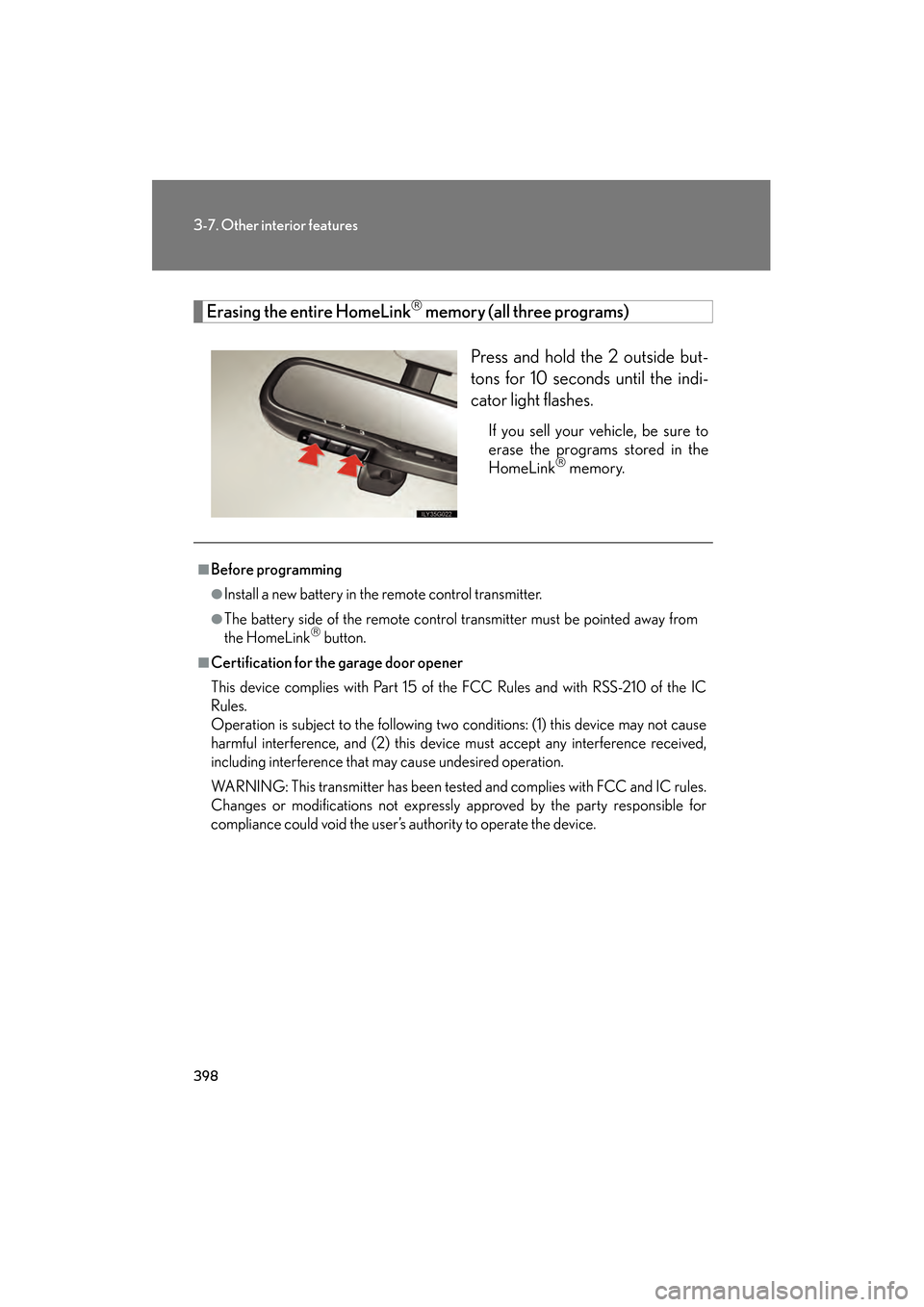
Erasing the entire HomeLink memory (all three programs)Press and hold the 2 outside but-
tons for 10 seconds until the indi-
cator light flashes.
If you sell your vehicle, be sure to
erase the programs stored in the
HomeLink
memory.
■Before programming
●Install a new battery in the remote control transmitter.
●The battery side of the remote control transmitter must be pointed away from
the HomeLink button.
■Certification for the garage door opener
This device complies with Part 15 of the FCC Rules and with RSS-210 of the IC
Rules.
Operation is subject to the following two conditions: (1) this device may not cause
harmful interference, and (2) this device must accept any interference received,
including interference that may cause undesired operation.
WARNING: This transmitter has been tested and complies with FCC and IC rules.
Changes or modifications not expressly approved by the party responsible for
compliance could void the user’s authority to operate the device.
GS450h_HV_U.book Page 398 Monday, April 27, 2009 10:10 AM
Page 405 of 622
404
3-7. Other interior features
GS_HV_U (OM30B44U)
April 27, 2009 10:09 am
Lexus Link System∗
∗: If equipped
The Lexus Link System is a communicati on service that uses Global Posi-
tioning System (GPS) data and cellular service to provide you with safety,
security and convenience. This system is only operational in GPS and cellu-
lar coverage areas. Button operation and voice commands are used to
operate the system. To operate the system, follow the voice guidance
instructions. For details about service and subscription, call the Lexus Link
Call Center at 1-800-25-LEXUS (1-800-255-3987) (toll-free).
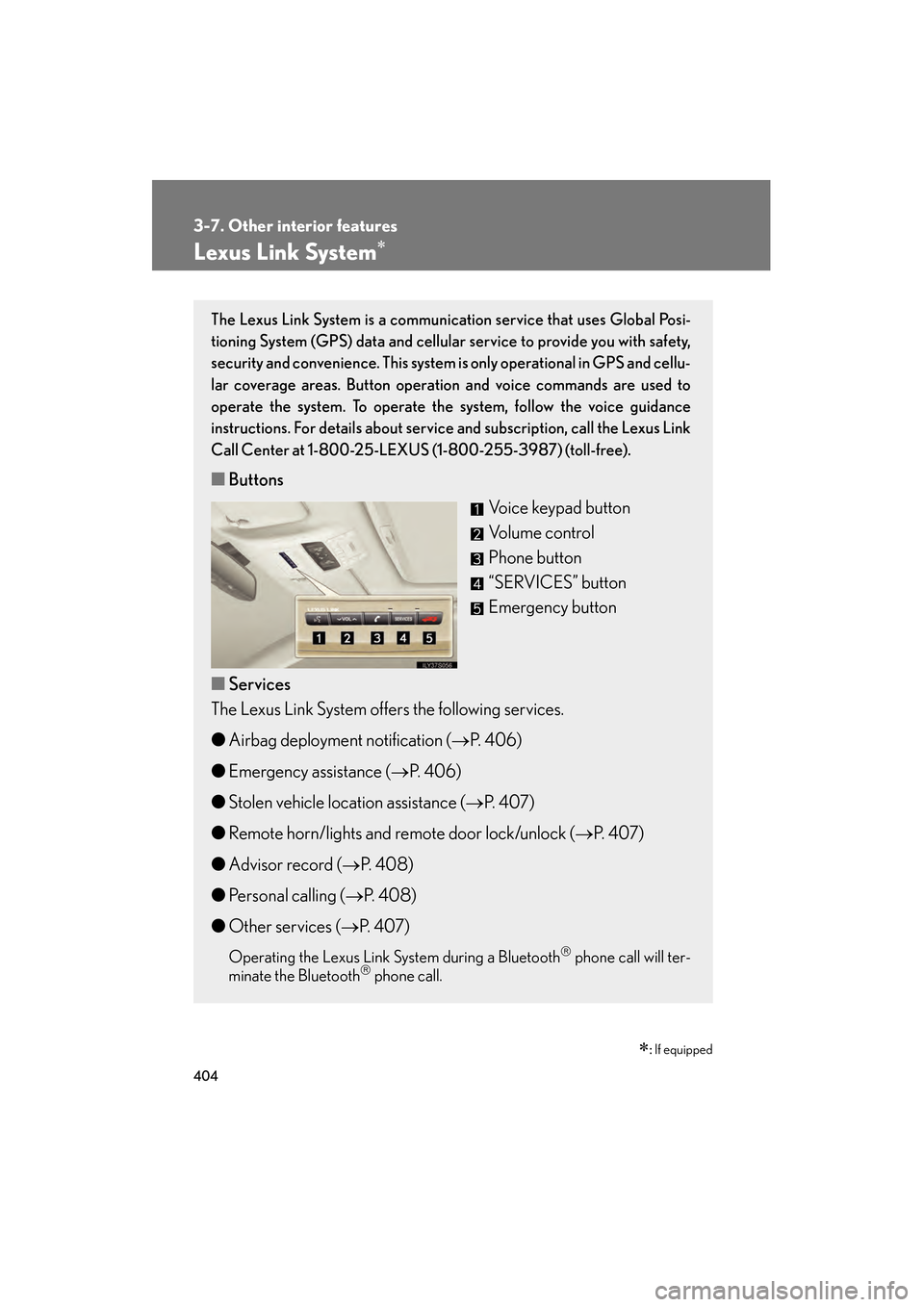
■ Buttons
Voice keypad button
Volume control
Phone button
“SERVICES” button
Emergency button
■ Services
The Lexus Link System offers the following services.
● Airbag deployment notification ( →P. 4 0 6 )
● Emergency assistance ( →P. 4 0 6 )
● Stolen vehicle location assistance ( →P. 4 0 7 )
● Remote horn/lights and remote door lock/unlock ( →P. 4 0 7 )
● Advisor record ( →P. 4 0 8 )
● Personal calling ( →P. 4 0 8 )
● Other services ( →P. 4 0 7 )
Operating the Lexus Link System during a Bluetooth phone call will ter-
minate the Bluetooth phone call.
GS450h_HV_U.book Page 404 Monday, April 27, 2009 10:10 AM
Page 407 of 622
406
3-7. Other interior features
GS_HV_U (OM30B44U)
April 27, 2009 10:09 am
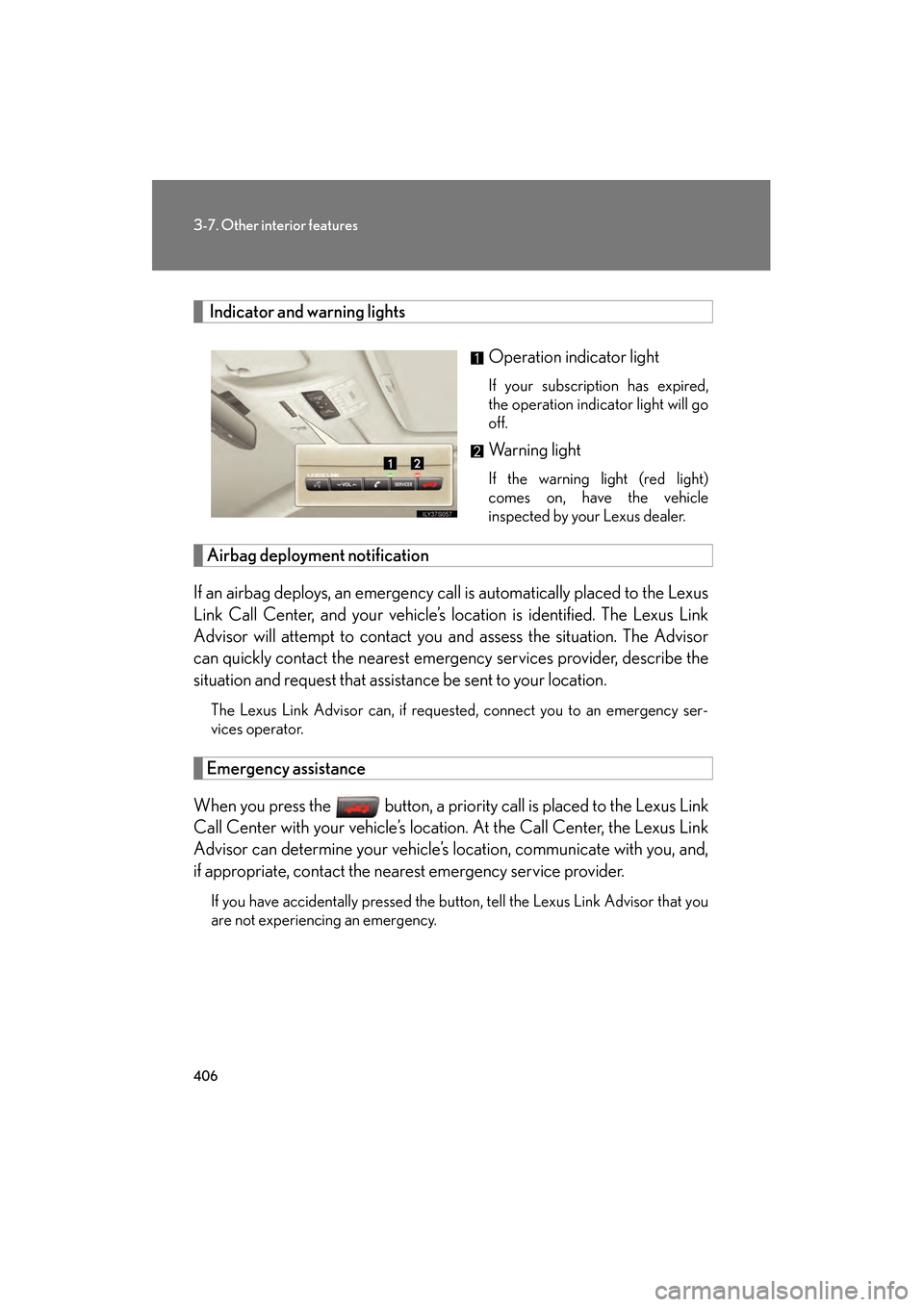
Indicator and warning lights
Operation indicator light
If your subscription has expired,
the operation indicator light will go
off.
Warning light
If the warning light (red light)
comes on, have the vehicle
inspected by your Lexus dealer.
Airbag deployment notification
If an airbag deploys, an emergency call is automatically placed to the Lexus
Link Call Center, and your vehicle’s location is identified. The Lexus Link
Advisor will attempt to contact you and assess the situation. The Advisor
can quickly contact the nearest emergency services provider, describe the
situation and request that assistance be sent to your location.
The Lexus Link Advisor can, if requested, connect you to an emergency ser-
vices operator.
Emergency assistance
When you press the button, a priority call is placed to the Lexus Link
Call Center with your vehicle’s location. At the Call Center, the Lexus Link
Advisor can determine your vehicle’s location, communicate with you, and,
if appropriate, contact the nearest emergency service provider.
If you have accidentally pressed the button, tell the Lexus Link Advisor that you
are not experiencing an emergency.
GS450h_HV_U.book Page 406 Monday, April 27, 2009 10:10 AM
Page 408 of 622
407
3-7. Other interior features
3
Interior features
GS_HV_U (OM30B44U)
April 27, 2009 10:09 am
Stolen vehicle location assistance
If your vehicle is stolen, call the Lexus Link Call Center at 1-800-25-
LEXUS (1-800-255-3987) (toll-free) and select the option for Lexus Link.
To protect subscribers’ privacy, the location of a vehicle will not be provided to
anyone other than a law enforcement authority.
Remote horn/lights and remote door lock/unlock
The remote operations are performed by contacting the Lexus Link Call
Center from the outside of the vehicle. When necessary, call the Lexus Link
Call Center at 1-800-25-LEXUS (1-800-255-3987) (toll-free) and
select the option for Lexus Link.
● In the case that you forget to lock the vehicle or you are locked out, the
Lexus Link Call Center can send a signal to lock or unlock the vehicle
remotely.
● In the case that you forget where you parked the vehicle, such as in a
large parking lot, the Lexus Link Call Center can send a signal to flash the
headlights and sound the horn to help you locate the vehicle.
When contacting the Lexus Link Call Center from the outside of the vehicle,
you need the Lexus Link PIN (Personal Identification Number). Write the PIN
down and carry it with you.
Other services
Press the button in the vehicle or call the Lexus Link Call Center at 1-
800-25-LEXUS (1-800-255-3987) (toll-free), and then select the option
for Lexus Link. The services provided will depend on the service plan level.
GS450h_HV_U.book Page 407 Monday, April 27, 2009 10:10 AM
Page 410 of 622
409
3-7. Other interior features
3
Interior features
GS_HV_U (OM30B44U)
April 27, 2009 10:09 am
Voice recognition error message:
•“Pardon” The system responds with this message if the system does not
recognize your voice command properly. Say the command slowly again.
After the third time this happens, the system will try to guess the command
you are requesting. If correct, say “Yes”. If not, say “No”, and the system will
prompt you with its next-best guess.
• “Slower please” The system responds with this message if you say a com-
mand before the system is ready to listen or if your voice command cannot
be recognized because of substantial background noise. Try to wait
slightly longer before speaking.
■ There are 5 ways to make a call.
Dialing a specific number
Press the button. When the system responds with “Lexus
Link ready”, say “Dial”.
When the system responds with “Phone number to dial please”,
say the entire number you wish to dial without pausing.
The system will repeat the number and ask “Yes or No”.
Say “Yes” (or “No” to try again).
The system responds with “Dialing” (your call will then be con-
nected).
Dialing digit-by-digit (“Digit Dial”)
“Digit Dial” enables you to dial a phone number by individual digit. This is
helpful when there is background noise and also improves voice recogni-
tion.
Press the button. When the system responds with “Lexus
Link ready”, say “Digit dial”.
When the system responds with “Digit please”, say the first digit
of the number to be dialed and wait for it to be repeated back to
you.
Continue one digit at a time until all digits are entered.
STEP1
STEP2
STEP3
STEP4
STEP5
STEP1
STEP2
STEP3
GS450h_HV_U.book Page 409 Monday, April 27, 2009 10:10 AM
Page 420 of 622
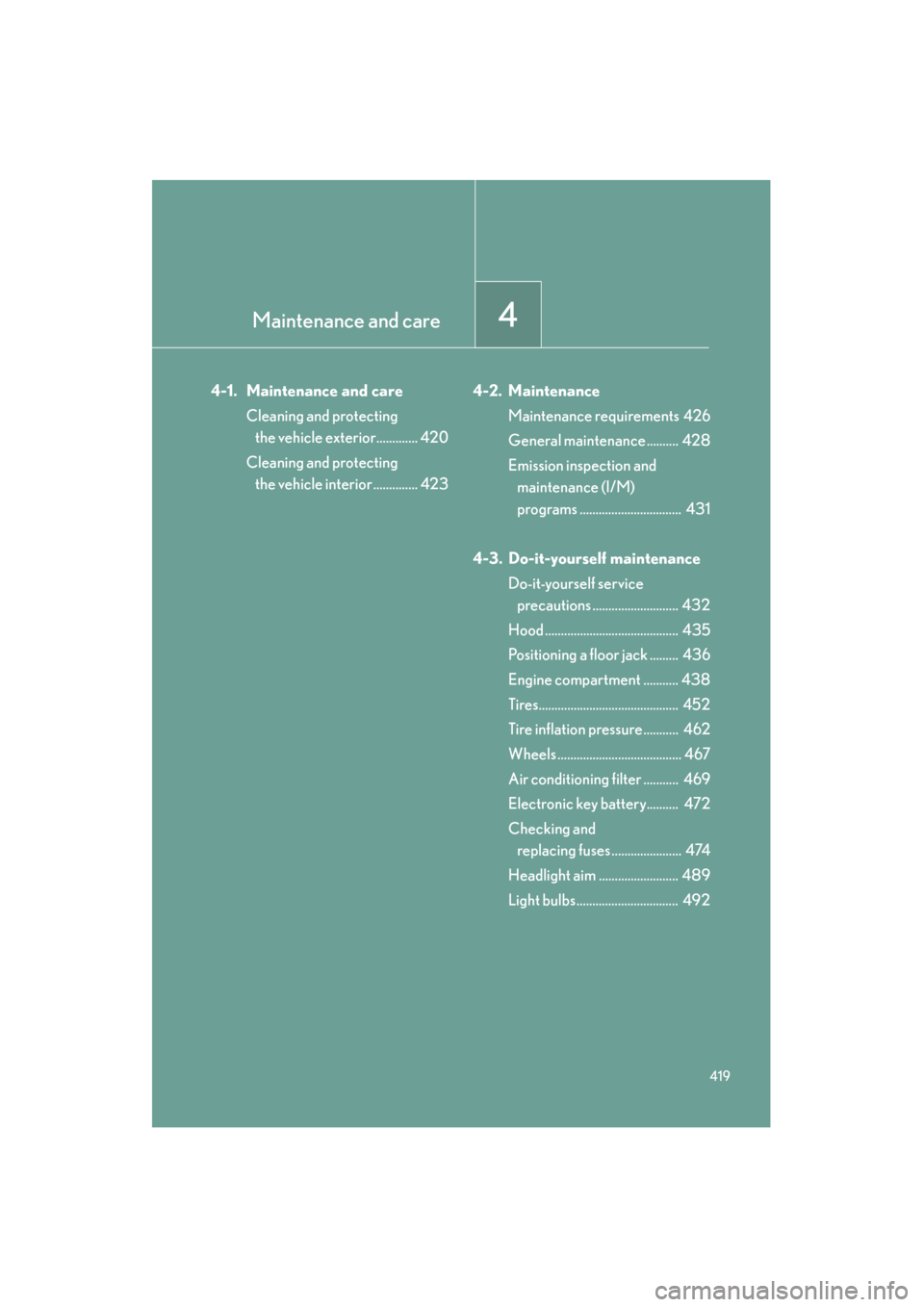
Maintenance and care4
419
GS_HV_U (OM30B44U)
April 27, 2009 10:09 am
4-1. Maintenance and careCleaning and protecting the vehicle exterior............. 420
Cleaning and protecting the vehicle interior .............. 423 4-2. Maintenance
Maintenance requirements 426
General maintenance .......... 428
Emission inspection and maintenance (I/M)
programs ................................ 431
4-3. Do-it-yourself maintenance Do-it-yourself service precautions ........................... 432
Hood .......................................... 435
Positioning a floor jack ......... 436
Engine compartment ........... 438
Tires............................................ 452
Tire inflation pressure........... 462
Wheels ....................................... 467
Air conditioning filter ........... 469
Electronic key battery.......... 472
Checking and replacing fuses ...................... 474
Headlight aim ......................... 489
Light bulbs................................ 492
GS450h_HV_U.book Page 419 Monday, April 27, 2009 10:10 AM