light Lexus GS450h 2009 Manual Online
[x] Cancel search | Manufacturer: LEXUS, Model Year: 2009, Model line: GS450h, Model: Lexus GS450h 2009Pages: 622
Page 227 of 622
226
2-4. Using other driving systems
GS_HV_U (OM30B44U)
April 27, 2009 10:09 am
CAUTION
■Handling the radar sensor
Observe the following to ensure the pre-collision system can function effectively.
●Keep the sensor and front grille clean at all times.
Clean the sensor and front grille with a soft cloth so you do not mark or damage
them.
●Do not subject the sensor or surrounding area to a strong impact.
If the sensor moves even slightly off position, the system may malfunction. If the
sensor or surrounding area are subject to a strong impact, always have the area
inspected and adjusted by a Lexus dealer.
●Do not disassemble the sensor.
●Do not attach accessories or stickers to the sensor, grille cover or surrounding
area.
●Do not modify or paint the sensor and grille.
■Limitations of the pre-collision system
Do not rely on the pre-collision system. Always drive safely, taking care to observe
your surroundings and checking for any obstacles or other road hazards.
GS450h_HV_U.book Page 226 Monday, April 27, 2009 10:10 AM
Page 240 of 622
Interior features3
239
GS_HV_U (OM30B44U)
April 27, 2009 10:09 am
3-3. Using the audio systemAudio system type................. 258
Using the radio......................... 261
Using the cassette player .... 270
Using the CD player .............. 274
Playing MP3 and WMA discs............................ 279
Using the DVD player.......... 283
Playing DVD video/audio .... 286
Playing video CD (with DVD player) .............. 298
CD/DVD player and DVD video disc information ...... 302
Optimal use of the
audio/video system .............. 314
Using the AUX adapter ........ 319
Using the steering switches................................. 320
3-4. Using the hands-free system (for cellular phone)
Hands-free system (for cellular phone) ............ 323
Using the Bluetooth
®
phone ..................................... 328
Setting the hands-free
system .................................... 343 3-5. Using the interior lights
Interior lights list .................... 369
3-6. Using the storage features List of storage features......... 372
3-7. Other interior features Sun visors ................................. 379
Vanity mirrors ......................... 380
Clock .......................................... 381
Outside temperature
display..................................... 382
Ashtrays.................................... 383
Cigarette lighter .................... 384
Power outlet ............................ 385
Seat heaters/ventilators ...... 386
Armrest .................................... 388
Rear sunshade ........................ 389
Floor mats ................................. 391
Trunk features ......................... 392
Garage door opener ............ 394
Compass .................................. 400
Lexus Link System ................. 404
GS450h_HV_U.book Page 239 Monday, April 27, 2009 10:10 AM
Page 243 of 622

242
3-1. Using the touch screen
GS_HV_U (OM30B44U)
April 27, 2009 10:09 am
The initial screenIf the “POWER” switch is set to
ACCESSORY or ON mode, the
initializing screen will be displayed
for a few seconds as the system
starts up.
■To avoid damaging the touch screen
●Touch the screen lightly with your finger. If there is no response, remove your fin-
ger from the screen and try again.
●Remove any dirt on the screen by wiping with a soft cloth. Do not use detergent.
■When using the touch screen
●If the screen is cold, the display may be dark, or the system may seem to be
operating slightly slower than normal.
●The screen may seem dark and hard to see when viewed through sunglasses.
Change your angle of viewing, adjust the display on the “Display” screen or
remove your sunglasses.
GS450h_HV_U.book Page 242 Monday, April 27, 2009 10:10 AM
Page 245 of 622

244
3-1. Using the touch screen
GS_HV_U (OM30B44U)
April 27, 2009 10:09 am
Adjusting the displayPress .
Adjust the display as desired using / and / .
If you do not touch the screen for 20 seconds, the system will return to
the previous screen.
With CD player
With DVD player
STEP1
STEP2
/ /
ColorRedGreen
To n eLighterDarker
ContrastWe a k e rStronger
BrightnessDarkerBrighter
GS450h_HV_U.book Page 244 Monday, April 27, 2009 10:10 AM
Page 246 of 622

245
3-1. Using the touch screen
3
Interior features
GS_HV_U (OM30B44U)
April 27, 2009 10:09 am
■“Day Mode”
■To turn off the picture display
If is touched, the screen display is turned off, and guidance is by voice only.When the headlights are turned on, the
screen dims. However the screen can be
switched to “Day Mode”.
The screen will stay in “Day Mode” when
the headlights are turned on until is
touched again.
If the instrument panel light control is set to
“MAX”, “Day Mode” is not displayed.
GS450h_HV_U.book Page 245 Monday, April 27, 2009 10:10 AM
Page 249 of 622
248
GS_HV_U (OM30B44U)
April 27, 2009 10:09 am
3-2. Using the air conditioning system and defogger
Automatic air conditioning system
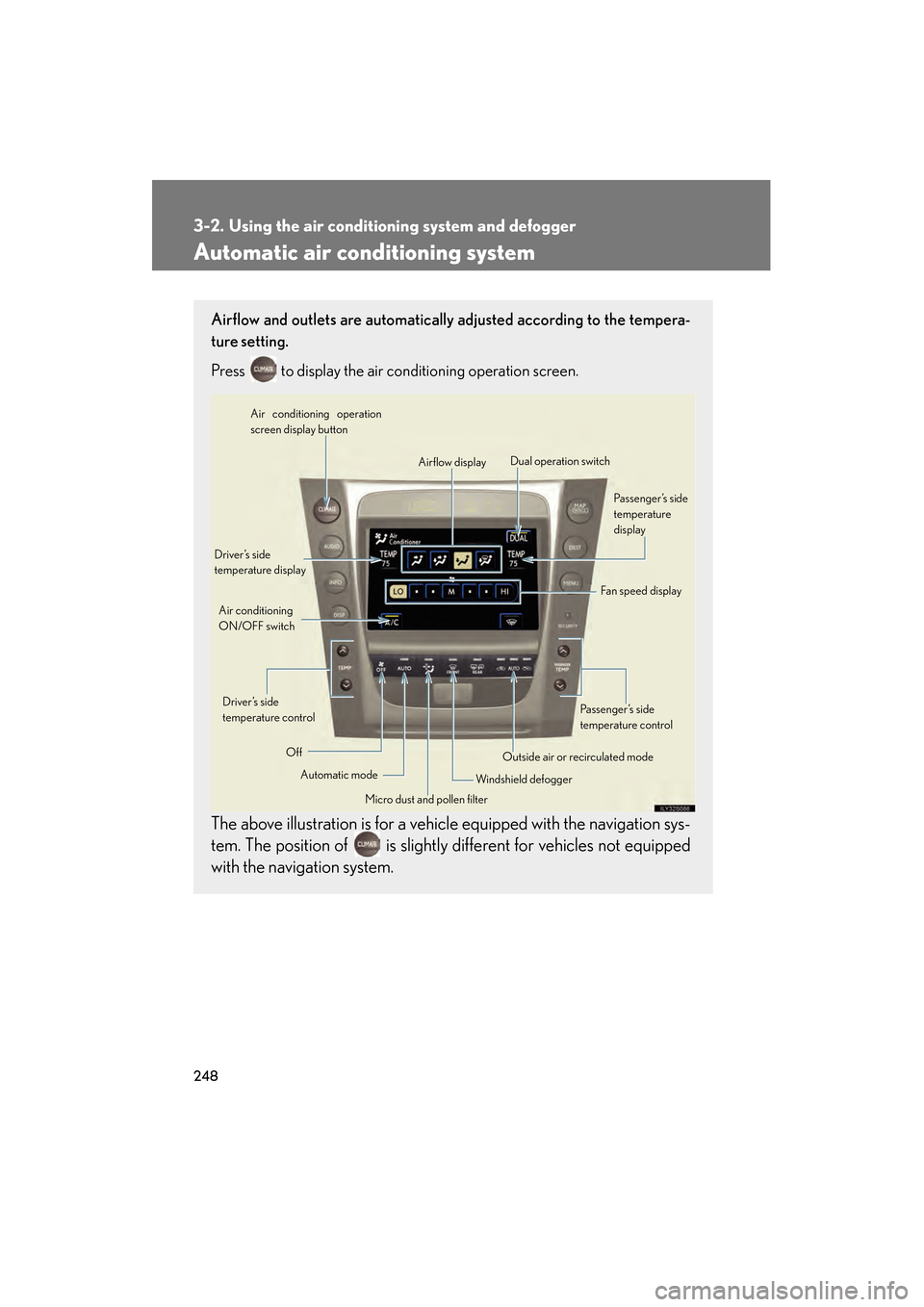
Airflow and outlets are automatically adjusted according to the tempera-
ture setting.
Press
to display the air conditioning operation screen.
The above illustration is for a vehicle equipped with the navigation sys-
tem. The position of is slightly different for vehicles not equipped
with the navigation system.
Automatic mode
Driver’s side
temperature display
Fan speed display
Off Airflow display
Air conditioning operation
screen display button
Passenger’s side
temperature
display
Micro dust and pollen filter
Driver’s side
temperature control
Air conditioning
ON/OFF switch
Outside air or recirculated mode
Windshield defogger Passenger’s side
temperature control
Dual operation switch
GS450h_HV_U.book Page 248 Monday, April 27, 2009 10:10 AM
Page 259 of 622
258
GS_HV_U (OM30B44U)
April 27, 2009 10:09 am
3-3. Using the audio system
Audio system type
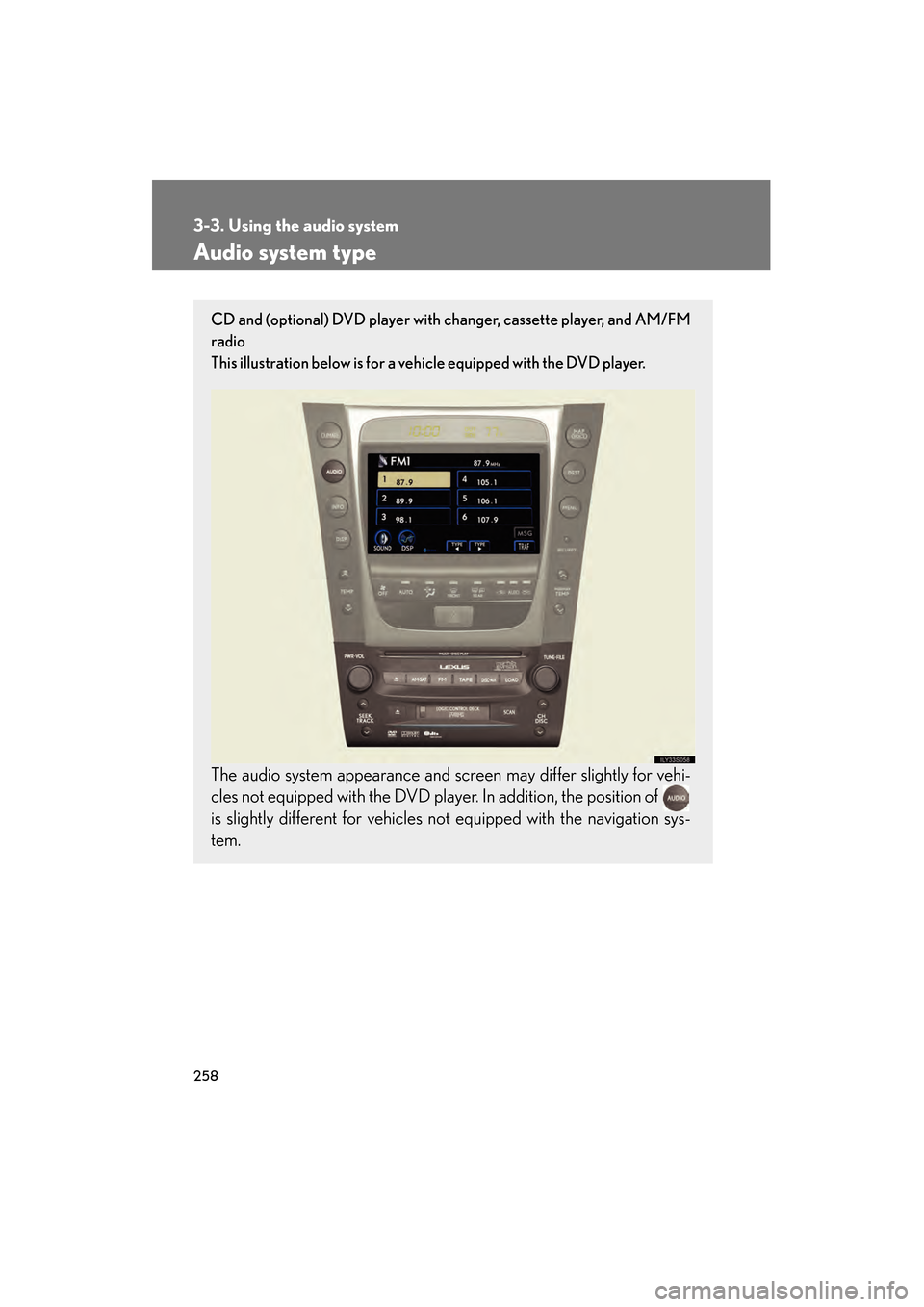
CD and (optional) DVD player with changer, cassette player, and AM/FM
radio
This illustration below is for a vehicle equipped with the DVD player.
The audio system appearance and screen may differ slightly for vehi-
cles not equipped with the DVD player. In addition, the position of
is slightly different for vehicles not equipped with the navigation sys-
tem.
GS450h_HV_U.book Page 258 Monday, April 27, 2009 10:10 AM
Page 274 of 622
273
3-3. Using the audio system
3
Interior features
GS_HV_U (OM30B44U)
April 27, 2009 10:09 am
■Cleaning the cassette player
Cassette player components (heads, capstan, pinch rollers) should be cleaned at
least once a month using a cleaning tape to remove dirt and dust that can easily
build up.
■Using long playing cassette tapes
Avoid using tapes with a length of more than 90 minutes, as the tape used is very
thin and may become tangled in the cassette player.
NOTICE
■Cassette tapes that cannot be used
Do not use a cassette tape if it has been damaged or tangled or if its label is peeling
off. Such tapes may affect playing speed and may also get stuck in the player.
■Cassette player precautions
●Store cassette tapes away from direct sunlight.
●Do not insert anything other than cassette tapes into the cassette player.
●Do not apply oil to the cassette player.
GS450h_HV_U.book Page 273 Monday, April 27, 2009 10:10 AM
Page 312 of 622
311
3-3. Using the audio system
3
Interior features
GS_HV_U (OM30B44U)
April 27, 2009 10:09 am
●It may not be possible to play discs recorded on a personal computer depend-
ing on the application settings and the environment. Record with the correct
format. (For details, contact the appropriate application manufacturers of the
applications.)
●CD-R/CD-RW discs may be damaged by direct exposure to sunlight, high
temperatures or other storage conditions. The unit may be unable to play dam-
aged discs.
●If you insert a CD-RW disc into the MP3/WMA player, playback will begin
more slowly than with a conventional CD or CD-R disc.
●Recordings on CD-R/CD-RW cannot be played using the DDCD (Double
Density CD) system.
CAUTION
■DVD video precaution
Conversational speech on some DVDs is recorded at a low volume to emphasize
the impact of sound effects. If you adjust the volume assuming that the conversa-
tions represent the maximum volume level that the DVD will play, you may be star-
tled by louder sound effects or when you change to a different audio source.
Loud sounds may have a significant impact on the human body or pose a driving
hazard. Keep this in mind when you adjust the volume.
GS450h_HV_U.book Page 311 Monday, April 27, 2009 10:10 AM
Page 314 of 622
313
3-3. Using the audio system
3
Interior features
GS_HV_U (OM30B44U)
April 27, 2009 10:09 am
NOTICE
■Player precautions
Failure to follow the precautions below may result in damage to the discs or the
player itself.
●Do not insert anything other than discs into the disc slot.
●Do not apply oil to the player.
●Store discs away from direct sunlight.
●Never try to disassemble any part of the player.
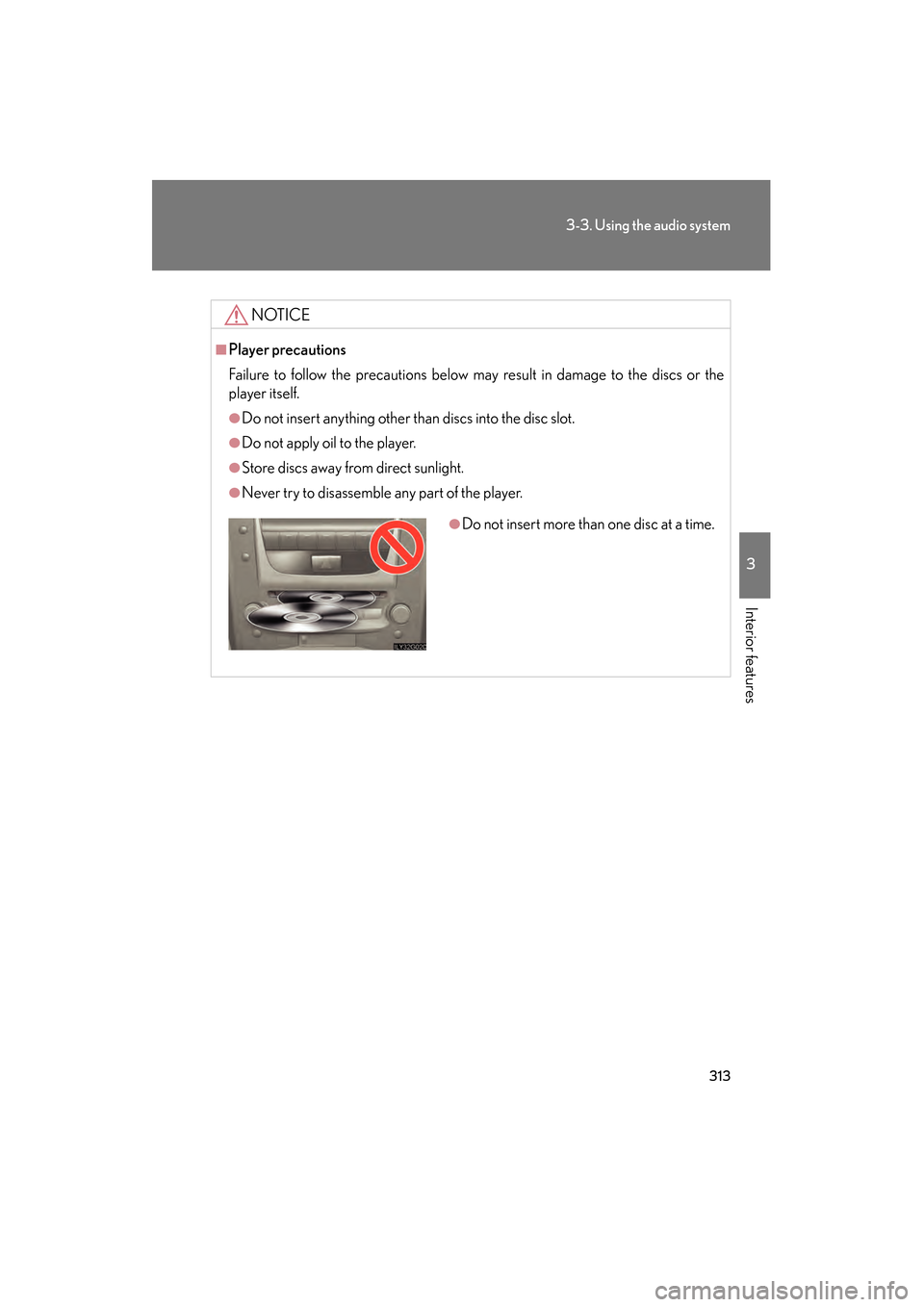
●Do not insert more than one disc at a time.
GS450h_HV_U.book Page 313 Monday, April 27, 2009 10:10 AM