audio Lexus GS450h 2013 User Guide
[x] Cancel search | Manufacturer: LEXUS, Model Year: 2013, Model line: GS450h, Model: Lexus GS450h 2013Pages: 862, PDF Size: 19.06 MB
Page 331 of 862
330
GS450h_U (OM30D01U)
5-1. Remote Touch screen
Remote Touch screen
By using the Remote Touch, you can control the audio system and air
conditioning system, and adjust the screen display etc.
Vehicles with a navigation system: Different information can be dis-
played on the left and right of the screen. The 8-inch display area on the
left of the screen is called the “Mai n Display”, and the area to the right is
called the “Side Display”. For detail s, refer to the “Navigation System
Owner’s Manual”.
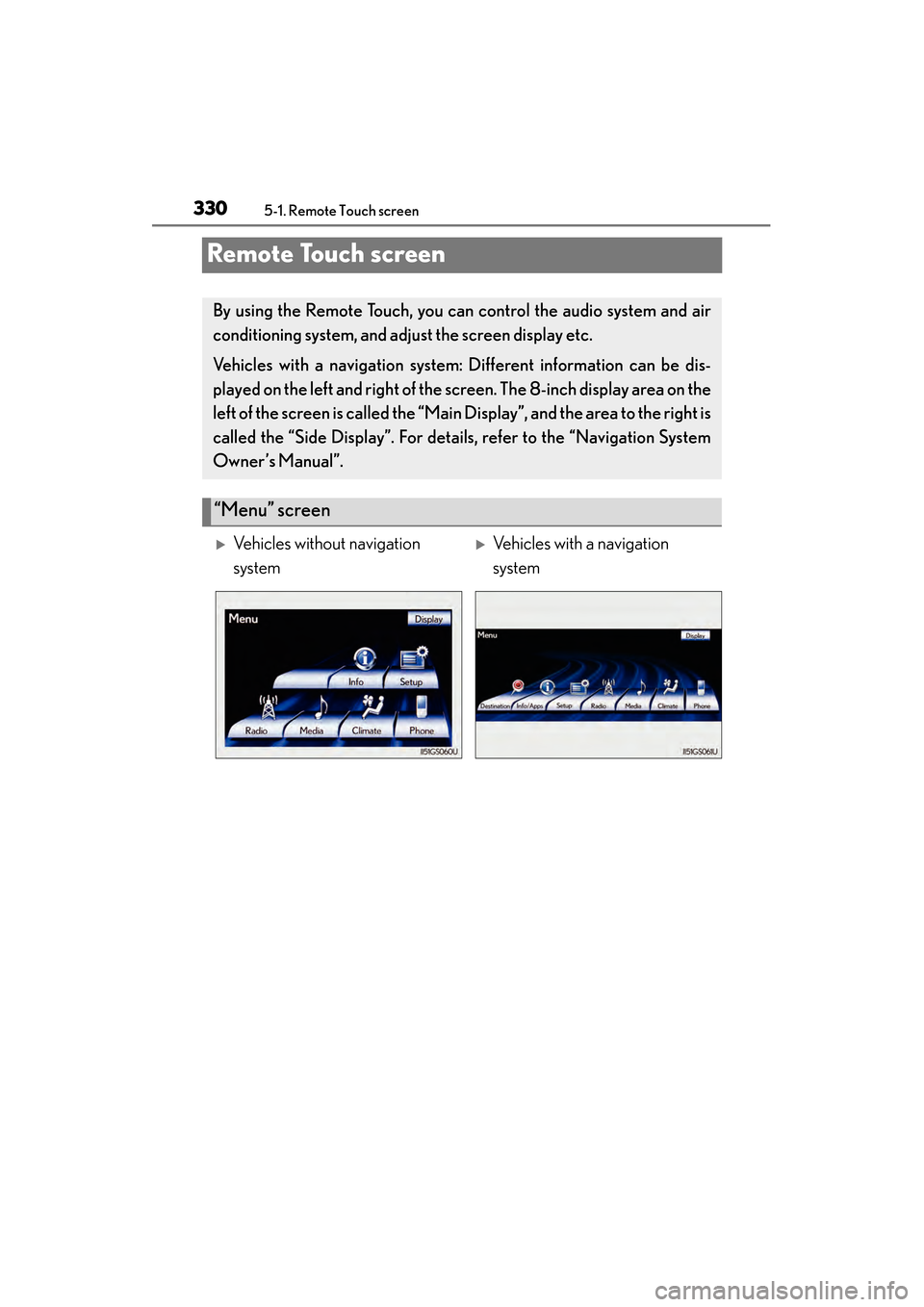
“Menu” screen
XVehicles without navigation
systemXVehicles with a navigation
system
GS450h_U.book Page 330 Monday, January 23, 2012 10:20 AM
Page 333 of 862
3325-1. Remote Touch screen
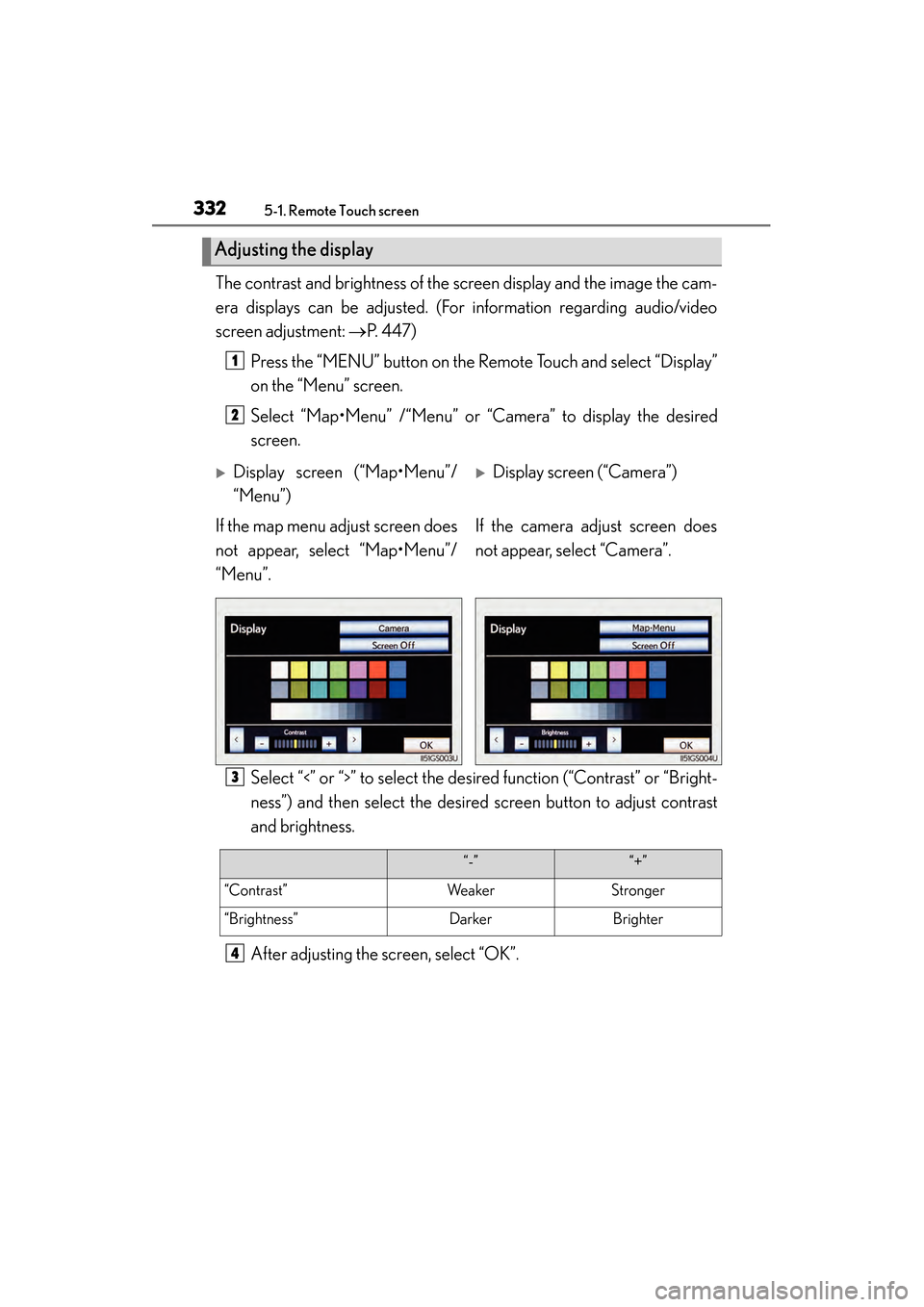
GS450h_U (OM30D01U)The contrast and brightness of the screen display and the image the cam-
era displays can be adjusted. (For information regarding audio/video
screen adjustment:
→P. 4 4 7 )
Press the “MENU” button on the Remote Touch and select “Display”
on the “Menu” screen.
Select “Map•Menu” /“Menu” or “Camera” to display the desired
screen.
Select “<” or “>” to select the desired function (“Contrast” or “Bright-
ness”) and then select the desired screen button to adjust contrast
and brightness.
After adjusting the screen, select “OK”.
Adjusting the display
1
2
XDisplay screen (“Map•Menu”/
“Menu”)XDisplay screen (“Camera”)
If the map menu adjust screen does
not appear, select “Map•Menu”/
“Menu”. If the camera adjust screen does
not appear, select “Camera”.
3
“-”“+”
“Contrast”WeakerStronger
“Brightness”DarkerBrighter
4
GS450h_U.book Page 332 Monday, January 23, 2012 10:20 AM
Page 348 of 862
GS450h_U (OM30D01U)
3475-1. Remote Touch screen
5
Interior features
■Delete personal data
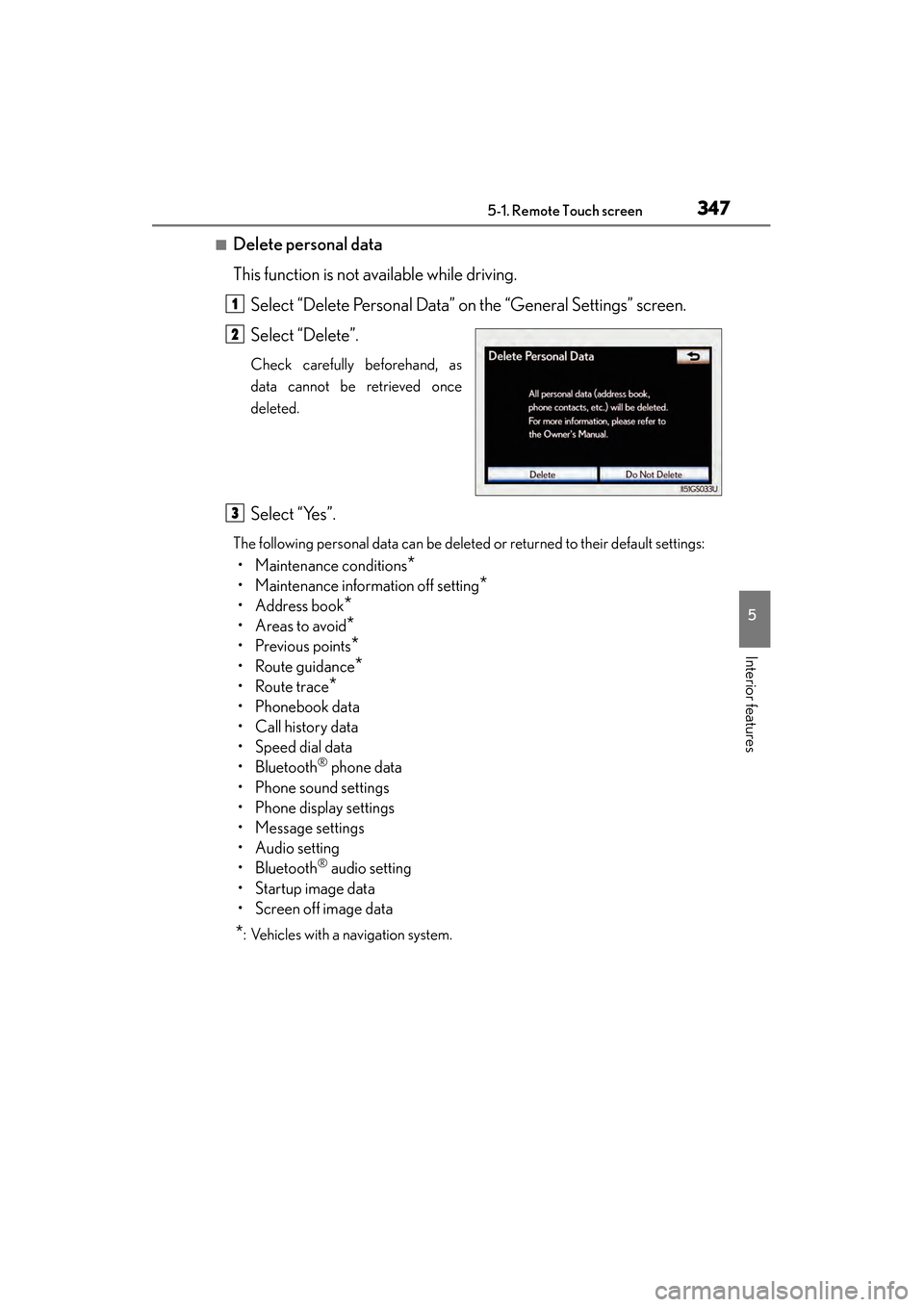
This function is not available while driving.Select “Delete Personal Data” on the “General Settings” screen.
Select “Delete”.
Check carefully beforehand, as
data cannot be retrieved once
deleted.
Select “Yes”.
The following personal data can be deleted or returned to their default settings:
• Maintenance conditions*
• Maintenance information off setting*
• Address book*
•Areas to avoid*
•Previous points*
• Route guidance*
•Route trace*
• Phonebook data
•Call history data
• Speed dial data
•Bluetooth
® phone data
• Phone sound settings
• Phone display settings
• Message settings
• Audio setting
•Bluetooth
® audio setting
•Startup image data
• Screen off image data
*: Vehicles with a navigation system.
1
2
3
GS450h_U.book Page 347 Monday, January 23, 2012 10:20 AM
Page 350 of 862
GS450h_U (OM30D01U)
3495-1. Remote Touch screen
5
Interior features
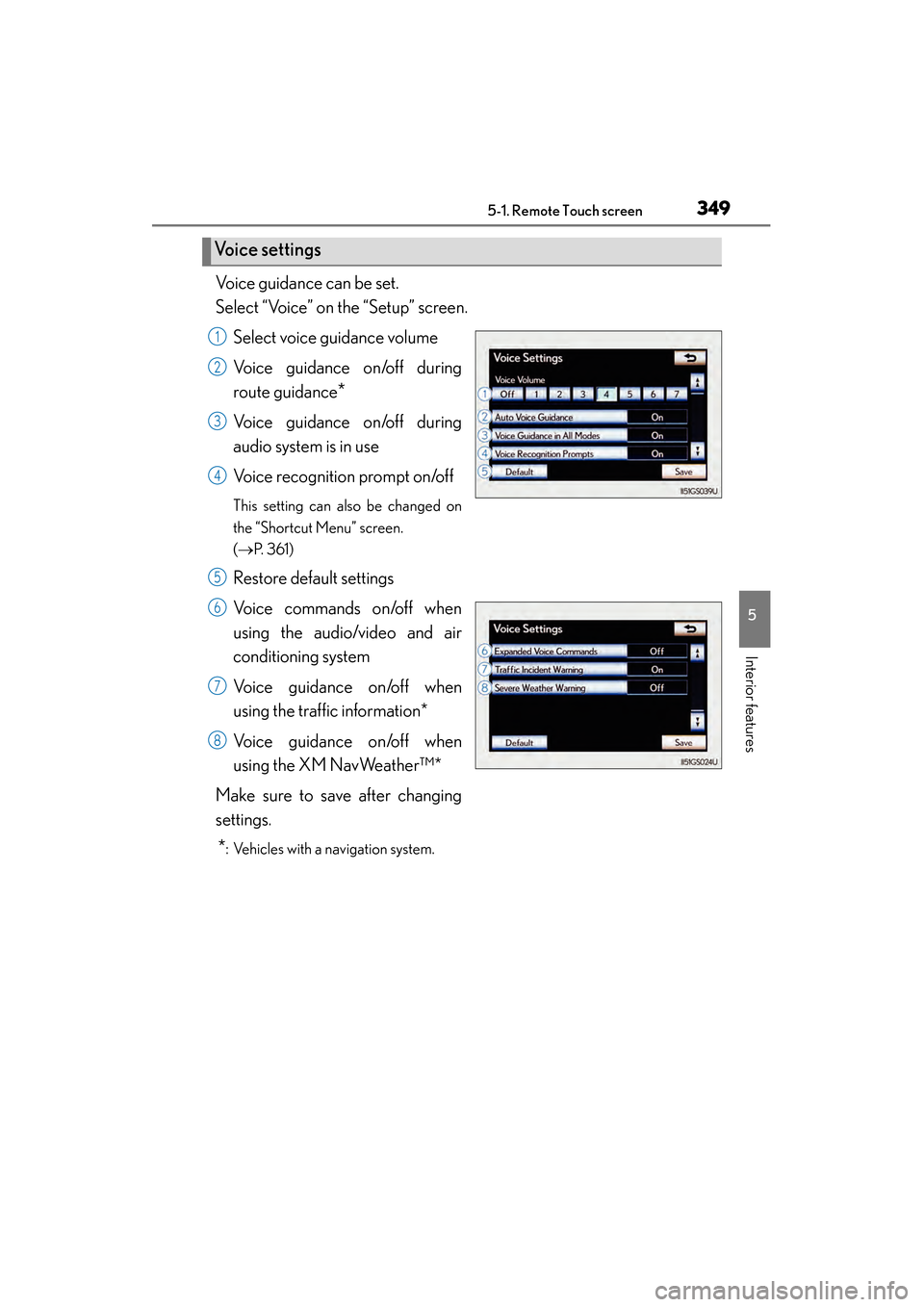
Voice guidance can be set.
Select “Voice” on the “Setup” screen.Select voice guidance volume
Voice guidance on/off during
route guidance
*
Voice guidance on/off during
audio system is in use
Voice recognition prompt on/off
This setting can also be changed on
the “Shortcut Menu” screen.
(→ P. 3 6 1 )
Restore default settings
Voice commands on/off when
using the audio/video and air
conditioning system
Voice guidance on/off when
using the traffic information*
Voice guidance on/off when
using the XM NavWeather™*
Make sure to save after changing
settings.
*: Vehicles with a navigation system.
Vo i c e s e t t i n g s
1
2
3
4
5
6
7
8
GS450h_U.book Page 349 Monday, January 23, 2012 10:20 AM
Page 353 of 862
3525-1. Remote Touch screen
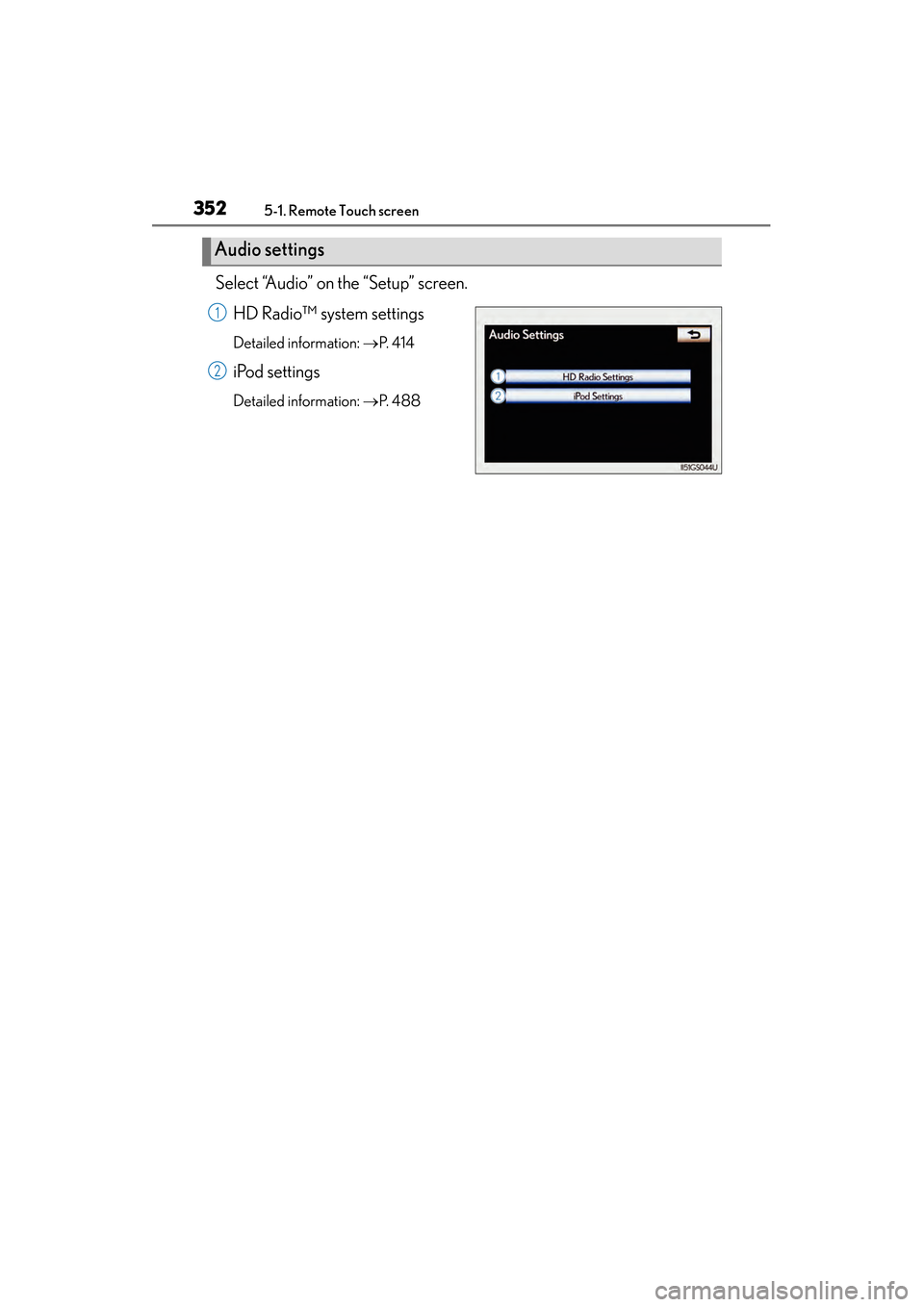
GS450h_U (OM30D01U)Select “Audio” on the “Setup” screen.
HD Radio™ system settings
Detailed information: →P. 4 1 4
iPod settings
Detailed information: →P. 4 8 8
Audio settings
1
2
GS450h_U.book Page 352 Monday, January 23, 2012 10:20 AM
Page 354 of 862
353
GS450h_U (OM30D01U)5-1. Remote Touch screen
5
Interior features
Voice command system
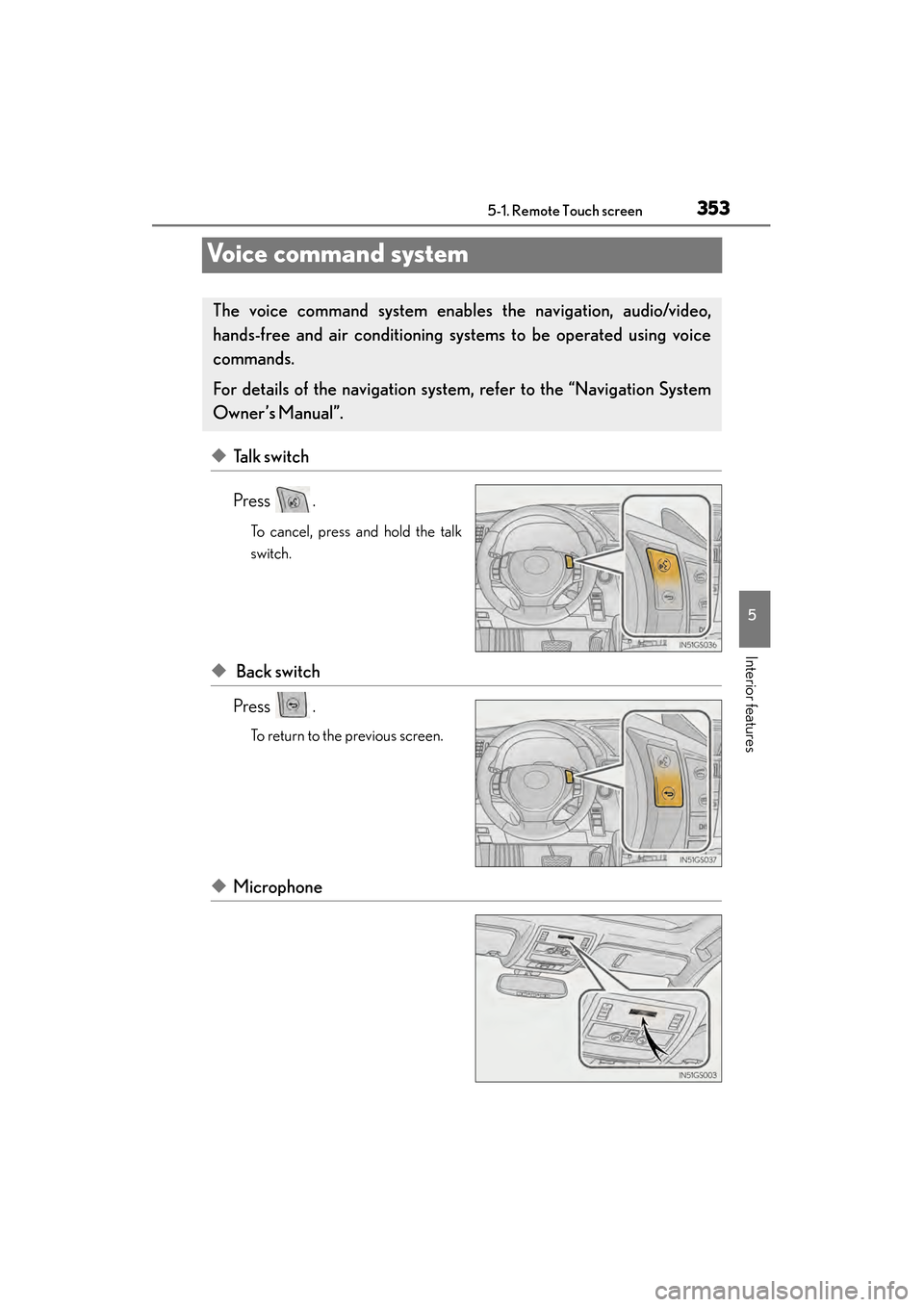
◆Talk switch
Press .
To cancel, press and hold the talk
switch.
◆ Back switch
Press .
To return to the previous screen.
◆Microphone
The voice command sys tem enables the navigation, audio/video,
hands-free and air conditioning sys tems to be operated using voice
commands.
For details of the navigation system , refer to the “Navigation System
Owner’s Manual”.
GS450h_U.book Page 353 Monday, January 23, 2012 10:20 AM
Page 358 of 862
GS450h_U (OM30D01U)
3575-1. Remote Touch screen
5
Interior features
Selecting “On” next to “Expanded Voice Commands” on the “Voice Set-
tings” screen enables voice command operation of the audio/video and
air conditioning system. ( →P. 3 4 9 )
For more information on operations that can be controlled using
expanded voice commands, refer to “Command list”. ( →P. 3 5 8 )
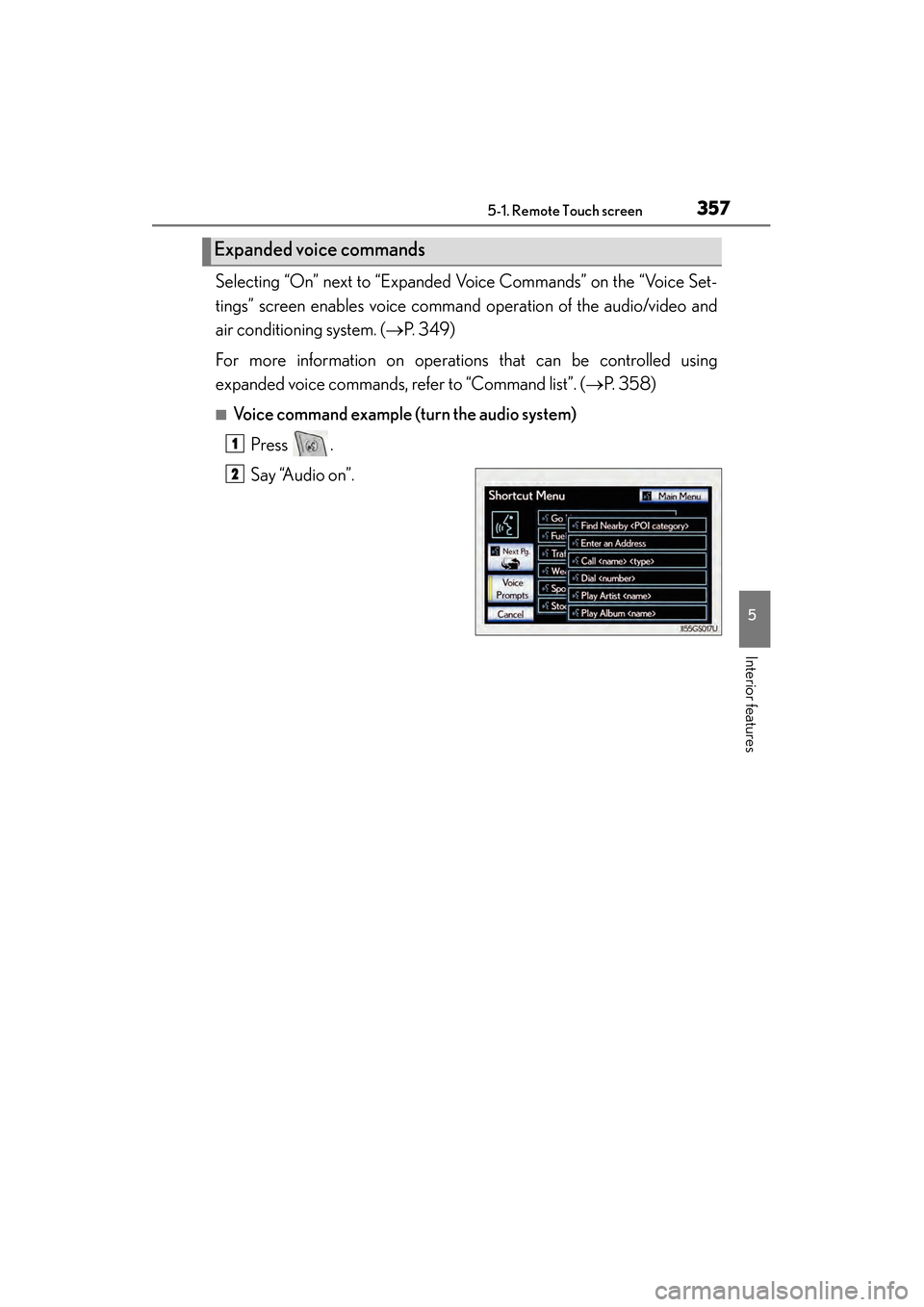
■Voice command example (t urn the audio system)
Press .
Say “Audio on”.
Expanded voice commands
1
2
GS450h_U.book Page 357 Monday, January 23, 2012 10:20 AM
Page 361 of 862
3605-1. Remote Touch screen
GS450h_U (OM30D01U)
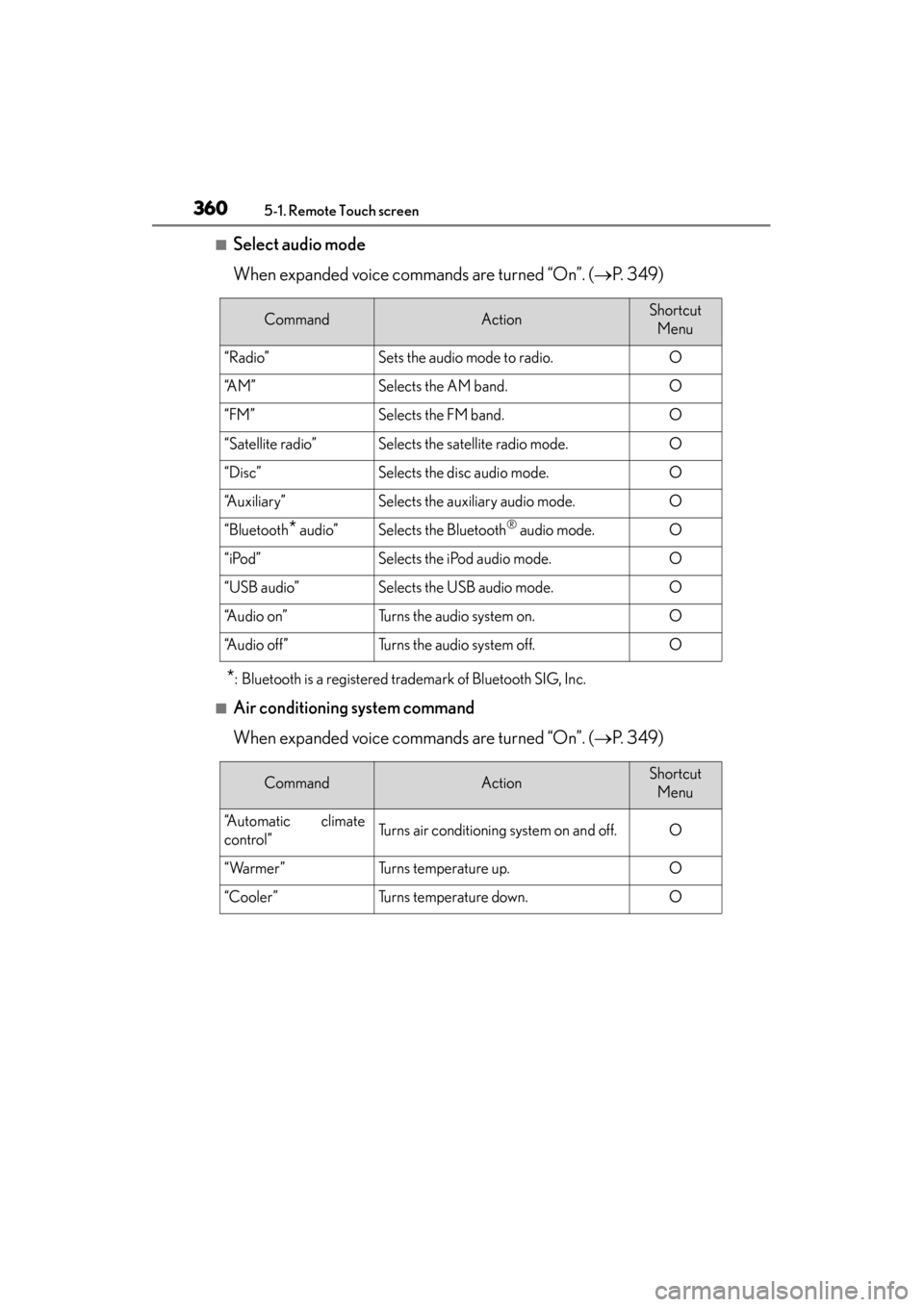
■Select audio mode
When expanded voice commands are turned “On”. (→P. 3 4 9 )
*: Bluetooth is a registered trademark of Bluetooth SIG, Inc.
■Air conditioning system command
When expanded voice commands are turned “On”. ( →P. 3 4 9 )
CommandActionShortcut
Menu
“Radio”Sets the audio mode to radio.O
“A M ”Selects the AM band.O
“FM”Selects the FM band.O
“Satellite radio”Selects the satellite radio mode.O
“Disc”Selects the disc audio mode.O
“Auxiliary”Selects the auxiliary audio mode.O
“Bluetooth* audio”Selects the Bluetooth® audio mode.O
“iPod”Selects the iPod audio mode.O
“USB audio”Selects the USB audio mode.O
“A u d i o o n ”Turns the audio system on.O
“Audio off”Turns the audio system off.O
CommandActionShortcut Menu
“Automatic climate
control”Turns air conditioning system on and off.O
“Warmer”Turns temperature up.O
“Cooler”Turns temperature down.O
GS450h_U.book Page 360 Monday, January 23, 2012 10:20 AM
Page 364 of 862
GS450h_U (OM30D01U)
3635-1. Remote Touch screen
5
Interior features
■Natural speech information
●The “Use the Phone” and “Play Music” commands displayed on the “Shortcut
Menu” screen can be operated using natural language speech recognition tech-
nology.
●If the command cannot be recognized completely, the command input screen will
be displayed. (Search results will be shown based on the part of the command that
was recognized.)
■When turning the audio system or air conditioning system on
●Commands relating to operation of the audio/video and air conditioning systems
can only be performed when the audio/video and air conditioning systems are
turned on.
●Expanded voice commands can be recognized when the “Shortcut Menu” screen
is displayed.
■The Gracenote® media database
Music recognition technology and related data are provided by Gracenote
®.
Gracenote is the industry standard in music recognition technology and related
content delivery. For more information visit www.gracenote.com
.
GS450h_U.book Page 363 Monday, January 23, 2012 10:20 AM
Page 387 of 862
386
GS450h_U (OM30D01U)
5-3. Using the audio system
Audio system type
CD and DVD player with AM/FM radio
Vehicles with a navigation system: The audio fun ctions can be displayed
and operated on the “Side Display”. For details, refer to the “Navigation
System Owner’s Manual”.
XUsing the instrument panel
Press the “RADIO” or “MEDIA” button to display the audio control
screen.
XUsing the Remote Touch
Press the “MENU” button on the Remote Touch, select “Radio” or
“Media” and select each tab to display the audio control screen.
GS450h_U.book Page 386 Monday, January 23, 2012 10:20 AM