trans Lexus GS450h 2013 Service Manual
[x] Cancel search | Manufacturer: LEXUS, Model Year: 2013, Model line: GS450h, Model: Lexus GS450h 2013Pages: 862, PDF Size: 19.06 MB
Page 603 of 862
602
GS450h_U (OM30D01U)
5-7. Other interior features
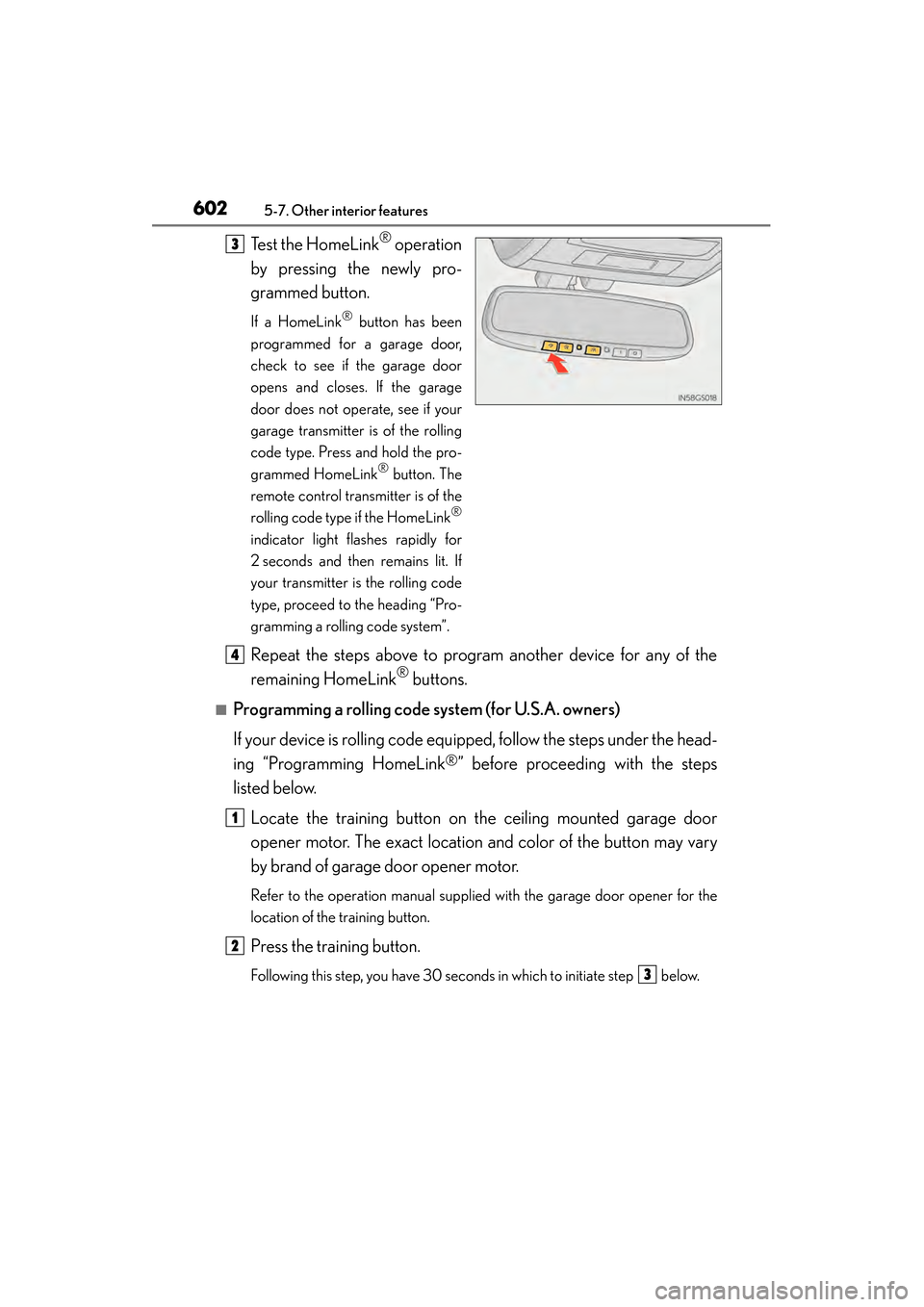
Test the HomeLink® operation
by pressing the newly pro-
grammed button.
If a HomeLink® button has been
programmed for a garage door,
check to see if the garage door
opens and closes. If the garage
door does not operate, see if your
garage transmitter is of the rolling
code type. Press and hold the pro-
grammed HomeLink
® button. The
remote control transmitter is of the
rolling code type if the HomeLink
®
indicator light flashes rapidly for
2 seconds and then remains lit. If
your transmitter is the rolling code
type, proceed to the heading “Pro-
gramming a rolling code system”.
Repeat the steps above to program another device for any of the
remaining HomeLink
® buttons.
■Programming a rolling code system (for U.S.A. owners)
If your device is rolling code equipped, follow the steps under the head-
ing “Programming HomeLink
®” before proceeding with the steps
listed below.
Locate the training button on the ceiling mounted garage door
opener motor. The exact location and color of the button may vary
by brand of garage door opener motor.
Refer to the operation manual supplied with the garage door opener for the
location of the training button.
Press the training button.
Following this step, you have 30 seconds in which to initiate step below.
3
4
1
2
3
GS450h_U.book Page 602 Monday, January 23, 2012 10:20 AM
Page 604 of 862
GS450h_U (OM30D01U)
6035-7. Other interior features
5
Interior features
Press and hold the vehicle’s programmed HomeLink® button for
2 seconds and release it. Repeat this step once again. The garage
door may open.
If the garage door opens, the programming process is complete. If the door
does not open, press and release the button a third time. This third press and
release will complete the programming process by opening the garage door.
The ceiling mounted garage door opener motor should now recognize the
HomeLink
® signal and operate the garage door.
Repeat the steps above to program another rolling code system for
any of the remaining HomeLink
® buttons.
■Programming an entry gate (for U.S.A. owners)/Programming a
devices in the Canadian market
Place the remote control transmit ter 1 to 3 in. (25 to 75 mm) away
from the HomeLink
® buttons.
Keep the HomeLink® indicator light in view while programming.
Press and hold the selected HomeLink® button.
Repeatedly press and release (cycle) the remote control transmitter
for 2 seconds each until step is completed.
When the HomeLink
® indicator light starts to flash rapidly, release
the buttons.
Test the HomeLink
® operation by pressing the newly programmed
button. Check to see if the gate/device operates correctly.
Repeat the steps above to program another device for any of the
remaining HomeLink
® buttons.
■Programming other devices
To program other devices such as home security systems, home door
locks and lighting, contact your Lexus dealer for assistance.
■Reprogramming a button
The individual HomeLink
® buttons cannot be erased but can be repro-
grammed. To reprogram a button, follow the “Reprogramming a
HomeLink
® button” instructions.
3
4
1
2
3
4
4
5
6
GS450h_U.book Page 603 Monday, January 23, 2012 10:20 AM
Page 605 of 862
604
GS450h_U (OM30D01U)
5-7. Other interior features
Press the appropriate HomeLink® button. The HomeLink® indicator light
should come on.
The HomeLink® compatible transceiver in your vehicle continues to send a sig-
nal for up to 20 seconds as long as the button is pressed.
Press and hold the desired HomeLink® button. After 20 seconds, the
HomeLink
® indicator light will start flashing slowly. Keep pressing the
HomeLink
® button and press and hold the transmitter button until the
HomeLink
® indicator light changes from a slow to a rapid flash. Release
the buttons.
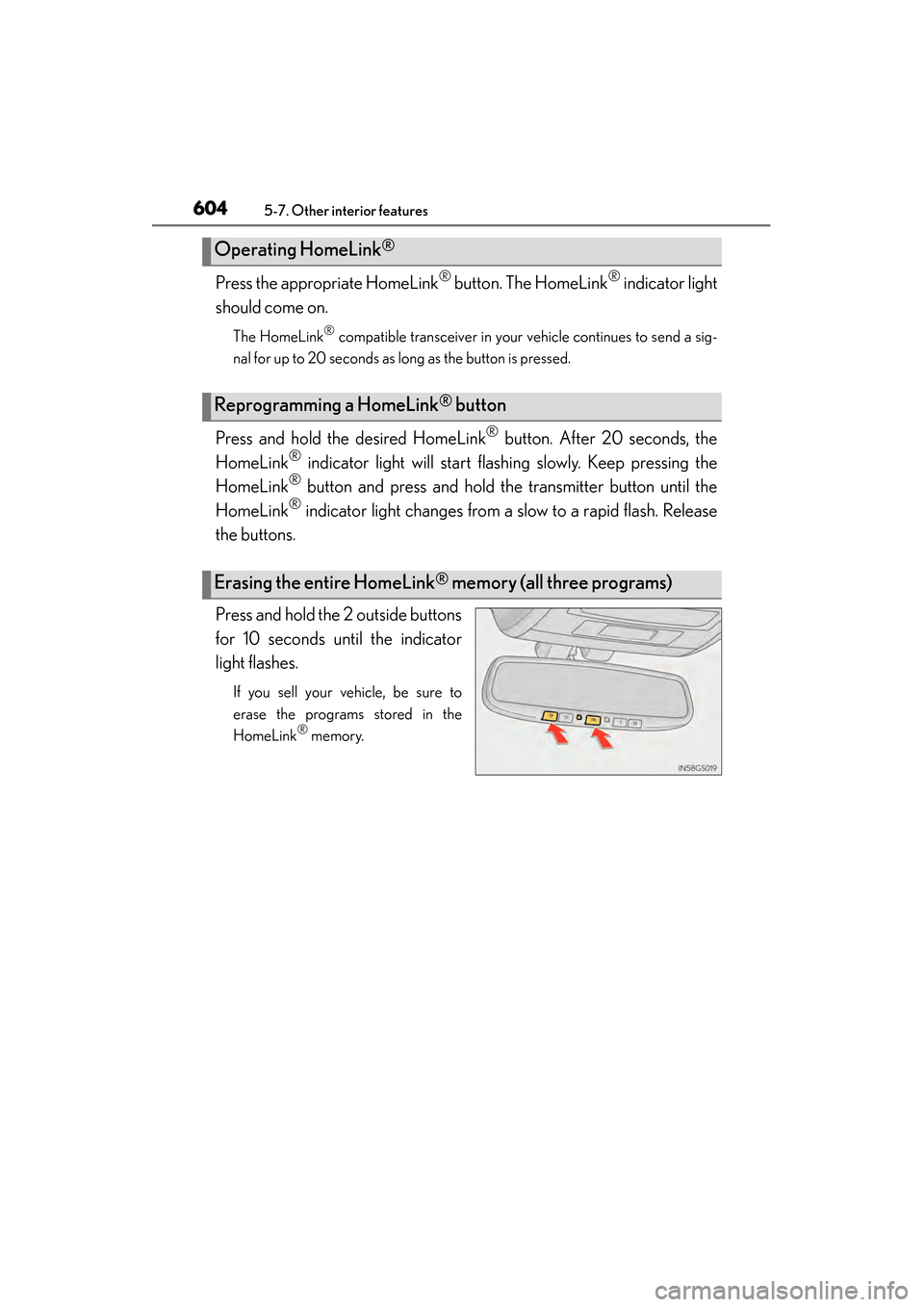
Press and hold the 2 outside buttons
for 10 seconds until the indicator
light flashes.
If you sell your vehicle, be sure to
erase the programs stored in the
HomeLink
® memory.
Operating HomeLink®
Reprogramming a HomeLink® button
Erasing the entire HomeLink® memory (all three programs)
GS450h_U.book Page 604 Monday, January 23, 2012 10:20 AM
Page 606 of 862
GS450h_U (OM30D01U)
6055-7. Other interior features
5
Interior features
■Before programming
●Install a new battery in the remote control transmitter.
●The battery side of the remote control transmitter must be pointed away from the
HomeLink
® button.
■Certification for the garage door opener
XFor vehicles sold in the U.S.A.
FCC ID: NZLOBIHL4
NOTE:
This device complies with Part 15 of the FCC Rules. Operation is subject to the fol-
lowing two conditions: (1) this device may not cause harmful interference, and (2)
this device must accept any interference received, including interference that may
cause undesired operation.
FCC WARNING:
Changes or modifications not expressly approved by the party responsible for com-
pliance could void the user’s authority to operate the equipment.
XFor vehicles sold in Canada
NOTE:
Operation is subject to the following two conditions:
(1) this device may not cause interference, and
(2) this device must accept any interference, including interference that may cause
undesired operation.
■When support is necessary
Visit on the web at www.homelink.com
or call 1-800-355-3515.
GS450h_U.book Page 605 Monday, January 23, 2012 10:20 AM
Page 607 of 862
606
GS450h_U (OM30D01U)
5-7. Other interior features
CAUTION
■When programming a garage door or other remote control device
The garage door or other device may operate, so ensure people and objects are
out of danger to prevent potential harm.
■Conforming to federal safety standards
Do not use the HomeLink
® compatible transceiver with any garage door opener
or device that lacks safety stop and reverse features as required by federal safety
standards.
This includes any garage door that cannot detect an interfering object. A door or
device without these features increases the risk of death or serious injury.
GS450h_U.book Page 606 Monday, January 23, 2012 10:20 AM
Page 613 of 862
612
GS450h_U (OM30D01U)
5-7. Other interior features
Important! Read this information before using Safety Connect.
■Exposure to radio frequency signals
The Safety Connect system installed in your vehicle is a low-power
radio transmitter and receiver. It receives and also sends out radio fre-
quency (RF) signals.
In August 1996, the Federal Communications Commission (FCC)
adopted RF exposure guidelines with safety levels for mobile wireless
phones. Those guidelines are consistent with the safety standards previ-
ously set by the following U.S. and international standards bodies.
●ANSI (American National Standards Institute) C95.1 [1992]
●NCRP (National Council on Radiation Protection and Measure-
ment) Report 86 [1986]
●ICNIRP (International Commission on Non-Ionizing Radiation Pro-
tection) [1996]
Those standards were based on comprehensive and periodic evalua-
tions of the relevant scientific literature. Over 120 scientists, engineers,
and physicians from universities, and government health agencies and
industries reviewed the available body of research to develop the ANSI
Standard (C95.1).
The design of Safety Connect complies with the FCC guidelines in
addition to those standards.
Safety information for Safety Connect
GS450h_U.book Page 612 Monday, January 23, 2012 10:20 AM
Page 628 of 862
GS450h_U (OM30D01U)
6276-2. Maintenance
6
Maintenance and care
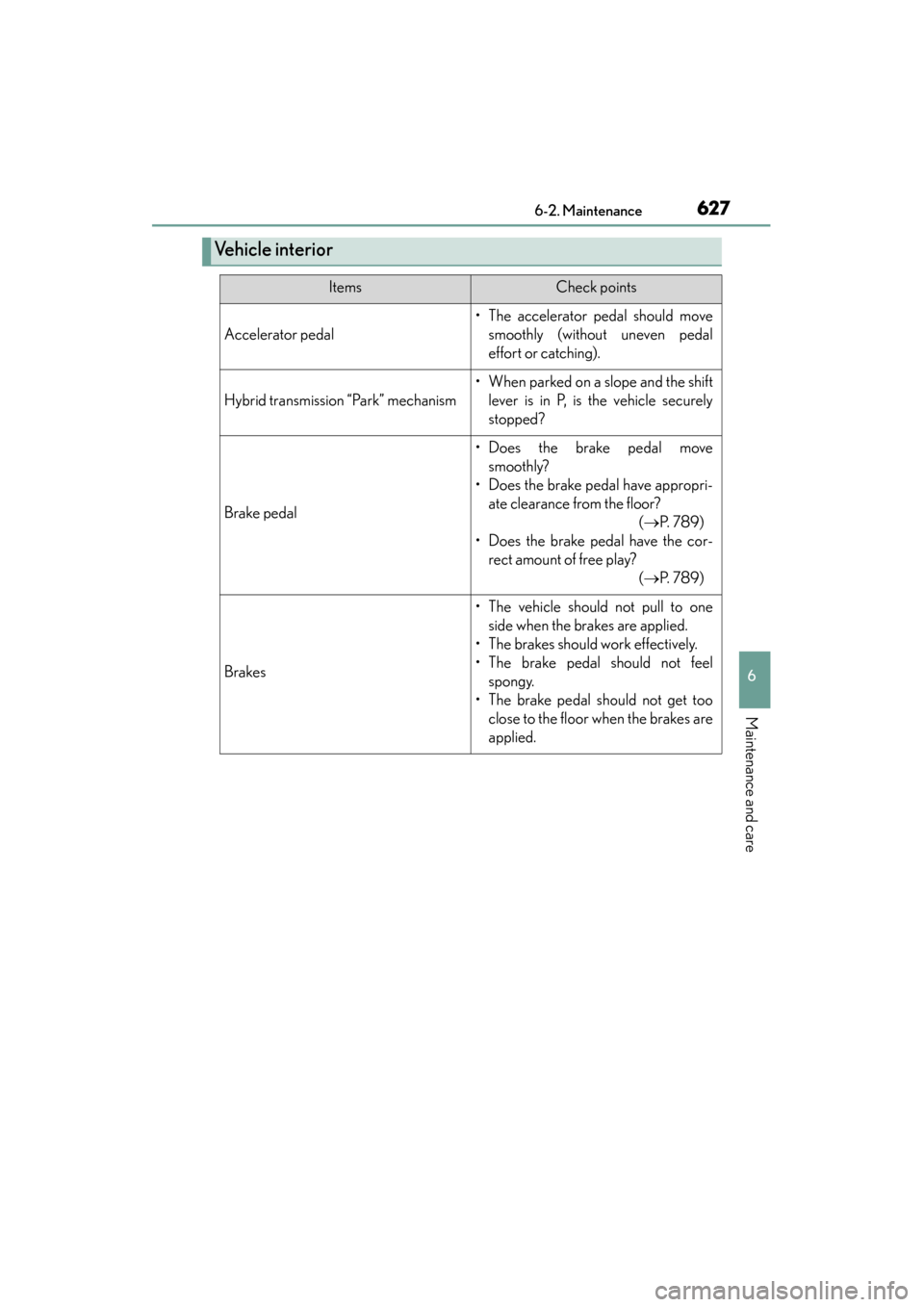
Ve h i c l e i n t e r i o r
ItemsCheck points
Accelerator pedal
• The accelerator pedal should movesmoothly (without uneven pedal
effort or catching).
Hybrid transmission “Park” mechanism
• When parked on a slope and the shiftlever is in P, is the vehicle securely
stopped?
Brake pedal
• Does the brake pedal movesmoothly?
• Does the brake pedal have appropri- ate clearance from the floor? (→ P. 7 8 9 )
• Does the brake pedal have the cor- rect amount of free play? (→ P. 7 8 9 )
Brakes
• The vehicle should not pull to one
side when the brakes are applied.
• The brakes should work effectively.
• The brake pedal should not feel spongy.
• The brake pedal should not get too close to the floor when the brakes are
applied.
GS450h_U.book Page 627 Monday, January 23, 2012 10:20 AM
Page 654 of 862
GS450h_U (OM30D01U)
6536-3. Do-it-yourself maintenance
6
Maintenance and care
Your vehicle is equipped with a tire pressure warning system that uses tire
pressure warning valves and transmitters to detect low tire inflation pres-
sure before serious problems arise.
XVehicles without the tire inflation pressure display function
If the tire pressure drops below a predetermined level, the driver is
warned by a warning light. ( →P. 715)
XVehicles with the tire inflation pressure display function
●If the tire pressure drops below a predetermined level, the driver is
warned by a screen display and a warning light. ( →P. 74 0 )
●The tire pressure detected by the tire pressure warning system can be
displayed on the multi-information display. ( →P. 9 7 )
◆Installing tire pressure wa rning valves and transmitters
When replacing tires or wheels, tire pressure warning valves and trans-
mitters must also be installed.
When new tire pressure warning valves and transmitters are installed,
new ID codes must be registered in the tire pressure warning computer
and the tire pressure warning system must be initialized. Have tire pres-
sure warning valve and transmitter ID codes registered by your Lexus
dealer. ( →P. 655)
◆Initializing the tire pressure warning system
■The tire pressure warning system must be initialized in the following
circumstances:
●When rotating the tires.
●When the tire inflation pressure is changed such as when changing
traveling speed or load weight.
When the tire pressure warning system is initialized, the current tire
inflation pressure is set as the benchmark pressure.
Tire pressure warning system
GS450h_U.book Page 653 Monday, January 23, 2012 10:20 AM
Page 656 of 862
GS450h_U (OM30D01U)
6556-3. Do-it-yourself maintenance
6
Maintenance and care
◆Registering ID codes
The tire pressure warning valve and transmitter is equipped with a
unique ID code. When replacing a tire pressure warning valve and
transmitter, it is necessary to register the ID code. Have the ID code
registered by your Lexus dealer.
■When to replace your vehicle’s tires
Tires should be replaced if:
●You have tire damage such as cuts, splits, cracks deep enough to expose the fabric,
and bulges indicating internal damage
●A tire goes flat repeatedly or cannot be properly repaired due to the size or loca-
tion of a cut or other damage
If you are not sure, consult with your Lexus dealer.
■Replacing tires and wheels
If the ID code of the tire pressure warning valve and transmitter is not registered, the
tire pressure warning system will not work properly. After driving for about 20 min-
utes, the tire pressure warning light blinks for 1 minute and stays on to indicate a sys-
tem malfunction.
■Tire life
Any tire over 6 years old must be checked by a qualified technician even if it has sel-
dom or never been used or damage is not obvious.
■Routine tire inflation pressure checks
The tire pressure warning system does not replace routine tire inflation pressure
checks. Make sure to check tire inflation pressure as part of your routine of daily
vehicle checks.
■When rotating the tires (vehicles with the tire inflation pressure display function)
Make sure that the power switch is off. If the tires are rotated while the power switch
is in ON mode, the tire position information will not be updated.
If this accidentally occurs, either turn the power switch to off and then to ON mode,
or initialize the system after checking that the tire pressure is properly adjusted.
GS450h_U.book Page 655 Monday, January 23, 2012 10:20 AM
Page 661 of 862
660
GS450h_U (OM30D01U)
6-3. Do-it-yourself maintenance
NOTICE
■Repairing or replacing tires, wheels, tire pressure warning valves, transmitters
and tire valve caps
●When removing or fitting the wheels, tires or the tire pressure warning valves and
transmitters, contact your Lexus dealer as the tire pressure warning valves and
transmitters may be damaged if not handled correctly.
●Make sure to install the tire valve caps. If the tire valve caps are not installed,
water could enter the tire pressure warning valves and the tire pressure warning
valves could be bound.
●When replacing tire valve caps, do not use tire valve caps other than those speci-
fied. The cap may become stuck.
■To avoid damage to the tire pressu re warning valves and transmitters
When a tire is repaired with liquid sealants, the tire pressure warning valve and
transmitter may not operate properly. If a liquid sealant is used, contact your Lexus
dealer or other qualified service shop as soon as possible. Make sure to replace
the tire pressure warning valve and transmitter when replacing the tire. ( →P. 6 5 3 )
■Driving on rough roads
Take particular care when driving on roads with loose surfaces or potholes.
These conditions may cause losses in tire inflation pressure, reducing the cushion-
ing ability of the tires. In addition, driving on rough roads may cause damage to the
tires themselves, as well as the vehicle’s wheels and body.
■Low profile tires (except 225/50R17 tires)
Low profile tires may cause greater damage than usual to the tire wheel when sus-
taining impact from the road surface. Therefore, pay attention to the following:
●Be sure to use proper tire inflation pressure. If tires are under-inflated, they may
be damaged more severely.
●Avoid potholes, uneven pavement, curbs and other road hazards. Failure to do so
may lead to severe tire and wheel damage.
■If tire inflation pressure of each tire becomes low while driving
Do not continue driving, or your tires and/or wheels may be ruined.
GS450h_U.book Page 660 Monday, January 23, 2012 10:20 AM