open Lexus GX470 2007 Theft deterrent system /
[x] Cancel search | Manufacturer: LEXUS, Model Year: 2007, Model line: GX470, Model: Lexus GX470 2007Pages: 58, PDF Size: 3.36 MB
Page 2 of 58
Entering and Exiting
Before Driving
When Driving
Rain and
Night Driving
Driving Comfort
Opening and Closing
What to do if ...
Customizing
Yo u r L e x u s
2
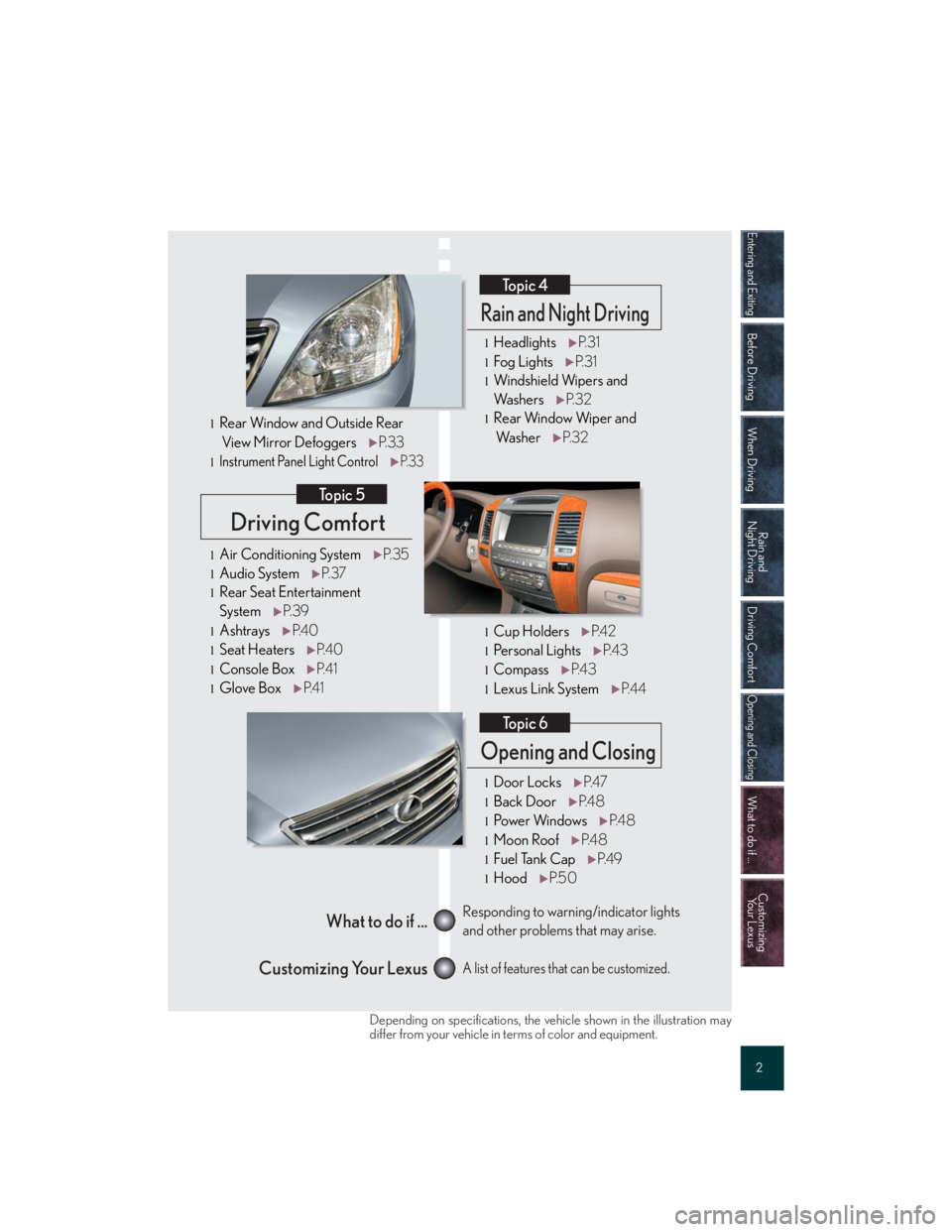
Driving Comfort
Topic 5
Opening and Closing
Topic 6
What to do if ...
Customizing Your LexusResponding to warning/indicator lights
and other problems that may arise.
A list of features that can be customized.
Rain and Night Driving
Topic 4
lHeadlightsP. 3 1
lFog LightsP. 3 1
lWindshield Wipers and
Wa s h e r sP. 3 2
lRear Window Wiper and
Wa s h e rP. 3 2
lCup HoldersP. 4 2
lPe r s o n a l L i g h t sP. 4 3
lCompassP. 4 3
lLexus Link SystemP. 4 4
lDoor LocksP. 4 7
lBack DoorP. 4 8
lPo w e r Wi n d o w sP. 4 8
lMoon RoofP. 4 8
lFuel Tank CapP. 4 9
lHoodP. 5 0
lAir Conditioning SystemP. 3 5
lAudio SystemP. 3 7
lRear Seat Entertainment
SystemP. 3 9
lAshtraysP. 4 0
lSeat HeatersP. 4 0
lConsole BoxP. 4 1
lGlove BoxP. 4 1
lRear Window and Outside Rear
View Mirror DefoggersP. 3 3
lInstrument Panel Light ControlP. 3 3
Depending on specifications, the vehicle shown in the illustration may
differ from your vehicle in terms of color and equipment.
Page 7 of 58
Topic 1
Entering and Exiting
7
Keys
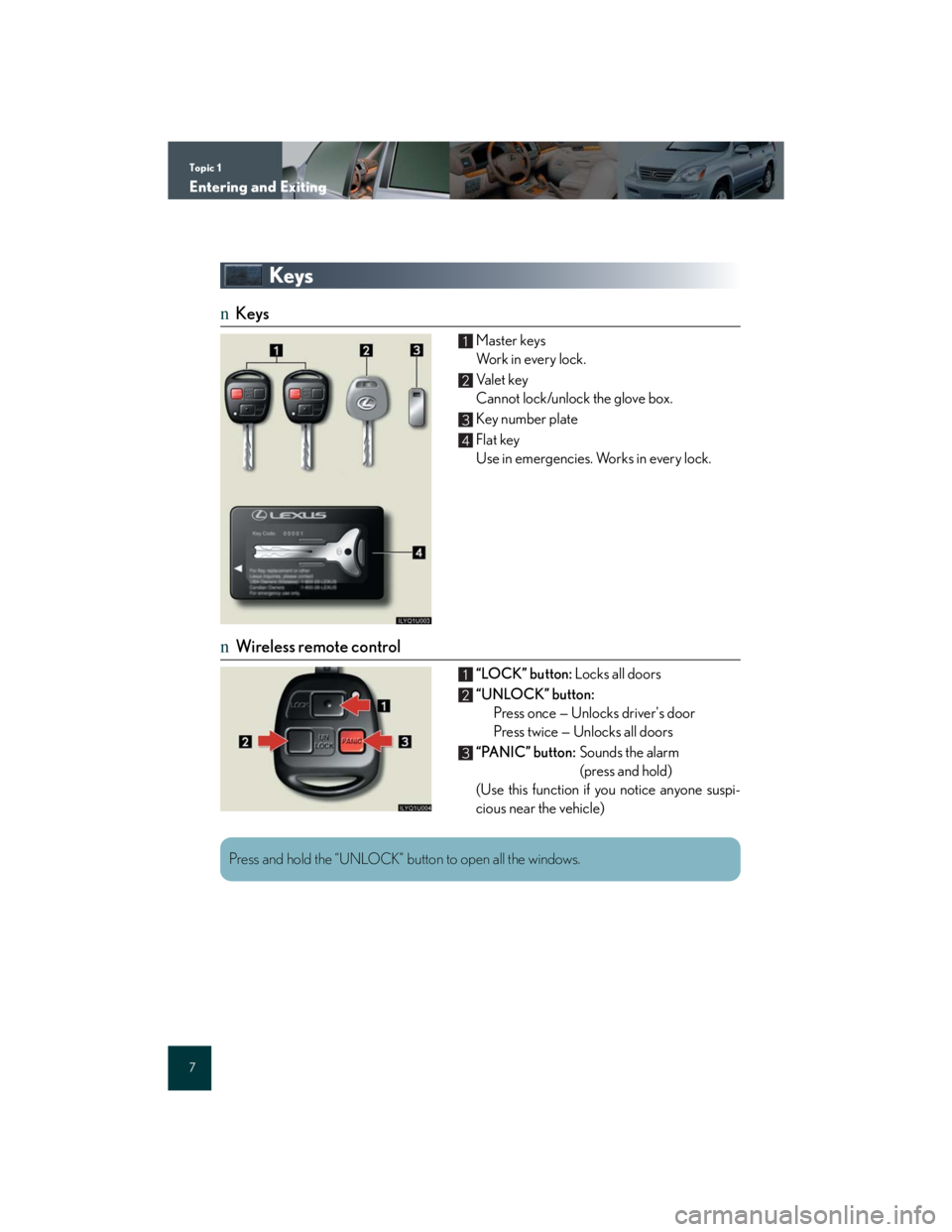
nKeys
Master keys
Wo r k i n e v e r y l o c k .
Va l e t k e y
Cannot lock/unlock the glove box.
Key number plate
Flat key
Use in emergencies. Works in every lock.
nWireless remote control
“LOCK” button: Locks all doors
“UNLOCK” button:
Press once — Unlocks driver's door
Press twice — Unlocks all doors
“PANIC” button:Sounds the alarm
(press and hold)
(Use this function if you notice anyone suspi-
cious near the vehicle)
1
2
3
4
1
2
3
Press and hold the “UNLOCK” button to open all the windows.
Page 8 of 58
Topic 1
Entering and Exiting
8
Entering and Exiting
When Driving
Rain and
Night Driving
Driving Comfort
Opening and Closing
What to do if ...
Customizing
Yo u r L e x u s
Before DrivingBefore Driving
Theft Deterrent System
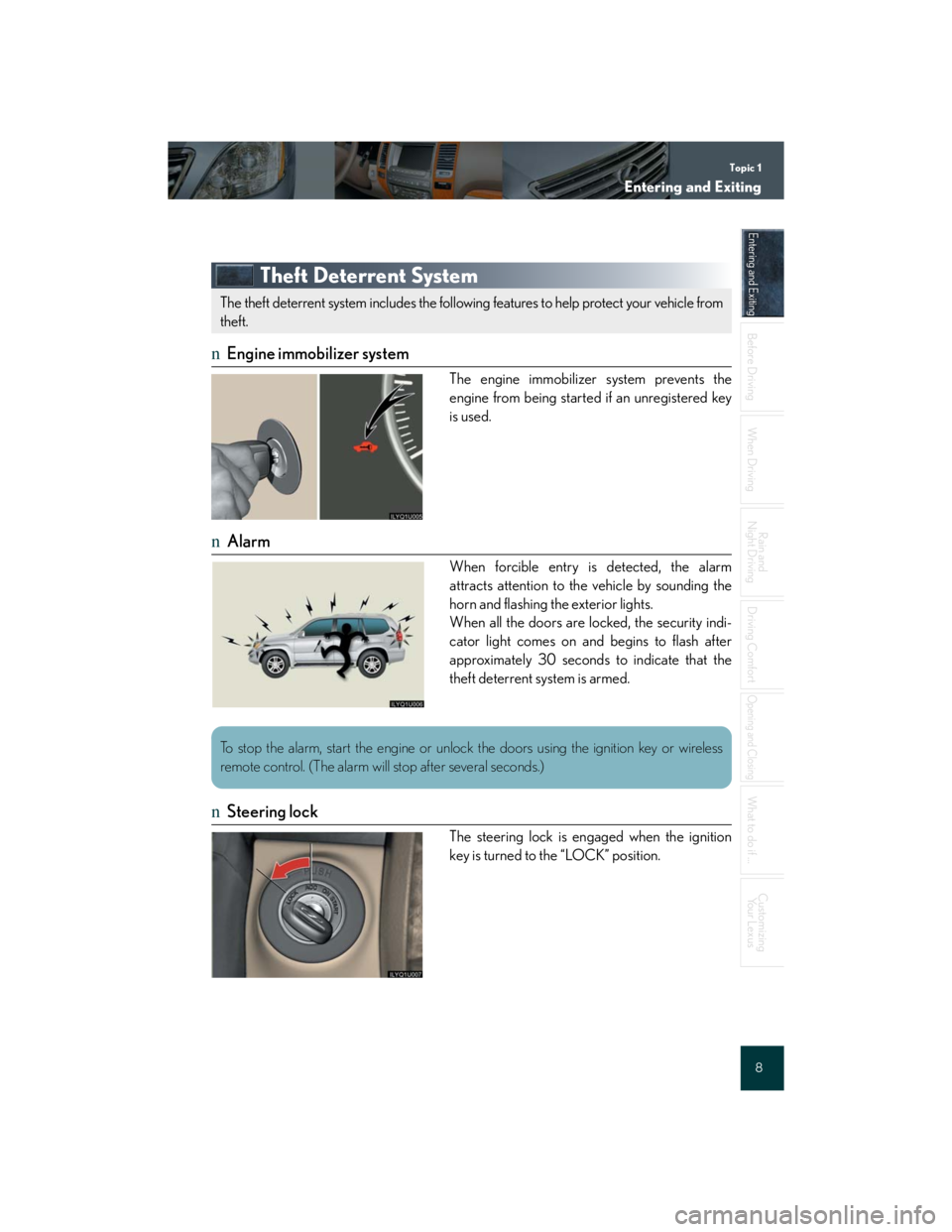
nEngine immobilizer system
The engine immobilizer system prevents the
engine from being started if an unregistered key
is used.
nAlarm
When forcible entry is detected, the alarm
attracts attention to the vehicle by sounding the
horn and flashing the exterior lights.
When all the doors are locked, the security indi-
cator light comes on and begins to flash after
approximately 30 seconds to indicate that the
theft deterrent system is armed.
nSteering lock
The steering lock is engaged when the ignition
key is turned to the “LOCK” position.
The theft deterrent system includes the following features to help protect your vehicle from
theft.
To stop the alarm, start the engine or unlock the doors using the ignition key or wireless
remote control. (The alarm will stop after several seconds.)
Page 12 of 58

Topic 2
Before Driving
12
Entering and Exiting
Before Driving
When Driving
Rain and
Night Driving
Driving Comfort
Opening and Closing
What to do if ...
Customizing
Yo u r L e x u s
Second Seats
nAdjusting the seatback angle
Pull the lock release lever.
nTumbling the seats
Stow the seat belt buckles and lower the head
restraints.
Fold down the seatbacks while pulling the lock
release levers and swing the seat up and for-
ward until it locks in place.
To return the seat to the original position, push
the red knobs.
Page 14 of 58

Topic 2
Before Driving
14
Entering and Exiting
Before Driving
When Driving
Rain and
Night Driving
Driving Comfort
Opening and Closing
What to do if ...
Customizing
Yo u r L e x u s
Lift the seat sideward and retract the seat legs,
then attach the holding straps to the assist
grips to secure the seat.
When returning the seats, reverse the steps
listed.
nRemoving the seats
Follow the procedure for “Folding up the seats” up to .
Retract the seat legs, then place the seats on
the floor.
Remove the seat lock covers and push the red
seat lock release knobs outward to remove the
seats.
When returning the seats, reverse the steps
listed.
Page 16 of 58

Topic 2
Before Driving
16
Entering and Exiting
Before Driving
When Driving
Rain and
Night Driving
Driving Comfort
Opening and Closing
What to do if ...
Customizing
Yo u r L e x u s
Head Restraints
nVertical adjustment
To r a i s e : push upward.
To l o w e r :push down while pressing the lock
release button.
nHorizontal adjustment (front seat only)
Move forward and backward.
Seatbelts
nAdjusting shoulder belt height (front and second outboard seats only)
To r a i s e: pull the anchor upward.
To l o w e r: depress the button and push the anchor
down.
Page 18 of 58

Topic 2
Before Driving
18
Entering and Exiting
Before Driving
When Driving
Rain and
Night Driving
Driving Comfort
Opening and Closing
What to do if ...
Customizing
Yo u r L e x u s
Steering Wheel
Up
Down
Toward the driver
Aw a y f ro m t h e d r i v e r1
2
3
4
The steering wheel retracts automatically when the ignition key is removed to allow for easy
exit and entry. The steering wheel returns automatically to its previously set position when
the ignition key is inserted into the ignition switch.
Page 22 of 58
Topic 3
When Driving
22
Entering and Exiting
Before DrivingBefore Driving
When DrivingWhen Driving
Rain and
Night Driving
Driving Comfort
Opening and Closing
What to do if ...
Customizing
Yo u r L e x u s
Automatic Transmission
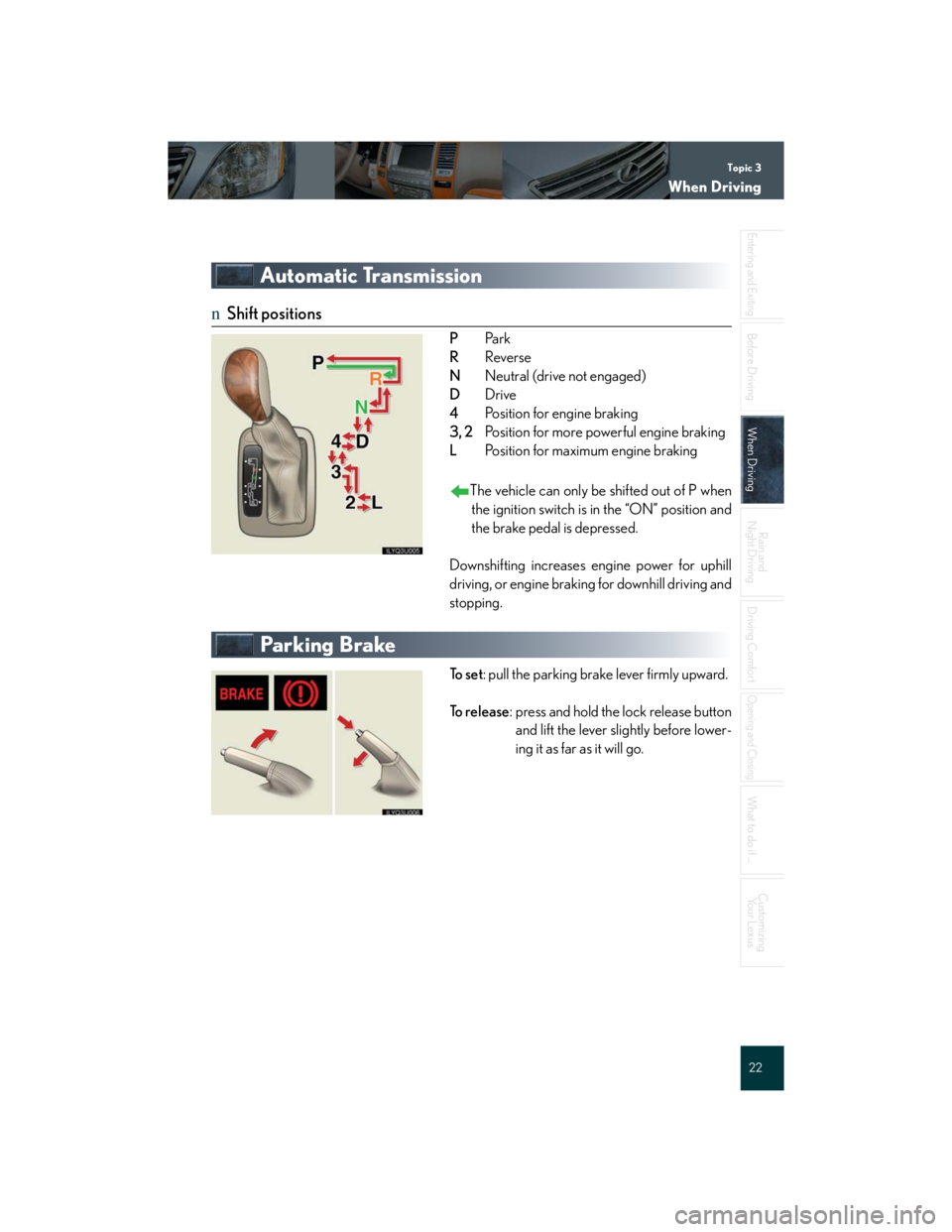
nShift positions
PPa r k
RReverse
NNeutral (drive not engaged)
DDrive
4Position for engine braking
3, 2Position for more powerful engine braking
LPosition for maximum engine braking
The vehicle can only be shifted out of P when
the ignition switch is in the “ON” position and
the brake pedal is depressed.
Downshifting increases engine power for uphill
driving, or engine braking for downhill driving and
stopping.
Parking Brake
To s e t: pull the parking brake lever firmly upward.
To r e l e a s e: press and hold the lock release button
and lift the lever slightly before lower-
ing it as far as it will go.
Page 24 of 58

Topic 3
When Driving
24
Entering and Exiting
Before DrivingBefore Driving
When DrivingWhen Driving
Rain and
Night Driving
Driving Comfort
Opening and Closing
What to do if ...
Customizing
Yo u r L e x u s
Cruise Control
nSetting the speed
Press the ON-OFF button.
The system will turn on.
Accelerate or decelerate to the desired
speed, and then push the lever down.
This sets the cruise control at that speed.
nAdjusting the set speed
To i n c r e a s e s p e e d: push the lever up.
To decrease speed: push the lever down.
Release the lever when the desired speed is
reached.
nCanceling
To temporarily cancel the cruise control, pull the
lever.
To turn the system off, press the ON-OFF button.
Cruise control allows the driver to maintain a constant speed without having to operate the
accelerator pedal.
Use for highway driving or when traveling at a constant speed for long periods of time.
Depressing the brake pedal cancels the preset speed. To return to the preset speed, push
the lever up.
Page 26 of 58

Topic 3
When Driving
26
Entering and Exiting
Before DrivingBefore Driving
When DrivingWhen Driving
Rain and
Night Driving
Driving Comfort
Opening and Closing
What to do if ...
Customizing
Yo u r L e x u s
Center Differential Lock Switch
To lock the center differential, push the switch.
The center differential lock and “VSC OFF”
indicator lights come on.
To unlock the center differential, push the switch
again.
Tire Pressure Warning Select Switch
Switches between the “MAIN” and “2nd” sets of
tire ID codes registered in the system.
Cigarette Lighter
To use, push in the cigarette lighter. When it has
heated sufficiently, it will automatically pop out
ready for use.
Use the center differential lock function if the vehicle’s wheels become stuck, or when driv-
ing on a slippery or bumpy surface.