instrument Lexus GX470 2007 Using other driving systems /
[x] Cancel search | Manufacturer: LEXUS, Model Year: 2007, Model line: GX470, Model: Lexus GX470 2007Pages: 436, PDF Size: 11.52 MB
Page 125 of 436

105
2-2. Instrument cluster
2
When driving
Indicators and warning lights
The indicator and warning lights on the instrument cluster and center
panel inform the driver of the status of the vehicle’s various systems.
Instrument cluster
The units used on the speedometer and some indicators may differ depend-
ing on the target region.
Center panel
Page 126 of 436

106
2-2. Instrument cluster
■Indicators
The indicators inform the driver of th e operating state of the vehi-
cle’s various systems.
Turn signal indicator
( P. 1 0 1 )“RSCA OFF” indicator
(P. 6 8 )
Headlight high beam indi-
cator ( P. 111)Downhill assist control
system indicator
( P. 1 3 0 )
(U.S.A.)
Headlight indicator
( P. 111)
(U.S.A.)
Engine oil replacement
reminder light ( P. 3 5 0 )
(Canada)
Tail light indicator
( P. 111) Slip indicator
(P. 1 3 3 )
Security indicator
(P. 4 9 ) “VSC OFF” indicator
(P. 121)
Shift position indicators
(P. 99)Center differential lock
indicator ( P. 121)
Height control indicator
( P. 1 2 3 ) “AIRBAG ON” indicator
( P. 6 9 )
Automatic transmission
second start indicator
( P. 99)“AIRBAG OFF” indicator
( P. 6 9 )
Cruise control indicator
( P. 118)
*
*
*
*
*
*
*
Page 127 of 436

107
2-2. Instrument cluster
2
When driving
CAUTION
■If a safety system warning light does not come on
Should a safety system light such as ABS and the SRS airbag warning light not
come on when you turn the ignition swit ch to the “ON” position, this could mean
that these systems are not available to help protect you in an accident, which could
result in death or serious injury. Have the vehicle inspected by your Lexus dealer
immediately if this occurs.
■ Warning lights
Warning lights inform the driver of malfunctions in the indicated
vehicle’s systems. ( P. 3 4 7 )
*: These lights turn on when the ignition switch is turned to the “ON” posi-
tion to indicate that a system check is being performed. They will turn off
after the engine is running, or afte r a few seconds. There may be a mal-
function in a system if the lights do not come on, or turn off. Have the
vehicle inspected by your Lexus dealer.
(U.S.A.)(Canada)(U.S.A.)(Canada)
(if equipped)(U.S.A.)(Canada)
*******
*****
**
Page 128 of 436

108
2-2. Instrument cluster
Trip information display
Display light controlPush and hold the “MOD E” button until “ILL” appears on the display.
Push “ ▲” or “▼ ” to adjust the brightness.
You can adjust the brightness to 3 levels (when the tail lights are off) or 6 lev-
els (when the tail lights are on).
The trip information display presents the driver with a variety of driving-
related data.
Trip information display
•Clock(P. 235)
• Outside temperature display
( P. 2 3 6 )
• Average fuel consumption
• Current fuel consumption
• Driving range
• Average vehicle speed
• Barometer
• Altimeter
• Driving time
Display items can be switched
by pushing the “MODE” button.
Page 129 of 436
109
2-2. Instrument cluster
2
When driving
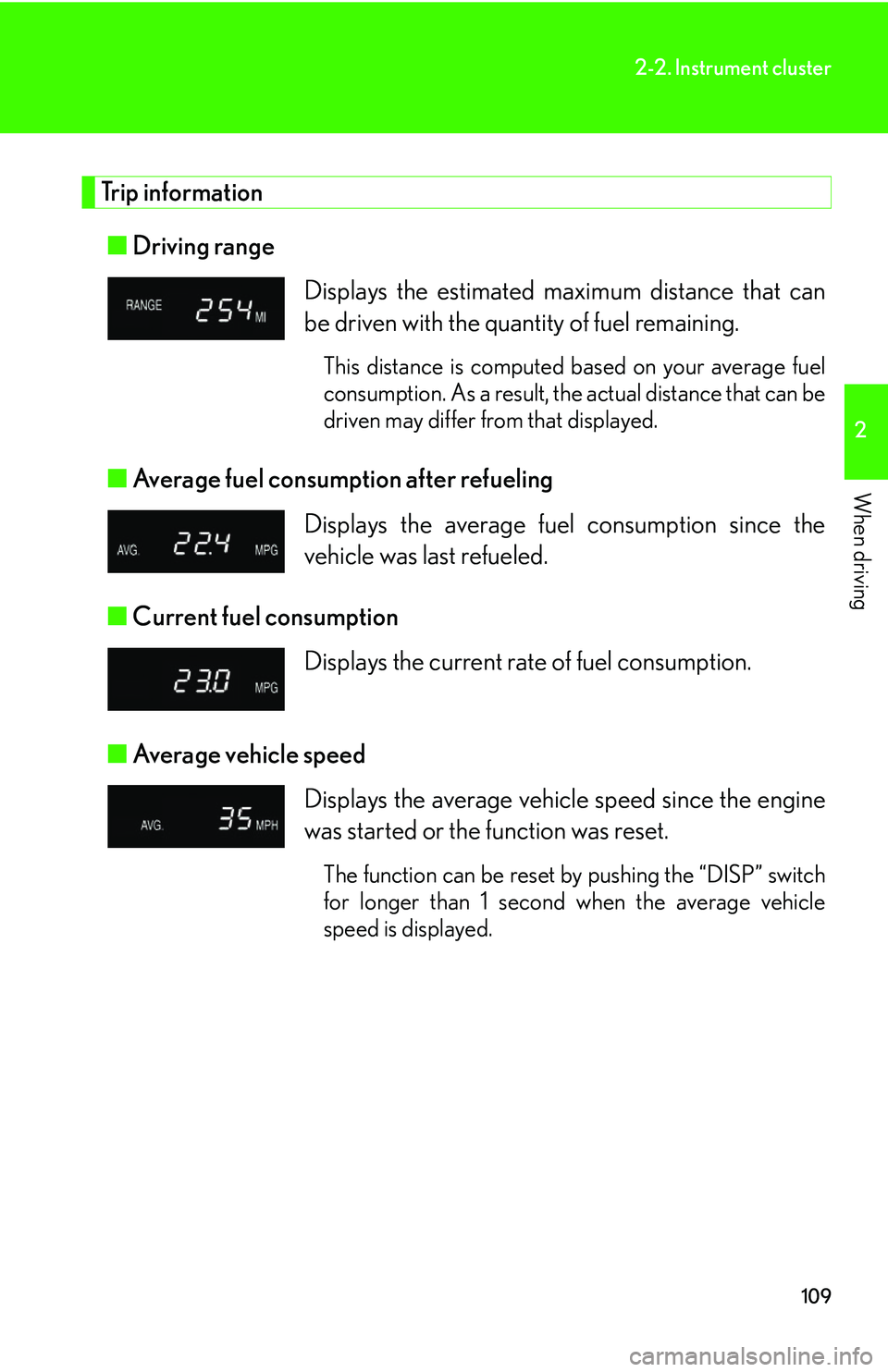
Trip information■ Driving range
■ Average fuel consumption after refueling
■ Current fuel consumption
■ Average vehicle speed Displays the estimated maximum distance that can
be driven with the quantity of fuel remaining.
This distance is computed based on your average fuel
consumption. As a result, the actual distance that can be
driven may differ from that displayed.
Displays the average fuel
consumption since the
vehicle was last refueled.
Displays the current rate of fuel consumption.
Displays the average vehicle speed since the engine
was started or the function was reset.
The function can be reset by pushing the “DISP” switch
for longer than 1 second when the average vehicle
speed is displayed.
Page 130 of 436

110
2-2. Instrument cluster
■Barometer
■ Altimeter
■ Current fuel consumption
Displays the atmospheric pressure in the vehicle.
The displayed atmospheric pressure ranges from 17.8
IN.HG (600 hPa) up to 31.0 IN.HG (1050 hPa).
Displays the approximate altitude.
The displayed altitude ranges from -1500 ft. (-500 m)
up to 13000 ft. (4000 m).
Displays the elapsed time after the engine starts.
When the engine is started, driving time is counted
from 0:00.
Up to 19:59 (19 hours, 59 minutes) can be displayed.
■Altimeter mode
The indicated altitude of a single position may deviate according to the atmospheric
pressure and temperature.
While the altitude mode is displayed, push the “ ▲” or “▼ ” button to increase/
decrease the altitude by 50 ft. (or 10 m).
To reset the adjusted altitude, push and hold the “RESET” button for more than 1
second.
CAUTION
■Caution while driving
Do not adjust the display.
Doing so may cause the driver to mishandle the vehicle and an accident, resulting in
death or serious injury.
Page 131 of 436

111
2
When driving
2-3. Operating the lights and windshield wipers
Headlight switch
Turning on the high beam headlightsWith the headlights on, push the
lever forward to turn on the high
beams.
Pull the lever back to the center
position to turn the high beams off.
Pull the lever toward you to turn
on the high beams.
Release to turn them off. You can
flash the high beams with the head-
lights on or off.
The headlights can be operated manually or automatically.
The side marker, parking,
tail, license plate and
instrument panel lights
turn on.
The headlights and all lights listed above turn
on.
The headlights and all the lights listed above turn
on and off automatically.
(When the ignition
switch is in the “ON”
position.)
U.S.A.
Canada
Page 163 of 436

143
2-5. Driving information
2
When driving
CAUTION
■Storage precautions
●Do not place anything on the luggage cover, and do not stack anything in the lug-
gage compartment higher than the seatbacks.
Such items may be thrown about and possibly injure people in the vehicle during
sudden braking or in an accident.
●Do not drive with objects on top of the instrument panel.
They may interfere with the driver’s field of view or move during sharp accelera-
tion or turning, thus impairing the driver ’s control of the vehicle. In an accident
they may injure the vehicle occupants.
●Secure all items in the occupant compartment, as they may shift and injure some-
one during an accident or sudden braking.
●Never allow anyone to ride in the luggage compartment. It is not designed for
passengers. They should ride in their seat s with their seat belts properly fastened.
Otherwise, they are much more likely to suffer serious bodily injury, in the event
of sudden braking or a collision.
■Weight of the load
●Improper loading may cause deterioration of steering or braking control result-
ing in an accident which may cause death or serious injury.
●Do not exceed the maximum axle weight ra ting or the total vehicle weight rating.
●Even if the total load of occupant's weight and the cargo load is less than the total
load capacity, do not apply the load unevenly. Improper loading may cause dete-
rioration of steering or braking control which may cause death or serious injury.
Page 245 of 436

225
3
Interior features
3-4. Using the interior lights
Interior lights list
Illuminated entry system: The various lights automatically turn on/off
according to whether the doors are locked/unlocked, whether the doors
are open/closed, the ignition switch position, and the vehicle’s speed.
Foot light
Ignition switch light
Personal light
Center console spot lights
Inside door handle lights
Center interior light
Running board lights
When the instrument panel light contro l dial is turned to minimum, the
foot lights will turn off. ( P. 1 0 4 )
Page 341 of 436

321
4-3. Do-it-yourself maintenance
4
Maintenance and care
Checking and replacing fuses
If any of the electrical components do not operate, a fuse may have blown.
If this happens, check and replace the fuses as necessary.
Turn the ignition switch to the “LOCK” position.
Open the fuse box cover.
Engine compartment
Push the tabs in and lift the lid
off.
Driver's side instrument panel Remove the lid.STEP1
STEP2