ECU Lexus HS250h 2010 Repair Manual
[x] Cancel search | Manufacturer: LEXUS, Model Year: 2010, Model line: HS250h, Model: Lexus HS250h 2010Pages: 611, PDF Size: 11 MB
Page 530 of 611
528
5-2. Steps to take in an emergency
HS250h_U_75033U(Canada)
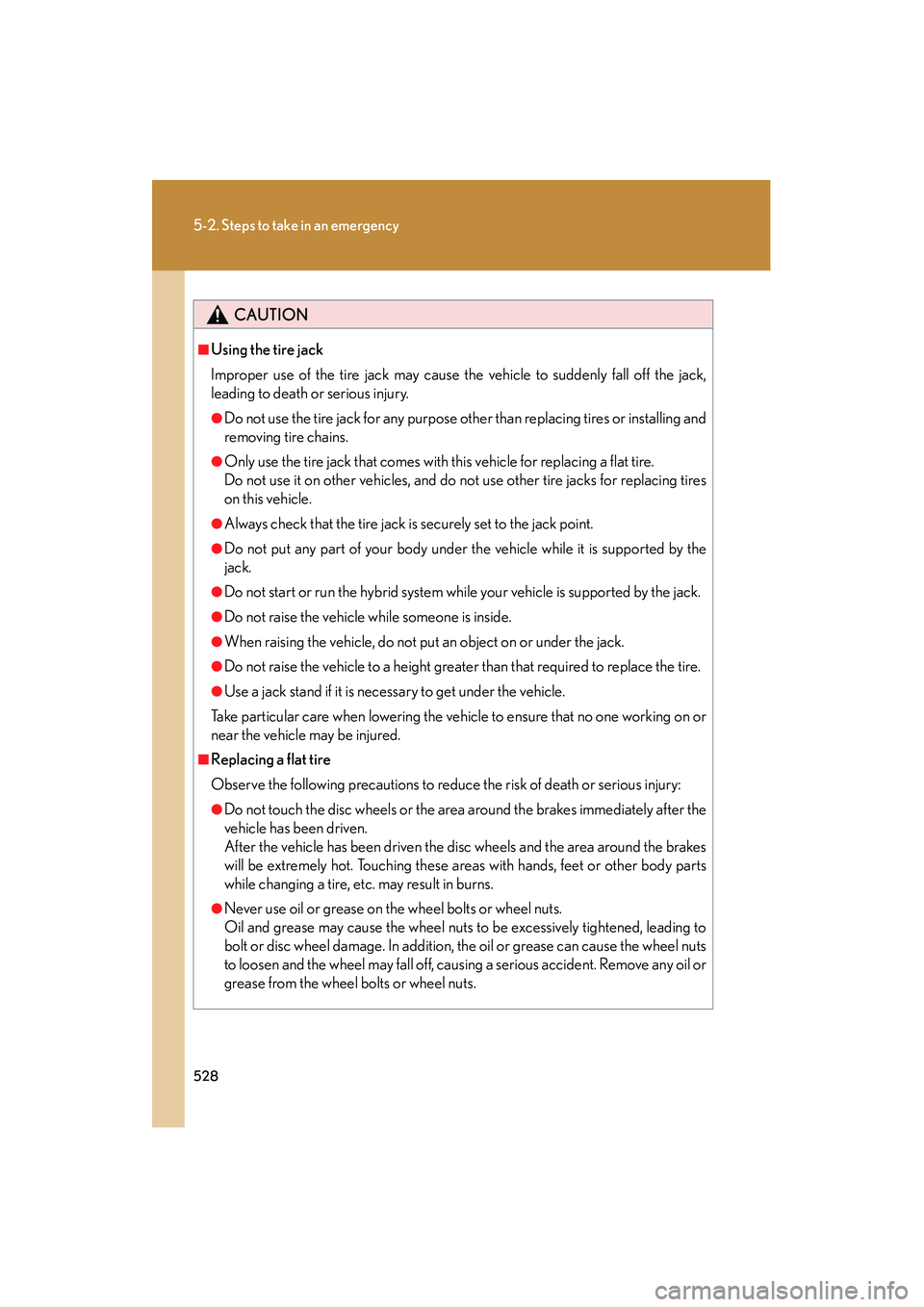
CAUTION
■Using the tire jack
Improper use of the tire jack may cause the vehicle to suddenly fall off the jack,
leading to death or serious injury.
●Do not use the tire jack for any purpose other than replacing tires or installing and
removing tire chains.
●Only use the tire jack that comes with this vehicle for replacing a flat tire.
Do not use it on other vehicles, and do not use other tire jacks for replacing tires
on this vehicle.
●Always check that the tire jack is securely set to the jack point.
●Do not put any part of your body under the vehicle while it is supported by the
jack.
●Do not start or run the hybrid system while your vehicle is supported by the jack.
●Do not raise the vehicle while someone is inside.
●When raising the vehicle, do not put an object on or under the jack.
●Do not raise the vehicle to a height greater than that required to replace the tire.
●Use a jack stand if it is necessary to get under the vehicle.
Take particular care when lowering the vehicle to ensure that no one working on or
near the vehicle may be injured.
■Replacing a flat tire
Observe the following precautions to reduce the risk of death or serious injury:
●Do not touch the disc wheels or the area around the brakes immediately after the
vehicle has been driven.
After the vehicle has been driven the disc wheels and the area around the brakes
will be extremely hot. Touching these areas with hands, feet or other body parts
while changing a tire, etc. may result in burns.
●Never use oil or grease on the wheel bolts or wheel nuts.
Oil and grease may cause the wheel nuts to be excessively tightened, leading to
bolt or disc wheel damage. In addition, the oil or grease can cause the wheel nuts
to loosen and the wheel may fall off, causing a serious accident. Remove any oil or
grease from the wheel bolts or wheel nuts.
Page 549 of 611
5
When trouble arises
547
5-2. Steps to take in an emergency
HS250h_U_75033U(Canada)
If your vehicle has to be stopped in an emergency
CAUTION
■If the hybrid system has to be turned off while driving
Power assist for the brakes and steering wheel will be lost, making the brake pedal
harder to depress and the steering wheel heavier to turn. Decelerate as much as
possible before turning off the hybrid system.
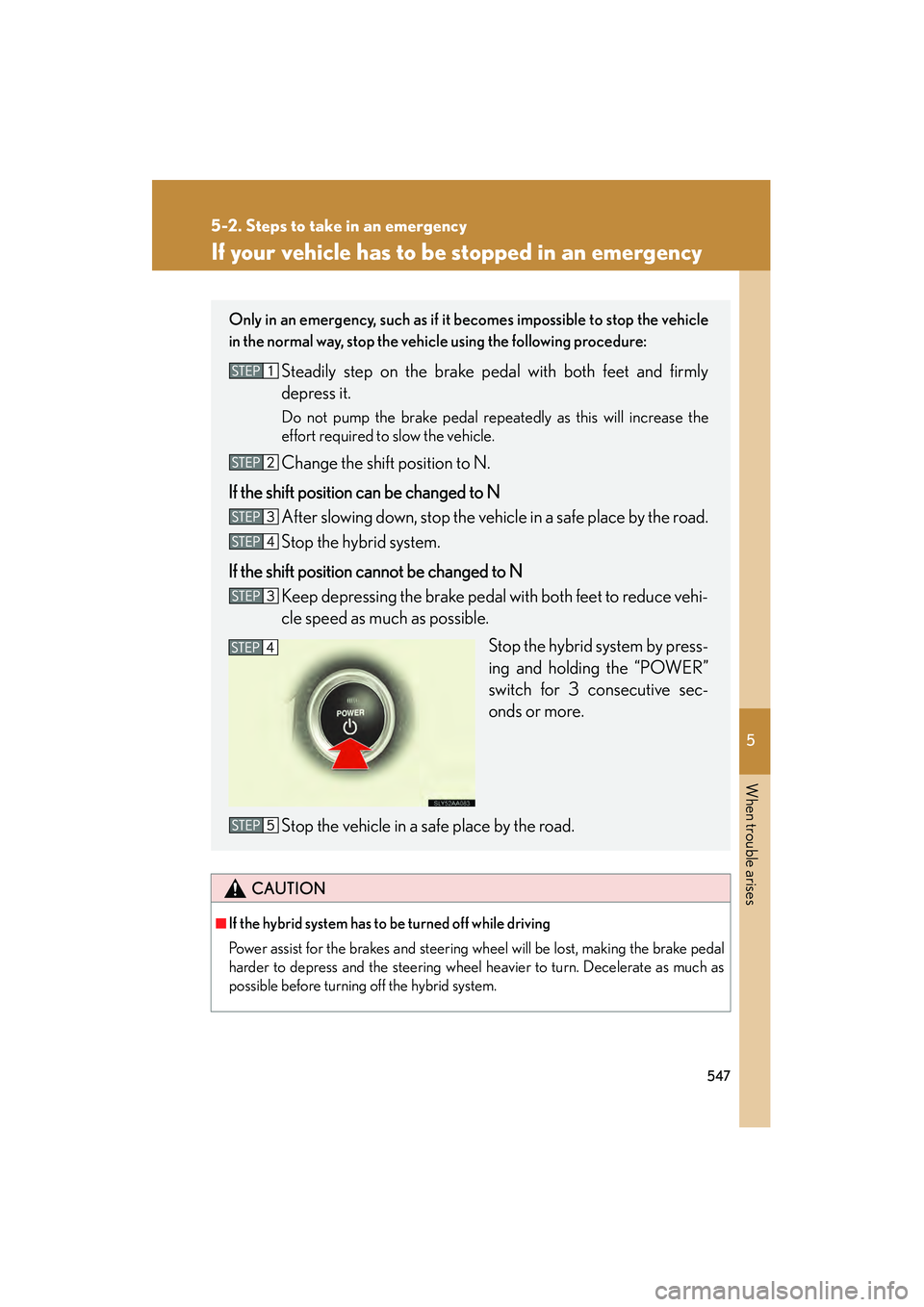
Only in an emergency, such as if it becomes impossible to stop the vehicle
in the normal way, stop the vehicle using the following procedure:
Steadily step on the brake pedal with both feet and firmly
depress it.
Do not pump the brake pedal repeatedly as this will increase the
effort required to slow the vehicle.
Change the shift position to N.
If the shift position can be changed to N After slowing down, stop the vehicle in a safe place by the road.
Stop the hybrid system.
If the shift position cannot be changed to N Keep depressing the brake pedal with both feet to reduce vehi-
cle speed as much as possible.
Stop the hybrid system by press-
ing and holding the “POWER”
switch for 3 consecutive sec-
onds or more.
Stop the vehicle in a safe place by the road.
Page 575 of 611

573
6-1. Specifications
6
Vehicle specifications
HS250h_U_75033U(Canada)
*:Table 1 Occupant loading and distribution for vehicle normal load forvarious designated seating capacities
Tr e a d r i bA tread section running circumferentially around a
tire
Tread separationPulling away of the tread from the tire carcass
Treadwear indicators
(TWI)The projections within the principal grooves
designed to give a visual indication of the degrees of
wear of the tread
Wheel-holding fixtureThe fixture used to hold the wheel and tire assembly
securely during testing
Designated seating
capacity, Number of occupantsVehicle normal load,
Number of occupantsOccupant distribution in
a normally loaded vehicle
2 through 422 in front
5 through 1032 in front, 1 in second seat
11 through 155
2 in front, 1 in second
seat, 1 in third seat, 1 in fourth seat
16 through 207
2 in front, 2 in second
seat, 2 in third seat, 1 in fourth seat
Ti r e r e l a t e d t e r mMeaning
Page 579 of 611
577
6-2. Customization
6
Vehicle specifications
HS250h_U_75033U(Canada)
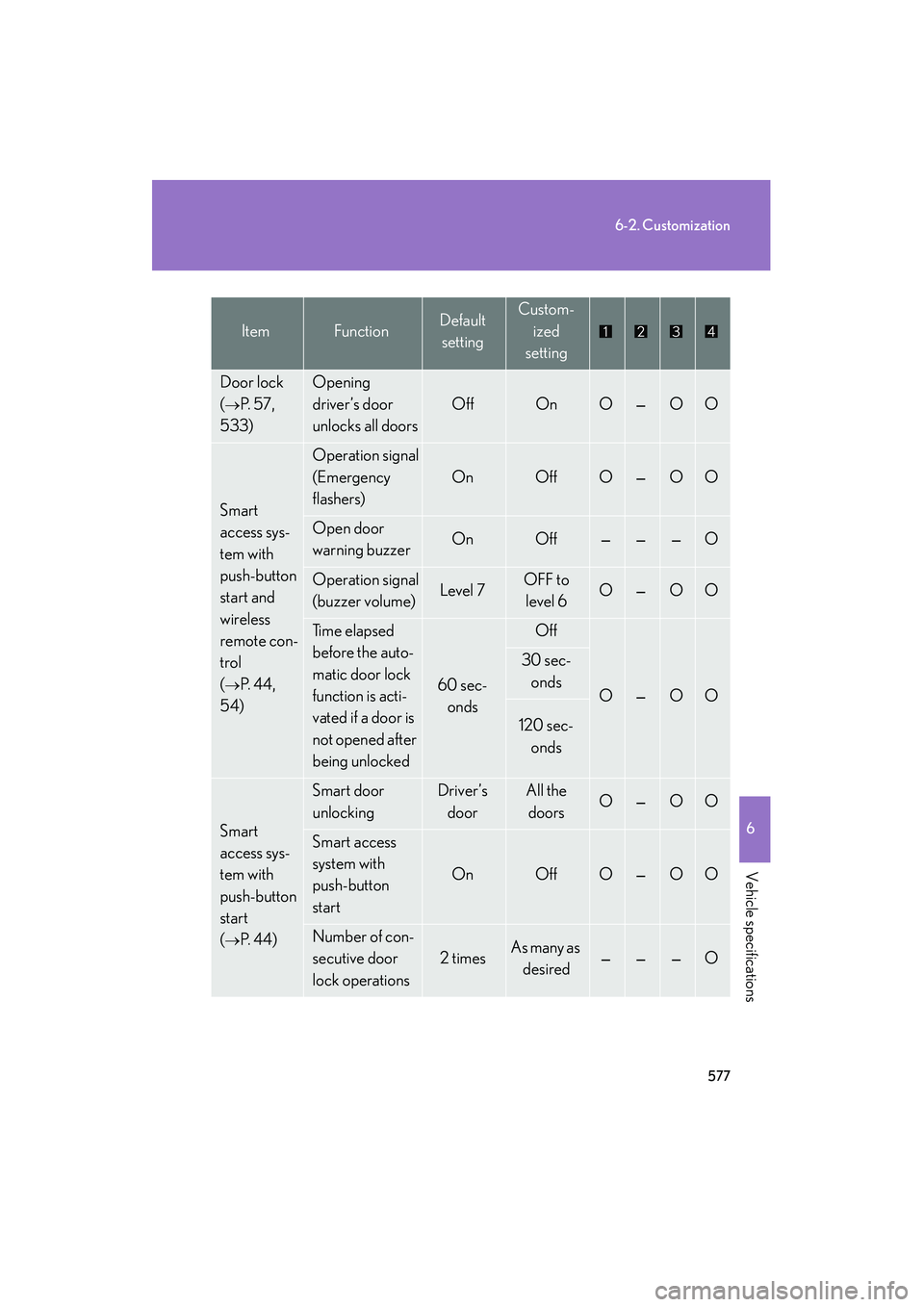
Door lock
(
→P. 5 7 ,
533)
Opening
driver’s door
unlocks all doors
OffOnO—OO
Smart
access sys-
tem with
push-button
start and
wireless
remote con-
trol
(
→P. 4 4 ,
54)
Operation signal
(Emergency
flashers)
OnOffO—OO
Open door
warning buzzerOnOff———O
Operation signal
(buzzer volume)Level 7OFF to level 6O—OO
Ti m e e l a p s e d
before the auto-
matic door lock
function is acti-
vated if a door is
not opened after
being unlocked
60 sec-
onds
Off
O—OO
30 sec-onds
120 sec- onds
Smart
access sys-
tem with
push-button
start
(
→P. 4 4 )
Smart door
unlockingDriver’s doorAll the doorsO—OO
Smart access
system with
push-button
start
OnOffO—OO
Number of con-
secutive door
lock operations
2 timesAs many as desired———O
ItemFunctionDefault settingCustom-
ized
setting
Page 594 of 611

592
HS250h_U_75033U(Canada)
Abbreviation list
Abbreviation/Acronym list
ABBREVIATIONSMEANING
A/CAir Conditioning
ABSAnti-lock Brake System
AFSAdaptive Front-lighting System
ALRAutomatic Locking Retractor
CALCalibration
CRSChild Restraint System
ECOEconomy/Ecology
ECUElectronic Control Unit
EDREvent Data Recorder
ELREmergency Locking Retractor
EPSElectric Power Steering
GAWRGross Axle Weight Ratings
GPSGlobal Positioning System
GVWRGross Vehicle Weight Rating
HUDHead-up Display
I/MEmission Inspection and Maintenance
LATCHLower Anchors and Tethers for Children
LEDLight Emitting Diode
LKALane-Keeping Assist
MMTMethylcyclopentadienyl Manganese Tricarbonyl
M + SMud and Snow
MTBEMethyl Tertiary Butyl Ether
OBDOn Board Diagnostics
PCSPre-Collision System
SRSSupplemental Restraint System