audio Lexus HS250h 2012 Workshop Manual
[x] Cancel search | Manufacturer: LEXUS, Model Year: 2012, Model line: HS250h, Model: Lexus HS250h 2012Pages: 630, PDF Size: 16.1 MB
Page 314 of 630
313
3-2. Using the audio system
3
Interior features
HS250h_U_75050U
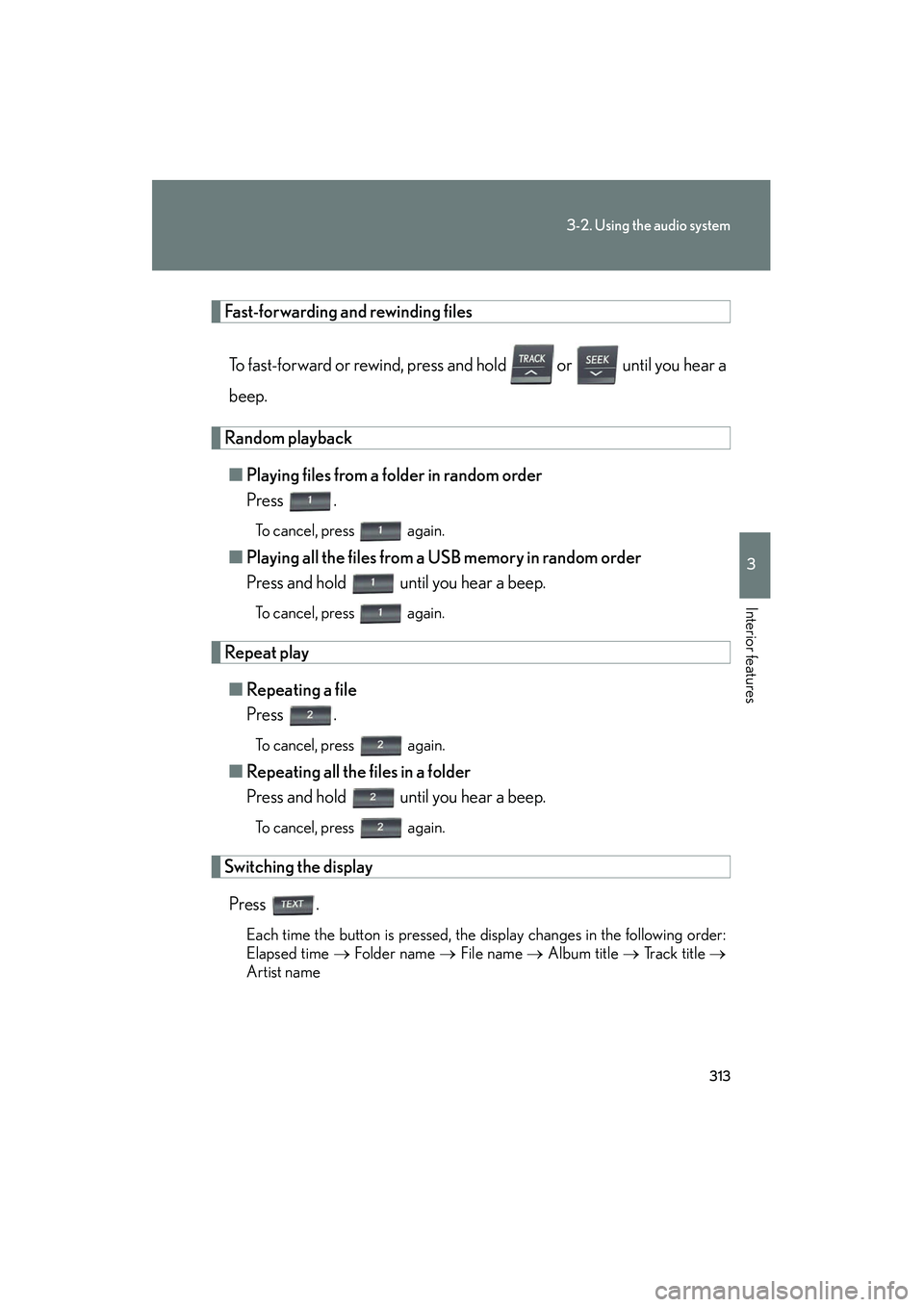
Fast-forwarding and rewinding filesTo fast-forward or rewind, press and hold or until you hear a
beep.
Random playback■ Playing files from a folder in random order
Press .
To cancel, press again.
■Playing all the files from a USB memory in random order
Press and hold until you hear a beep.
To cancel, press again.
Repeat play
■ Repeating a file
Press .
To cancel, press again.
■Repeating all the files in a folder
Press and hold until you hear a beep.
To cancel, press again.
Switching the display
Press .
Each time the button is pressed, the display changes in the following order:
Elapsed time → Folder name → File name → Album title → Track title →
Artist name
Page 315 of 630
314
3-2. Using the audio system
HS250h_U_75050U
■USB memory functions
Depending on the USB memory that is connected to the system, certain functions
may not be available. Disconnecting the device and reconnecting it once again may
resolve some malfunctions.
■Display
→P. 2 9 1
■Routing portable audio device cables
→P. 3 0 7
■Error messages
“ERROR”: This indicates a problem in the USB memory or its connection.
“NO MUSIC”: This indicates that no MP3/WMA files are included in the USB
memory.
■USB memory
●Compatible devices
USB memory that can be used for MP3 and WMA playback
●Compatible device formats
The following device formats can be used:
• USB communication formats: USB2.0 FS (12mbps)
• File formats: FAT16/32 (Windows
®)
• Correspondence class: Mass storage class
MP3 and WMA files written in any format other than those listed above may not
play correctly, and their file names and folder names may not be displayed cor-
rectly.
Items related to standards and limitations are as follows:
• Maximum directory hierarchy: 8 levels
• Maximum number of folders in a device: 999 (including the root)
• Maximum number of files in a device: 65025
• Maximum number of files per folder: 255
Page 316 of 630
315
3-2. Using the audio system
3
Interior features
HS250h_U_75050U
●MP3 and WMA files
MP3 (MPEG Audio LAYER 3) is a standard audio compression format.
Files can be compressed to approximately 1 /10 of their original size using MP3
compression.
WMA (Windows Media Audio) is a Microsoft
® audio compression format.
This format compresses audio data to a size smaller than that of the MP3 format.
There is a limit to the MP3 and WMA file standards that can be used and to the
media/formats on which the files are recorded.
●MP3 file compatibility
• Compatible standards MP3 (MPEG1 AUDIO LAYERII, III, MPEG2 AUDIO LAYERII, III,
MPEG2.5)
• Compatible sampling frequencies MPEG1 AUDIO LAYERII, III: 32, 44.1, 48 (kHz)
MPEG2 AUDIO LAYERII, III: 16, 22.05, 24 (kHz)
MPEG2.5: 8, 11.025, 12 (kHz)
• Compatible bit rates (compatible with VBR) MPEG1 AUDIO LAYERII, III: 32-320 (kbps)
MPEG2 AUDIO LAYERII, III: 32-160 (kbps)
MPEG2.5: 32-160 (kbps)
• Compatible channel modes: stereo, joint stereo, dual channel and monaural
●WMA file compatibility
• Compatible standards
WMA Ver. 9
• Compatible sampling frequencies HIGH PROFILE 32, 44.1, 48 (kHz)
• Compatible bit rates HIGH PROFILE 32-320 (kbps, VBR)
●File names
The only files that can be recognized as MP3/WMA and played are those with
the extension .mp3 or .wma.
Page 317 of 630
316
3-2. Using the audio system
HS250h_U_75050U
●ID3 and WMA tags
ID3 tags can be added to MP3 files, making it possible to record the track title,
artist name, etc.
The system is compatible with ID3 Ver. 1.0, 1.1, and Ver. 2.2, 2.3, 2.4 ID3 tags.
(The number of characters is based on ID3 Ver. 1.0 and 1.1.)
WMA tags can be added to WMA files, making it possible to record the track
title and artist name in the same way as with ID3 tags.
●MP3 and WMA playback
• When a device containing MP3 or WMA files is connected, all files in theUSB memory device are checked. Once the file check is finished, the first
MP3 or WMA file is played. To make the file check finish more quickly, we
recommend that you do not include any files other than MP3 or WMA files
or create any unnecessary folders.
• When the USB device is connected and the audio source is changed to USB memory mode, the USB device will start playing the first file in the first folder.
If the same device is removed and reinserted (and the contents have not been
changed), the USB device will resume play from the same point in which it
was last used.
●Extensions
If the file extensions .mp3 and .wma are used for files other than MP3 and WMA
files, they will be mistakenly recognized and played as MP3 and WMA files. This
may result in large amounts of interference and damage to the speakers.
●Playback
• To play MP3 files with steady sound quality, we recommend a fixed bit rate ofat least 128 kbps and a sampling frequency of 44.1 kHz.
• There is a wide variety of freeware and other encoding software for MP3 and
WMA files on the market, and depending on the status of the encoding and
the file format, poor sound quality or noise at the start of playback may result.
In some cases, playback may not be possible at all.
•Microsoft
®, Windows®, and Windows Media are registered trademarks of
Microsoft Corporation in the U.S.A. and other countries.
Page 318 of 630
317
3-2. Using the audio system
3
Interior features
HS250h_U_75050U
CAUTION
■Caution while driving
Do not connect USB memory or operate the controls.
NOTICE
■To prevent damage to USB memory
●Do not leave USB memory in the vehicle. The temperature inside the vehicle may
become high, resulting in damage to the player.
●Do not push down on or apply unnecessary pressure to the USB memory while it
is connected as this may damage the USB memory or its terminal.
●Do not insert foreign objects into the port as this may damage the USB memory
or its terminal.
Page 319 of 630
318
3-2. Using the audio system
HS250h_U_75050U
Optimal use of the audio system
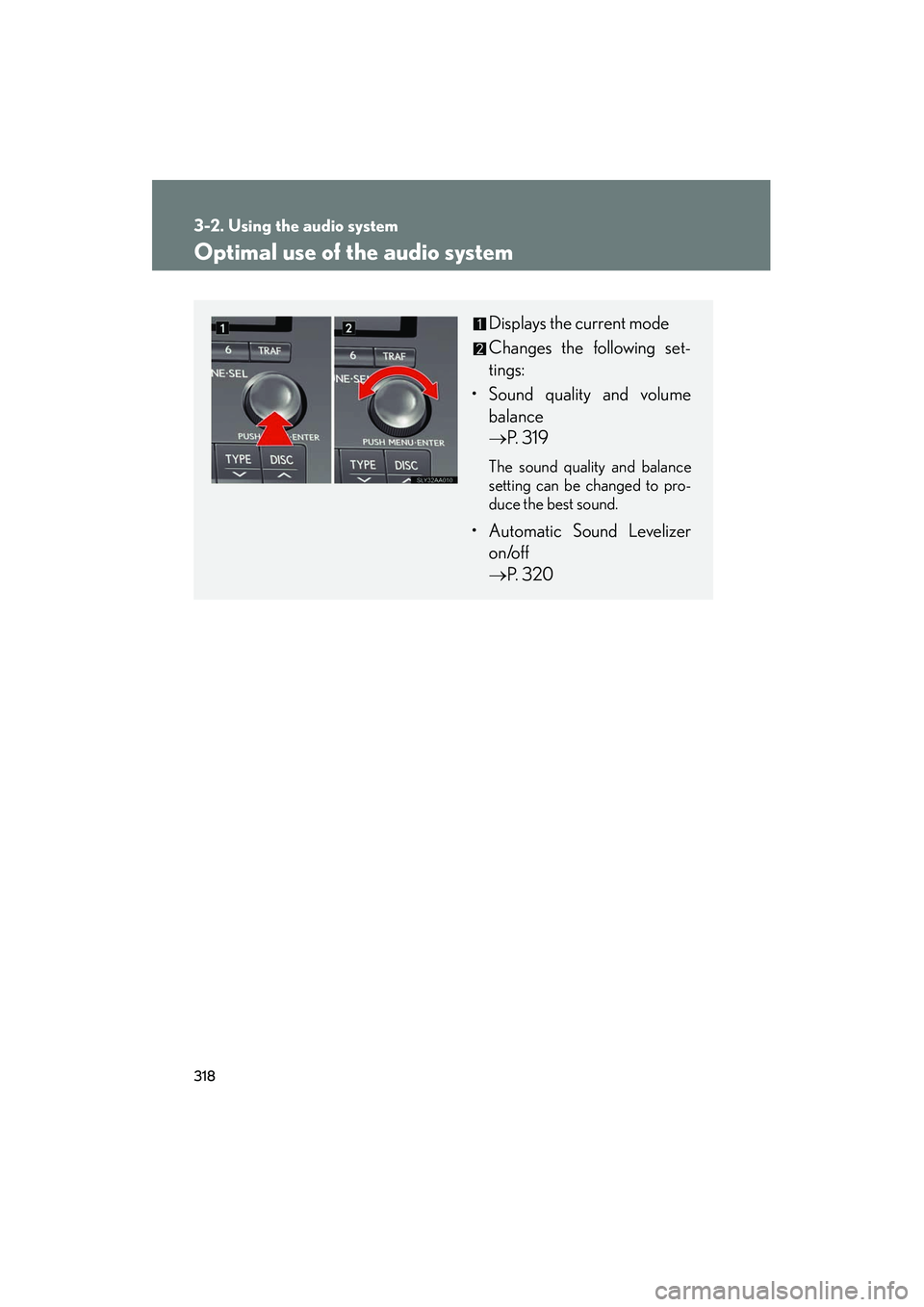
Displays the current mode
Changes the following set-
tings:
• Sound quality and volume balance
→ P. 319
The sound quality and balance
setting can be changed to pro-
duce the best sound.
• Automatic Sound Levelizer
on/off
→ P. 320
Page 320 of 630
319
3-2. Using the audio system
3
Interior features
HS250h_U_75050U
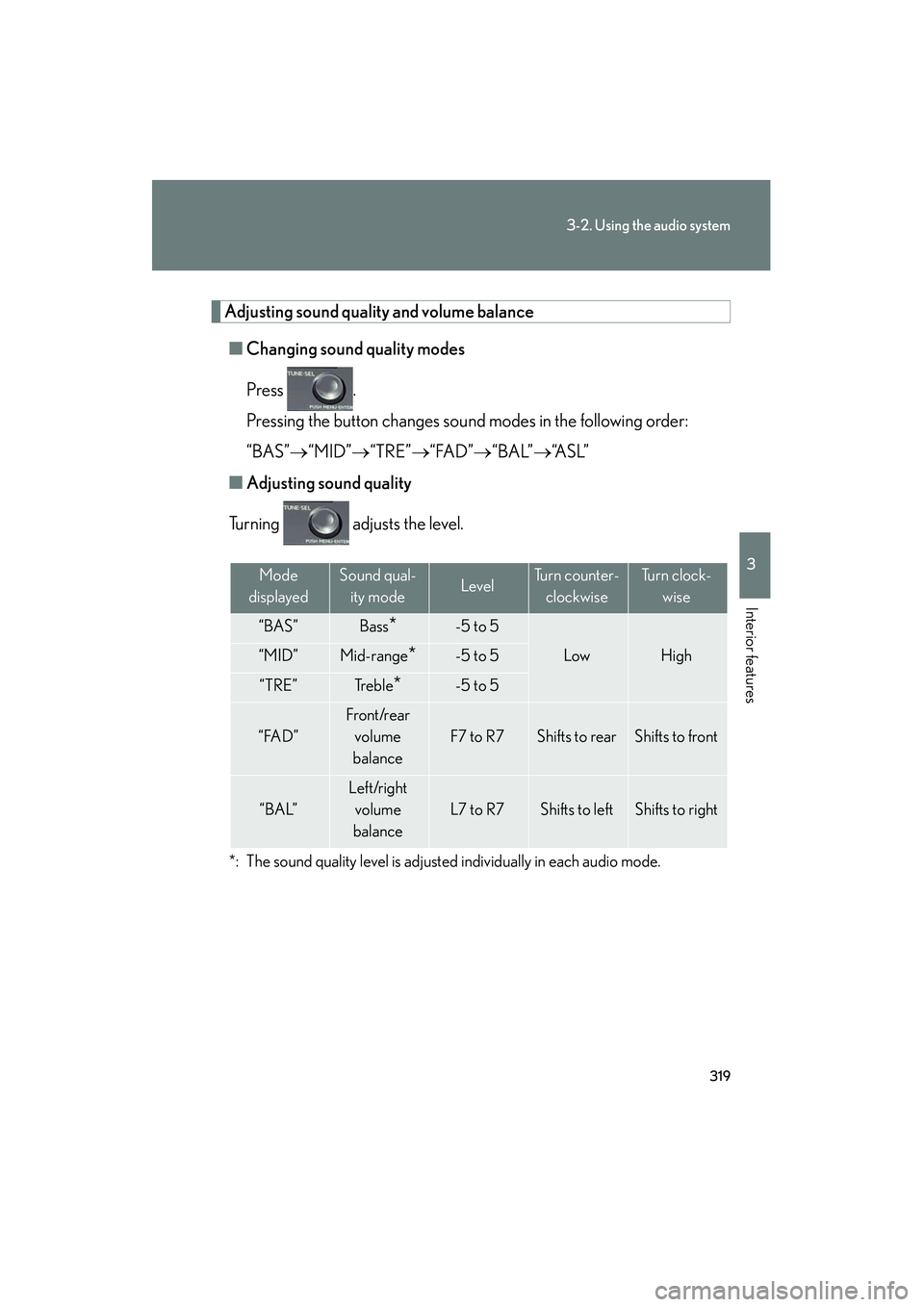
Adjusting sound quality and volume balance■ Changing sound quality modes
Press .
Pressing the button changes sound modes in the following order:
“BAS”→ “MID”→“TRE”→“FAD” →“BAL”→ “A S L ”
■ Adjusting sound quality
Turning adjusts the level.
*: The sound quality level is adjusted individually in each audio mode.
Mode
displayedSound qual- ity modeLevelTurn counter- clockwiseTu r n c l o c k - wise
“BAS”Bass*-5 to 5
LowHigh“MID”Mid-range*-5 to 5
“TRE”Tr e b l e*-5 to 5
“FAD”
Front/rear volume
balance
F7 to R7Shifts to rearShifts to front
“BAL”
Left/right volume
balance
L7 to R7Shifts to leftShifts to right
Page 321 of 630
320
3-2. Using the audio system
HS250h_U_75050U
Turning the Automatic Sound Levelizer (ASL) on/offTurning clockwise turns on the ASL, and turning
counterclockwise turns off the ASL.
ASL automatically adjusts the volume an d tone quality according to the noise
level as you drive your vehicle.
Page 322 of 630
321
3-2. Using the audio system
3
Interior features
HS250h_U_75050U
Using the AUX port
■Operating portable audio devices connected to the audio system
The volume can be adjusted using the vehicle’s audio controls. All other adjust-
ments must be made on the portable audio device itself.
■When using a portable audio device connected to the power outlet
Noise may occur during playback. Use the power source of the portable audio
device.
■Routing portable audio device cables
→P. 3 0 7
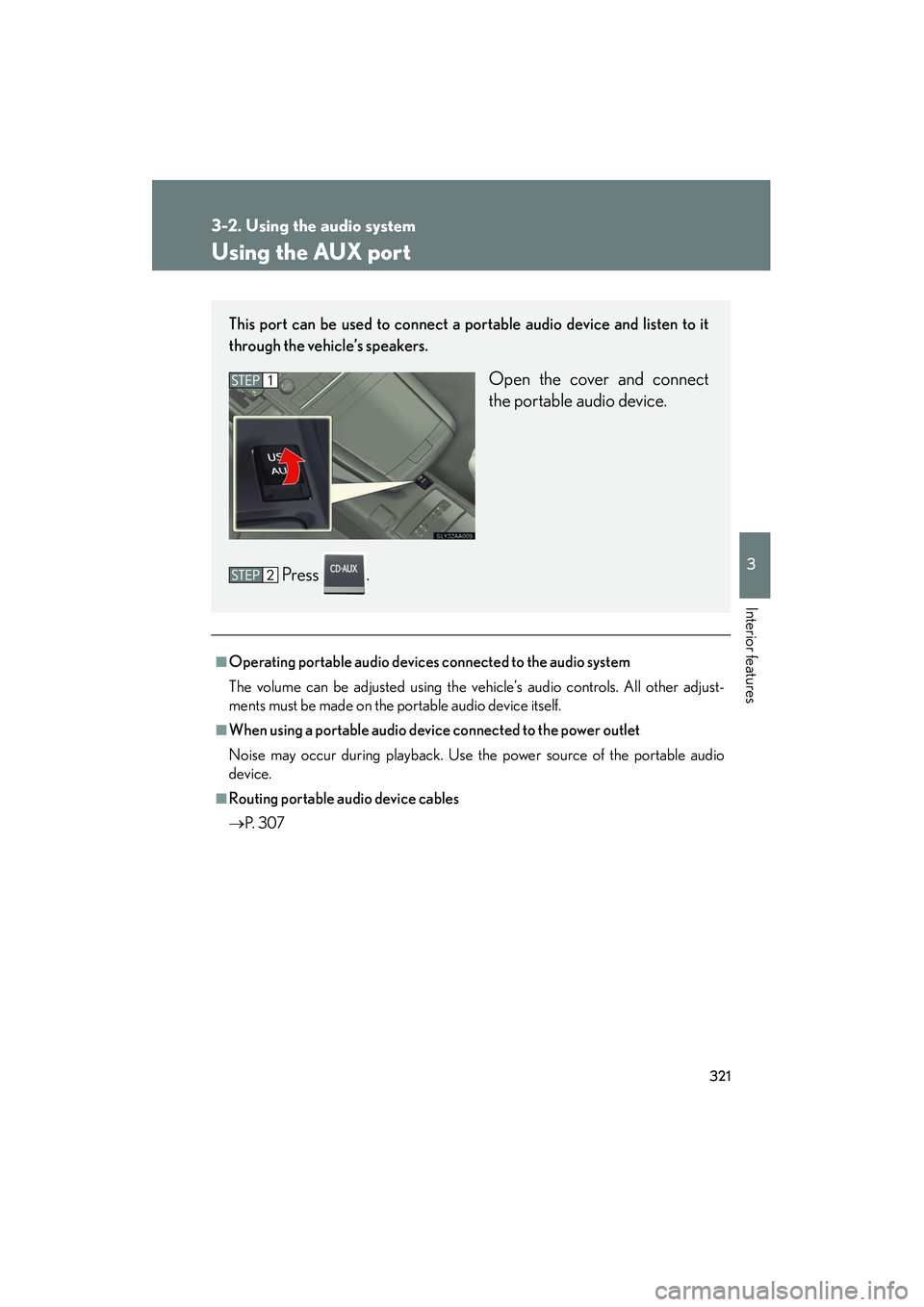
This port can be used to connect a portable audio device and listen to it
through the vehicle’s speakers.
Open the cover and connect
the portable audio device.
Press .
Page 323 of 630
322
3-2. Using the audio system
HS250h_U_75050U
Using the steering wheel audio switches
Turning the power onPress when the audio system is turned off.
The audio system can be turned off by holding the switch down for 1 second
or more.
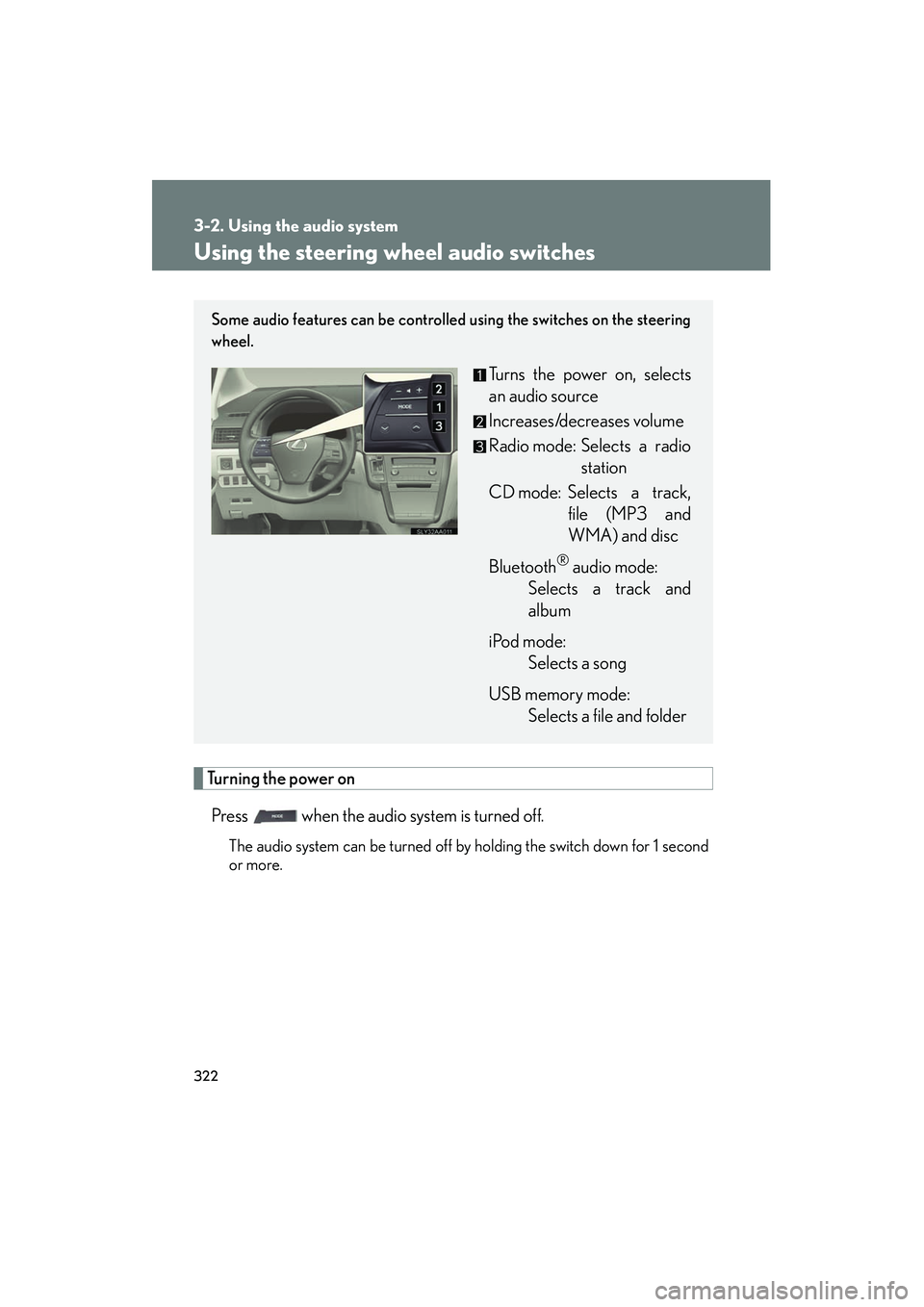
Some audio features can be controlled using the switches on the steering
wheel.
Turns the power on, selects
an audio source
Increases/decreases volume
Radio mode: Selects a radio station
CD mode: Selects a track, file (MP3 and
WMA) and disc
Bluetooth
® audio mode:
Selects a track and
album
iPod mode: Selects a song
USB memory mode: Selects a file and folder