lights Lexus IS F 2011 Owner's Guide
[x] Cancel search | Manufacturer: LEXUS, Model Year: 2011, Model line: IS F, Model: Lexus IS F 2011Pages: 529, PDF Size: 13.89 MB
Page 189 of 529
178
2-3. Operating the lights and windshield wipers
IS F_EE
If no windshield washer fluid sprays
Check that the washer nozzles are not blocked if there is washer fluid in the
windshield washer fluid reservoir.
Customization that can be configured at any authorized Lexus dealer or
repairer, or another duly qualified and equipped professional
Settings (e.g. drip prevention function) can be changed.
(Customizable features P. 484)
CAUTION
Caution regarding the use of windshield wipers in “AUTO” mode
The windshield wipers may operate unexpectedly if the sensor is touched or
the windshield is subject to vibration in “AUTO” mode. Take care that your
fingers etc. do not become caught in the windshield wipers.
NOTICE
When the windshield is dry
Do not use the wipers, as they may damage the windshield.
When a nozzle becomes blocked
Do not try to clear it with a pin or other object. The nozzle will be damaged.
When there is no washer fluid spray from the nozzle
Damage to the washer fluid pump may be caused if the lever is pulled
toward you and held continually.
Page 190 of 529
179
2-3. Operating the lights and windshield wipers
2
When driving
IS F_EE
Headlight cleaner switch
The headlight cleaner can be operated when
The “ENGINE START STOP” switch is in IGNITION ON mode and the
headlight switch is turned on.
Windshield washer linked operation
Only for the first time when the windshield washer is operated after the
“ENGINE START STOP” switch is turned to IGNITION ON mode with the
headlights on, the headlight cleaners will also operate once. (P. 176)
NOTICE
When the washer fluid tank is empty
Do not use this function when the washer fluid tank is empty. This may
cause the washer fluid pump to overheat.
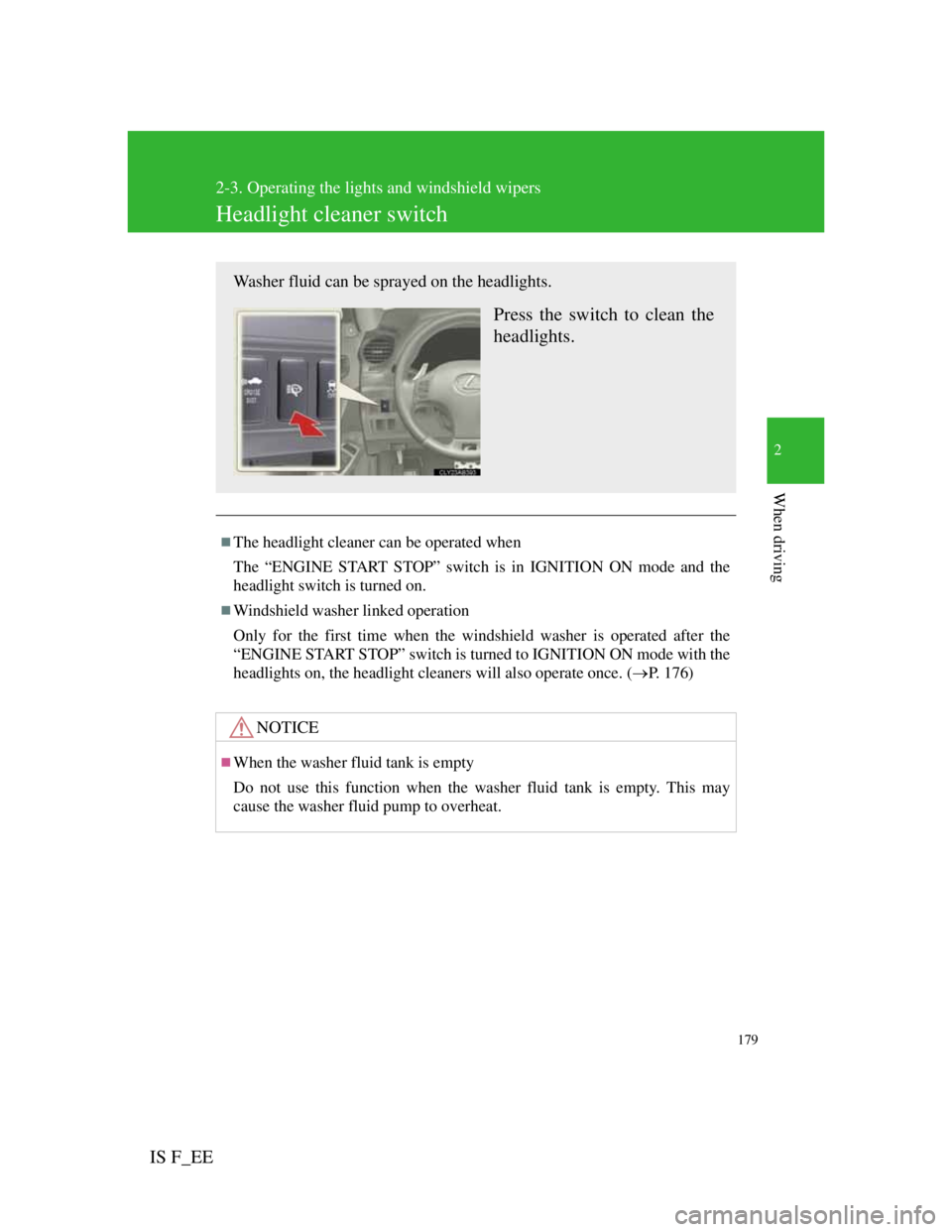
Washer fluid can be sprayed on the headlights.
Press the switch to clean the
headlights.
Page 204 of 529
193
2-4. Using other driving systems
2
When driving
IS F_EE
Automatic cancelation of constant speed control
The cruise control will stop maintaining the vehicle speed in the following
situations:
Actual vehicle speed is more than approximately 16 km/h (10 mph)
below the set vehicle speed.
At this time, the memorized set speed is not retained.
Actual vehicle speed falls below approximately 40 km/h (25 mph).
VSC is activated.
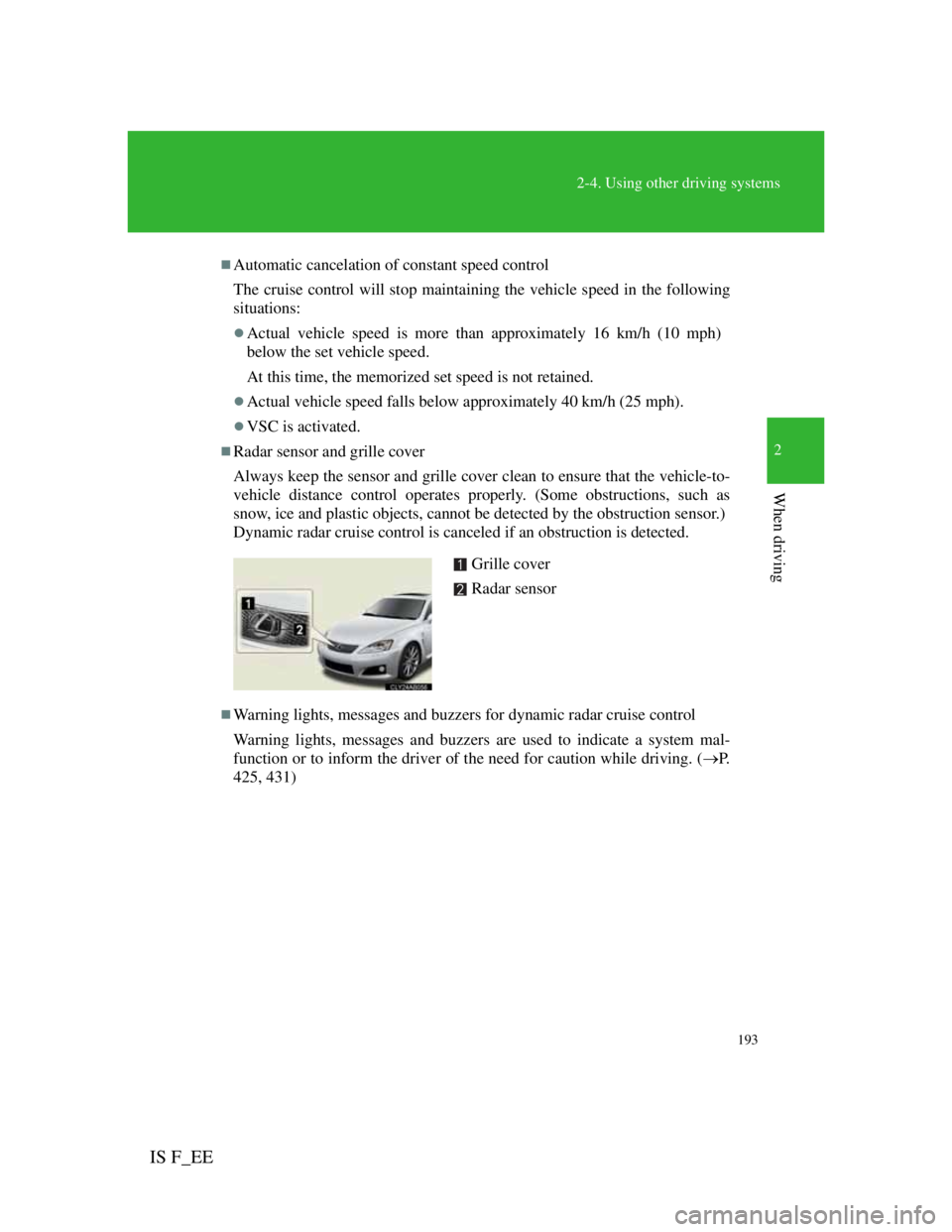
Radar sensor and grille cover
Always keep the sensor and grille cover clean to ensure that the vehicle-to-
vehicle distance control operates properly. (Some obstructions, such as
snow, ice and plastic objects, cannot be detected by the obstruction sensor.)
Dynamic radar cruise control is canceled if an obstruction is detected.
Warning lights, messages and buzzers for dynamic radar cruise control
Warning lights, messages and buzzers are used to indicate a system mal-
function or to inform the driver of the need for caution while driving. (P.
425, 431)
Grille cover
Radar sensor
Page 219 of 529
208
2-4. Using other driving systems
IS F_EE
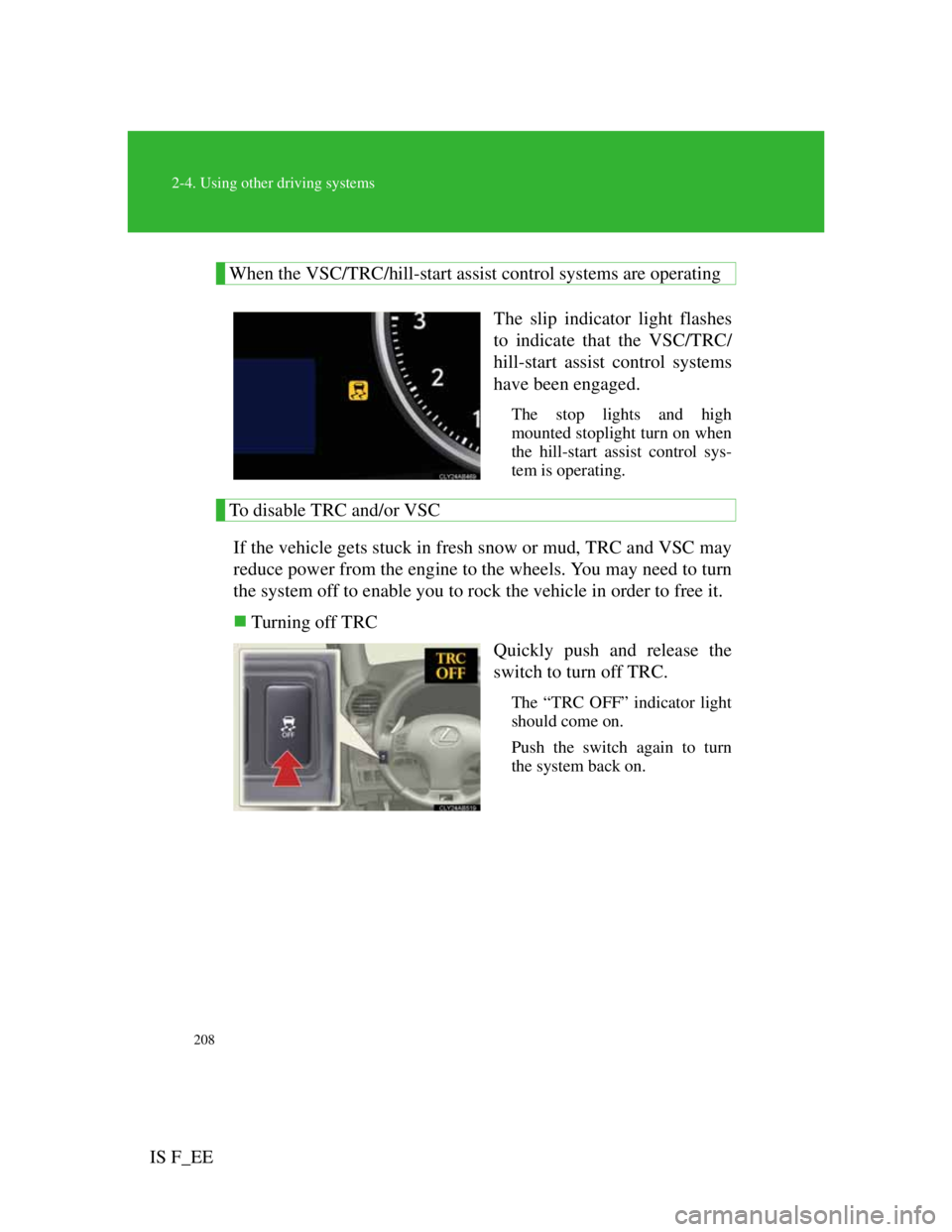
When the VSC/TRC/hill-start assist control systems are operating
The slip indicator light flashes
to indicate that the VSC/TRC/
hill-start assist control systems
have been engaged.
The stop lights and high
mounted stoplight turn on when
the hill-start assist control sys-
tem is operating.
To disable TRC and/or VSC
If the vehicle gets stuck in fresh snow or mud, TRC and VSC may
reduce power from the engine to the wheels. You may need to turn
the system off to enable you to rock the vehicle in order to free it.
Turning off TRC
Quickly push and release the
switch to turn off TRC.
The “TRC OFF” indicator light
should come on.
Push the switch again to turn
the system back on.
Page 229 of 529

218
2-4. Using other driving systems
IS F_EE
When passing an oncoming vehicle on a right-turn (right-hand drive
countries) or left-turn (left-hand drive countries)
When your vehicle rapidly closes on the vehicle in front
When a grade separation/interchange, sign, billboard, or other structure
appears to be directly in the vehicle's line of travel.
When an overhead billboard or other metallic structure appears to be in
the vehicle’s direct line of travel due to driving on a hill.
When an extreme change in vehicle height occurs
When the axis of the radar is out of adjustment
When passing through certain toll gates
When driving on a bridge.
When the system is activated in the situations described above there is also a
possibility that the seat belts will retract quickly and the brakes will be
applied with a force greater than normal. When the seat belt is locked in the
retracted position, stop the vehicle in a safe place, release the seat belt and
refasten.
When there is a malfunction in the system
Warning lights and/or warning messages will turn on or flash. (P. 425,
431)
Situations in which the pre-crash safety system does not function properly
The system may not function effectively in situations such as the following:
On roads with sharp bends or uneven surfaces
If a vehicle suddenly moves in front of your vehicle, such as at an inter-
section
If a vehicle suddenly cuts in front of your vehicle, such as when overtak-
ing
In inclement weather such as heavy rain, fog, snow or sand storms
When your vehicle is skidding with the VSC system off
When an extreme change in vehicle height occurs
When the axis of the radar is out of adjustment
Automatic cancelation of the pre-crash safety system
When a malfunction occurs due to sensor contamination, etc. that results in
the sensors being unable to detect obstacles, the pre-crash safety system will
be automatically disabled. In this case, the system will not activate even if
there is a collision possibility.
Page 241 of 529
3Interior features
227
IS F_EE
3-4. Using the hands-free
phone system (for mobile
phones)
Hands-free system for
mobile phones ................ 293
Using the hands-free
system
(for mobile phones)........ 299
Making a phone call ......... 305
Setting a mobile phone .... 309
Security and system
setup ............................... 312
Using the phone book ...... 316
3-5. Using the interior lights
Interior lights list .............. 320
• Interior lights ................. 322
• Personal lights................ 3233-6. Using the storage
features
List of storage features .... 324
• Glove box ...................... 325
• Console box ................... 326
• Cup holders.................... 327
• Bottle holders/door
pockets ........................... 328
• Auxiliary box ................. 329
3-7. Other interior features
Sun visors ........................ 330
Vanity mirrors .................. 331
Clock................................ 332
Satellite switches ............. 333
Ashtrays ........................... 336
Cigarette lighter ............... 337
Power outlet ..................... 338
Seat heaters ...................... 339
Armrest ............................ 341
Trunk storage extension... 342
Coat hooks ....................... 344
Floor mat.......................... 345
Trunk features .................. 346
Page 338 of 529
320
IS F_EE
3-5. Using the interior lights
Interior lights list
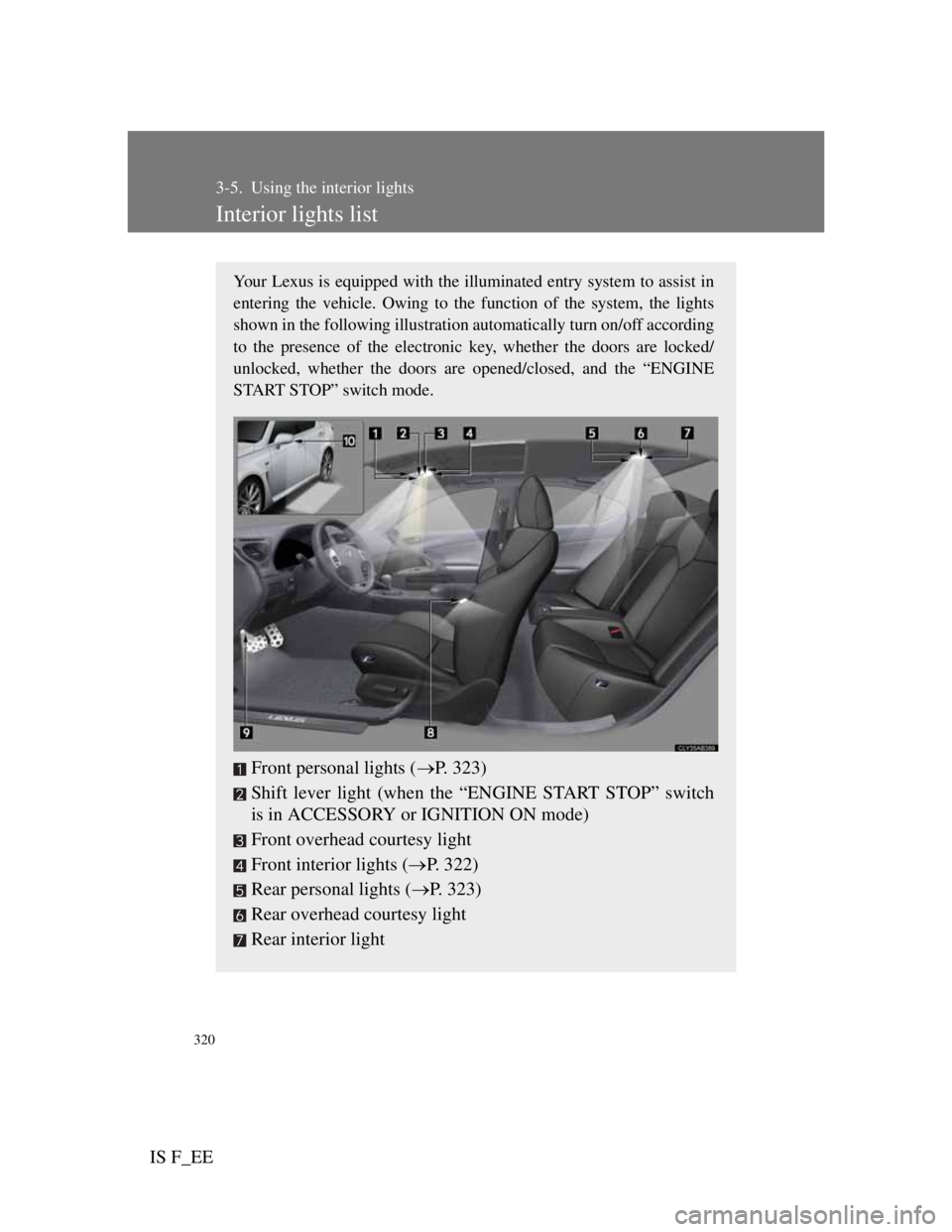
Your Lexus is equipped with the illuminated entry system to assist in
entering the vehicle. Owing to the function of the system, the lights
shown in the following illustration automatically turn on/off according
to the presence of the electronic key, whether the doors are locked/
unlocked, whether the doors are opened/closed, and the “ENGINE
START STOP” switch mode.
Front personal lights (P. 323)
Shift lever light (when the “ENGINE START STOP” switch
is in ACCESSORY or IGNITION ON mode)
Front overhead courtesy light
Front interior lights (P. 322)
Rear personal lights (P. 323)
Rear overhead courtesy light
Rear interior light
Page 339 of 529
321
3-5. Using the interior lights
3
Interior features
IS F_EE
To prevent battery discharge
If the overhead courtesy lights and interior lights remain on when the door is
not fully closed and the interior light switch (door position on/off) is on, the
lights will go off automatically after 20 minutes.
Customization that can be configured at any authorized Lexus dealer or
repairer, or another duly qualified and equipped professional
Settings (e.g. The time elapsed before lights turn off) can be changed.
(Customizable features P. 484)
Front footwell lights
Outer foot lights
Turning the instrument panel light control knob fully to the left dis-
ables the shift lever light and front footwell lights.
Page 340 of 529
322
3-5. Using the interior lights
IS F_EE
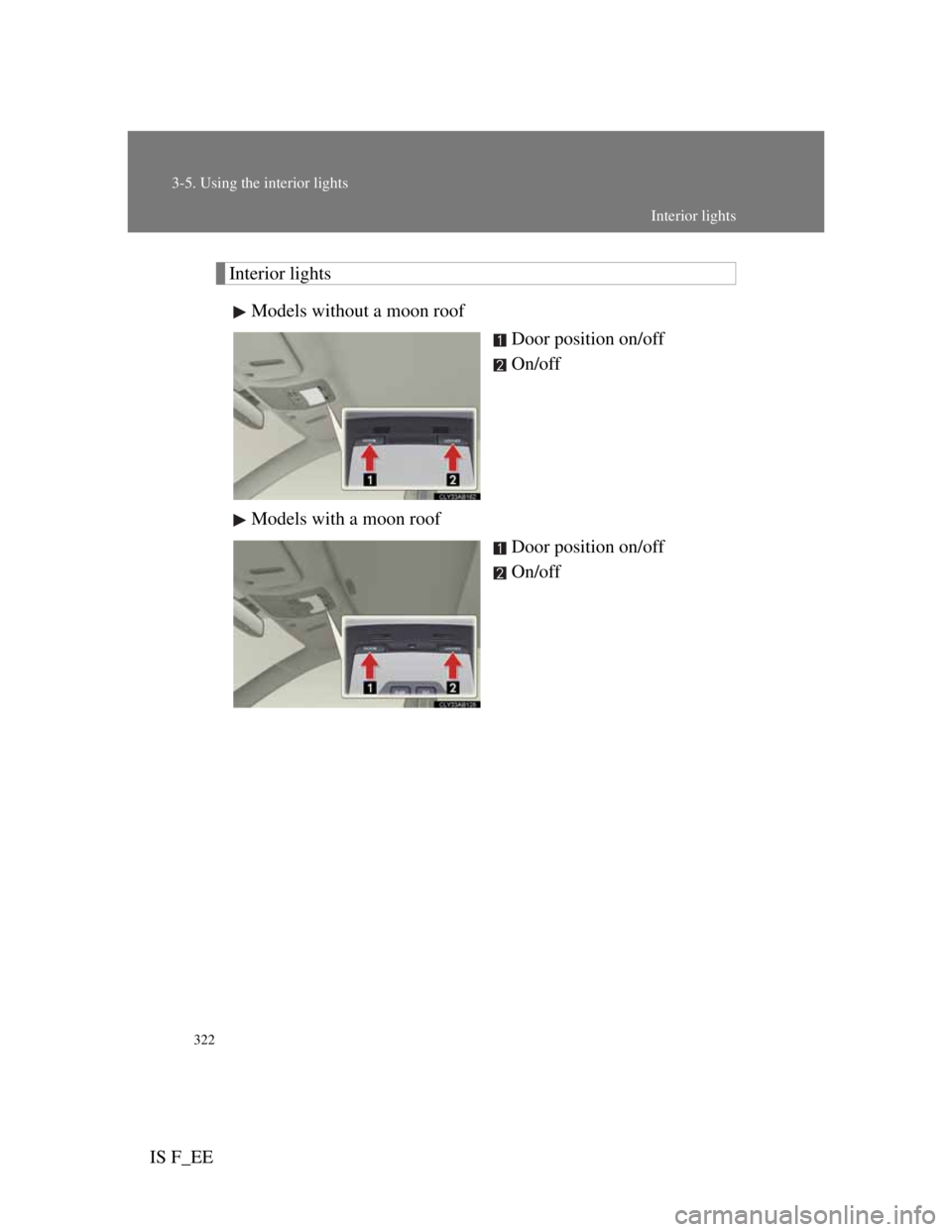
Interior lights
Models without a moon roof
Door position on/off
On/off
Models with a moon roof
Door position on/off
On/off
Interior lights
Page 341 of 529
323
3-5. Using the interior lights
3
Interior features
IS F_EE
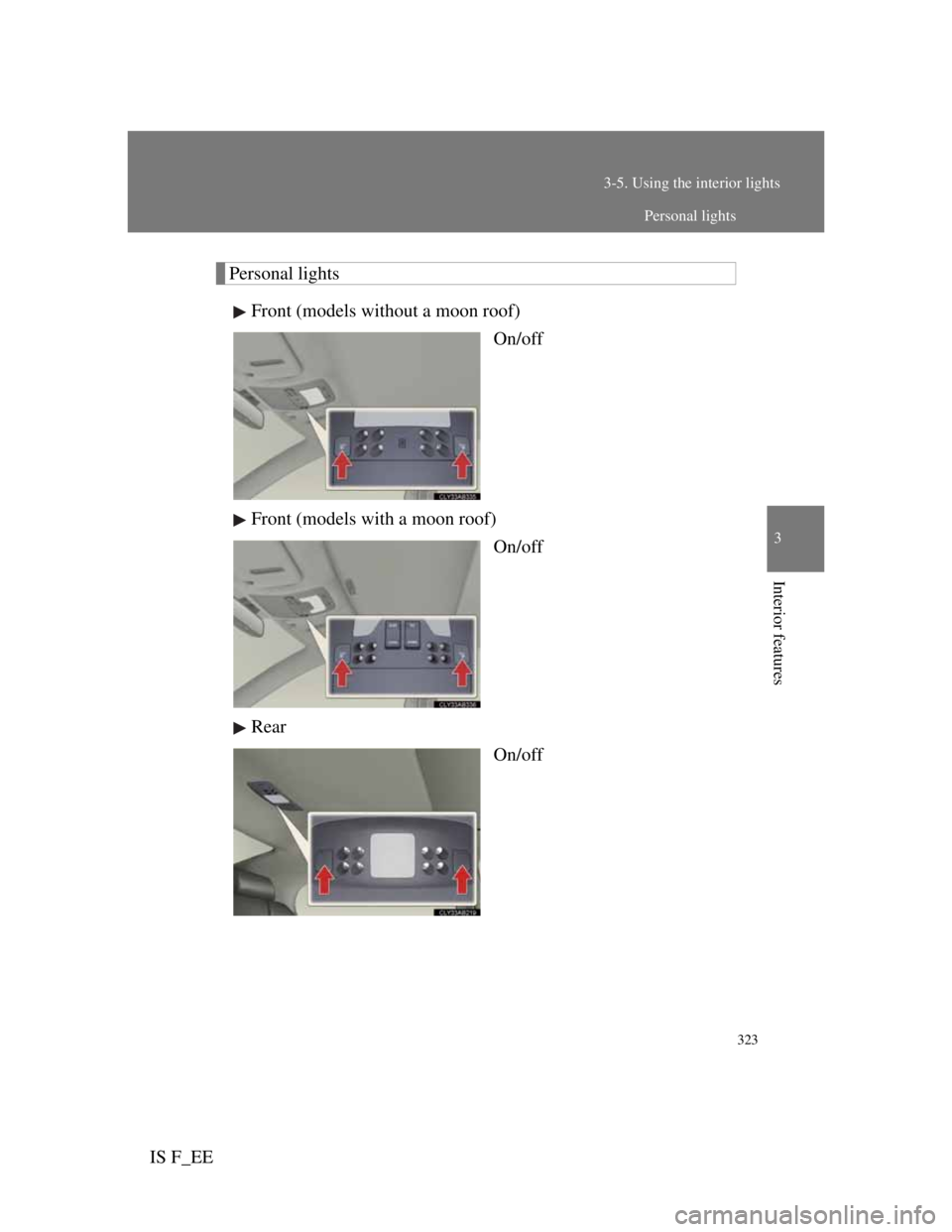
Personal lights
Front (models without a moon roof)
On/off
Front (models with a moon roof)
On/off
Rear
On/off
Personal lights