ignition Lexus IS200t 2017 s Owner's Guide
[x] Cancel search | Manufacturer: LEXUS, Model Year: 2017, Model line: IS200t, Model: Lexus IS200t 2017Pages: 676, PDF Size: 149.78 MB
Page 280 of 676
2804-5. Using the driving support systems
IS200t_EE(OM53D77E)
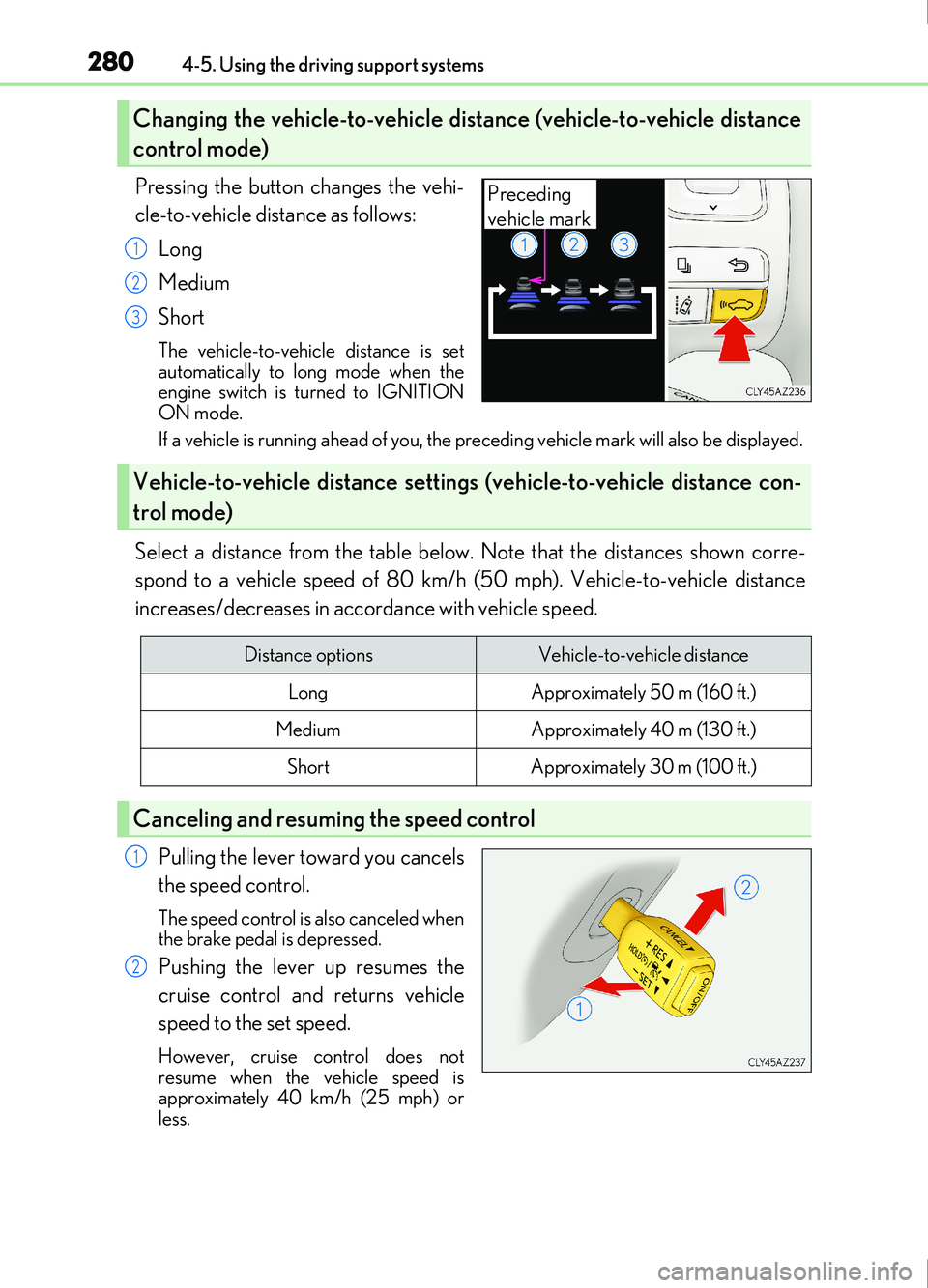
Pressing the button changes the vehi-
cle-to-vehicle distance as follows:Long
Medium
Short
The vehicle-to-vehicle distance is set
automatically to long mode when the
engine switch is turned to IGNITION
ON mode.
If a vehicle is running ahead of you, the preceding vehicle mark will also be displayed.
Select a distance from the table below. Note that the distances shown corre-
spond to a vehicle speed of 80 km/h (50 mph). Vehicle-to-vehicle distance
increases/decreases in accordance with vehicle speed.
Pulling the lever toward you cancels
the speed control.
The speed control is also canceled when
the brake pedal is depressed.
Pushing the lever up resumes the
cruise control and returns vehicle
speed to the set speed.
However, cruise control does not
resume when the vehicle speed is
approximately 40 km/h (25 mph) or
less.
Changing the vehicle-to-vehicle di stance (vehicle-to-vehicle distance
control mode)
Preceding
vehicle mark
1
2
3
Vehicle-to-vehicle distance settings (vehicle-to-vehicle distance con-
trol mode)
Distance optionsVehicle-to-vehicle distance
LongApproximately 50 m (160 ft.)
MediumApproximately 40 m (130 ft.)
ShortApproximately 30 m (100 ft.)
Canceling and resuming the speed control
1
2
Page 295 of 676
2954-5. Using the driving support systems
4
Driving
IS200t_EE(OM53D77E)
■If the windshield is fogged up while the engine is stopped by the Stop & Start system
Turn on. (The engine will start due to the automatic engine start function.):
P. 458
If the windshield fogs up frequently, press the Stop & Start cancel switch to disable the
system.
■If an odor comes from the air conditioning system while the engine is stopped by the
Stop & Start system
Press the Stop & Start cancel switch to deactivate the Stop & Start system.
■Air conditioning system operation while the engine is stopped by the Stop & Start sys-
tem
●If the air conditioning system is being us ed in automatic mode, the fan speed may be
reduced or the fan may be stopped while the engine is stopped by the Stop & Start sys-
tem in order to reduce changes in the cabin temperature.
●To ensure air conditioning system performanc e when the vehicle is stopped, disable the
Stop & Start system by pressing the Stop & Start cancel switch.
■Changing the idling stop time with the air conditioning system on
The length of time the Stop & Start system will operate when the air conditioning system
is on can be changed by performing the followi ng operation. (The length of time the Stop
& Start system will operate when the air condit ioning system is off cannot be changed.)
●Setting by pressing and holding the Stop & Start cancel switch
Each time the Stop & Start cancel switch is pressed and held for 3 seconds or more, the
system changes between standard and extended. The system status can be confirmed
on the multi-information display screen. ( P. 97)
●Settings using the multi-information display
( P. 106) or ( P. 107).
■The Stop & Start system protection function
●When the volume of the audio system is ex cessively high, sound output from the audio
system may suddenly be cut of f in order to reduce battery consumption. To prevent the
audio system from being cut off, keep the vo lume of audio system at a moderate level.
If the audio system has been cut off, turn the engine switch off, wait for 3 seconds or
more and then turn it to ACCESSORY mode or IGNITION ON mode to re-enable
the audio system.
●The audio system may not be activated if the battery terminals are disconnected and
then reconnected. If this occurs, turn the engine switch off and then turn it to IGNI-
TION ON mode and then off twice to activate the audio system.
■To prevent damage to the turbocharger
Allow the engine to idle immediately after driving at high speeds or long periods of uphill
driving. To allow the engine idle when the vehicle is stopped, disable the Stop & Start sys-
tem by pressing the Stop & Start cancel switch. ( P. 292)
■Replacing the battery
P. 620
■Displaying the Stop & Start system status
P. 106
Page 304 of 676

3044-5. Using the driving support systems
IS200t_EE(OM53D77E)
You can change the buzzer sounds volume and the screen operating conditions
when the engine switch is in IGNITION ON mode.Press the “MENU” button on the Le xus Display Audio controller/Remote
Touch, and then select on the screen.
Select “Vehicle”, and then select “LEXUS park assist” on the screen.
Select the desired item.
The buzzer sounds volume can be adjusted.
On or off can be selected for Le xus parking assist-sensor display.
Both the front or rear ce nter sensors display and tone indication can be set.
Setting up Lexus parking assist-sensor
1
2
3
Lexus Display Audio screen10.3-inch display
1
2
3
Page 305 of 676

3054-5. Using the driving support systems
4
Driving
IS200t_EE(OM53D77E)
■The Lexus parking assist-sensor can be operated when
●Front corner sensors:
• The engine switch is in IGNITION ON mode.
• The shift lever is in other than P.
• The vehicle speed is less than about 10 km/h (6 mph).(At any speed when the shift lever is in R)
●Front center sensors:
• The engine switch is in IGNITION ON mode.
• The shift lever is in other than P or R.
• The vehicle speed is less than about 10 km/h (6 mph).
●Rear corner and rear center sensors:
• The engine switch is in IGNITION ON mode.
• The shift lever is in R.
■Lexus parking assist-sensor display
Vehicles with a Lexus Display Audio system: When an obstacle is detected while the
Lexus parking assist monitor is in use, the warning indicator will ap pear in the upper part
of the screen even if the display setting has been set to off.
■If a message is displayed on the multi-information display
P. 560
■Customization
Some functions can be customized. ( P. 304, 646)
Page 308 of 676
3084-5. Using the driving support systems
IS200t_EE(OM53D77E)
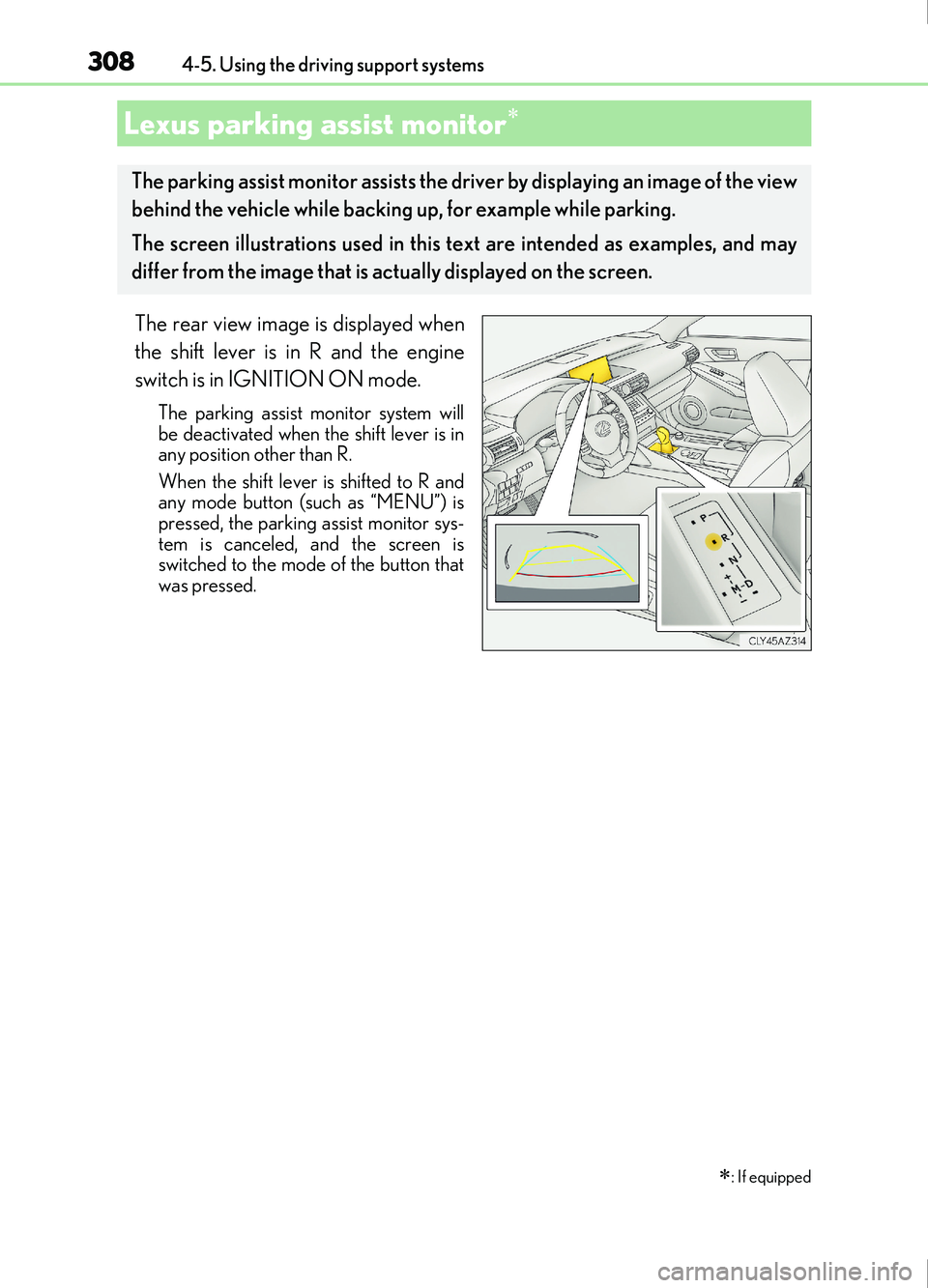
The rear view image is displayed when
the shift lever is in R and the engine
switch is in IGNITION ON mode.
The parking assist monitor system will
be deactivated when the shift lever is in
any position other than R.
When the shift lever is shifted to R and
any mode button (such as “MENU”) is
pressed, the parking assist monitor sys-
tem is canceled, and the screen is
switched to the mode of the button that
was pressed.
Lexus parking assist monitor
: If equipped
The parking assist monitor assists the driver by displaying an image of the view
behind the vehicle while backing up, for example while parking.
The screen illustrations used in this text are intended as examples, and may
differ from the image that is ac tually displayed on the screen.
Page 309 of 676
3094-5. Using the driving support systems
4
Driving
IS200t_EE(OM53D77E)
■Screen display
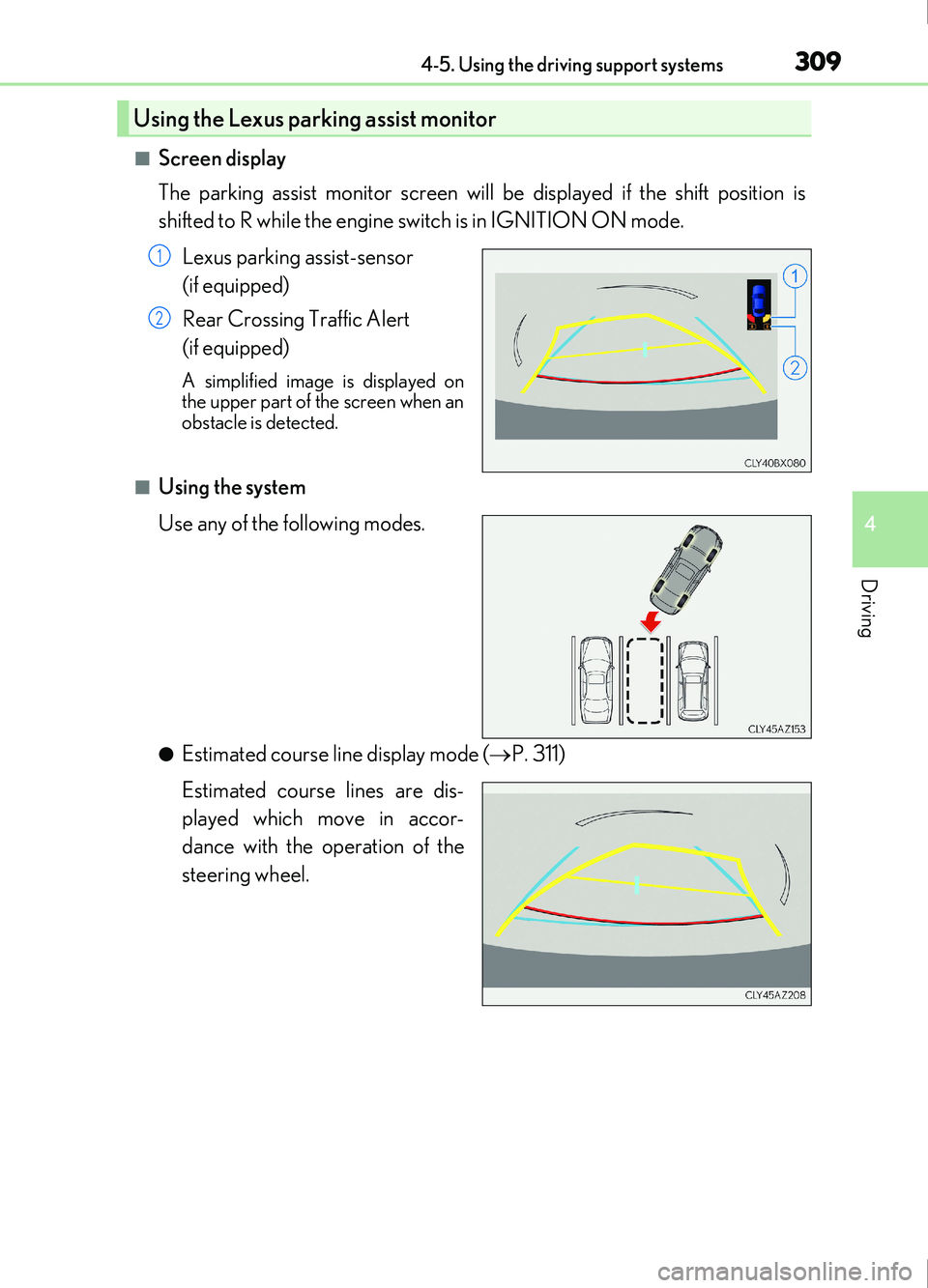
The parking assist monitor screen will be displayed if the shift position is
shifted to R while the engine switch is in IGNITION ON mode.Lexus parking assist-sensor
(if equipped)
Rear Crossing Traffic Alert
(if equipped)
A simplified image is displayed on
the upper part of the screen when an
obstacle is detected.
■Using the system
Use any of the following modes.
●Estimated course line display mode ( P. 311)
Estimated course lines are dis-
played which move in accor-
dance with the operation of the
steering wheel.
Using the Lexus parking assist monitor
1
2
Page 401 of 676
4015-7. Connecting Bluetooth®
5
Lexus Display Audio system
IS200t_EE(OM53D77E)
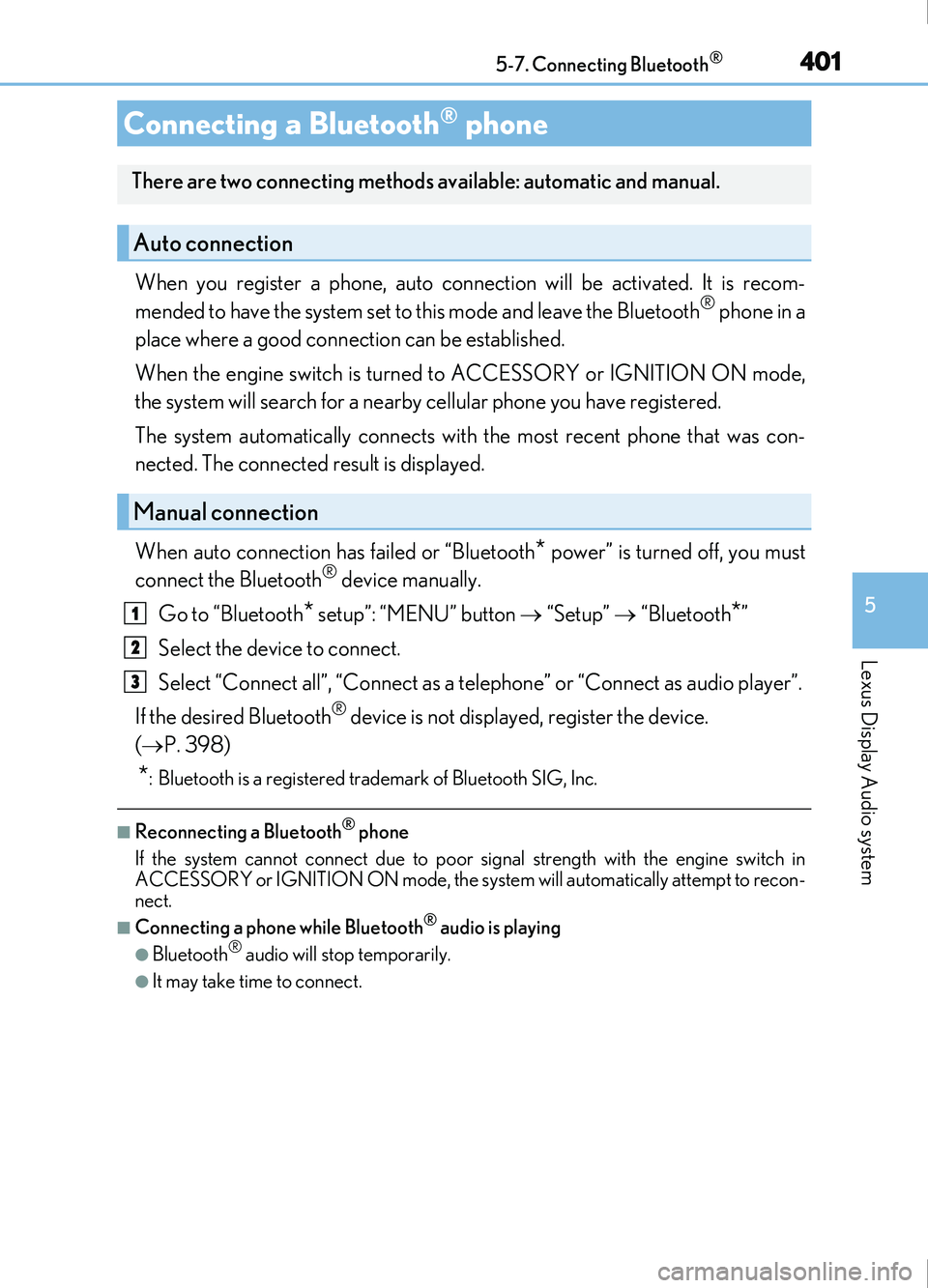
When you register a phone, auto connection will be activated. It is recom-
mended to have the system set to this mode and leave the Bluetooth® phone in a
place where a good connection can be established.
When the engine switch is turned to ACCESSORY or IGNITION ON mode,
the system will search for a nearby cellular phone you have registered.
The system automatically connects with the most recent phone that was con-
nected. The connected result is displayed.
When auto connection has failed or “Bluetooth
* power” is turned off, you must
connect the Bluetooth® device manually.
Go to “Bluetooth
* setup”: “MENU” button “Setup” “Bluetooth*”
Select the device to connect.
Select “Connect all”, “Connect as a telephone” or “Connect as audio player”.
If the desired Bluetooth
® device is not displayed, register the device.
( P. 398)
*: Bluetooth is a registered trademark of Bluetooth SIG, Inc.
■Reconnecting a Bluetooth® phone
If the system cannot connect due to poor signal strength with the engine switch in
ACCESSORY or IGNITION ON mode, the system will automatically attempt to recon-
nect.
■Connecting a phone while Bluetooth® audio is playing
●Bluetooth® audio will stop temporarily.
●It may take time to connect.
Connecting a Bluetooth® phone
There are two connecting methods available: automatic and manual.
Auto connection
Manual connection
1
2
3
Page 428 of 676
4285-11. Bluetooth®
IS200t_EE(OM53D77E)
■Compatible models
The Bluetooth® audio system supports portable audio players with the following specifi-
cations
●Bluetooth® specifications:
Ver. 2.0, or higher (Recommend ed: Ver. 3.0 +EDR or higher)
●Profiles:
• A2DP (Advanced Audio Distribution Profile) Ver. 1.0, or higher
(Recommended: Ver. 1.2 or higher)
This is a profile to transmit stereo audio or high quality sound to the audio system.
• AVRCP (Audio/Video Remote Control Profile) Ver. 1.0 or higher (Recommended: Ver. 1.4 or higher)
This is a profile to allow remote control the A/V equipment.
However, please note that some functions may be limited depending on the type of por-
table audio player connected.
The hands-free system supports cellular ph ones with the following specifications.
●Bluetooth® specification:
Ver. 2.0 or higher (Recommended : Ver. 3.0 +EDR or higher)
●Profiles:
• HFP (Hands Free Profile) Ver. 1.0 or higher (Recommended: Ver. 1.6 or higher)
This is a profile to allow hands-free phone calls using a cellular phone or head set. It
has outgoing and incoming call functions.
• OPP (Object Push Profile) Ver. 1.1 or higher (Recommended: Ver. 1.2) This is a profile to transfer phonebook data. When a Bluetooth
® compatible cellular
phone has both PBAP and OPP, OPP cannot be used.
• PBAP (Phone Book Access Profile) Ver. 1.0 or higher (Recommended: Ver. 1.1)
This is a profile to tr ansfer phonebook data.
• MAP (Message Access Profile) Ver.1.0 or higher This is a profile to using phone message.
If the cellular phone does not support HFP, you cannot register it with the hands-free sys-
tem. OPP, PBAP or MAP services must be selected individually.
■Reconnecting the portable audio player
If the portable audio player is disconnect ed due to poor reception when the engine
switch is turned to ACCESSORY or IGNITION ON mode, the system automatically
reconnects the portable audio player.
If you have switched off the portable audio player yourself, follow the instructions below
to reconnect:
●Select the portable audio player again
●Enter the portable audio player
■When you sell your car
Be sure to delete your personal data. ( P. 365)
Page 464 of 676
4646-2. Using the air conditioning system
IS200t_EE(OM53D77E)
●The heated steering wheel can be used when the engine switch is in IGNITION ON
mode.
●The heated steering wheel will automatically turn off after about 30 minutes.
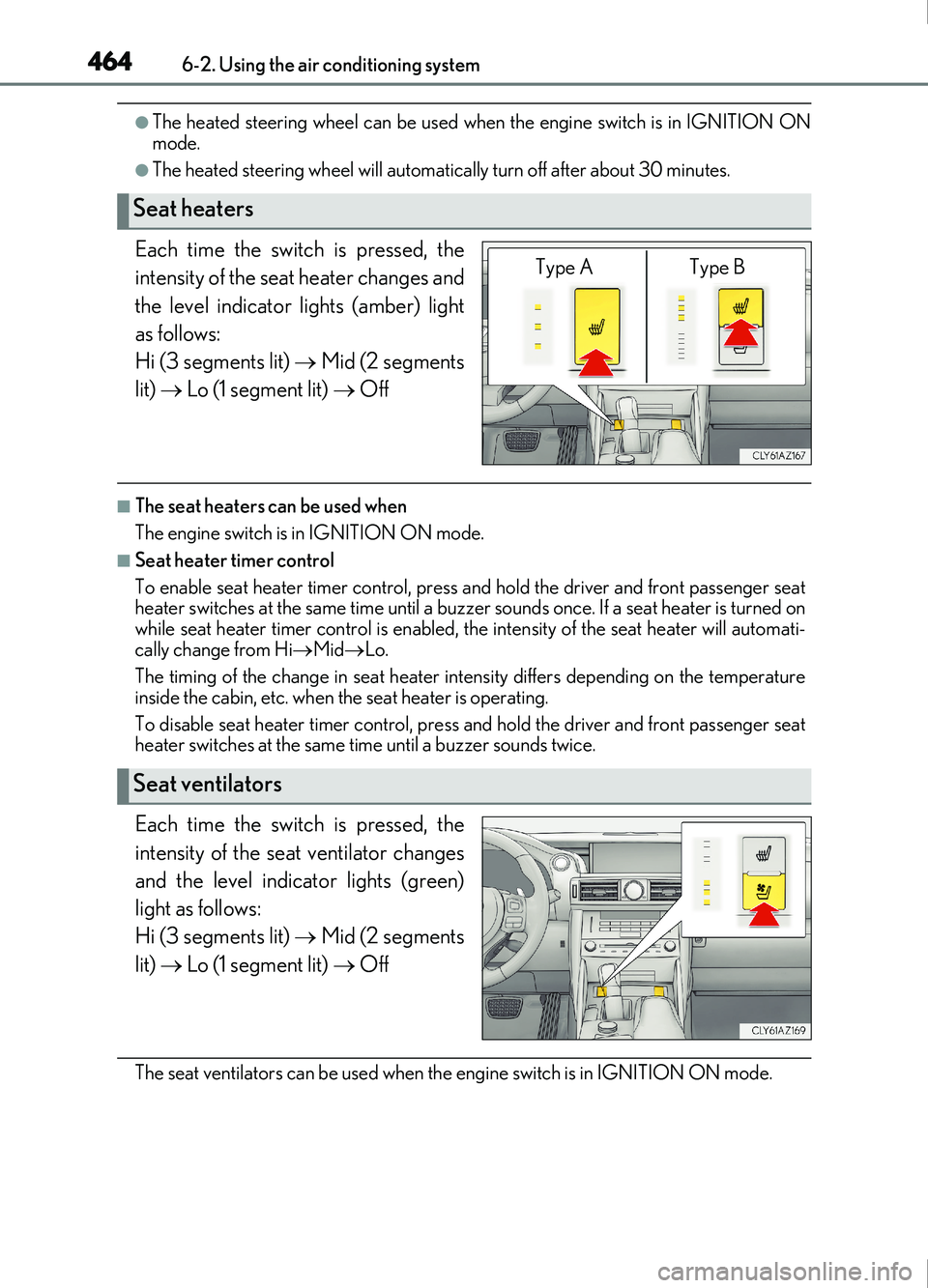
Each time the switch is pressed, the
intensity of the seat heater changes and
the level indicator lights (amber) light
as follows:
Hi (3 segments lit) Mid (2 segments
lit) Lo (1 segment lit) Off
■The seat heaters can be used when
The engine switch is in IGNITION ON mode.
■Seat heater timer control
To enable seat heater timer control, press and hold the driver and front passenger seat
heater switches at the same time until a buzzer sounds once. If a seat heater is turned on
while seat heater timer control is enabled, th e intensity of the seat heater will automati-
cally change from Hi Mid Lo.
The timing of the change in seat heater intensity differs depending on the temperature
inside the cabin, etc. when the seat heater is operating.
To disable seat heater timer control, press and hold the driver and front passenger seat
heater switches at the same time until a buzzer sounds twice.
Each time the switch is pressed, the
intensity of the seat ventilator changes
and the level indicator lights (green)
light as follows:
Hi (3 segments lit) Mid (2 segments
lit) Lo (1 segment lit) Off
The seat ventilators can be used when th e engine switch is in IGNITION ON mode.
Seat heaters
Type A Type B
Seat ventilators
Page 469 of 676
4696-4. Using the storage features
6
Interior features
IS200t_EE(OM53D77E)
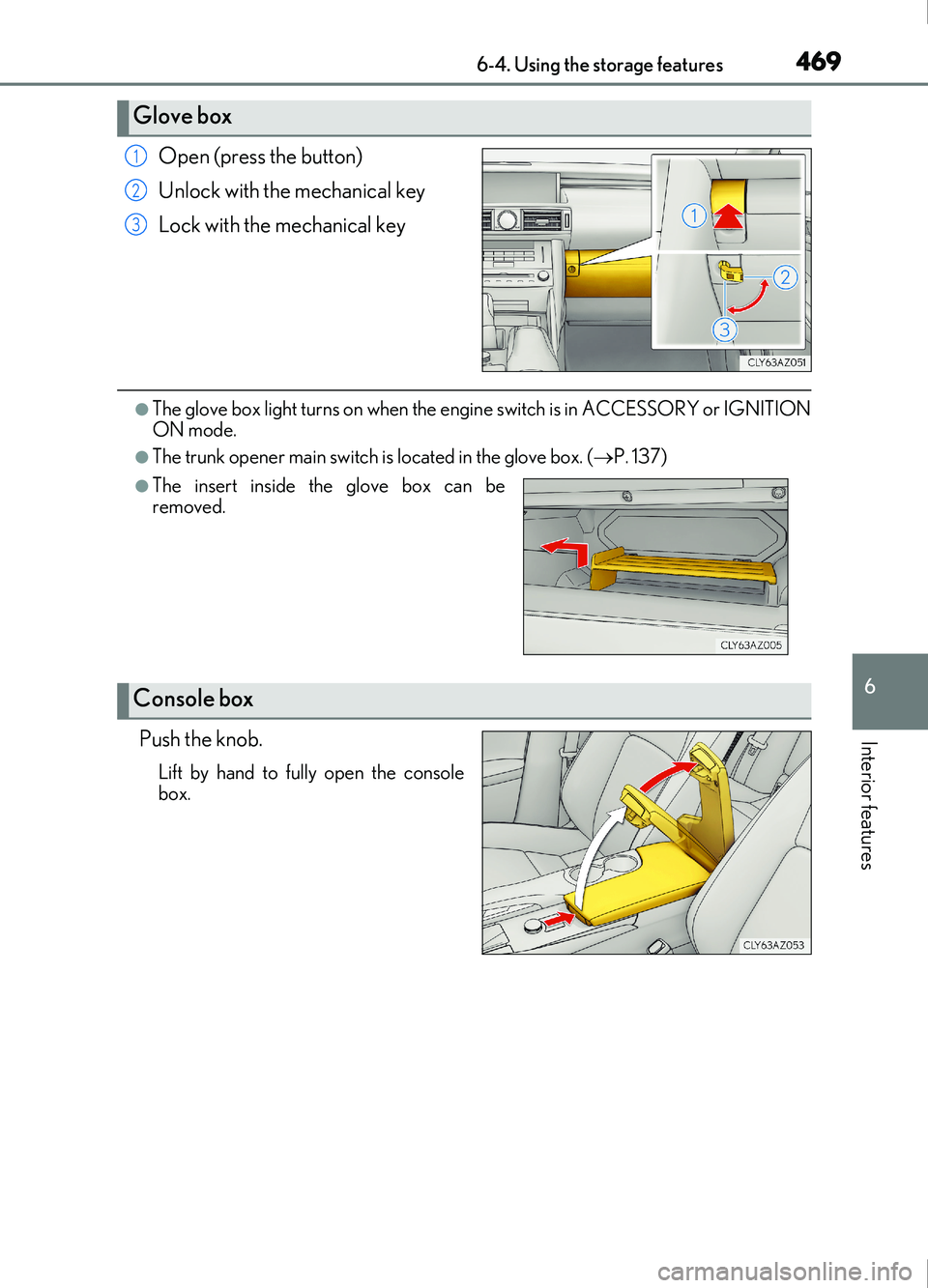
Open (press the button)
Unlock with the mechanical key
Lock with the mechanical key
●The glove box light turns on when the engine switch is in ACCESSORY or IGNITION
ON mode.
●The trunk opener main switch is located in the glove box. (P. 137)
Push the knob.
Lift by hand to fully open the console
box.
Glove box
1
2
3
●The insert inside the glove box can be
removed.
Console box