steering Lexus IS200t 2017 s Manual Online
[x] Cancel search | Manufacturer: LEXUS, Model Year: 2017, Model line: IS200t, Model: Lexus IS200t 2017Pages: 676, PDF Size: 149.78 MB
Page 409 of 676
4095-9. Bluetooth® Phone
5
Lexus Display Audio system
IS200t_EE(OM53D77E)
You can make a call using numbers registered in the favorites.Go to “Favourites”: “MENU” button “Telephone” “Favourites”
Choose the desired contact to call from the list.
Choose the number and then press the off-hook switch on the steering wheel
or press the controller.
You can make a call using the call history. Go to “Call history”: “MENU” button “Telephone” “Call history”
Select the desired entry from the list.
Press the off-hook switch on the steering wheel or select .
■Call history list
●If you make a call to or receive a call from a number registered in the phonebook, the
name is displayed in the call history.
●If you make multiple calls to the same number , only the last call made is displayed in the
call history.
■International calls
Depending on the mobile phone in use, you ma y not be able to make international calls.
■Calling by using the latest call history entry
Press the
off-hook switch on the steering wheel to display the phone top screen.
Press the switch again to disp lay the “Call history” screen.
Press the switch again to select the latest call history entry.
Dialing from favorites
Dialing from history
1
2
3
1
2
3
1
2
3
Page 410 of 676
4105-9. Bluetooth® Phone
IS200t_EE(OM53D77E)
Press the off-hook switch on the steer-
ing wheel or select .
Press the on-hook switch on the steering wheel or select .
■International calls
Depending on the cellular phone in use, received international calls may not be dis-
played correctly.
Receiving a call
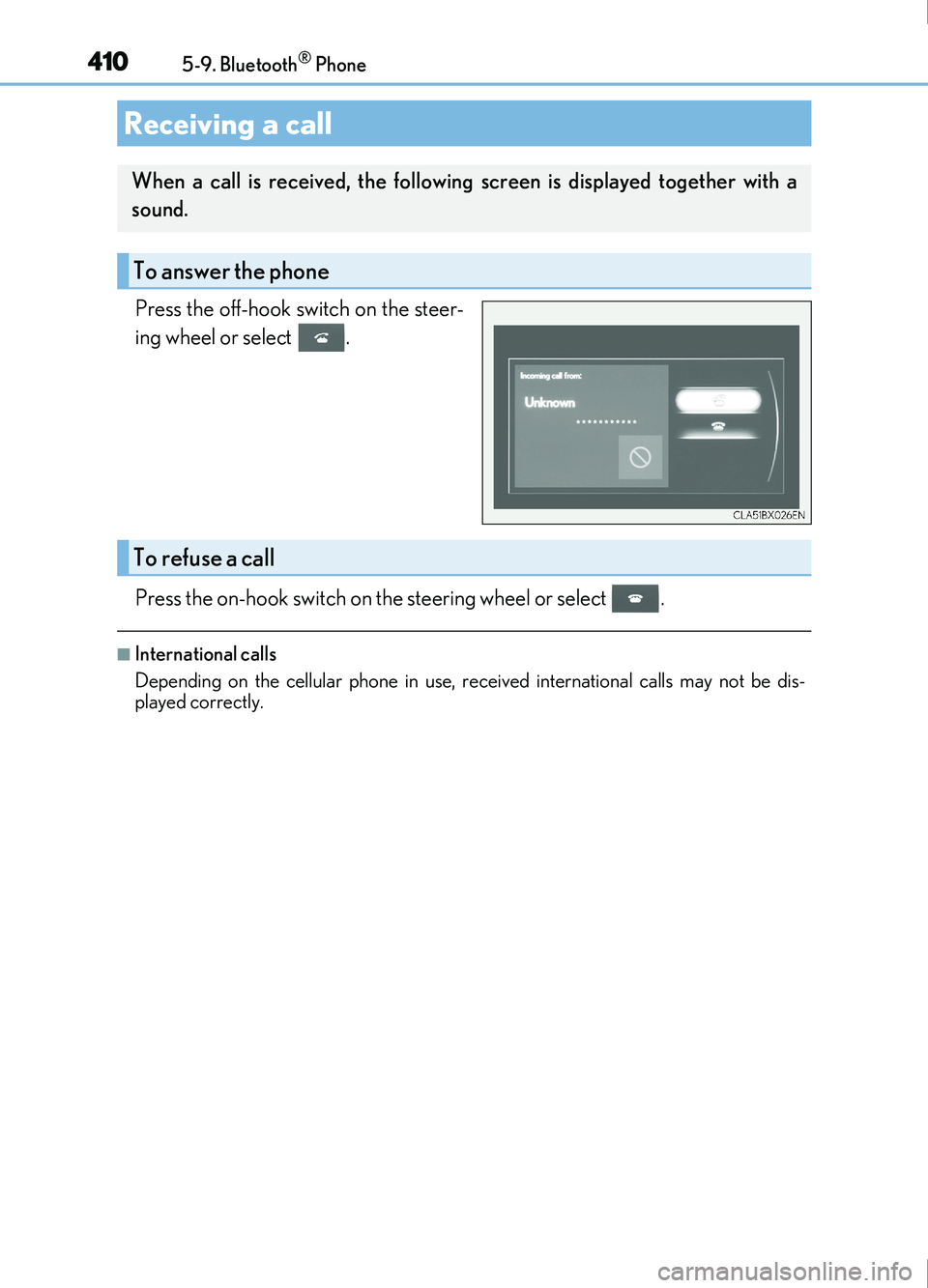
When a call is received, the following screen is displayed together with a
sound.
To answer the phone
To refuse a call
Page 411 of 676
4115-9. Bluetooth® Phone
5
Lexus Display Audio system
IS200t_EE(OM53D77E)
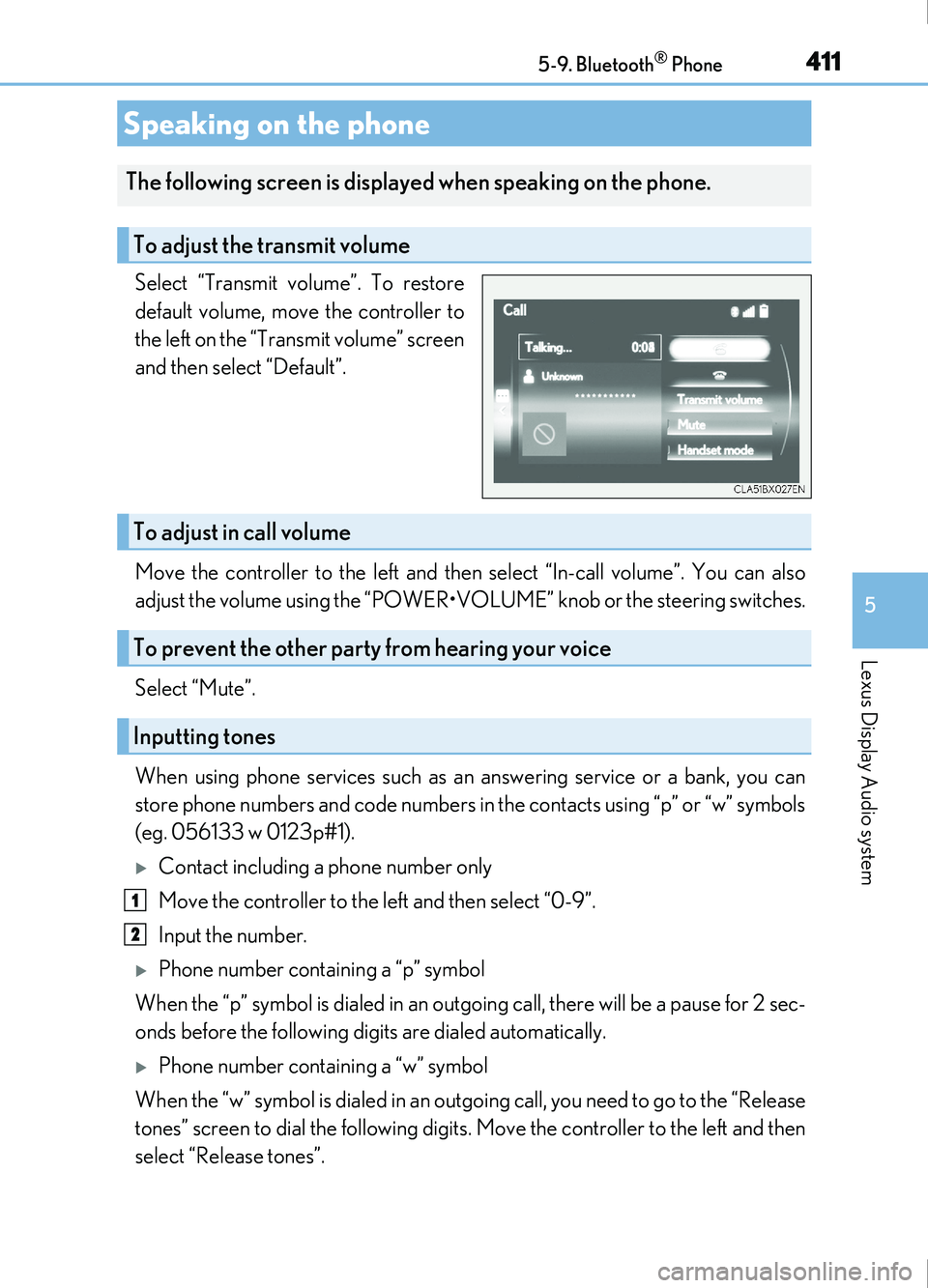
Select “Transmit volume”. To restore
default volume, move the controller to
the left on the “Transmit volume” screen
and then select “Default”.
Move the controller to the left and then select “In-call volume”. You can also
adjust the volume using the “POWER•VOLUME” knob or the steering switches.
Select “Mute”.
When using phone services such as an answering service or a bank, you can
store phone numbers and code numbers in the contacts using “p” or “w” symbols
(eg. 056133 w 0123p#1).
Contact including a phone number only
Move the controller to the left and then select “0-9”.
Input the number.
Phone number containing a “p” symbol
When the “p” symbol is dialed in an outgoing call, there will be a pause for 2 sec-
onds before the following digits are dialed automatically.
Phone number containing a “w” symbol
When the “w” symbol is dialed in an outgoing call, you need to go to the “Release
tones” screen to dial the following digits . Move the controller to the left and then
select “Release tones”.
Speaking on the phone
The following screen is displayed when speaking on the phone.
To adjust the transmit volume
To adjust in call volume
To prevent the other party from hearing your voice
Inputting tones
1
2
Page 412 of 676
4125-9. Bluetooth® Phone
IS200t_EE(OM53D77E)
Select “Handset mode” to change from a hands-free call to a cellular phone call
or vice versa.
Press the on-hook switch on the steering wheel or select .
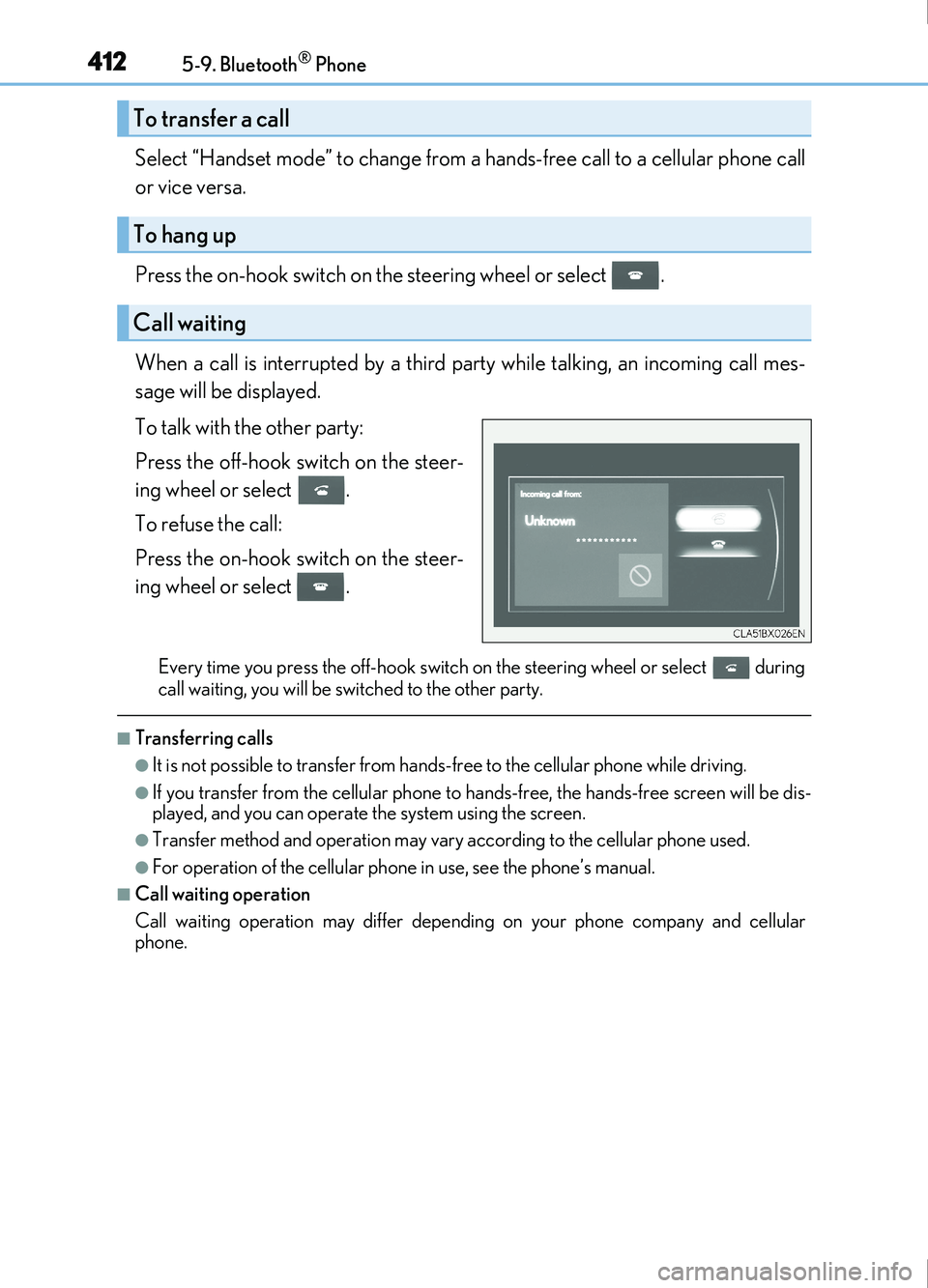
When a call is interrupted by a third party while talking, an incoming call mes-
sage will be displayed.
To talk with the other party:
Press the off-hook switch on the steer-
ing wheel or select .
To refuse the call:
Press the on-hook switch on the steer-
ing wheel or select .
Every time you press the off-hook switch on the steering wheel or select during
call waiting, you will be switched to the other party.
■Transferring calls
●It is not possible to transfer from hands-free to the cellular phone while driving.
●If you transfer from the cellul ar phone to hands-free, the hands-free screen will be dis-
played, and you can operate the system using the screen.
●Transfer method and operation may vary according to the cellular phone used.
●For operation of the cellular phone in use, see the phone’s manual.
■Call waiting operation
Call waiting operation may differ dependin g on your phone company and cellular
phone.
To transfer a call
To hang up
Call waiting
Page 416 of 676
4165-9. Bluetooth® Phone
IS200t_EE(OM53D77E)
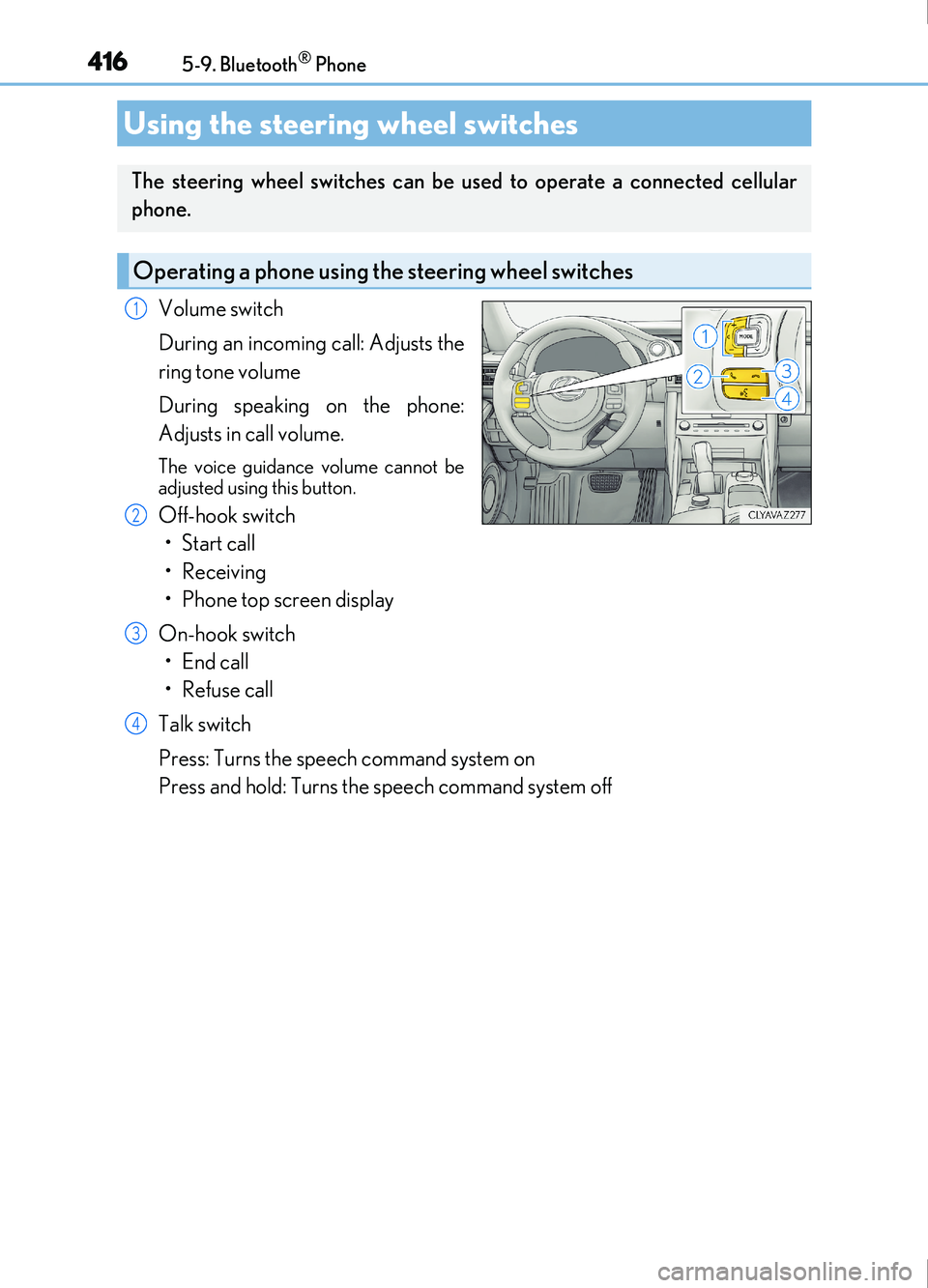
Volume switch
During an incoming call: Adjusts the
ring tone volume
During speaking on the phone:
Adjusts in call volume.
The voice guidance volume cannot be
adjusted using this button.
Off-hook switch• Start call
• Receiving
• Phone top screen display
On-hook switch •End call
•Refuse call
Talk switch
Press: Turns the speech command system on
Press and hold: Turns the speech command system off
Using the steering wheel switches
The steering wheel switches can be used to operate a connected cellular
phone.
Operating a phone using the steering wheel switches
1
2
3
4
Page 440 of 676
4405-12. Other function
IS200t_EE(OM53D77E)
You can register desired contacts to enable the speech command system. Up to
50 contacts per phone can be registered.
Go to “Voice tags”: “MENU” button “Setup” “Telephone” “Contact/
call history settings” “Voice tag” “New” or “Edit”
Select the desired contact.
Move the controller to the left and then select “REC”.
Say the registered voice tag.
To play the registered voice, select “Play”.
■Deleting a voice tag Display the “Voice tags” screen.
Select “Delete” and then the desired contact.
Move the controller to the left and then select “Delete”.
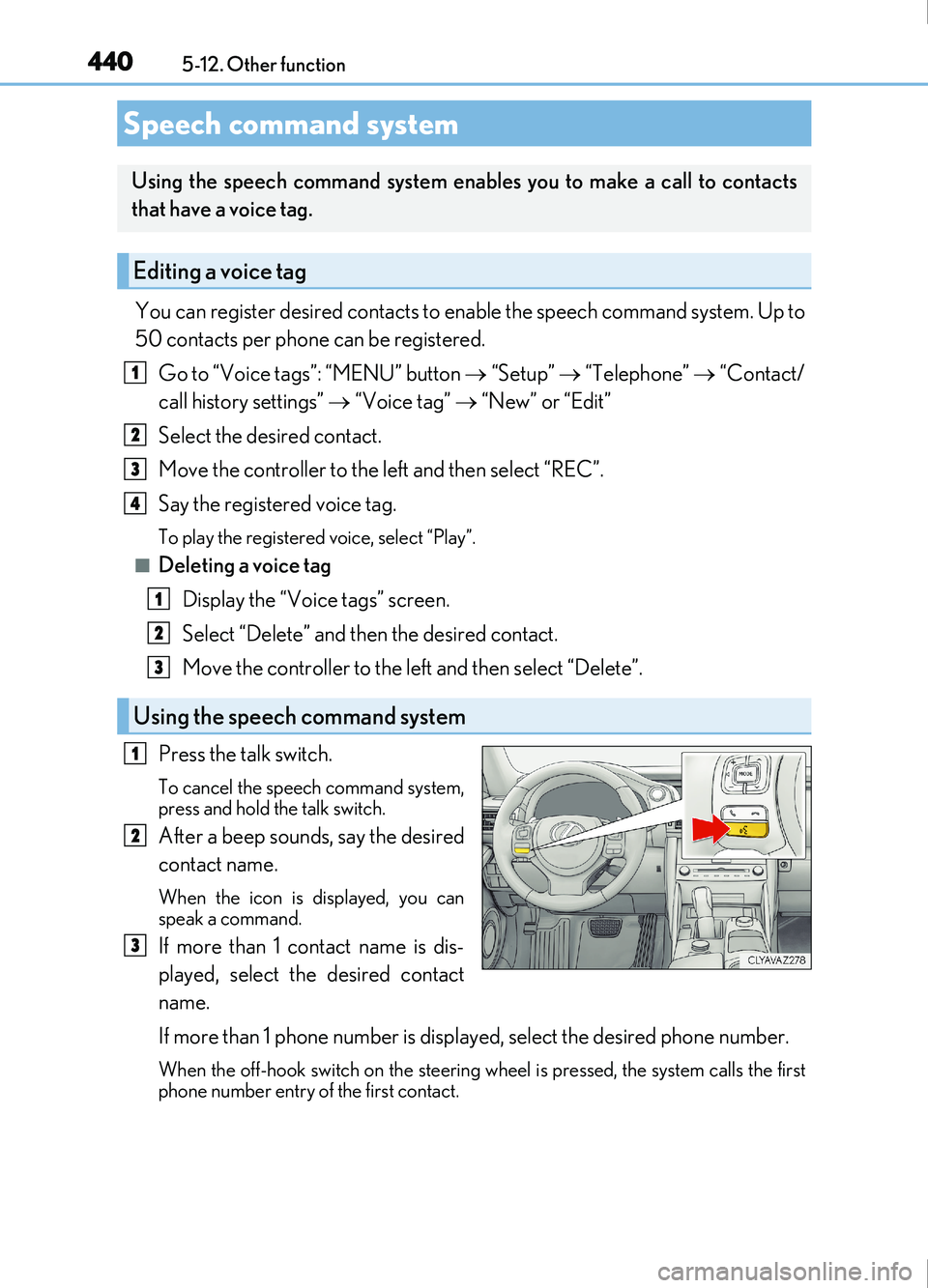
Press the talk switch.
To cancel the speech command system,
press and hold the talk switch.
After a beep sounds, say the desired
contact name.
When the icon is displayed, you can
speak a command.
If more than 1 contact name is dis-
played, select the desired contact
name.
If more than 1 phone number is displayed, select the desired phone number.
When the off-hook switch on the steering wh eel is pressed, the system calls the first
phone number entry of the first contact.
Speech command system
Using the speech command system enables you to make a call to contacts
that have a voice tag.
Editing a voice tag
Using the speech command system
1
2
3
4
1
2
3
1
2
3
Page 443 of 676

443
6Interior features
IS200t_EE(OM53D77E)
6-1. Basic operation of the Remote Touch screen
Remote Touch ............................. 444
10.3-inch display ........................448
6-2. Using the air conditioning system
Automatic air conditioning system ......................................... 450
Heated steering wheel/ seat heaters/
seat ventilators .........................463
6-3. Using the interior lights Interior lights list..........................465• Interior lights ..........................466
• Personal lights ....................... 466
6-4. Using the storage features List of storage features ............468• Glove box ...............................469
• Console box...........................469
•Cup holders/Bottle holders ........................470
Trunk features.............................. 472 6-5. Using the other interior
features
Other interior features ............ 475 • Sun visors ................................ 475
• Vanity mirrors ....................... 475
• Clock ........................................ 475
• Power outlet........................... 476
• Armrest.....................................477
• Rear sunshade .......................477
• Assist grips ............................. 479
• Coat hooks ............................. 479
ERA-GLONASS ......................480
Page 463 of 676
4636-2. Using the air conditioning system
6
Interior features
IS200t_EE(OM53D77E)
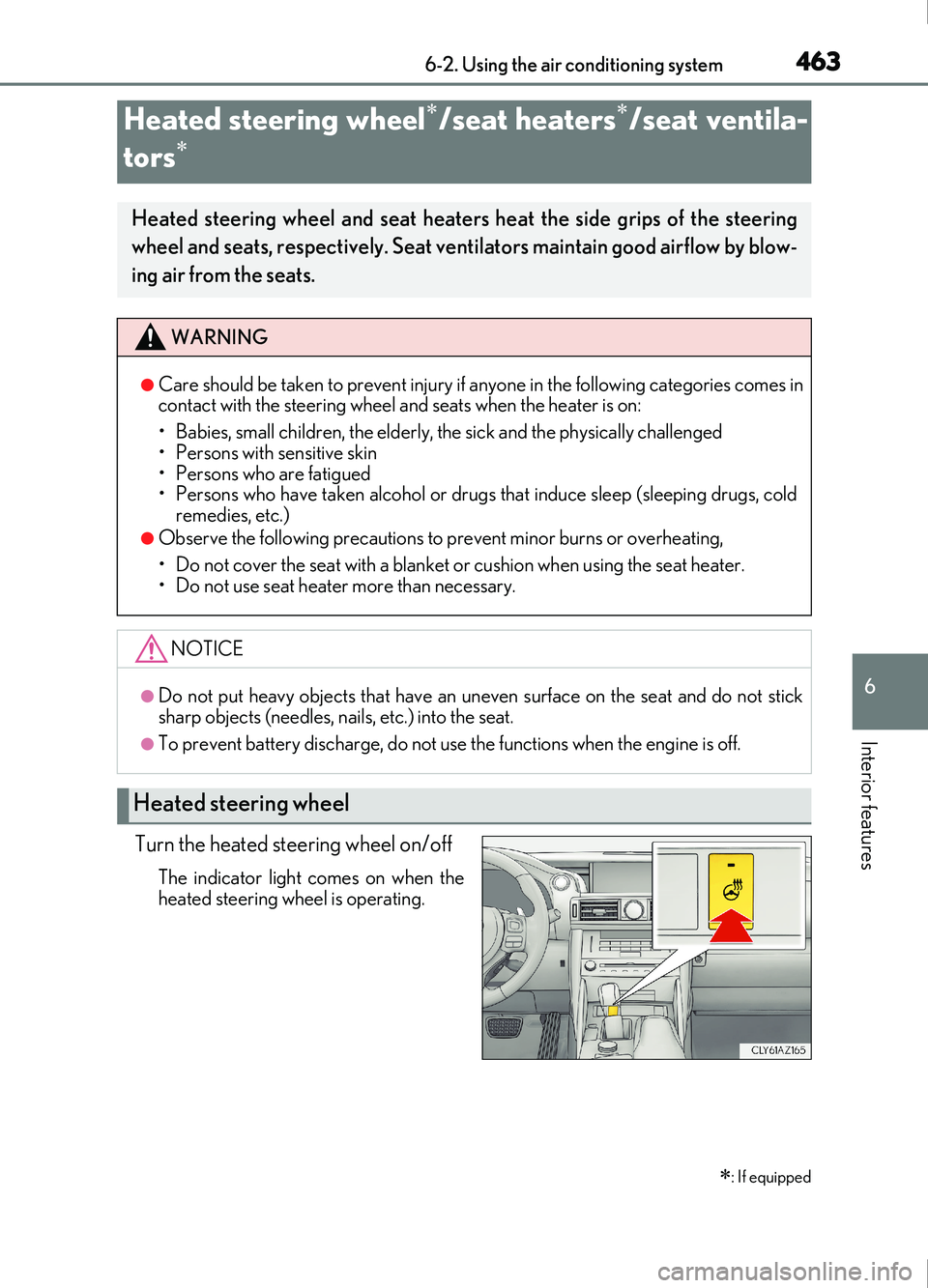
Turn the heated steering wheel on/off
The indicator light comes on when the
heated steering wheel is operating.
Heated steering wheel/seat heaters/seat ventila-
tors
: If equipped
Heated steering wheel and seat heaters heat the side grips of the steering
wheel and seats, respectively. Seat ventilators maintain good airflow by blow-
ing air from the seats.
WARNING
●Care should be taken to prevent injury if anyone in the following categories comes in
contact with the steering wheel and seats when the heater is on:
• Babies, small children, the elderly, the sick and the physically challenged
• Persons with sensitive skin
• Persons who are fatigued
• Persons who have taken alcohol or drugs that induce sleep (sleeping drugs, cold
remedies, etc.)
●Observe the following precautions to prevent minor burns or overheating,
• Do not cover the seat with a blanket or cushion when using the seat heater.
• Do not use seat heater more than necessary.
NOTICE
●Do not put heavy objects that have an uneven surface on the seat and do not stick
sharp objects (needles, na ils, etc.) into the seat.
●To prevent battery discharge, do not us e the functions when the engine is off.
Heated steering wheel
Page 464 of 676
4646-2. Using the air conditioning system
IS200t_EE(OM53D77E)
●The heated steering wheel can be used when the engine switch is in IGNITION ON
mode.
●The heated steering wheel will automatically turn off after about 30 minutes.
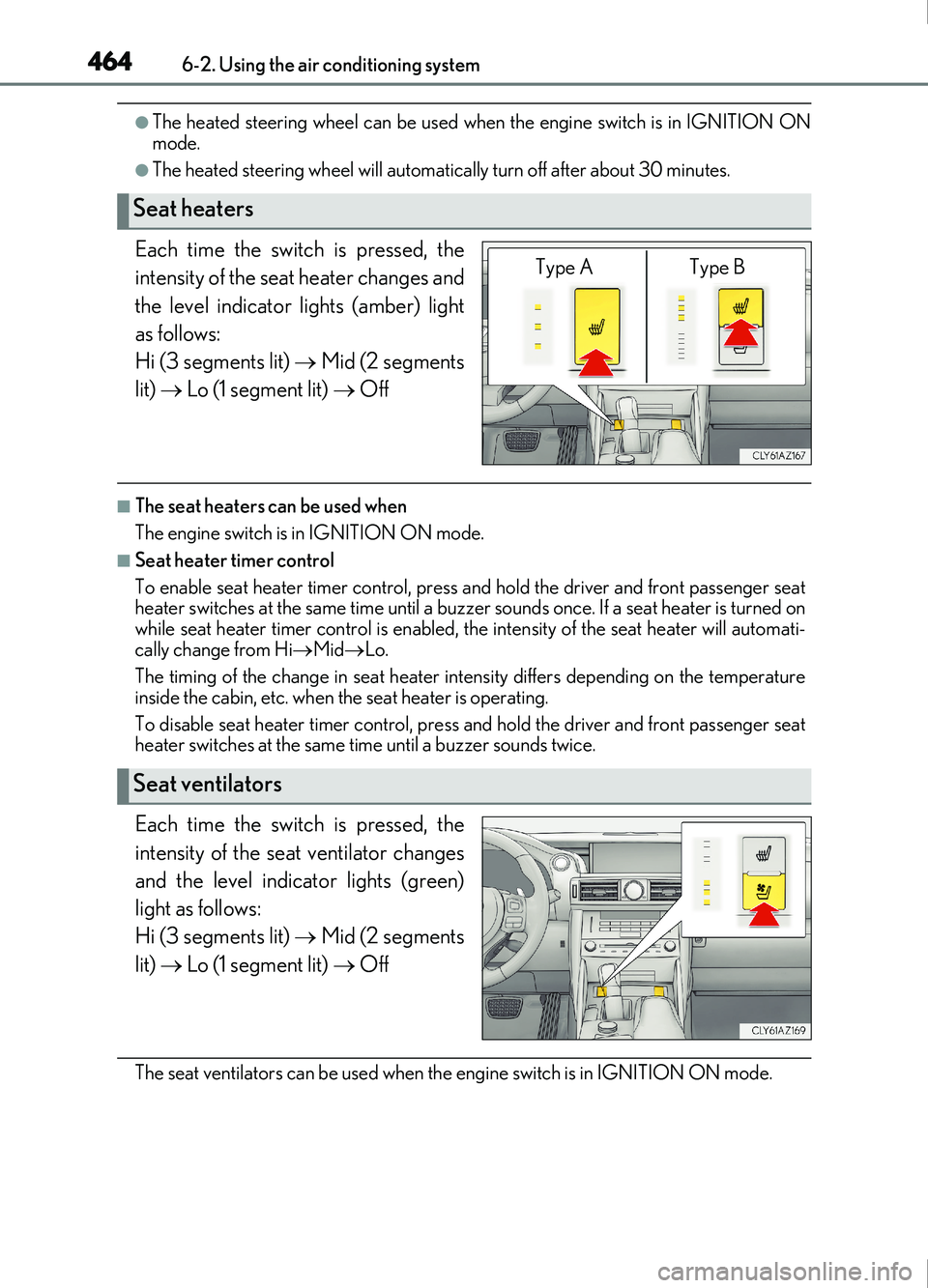
Each time the switch is pressed, the
intensity of the seat heater changes and
the level indicator lights (amber) light
as follows:
Hi (3 segments lit) Mid (2 segments
lit) Lo (1 segment lit) Off
■The seat heaters can be used when
The engine switch is in IGNITION ON mode.
■Seat heater timer control
To enable seat heater timer control, press and hold the driver and front passenger seat
heater switches at the same time until a buzzer sounds once. If a seat heater is turned on
while seat heater timer control is enabled, th e intensity of the seat heater will automati-
cally change from Hi Mid Lo.
The timing of the change in seat heater intensity differs depending on the temperature
inside the cabin, etc. when the seat heater is operating.
To disable seat heater timer control, press and hold the driver and front passenger seat
heater switches at the same time until a buzzer sounds twice.
Each time the switch is pressed, the
intensity of the seat ventilator changes
and the level indicator lights (green)
light as follows:
Hi (3 segments lit) Mid (2 segments
lit) Lo (1 segment lit) Off
The seat ventilators can be used when th e engine switch is in IGNITION ON mode.
Seat heaters
Type A Type B
Seat ventilators
Page 483 of 676
4836-5. Using the other interior features
6
Interior features
IS200t_EE(OM53D77E)
WARNING
■For your safety
●Please drive safely.
The function of this system is to assist you in making the Emergency Call in case of
accidents as traffic accidents or sudden medical emergencies, and it does not pro-
tect the driver or the passengers in any way. Please drive safely and fasten your
seatbelts at all times for your safety.
●In case of an emergency, make lives the top priority.
●If you smell anything burning or another unus ual smell, do not stay inside the vehicle
and evacuate to a safe area immediately.
●Since the system detects shocks, the automatic reporting may not always occur syn-
chronized with the operation of the airbag system. (If the vehicle is bumped from
behind, etc.)
●The airbag may not inflate even in case of an accident, if it does not involve high
impact. In such cases, the system may not make emergency calls automatically. The
system may also not make automatic emer gency calls even if the airbag has been
inflated. If any of these should occur, plea se report to the Public Safety Answering
Point (PSAP) by operating the “SOS” button.
●For safety, do not make the Emergency Call while driving.
Making calls during driving may cause mi shandling of the steering wheel, which may
lead to unexpected accidents.
Stop the vehicle and confirm the safety of the area before making the Emergency
Call.
●When changing fuses, please use fuses that correspond to the described standard. If
you use fuses other than those described, it may cause ignition or smoke in the circuit
and may lead to a fire.
●Using the system while there is smoke or an unusual smell may cause a fire. Stop
using the system immediately and consult any authorized Lexus retailer or Lexus
authorized repairer, or any reliable repairer.