wheel Lexus IS200t 2017 Owner's Manuals
[x] Cancel search | Manufacturer: LEXUS, Model Year: 2017, Model line: IS200t, Model: Lexus IS200t 2017Pages: 676, PDF Size: 149.78 MB
Page 2 of 676
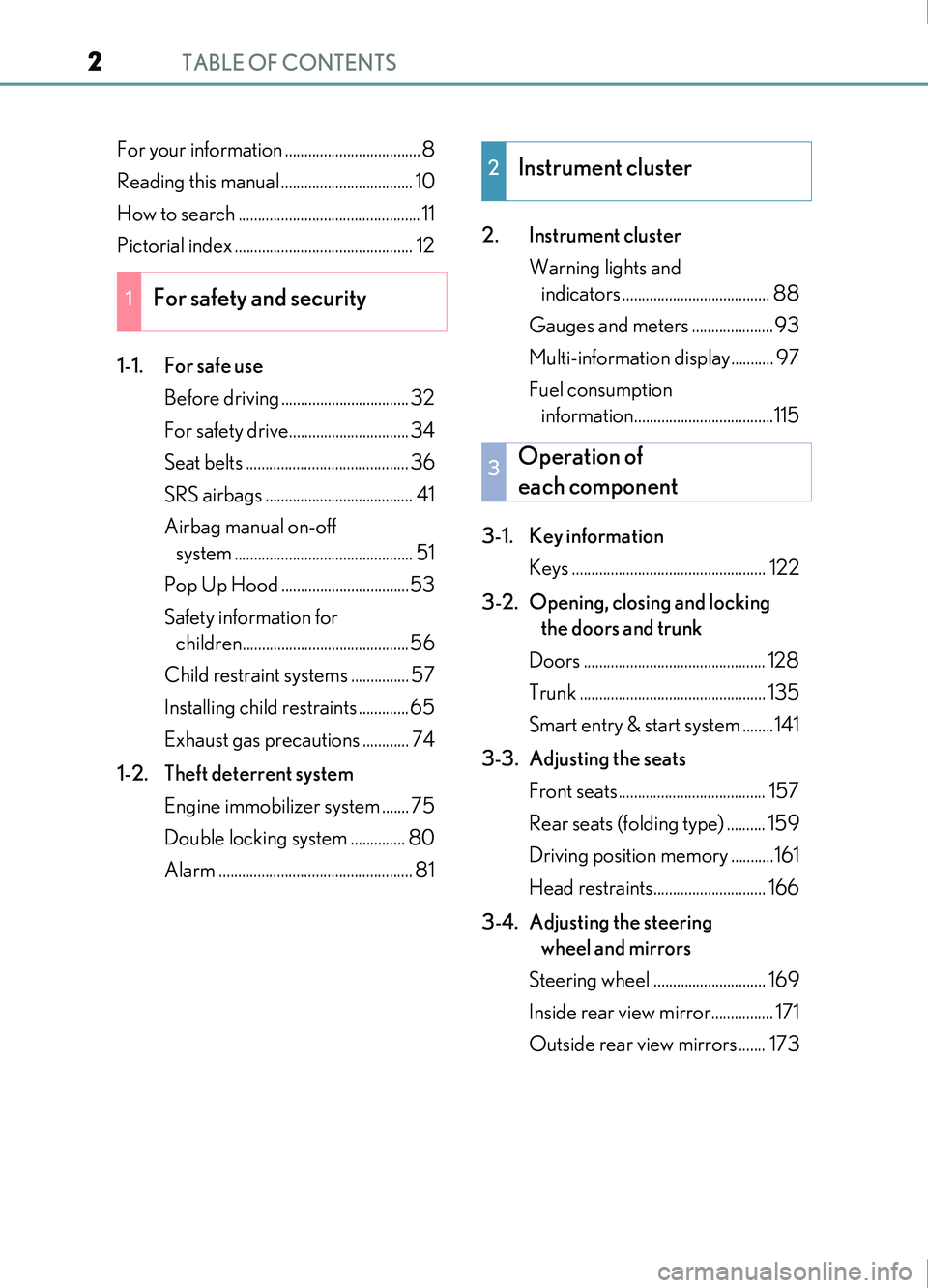
TABLE OF CONTENTS2
IS200t_EE(OM53D77E)
For your information ...................................8
Reading this manual .................................. 10
How to search ............................................... 11
Pictorial index .............................................. 12
1-1. For safe useBefore driving ................................. 32
For safety drive............................... 34
Seat belts .......................................... 36
SRS airbags ...................................... 41
Airbag manual on-off system .............................................. 51
Pop Up Hood .................................53
Safety information for children...........................................56
Child restraint systems ............... 57
Installing child restraints .............65
Exhaust gas precautions ............ 74
1-2. Theft deterrent system Engine immobilizer system ....... 75
Double locking system .............. 80
Alarm .................................................. 81 2. Instrument cluster
Warning lights and indicators ...................................... 88
Gauges and meters ..................... 93
Multi-information display........... 97
Fuel consumption information....................................115
3-1. Key information Keys .................................................. 122
3-2. Opening, closing and locking the doors and trunk
Doors ............................................... 128
Trunk ................................................ 135
Smart entry & start system ........141
3-3. Adjusting the seats Front seats...................................... 157
Rear seats (folding type) .......... 159
Driving position memory ...........161
Head restraints............................. 166
3-4. Adjusting the steering wheel and mirrors
Steering wheel ............................. 169
Inside rear view mirror................ 171
Outside rear view mirrors ....... 173
1For safety and security
2Instrument cluster
3Operation of
each component
Page 4 of 676
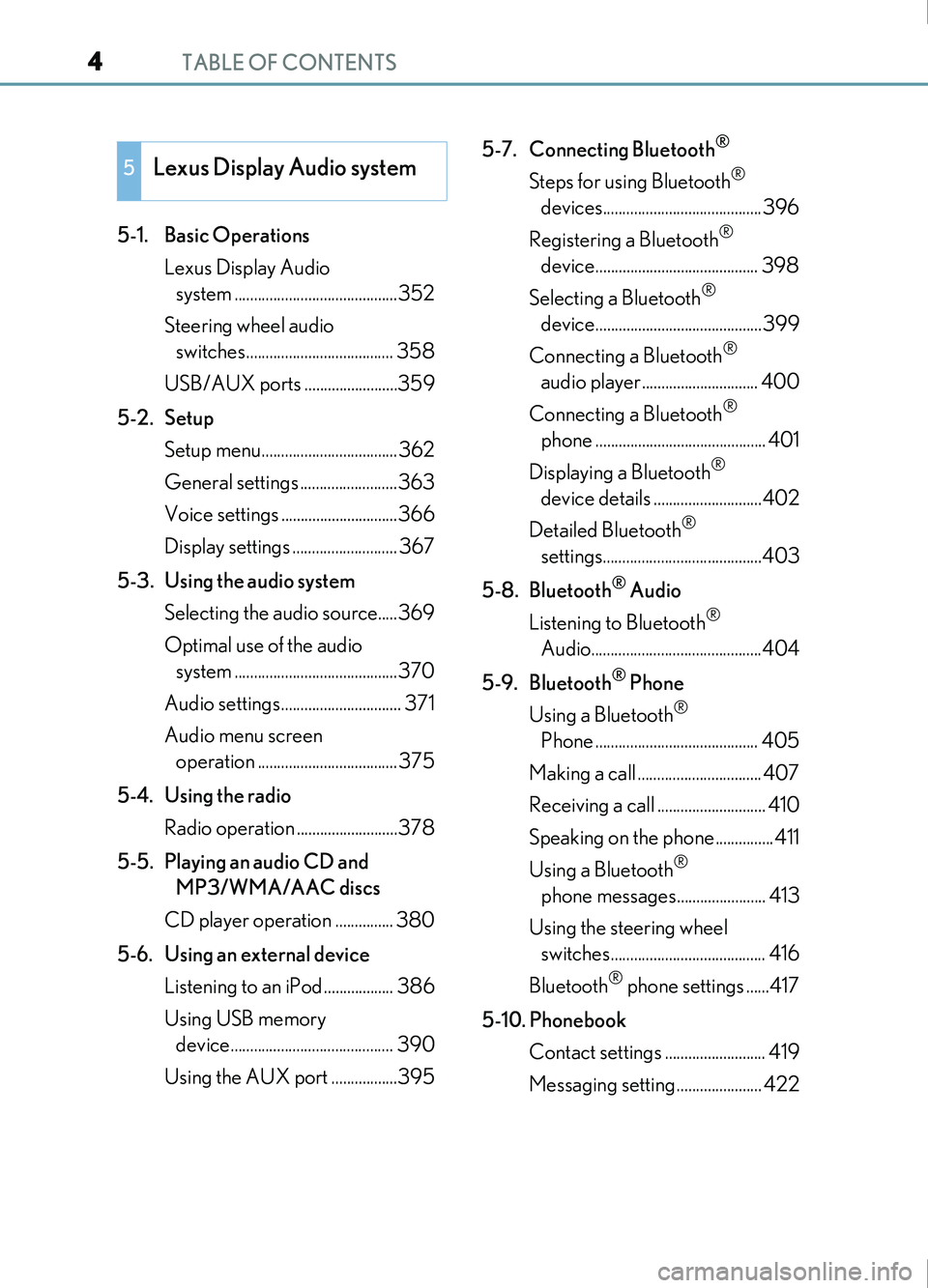
TABLE OF CONTENTS4
IS200t_EE(OM53D77E)
5-1. Basic OperationsLexus Display Audio system ..........................................352
Steering wheel audio switches...................................... 358
USB/AUX ports ........................359
5-2. Setup Setup menu...................................362
General settings .........................363
Voice settings ..............................366
Display settings ........................... 367
5-3. Using the audio system Selecting the audio source.....369
Optimal use of the audio system ..........................................370
Audio settings............................... 371
Audio menu screen operation .................................... 375
5-4. Using the radio Radio operation ..........................378
5-5. Playing an audio CD and MP3/WMA/AAC discs
CD player operation ............... 380
5-6. Using an external device Listening to an iPod .................. 386
Using USB memory device.......................................... 390
Using the AUX port .................395 5-7. Connecting Bluetooth
®
Steps for using Bluetooth®
devices.........................................396
Registering a Bluetooth
®
device.......................................... 398
Selecting a Bluetooth
®
device...........................................399
Connecting a Bluetooth
®
audio player.............................. 400
Connecting a Bluetooth
®
phone ............................................ 401
Displaying a Bluetooth
®
device details ............................402
Detailed Bluetooth
®
settings.........................................403
5-8. Bluetooth
® Audio
Listening to Bluetooth
®
Audio............................................404
5-9. Bluetooth
® Phone
Using a Bluetooth
®
Phone .......................................... 405
Making a call ................................ 407
Receiving a call ............................ 410
Speaking on the phone...............411
Using a Bluetooth
®
phone messages....................... 413
Using the steering wheel switches........................................ 416
Bluetooth
® phone settings ......417
5-10. Phonebook Contact settings .......................... 419
Messaging setting...................... 422
5Lexus Display Audio system
Page 5 of 676
5
1
9 8
7
6 4 3
2
IS200t_EE(OM53D77E)
5
5-11. Bluetooth®
What to do if... (Troubleshooting) ...................423
Bluetooth
®...................................426
5-12. Other function “Information” screen .................433
MirrorLink™ ................................434
USB photo ................................... 438
Speech command system ......440
6-1. Basic operation of the Remote Touch screen
Remote Touch ............................. 444
10.3-inch display ........................448
6-2. Using the air conditioning system
Automatic air conditioning system ......................................... 450
Heated steering wheel/ seat heaters/
seat ventilators .........................463
6-3. Using the interior lights Interior lights list..........................465
• Interior lights ..........................466
• Personal lights .......................466 6-4. Using the storage features
List of storage features ............468• Glove box ...............................469
• Console box........................... 469
• Cup holders/Bottle holders ......................................470
Trunk features ............................. 472
6-5. Using the other interior features
Other interior features ............ 475 • Sun visors ................................ 475
• Vanity mirrors........................ 475
• Clock......................................... 475
• Power outlet........................... 476
• Armrest .................................... 477
• Rear sunshade....................... 477
• Assist grips.............................. 479
• Coat hooks ............................. 479
ERA-GLONASS...................... 480
6Interior features
Page 6 of 676
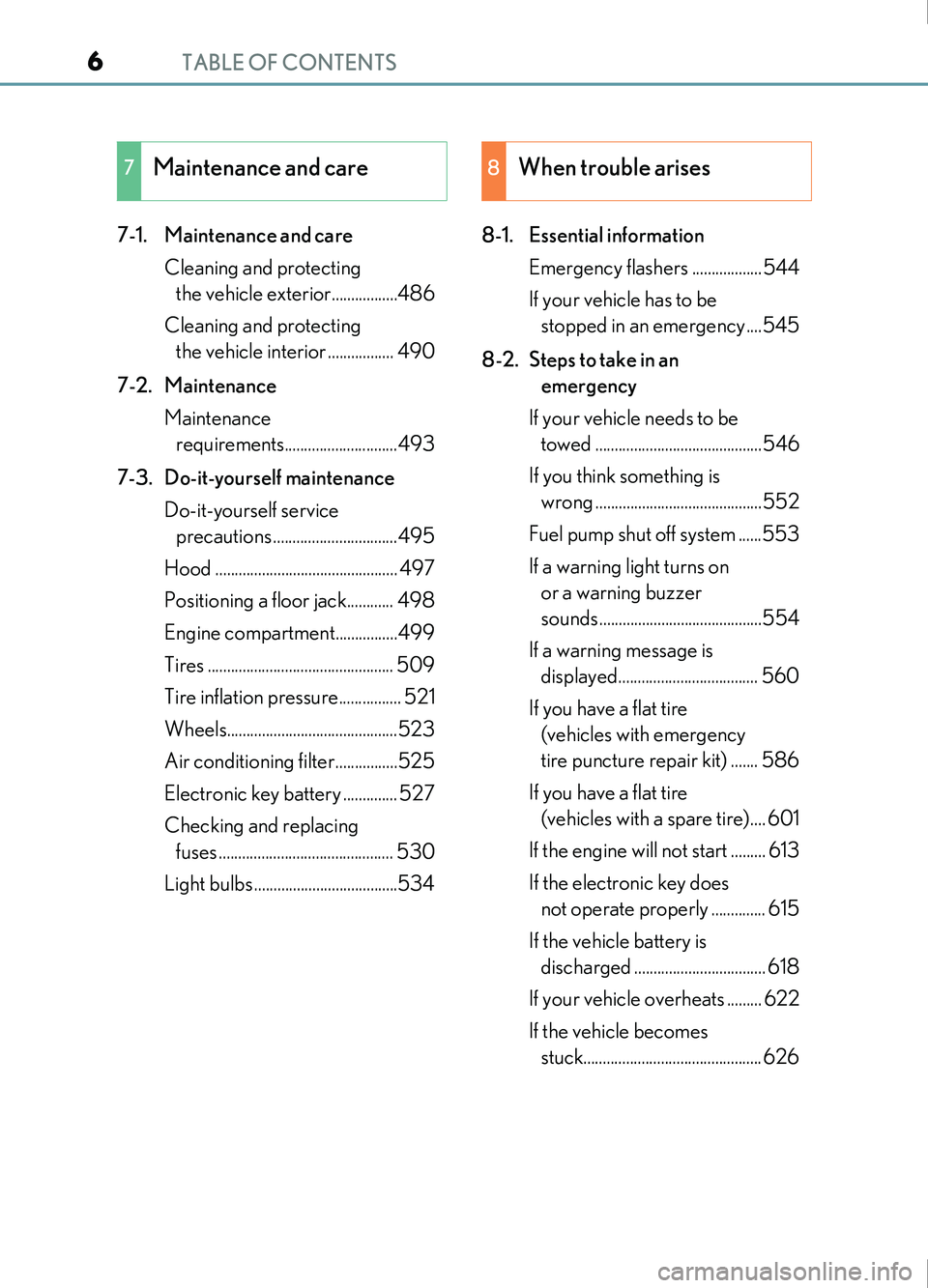
TABLE OF CONTENTS6
IS200t_EE(OM53D77E)
7-1. Maintenance and careCleaning and protecting the vehicle exterior.................486
Cleaning and protecting the vehicle interior ................. 490
7-2. Maintenance Maintenance requirements.............................493
7-3. Do-it-yourself maintenance Do-it-yourself service precautions ................................495
Hood ............................................... 497
Positioning a floor jack............ 498
Engine compartment................499
Tires ................................................ 509
Tire inflation pressure................ 521
Wheels............................................523
Air conditioning filter................525
Electronic key battery .............. 527
Checking and replacing fuses ............................................. 530
Light bulbs .....................................534 8-1. Essential information
Emergency flashers ..................544
If your vehicle has to be stopped in an emergency ....545
8-2. Steps to take in an emergency
If your vehicle needs to be towed ...........................................546
If you think something is wrong ...........................................552
Fuel pump shut off system ......553
If a warning light turns on or a warning buzzer
sounds..........................................554
If a warning message is displayed.................................... 560
If you have a flat tire (vehicles with emergency
tire puncture repair kit) ....... 586
If you have a flat tire (vehicles with a spare tire).... 601
If the engine will not start ......... 613
If the electronic key does not operate properly .............. 615
If the vehicle battery is discharged .................................. 618
If your vehicle overheats ......... 622
If the vehicle becomes stuck.............................................. 626
7Maintenance and care8When trouble arises
Page 19 of 676
19Pictorial index
IS200t_EE(OM53D77E)
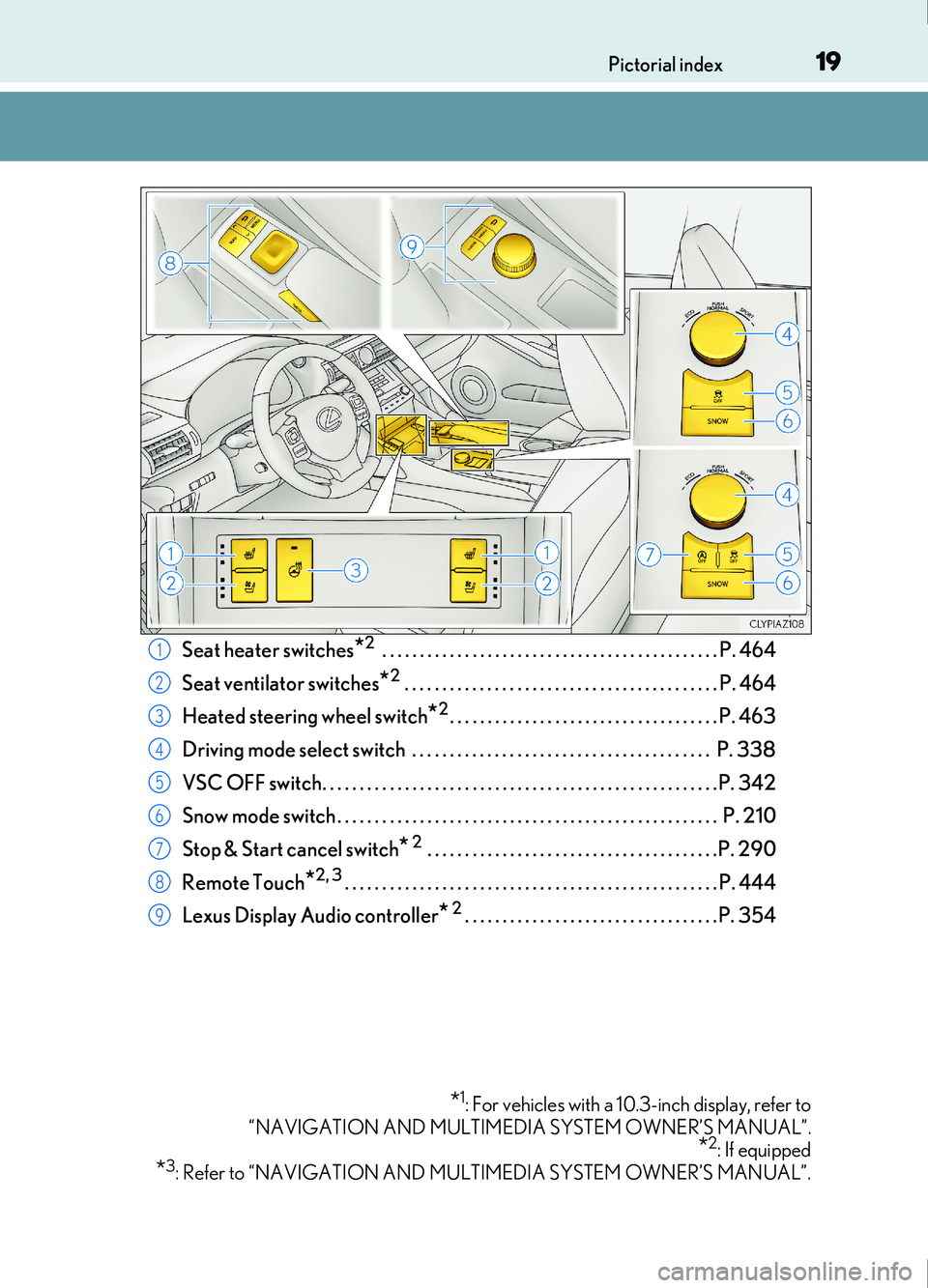
Seat heater switches*2 . . . . . . . . . . . . . . . . . . . . . . . . . . . . . . . . . . . . . . . . . . . . . P. 464
Seat ventilator switches
*2 . . . . . . . . . . . . . . . . . . . . . . . . . . . . . . . . . . . . . . . . . . P. 464
Heated steering wheel switch
*2. . . . . . . . . . . . . . . . . . . . . . . . . . . . . . . . . . . . P. 463
Driving mode select switch . . . . . . . . . . . . . . . . . . . . . . . . . . . . . . . . . . . . . . . . P. 338
VSC OFF switch. . . . . . . . . . . . . . . . . . . . . . . . . . . . . . . . . . . . . . . . . . . . . . . . . . . . .P. 342
Snow mode switch . . . . . . . . . . . . . . . . . . . . . . . . . . . . . . . . . . . . . . . . . . . . . . . . . . . P. 210
Stop & Start cancel switch
* 2 . . . . . . . . . . . . . . . . . . . . . . . . . . . . . . . . . . . . . . .P. 290
Remote Touch
*2, 3. . . . . . . . . . . . . . . . . . . . . . . . . . . . . . . . . . . . . . . . . . . . . . . . . . P. 444
Lexus Display Audio controller
* 2. . . . . . . . . . . . . . . . . . . . . . . . . . . . . . . . . .P. 354
*1: For vehicles with a 10.3-inch display, refer to
“NAVIGATION AND MULTIMEDIA SYSTEM OWNER’S MANUAL”.
*2: If equipped
*3: Refer to “NAVIGATION AND MULTIMEDIA SYSTEM OWNER’S MANUAL”.
1
2
3
4
5
6
7
8
9
Page 27 of 676
27Pictorial index
IS200t_EE(OM53D77E)
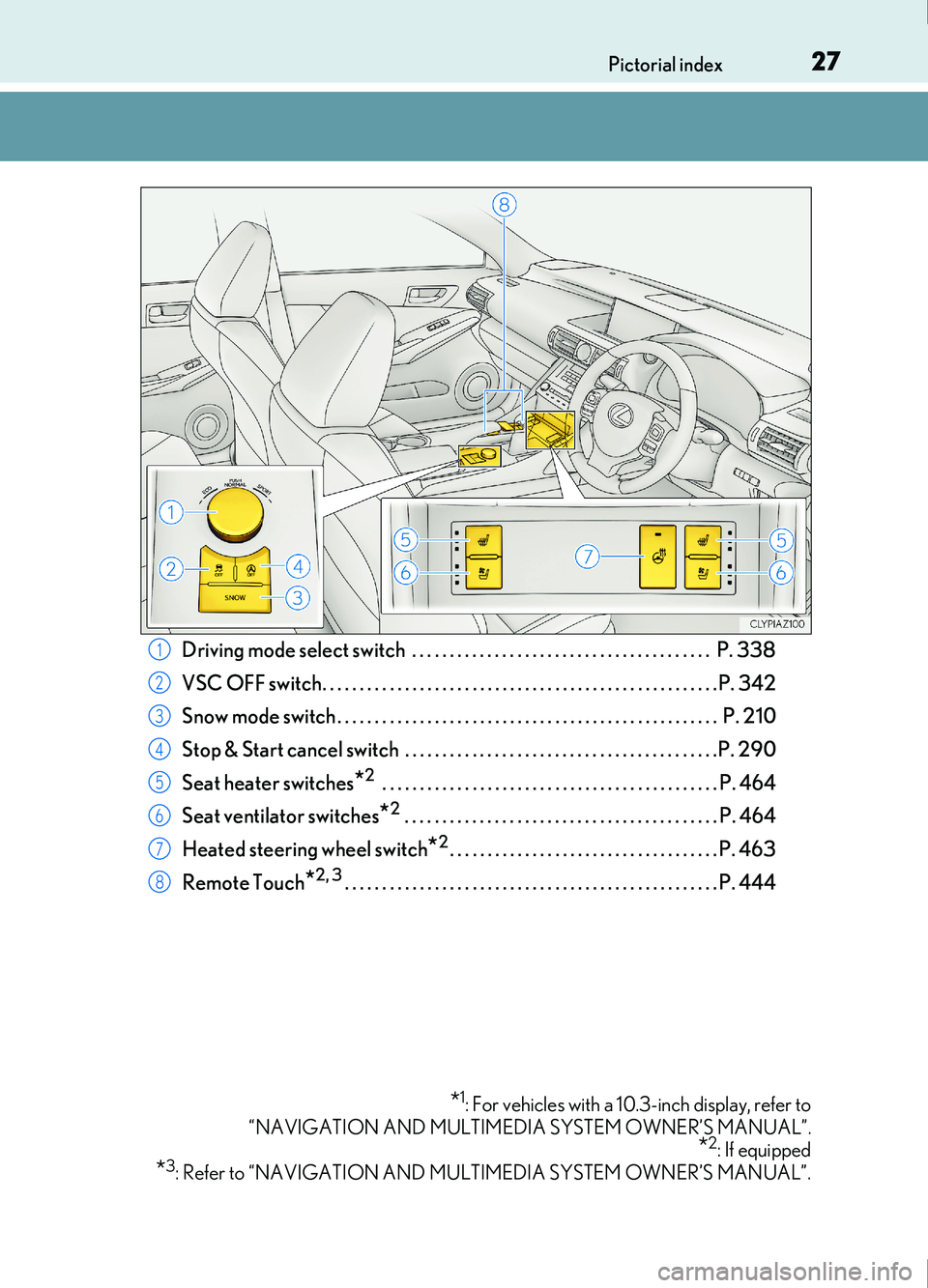
Driving mode select switch . . . . . . . . . . . . . . . . . . . . . . . . . . . . . . . . . . . . . . . . P. 338
VSC OFF switch. . . . . . . . . . . . . . . . . . . . . . . . . . . . . . . . . . . . . . . . . . . . . . . . . . . . .P. 342
Snow mode switch . . . . . . . . . . . . . . . . . . . . . . . . . . . . . . . . . . . . . . . . . . . . . . . . . . . P. 210
Stop & Start cancel switch . . . . . . . . . . . . . . . . . . . . . . . . . . . . . . . . . . . . . . . . . .P. 290
Seat heater switches
*2 . . . . . . . . . . . . . . . . . . . . . . . . . . . . . . . . . . . . . . . . . . . . . P. 464
Seat ventilator switches
*2 . . . . . . . . . . . . . . . . . . . . . . . . . . . . . . . . . . . . . . . . . . P. 464
Heated steering wheel switch
*2. . . . . . . . . . . . . . . . . . . . . . . . . . . . . . . . . . . . P. 463
Remote Touch
*2, 3. . . . . . . . . . . . . . . . . . . . . . . . . . . . . . . . . . . . . . . . . . . . . . . . . . P. 444
*1: For vehicles with a 10.3-inch display, refer to
“NAVIGATION AND MULTIMEDIA SYSTEM OWNER’S MANUAL”.
*2: If equipped
*3: Refer to “NAVIGATION AND MULTIMEDIA SYSTEM OWNER’S MANUAL”.
1
2
3
4
5
6
7
8
Page 34 of 676
341-1. For safe use
IS200t_EE(OM53D77E)
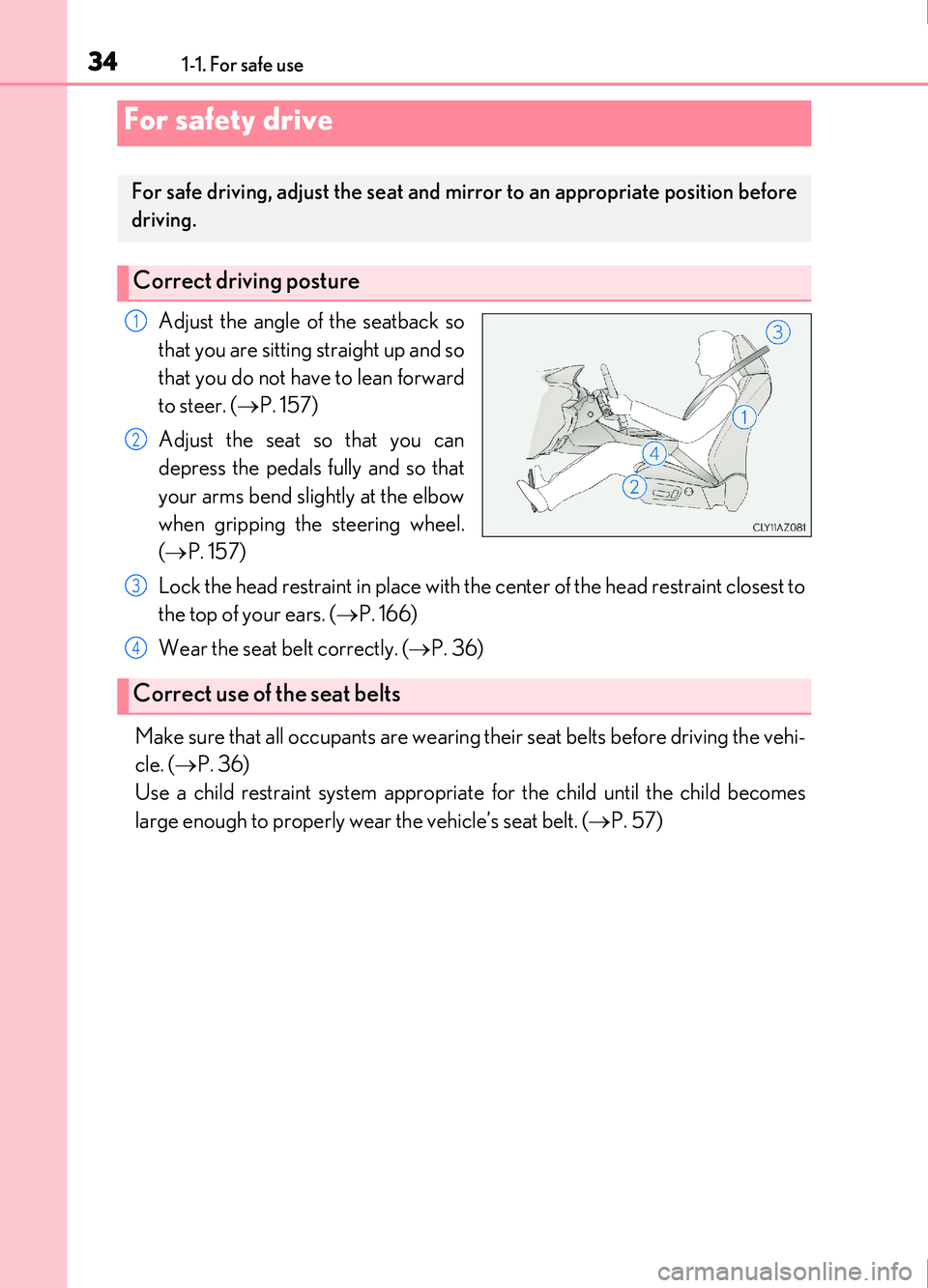
Adjust the angle of the seatback so
that you are sitting straight up and so
that you do not have to lean forward
to steer. (P. 157)
Adjust the seat so that you can
depress the pedals fully and so that
your arms bend slightly at the elbow
when gripping the steering wheel.
( P. 157)
Lock the head restraint in place with the center of the head restraint closest to
the top of your ears. ( P. 166)
Wear the seat belt correctly. ( P. 36)
Make sure that all occupants are wearing their seat belts before driving the vehi-
cle. ( P. 36)
Use a child restraint system appropriat e for the child until the child becomes
large enough to properly wear the vehicle’s seat belt. ( P. 57)
For safety drive
For safe driving, adjust the seat and mirror to an appropriate position before
driving.
Correct driving posture
1
2
Correct use of the seat belts
3
4
Page 43 of 676
431-1. For safe use
1
For safety and security
IS200t_EE(OM53D77E)
WARNING
■SRS airbag precautions
Observe the following precautions regarding the SRS airbags.
Failure to do so may cause death or serious injury.
●The driver and all passengers in the vehicle must wear their seat belts properly.
The SRS airbags are supplemental devices to be used with the seat belts.
●The SRS driver airbag deploys with considerable force, and can cause death or seri-
ous injury especially if the driv er is very close to the airbag.
Since the risk zone for the driver’s airbag is the first 50 - 75 mm (2 - 3 in.) of inflation,
placing yourself 250 mm (10 in.) from your driver airbag provides you with a clear
margin of safety. This distance is measured from the center of the steering wheel to
your breastbone. If you sit less than 250 mm (10 in.) away now, you can change your
driving position in several ways:
• Move your seat to the rear as far as you can while still reaching the pedals com-
fortably.
• Slightly recline the back of the seat.
Although vehicle designs vary, many drivers can achieve the 250 mm (10 in.) dis-
tance, even with the driver seat all the way forward, simply by reclining the back of
the seat somewhat. If reclining the back of your seat makes it hard to see the road,
raise yourself by using a firm, non-slippery cushion, or raise the seat if your vehicle
has that feature.
• If your steering wheel is adjustable, tilt it downward. This points the airbag toward
your chest instead of your head and neck.
The seat should be adjusted as recommend ed above, while still maintaining control
of the foot pedals, steering wheel, and your view of the instrument panel controls.
Page 45 of 676
451-1. For safe use
1
For safety and security
IS200t_EE(OM53D77E)
WARNING
■SRS airbag precautions
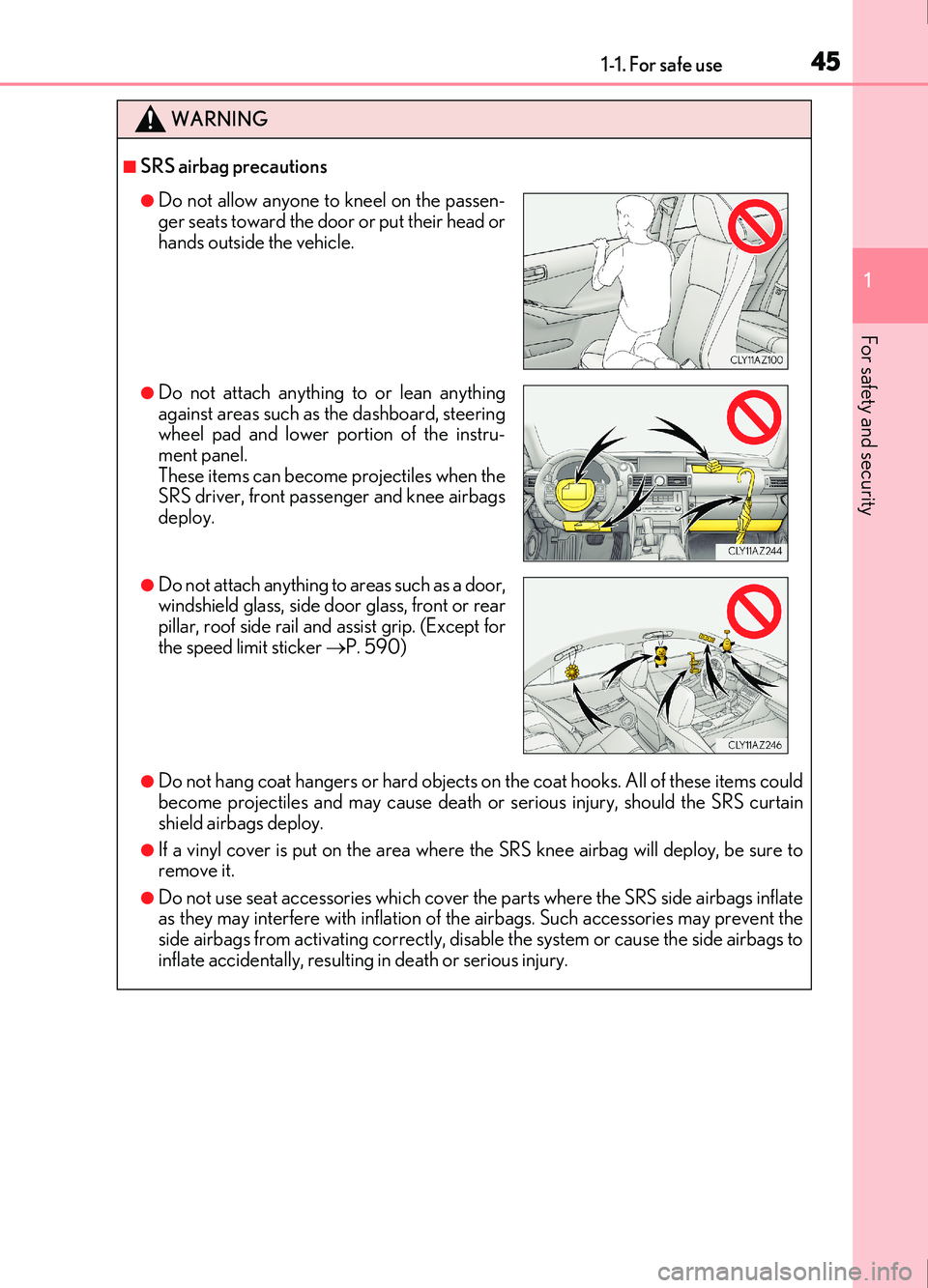
●Do not hang coat hangers or hard objects on the coat hooks. All of these items could
become projectiles and may cause death or serious injury, should the SRS curtain
shield airbags deploy.
●If a vinyl cover is put on the area where the SRS knee airbag will deploy, be sure to
remove it.
●Do not use seat accessories which cover the parts where the SRS side airbags inflate
as they may interfere with inflation of th e airbags. Such accessories may prevent the
side airbags from activating correctly, disable the system or cause the side airbags to
inflate accidentally, resulting in death or serious injury.
●Do not allow anyone to kneel on the passen-
ger seats toward the door or put their head or
hands outside the vehicle.
●Do not attach anything to or lean anything
against areas such as the dashboard, steering
wheel pad and lower portion of the instru-
ment panel.
These items can become projectiles when the
SRS driver, front passenger and knee airbags
deploy.
●Do not attach anything to areas such as a door,
windshield glass, side door glass, front or rear
pillar, roof side rail and assist grip. (Except for
the speed limit sticker P. 590)
Page 46 of 676
461-1. For safe use
IS200t_EE(OM53D77E)
WARNING
■SRS airbag precautions
●Do not strike or apply significant levels of force to the area of the SRS airbag compo-
nents.
Doing so can cause the SRS airbags to malfunction.
●Do not touch any of the component parts immediately after the SRS airbags have
deployed (inflated) as they may be hot.
●If breathing becomes difficult after the SRS airbags have deployed, open a door or
window to allow fresh air in, or leave the vehicle if it is safe to do so. Wash off any resi-
due as soon as possible to prevent skin irritation.
●If the areas where the SRS airbags are stored, such as the steering wheel pad and
front and rear pillar garnishes, are damage d or cracked, have them replaced by any
authorized Lexus retailer or Lexus authorized repairer, or any reliable repairer.
■Modification and disposal of SRS airbag system components
Do not dispose of your vehicle or perform any of the following modifications without
consulting any authorized Lexus retailer or Lexus authorized repairer, or any reliable
repairer. The SRS airbags may malfunction or deploy (inflate) accidentally, causing
death or serious injury.
●Installation, removal, disassembly and repair of the SRS airbags
●Repairs, modifications, removal or repl acement of the steering wheel, instrument
panel, dashboard, seats or seat upholstery, front, side and rear pillars or roof side rails
●Repairs or modifications of the front fend er, front bumper, or side of the occupant
compartment
●Installation of a grille guard (bull bars, kangaroo bar, etc.), snow plows, winches
●Modifications to the vehicle’s suspension system
●Installation of electronic devices such as mobile two-way radios (RF-transmitter) and
CD players
●Modifications to your vehicle for a person with a physical disability