features Lexus IS250 2015 User Guide
[x] Cancel search | Manufacturer: LEXUS, Model Year: 2015, Model line: IS250, Model: Lexus IS250 2015Pages: 586, PDF Size: 8.66 MB
Page 124 of 586
1233-3. Adjusting the seats
3
Operation of each component
IS350/250_U (OM53C50U)
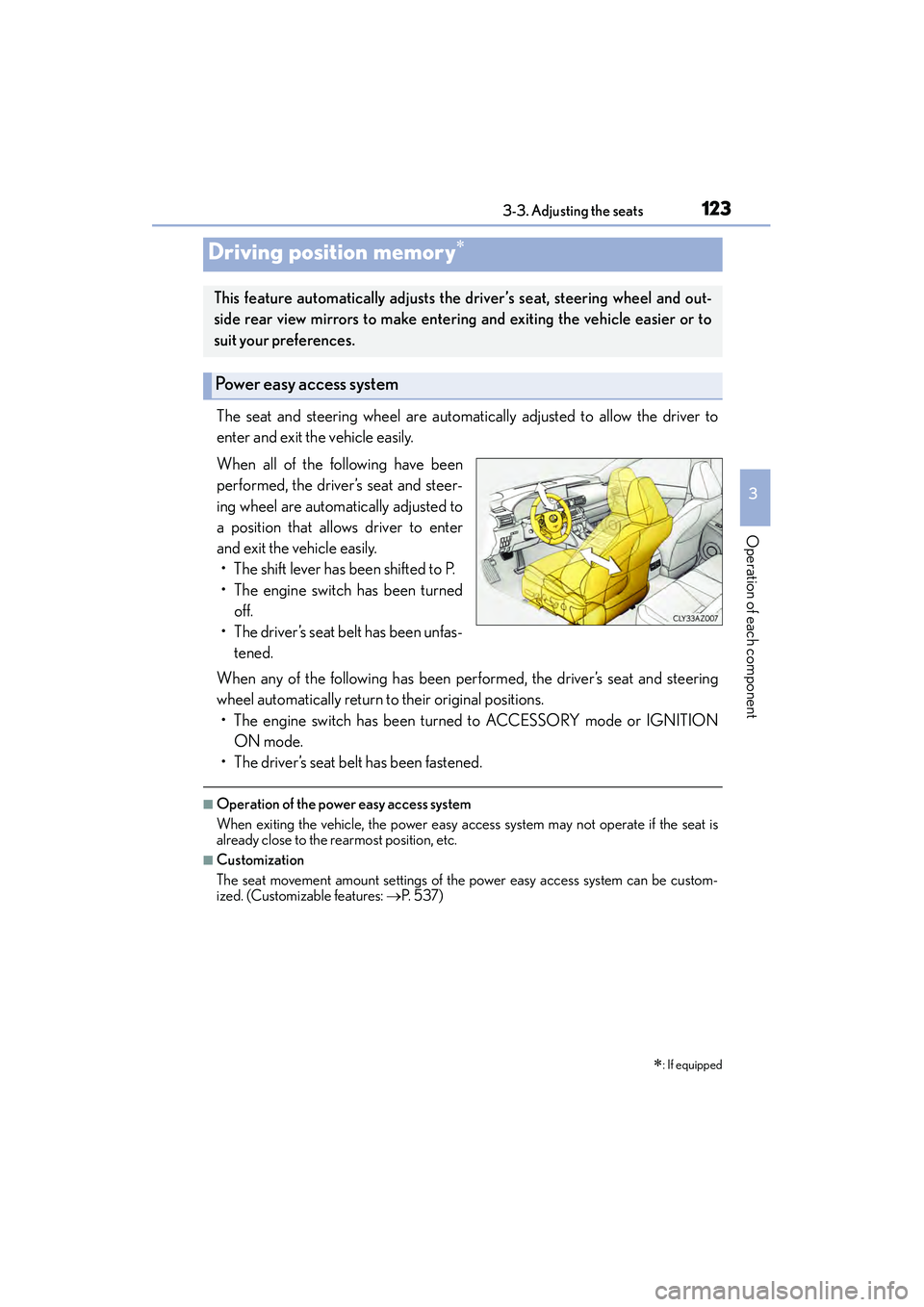
The seat and steering wheel are automatically adjusted to allow the driver to
enter and exit the vehicle easily.
When all of the following have been
performed, the driver’s seat and steer-
ing wheel are automatically adjusted to
a position that allows driver to enter
and exit the vehicle easily.• The shift lever has been shifted to P.
• The engine switch has been turned off.
• The driver’s seat belt has been unfas- tened.
When any of the following has been performed, the driver’s seat and steering
wheel automatically return to their original positions. • The engine switch has been turned to ACCESSORY mode or IGNITION ON mode.
• The driver’s seat belt has been fastened.
■Operation of the power easy access system
When exiting the vehicle, the power easy access system may not operate if the seat is
already close to the rearmost position, etc.
■Customization
The seat movement amount settings of the power easy access system can be custom-
ized. (Customizable features: →P. 5 3 7 )
Driving position memory∗
∗
: If equipped
This feature automatically adjusts the driver’s seat, steering wheel and out-
side rear view mirrors to make entering and exiting the vehicle easier or to
suit your preferences.
Power easy access system
Page 128 of 586
1273-3. Adjusting the seats
3
Operation of each component
IS350/250_U (OM53C50U)
■Cancelation procedure
Carry only the key you want to cancel and then close the driver’s door. If 2 or
more keys are in the vehicle, the driving position cannot be canceled properly.
Turn the engine switch to IGNITION ON mode.
While pressing the “SET” button, press and hold the door lock switch
(either lock or unlock) until the buzzer sounds twice.
If the button could not be canceled, the buzzer sounds continuously for approxi-
mately 3 seconds.
■Recalling the driving position using the memory recall function
●Different driving positions can be registered for each electronic key. Therefore, the
driving position that is recalled may be di fferent depending on the key being carried.
●If a door other than the driver’s door is unlocked with the smart access system with
push-button start system, the driving position cannot be recalled. In this case, press the
driving position button which has been set.
■Customization
The unlock door settings of the memory recall function can be customized.
(Customizable features: →P. 5 3 7 )
CAUTION
■Seat adjustment caution
Take care during seat adjustment so that the seat does not strike the rear passenger or
squeeze your body against the steering wheel.
1
2
Page 141 of 586
1403-5. Opening, closing the windows and moon roof
IS350/250_U (OM53C50U)
■Door lock linked window operation
●The power windows can be opened and closed using the mechanical key.*( → P. 4 9 9 )
●The power windows can be opened using the wireless remote control.* (→ P. 1 0 3 )
*: These settings must be customized at your Lexus dealer.
■When the battery is disconnected
The window lock switch is disabled. If necessary, press the window lock switch after
reconnecting the battery.
■Power windows open warning buzzer
The buzzer sounds and a message is shown on the multi-information display in the instru-
ment cluster when the engine switch is turned off and the driver’s door is opened with the
power windows open.
■Customization
Settings (e.g. linked door lock operation) can be changed.
(Customizable features: →P. 5 3 7 )
CAUTION
Observe the following precautions.
Failure to do so may result in death or serious injury.
■Closing the windows
●The driver is responsible for all the power window operations, including the operation
for the passengers. In order to prevent accidental operation, especially by a child, do
not let a child operate the power windows. It is possible for children and other passen-
gers to have body parts caught in the power window. Also, when riding with a child, it
is recommended to use the window lock switch. ( →P. 1 3 8 )
●Check to make sure that all passengers do not have any part of their body in a posi-
tion where it could be caught when a window is being operated.
●When exiting the vehicle, turn the engine switch off, carry the key and exit the vehicle
along with the child. There may be accidental operation, due to mischief, etc., that
may possibly lead to an accident.
■Jam protection function
●Never use any part of your body to intent ionally activate the jam protection function.
●The jam protection function may not work if something gets caught just before the
window fully closes.
Page 145 of 586
1443-5. Opening, closing the windows and moon roof
IS350/250_U (OM53C50U)
■Moon roof open warning buzzer
The buzzer sounds and a message is shown on the multi-information display in the instru-
ment cluster when the engine switch is turned off and the driver’s door is opened with the
moon roof open.
■Customization
Settings (e.g. linked door lock operation) can be changed.
(Customizable features: →P. 5 3 7 )
CAUTION
Observe the following precautions.
Failure to do so may cause death or serious injury.
■Opening the moon roof
●Do not allow any passengers to put their hands or heads outside the vehicle while it is
moving.
●Do not sit on top of the moon roof.
■Closing the moon roof
●The driver is responsible for moon roof opening and closing operations.
In order to prevent accidental operation, especially by a child, do not let a child oper-
ate the moon roof. It is possible for children and other passengers to have body parts
caught in the moon roof.
●Check to make sure that all passengers do not have any part of their body in a posi-
tion where it could be caught when the moon roof is being operated.
●When exiting the vehicle, turn the engine switch off, carry the key and exit the vehicle
along with the child. There may be accidental operation, due to mischief, etc., that
may possibly lead to an accident.
■Jam protection function
●Never use any part of your body to intent ionally activate the jam protection function.
●The jam protection function may not work if something gets caught just before the
moon roof fully closes.
Page 176 of 586
1754-3. Operating the lights and wipers
4
Driving
IS350/250_U (OM53C50U)
■Light reminder buzzer
A buzzer sounds when the engine switch is turned off or turned to ACCESSORY mode
and the driver’s door is opened while the lights are turned on.
■Operation guide display (vehicles with rain-sensing windshield wipers only)
When the headlight switch is operated to and from the “AUTO” position, the current sta-
tus is displayed on the meters for a few seconds to show that AUTO mode is activated/
deactivated. ( →P. 8 9 )
■Customization
Settings (e.g. light sensor sensitivity) can be changed.
(Customizable features: →P. 5 3 7 )
NOTICE
■To prevent battery discharge
Do not leave the lights on longer than ne cessary when the engine is not running.
Page 272 of 586
2715-1. Basic Operations
5
Lexus Display Audio system
IS350/250_U (OM53C50U)
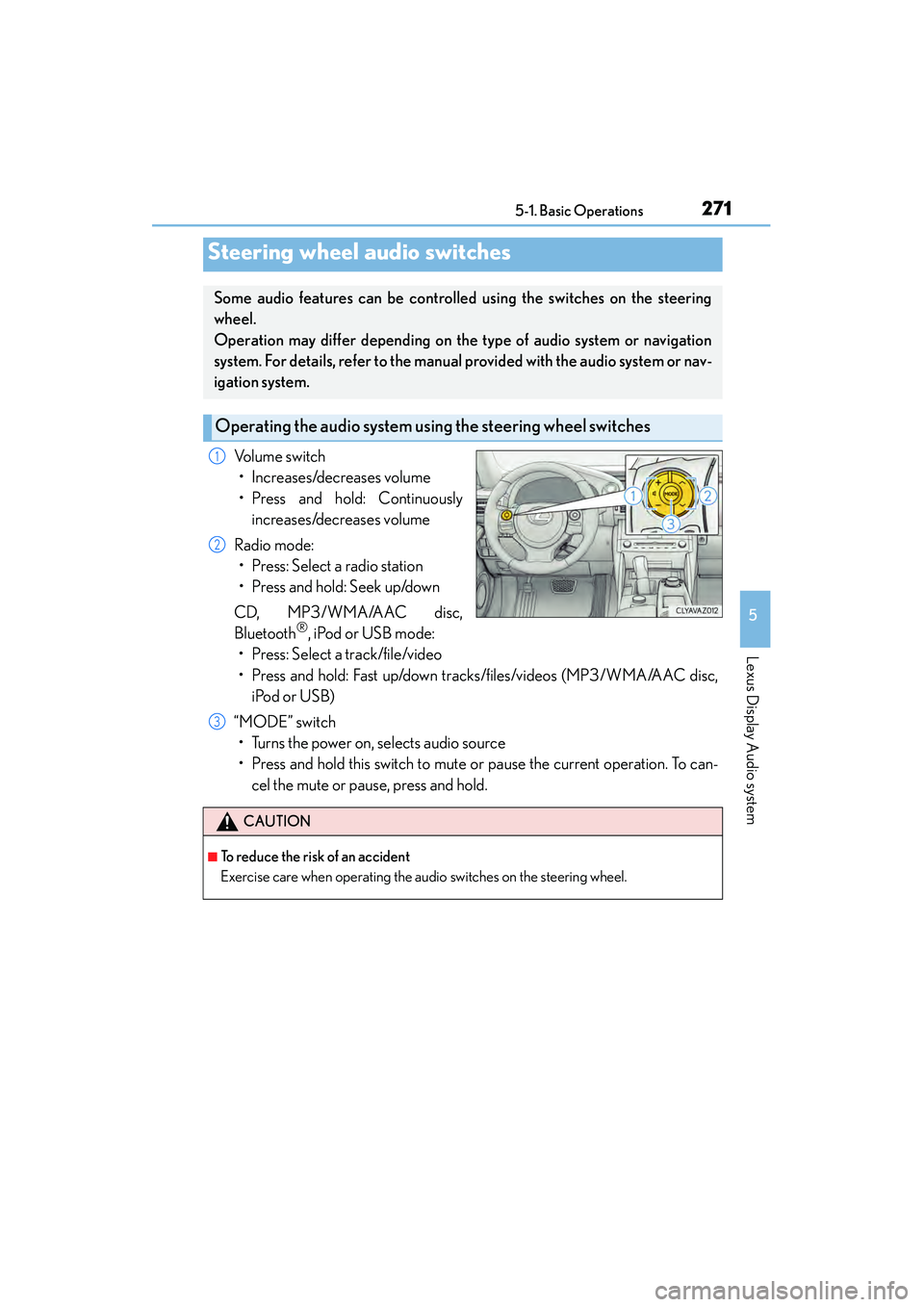
Volume switch• Increases/decreases volume
• Press and hold: Continuously increases/decreases volume
Radio mode: • Press: Select a radio station
• Press and hold: Seek up/down
CD, MP3/WMA/AAC disc,
Bluetooth
®, iPod or USB mode:
• Press: Select a track/file/video
• Press and hold: Fast up/down tracks/files/videos (MP3/WMA/AAC disc,
iPod or USB)
“MODE” switch • Turns the power on, selects audio source
• Press and hold this switch to mute or pause the current operation. To can- cel the mute or pause, press and hold.
Steering wheel audio switches
Some audio features can be controlle d using the switches on the steering
wheel.
Operation may differ depending on the type of audio system or navigation
system. For details, refer to the manual provided with the audio system or nav-
igation system.
Operating the audio system us ing the steering wheel switches
1
2
CAUTION
■To reduce the risk of an accident
Exercise care when operating the audio switches on the steering wheel.
3
Page 274 of 586
2735-1. Basic Operations
5
Lexus Display Audio system
IS350/250_U (OM53C50U)
■Adjusting the volume
The volume of the Mobile Assistant can be adjusted using the
“PWR·VOL” knob or
steering wheel volume switches. The Mobile Assistant and phone call volumes are syn-
chronized.
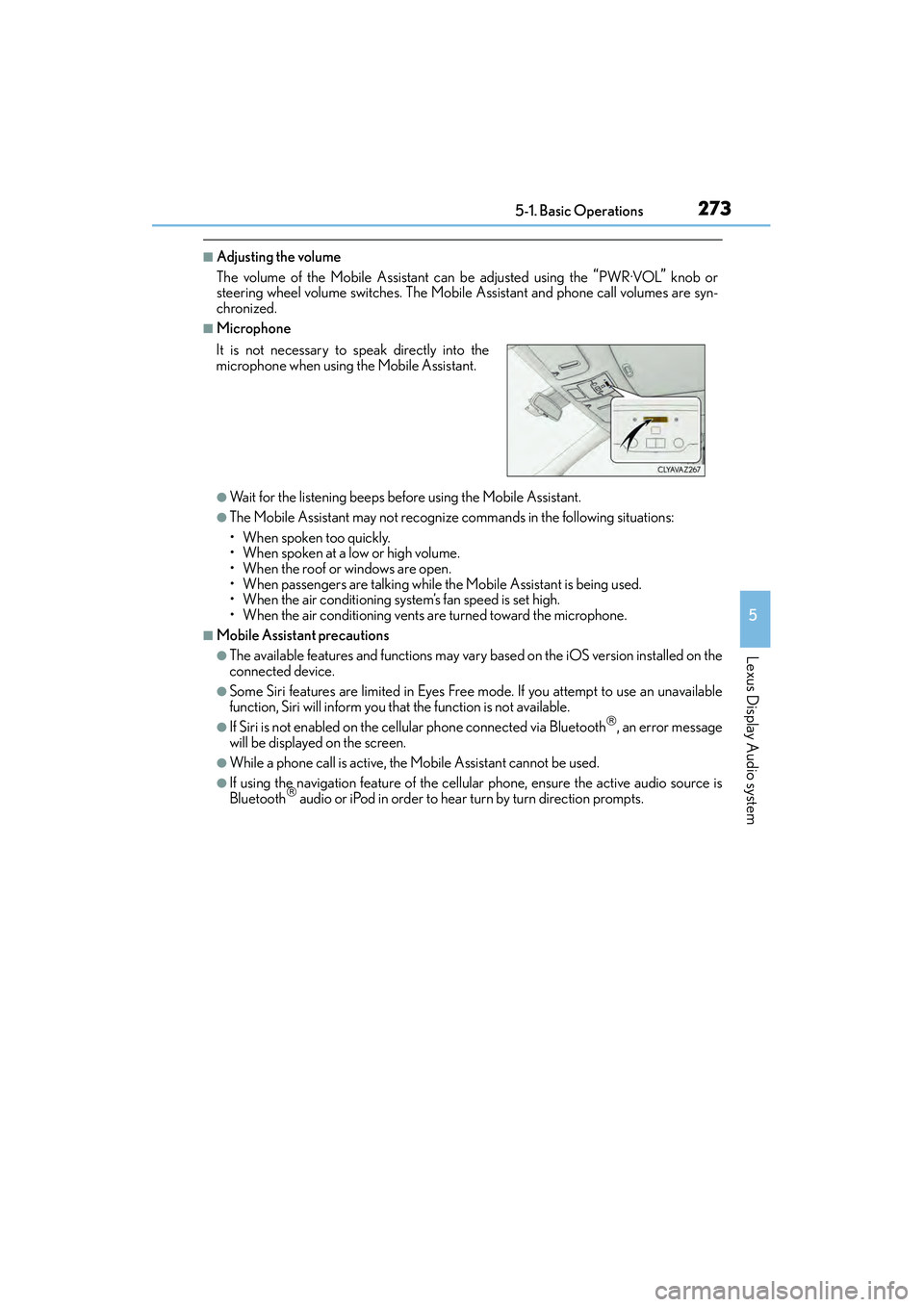
■Microphone
●Wait for the listening beeps before using the Mobile Assistant.
●The Mobile Assistant may not recognize commands in the following situations:
• When spoken too quickly.
• When spoken at a low or high volume.
• When the roof or windows are open.
• When passengers are talking while th e Mobile Assistant is being used.
• When the air conditioning system’s fan speed is set high.
• When the air conditioning vents are turned toward the microphone.
■Mobile Assistant precautions
●The available features and functions may vary based on the iOS version installed on the
connected device.
●Some Siri features are limited in Eyes Free mode. If you attempt to use an unavailable
function, Siri will inform you that the function is not available.
●If Siri is not enabled on the ce llular phone connected via Bluetooth, an error message
will be displayed on the screen.
●While a phone call is active, the Mobile Assistant cannot be used.
●If using the navigation feature of the cellular phone, ensure the active audio source is
Bluetooth audio or iPod in order to hear turn by turn direction prompts.
It is not necessary to speak directly into the
microphone when using the Mobile Assistant.
Page 292 of 586
2915-4. Using the radio
5
Lexus Display Audio system
IS350/250_U (OM53C50U)
HD Radio™ Technology is the digital evolution of analog AM/FM radio. Your
radio product has a special receiver which allows it to receive digital broadcasts
(where available) in addition to the analog broadcasts it already receives.
Digital broadcasts have better sound quality than analog broadcasts as digital
broadcasts provide free, crystal clear audio with no static or distortion. For more
information, and a guide to available radio stations and programming, refer to
www.hdradio.com
.
“HD Radio features included in Lexus radios:
Digital Sound - HD Radio broadcasts deliver crystal-clear, digital audio quality to
listeners.
HD2 /HD3 Channels - FM stations can provide additional digital only audio pro-
gramming with expanded content and format choices on HD2 /HD3 channels.
PSD - Program Service Data (PSD) gives you on-screen information such as art-
ist name and song title.
iTunes
® Tagging - Listeners can tag (store) songs they like for later review and
purchase through iTunes.
Artist Experience
® - Images related to the broadcast are displayed on the radio
screen, such as album cover art and station logos.”
■HD Radio™ Technology troubleshooting guide
HD Radio™ Technology
HD Radio Technology manufactured under license from iBiquity Digital Cor-
poration. U.S. and Foreign Patents. HD Radio™ and the HD, HD Radio, and
“Arc” logos are proprietary trademarks of iBiquity Digital Corp.
ExperienceCauseAction
Mismatch of time align-
ment- a user may hear a
short period of program-
ming replayed or an echo,
stutter or skip.The radio stations analog
and digital volume are not
properly aligned or the sta-
tion is in ballgame mode.None, radio broadcast
issue. A user can contact
the radio station.
Sound fades, blending in
and out.Radio is shifting between
analog and digital audio.
Reception issue, may
clear-up as the vehicle
continues to be driven. Set
“HD Radio” to off, can
force radio in an analog
audio.
Page 297 of 586
2965-5. Playing an audio CD and MP3/WMA/AAC discs
IS350/250_U (OM53C50U)
■Error messages
If an error message is displayed, refer to the following table and take the appropriate
measures. If the problem is not rectified, take the vehicle to your Lexus dealer.
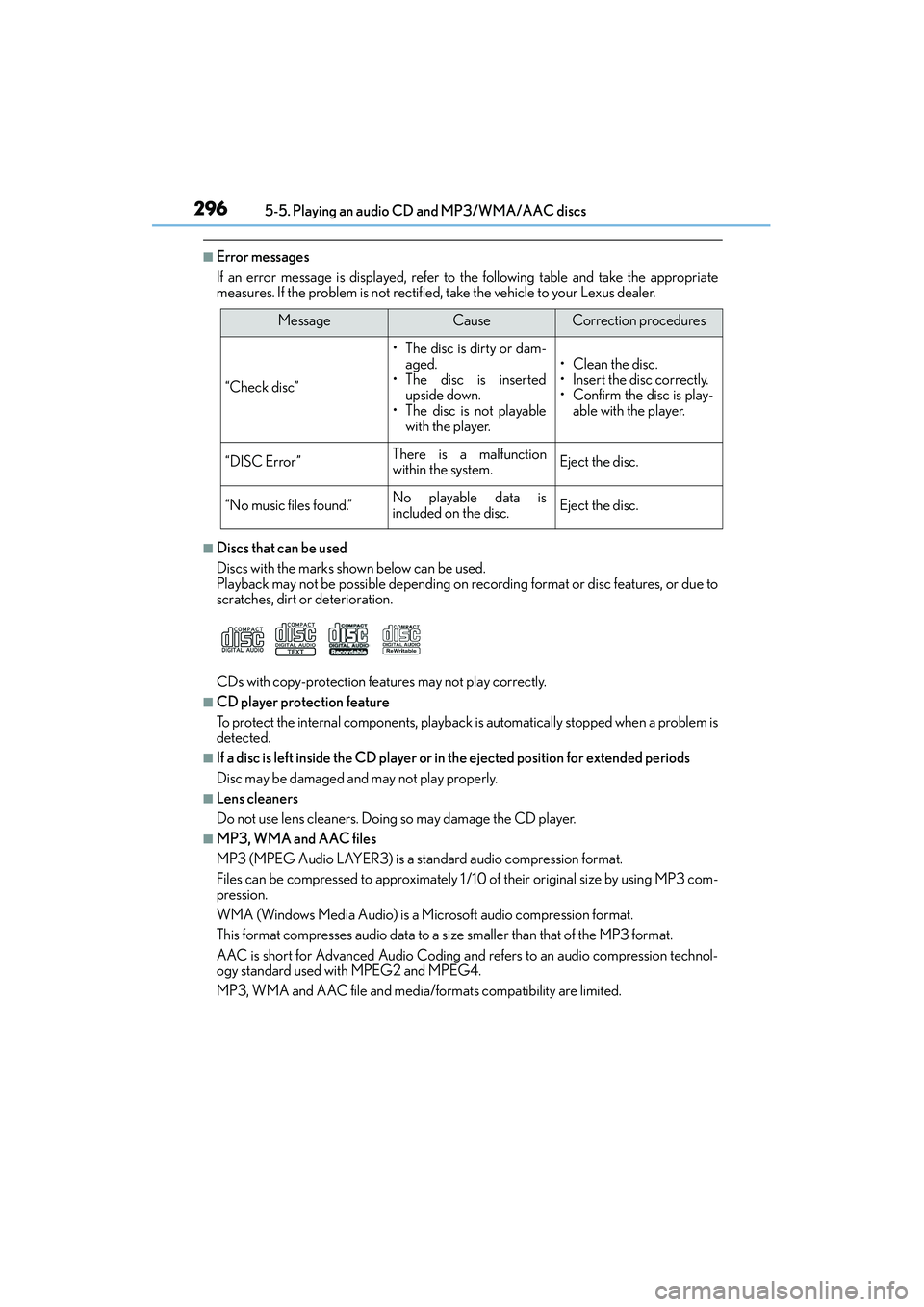
■Discs that can be used
Discs with the marks shown below can be used.
Playback may not be possible depending on recording format or disc features, or due to
scratches, dirt or deterioration.
CDs with copy-protection features may not play correctly.
■CD player protection feature
To protect the internal components, playback is automatically stopped when a problem is
detected.
■If a disc is left inside the CD player or in the ejected position for extended periods
Disc may be damaged and may not play properly.
■Lens cleaners
Do not use lens cleaners. Doing so may damage the CD player.
■MP3, WMA and AAC files
MP3 (MPEG Audio LAYER3) is a standard audio compression format.
Files can be compressed to approximately 1 /10 of their original size by using MP3 com-
pression.
WMA (Windows Media Audio) is a Microsoft audio compression format.
This format compresses audio data to a size smaller than that of the MP3 format.
AAC is short for Advanced Audio Coding and refers to an audio compression technol-
ogy standard used with MPEG2 and MPEG4.
MP3, WMA and AAC file and media/ formats compatibility are limited.
MessageCauseCorrection procedures
“Check disc”
• The disc is dirty or dam-
aged.
• The disc is inserted upside down.
• The disc is not playable
with the player.•Clean the disc.
• Insert the disc correctly.
• Confirm the disc is play- able with the player.
“DISC Error”There is a malfunction
within the system.Eject the disc.
“No music files found.”No playable data is
included on the disc.Eject the disc.
Page 356 of 586
3555-12. Other function
5
Lexus Display Audio system
IS350/250_U (OM53C50U)
■Availability of service
Lexus Enform Remote is available in the contiguous United States, Wa s h i n g t o n D.C . a n d
Alaska.
■Lexus Enform Remote Information
●Lexus Enform Remote should only be used by authorized users.
●Laws in some communities may require that the vehicle be within view of the user when
operating Lexus Enform Remote.
In some states, use of Lexus Enform Remo te may violate state or local laws. Before
using Lexus Enform Remote, check your state and local laws.
●Any malfunction of the Lexus should be repaired by your Lexus dealer.
●Lexus Enform Remote is designed to work at temperatures above -22 °F (-30 °C). This
specification is related to the Lexus Enform Remote operation, but is dependent on the
vehicle's operating temperature range which may be different.
●Content is subject to change without notice.
●Some features of the Lexus Enform Remote may not be available on some models.
●Additional information can be found at www.lexus.com/enform/.
●Availability of functions of the Lexus Enform service is dependent on network reception
level.
■Safety information for Lexus Enform Remote
→ P. 3 9 4