features Lexus IS250 2015 Workshop Manual
[x] Cancel search | Manufacturer: LEXUS, Model Year: 2015, Model line: IS250, Model: Lexus IS250 2015Pages: 586, PDF Size: 8.66 MB
Page 394 of 586
3936-4. Using the other interior features
6
Interior features
IS350/250_U (OM53C50U)
■Stolen Vehicle Location
If your vehicle is stolen, Safety Connect can work with local authorities to
assist them in locating and recovering the vehicle. After filing a police report,
call the Safety Connect response center at 1-800-25-LEXUS (1-800-255-
3987) and follow the prompts for Safety Connect to initiate this service.
In addition to assisting law enforcement with recovery of a stolen vehicle,
Safety-Connect-equipped vehicle location data may, under certain circum-
stances, be shared with third parties to locate your vehicle. Further informa-
tion is available at Lexus.com.
■Emergency Assistance Button (“SOS”)
In the event of an emergency on the road, push the “SOS” button to reach the
Safety Connect response center. The answering agent will determine your
vehicle’s location, assess the emergency, and dispatch the necessary assis-
tance required.
If you accidentally press the “SOS” button, tell the response-center agent that you
are not experiencing an emergency.
■Enhanced Roadside Assistance
Enhanced Roadside Assistance adds GPS data to the already included war-
ranty-based Lexus roadside service.
Subscribers can press the “SOS” button to reach a Safety Connect response-
center agent, who can help with a wide range of needs, such as: towing, flat
tire, fuel delivery, etc. For a description of the Roadside Assistance services
and their limitations, please see the Safety Connect Terms and Conditions,
which are available at Lexus.com.
Page 395 of 586
3946-4. Using the other interior features
IS350/250_U (OM53C50U)
Important! Read this information before using Safety Connect.
■Exposure to radio frequency signals
The Safety Connect system installed in your vehicle is a low-power radio
transmitter and receiver. It receives and also sends out radio frequency (RF)
signals.
In August 1996, the Federal Communications Commission (FCC) adopted
RF exposure guidelines with safety levels for mobile wireless phones. Those
guidelines are consistent with the safety standards previously set by the fol-
lowing U.S. and international standards bodies.
●ANSI (American National Standards Institute) C95.1 [1992]
●NCRP (National Council on Radiation Protection and Measurement)
Report 86 [1986]
●ICNIRP (International Commission on Non-Ionizing Radiation Protection)
[1996]
Those standards were based on comprehensive and periodic evaluations of
the relevant scientific literature. Over 120 scientists, engineers, and physi-
cians from universities, and government health agencies and industries
reviewed the available body of research to develop the ANSI Standard
(C95.1).
The design of Safety Connect complies with the FCC guidelines in addition to
those standards.
■Certification for Lexus Enform
FCC ID: O6Y-CDMRF101
FCC ID: XOECDMRF101B
FCC ID: N7NGTM2
FCC WARNING:
This equipment complies with FCC radiation exposure limits set forth for an uncontrolled
environment and meets the FCC radio frequency (RF) Exposure Guidelines in Supple-
ment C to OET65.
This equipment should be installed and operated keeping the radiator at least 20cm or
more away from person’s body (excluding extremities: hands, wrists, feet and ankles).
Safety information for Safety Connect
Page 502 of 586
5018-2. Steps to take in an emergency
8
When trouble arises
IS350/250_U (OM53C50U)
■Stopping the engine
Shift the shift lever to P and press the engine switch as you normally do when stopping
the engine.
■Replacing the key battery
As the above procedure is a temporary measure, it is recommended that the electronic
key battery be replaced immediately when the battery is depleted. (→P. 4 3 9 )
■Changing engine switch modes
Release the brake pedal and press the engine switch in step above.
The engine does not start and modes will be changed each time the switch is pressed.
( → P. 1 6 0 )
■When the electronic key does not work properly
●Make sure that the smart access system with push-button start has not been deacti-
vated in the customization setting. If it is off, turn the function on.
(Customizable features →P. 5 3 7 )
●Check if battery-saving mode is set. If it is set, cancel the function. (→P. 1 1 5 )
CAUTION
■When using the mechanical key and operating the power windows and moon roof
Operate the power window or moon roof after checking to make sure that there is no
possibility of any passenger having any of their body parts caught in the window or
moon roof.
Also, do not allow children to operate the mech anical key. It is possible for children and
other passengers to get caught in power window and moon roof.
3
Page 512 of 586
511
Vehicle specifications9
IS350/250_U (OM53C50U)
9-1. SpecificationsMaintenance data (fuel, oil level, etc.).................... 512
Fuel information.......................... 522
Tire information ........................... 525
9-2. Customization Customizable features ............ 537
9-3. Initialization Items to initialize ......................... 546
Page 538 of 586
537
IS350/250_U (OM53C50U)
9
Vehicle specifications
9-2. Customization
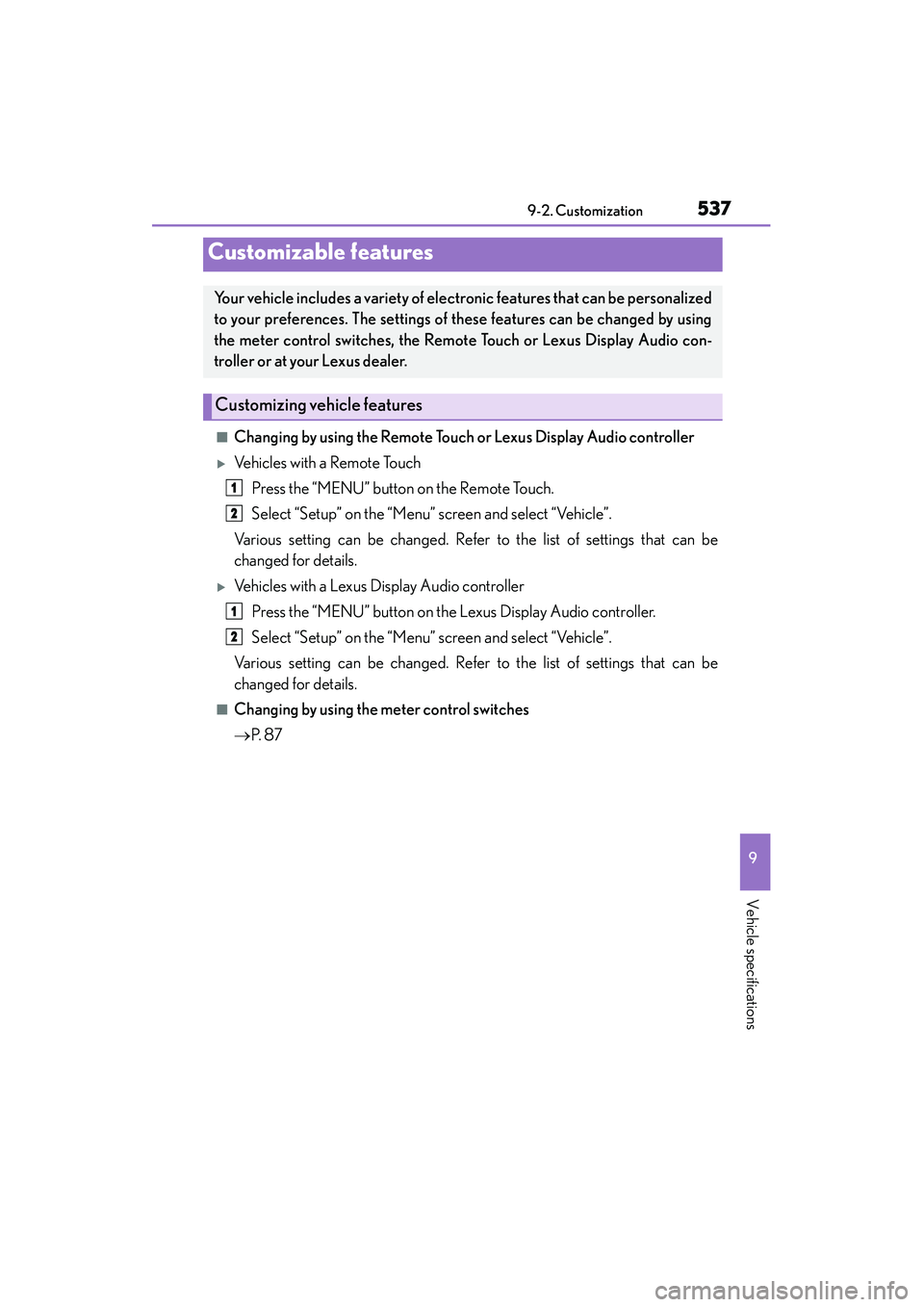
■Changing by using the Remote Touch or Lexus Display Audio controller
XVe h i c l e s w i t h a R e m o t e To u c hPress the “MENU” button on the Remote Touch.
Select “Setup” on the “Menu” screen and select “Vehicle”.
Various setting can be changed. Refer to the list of settings that can be
changed for details.
XVehicles with a Lexus Display Audio controller Press the “MENU” button on the Lexus Display Audio controller.
Select “Setup” on the “Menu” screen and select “Vehicle”.
Various setting can be changed. Refer to the list of settings that can be
changed for details.
■Changing by using the meter control switches
→ P. 8 7
Customizable features
Your vehicle includes a variety of electronic features that can be personalized
to your preferences. The settings of these features can be changed by using
the meter control switches, the Remote Touch or Lexus Display Audio con-
troller or at your Lexus dealer.
Customizing vehicle features
1
2
1
2
Page 539 of 586
5389-2. Customization
IS350/250_U (OM53C50U)
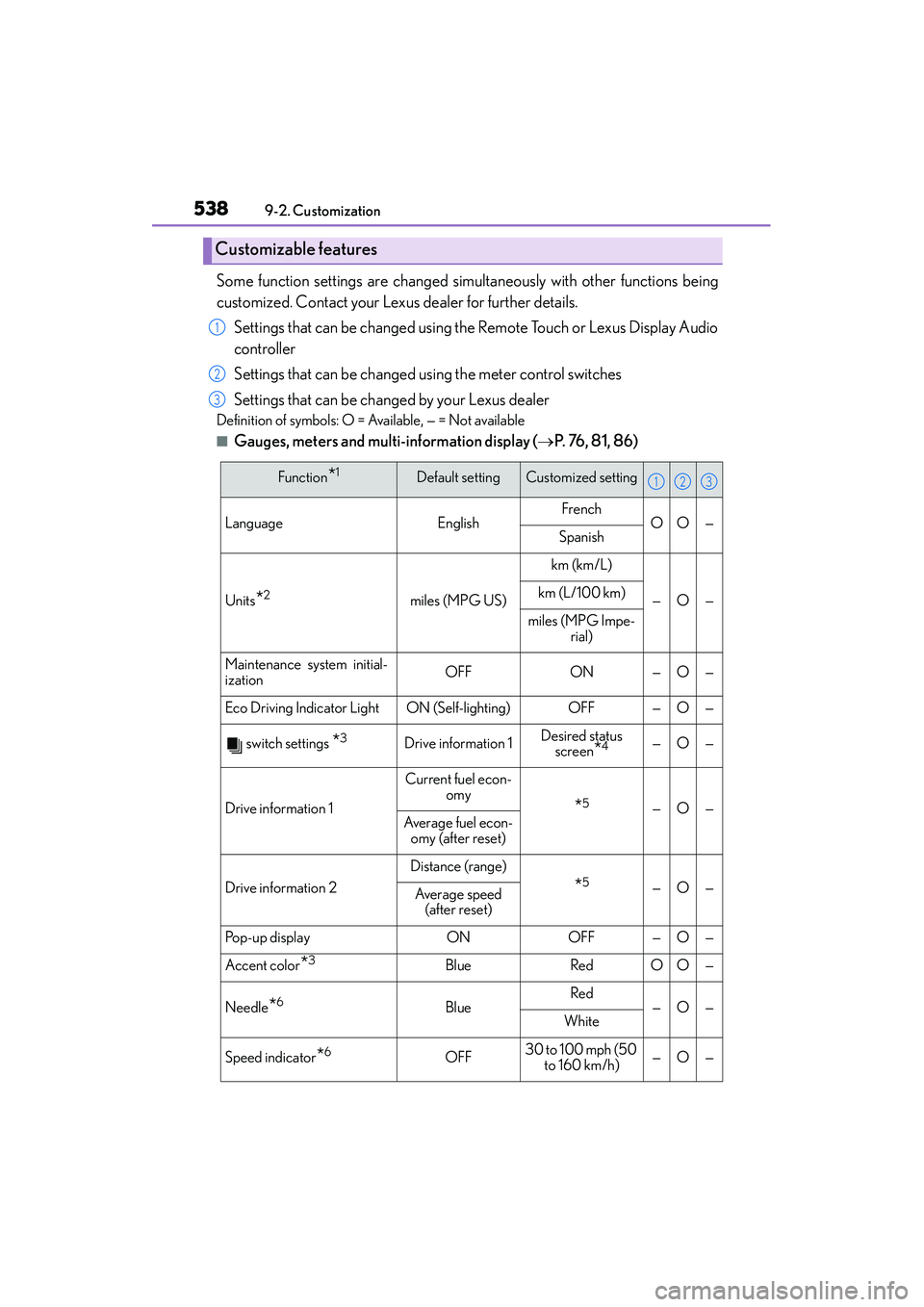
Some function settings are changed simu ltaneously with other functions being
customized. Contact your Lexus dealer for further details.
Settings that can be changed using the Remote Touch or Lexus Display Audio
controller
Settings that can be changed using the meter control switches
Settings that can be changed by your Lexus dealer
Definition of symbols: O = Available, — = Not available
■Gauges, meters and multi-information display (→ P. 76, 81, 86)
Customizable features
1
2
3
Function*1Default settingCustomized setting
LanguageEnglishFrenchOO—Spanish
Units*2miles (MPG US)
km (km/L)
—O—km (L/100 km)
miles (MPG Impe-
rial)
Maintenance system initial-
izationOFFON—O—
Eco Driving Indicator LightON (Self-lighting)OFF—O—
switch settings *3Drive information 1Desired status screen*4—O—
Drive information 1
Current fuel econ- omy
*5—O—Average fuel econ-
omy (after reset)
Drive information 2
Distance (range)
*5—O—Average speed (after reset)
Pop-up displayONOFF—O—
Accent color*3BlueRedOO—
Needle*6BlueRed—O—White
Speed indicator*6OFF30 to 100 mph (50
to 160 km/h)—O—
123
Page 546 of 586
5459-2. Customization
9
Vehicle specifications
IS350/250_U (OM53C50U)
■Vehicle customization
●When the smart access system with push-button start is off, the entry unlock function
cannot be customized.
●When the doors remain closed after unlocking the doors and the timer activated auto-
matic door lock function activates, signals will be generated in accordance with the
operation buzzer volume and operational signal (Emergency flashers) function set-
tings.
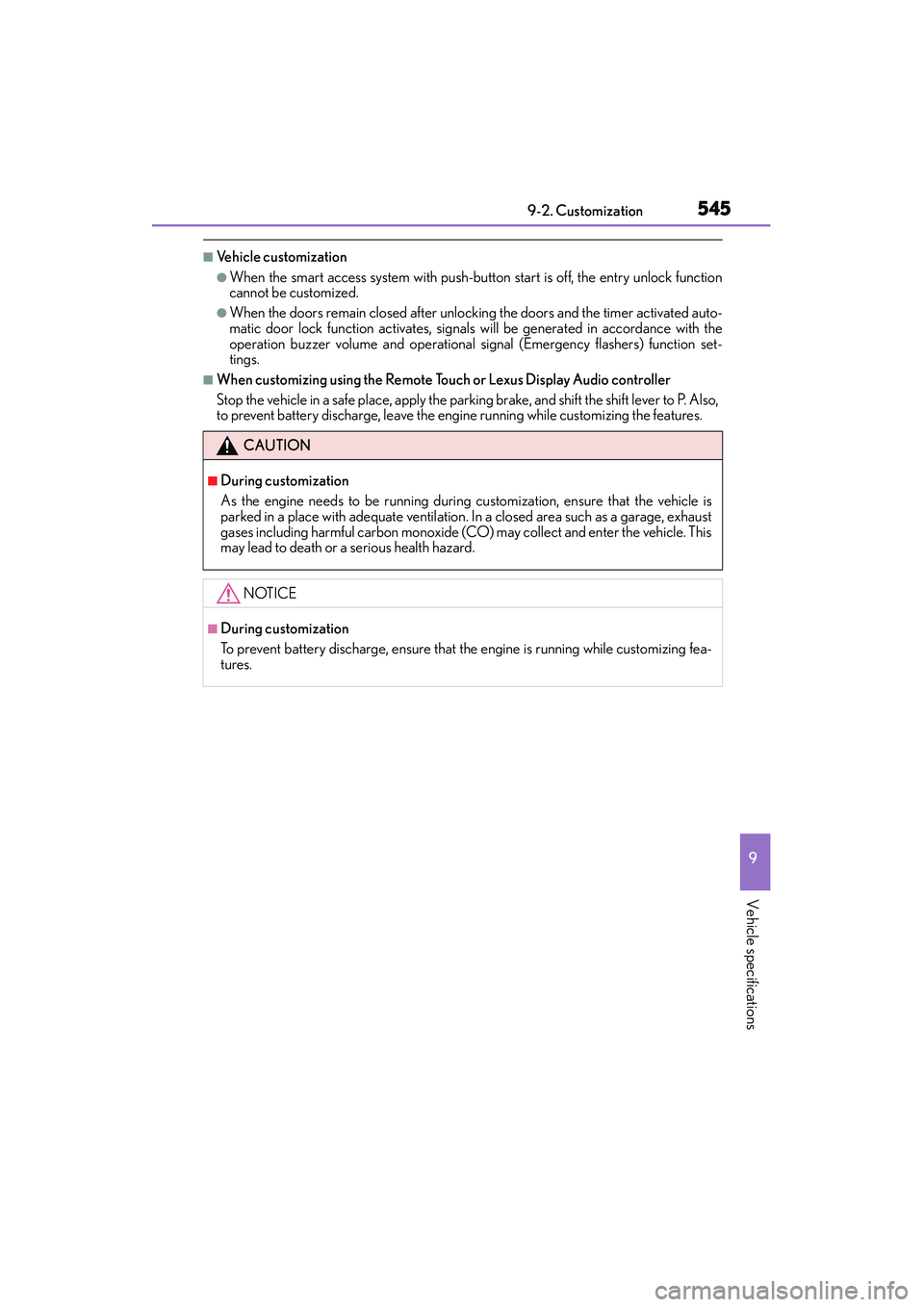
■When customizing using the Remote Touch or Lexus Display Audio controller
Stop the vehicle in a safe place, apply the parking brake, and shift the shift lever to P. Also,
to prevent battery discharge, leave the engine running while customizing the features.
CAUTION
■During customization
As the engine needs to be running during customization, ensure that the vehicle is
parked in a place with adequate ventilation. In a closed area such as a garage, exhaust
gases including harmful carbon monoxide (CO) may collect and enter the vehicle. This
may lead to death or a serious health hazard.
NOTICE
■During customization
To prevent battery discharge, ensure that the engine is running while customizing fea-
tures.
Page 568 of 586
567Alphabetical index
IS350/250_U (OM53C50U)
Child safety ................................................ 53Airbag precautions .............................. 39
Battery precautions ...............421, 505
Child restraint system ......................... 54
How your child should wear the seat belt .......................................... 32
Installing child restraints.................... 58
Moon roof precautions.................... 144
Power window lock switch ............ 138
Power window precautions .......... 140
Rear door child-protectors ........... 106
Removed electronic key battery precautions.............. 440
Seat belt extender
precautions ...........................................35
Seat belt precautions .......................... 57
Seat heater precautions................. 366
Trunk precautions................................. 112
Child-protectors.................................... 106 Cleaning ....................................... 396, 399
Aluminum wheels .............................. 397
Exterior ...................................................396
Interior ..................................................... 399
Seat belts............................................... 400
Clock .......................................................... 377
Coat hooks ...............................................381
Compass ................................................. 387
Condenser ................................................418
Console box ............................................. 371
Cooling system ....................................... 417 Engine overheating ......................... 506
Cruise control Cruise control ....................................... 192
Dynamic radar crui se control .......196
Cup holders.............................................372
Current fuel consumption ....................87
Curtain shield airbags ............................ 37
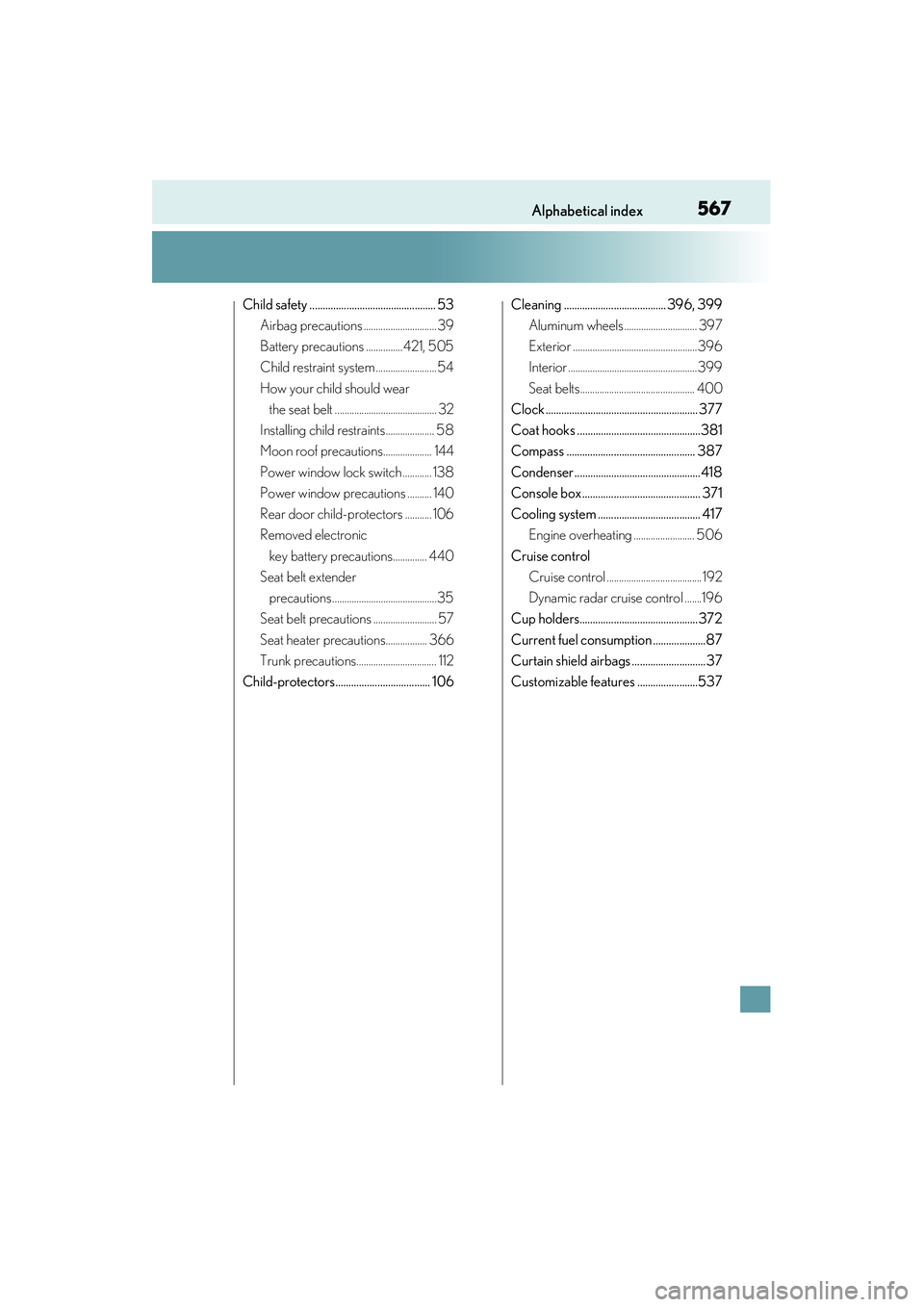
Customizable features .......................537
Page 582 of 586
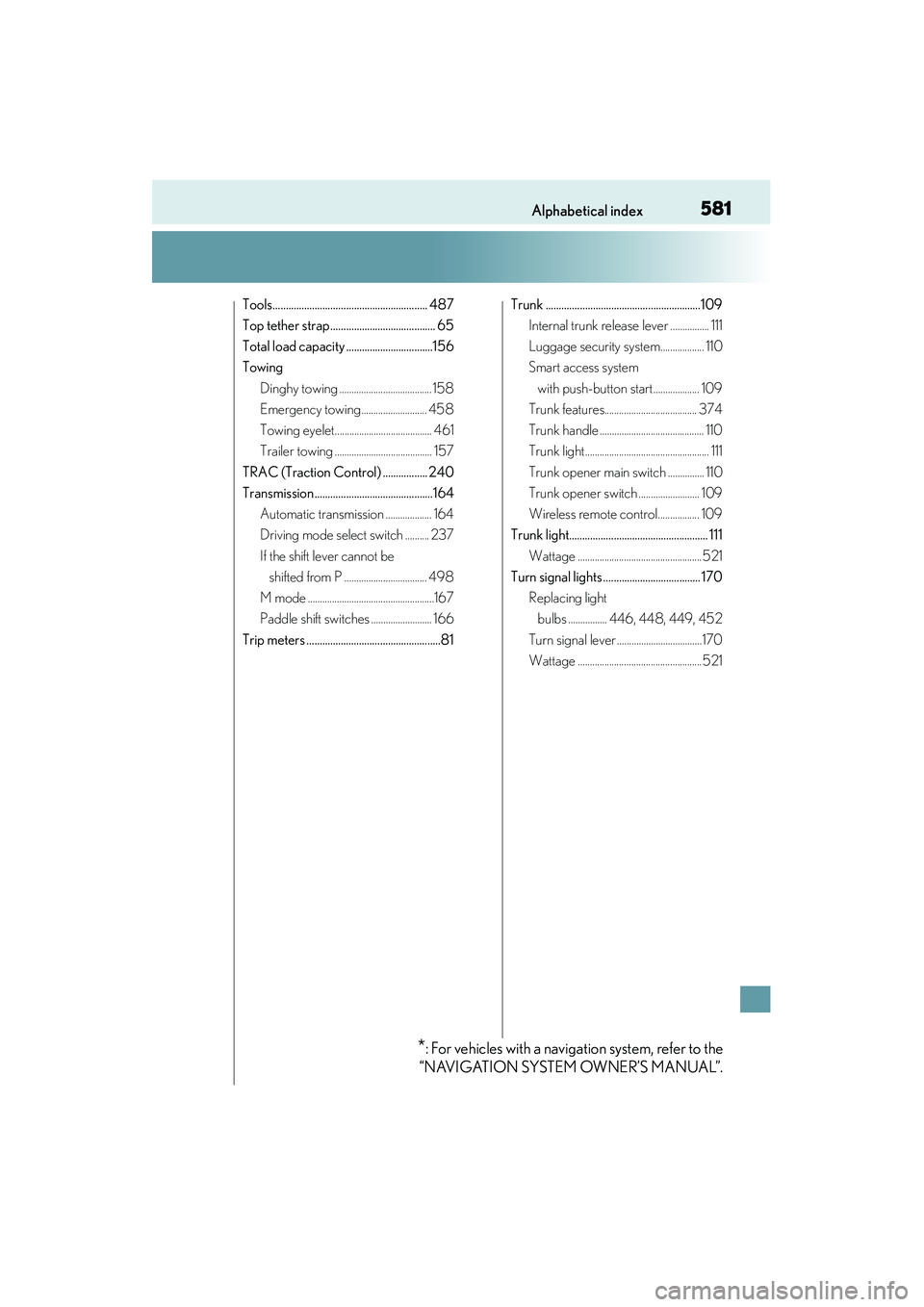
581Alphabetical index
IS350/250_U (OM53C50U)
Tools........................................................... 487
Top tether strap........................................ 65
Total load capacity .................................156
TowingDinghy towing ...................................... 158
Emergency towing........................... 458
Towing eyelet........................................ 461
Trailer towing ........................................ 157
TRAC (Traction Control) ................. 240
Transmission .............................................164 Automatic transmission ................... 164
Driving mode select switch .......... 237
If the shift lever cannot be shifted from P .................................. 498
M mode ....................................................167
Paddle shift switches ......................... 166
Trip meters ...................................................81 Trunk ...........................................................109
Internal trunk release lever ................ 111
Luggage security system.................. 110
Smart access system
with push-button start................... 109
Trunk features...................................... 374
Trunk handle ........................................... 110
Trunk light................................................... 111
Trunk opener main switch ............... 110
Trunk opener switch ......................... 109
Wireless remote control................. 109
Trunk light..................................................... 111
Wattage ...................................................521
Turn signal lights ..................................... 170
Replacing light bulbs ................ 446, 448, 449, 452
Turn signal lever ...................................170
Wattage ...................................................521
*: For vehicles with a navigation system, refer to the
“NAVIGATION SYSTEM OWNER’S MANUAL”.