Head light sensor Lexus IS300h 2016 User Guide
[x] Cancel search | Manufacturer: LEXUS, Model Year: 2016, Model line: IS300h, Model: Lexus IS300h 2016Pages: 628, PDF Size: 137.89 MB
Page 273 of 628

2734-5. Using the driving support systems
4
Driving
IS300h_EE(OM53D56E)
■Temporary cancelation of the LDA system functions
If any of the following occurs, the LDA system functions will be temporarily canceled. The
functions will resume after the necessary operating conditions have returned.
●The turn signal lever is operated.
●The vehicle speed deviates from the operating range of the LDA system functions.
●When the lane lines cannot be recognized while driving.
●When the lane departure warning sounds.
The lane departure warning function will not operate again for a several seconds after it
has been activated, even if the vehicle leaves the lane again.
■The lane departure warning
Depending on the audio system sound level or air conditioning fan noise while the audio
system or air conditioning system is in use, it may be difficult to hear the warning sound.
■After the vehicle has been parked in the sun
The LDA system may not be available and a warning message ( →P. 533) will be dis-
played for a while after driving has started. When the temperature in the cabin decreases
and the temperature around the camera sensor ( →P. 270) becomes suitable for its
operation, the functions will begin to operate.
■If there are lane markers on only one side of the vehicle
The lane departure warning will not operate fo r the side on which lane markers could not
be recognized.
■Conditions in which the function may not operate correctly
In the following situations, the camera sensor may be unable to recognize lane markers
causing the lane departure warning function to operate incorrectly. However, this does
not indicate a malfunction.
●When driving through an area with no lane markers, such as a tollbooth, a crossing or
before a ticket checkpoint
●When driving on a sharp curve
●When lane markers are extremely narrow or extremely wide
●When the vehicle leans to one side an unusual amount due to a heavy load or improper
tire inflation pressure
●When the following distance between your vehicle and the vehicle ahead is extremely
short
●When the lane markers are yellow (These may be more difficult for the system to rec-
ognize compared to white markers.)
●When the lane markers are broken, Botts’ dots (raised pavement markers) or stones
●When the lane markers are on a curb etc.
●When lane markers are obscured or partially obscured by sand, dirt, etc.
●When there are shadows on the road running parallel with lane markers, or if a shadow
covers the lane markers
●When driving on a particularly brig ht road surface, such as concrete
●When driving on a road surface that is bright due to reflected light
●When driving in a location where the light level changes rapidly, such as the entrance to
or exit from a tunnel
Page 275 of 628
2754-5. Using the driving support systems
4
Driving
IS300h_EE(OM53D56E)
NOTICE
■To prevent damage to or incorrect operation of the LDA system
●Do not modify the headlights or attach stickers to the surface of the lights.
●Do not modify the suspension.
If any suspension parts need to be replaced, contact any authorized Lexus dealer or
repairer, or another duly qualified and equipped professional.
●Do not install or place anything on the hood or the grille. Also, do not install a grille
guard (bull bars, kangaroo bar etc.).
●If your windshield needs repairs, contact any authorized Lexus dealer or repairer, or
another duly qualified and equipped professional.
■Camera sensor
Observe the following to ensure that the LDA system functions correctly.
●Keep the windshield clean at all times.
Performance could be affected if the windshie ld is dirty, or if raindrops, condensation
or ice are adhering to the windshield.
●Do not spill liquid onto the camera sensor
●Do not attach window tinting to the windshield.
●Do not install an antenna in front of the camera lens.
●If area of the windshield in front of the camera sensor is fogged up, use the windshield
defogger to remove the fog.
When it is cold, using the heater with air blowing to the feet may allow the upper part
of the windshield to fog up. This will have a negative effect on the images.
●Do not scratch the camera lens, or let it get dirty.
When cleaning the inside of the windshield , be careful not to get any glass cleaner
etc. on the lens. Also, do not touch the lens.
For lens repair, contact any authorized Lexus dealer or repairer, or another duly qual-
ified and equipped professional.
●Do not change the installation position or direction of the camera sensor or remove it.
The direction of the camera sensor is precisely adjusted.
●Do not subject the camera sensor to strong impact or force, and do not disassemble
the camera sensor.
●If the windshield needs to be replaced, contact any authorized Lexus dealer or
repairer, or another duly qualified and equipped professional.
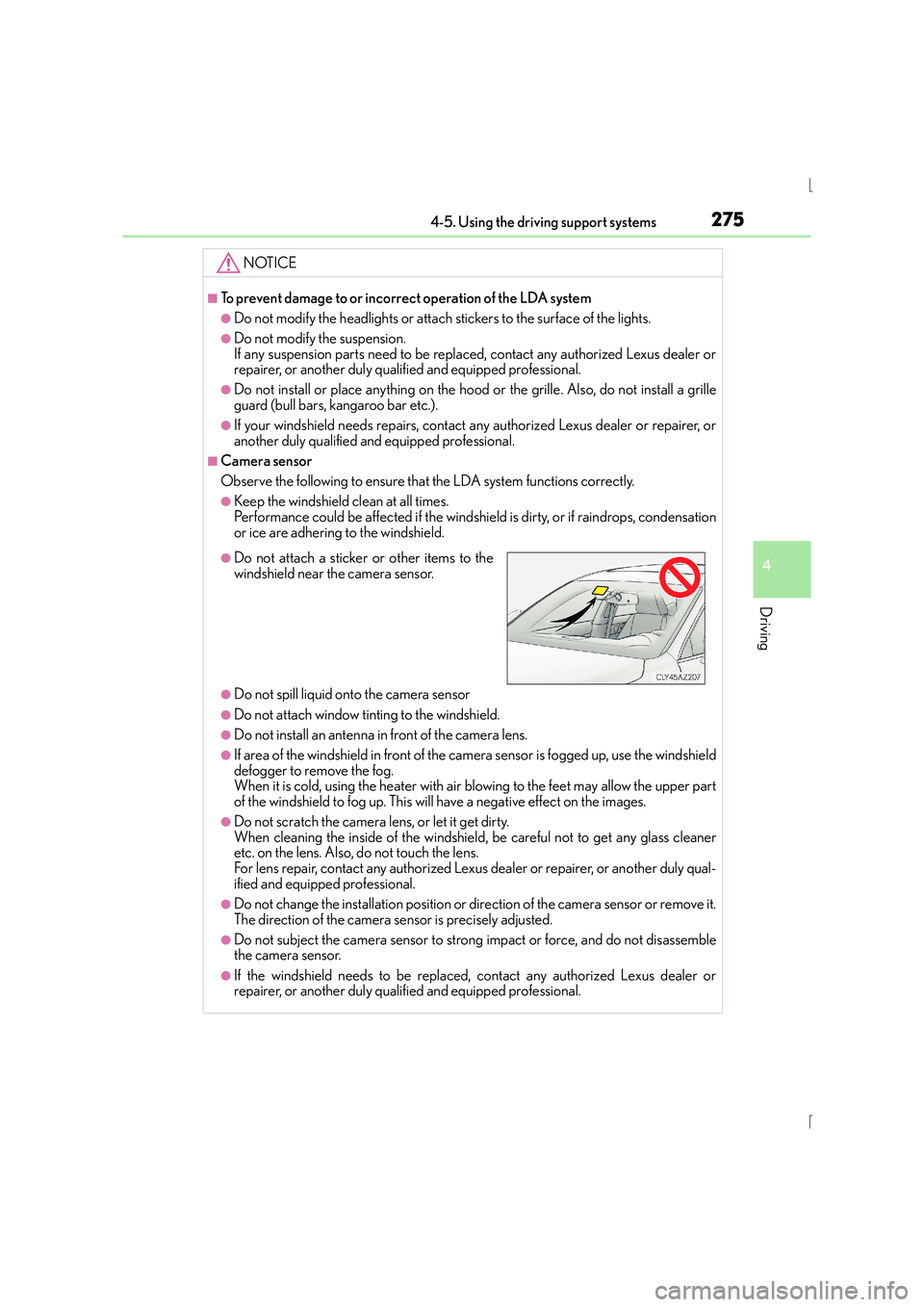
●Do not attach a sticker or other items to the
windshield near the camera sensor.
Page 303 of 628
3034-5. Using the driving support systems
4
Driving
IS300h_EE(OM53D56E)
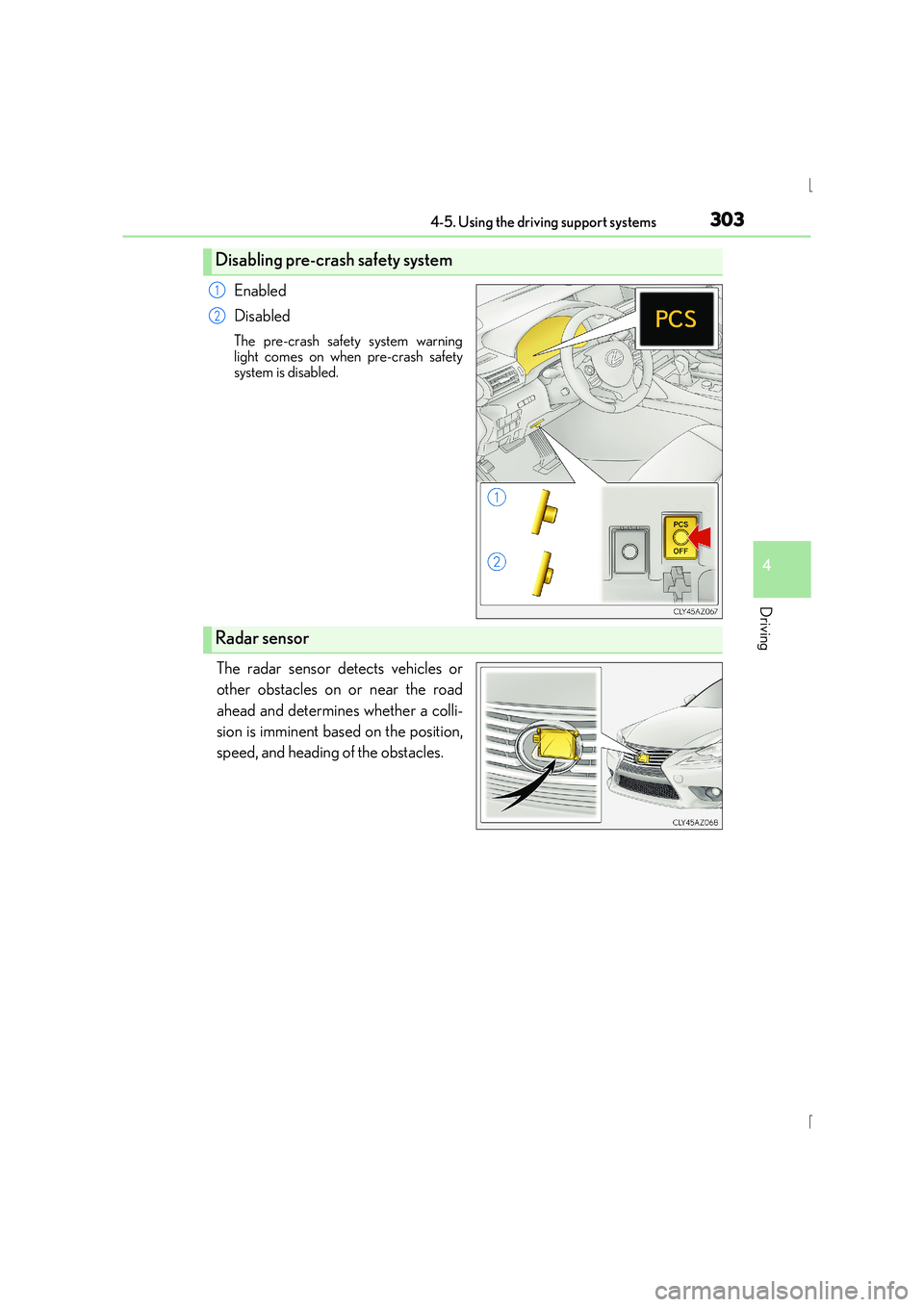
Enabled
Disabled
The pre-crash safety system warning
light comes on when pre-crash safety
system is disabled.
The radar sensor detects vehicles or
other obstacles on or near the road
ahead and determines whether a colli-
sion is imminent based on the position,
speed, and heading of the obstacles.
Disabling pre-crash safety system
1
2
Radar sensor
Page 304 of 628
3044-5. Using the driving support systems
IS300h_EE(OM53D56E)
■The pre-crash safety system is operational when
The pre-crash safety system is enabled and the following conditions are met:
●Pre-crash warning:
• Vehicle speed is greater than about 15 km/h (10 mph).
• The speed at which your vehicle is approaching the obstacle or the vehicle runningahead of you is greater than about 15 km/h (10 mph).
●Pre-crash brake assist:
• The VSC system is not disabled.
• Vehicle speed is greater than about 30 km/h (19 mph).
• The speed at which your vehicle is approaching the obstacle or the vehicle runningahead of you is greater than about 30 km/h (19 mph).
• The brake pedal is depressed.
●Pre-crash braking:
• The VSC system is not disabled.
• Vehicle speed is greater than about 15 km/h (10 mph).
• The speed at which your vehicle is approaching the obstacle or the vehicle running ahead of you is greater than about 15 km/h (10 mph).
●Suspension control (vehicles with Adap tive Variable Suspension System):
• Vehicle speed is greater than about 5 km/h (4 mph).
• The speed at which your vehicle is approaching the obstacle or the vehicle running ahead of you is greater than about 30 km/h (19 mph).
■Conditions that may trigger the system ev en if there is no danger of a collision
In any of the following situations where the frontal area of the radar sensor is interrupted,
the radar sensor may detect possibility of a frontal collision and the system may be acti-
vated.
●When passing by an oncoming vehicle in a curve or a turn to the right or the left.
●When rapidly approaching an obstacle ahead (e.g.preceding vehicle, toll gate barrier,
etc.)
●When there is a structural object (billboard , low ceiling, fluorescent light, etc.) above
the uphill road ahead
●When driving on a narrow road or through under a low overhead structure (bridge,
tunnel, fly-under, etc.)
●When driving on an uneven road surface
●When there is a metal object, bump, or protrusion on the road surface
●When vehicle’s front part is raised or lowered depending on loading conditions
●When the direction of radar sensor is misaligned by strong impact applied on an area
around the radar sensor, etc.
●When there is an obstacle (guard rail, etc.) by the roadside at the entrance to a curve
●When the front of your vehicle is pointing upwards (caused by putting a heavy load in
the trunk etc.)
When the system is activated in the situations described above, there is also a possibility
that the brakes may be applied with a force greater than normal.
Page 536 of 628
5368-2. Steps to take in an emergency
IS300h_EE(OM53D56E)
Indicates that remaining fuel is approximately 10 L (2.6
gal., 2.2 Imp. gal.) or less
→Refuel the vehicle.
Indicates that the TRC (Tr action Control) system has
been deactivated
→ Tu r n t h e T R C o n . ( →P. 2 9 8 )
Indicates that the engine oil is scheduled to be changed.
(The indicator will not work properly unless the message
has been reset.)
→ Check the engine oil, and change if necessary.
After changing the engine oil, the message should
be reset.
Indicates that the engine oil should be changed. (After
the engine oil is changed and the message has been
reset.)
→Check and change the engine oil, and oil filter by
any authorized Lexus dealer or repairer, or another
duly qualified and equipped professional. After
changing the engine oil, the message should be
reset.
(If equipped)
Indicates that the Automatic High Beam switch is
pressed while the headlights are in low beam.
→ Turn the high beam on and press the Automatic
High Beam switch again.
(If equipped)
Indicates that, since the VSC (Vehicle Stability Control)
system was turned off, the pre-crash brake system oper-
ation is stopped
→Tu r n t h e V S C o n . ( →P. 2 9 8 )
(If equipped)
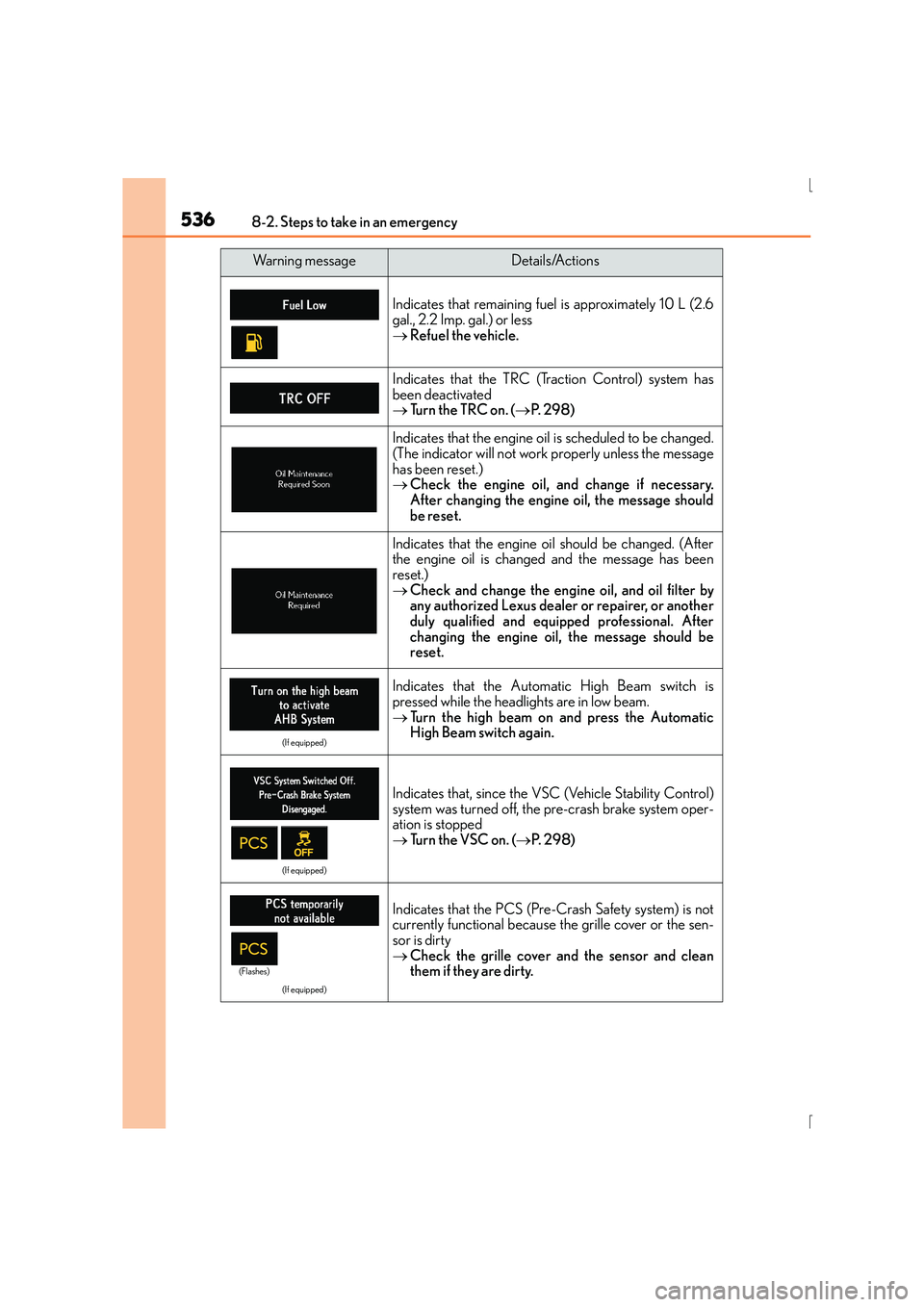
Indicates that the PCS (Pre-Crash Safety system) is not
currently functional because the grille cover or the sen-
sor is dirty
→ Check the grille cover and the sensor and clean
them if they are dirty.
Wa r n i n g m e s s a g eDetails/Actions
(Flashes)
Page 597 of 628
597
9
9-2. Customization
Vehicle specifications
IS300h_EE(OM53D56E)
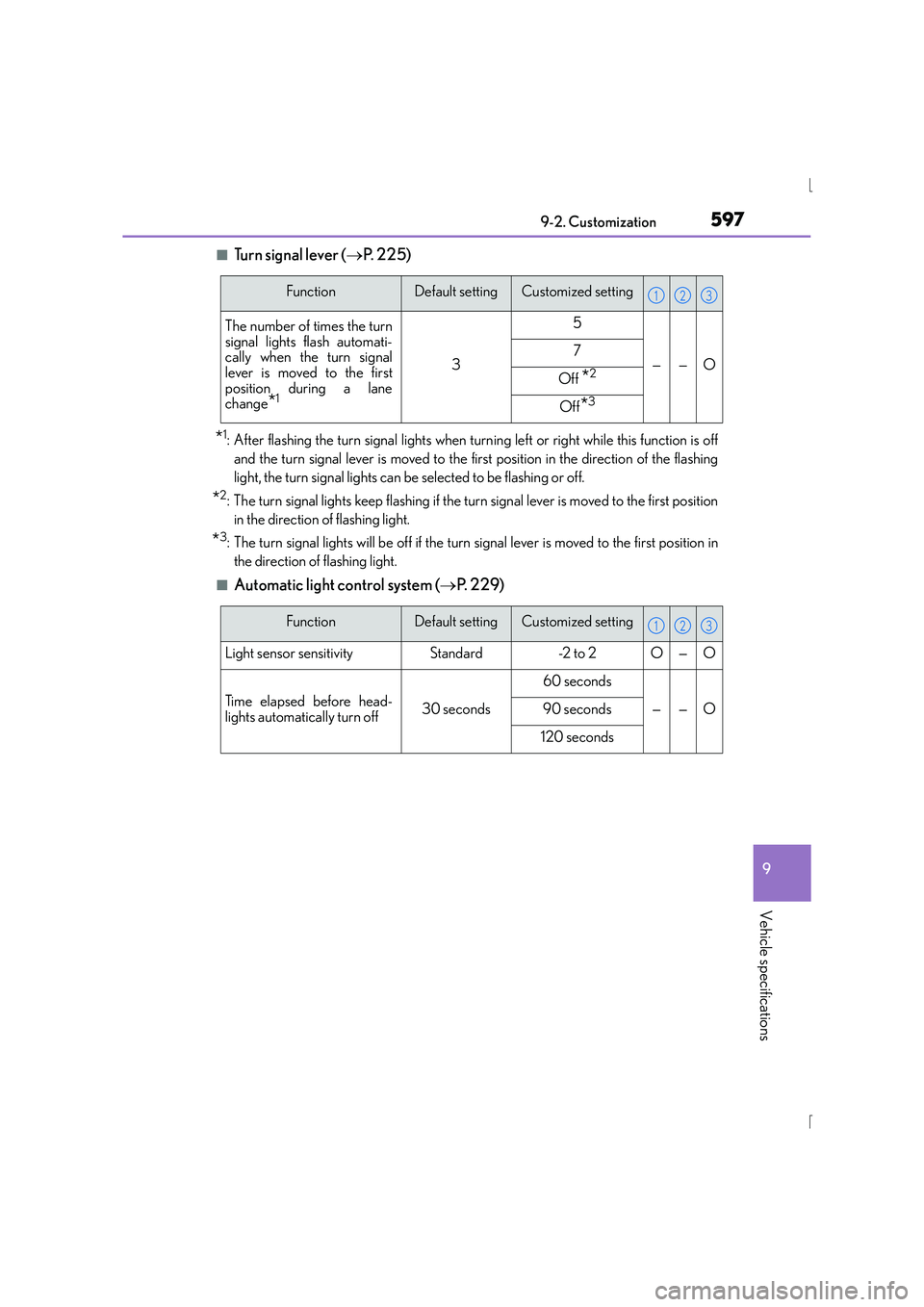
■Tu r n s i g n a l l e v e r (
→P. 225)
*1: After flashing the turn signal lights when turn ing left or right while this function is off
and the turn signal lever is moved to the first position in the direction of the flashing
light, the turn signal lights can be selected to be flashing or off.
*2: The turn signal lights keep flashing if the turn signal lever is moved to the first position in the direction of flashing light.
*3: The turn signal lights will be off if the turn signal lever is moved to the first position inthe direction of flashing light.
■Automatic light control system ( →P. 2 2 9 )
FunctionDefault settingCustomized setting
The number of times the turn
signal lights flash automati-
cally when the turn signal
lever is moved to the first
position during a lane
change
*1
3
5
——O7
Off *2
Off*3
123
FunctionDefault settingCustomized setting
Light sensor sensitivityStandard-2 to 2O—O
Time elapsed before head-
lights automatically turn off30 seconds
60 seconds
——O90 seconds
120 seconds
123
Page 622 of 628
622Alphabetical index
IS300h_EE(OM53D56E)
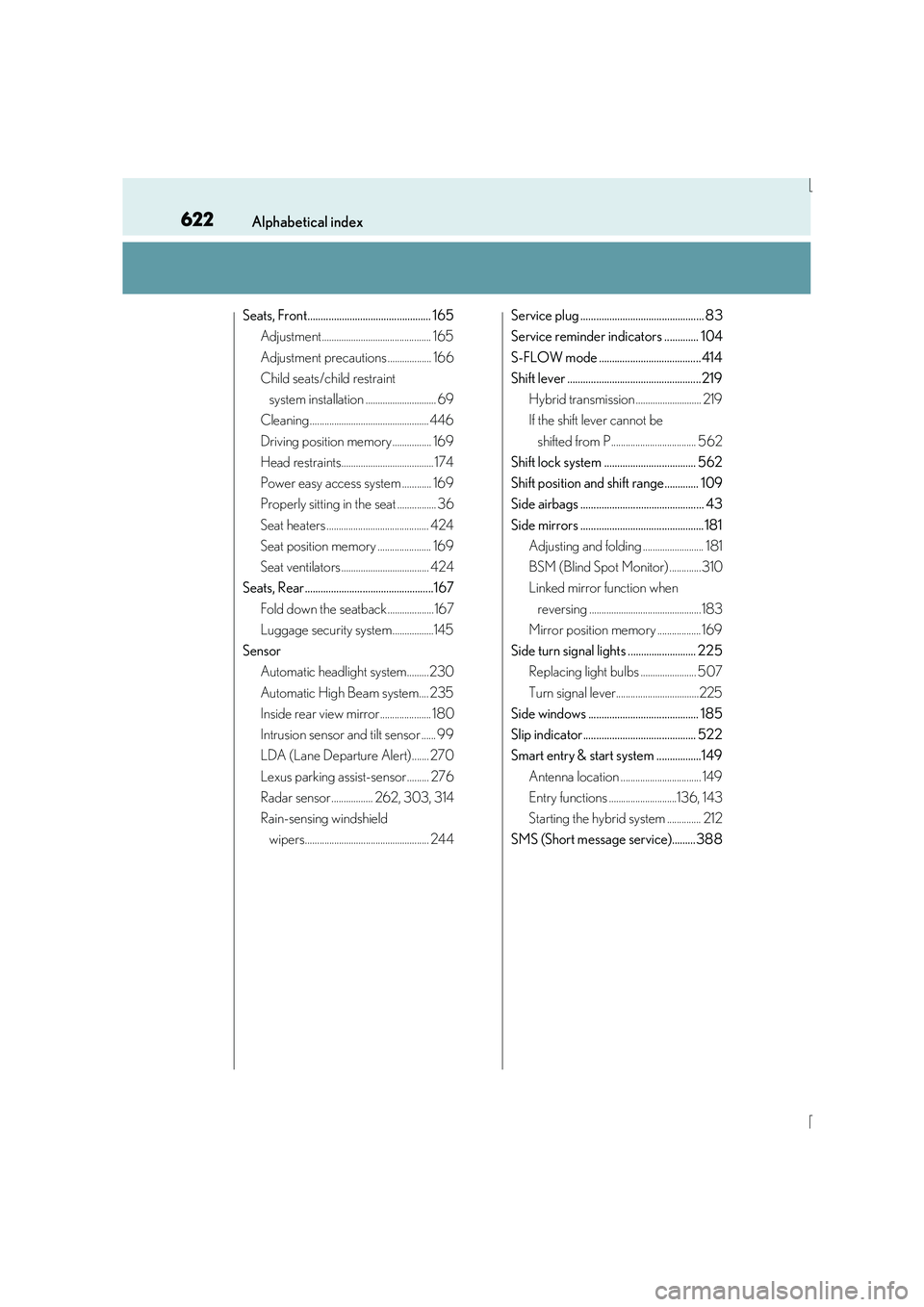
Seats, Front............................................... 165Adjustment............................................. 165
Adjustment precautions .................. 166
Child seats/child restraint
system installation ............................. 69
Cleaning................................................. 446
Driving position memory ................ 169
Head restraints...................................... 174
Power easy access system ............ 169
Properly sitting in the seat ................ 36
Seat heaters .......................................... 424
Seat position memory ...................... 169
Seat ventilators .................................... 424
Seats, Rear.................................................167
Fold down the seatback ...................167
Luggage security system.................145
Sensor Automatic headlight system.........230
Automatic High Beam system.... 235
Inside rear view mirror..................... 180
Intrusion sensor and tilt sensor ...... 99
LDA (Lane Departure Alert)....... 270
Lexus parking assist-sensor ......... 276
Radar sensor ................. 262, 303, 314
Rain-sensing windshield wipers................................................... 244 Service plug ............................................... 83
Service reminder indicators ............. 104
S-FLOW mode ....................................... 414
Shift lever ................................................... 219
Hybrid transmission ........................... 219
If the shift lever cannot be shifted from P................................... 562
Shift lock system ................................... 562
Shift position and shift range............. 109
Side airbags ............................................... 43
Side mirrors ............................................... 181 Adjusting and folding ......................... 181
BSM (Blind Spot Monitor) .............310
Linked mirror function when
reversing ..............................................183
Mirror position memory .................. 169
Side turn signal lights .......................... 225 Replacing light bulbs ....................... 507
Turn signal lever..................................225
Side windows .......................................... 185
Slip indicator........................................... 522
Smart entry & start system .................149
Antenna location ................................. 149
Entry functions ............................136, 143
Starting the hybrid system .............. 212
SMS (Short message service).........388
Page 626 of 628
626Alphabetical index
IS300h_EE(OM53D56E)
Units .............................................................. 117
USB device ................................. 364, 406Connecting...........................................335
USB audio ............................................. 364
USB photo ........................................... 406
USB video ............................................. 364
USB port...................................................335
Vanity lights .............................................435 Vanity lights .......................................... 435
Wattage................................................. 588
Vanity mirrors ........................................435
VDIM (Vehicle Dynamics Integrated Management) .............. 297
Vehicle identification number ......... 579
Vehicle Stability Control (VSC) .................................................... 296
Ventilators (seat ventilators) ............ 424
VSC (Vehicle Stability Control)................................................. 296 Warning buzzers
Approach warning ........................... 259
Brake system ......................................... 521
Downshifting.........................................223
Driver’s and front passenger’s seat belt
reminder ............................................ 523
Lexus parking assist-sensor .........276
Open door ........................................... 523
Pre-crash braking ............................. 302
Rear passengers’ seat belt reminder ............................................. 523
Warning lights ........................................ 105
ABS ...........................................................522
Automatic headlight leveling system.................................................. 523
Brake system ......................................... 521
Charging system ................................. 521
Driver’s and front
passenger’s seat belt
reminder light................................... 523
Electric power steering system...................................................522
Low fuel level....................................... 523
Malfunction indicator lamp ............ 521
Master warning light ........................ 523
Open door ........................................... 523
Pre-crash safety system ..................522
Rear passengers’ seat belt reminder lights ................................ 523
Slip indicator .........................................522
SRS ............................................................522
Tire pressure........................................ 523
U
V
W