air condition Lexus IS300h 2016 Owner's Guide
[x] Cancel search | Manufacturer: LEXUS, Model Year: 2016, Model line: IS300h, Model: Lexus IS300h 2016Pages: 628, PDF Size: 137.89 MB
Page 308 of 628
3084-5. Using the driving support systems
IS300h_EE(OM53D56E)
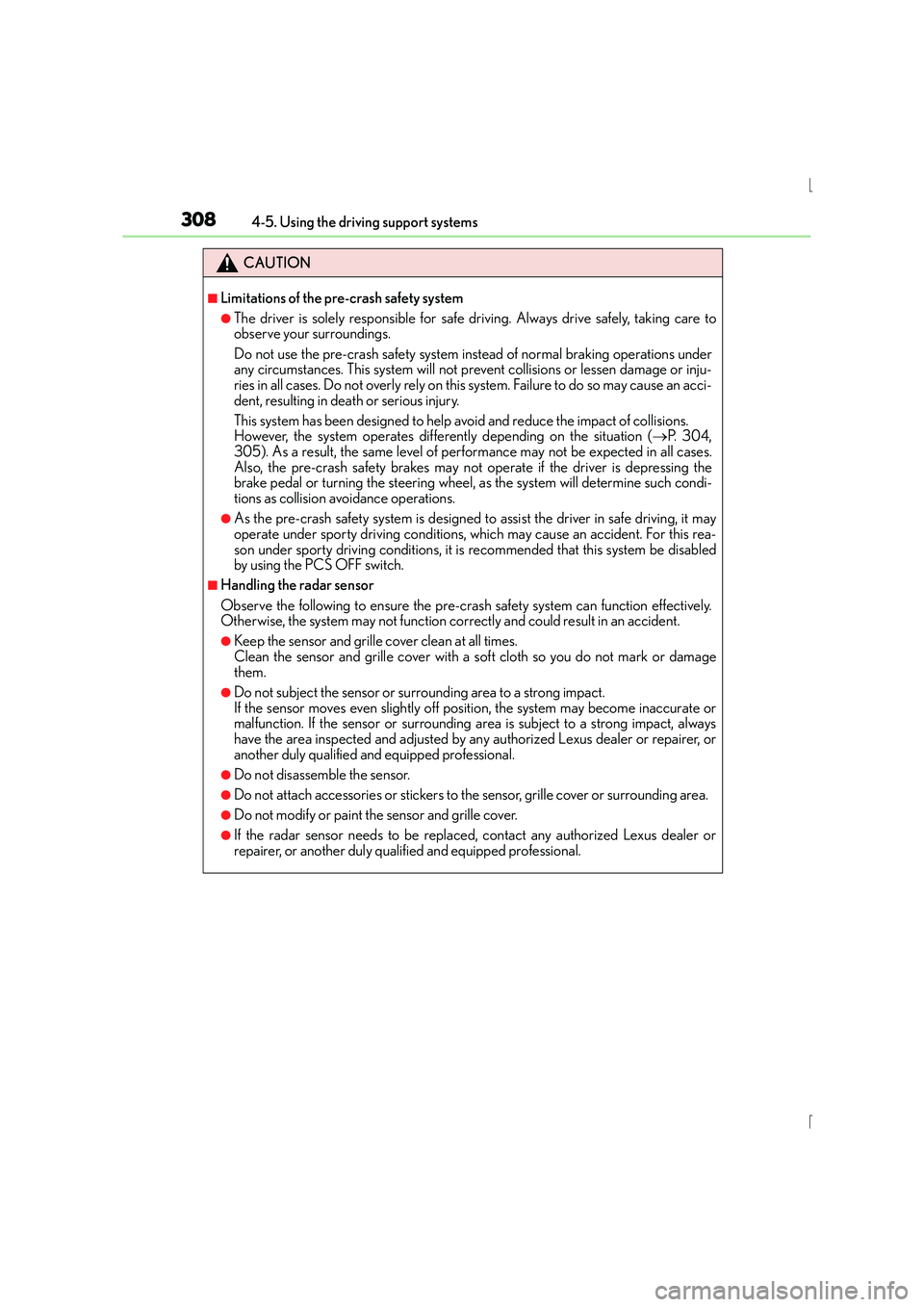
CAUTION
■Limitations of the pre-crash safety system
●The driver is solely responsible for safe driving. Always drive safely, taking care to
observe your surroundings.
Do not use the pre-crash safety system instead of normal braking operations under
any circumstances. This system will not prevent collisions or lessen damage or inju-
ries in all cases. Do not overly rely on this system. Failure to do so may cause an acci-
dent, resulting in death or serious injury.
This system has been designed to help avoid and reduce the impact of collisions.
However, the system operates differently depending on the situation ( →P. 3 0 4 ,
305). As a result, the same level of performance may not be expected in all cases.
Also, the pre-crash safety brakes may not operate if the driver is depressing the
brake pedal or turning the steering wheel, as the system will determine such condi-
tions as collision avoidance operations.
●As the pre-crash safety system is designed to assist the driver in safe driving, it may
operate under sporty driving conditions, which may cause an accident. For this rea-
son under sporty driving conditions, it is recommended that this system be disabled
by using the PCS OFF switch.
■Handling the radar sensor
Observe the following to ensure the pre-cras h safety system can function effectively.
Otherwise, the system may not function correctly and could result in an accident.
●Keep the sensor and grille cover clean at all times.
Clean the sensor and grille cover with a soft cloth so you do not mark or damage
them.
●Do not subject the sensor or surrounding area to a strong impact.
If the sensor moves even slightly off position, the system may become inaccurate or
malfunction. If the sensor or surrounding area is subject to a strong impact, always
have the area inspected and adjusted by any authorized Lexus dealer or repairer, or
another duly qualified and equipped professional.
●Do not disassemble the sensor.
●Do not attach accessories or stickers to the sensor, grille cover or surrounding area.
●Do not modify or paint the sensor and grille cover.
●If the radar sensor needs to be replaced, contact any authorized Lexus dealer or
repairer, or another duly qualified and equipped professional.
Page 320 of 628
320
IS300h_EE(OM53D56E)4-6. Driving tips
■Using Eco drive mode
When using Eco drive mode, the torque corresponding to the accelerator
pedal depression amount can be generated more smoothly than it is in normal
conditions. In addition, the operation of the air conditioning system (heating/
cooling) will be minimized, improving the fuel economy. (
→P. 2 9 3 )
■Use of Hybrid System Indicator
Eco-friendly driving is possible by keeping the indicator needle (except F
SPORT models) or bar display (F SPORT models) of Hybrid System Indicator
within the Eco area. ( →P. 1 1 3 )
■When braking
Make sure to operate the brakes gently and in good time. A greater amount
of electrical energy can be regenerated when slowing down.
■Delays
Repeated acceleration and deceleration, as well as long waits at traffic lights,
will lead to bad fuel economy. Check traffic reports before leaving and avoid
delays as much as possible. When driving in a traffic jam, gently release the
brake pedal to allow the vehicle to move forward slightly while avoiding over-
use of the accelerator pedal. Doing so can help control excessive gasoline
consumption.
■Highway driving
Control your speed and keep at a constant speed. Before stopping at a toll
booth or similar, allow plenty of time to release the accelerator and gently
apply the brakes. A greater amount of electrical energy can be regenerated
when slowing down.
Hybrid vehicle driving tips
For economical and ecological driving, pay attention to the following points:
Page 321 of 628
3214-6. Driving tips
4
Driving
IS300h_EE(OM53D56E)
■Air conditioning
Use the air conditioning only when necessary. Doing so can help reduce
excessive gasoline consumption.
In summer: When the ambient temperature is high, use the recirculated air
mode. Doing so will help to reduce the burden on the air conditioning system
and reduce fuel consumption as well.
In winter: Because the gasoline engine will not automatically cut out until it
and the interior of the vehicle are warm, it will consume fuel. Fuel consumption
can be improved by avoiding overuse of the heater.
■Checking tire inflation pressure
Make sure to check the tire inflation pressure frequently. Improper tire infla-
tion pressure can cause poor fuel economy.
Also, as snow tires can cause large amounts of friction, their use on dry roads
can lead to poor fuel economy. Use tires that are appropriate for the season.
■Luggage
Carrying heavy luggage can lead to poor fuel economy. Avoid carrying
unnecessary luggage. Installing a large roof rack can also cause poor fuel
economy.
■Warming up before driving
Since the gasoline engine starts up and cuts out automatically when cold,
warming up the engine is unnecessary. Moreover, frequently driving short dis-
tances will cause the engine to repeatedly warm up, which can lead to excess
fuel consumption.
Page 322 of 628
3224-6. Driving tips
IS300h_EE(OM53D56E)
●Use fluids that are appropriate to the prevailing outside temperatures. •Engine oil
• Engine/power control unit coolant
•Washer fluid
●Have a service technician inspect the condition of the 12-volt battery.
●Have the vehicle fitted with four snow tires or purchase a set of tire chains for
the rear tires.
*
Ensure that all tires are the specified size and brand, and that chains match the size
of the tires.
*: Tire chains cannot be mounted on the 18-inch tires.
Perform the following according to the driving conditions:
●Do not try to forcibly open a window or move a wiper that is frozen. Pour
warm water over the frozen area to melt the ice. Wipe away the water imme-
diately to prevent it from freezing.
●To ensure proper operation of the climate control system fan, remove any
snow that has accumulated on the air inlet vents in front of the windshield.
●Check for and remove any excess ice or snow that may have accumulated on
the exterior lights, vehicle’s roof, chassis, around the tires or on the brakes.
●Remove any snow or mud from the bottom of your shoes before getting in the
vehicle.
Accelerate the vehicle slowly, keep a safe distance between you and the vehicle
ahead, and drive at a reduced speed suitable to road conditions.
Winter driving tips
Carry out the necessary preparations and inspections before driving the vehi-
cle in winter. Always drive the vehicle in a manner appropriate to the prevail-
ing weather conditions.
Preparation for winter
Before driving the vehicle
When driving the vehicle
Page 329 of 628
3295-1. Basic Operations
5
Lexus Display Audio system
IS300h_EE(OM53D56E)
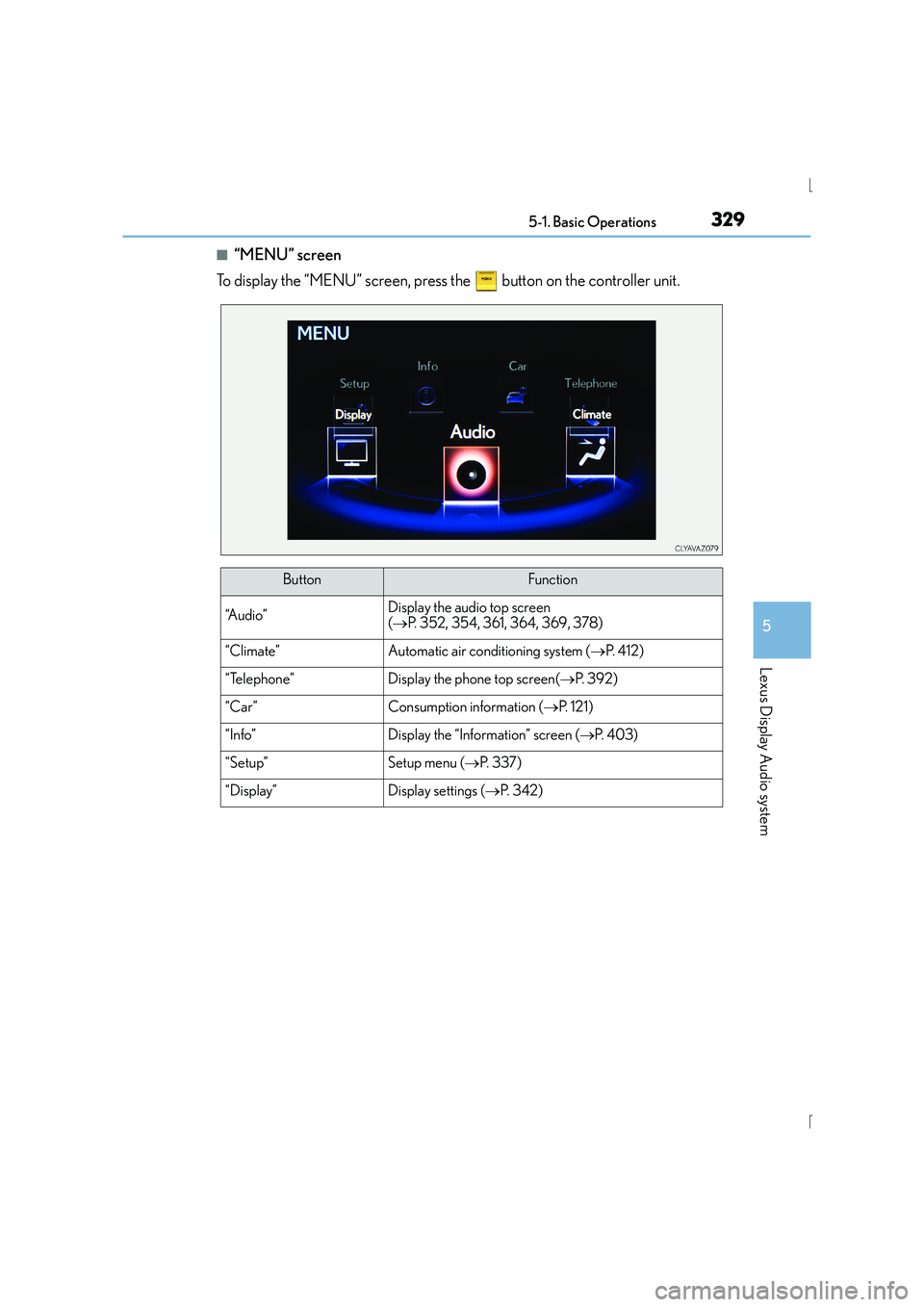
■“MENU” screen
To display the “MENU” screen, press the button on the controller unit.
ButtonFunction
“A u d i o ”Display the audio top screen
( → P. 352, 354, 361, 364, 369, 378)
“Climate”Automatic air conditioning system ( →P. 4 1 2 )
“Telephone”Display the phone top screen( →P. 3 9 2 )
“Car” Consumption information ( →P. 1 2 1 )
“Info”Display the “Information” screen ( →P. 4 0 3 )
“Setup”Setup menu ( →P. 3 3 7 )
“Display”Display settings ( →P. 3 4 2 )
Page 333 of 628
3335-1. Basic Operations
5
Lexus Display Audio system
IS300h_EE(OM53D56E)
■When using the screen
●Under extremely cold conditions, the Lexus Display Audio controller may react slowly.
●If the screen is cold, the display may be dark, or the system may seem to be operating
slightly slower than normal.
●The screen may seem dark and hard to see when viewed through sunglasses. Change
your angle of viewing, adjust the display on the “Display” screen (→P. 342) or remove
your sunglasses.
■Using cellular phones
Interference may be heard through the audio system's speakers if a cellular phone is
being used inside or close to the vehicle while the audio system is operating.
CAUTION
■Using the Lexus Display Audio controller
Be careful when touching the Lexus Display Audio controller in extreme temperatures
as it may become very hot or cold due to the temperature inside the vehicle.
■Laser product
This product is a class 1 laser product.
Do not open the cover of the player or attempt to repair the unit yourself. Refer servic-
ing to qualified personnel.
NOTICE
■To prevent Lexus Display Audio controller malfunction
●Do not allow the Lexus Display Audio contro ller to come into contact with food, liq-
uid, stickers or lit cigarettes as doing so may cause it to change color, emit a strange
odor or stop functioning.
●Do not subject the Lexus Display Audio controller to excessive pressure or strong
impact as the controller may bend or break off.
■To prevent 12-volt battery discharge
Do not leave the audio system on longer than necessary when the hybrid system is off.
■To avoid damaging the audio system
Take care not to spill drinks or other fluids on the audio system.
Page 398 of 628
398
IS300h_EE(OM53D56E)5-11. Bluetooth
®
■When using the Bluetooth® audio system
●In the following situations, the system may not function.
• If the portable audio player is turned off
• If the portable audio player is not connected
• If the portable audio player’s battery is low
●There may be a delay if a cellular phone connection is made during Bluetooth® audio
play.
●Depending on the type of portable audio player that is connected to the system, opera-
tion may differ slightly and cert ain functions may not be available.
■When using the hands-free system
●The audio system is muted when making a call.
●If both parties speak at the same time, it may be difficult to hear.
●If the received call volume is overly loud, an echo may be heard.
If the Bluetooth® phone is too close to the system, quality of the sound may deteriorate
and connection status may deteriorate.
●In the following situations, it may be difficult to hear the other party:
• When driving on unpaved roads
• When driving at high speeds
•If a window is open
• If the air conditioning is blowing directly on the microphone
• If there is interference from the network of the cellular phone
■Conditions under which th e system will not operate
●If using a cellular phone that does not support Bluetooth®
●If the cellular phone is turned off
●If you are outside of cellular phone service coverage
●If the cellular phone is not connected
●If the cellular phone’s battery is low
●When outgoing calls are controlled, due to heavy traffic on telephone lines, etc.
●When the cellular phone itself cannot be used
●When transferring phonebook data from the cellular phone
Bluetooth®
Page 411 of 628
411
6Interior features
IS300h_EE(OM53D56E)
6-1. Using the air conditioning system
Automatic air conditioning system ........................................... 412
Heated steering wheel/ seat heaters/
seat ventilators ......................... 423
6-2. Using the interior lights Interior lights list.......................... 425• Interior lights .......................... 426
• Personal lights........................ 426
6-3. Using the storage features List of storage features............. 428• Glove box................................ 429
• Console box ........................... 429
•Cup holders/Bottle holders ....................... 430
Trunk features .............................. 432 6-4. Using the other interior
features
Other interior features ............ 435 • Sun visors ................................ 435
• Vanity mirrors ........................ 435
• Clock ........................................ 435
• Power outlet ........................... 436
• Armrest.................................... 437
• Rear sunshade....................... 437
• Assist grips.............................. 439
• Coat hooks ............................. 439
Page 412 of 628
412
IS300h_EE(OM53D56E)6-1. Using the air conditioning system
Automatic air conditioning system
Air outlets and fan speed are automatically adjusted according to the temper-
ature setting.
Vehicles with a Lexus Display Audio system: Press the “MENU” button on the
Lexus Display Audio controller, then select “Climate” to display the air condi-
tioning operation screen.
For details on the Lexus Display Audio controller, refer to “Lexus Display
Audio controller” on P. 330.
Vehicles with a navigation system:
Press the “MENU” button on the Remote
Touch, then select “Climate” to display the air conditioning control screen.
For details on the Remote Touch, refer to the “NAVIGATION AND MULTI-
MEDIA SYSTEM OWNER’S MANUAL”.
The illustrations below are for left-hand drive vehicles.
The button positions and shapes will di ffer for right-hand drive vehicles.
Also, the display and button positions will differ depending on the type of the
system.
Page 413 of 628
4136-1. Using the air conditioning system
6
Interior features
IS300h_EE(OM53D56E)
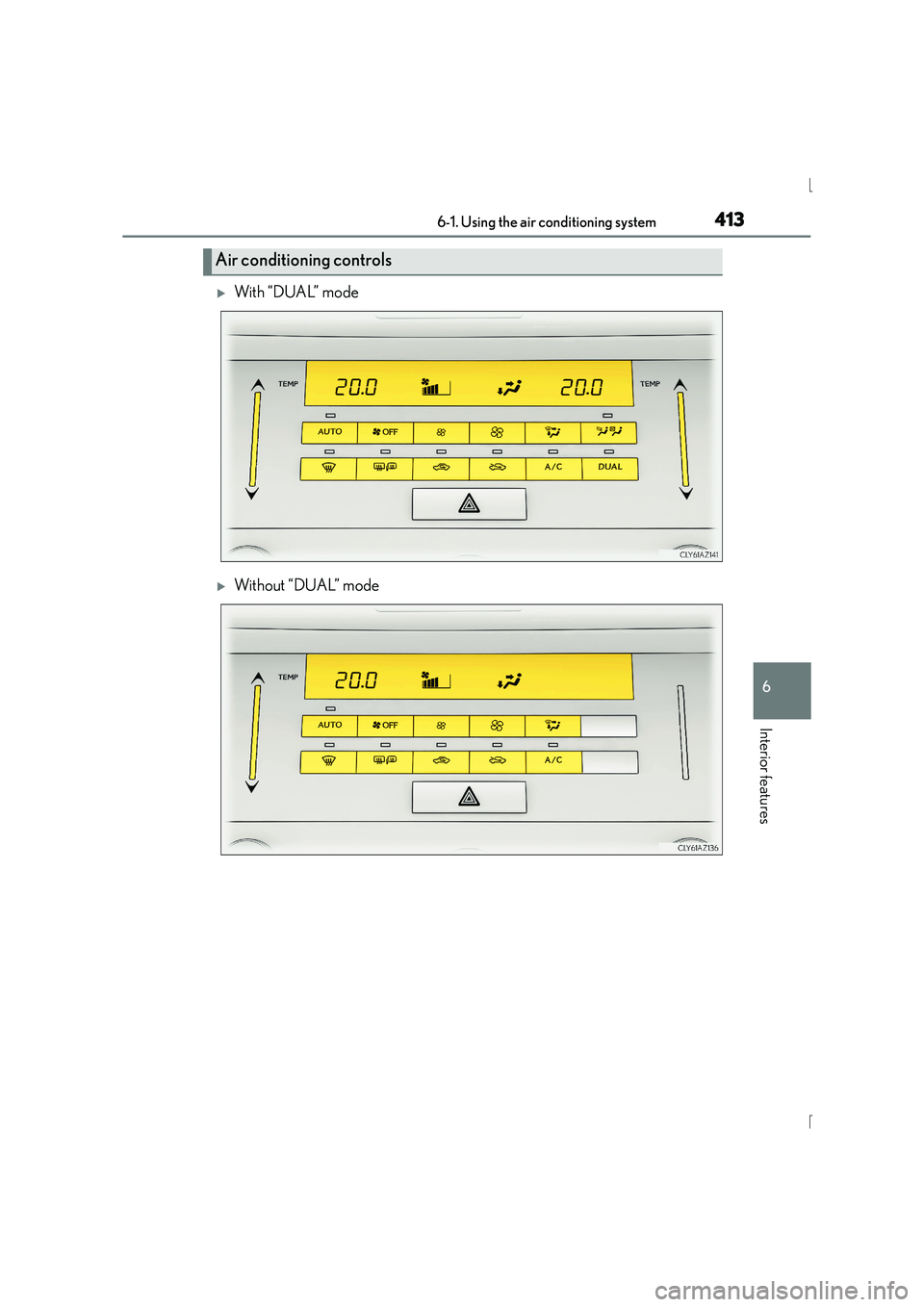
XWith “DUAL” mode
XWithout “DUAL” mode
Air conditioning controls