wheel Lexus IS300h 2016 Owner's Guide
[x] Cancel search | Manufacturer: LEXUS, Model Year: 2016, Model line: IS300h, Model: Lexus IS300h 2016Pages: 628, PDF Size: 137.89 MB
Page 201 of 628
2014-1. Before driving
4
Driving
IS300h_EE(OM53D56E)
NOTICE
■When driving the vehicle
●Do not depress the accelerator and brake pedals at the same time during driving, as
this may restrain driving torque.
●Do not use the accelerator pedal or depress the accelerator and brake pedals at the
same time to hold the vehicle on a hill.
■When parking the vehicle
Always shift the shift lever to P. Failure to do so may cause the vehicle to move or the
vehicle may accelerate suddenly if the accelerator pedal is accidentally depressed.
■Avoiding damage to vehicle parts
●Do not turn the steering wheel fully in either direction and hold it there for an
extended period of time.
Doing so may damage the power steering motor.
●When driving over bumps in the road, drive as slowly as possible to avoid damaging
the wheels, underside of the vehicle, etc.
■If you get a flat tire while driving
A flat or damaged tire may cause the following situations. Hold the steering wheel
firmly and gradually depress the brake pedal to slow down the vehicle.
●It may be difficult to control your vehicle.
●The vehicle will make abnormal sounds or vibrations.
●The vehicle will lean abnormally.
Information on what to do in case of a flat tire ( →P. 545, 559)
■When encountering flooded roads
Do not drive on a road that has flooded after heavy rain etc. Doing so may cause the
following serious damage to the vehicle:
●Engine stalling
●Short in electrical components
●Engine damage caused by water immersion
In the event that you drive on a flooded road and the vehicle is flooded, be sure to have
any authorized Lexus dealer or repairer, or another duly qualified and equipped pro-
fessional check the following:
●Brake function
●Changes in quantity and quality of oil and fluid used for the engine, hybrid transmis-
sion, differential, etc.
●Lubricant condition for the propeller shaft, bearings and suspension joints (where
possible), and the function of all joints, bearings, etc.
Page 203 of 628
2034-1. Before driving
4
Driving
IS300h_EE(OM53D56E)
Trailer towing (vehicles without a towing package)
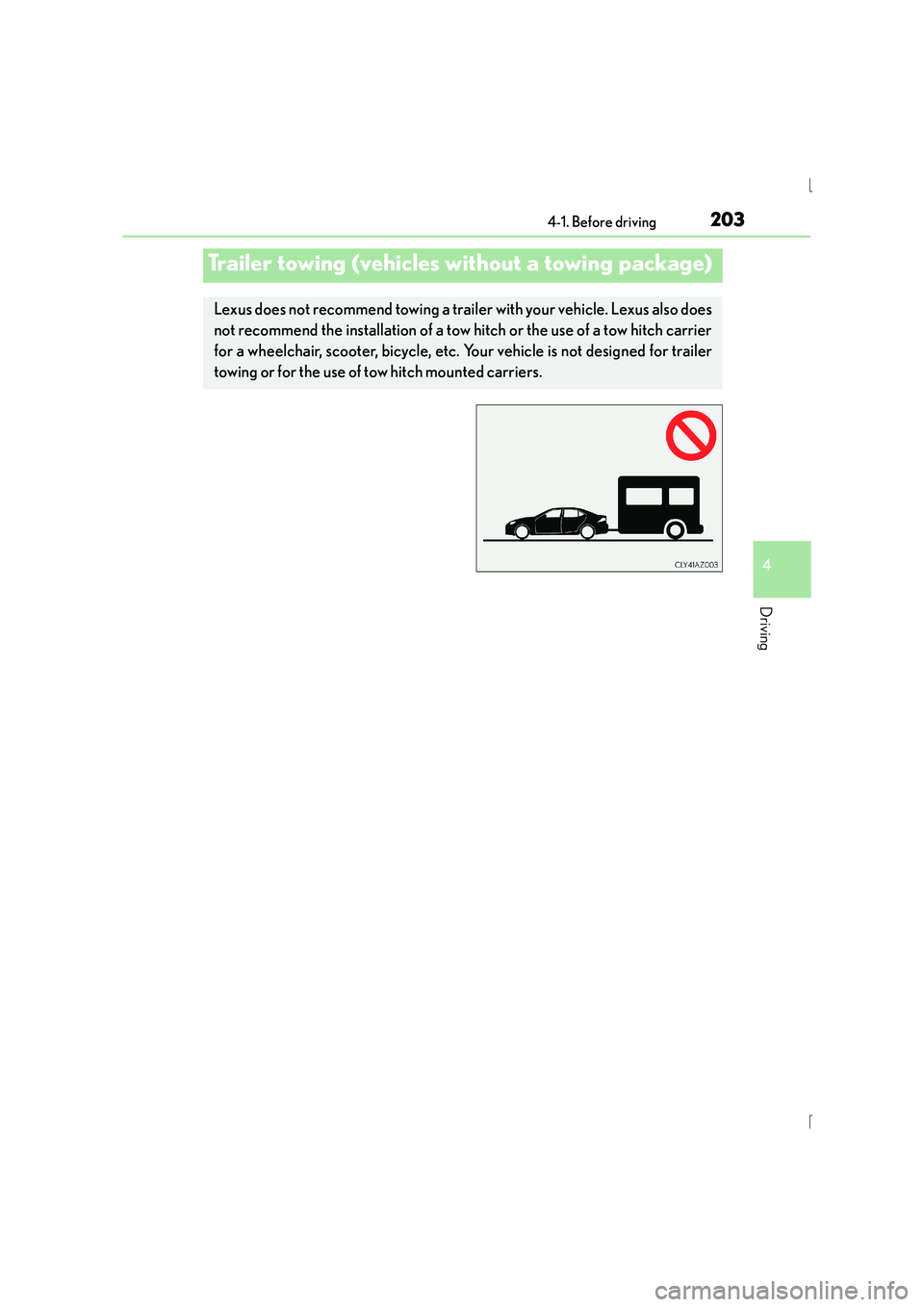
Lexus does not recommend towing a trailer with your vehicle. Lexus also does
not recommend the installation of a tow hitch or the use of a tow hitch carrier
for a wheelchair, scooter, bicycle, etc. Your vehicle is not designed for trailer
towing or for the use of tow hitch mounted carriers.
Page 209 of 628
2094-1. Before driving
4
Driving
IS300h_EE(OM53D56E)
Your vehicle will handle differently when towing a trailer. In order to avoid acci-
dent, death or serious injury, keep the following in mind when towing:
■Checking connections between trailer and lights
Stop the vehicle and check the operation of the connection between the
trailer and lights after driving for a brief period as well as before starting off.
■Practicing driving with a coupled trailer
●Get the feel for turning, stopping and reversing with the trailer coupled by
practicing in an area with no or light traffic.
●When reversing with a coupled trailer, hold the section of the steering
wheel nearest to you and rotate clockwise to turn the trailer left or counter-
clockwise to turn it right. Always rotate a little at a time to prevent steering
error. Have someone guide you when reversing to lessen the risk of an
accident.
■Increasing vehicle-to-vehicle distance
At a speed of 10 km/h (6 mph), the distance to the vehicle running ahead of
you should be equivalent to or greater than the combined length of your vehi-
cle and trailer. Avoid sudden braking th at may cause skidding. Otherwise, the
vehicle may spin out of control. This is especially true when driving on wet or
slippery road surfaces.
■Sudden acceleration/steering input/cornering
Executing sharp turns when towing may result in the trailer colliding with your
vehicle. Decelerate well in advance when approaching turns and take them
slowly and carefully to avoid sudden braking.
■Important points regarding turning
The wheels of the trailer will travel closer to the inside of the curve than the
wheels of the vehicle. To make allowance for this, take the turns wider than you
would normally do.
Guidance
Page 210 of 628
2104-1. Before driving
IS300h_EE(OM53D56E)
■Important points regarding stability
Vehicle movement resulting from uneven road surfaces and strong cross-
winds will affect handling. The vehicle may also be rocked by passing buses or
large trucks. Frequently check behind when moving alongside such vehicles.
As soon as such vehicle movement occurs, immediately start to decelerate
smoothly by slowly applying the brakes. Always steer the vehicle straight
ahead while braking.
■Passing other vehicles
Consider the total combined length of your vehicle and trailer and ensure that
the vehicle-to-vehicle distance is sufficient before executing lane changes.
■Transmission information
To maintain engine braking efficiency, when using engine braking when driv-
ing on a long steep downward grade, do not use the transmission in D. The
vehicle must be driven in gear shift position “4” in S mode. ( →P. 222)
■If the engine overheats
Towing a loaded trailer up a long, steep incline in temperatures exceeding
30 °C (85 °F) may result in the engine overheating. If the engine coolant tem-
perature gauge indicates that the engine is overheating, turn the air condition-
ing off immediately, leave the road and stop the vehicle in a safe place.
( → P. 5 7 1 )
■When parking the vehicle
Always place wheel chocks under the whee ls of both the vehicle and trailer.
Firmly set the parking brake and shift the shift lever to P.
Page 215 of 628
2154-2. Driving procedures
4
Driving
IS300h_EE(OM53D56E)
■Steering lock
After turning the power switch off and opening and closing the doors, the steering wheel
will be locked due to the steering lock function. Operating the power switch again auto-
matically cancels the steering lock.
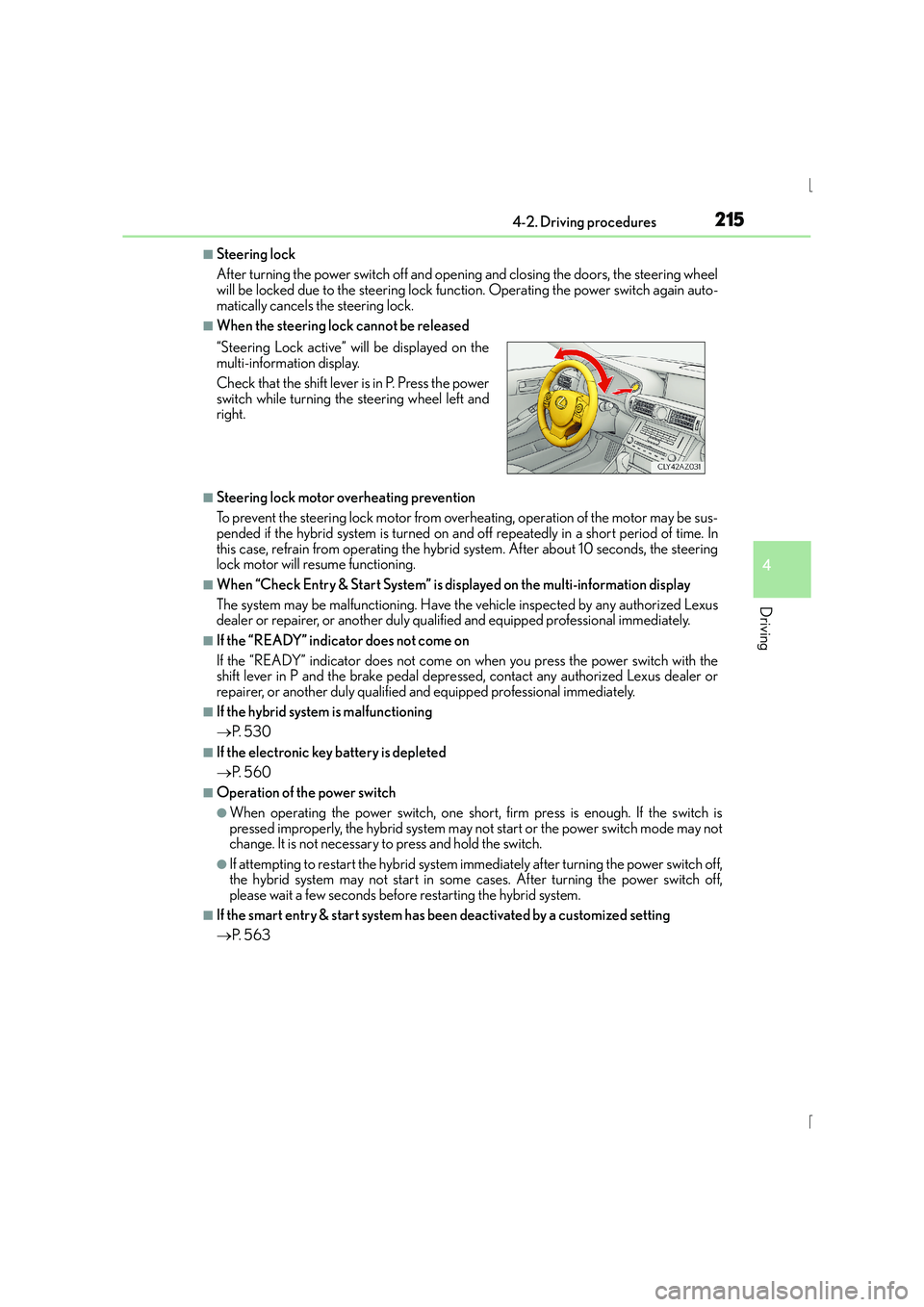
■When the steering lock cannot be released
■Steering lock motor overheating prevention
To prevent the steering lock motor from overheating, operation of the motor may be sus-
pended if the hybrid system is turned on an d off repeatedly in a short period of time. In
this case, refrain from operating the hybrid system. After about 10 seconds, the steering
lock motor will resume functioning.
■When “Check Entry & Start System” is displayed on the multi-information display
The system may be malfunctioning. Have the vehicle inspected by any authorized Lexus
dealer or repairer, or another duly qualified and equipped professional immediately.
■If the “READY” indicator does not come on
If the “READY” indicator does not come on when you press the power switch with the
shift lever in P and the brake pedal depressed, contact any authorized Lexus dealer or
repairer, or another duly qualified and equipped professional immediately.
■If the hybrid system is malfunctioning
→ P. 5 3 0
■If the electronic key battery is depleted
→P. 5 6 0
■Operation of the power switch
●When operating the power switch, one short, firm press is enough. If the switch is
pressed improperly, the hybrid system may no t start or the power switch mode may not
change. It is not necessary to press and hold the switch.
●If attempting to restart the hybrid system immediately after turning the power switch off,
the hybrid system may not start in some cases. After turning the power switch off,
please wait a few seconds before restarting the hybrid system.
■If the smart entry & start system has been deactivated by a customized setting
→P. 5 6 3
“Steering Lock active” w
ill be displayed on the
multi-information display.
Check that the shift lever is in P. Press the power
switch while turning the steering wheel left and
right.
Page 234 of 628
2344-3. Operating the lights and wipers
IS300h_EE(OM53D56E)
■The Automatic High Beam can be operated when
The power switch is in ON mode.
■Camera sensor detection information
●High beam may not be automatically turned off in the following situations:
• When oncoming vehicles suddenly appear from a curve
• When the vehicle is cut in front of by another vehicle
• When oncoming or preceding vehicles are hidden from sight due to repeatedcurves, road dividers or roadside trees
●High beam may be turned off if an oncomi ng vehicle that is using fog lights without
using the headlights is detected.
●House lights, street lights, red traffic sign als, and illuminated billboards or signs may
cause the high beam to turn off.
●The following factors may affect the amount of time taken to turn high beam on or off:
• The brightness of headlights, fog lights, and tail lights of oncoming and preceding
vehicles
• The movement and direction of oncoming and preceding vehicles
• When an oncoming or preceding vehicle only has operational lights on one side
• When an oncoming or preceding vehicle is a two-wheeled vehicle
• The condition of the road (gradient, curve, condition of the road surface etc.)
• The number of passengers and amount of luggage
●High beam may be turned on or off when unexpected by the driver.
●Small vehicles, such as bicycles, may not be detected.
●In the situations below, the system may not be able to correctly detect the surrounding
brightness levels, and may flash or expose nearby pedestrians to the high beam. There-
fore, you should consider turning the high be ams on or off manually rather than relying
on the Automatic High Beam system.
• In bad weather (rain, snow, fog, sandstorms etc.)
• The windshield is obscured by fog, mist, ice, dirt etc.
• The windshield is cracked or damaged.
• The camera sensor is deformed or dirty.
• Surrounding brightness levels are equal to th ose of headlights, tail lights or fog lights.
• Vehicles ahead have headlights or tail lights that are either switched off, dirty, chang-
ing color, or have improperly adjusted aim.
• When driving through an area of intermittently changing brightness and darkness.
• When frequently and repeatedly driving ascending/descending roads, or roads with
rough, bumpy or uneven surfaces (such as stone-paved roads, gravel tracks etc.).
• When frequently and repeatedly taking curves or driving on a winding road.
• There is a highly reflective object ahead of the vehicle, such as a sign or a mirror.
• The vehicle’s headlights are damaged or dirty.
• The vehicle is listing or titling, due to a flat tire, a trailer being towed etc.
• The driver believes that the high beam may be causing problems or distress to other drivers or pedestrians nearby.
• The vehicle is used in a territory in which vehicles travel on the opposite side of the
road of the country for which the vehicle is approved, for example using a vehicle
designed for right-hand traffic in a left-hand traffic territory, or vice versa.
Page 268 of 628

2684-5. Using the driving support systems
IS300h_EE(OM53D56E)
CAUTION
■Conditions under which the vehicle-to-vehicle distance control mode may not func-
tion correctly
Operate the brake pedal (or accelerator pedal operation depending on the situation)
as necessary in the following conditions as the radar sensor may not be able to cor-
rectly detect vehicles ahead, which may lead to an accident resulting in death or seri-
ous injury.
●When water or snow thrown up by the surrounding vehicles hinders the detecting of
the sensor
●When your vehicle is pointing upwards
(caused by a heavy load in the trunk, etc.)
●When the road curves or when the lanes are
narrow
●When steering wheel operation or your posi-
tion in the lane is unstable
●When the vehicle ahead of you decelerates
suddenly
Accelerate Accelerate Decelerate
Page 274 of 628
2744-5. Using the driving support systems
IS300h_EE(OM53D56E)
●When sunlight or the headlights of oncoming vehicles are shining directly into the cam-
era lens
●When driving on roads that are branching or merging
●When driving on a road surface that is wet due to rain, previous rainfall, standing water,
etc.
●When the vehicle experiences strong up-and-down motion such as when driving on an
extremely rough road or on a seam in the pavement
●When headlight brightness at nighttime is reduced due to dirt on the lenses, or when
the headlights are misaligned
●When driving on wi nding roads or roads that are uneven
●When driving on rough or unpaved roads
■When changing the tires
Depending on the tires used, such as snow ti res, etc., sufficient performance may not be
maintainable.
■Warning messages for the LDA system
Warning messages are used to indicate a system malfunction or to inform the driver of
the need for caution while driving. ( →P. 5 3 3 )
CAUTION
■Before using the LDA system
Do not rely solely on the LDA system. The LDA system does not drive the vehicle auto-
matically, nor does it reduce the amount of care you need to take. As such, the driver
must always assume full responsibility for understanding his/her surroundings, for
operating the steering wheel to correct the driving line, and for driving safely.
Inappropriate or negligent driving could lead to an accident.
■To avoid operating the LDA by mistake
Switch the LDA system off using the LDA switch when not in use.
■Situations unsuitable for LDA system
Do not use the LDA system in any of the following situations.
Otherwise, the system may not function correctly and could result in an accident.
●When driving with tire chains, a spare tire, or similar equipment
●When there are objects or structures along the roadside that might be misinterpreted
as lane markers (such as guardrails, a curb, reflector posts, etc.)
●When driving on snowy roads
●When pavement lane markers are difficult to see due to rain, snow, fog, sand, dirt, etc.
●When there are visible lines on the pavement from road repairs, or if the remains of
old lane markers are still visible on the road
●When driving on a road with lane closures due to maintenance, or when driving in a
temporary lane
Page 291 of 628
2914-5. Using the driving support systems
4
Driving
IS300h_EE(OM53D56E)
CAUTION
■When using the rear view monitor system
The rear view monitor system is a supplemental device intended to assist the driver
when backing up. When backing up, be sure to check visually behind and all around
the vehicle before proceeding.
Observe the following precautions to avoid an accident that could result in death or
serious injuries.
●Never depend on the rear view monitor system entirely when backing up. The image
and the position of the guide lines displayed on the screen may differ from the actual
state.
Use caution, just as you would when backing up any vehicle.
●Be sure to back up slowly, depressing the brake pedal to control vehicle speed.
●The instructions given are only guidelines.
When and how much to turn the steering wheel will vary according to traffic condi-
tions, road surface conditions, vehicle condition, etc. when parking. It is necessary to
be fully aware of this before using the rear view monitor system.
●When parking, be sure to check that the parking space will accommodate your vehi-
cle before maneuvering into it.
●Do not use the rear view monitor system in the following cases:
• On icy or slick road surfaces, or in snow
• When using tire chains
• When the trunk lid is not closed completely
• On roads that are not flat or straight, such as curves or slopes.
●In low temperatures, the screen may darken or the image may become faint. The
image could distort when the vehicle is moving, or you may become unable to see the
image on the screen. Be sure to check direct visually and with the mirrors all around
the vehicle before proceeding.
●If the tire sizes are changed, the position of the fixed guide lines displayed on the
screen may change.
●The camera uses a special lens. The dist ances between objects and pedestrians that
appear in the image displayed on the screen will differ from the actual distances.
( → P. 2 8 5 )
Page 296 of 628
2964-5. Using the driving support systems
IS300h_EE(OM53D56E)
◆ABS (Anti-lock Brake System)
Helps to prevent wheel lock when the brakes are applied suddenly, or if the
brakes are applied while driving on a slippery road surface
◆Brake assist
Generates an increased level of braking force after the brake pedal is
depressed when the system detects a panic stop situation
◆VSC (Vehicle Stability Control)
Helps the driver to control skidding when swerving suddenly or turning on
slippery road surfaces
◆VSC+ (Vehicle Stability Control+)
Provides cooperative control of the ABS, TRC, VSC and EPS.
Helps to maintain directional stability when swerving on slippery road sur-
faces by controlling steering performance.
◆TRC (Traction Control)
Helps to maintain drive power and prevent the drive wheels from spinning
when starting the vehicle or accelerating on slippery roads
◆Hill-start assist control
Prevents the vehicle from rolling backward when starting on an incline or slip-
pery slope
◆EPS (Electric Power Steering)
Employs an electric motor to reduce the amount of effort needed to turn the
steering wheel
Driving assist systems
To help enhance driving safety and performance, the following systems oper-
ate automatically in response to various driving situations. Be aware, however,
that these systems are supplementary and should not be relied upon too
heavily when operating the vehicle.