alarm Lexus IS300h 2017 User Guide
[x] Cancel search | Manufacturer: LEXUS, Model Year: 2017, Model line: IS300h, Model: Lexus IS300h 2017Pages: 692, PDF Size: 163.7 MB
Page 154 of 692
1543-2. Opening, closing and locking the doors and trunk
IS300h_EE(OM53D89E)
■Trunk light (if equipped)
The trunk light turns on when the trunk is opened.
■Function to prevent the trunk being lo cked with the electronic key inside
●When all doors are locked, closing the trunk lid with the electronic key left inside the
trunk will sound an alarm.
In this case, the trunk lid can be opened pressing the trunk release button on the trunk lid.
●If the spare electronic key is put in the trunk with all the doors locked, the key confine-
ment prevention function is activated so the trunk can be opened. In order to prevent theft, take all electronic keys with you when leaving the vehicle.
●If the electronic key is put in the trunk with all the doors locked, the key may not be
detected depending on the location of the key and the surrounding radio wave condi- tions. In this case, the key confinement prev ention function cannot be activated, causing
the doors to lock when the trunk is closed. Make sure to check where the key is before
closing the trunk.
●The key confinement prevention function cannot be activated if any one of the doors is
unlocked. In this case, open the trunk using the trunk opener.
■Using the mechanical key
The trunk can be also opened using the mechanical key. ( P. 628)
■If the smart entry & start system or the wireless remote control does not operate prop-
erly
Use the mechanical key to unlock the trunk. ( P. 628)
Replace the key battery with a new one if it is depleted. (P. 549)
■When leaving a key to the vehicle with a parking attendant
P. 140
■Customization
The trunk unlocking operation can be changed. (Customizable features: P. 657)
Page 160 of 692
1603-2. Opening, closing and locking the doors and trunk
IS300h_EE(OM53D89E)
■Note for the entry function (if equipped)
●Even when the electronic key is within the effective range (detection areas), the system may not operate properly in the following cases:
• The electronic key is too close to the window or outside door handle, near the
ground, or in a high place when the doors are locked or unlocked. • The electronic key is near the ground or in a high place, or too close to the rear
bumper center when the trunk is opened.
●Do not leave the electronic key on top of th e instrument panel or near the door pockets
when exiting the vehicle. Depending on the radio wave reception conditions, it may be
detected by the antenna outside the cabin an d the doors will become lockable from the outside, possibly trapping the electronic key inside the vehicle.
●As long as the electronic key is within the effective range, the doors may be locked or
unlocked by anyone. However, only the door s detecting the electronic key can be used to unlock the vehicle.
●The doors may unlock or lock if a large amou nt of water splashes on the door handle,
such as in the rain or in a car wash, when t he electronic key is within the effective range. (The doors will automatically be locked af ter approximately 30 seconds if the doors
are not opened and closed.)
●If the wireless remote control is used to lo ck the doors when the electronic key is near the vehicle, there is a possibility that the d oor may not be unlocked by the entry func-
tion. (Use the wireless remote control to unlock the doors.)
●Touching the door lock or unlock sensor while wearing gloves may prevent lock or unlock operation.
●If the door handle becomes wet while the el ectronic key is within the effective range,
the door may lock and unlock repeatedly. In this case, follow the following correction
procedures to wash the vehicle:
• Place the electronic key in a location 2 m (6 ft.) or more away from the vehicle. (Take
care to ensure that the key is not stolen.)
• Set the electronic key to battery-saving mode to disable the smart entry & start sys- tem. ( P. 158)
●If the electronic key is inside the vehicle and a door handle becomes wet during a car wash, a message may be shown on the mult i-information display and a buzzer will
sound outside the vehicle. To turn off the alarm, lock all the doors.
●The lock sensor may not work properly if it comes into contact with ice, snow, mud, etc. Clean the lock sensor and attempt to operate it again, or use the lock sensor on the
lower part of the door handle.
●A sudden handle operation or a handle operation immediately after entering the effec- tive range may prevent the doors from bein g unlocked. Touch the door unlock sensor
and check that the doors are unlocked before pulling the door handle again.
●Unlocking the vehicle may take more time if another electronic key is within the effec- tive range.
Page 161 of 692
1613-2. Opening, closing and locking the doors and trunk
3
Operation of each component
IS300h_EE(OM53D89E)
■Note for the push-start function
●Even when the electronic key is within the effective range (detection areas), the system may not operate properly when the electron ic key is on the instrument panel, rear
package tray or floor, or in the door pockets or glove box when the hybrid system is
started or power switch modes are changed.
●Even if the electronic key is not inside the vehicle, it may be possible to start the hybrid
system if the electronic key is near the window.
■When the vehicle is not driven for extended periods
●Vehicles with entry function: To prevent theft of the vehicle, do not leave the electronic
key within 2 m (6 ft.) of the vehicle.
●The smart entry & start system can be deactivated in advance. ( P. 657)
■To operate the system properly
●Make sure to carry the electronic key when operating the system. Do not get the elec-
tronic key too close to the vehicle when operating the system from the outside of the vehicle.
Depending on the position and holding condition of the electronic key, the key may not
be detected correctly and the system may no t operate properly. (The alarm may go off accidentally, or the door lock prev ention function may not operate.)
●Do not leave the electronic key inside the luggage compartment.
The key confinement prevention function ma y not operate, depending on the location of the key (close to a spare tire [if equipped], the inside edge of the luggage compart-
ment), conditions (inside a metal bag, clos e to metallic objects) and the radio waves in
the surrounding area. ( P. 154)
■If the smart entry & start system does not operate properly
●Locking and unlocking the doors and opening the trunk: Use the mechanical key.
( P. 628)
●Starting the hybrid system: P. 629
■Customization
Settings (e. g. smart entry & start system) can be changed.
(Customizable features: P. 657)
■If the smart entry & start system has been deactivated in a customized setting
●Locking and unlocking the doors and opening the trunk:
Use the wireless remote control or mechanical key. ( P. 144, 152, 628)
●Starting the hybrid system and changing power switch modes:P. 629
●Stopping the hybrid system: P. 220
Page 630 of 692

6308-2. Steps to take in an emergency
IS300h_EE(OM53D89E)
■Stopping the hybrid system
Shift the shift lever to P and pr ess the power switch as you normally do when stopping the
hybrid system.
■Replacing the key battery
As the above procedure is a temporary measure, it is recommended that the electronic
key battery be replaced immediately when the battery is depleted. (P. 549)
■Alarm (if equipped)
Using the mechanical key to lock th e doors will not set the alarm system.
If a door is unlocked using the mechanical key when the alarm system is set, the alarm may be triggered.
■Changing power switch modes
Release the brake pedal and press the power switch in step above. The hybrid system does not start and modes will be changed each time the switch is
pressed. ( P. 220)
■When the electronic key does not work properly
●Make sure that the smart entry & start system has not been deactivated in the
customization setting. If it is off, turn the function on.
(Customizable features: P. 657)
●Check if battery-saving mode is set. If it is set, cancel the function. (P. 158)
WARNING
■When using the mechanical key and operating the power windows or moon roof
Operate the power window or moon roof after checking to make sure that there is no possibility of any passenger having any of their body parts caught in the window or
moon roof.
Also, do not allow children to op erate the mechanical key. It is possible for children and other passengers to get caught in the power window or moon roof.
3
Page 631 of 692
6318-2. Steps to take in an emergency
8
When trouble arises
IS300h_EE(OM53D89E)
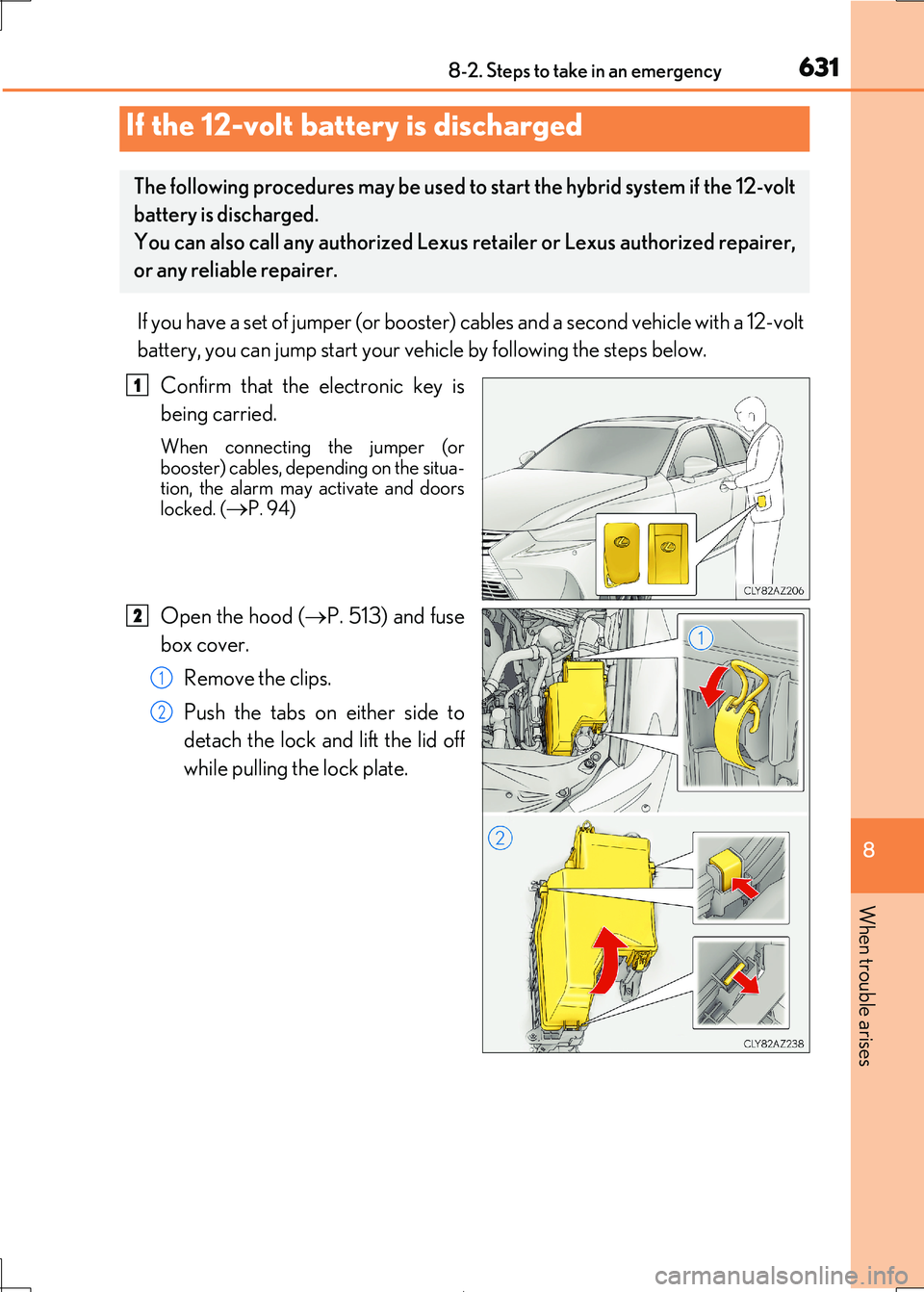
If you have a set of jumper (or booster) cables and a second vehicle with a 12-volt
battery, you can jump start your ve hicle by following the steps below.
Confirm that the electronic key is
being carried.
When connecting the jumper (or booster) cables, depending on the situa-
tion, the alarm may activate and doors
locked. (P. 94)
Open the hood ( P. 513) and fuse
box cover.
Remove the clips.
Push the tabs on either side to
detach the lock and lift the lid off
while pulling the lock plate.
If the 12-volt battery is discharged
The following procedures may be used to start the hybrid system if the 12-volt
battery is discharged.
You can also call any authorized Lexus retailer or Lexus authorized repairer,
or any reliable repairer.
1
2
1
2
Page 670 of 692
670What to do if... (Troubleshooting)
IS300h_EE(OM53D89E)
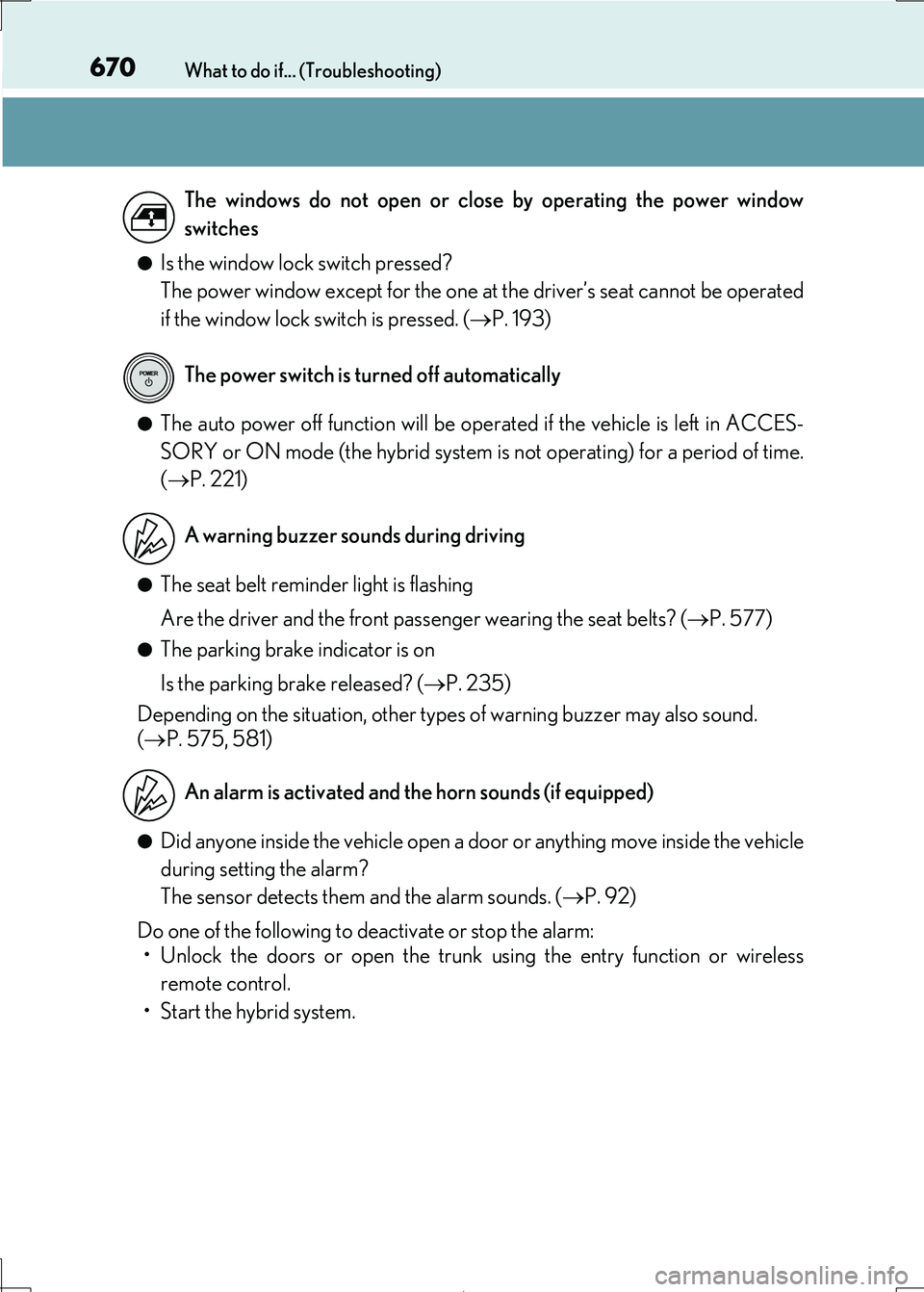
●Is the window lock switch pressed?
The power window except for the one at the driver’s seat cannot be operated
if the window lock switch is pressed. ( P. 193)
●The auto power off function will be operated if the vehicle is left in ACCES-
SORY or ON mode (the hybrid system is not operating) for a period of time.
( P. 221)
●The seat belt reminder light is flashing
Are the driver and the front passenger wearing the seat belts? ( P. 577)
●The parking brake indicator is on
Is the parking brake released? ( P. 235)
Depending on the situation, other type s of warning buzzer may also sound.
( P. 575, 581)
●Did anyone inside the vehicle open a door or anything move inside the vehicle
during setting the alarm?
The sensor detects them and the alarm sounds. ( P. 92)
Do one of the following to deactivate or stop the alarm:
• Unlock the doors or open the trunk using the entry function or wireless
remote control.
• Start the hybrid system.
The windows do not open or close by operating the power window
switches
The power switch is turned off automatically
A warning buzzer sounds during driving
An alarm is activated and the horn sounds (if equipped)
Page 672 of 692
672
IS300h_EE(OM53D89E)
Alphabetical index
Alphabetical index
A/C ............................................................ 466
Air conditioning filter........................ 547
Automatic air conditioning
system ..................................................466
S-FLOW mode..................................469
Blower customization ..................... 475
AAC disc ................................................. 396
ABS (Anti-lock Brake System) ....... 352
Warning light ....................................... 576
Adaptive Variable Suspension
system ....................................................353
Air conditioning filter .......................... 547
Air conditioning system ..................... 466
Air conditioning filter........................ 547
Automatic air conditioning
system ..................................................466
S-FLOW mode..................................469
Blower customization ..................... 475
Airbags ........................................................ 43
Airbag manual on-off system......... 53
Airbag operating conditions ...........49
Airbag precautions for
your child .............................................. 45
Correct driving posture.................... 36
Curtain shield airbag operating
conditions ..............................................49
Curtain shield airbag
precautions ........................................... 47
General airbag precautions ........... 45
Locations of airbags ............................43
Modification and disposal of
airbags.................................................... 48
Side airbag operating
conditions ..............................................49
Side airbag precautions .................... 45
Side and curtain shield airbags
operating conditions ........................49
Side and curtain shield airbags
precautions .......................................... 45
SRS airbags ..............................................43
SRS warning light .............................. 576
Airbag manual on-off system ............. 53
Alarm............................................................ 92
Anchor brackets .......................................67
Antennas (smart entry &
start system) ......................................... 157
A
Page 688 of 692
688Alphabetical index
IS300h_EE(OM53D89E)
Paddle shift switches ........................ 228
Power door lock switch ................... 147
Power switch .........................................219
Power window switches ..................193
Rear sunshade switch...................... 493
Rear window and outside rear
view mirror defoggers
switch.................................................... 474
Seat heater switches ....................... 480
Seat ventilator switches ................. 480
Snow mode switch ............................227
Talk switch ............................................. 432
Telephone switches.......................... 432
Tilt and telescopic steering
control switch .................................... 185
Tire pressure warning reset
switch.................................................... 527
Trunk opener main switch ............. 153
Trunk opener switch ........................... 151
Vehicle-to-vehicle distance
button ................................................... 299
VSC OFF switch ...............................354
Window lock switch...........................193
Windshield wiper de-icer
switch.................................................... 475
Windshield wiper
and washer switch ......................... 245
Tachometer ............................................. 105
Tachometer settings .............................. 119
Tail lights................................................... 237
Light switch............................................237
Replacing light bulbs ....................... 562
Talk switch ............................................... 432
Telephone switches ............................. 432
Theft deterrent system
Alarm ...........................................................92
Double locking system ........................ 91
Immobilizer system ............................. 86
Intrusion sensor a nd tilt sensor...... 95
Tire inflation pressure ......................... 543
Maintenance data ............................. 652
Tire pressure warning system..... 526
Warning light....................................... 578
Tire pressure warning system ......... 526
Initializing ................................................527
Installing tire pressure warning
valves and transmitters ............... 526
Registering ID codes........................527
Tire pressure warning reset
switch ....................................................527
Warning light....................................... 578
T